Introduction
A CRM platform is a centralized software system designed to manage all of your company’s relationships and interactions with both current and potential customers. It serves as a “single source of truth,” allowing every department—from sales to support—to see exactly when a customer was last contacted, what they purchased, and what their current pain points are. In an era where personalized experience is a non-negotiable expectation, a CRM allows you to treat a million customers with the same intimacy as your first ten.
The importance of these platforms lies in their ability to drive revenue through efficiency. By automating repetitive tasks like lead follow-ups and data entry, your team can focus on what they do best: building human connections. Key real-world use cases include managing complex sales pipelines, tracking customer support tickets, and running highly targeted marketing campaigns based on purchase history. When choosing a tool, you must evaluate its scalability, ease of adoption, mobile capabilities, and the depth of its AI-driven predictive analytics.
Best for: Sales teams looking to close more deals, marketing departments aiming for higher ROI, and customer success teams striving for better retention. It is essential for industries with long sales cycles, high customer lifetime value, or complex B2B relationships.
Not ideal for: Micro-businesses with a very small, static list of clients where a simple spreadsheet might suffice, or companies that have zero direct interaction with their end consumers (e.g., specific white-label manufacturers).
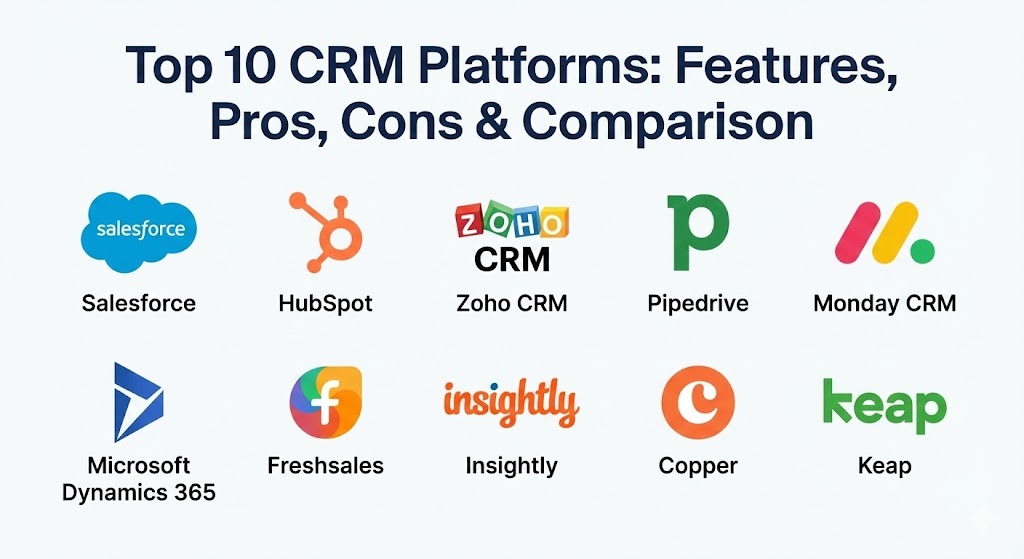
Top 10 CRM Platforms Tools
1 — Salesforce
Salesforce is the undisputed titan of the CRM world, offering a vast, cloud-based ecosystem that can be customized to fit the needs of almost any industry on the planet.
- Key features:
- Einstein AI: Predictive lead scoring and automated insights to identify which deals are most likely to close.
- Lightning Experience: A modern, highly customizable user interface for sales and service.
- AppExchange: A massive marketplace with thousands of third-party integrations.
- Trailhead: An integrated learning platform to help users master the software.
- Omni-Channel Routing: Automatically pushes leads and cases to the right team member.
- Advanced Reporting: Granular, real-time dashboards that can visualize virtually any data point.
- Pros:
- Virtually limitless customizability—if you can dream it, Salesforce can build it.
- Unrivaled scalability that grows with you from a small team to a Fortune 500 company.
- Cons:
- Steep learning curve; usually requires a dedicated administrator for larger setups.
- Can become extremely expensive as you add modules and users.
- Security & compliance: SOC 2, GDPR, HIPAA, ISO 27001, and Shield for advanced encryption and audit logs.
- Support & community: World-class documentation, 24/7 global support tiers, and a massive community of developers and “Trailblazers.”
2 — HubSpot CRM
HubSpot is the darling of the mid-market, famous for its “inbound” philosophy and an interface that is as intuitive as a consumer app.
- Key features:
- Free Core CRM: A robust free tier that allows for unlimited users and 1,000,000 contacts.
- Marketing Hub Integration: Seamless connection between lead generation and sales follow-up.
- Sales Hub: Tools like meeting scheduling, email tracking, and playbooks.
- Operations Hub: Cleans and syncs data across different apps automatically.
- Custom Objects: Ability to store and view unique data types specific to your business.
- Smart Content: Tailors website and email content to the specific stage of the customer journey.
- Pros:
- Exceptionally easy to use; most teams can get up and running in a matter of days.
- Excellent value for money, especially for growing companies that use their marketing tools.
- Cons:
- Costs can escalate rapidly as you move from “Starter” to “Professional” or “Enterprise” tiers.
- Some of the more complex reporting features are locked behind high-tier plans.
- Security & compliance: SOC 2 Type II, GDPR, HIPAA (on Enterprise plans), and SSO support.
- Support & community: High-quality HubSpot Academy certifications, active user forums, and 24/7 chat/phone support for paid tiers.
3 — Zoho CRM
Zoho CRM is part of the extensive Zoho suite, offering a powerful, feature-rich experience at a price point that is often significantly lower than its major competitors.
- Key features:
- Zia AI: A sales assistant that predicts deal outcomes and suggests the best time to contact leads.
- Canvas Design Studio: A drag-and-drop builder to completely redesign the CRM interface.
- Omnichannel Communication: Manage email, telephone, social media, and live chat in one place.
- Blueprint: Enforces sales processes by guiding reps through the steps of a deal.
- Zoho Analytics Integration: Deep-dive business intelligence and data visualization.
- Developer Platform: Robust APIs for custom app development and deep integrations.
- Pros:
- Unbeatable price-to-performance ratio for small and mid-sized businesses.
- Native integration with over 45 other Zoho apps (Finance, HR, Projects).
- Cons:
- The sheer number of settings and customization options can be overwhelming for beginners.
- Some users find the customer support response times to be inconsistent.
- Security & compliance: ISO 27001, SOC 2, HIPAA, GDPR, and localized data centers.
- Support & community: Extensive self-help guides, webinars, a dedicated partner network, and multi-tier support plans.
4 — Pipedrive
Pipedrive was built by salespeople, for salespeople. It is laser-focused on the visual sales pipeline and eliminating the “administrative noise” that slows down reps.
- Key features:
- Visual Sales Pipeline: A clean, Kanban-style view of your deals that makes it impossible to lose track.
- Sales Assistant: An AI-powered mentor that provides personalized tips to move deals forward.
- Smart Docs: Create, send, and track proposals and contracts directly from the CRM.
- LeadBooster: An add-on featuring chatbots, live chat, and web forms for lead gen.
- Workflow Automation: Simple “if-this-then-that” logic to handle repetitive tasks.
- Revenue Forecasting: Accurate projections based on deal stage and probability.
- Pros:
- One of the most user-friendly interfaces in the market; highly focused on sales velocity.
- Very affordable and transparent pricing with no hidden “platform fees.”
- Cons:
- Lacks the deep marketing and customer service modules found in HubSpot or Salesforce.
- Not ideal for complex enterprises that need advanced project management or ERP features.
- Security & compliance: SOC 2, SOC 3, GDPR, and ISO 27001. All data is encrypted at rest.
- Support & community: 24/7 chat support in multiple languages, a helpful knowledge base, and a community of sales experts.
5 — Monday CRM
Monday.com, originally a project management tool, has launched a CRM that is highly visual and incredibly flexible, built on their powerful “Work OS” architecture.
- Key features:
- No-Code Customization: Build your own CRM boards and workflows without writing a single line of code.
- Lead Management: Automatically capture leads from various sources and assign them to reps.
- Sales Forecasting: Visual boards that show your pipeline value and expected close dates.
- Activity Tracking: Log calls, emails, and meetings in a centralized timeline.
- Team Collaboration: Built-in chat and file sharing directly on the deal record.
- Post-Sales Management: Transition deals directly into project management or customer onboarding.
- Pros:
- Visually stunning and fun to use, which leads to high team adoption.
- Excellent for companies that need to manage the entire business lifecycle, not just sales.
- Cons:
- Advanced CRM features (like lead scoring) are only available on higher pricing tiers.
- The pricing structure is based on “seats” in specific increments, which can be frustrating.
- Security & compliance: SOC 2 Type II, HIPAA, ISO 27001, and GDPR compliant.
- Support & community: 24/7 support, extensive video tutorials, and a massive community of workflow builders.
6 — Microsoft Dynamics 365 Sales
Microsoft Dynamics is the logical choice for organizations that are already deeply embedded in the Microsoft 365 and Azure ecosystem.
- Key features:
- Teams Integration: Collaborate on deals directly within Microsoft Teams.
- Relationship Assistant: AI that analyzes data to provide actionable next steps.
- LinkedIn Sales Navigator Sync: Directly pull LinkedIn data into your CRM records.
- Predictive Forecasting: Uses historical data to predict future sales performance.
- Customer Voice: Built-in survey tool to capture and analyze customer feedback.
- Mixed Reality: Specialized tools for field service and 3D product visualization.
- Pros:
- Deepest integration with Outlook, Excel, and Teams on the market.
- Highly powerful for enterprise-level data modeling and business intelligence.
- Cons:
- Can be incredibly complex to set up; usually requires a Microsoft-certified partner.
- User interface can feel “heavy” and less modern than competitors like HubSpot.
- Security & compliance: FedRAMP, HIPAA, GDPR, ISO 27001, and SOC 2. Backed by Microsoft’s global security spend.
- Support & community: Massive global network of consultants, 24/7 enterprise support, and Microsoft Learn resources.
7 — Freshsales (by Freshworks)
Freshsales is a modern, AI-powered CRM designed to help high-growth sales teams work faster and smarter without the complexity of legacy tools.
- Key features:
- Freddy AI: Provides deal insights, lead scoring, and automated next-best-action suggestions.
- Built-in Phone & Email: Call and email leads directly from the CRM without external apps.
- Activity Timeline: A chronological view of every customer interaction across all channels.
- Visual Sales Pipeline: Drag-and-drop deal management with multiple pipeline support.
- Advanced Lead Scoring: Ranks leads based on their engagement and behavioral data.
- Mobile App: A robust mobile experience that includes voice notes and check-ins.
- Pros:
- Excellent “out-of-the-box” experience; very little configuration needed to start.
- The integrated communication tools (phone/email) save significant time and money.
- Cons:
- Some of the more advanced automation features can be tricky to set up for non-technical users.
- The third-party app ecosystem is smaller than Salesforce or HubSpot.
- Security & compliance: SOC 2, GDPR, HIPAA, and ISO 27001 compliant.
- Support & community: 24/5 or 24/7 support depending on the plan, extensive knowledge base, and community forums.
8 — Insightly
Insightly is a unique CRM that bridges the gap between sales and project management, making it ideal for professional services and agencies.
- Key features:
- Relationship Linking: Visualize complex connections between people, companies, and projects.
- Project Management: Convert closed deals into projects with tasks, milestones, and timelines.
- Workflow Automation: Complex business logic to automate any process across the platform.
- Marketing Automation: Integrated email marketing and lead generation tools.
- Custom Reporting: Build complex reports and dashboards to track ROI and project health.
- Mobile App: Full access to both CRM and Project data while on the move.
- Pros:
- The best choice for businesses that need to track what happens after the sale.
- Very strong data modeling capabilities for complex B2B relationships.
- Cons:
- The user interface is functional but lacks the visual flair of Monday.com or HubSpot.
- Customer support is often cited as being slower than top-tier rivals.
- Security & compliance: SOC 2 Type II, GDPR, and HIPAA compliant. Data is encrypted at rest and in transit.
- Support & community: Detailed help center, email support, and a community of professional service users.
9 — Copper
Copper is the CRM for people who hate CRMs. It lives entirely inside Google Workspace, making it the preferred choice for creative agencies and tech startups.
- Key features:
- Native Google Integration: Lives inside Gmail and Google Calendar; no need to switch tabs.
- Zero Data Entry: Automatically scrapes data from your emails to populate contact records.
- Pipeline Management: Visual deal tracking within the familiar Google-style UI.
- Automated Lead Enrichment: Scans the web to add social profiles and company info to contacts.
- Task Management: Syncs CRM tasks directly with your Google Calendar.
- Email Templates & Sequences: Send personalized outreach directly from your Gmail inbox.
- Pros:
- The fastest adoption rate for teams already using Google Workspace.
- Eliminates hours of manual data entry through its “scraping” technology.
- Cons:
- If you don’t use Google Workspace, this tool is virtually useless to you.
- Lacks the deep enterprise features (like field-level security) found in Salesforce.
- Security & compliance: SOC 2 Type II, GDPR, and ISO 27001. Built on Google’s secure infrastructure.
- Support & community: High-quality help articles, webinars, and active chat support for paid plans.
10 — Keap (formerly Infusionsoft)
Keap is the powerhouse for small business automation, combining CRM, marketing automation, and e-commerce into one platform.
- Key features:
- Easy Automations: Simple, pre-built templates for follow-ups and lead nurturing.
- E-commerce & Payments: Sell products and accept payments directly through the CRM.
- Campaign Builder: A famous visual drag-and-drop builder for complex marketing funnels.
- Invoicing: Send professional invoices and track payment status.
- Appointment Scheduling: Integrated booking links that sync with your calendar.
- Keap Business Line: Provides a dedicated business phone number for calls and texts.
- Pros:
- Unrivaled marketing automation for small businesses that sell online.
- Combines multiple software costs (CRM, Email Marketing, Invoicing) into one fee.
- Cons:
- The advanced automation builder has a steep learning curve.
- Pricing is on the higher side for very small businesses just starting out.
- Security & compliance: SOC 2, HIPAA (on certain tiers), and GDPR compliant.
- Support & community: Excellent onboarding coaching, a massive community of “Keap Certified Partners,” and 24/7 support.
Comparison Table
| Tool Name | Best For | Platform(s) Supported | Standout Feature | Rating (Gartner) |
| Salesforce | Global Enterprises | Web, iOS, Android | Einstein AI Insights | 4.4 / 5 |
| HubSpot CRM | Scaling Mid-Market | Web, iOS, Android | Free CRM + Ease of Use | 4.5 / 5 |
| Zoho CRM | High-Value Ecosystem | Web, iOS, Android | Zia AI Assistant | 4.3 / 5 |
| Pipedrive | Visual Sales Teams | Web, iOS, Android | Kanban Pipeline View | 4.5 / 5 |
| Monday CRM | Cross-Team Workflows | Web, iOS, Android | No-Code Flexibility | 4.6 / 5 |
| Dynamics 365 | Microsoft Ecosystem | Web, iOS, Android | Teams/LinkedIn Sync | 4.3 / 5 |
| Freshsales | High-Growth Sales | Web, iOS, Android | Built-in Phone/Email | 4.6 / 5 |
| Insightly | Professional Services | Web, iOS, Android | Integrated Project Mgmt | 4.2 / 5 |
| Copper | Google Workspace Users | Web, iOS, Android | Native Gmail Integration | 4.6 / 5 |
| Keap | Small Biz Automation | Web, iOS, Android | Visual Campaign Builder | 4.2 / 5 |
Evaluation & Scoring of CRM Platforms
To help you objectively compare these tools, we have evaluated them using a weighted scoring rubric that reflects the priorities of a modern 2026 business.
| Category | Weight | Evaluation Criteria |
| Core Features | 25% | Pipeline management, lead scoring, and automated task handling. |
| Ease of Use | 15% | Intuitiveness of UI, mobile app quality, and team adoption speed. |
| Integrations | 15% | Breadth of third-party ecosystem and quality of API. |
| Security & Compliance | 10% | SOC 2/ISO certifications, data encryption, and GDPR readiness. |
| Reliability | 10% | System uptime, mobile sync stability, and data accuracy. |
| Support | 10% | Documentation quality, human support speed, and community forums. |
| Price / Value | 15% | Transparency of pricing and the ROI delivered for the cost. |
Which CRM Platforms Tool Is Right for You?
Choosing a CRM is not just a software purchase; it is a strategic decision that will define how your team works for years to come.
- Solo Users vs SMB vs Mid-Market vs Enterprise:
- Solo/Micro: HubSpot’s free tier or Pipedrive are the best starting points.
- SMB: Zoho CRM or Monday CRM offer the best flexibility for smaller teams.
- Mid-Market: HubSpot Professional or Freshsales are built for this scale.
- Enterprise: Salesforce or Microsoft Dynamics are the only true options for massive scale.
- Budget-Conscious vs Premium Solutions: If you are on a tight budget, Zoho or the free version of HubSpot are unbeatable. If you have a larger budget and need the absolute “best” custom engine, Salesforce is the gold standard.
- Feature Depth vs Ease of Use: If your team is tech-averse, choose Copper or Monday.com. If you have a tech-savvy team and need every single bell and whistle, Salesforce is your playground.
- Integration and Scalability Needs: If you are a Google shop, choose Copper. If you are a Microsoft shop, choose Dynamics. If you use a “patchwork” of a hundred different apps, Salesforce or HubSpot have the best connectors.
- Security and Compliance Requirements: If you are in healthcare or finance, ensure you select a plan from Salesforce, Microsoft, or Zoho that specifically includes their HIPAA/Shield modules.
Frequently Asked Questions (FAQs)
1. How long does it take to implement a new CRM?
For simple tools like Pipedrive or Monday.com, you can be live in a few days. For enterprise tools like Salesforce or Dynamics 365, implementation typically takes 3 to 9 months and requires a professional consultant.
2. Can I use a CRM on my phone?
Yes, every major CRM on this list has a dedicated iOS and Android app. Some, like Freshsales and Pipedrive, are “mobile-first,” allowing you to log calls and update deals with voice notes.
3. Is my data safe in a CRM?
Modern CRMs use bank-level encryption and are audited against standards like SOC 2 and ISO 27001. However, security also depends on your internal policies, such as using Multi-Factor Authentication (MFA).
4. What is the difference between a CRM and Marketing Automation?
A CRM is focused on managing individual relationships and the sales pipeline. Marketing Automation is focused on the “top of the funnel”—sending mass emails and tracking website behavior to generate leads for the CRM.
5. Why are CRM adoption rates often so low?
Teams often fail to adopt a CRM because it is too complex or feels like “busy work.” Choosing a CRM with an intuitive interface like HubSpot or Monday.com is the best way to ensure your team actually uses it.
6. Can I switch from one CRM to another?
Yes, most CRMs offer data import/export tools via CSV files. However, the more custom data you have, the more difficult the migration becomes. Many businesses use third-party migration services for this.
7. Does a CRM help with customer retention?
Absolutely. By tracking every interaction, you can set alerts to follow up with customers who haven’t purchased in a while or identify “at-risk” customers who have open support tickets.
8. What is AI in a CRM?
In 2026, AI is used for “Predictive Analytics”—telling you which leads are most likely to buy, what the best time to email them is, and forecasting your revenue based on historical trends.
9. Do I need an administrator for my CRM?
For small teams using simple tools, no. For companies with more than 50 users on Salesforce or Dynamics, having at least one full-time, certified administrator is highly recommended.
10. How much does a CRM really cost?
The “sticker price” is often just the beginning. Be sure to factor in implementation costs, third-party integration fees, and the cost of specialized training for your staff.
Conclusion
The “best” CRM is not the one with the most features; it is the one that your team will actually log into every morning. In 2026, the gap between success and failure is often determined by the speed and quality of your customer data. Whether you choose the massive enterprise power of Salesforce, the intuitive inbound engine of HubSpot, or the visual simplicity of Monday CRM, the most important step is simply to begin.
As you evaluate your options, remember that a CRM is a living system. Start with the features you need today, but choose a platform that has the scalability to support the company you plan to be tomorrow.