Introduction
Billing and invoicing software is a specialized tool designed to automate the process of requesting payments from customers and tracking those receivables. At its core, it eliminates the manual labor of creating PDFs, sending emails, and following up on overdue accounts. By integrating directly with payment gateways, these tools allow customers to pay via credit card, ACH, or instant bank transfers with a single click.
In 2026, these tools are more critical than ever. As businesses expand across borders, managing multiple currencies and local tax regulations like VAT or GST becomes impossible to do manually. Key real-world use cases include subscription management for SaaS companies, project-based billing for creative agencies, and on-the-go invoicing for field service technicians. When choosing a tool, you must evaluate its automation capabilities, payment gateway integrations, mobile accessibility, and the depth of its financial reporting.
Best for: Freelancers, small-to-medium businesses (SMBs), and global enterprises that need to professionalize their payment collection process, reduce “Days Sales Outstanding” (DSO), and synchronize financial data with their accounting systems.
Not ideal for: Micro-businesses with only one or two transactions per year who can manage with simple word processing templates, or companies with highly unique, custom-engineered billing requirements that require a bespoke, in-house solution.
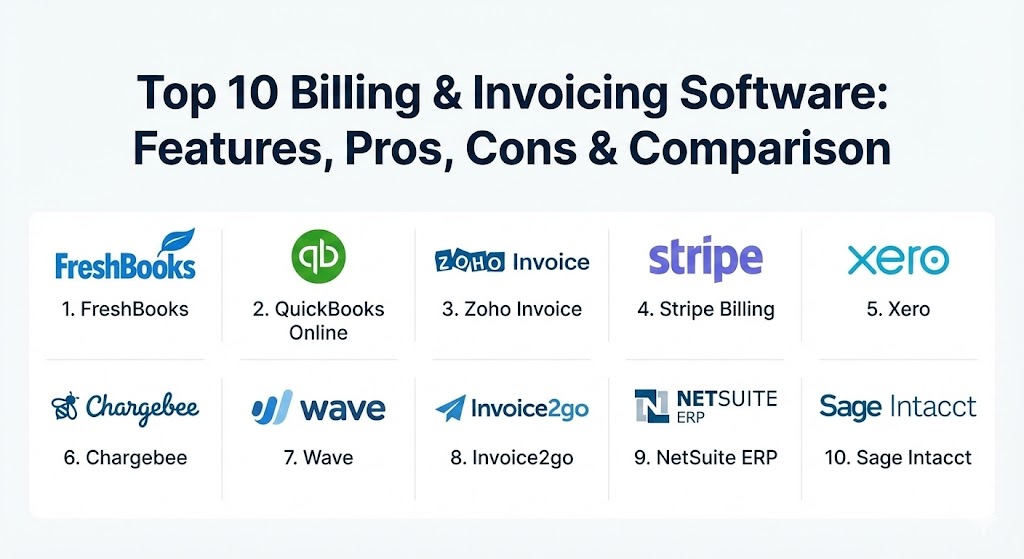
Top 10 Billing & Invoicing Software Tools
1 — FreshBooks
FreshBooks is a fan favorite among service-based small businesses and freelancers. It is designed to be incredibly “human” and easy to navigate, focusing on the user experience rather than complex accounting jargon.
- Key features:
- Automated Recurring Invoices: Schedule invoices to be sent at specific intervals for long-term clients.
- Client Retainers: Set up recurring monthly payments for a fixed amount of work.
- Time Tracking: Integrated timers that automatically pull billable hours into an invoice.
- Multi-Currency Support: Bill clients in their local currency with automated exchange rate updates.
- Client Portal: A secure space where clients can view, pay, and comment on invoices.
- Proposal to Invoice Flow: Convert accepted project estimates into professional invoices with one click.
- Pros:
- Exceptionally intuitive interface that requires almost zero learning curve.
- Outstanding mobile app for managing billing while away from the desk.
- Cons:
- Pricing is based on the number of “active” clients, which can become expensive as your list grows.
- Lacks some of the deep inventory management features found in larger ERPs.
- Security & compliance: SOC 2 Type II, 256-bit SSL encryption, GDPR, and PCI DSS compliant.
- Support & community: Award-winning “Support Rockstar” team; extensive blog, webinars, and a thriving community of entrepreneurs.
2 — QuickBooks Online
QuickBooks is the “industry standard” for a reason. It is a comprehensive financial suite that offers robust invoicing as part of its wider accounting ecosystem, making it the top choice for businesses planning to scale.
- Key features:
- Smart Invoicing: Real-time tracking that shows when a client has viewed and paid an invoice.
- Automatic Matching: Links incoming payments with open invoices in the ledger automatically.
- Cash Flow Planner: AI-driven insights that predict your bank balance 90 days out based on billing history.
- Batch Invoicing: Send hundreds of invoices at once to save time during high-volume periods.
- Custom Fields: Deeply customize invoices to include specific industry data (e.g., job numbers or permit IDs).
- Inventory Sync: Automatically deducts sold items from stock when an invoice is finalized.
- Pros:
- The most robust integration ecosystem in the world (connects with almost every business app).
- Accountants worldwide prefer QuickBooks data, making tax season significantly easier.
- Cons:
- The interface can feel “heavy” or cluttered for someone who only wants basic invoicing.
- Customer support response times can be slow for users on the lower-tier plans.
- Security & compliance: SOC 2, ISO 27001, HIPAA (on certain tiers), and GDPR. Uses multi-factor authentication (MFA).
- Support & community: Massive network of “ProAdvisors” (certified experts), community forums, and 24/7 technical support for premium tiers.
3 — Zoho Invoice
Zoho Invoice is part of the massive Zoho ecosystem and is one of the most affordable yet feature-rich solutions on the market. It is specifically designed to help small businesses automate their entire billing lifecycle.
- Key features:
- Workflow Automation: Set up custom “if-this-then-that” rules for invoice follow-ups.
- Global Compliance: Built-in support for regional taxes like GST (India), VAT (EU), and MTD (UK).
- Automated Reminders: Send polite, scheduled nudges to clients with overdue balances.
- Expense Tracking: Snap photos of receipts and convert them into billable expenses for clients.
- Customer Statements: Generate comprehensive payment history reports for your clients.
- Digital Signatures: Integrated with Zoho Sign for legally binding document approvals.
- Pros:
- One of the few platforms offering a truly robust “Free” tier for micro-businesses.
- Seamlessly integrates with 40+ other Zoho apps (CRM, Projects, Desk).
- Cons:
- While highly customizable, the initial setup of automation rules can be technical.
- The UI feels more functional and “spreadsheet-like” compared to the sleekness of FreshBooks.
- Security & compliance: ISO 27001, SOC 2, GDPR, HIPAA, and PCI DSS Level 1.
- Support & community: Comprehensive user guides, community forums, and highly responsive email/chat support.
4 — Stripe Billing
Stripe Billing is the go-to choice for SaaS and developer-led companies. It is built as a set of powerful APIs that allow for extreme flexibility in how you charge customers, especially for subscription-based models.
- Key features:
- Usage-Based Billing: Charge customers based on how much of your service they actually use (metered billing).
- Smart Retries: Uses machine learning to retry failed credit card payments at the optimal time.
- Tax Automation (Stripe Tax): Automatically calculates and collects sales tax in 40+ countries.
- Revenue Recovery: Integrated tools to handle dunning (reminding) and preventing involuntary churn.
- Hosted Invoice Page: Secure, Stripe-hosted pages that allow customers to pay without you building a checkout.
- Subscription Schedules: Set up complex logic like “3 months free, then $50/month.”
- Pros:
- The most powerful and flexible billing engine for developers and tech startups.
- Exceptionally high “Revenue Recovery” rates thanks to AI-driven card updates.
- Cons:
- Not a standalone accounting tool; you will need to sync it with QuickBooks or Xero.
- Requires a certain level of technical knowledge to leverage the advanced API features.
- Security & compliance: PCI Service Provider Level 1 (highest), SOC 1/2, GDPR, and ISO 27001.
- Support & community: World-class developer documentation, 24/7 support, and a massive ecosystem of developer contributors.
5 — Xero
Xero is a modern, cloud-native accounting platform that treats invoicing as a primary pillar of business health. It is particularly popular in the UK, Australia, and New Zealand, but has a strong global presence.
- Key features:
- Hubdoc Integration: Automatically extract data from bills and receipts and push them into Xero.
- Online Payment Links: “Pay Now” buttons on every invoice for credit cards, Apple Pay, and Google Pay.
- Project Tracking: Assign time and costs to specific jobs to ensure accurate billing.
- Multi-Currency Reporting: Real-time views of your gains and losses due to currency fluctuations.
- Inventory Management: Tracks what’s in stock and updates the invoice as you add items.
- Bank Reconciliation: Match bank transactions with your invoices in seconds.
- Pros:
- The “Hubdoc” integration is a game-changer for businesses with high volumes of expenses.
- Very clean, modern aesthetic that makes financial tasks feel less burdensome.
- Cons:
- Some advanced reporting features are locked behind the “Established” (highest) plan.
- The pricing has seen several increases in recent years, making it less of a “budget” option.
- Security & compliance: SOC 2 Type II, ISO 27001, GDPR, and PCI DSS.
- Support & community: Extensive “Xero Central” learning portal; highly active local accountant networks and community forums.
6 — Chargebee
Chargebee is an enterprise-grade subscription management and recurring billing platform. It is designed for businesses that have moved beyond simple invoicing and need to manage complex “Revenue Operations.”
- Key features:
- Flexible Pricing Models: Supports flat-fee, tiered, per-unit, and metered billing out of the box.
- Revenue Recognition: Automated accounting that ensures revenue is recorded according to ASC 606 standards.
- Self-Service Portals: Allow customers to upgrade, downgrade, or cancel their plans without contacting support.
- Global Expansion: Support for 100+ currencies and local payment methods across the globe.
- Dunning Management: Advanced automation to recover failed payments and reduce churn.
- Entitlement Management: Controls which features a customer can access based on their current billing tier.
- Pros:
- The absolute best for managing the “lifecycle” of a subscription customer.
- Provides deep financial analytics that traditional invoicing tools simply don’t offer.
- Cons:
- High cost of entry; strictly for businesses with significant recurring revenue.
- Overly complex if your business only deals with one-off invoices or simple projects.
- Security & compliance: PCI DSS Level 1, SOC 1/2, GDPR, and HIPAA compliant.
- Support & community: Dedicated customer success managers; highly detailed documentation and professional services.
7 — Wave
Wave is a unique player in the market because its core invoicing and accounting software is completely free. It is designed for micro-businesses and solopreneurs who need professional tools without the monthly subscription fee.
- Key features:
- Unlimited Invoicing: Create and send professional invoices to as many clients as you want.
- Wave Payments: Integrated payment processing (where they make their money) for credit cards and ACH.
- Invoice Customization: Add your own branding and logos to professional templates.
- Automatic Reminders: Set up nudges for unpaid invoices without manual intervention.
- Mobile App: Scan receipts and send invoices directly from your phone.
- Unified Ledger: Every invoice paid is automatically recorded in your free Wave accounting ledger.
- Pros:
- Completely free software with no “per-client” limits or hidden monthly costs.
- Very simple and clean—perfect for someone who finds QuickBooks intimidating.
- Cons:
- Lacks advanced features like time tracking, project management, or inventory.
- Customer support is primarily self-service unless you use their paid “Payments” or “Payroll” services.
- Security & compliance: PCI DSS Level 1, 256-bit encryption, and GDPR compliant.
- Support & community: Robust help center and “Wave Community” for peer support; premium support available for paid users.
8 — Invoice2go (by Bill)
Invoice2go is a mobile-first solution targeted at contractors, tradespeople, and small service providers who spend more time on job sites than in offices.
- Key features:
- On-the-Spot Invoicing: Create and send an invoice via SMS or email immediately after finishing a job.
- Project Tracking: Organizes all invoices, photos, and messages related to a specific job site.
- Review Collection: Prompt customers to leave a review immediately after they pay their invoice.
- Instant Pay: Integrated payment processing that allows for faster deposit of funds.
- Map View: See where your open invoices are located geographically to plan your day.
- Simple Estimates: Send quotes and get them approved digitally by the client on-site.
- Pros:
- The most “frictionless” way to bill for physical, on-site services.
- Integrated review collection helps small businesses build their online reputation.
- Cons:
- Limited accounting depth; you will likely still need a separate tool for full financial reports.
- Some users find the interface on desktop to be less powerful than the mobile app.
- Security & compliance: SOC 2, PCI DSS, and uses modern cloud encryption.
- Support & community: Strong mobile-focused help center and 24/7 chat support.
9 — NetSuite ERP
NetSuite is a powerhouse “Enterprise Resource Planning” (ERP) system. Its billing module is designed for large-scale organizations with incredibly complex revenue cycles and global operations.
- Key features:
- Unified Billing: Combine one-off charges, subscriptions, and project-based fees on a single invoice.
- Revenue Recognition: Automated compliance with complex global accounting standards.
- Consolidated Invoicing: Aggregate charges from multiple subsidiaries into one master bill.
- SuiteAnalytics: Real-time data visualization of global accounts receivable and aging reports.
- Tax Engine: Built-in automation for managing tax across thousands of different jurisdictions.
- Customer Hierarchy: Manage complex relationships where one parent company pays for 10 child subsidiaries.
- Pros:
- The only tool on this list that provides a “single source of truth” for every aspect of a billion-dollar business.
- Scalability is virtually infinite; it grows as large as your company does.
- Cons:
- Implementation takes months and often requires a dedicated team of consultants.
- The cost is astronomical compared to any other tool mentioned here.
- Security & compliance: SOC 1/2, ISO 27001, PCI DSS, GDPR, HIPAA, and FedRAMP (for government).
- Support & community: Dedicated account management; massive global network of partners and “SuiteWorld” annual conferences.
10 — Sage Intacct
Sage Intacct is the “middle ground” for businesses that have outgrown QuickBooks but aren’t quite ready for the full weight of NetSuite. It is highly praised by CFOs for its analytical depth and flexibility.
- Key features:
- Dimensional Reporting: Tag invoices with “dimensions” (department, location, project) for incredibly granular analysis.
- Contract Billing: Specialized for SaaS businesses to manage complex contract lifecycles.
- Automated Consolidations: Close the books faster by automating inter-entity transfers and billing.
- Audit Trails: Provides a “click-through” audit trail from the financial report back to the original invoice.
- Dynamic Allocations: Automatically split costs across different departments based on predefined rules.
- Collaborative Tools: Built-in “Sage Intacct Collaborate” for internal teams to discuss specific transactions.
- Pros:
- Offers the best “analytical” capabilities for mid-market finance teams.
- Very flexible and configurable to specific industry needs without custom coding.
- Cons:
- The user interface can feel a bit “clinical” and less user-friendly than modern SaaS apps.
- Requires a professional implementation partner to get the setup right.
- Security & compliance: SOC 1/2, ISO 27001, GDPR, and HIPAA compliant.
- Support & community: Extensive learning center; high-quality enterprise support and a robust partner network.
Comparison Table
| Tool Name | Best For | Platform(s) Supported | Standout Feature | Rating (Gartner / TrueReview) |
| FreshBooks | Freelancers/Agencies | Web, iOS, Android | Proposal-to-Invoice Flow | 4.6 / 5 |
| QuickBooks Online | Scaling SMBs | Web, iOS, Android | Ecosystem/Accountant Sync | 4.4 / 5 |
| Zoho Invoice | Budget/Zoho Users | Web, iOS, Android | Robust Free Tier | 4.5 / 5 |
| Stripe Billing | SaaS/Developers | API-First, Web | Smart Retries/AI Recovery | 4.7 / 5 |
| Xero | Modern Accounting | Web, iOS, Android | Hubdoc Expense Sync | 4.3 / 5 |
| Chargebee | Subscriptions/Growth | Web | Entitlement Management | 4.5 / 5 |
| Wave | Micro-Businesses | Web, iOS, Android | Completely Free Software | 4.2 / 5 |
| Invoice2go | Field Contractors | iOS, Android, Web | On-Site Review Collection | 4.4 / 5 |
| NetSuite ERP | Global Enterprises | Web, Cloud | Unified Global Billing | 4.1 / 5 |
| Sage Intacct | Mid-Market Finance | Web, Cloud | Dimensional Reporting | 4.6 / 5 |
Evaluation & Scoring of Billing & Invoicing Software
To help you choose the right platform, we have evaluated the top players against a weighted rubric that reflects the priorities of modern business leaders in 2026.
| Category | Weight | Evaluation Criteria |
| Core Features | 25% | Automation of recurring billing, payment gateway variety, and invoice customization. |
| Ease of Use | 15% | Intuitiveness of the UI, quality of the mobile app, and client portal experience. |
| Integrations | 15% | Seamlessness of syncing with CRM, ERP, and tax automation software. |
| Security & Compliance | 10% | SOC 2/ISO certifications, encryption levels, and global tax compliance tools. |
| Performance & Reliability | 10% | Uptime stats, AI accuracy in OCR, and “smart retry” success rates. |
| Support & Community | 10% | Documentation depth, 24/7 support availability, and peer communities. |
| Price / Value | 15% | Transparent pricing model relative to the features provided (ROI). |
Which Billing & Invoicing Software Tool Is Right for You?
Selecting the right tool depends more on your operational complexity than just the “best” rating.
- Solo Users vs SMB vs Mid-Market vs Enterprise:
- Solo/Freelance: Start with FreshBooks for the ease of use or Wave if you are strictly budget-conscious.
- SMB: QuickBooks Online or Xero are the standard paths for general business, while Zoho Invoice is excellent for those already in the Zoho ecosystem.
- Mid-Market: Sage Intacct or Chargebee (if recurring) are the clear winners for this tier.
- Enterprise: NetSuite ERP is the only choice for a billion-dollar, multi-entity organization.
- Budget-Conscious vs Premium Solutions:
- If you want high-end software without the cost, Zoho Invoice or Wave are your best bets.
- If you view billing as a strategic “revenue recovery” engine and are willing to pay for it, Stripe Billing or Chargebee offer the best ROI through reduced churn.
- Feature Depth vs Ease of Use:
- If you value simplicity above all else, FreshBooks is the “Apple” of this category.
- If you need every bell and whistle and don’t mind a steeper learning curve, QuickBooks or Sage Intacct are the “Windows/Power-User” options.
- Integration and Scalability Needs:
- If you are a developer building a custom app, Stripe is the only logical choice.
- If you have a physical fleet of vehicles, Invoice2go provides the mobile field tools you need.
- Security and Compliance Requirements:
- Companies in healthcare or government should strictly stick to the platforms with HIPAA or FedRAMP authorizations like NetSuite or Sage.
Frequently Asked Questions (FAQs)
1. What is the difference between invoicing software and accounting software?
Invoicing software specifically manages “Accounts Receivable” (the money coming in). Accounting software is a full “General Ledger” that tracks money coming in, money going out, bank reconciliations, and balance sheets.
2. Can I use these tools to bill in multiple currencies?
Yes. Most modern tools like FreshBooks and Xero automatically handle multi-currency billing, including real-time exchange rate conversions and reporting on “currency gains/losses.”
3. Do these tools automatically calculate sales tax?
Many have built-in tax engines, but for complex global sales tax (like US Nexus rules), tools like Stripe Tax or integrations with Avalara are often required for full automation.
4. How does AI help in billing and invoicing?
In 2026, AI is used for “Smart Retries” (picking the best time to run a card), “Predictive Aging” (flagging which clients will likely pay late), and “Auto-Categorization” of expenses.
5. What is a “Client Portal” and why do I need one?
A client portal is a secure website where your customers can log in to see all their past and present invoices. It reduces “Where is my invoice?” emails and allows them to pay multiple bills at once.
6. Can I accept payments via Apple Pay or Google Pay?
Yes. Modern gateways like Stripe and those integrated into QuickBooks/Xero allow for “one-tap” payments, which significantly increases on-time payment rates.
7. Is my data safe in the cloud?
Top-tier providers use bank-level encryption (AES-256) and undergo yearly SOC 2 audits. Cloud storage is generally much safer than keeping financial data on a local office computer.
8. What is “White Label” invoicing?
White labeling allows you to completely remove the software vendor’s branding (e.g., “Powered by FreshBooks”) so the invoice looks like it was custom-built by your own company.
9. Do I need to pay for each user I add?
It varies. QuickBooks and FreshBooks typically charge per user or per client, while tools like Wave and Zoho Invoice are much more flexible with user counts.
10. How long does it take to implement these tools?
For SMB tools like FreshBooks or Wave, you can be up and running in 15 minutes. For Enterprise tools like NetSuite, the implementation process can take 3 to 9 months.
Conclusion
The transition to digital billing is no longer a luxury; it is a fundamental requirement for business survival. As we’ve seen, the “best” tool isn’t universal—it is the one that fits your specific volume, workflow, and technical capability. Whether you choose the user-friendly embrace of FreshBooks, the massive ecosystem of QuickBooks, or the developer-first power of Stripe, the goal remains the same: professionalizing your brand and getting paid as fast as possible.
In the modern landscape, a successful billing strategy is built on automation, transparency, and security. By choosing the right partner today, you are laying the financial foundation for your growth tomorrow.