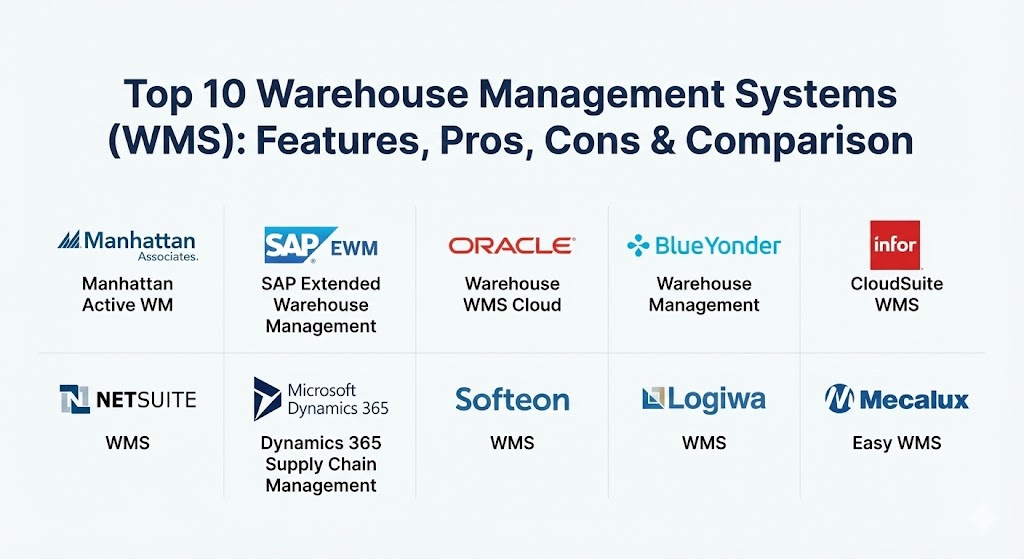
Introduction
A Warehouse Management System (WMS) is a sophisticated software solution designed to optimize every facet of warehouse operations, from the moment goods arrive at the loading dock to the second they are shipped to the end customer. By providing real-time visibility into inventory levels, storage locations, and staff productivity, a WMS transforms a reactive environment into a proactive, data-driven operation. These systems act as the “brain” of the distribution center, orchestrating complex tasks such as “wave picking,” “cross-docking,” and “slotting optimization” to ensure maximum throughput with minimal waste.
The importance of a WMS in 2026 cannot be overstated. With the rise of omnichannel retail and micro-fulfillment centers, businesses must manage inventory across a fragmented landscape. Key real-world use cases include automating e-commerce fulfillment, managing temperature-sensitive pharmaceutical storage, and coordinating high-volume 3PL (Third-Party Logistics) operations where hundreds of different clients share the same floor space. When evaluating a WMS, users must look beyond basic inventory tracking and prioritize features like AI-driven task interleaving, native robotics integration, and “versionless” cloud architecture that ensures the software stays updated without disruptive upgrades.
Best for: High-volume retailers, global manufacturers, 3PL providers, and mid-to-large scale distributors who need to eliminate shipping errors and maximize labor efficiency. It is essential for companies dealing with complex regulatory requirements or those looking to integrate automated robotics into their workflow.
Not ideal for: Small “mom-and-pop” shops with a single storeroom or very low turnover. If your inventory fits on a few shelves and you only process a handful of orders a day, a simple inventory app or even a well-maintained spreadsheet might be a more cost-effective alternative to a full-scale WMS.
Top 10 Warehouse Management Systems (WMS) Tools
1 — Manhattan Active Warehouse Management
Manhattan Active WM is widely considered the industry leader for large-scale, complex enterprise operations. It is a “versionless” cloud-native solution, meaning it receives continuous updates without ever requiring a traditional software upgrade.
- Key features:
- Task Interleaving: Uses AI to assign tasks based on a worker’s proximity to minimize “deadheading” (walking empty-handed).
- Unified Distribution: Integrates WMS, Labor Management, and Slotting into a single, cohesive interface.
- Robotic Hub: A native orchestration layer that allows for plug-and-play integration with dozens of different robotic vendors.
- Slotting Optimization: Automatically suggests the best locations for items based on velocity and physical attributes.
- Advanced Cross-Docking: Facilitates the immediate movement of goods from receiving to shipping without intermediate storage.
- Real-Time Visibility: Provides a 360-degree view of every order and inventory unit across global networks.
- Pros:
- Eliminates the “upgrade cycle” forever; you are always on the latest version.
- Exceptionally deep functionality that can handle the most complex warehouse layouts and requirements.
- Cons:
- High price point makes it inaccessible for most small-to-medium businesses.
- Requires a significant amount of specialized training and internal expertise to manage effectively.
- Security & compliance: SOC 2 Type II, ISO 27001, GDPR, and HIPAA compliant. Includes multi-factor authentication (MFA) and end-to-end encryption.
- Support & community: World-class enterprise support; large “Manhattan Exchange” user community and extensive technical documentation.
2 — SAP Extended Warehouse Management (EWM)
SAP EWM is the go-to choice for organizations already running on the SAP ecosystem. It provides deep integration with S/4HANA and offers a massive array of features for high-volume, automated environments.
- Key features:
- MFS (Material Flow System): Direct control over automated storage and retrieval systems (AS/RS) without a separate middleware.
- Labor Management: Predictive labor planning to ensure the right number of workers are scheduled for peak waves.
- Kitting and VAS: Advanced support for Value-Added Services like custom assembly and promotional kitting.
- Yard Management: Integrated tracking of trailers and trucks within the warehouse facility grounds.
- RFID Support: Native handling of RFID tags for rapid, non-line-of-sight inventory processing.
- S/4HANA Integration: Seamless data flow between the WMS and the broader enterprise resource planning (ERP) system.
- Pros:
- Unmatched integration for existing SAP customers, reducing data silos.
- Powerful material flow controls make it ideal for highly automated “lights-out” warehouses.
- Cons:
- The user interface is famously complex and can be intimidating for new users.
- Implementation times are often longer than competitors due to the sheer depth of configuration options.
- Security & compliance: ISO 27001, SOC 1/2, GDPR, and FedRAMP (for government-cloud versions).
- Support & community: Massive global network of certified consultants; SAP Community provides extensive peer support and documentation.
3 — Oracle Warehouse Management Cloud
Formerly known as LogFire, Oracle WMS Cloud is a highly scalable, cloud-native solution that offers a faster “time-to-value” compared to traditional on-premises enterprise systems.
- Key features:
- 3D Warehouse Modeling: Digital twin technology that allows managers to visualize stock heatmaps and congestion.
- Mobile App Support: Full-featured mobile application that allows for picking and packing on standard smartphones or tablets.
- Cross-Channel Fulfillment: Supports B2B, B2C, and internal store replenishment from a single inventory pool.
- Embedded Analytics: Real-time dashboards that track KPIs like “lines per hour” and “dock-to-stock” time.
- Global Inventory Visibility: Ability to manage multiple sites across different countries in a single instance.
- Customizable Workflows: Flexibility to adjust picking and put-away rules without writing custom code.
- Pros:
- Strong balance between “enterprise-grade” power and modern, web-based usability.
- Frequent quarterly updates ensure the system evolves with market trends.
- Cons:
- Integration with non-Oracle ERP systems can sometimes be more challenging than expected.
- Reporting tools, while powerful, have a steeper learning curve for non-technical managers.
- Security & compliance: SOC 1/2, ISO 27001, HIPAA, and PCI DSS compliant.
- Support & community: Strong 24/7 global support via Oracle Concierge; large repository of webinars and “My Oracle Support” documentation.
4 — Blue Yonder Warehouse Management
Blue Yonder (formerly JDA) is known for its AI-first approach to supply chain planning. Its WMS is designed to maximize labor efficiency and synchronize operations across the end-to-end supply chain.
- Key features:
- Luminate AI: Predictive analytics that forecast potential labor shortages or picking bottlenecks before they happen.
- Omnichannel Fulfillment: Sophisticated logic to determine the most cost-effective location to fulfill an order from.
- Automation Orchestration: A centralized hub to manage a mix of human labor and various robotic platforms.
- Advanced Task Management: Prioritizes tasks dynamically based on shipment deadlines and carrier pickups.
- Sustainability Tracking: Metrics to help reduce the carbon footprint of warehouse operations.
- Smart Replenishment: Automatically triggers stock moves to forward-picking areas based on real-time demand.
- Pros:
- The AI-driven predictive capabilities are arguably the best in the market.
- Excellent for large retailers with complex multi-channel requirements.
- Cons:
- The system can be “overkill” for mid-sized operations that don’t need advanced AI.
- Licensing costs are premium, reflecting its position as a high-end enterprise tool.
- Security & compliance: SOC 2 Type II, GDPR, and ISO 27001. Features robust audit logs for all transactions.
- Support & community: Extensive training through Blue Yonder University; active “Special Interest Groups” for peer networking.
5 — Infor CloudSuite WMS
Infor WMS stands out for its industry-specific focus and its highly visual, modern user interface. It is built on a “Tier-1” architecture but is designed to be more intuitive for the average floor manager.
- Key features:
- 3D Visual Warehouse: A digital twin that allows for real-time monitoring of warehouse activities in a visual format.
- Voice-Directed Picking: Native support for headsets to allow for “hands-free, eyes-free” operations.
- Multi-Tenant Cloud: High-performance cloud architecture that ensures uptime and rapid scalability.
- Inbound Quality Control: Integrated QC workflows to inspect incoming goods before they are put away.
- Labor Productivity Analytics: Detailed scorecards for individual workers to track performance against standards.
- Integrated TMS: Close ties with Infor’s Transportation Management System for seamless shipping orchestration.
- Pros:
- The visual 3D interface makes it much easier to identify bottlenecks than looking at data tables.
- Very strong for “heavy” industries like automotive, chemicals, and industrial manufacturing.
- Cons:
- Smaller third-party consultant ecosystem compared to SAP or Oracle.
- Can be less flexible for highly specialized “edge cases” outside its core industry templates.
- Security & compliance: SOC 1/2, HIPAA, and ISO 27001. Strong role-based access controls (RBAC).
- Support & community: Reliable global support; “Infor Concierge” portal provides a single point of entry for all support needs.
6 — NetSuite WMS
For companies already using NetSuite ERP, the NetSuite WMS module is the most logical choice. It extends the power of the ERP directly into the warehouse, providing a single source of truth for all business data.
- Key features:
- RF Barcode Scanning: Streamlined mobile scanning for receiving, picking, and cycle counting.
- Bin Management: Advanced logic for managing high-density storage and tracking items by bin location.
- Wave Management: Ability to group orders together for more efficient batch or zone picking.
- Real-Time Inventory Status: Immediate updates to the ERP as soon as an item is scanned in the warehouse.
- Cartonization: Automatically suggests the right box size for an order based on item dimensions.
- Cycle Counting: Integrated audit workflows that don’t require the warehouse to stop operations.
- Pros:
- Zero integration required; the WMS and ERP share the exact same database.
- Much faster to implement than a standalone Tier-1 WMS.
- Cons:
- Lacks the deep automation controls (like direct MFS) found in SAP or Manhattan.
- Not suitable for massive, highly automated distribution centers with complex robotics.
- Security & compliance: SOC 1/2, PCI DSS, GDPR, and HIPAA compliant.
- Support & community: Massive NetSuite user community; wide availability of third-party implementation partners.
7 — Microsoft Dynamics 365 Supply Chain Management
Microsoft’s entry into the space is a powerhouse for enterprises looking for a deeply integrated, highly configurable WMS that lives within the familiar Microsoft ecosystem.
- Key features:
- IoT Intelligence: Native integration with sensors to track machine health and warehouse conditions.
- Power BI Integration: Best-in-class data visualization and custom reporting out of the box.
- Warehouse Management Mobile App: Modern, high-performance app for Windows, Android, and iOS.
- Flexible Labor Assignments: Tools to assign tasks based on skill levels and equipment certifications.
- Advanced Shipping Notifications (ASN): Automated handling of incoming shipment data to speed up receiving.
- Scalable Cloud Architecture: Leverages Azure for global reach and high availability.
- Pros:
- Seamless integration with Office 365 and Power Platform for custom automation.
- The “Power BI” dashboards provide the best analytical depth in the category.
- Cons:
- Licensing can be complex as it is part of a broader “Supply Chain Management” package.
- Highly dependent on the quality of your implementation partner for success.
- Security & compliance: FedRAMP, HIPAA, SOC 1/2, and ISO 27001. Industry-leading security backed by Microsoft Azure.
- Support & community: Unmatched community size; extensive Microsoft Learn documentation and global partner network.
8 — Softeon WMS
Softeon is often described as the “agile alternative” to the big three. It is a feature-rich, highly flexible WMS that focuses on “warehouse execution” and wave-less fulfillment.
- Key features:
- Wave-less Fulfillment: Continuous order processing that eliminates the “peaks and valleys” of traditional wave picking.
- Distributed Order Management (DOM): Optimizes order routing across multiple nodes (warehouses, stores, vendors).
- Robotics Integration Lab: A dedicated platform for rapid integration with autonomous mobile robots (AMR).
- Advanced Labor Management: Includes incentive-based tracking and detailed productivity modeling.
- 3PL Multi-Client Billing: Automated tracking and billing for storage and services per client.
- Cloud-Native Architecture: Scalable microservices-based platform.
- Pros:
- Much more flexible and “nimble” than larger legacy vendors; faster response to custom requests.
- Excellent choice for 3PLs that need to manage dozens of different customer workflows.
- Cons:
- Brand recognition is lower than SAP or Microsoft, which can make it harder to find “off-the-shelf” talent.
- The user interface, while functional, is not as visually polished as Infor or NetSuite.
- Security & compliance: SOC 2 Type II and HIPAA compliant. Data is encrypted at rest and in transit.
- Support & community: High-touch, personalized support; known for being a very collaborative partner during implementation.
9 — Logiwa WMS
Logiwa is a modern, cloud-native WMS specifically designed for the “new economy”—high-volume B2C e-commerce fulfillment and 3PLs that need to scale rapidly.
- Key features:
- E-commerce Marketplace Connectors: Pre-built integrations for Shopify, Amazon, Walmart, and eBay.
- Digital Picking: Native support for paperless operations via mobile tablets and wearable scanners.
- Smart Algorithms: AI-based logic to suggest the most efficient picking path for small-parcel orders.
- Rapid Onboarding: Built to get a new warehouse up and running in as little as 4 weeks.
- 3PL Billing Automation: Tracks every activity (picks, packs, storage) for accurate client invoicing.
- Shipment Rate Shopping: Integrated tools to compare carrier rates in real time.
- Pros:
- The best user experience for pure-play e-commerce and “Direct-to-Consumer” brands.
- Extremely fast deployment times compared to traditional WMS tools.
- Cons:
- Not designed for complex “heavy” manufacturing or raw material management.
- Does not have the same level of deep AS/RS automation control as SAP EWM.
- Security & compliance: SOC 2 Type II and GDPR compliant. Hosted on high-security AWS infrastructure.
- Support & community: Very responsive support team; excellent video tutorials and online “Logiwa Academy.”
10 — Mecalux Easy WMS
Mecalux is a unique player because it is primarily a warehouse hardware company (racking, conveyors). Its “Easy WMS” is designed to act as the perfect bridge between physical hardware and digital management.
- Key features:
- WCS Integration: Deep, native integration with conveyors, shuttles, and automated racking systems.
- Modular Architecture: Buy only the modules you need (e.g., e-commerce, 3PL, manufacturing).
- Multi-Carrier Shipping: Integrated module to manage labels and tracking for hundreds of global carriers.
- Value-Added Services (VAS): Tools to manage custom packaging and labeling workflows.
- Graphic Warehouse View: Ability to see inventory locations on a physical map of the warehouse.
- Inventory Consolidation: Algorithms that suggest moving items to fill “empty gaps” and maximize space.
- Pros:
- If you use Mecalux hardware (conveyors/shuttles), this software is essentially plug-and-play.
- Very strong presence in Europe and Latin America with local language support.
- Cons:
- Less focus on “Supply Chain Planning” and AI forecasting compared to Blue Yonder.
- The North American support network is smaller than the big domestic players.
- Security & compliance: ISO 27001 and GDPR compliant.
- Support & community: Strong technical support for both the software and the physical hardware it controls.
Comparison Table
| Tool Name | Best For | Platform(s) Supported | Standout Feature | Rating (Gartner Peer Insights) |
| Manhattan Active | Global Enterprise | Cloud (Versionless) | Task Interleaving AI | 4.3 / 5 |
| SAP EWM | SAP Ecosystem | On-Premise, Cloud | Direct MFS/Robotics | 4.1 / 5 |
| Oracle WMS Cloud | Multi-Site Enterprise | Cloud | 3D Warehouse Modeling | 4.4 / 5 |
| Blue Yonder | AI-First Retail | Cloud, Hybrid | Luminate AI Analytics | 4.4 / 5 |
| Infor WMS | Visual/Manufacturing | Cloud, On-Premise | 360 Visual Warehouse | 4.5 / 5 |
| NetSuite WMS | NetSuite ERP Users | Cloud-Native | Unified ERP Integration | 4.1 / 5 |
| Dynamics 365 | Microsoft Ecosystem | Azure Cloud | Power BI/IoT Integration | 4.2 / 5 |
| Softeon WMS | 3PLs & Wave-less | Cloud, On-Premise | Wave-less Fulfillment | 4.5 / 5 |
| Logiwa WMS | E-commerce / D2C | Cloud-Native | Marketplace Integrations | 4.6 / 5 |
| Mecalux Easy | Hardware/Automation | Cloud, On-Premise | WCS Native Connectivity | 4.4 / 5 |
Evaluation & Scoring of Warehouse Management Systems (WMS)
To help you evaluate these tools objectively, we have developed a weighted scoring rubric based on the most critical factors for long-term warehouse success.
| Category | Weight | Evaluation Criteria |
| Core Features | 25% | Capacity for picking/packing, slotting, wave management, and automation control. |
| Ease of Use | 15% | Intuitiveness of the UI, mobile app performance, and staff training time. |
| Integrations | 15% | Ease of connecting to ERP, TMS, e-commerce platforms, and robotics. |
| Security & Compliance | 10% | Encryption, SSO, SOC 2/ISO compliance, and audit trail quality. |
| Performance & Reliability | 10% | Uptime, system speed during peak volumes, and “versionless” updates. |
| Support & Community | 10% | Documentation, 24/7 global support availability, and peer communities. |
| Price / Value | 15% | Total cost of ownership (TCO) relative to efficiency and space savings. |
Which Warehouse Management Systems (WMS) Tool Is Right for You?
The “right” WMS is not necessarily the one with the most features, but the one that aligns with your specific operational complexity and budget.
- Solo Users vs. SMBs: Small businesses should avoid high-end enterprise tools. Logiwa WMS is perfect for small e-commerce brands, while NetSuite WMS is the clear winner for growing SMBs already in the NetSuite ecosystem.
- Mid-Market Companies: If you are a mid-sized distributor or manufacturer, look at Softeon for flexibility or Infor WMS if you need deep industry-specific functionality.
- Global Enterprises: For organizations with massive, complex networks, Manhattan Active WM and SAP EWM are the gold standards. They provide the extreme scalability and automation control required to manage millions of square feet.
- Budget-Conscious vs. Premium: If ROI and speed-to-market are your priorities, cloud-native tools like Oracle WMS Cloud offer lower upfront costs. If you want “future-proof” technology and AI, be prepared to pay the premium for Blue Yonder.
- Integration Needs: Always choose the tool that fits your current IT stack. If you are a “Microsoft shop,” Dynamics 365 will offer a significantly lower integration headache than a third-party niche tool.
Frequently Asked Questions (FAQs)
1. What is the difference between a WMS and Inventory Management Software?
Inventory software tracks what you have and how much. A WMS tracks where it is, how it got there, and directs the movement of people and machines to fulfill orders as efficiently as possible.
2. Can I implement a WMS without changing my ERP?
Yes, most WMS tools (except NetSuite) are designed to integrate with any ERP via APIs or EDI. However, a “native” integration usually offers faster data synchronization.
3. How long does a typical WMS implementation take?
Cloud-native SMB tools can be live in 4–8 weeks. Enterprise systems like SAP or Manhattan often take 6–12 months due to complex configuration and hardware testing.
4. Do these tools work with handheld scanners?
Yes, almost all modern WMS tools support ruggedized Android scanners, iOS devices, and even wearable “ring” scanners via Bluetooth or native apps.
5. What is “Slotting Optimization”?
It is the process of placing high-velocity items (fast-movers) in the most accessible locations (near the packing station) to reduce travel time for pickers.
6. Is my data secure in a cloud-based WMS?
Generally, yes. Cloud vendors like Oracle and Microsoft invest more in security than most companies can afford locally, including SOC 2 compliance and 24/7 monitoring.
7. Can a WMS manage multiple warehouses?
Yes, enterprise tools are “multi-tenant” and “multi-site,” allowing you to see global inventory across dozens of warehouses in a single dashboard.
8. Does WMS help with shipping costs?
Directly, no. But indirectly, yes—through “cartonization” (using the right box size) and integration with TMS systems to find the cheapest carrier rates.
9. What is “Wave Picking”?
Wave picking is a technique where multiple orders are grouped together based on shipping carrier or destination, allowing a picker to grab items for 10 orders in one single trip.
10. Do I need robots to use a WMS?
No. A WMS is highly effective for manual warehouses. However, if you do decide to add robots later, choosing a WMS with a native “Robotics Hub” makes that transition much easier.
Conclusion
Choosing a Warehouse Management System is one of the most critical decisions an operations leader will ever make. The right system will not only reduce your labor costs and eliminate shipping errors but will also provide the scalability needed to handle seasonal peaks without breaking. As we move through 2026, the trend is clear: the future of warehousing belongs to those who leverage AI-driven insights, digital twin visualization, and seamless cloud updates.
When making your final choice, remember that the “best” WMS is the one that your warehouse staff can actually use, your IT team can support, and your customers will feel the benefits of through faster, more accurate deliveries.