Introduction
An Inventory Management System is a specialized software solution designed to track goods across the entire supply chain—from raw material procurement and warehousing to the final sale and shipping. It acts as the “brain” of a business’s physical operations, ensuring that stock levels are optimized to meet demand without tying up excessive capital in overstock. By providing a single source of truth, these systems eliminate human error, reduce the risk of stockouts, and provide the data needed for accurate financial reporting.
The importance of an IMS cannot be overstated in today’s multi-channel environment. Customers expect instant availability and fast shipping; an IMS makes this possible by automating reorder points, managing barcode scanning, and integrating directly with sales channels like Amazon, Shopify, and eBay. When evaluating these tools, users should look for real-time synchronization, robust reporting and analytics, ease of integration with existing accounting software, and mobile accessibility for warehouse staff.
Best for: Multi-channel retailers, wholesalers, manufacturing companies, and third-party logistics (3PL) providers. It is essential for any business that has outgrown manual spreadsheets and needs to scale operations while maintaining high accuracy in stock levels and order fulfillment.
Not ideal for: Service-based businesses that do not hold physical stock (e.g., consulting firms), or very small “hobby” sellers who handle fewer than a dozen transactions a month and can manage their needs with basic bookkeeping software.
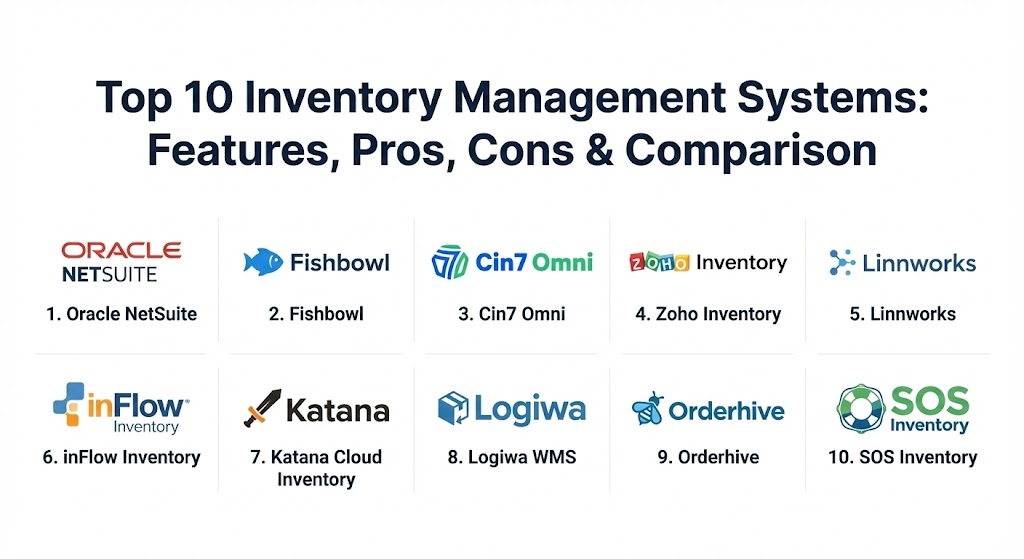
Top 10 Inventory Management Systems Tools
1 — NetSuite Inventory Management (Oracle)
Oracle NetSuite is a comprehensive, cloud-native ERP that includes one of the most powerful inventory management modules on the market. It is designed for mid-market to enterprise-level companies that require a fully integrated suite for finance, inventory, and CRM.
- Key features:
- Multi-location tracking with real-time visibility across global warehouses.
- Automated demand planning using historical data and trend analysis.
- Advanced bin management and cycle counting to ensure warehouse accuracy.
- Integrated shipping and fulfillment with major global carriers.
- Lot and serial number tracking for full product traceability.
- Support for Matrix items (sizes, colors, styles) within a single SKU.
- Seamless integration with NetSuite’s accounting and e-commerce modules.
- Pros:
- Unmatched scalability; it is likely the last inventory system a business will ever need.
- Deeply customizable reporting that can track virtually any metric or KPI.
- Cons:
- High total cost of ownership, including significant implementation fees.
- Very steep learning curve that usually requires a dedicated system administrator.
- Security & compliance: SOC 1/SOC 2, PCI DSS, GDPR, HIPAA, and ISO 27001/27018. Includes multi-factor authentication and robust audit trails.
- Support & community: Extensive global support network; comprehensive training via NetSuite MyLearn; massive user community and annual “SuiteWorld” conference.
2 — Fishbowl Inventory
Fishbowl is a leading inventory management solution specifically designed for businesses that use QuickBooks but have outgrown its native inventory features. It is a favorite among manufacturers and wholesale distributors.
- Key features:
- Seamless, real-time synchronization with QuickBooks Desktop and Online.
- Advanced manufacturing tools, including Bill of Materials (BOM) and work orders.
- Barcode scanning and asset tracking for high-speed warehouse operations.
- Multi-location tracking and warehouse movement management.
- Automated reorder points to prevent stockouts and overstock.
- Vendor management and purchase order automation.
- Shipping integrations with UPS, FedEx, and USPS.
- Pros:
- Provides enterprise-level features at a price point accessible to mid-sized businesses.
- Excellent for manufacturing-heavy workflows that require detailed assembly tracking.
- Cons:
- The interface can feel a bit dated compared to modern SaaS-first competitors.
- Mobile app functionality is sometimes described as less intuitive than the desktop version.
- Security & compliance: Supports SSO, data encryption at rest/transit, and detailed user permissions. Compliance varies based on the underlying server environment.
- Support & community: High-quality onboarding services; extensive video library and documentation; active user forums and certified partner network.
3 — Cin7 (Omni & Core)
Cin7 offers two powerful tiers—Cin7 Omni for high-growth retailers and wholesalers, and Cin7 Core (formerly DEAR Systems) for small-to-mid-sized manufacturers. It is known for its extensive integration library.
- Key features:
- Built-in Point of Sale (POS) and B2B e-commerce portal.
- Deep integrations with 700+ platforms (Shopify, Amazon, Xero, QuickBooks).
- Landed cost tracking to calculate the true cost of goods sold (COGS).
- Warehouse Management System (WMS) with mobile scanning support.
- Automated order routing based on stock availability and location.
- Batch and expiry date tracking for food and beverage or cosmetics.
- Support for dropshipping and 3PL fulfillment workflows.
- Pros:
- Excellent value for multi-channel sellers who need a unified view of all sales.
- The B2B portal is a standout feature for wholesalers looking to automate orders.
- Cons:
- The sheer number of settings can make initial configuration overwhelming.
- Customer support response times can vary during peak holiday seasons.
- Security & compliance: SOC 2 Type II, GDPR, and ISO 27001 compliant. Features include SSO and encrypted data storage.
- Support & community: Robust knowledge base; dedicated onboarding specialists for higher tiers; active community of e-commerce professionals.
4 — Zoho Inventory
Zoho Inventory is a cloud-based tool designed for small to medium-sized businesses. It is part of the massive Zoho ecosystem, making it an ideal choice for companies already using Zoho Books or CRM.
- Key features:
- Multi-channel selling across Amazon, eBay, Shopify, and Etsy.
- Automated “composite items” for bundling and kitting.
- Integrated shipping management with 80+ carriers globally.
- Mobile app for managing stock and orders on the go (iOS and Android).
- Batch and serial number tracking for quality control.
- Barcode scanning capability via the mobile app’s camera.
- Real-time accounting sync with Zoho Books.
- Pros:
- Extremely user-friendly and intuitive interface that requires little training.
- Very affordable pricing, including a generous free tier for small startups.
- Cons:
- Not designed for complex manufacturing or high-volume enterprise warehouses.
- Customization options are more limited than ERP-grade systems.
- Security & compliance: GDPR, HIPAA, SOC 2, and PCI DSS compliant. Multi-factor authentication is standard.
- Support & community: 24/5 customer support; extensive help documentation and video tutorials; a large global user community.
5 — Linnworks
Linnworks is a powerful “Total Commerce” platform that specializes in helping retailers grow their global presence. It focuses heavily on automation and centralizing every sales channel into one hub.
- Key features:
- Centralized inventory synchronization across 100+ marketplaces.
- Order management automation (routing, printing, and labels).
- Inventory forecasting and stock level optimization.
- Integrated listing management to push products to new channels quickly.
- Shipping management with automated carrier selection.
- Advanced analytics for identifying top-performing products and regions.
- Open API for custom warehouse or legacy system integrations.
- Pros:
- The automation engine is incredibly powerful for high-volume e-commerce.
- Excellent for businesses looking to expand into international marketplaces.
- Cons:
- The setup process is technical and may require an implementation partner.
- Price points are higher, making it less ideal for very small businesses.
- Security & compliance: ISO 27001, GDPR, and SOC 2. Secure cloud hosting with data redundancy.
- Support & community: Global enterprise support; dedicated account managers for larger clients; “Linn Academy” training program.
6 — inFlow Inventory
inFlow is one of the most popular choices for small to mid-sized businesses that want a system that is easy to deploy but powerful enough to handle B2B sales and simple manufacturing.
- Key features:
- Barcode scanning using a mobile app or dedicated hardware.
- B2B Showroom feature for setting up custom customer pricing and orders.
- Support for Bill of Materials (BOM) and simple assembly.
- Purchase order automation and vendor tracking.
- Multi-location and sub-location tracking (aisles, bins, shelves).
- Real-time stock alerts and low-stock reports.
- Integrations with Shopify, Amazon, and QuickBooks Online.
- Pros:
- Exceptionally fast to set up; most teams can go live in a few days.
- The mobile app is highly polished and serves as a full warehouse tool.
- Cons:
- Multi-channel e-commerce features are not as deep as Linnworks or Cin7.
- Limited advanced forecasting tools for complex seasonality.
- Security & compliance: SOC 2, 256-bit SSL encryption, and GDPR compliance.
- Support & community: High-rated customer support via chat, phone, and email; extensive “inFlow University” tutorials.
7 — Katana Cloud Inventory
Katana is a modern, visually-oriented MRP (Manufacturing Resource Planning) and inventory system designed for makers and manufacturers who sell directly to consumers and wholesalers.
- Key features:
- “Auto-booking” engine that prioritizes materials for specific orders.
- Visual production scheduling and drag-and-drop task management.
- Real-time cost tracking (raw materials vs. finished goods).
- Batch and expiry date tracking for perishables.
- Multi-channel sync with Shopify, WooCommerce, and BigCommerce.
- Barcode scanning for both inventory and production task tracking.
- Integration with Xero and QuickBooks Online for cost accounting.
- Pros:
- Beautiful, modern interface that makes production planning easy to see.
- Excellent for “DTC” (Direct-to-Consumer) brands that manufacture in-house.
- Cons:
- Not a full ERP; it lacks integrated CRM or advanced HR features.
- Can become expensive as the number of “shop floor” users increases.
- Security & compliance: SOC 2 Type II, GDPR, and SSL data encryption.
- Support & community: Fast-response support team; extensive knowledge base; active manufacturing blog and expert network.
8 — Logiwa WMS
Logiwa is a Warehouse Management System (WMS) with built-in inventory features, making it the top choice for high-volume 3PL (Third Party Logistics) providers and large warehouse operations.
- Key features:
- Advanced pick-and-pack algorithms (wave picking, zone picking).
- 3PL billing automation for logistics providers.
- Real-time inventory tracking across multiple client accounts.
- Integration with 200+ shipping carriers and marketplaces.
- Mobile warehouse app for real-time task confirmation.
- Returns management (RMA) automation.
- AI-powered shipping rate optimization.
- Pros:
- Built specifically for high-speed fulfillment and logistics efficiency.
- Excellent for managing inventory for multiple different brands in one site.
- Cons:
- Overkill for a small business that only needs basic stock tracking.
- Steep implementation curve due to the complexity of WMS settings.
- Security & compliance: ISO 27001, GDPR, and SOC 2. High-level enterprise security protocols.
- Support & community: Enterprise-grade support with dedicated implementation teams and ongoing training.
9 — Orderhive (by Cin7)
Orderhive is an automation-centric inventory and order management system that is particularly popular with dropshippers and high-volume e-commerce sellers.
- Key features:
- Robust automation “if-this-then-that” rules for order processing.
- Inventory tracking for multiple warehouses and dropshipping suppliers.
- Integrated shipping labels and tracking for 300+ carriers.
- Purchase order management with automated replenishment.
- Real-time analytics for profitability and sales performance.
- Mobile app for basic stock adjustments and order lookups.
- Multi-currency and multi-language support.
- Pros:
- The automation rules save hundreds of hours of manual administrative work.
- Very fast synchronization speeds across a large number of sales channels.
- Cons:
- The user interface can feel cluttered due to the density of features.
- Some advanced reporting features require custom setup.
- Security & compliance: GDPR, SOC 2, and data encryption protocols.
- Support & community: 24/7 customer support; extensive video tutorials and live webinar training sessions.
10 — SOS Inventory
SOS Inventory is the “gold standard” for QuickBooks Online users who need deep inventory, manufacturing, and order management features without moving to a full ERP like NetSuite.
- Key features:
- The most thorough integration with QuickBooks Online available.
- Support for multi-level Bills of Materials (BOM) and work orders.
- Serial number, lot tracking, and expiry date management.
- Multi-location inventory and transfers.
- Landed cost calculation for accurate profit margins.
- Barcode support for receiving, picking, and shipping.
- Customer portal for B2B ordering and tracking.
- Pros:
- Extremely accurate data syncing—virtually eliminates QuickBooks errors.
- Packs enterprise-level manufacturing features into an SMB-priced tool.
- Cons:
- Only integrates with QuickBooks Online (no Desktop or Xero support).
- The UI is functional but lacks the modern aesthetic of tools like Katana.
- Security & compliance: SOC 2, GDPR, and Intuit-certified security standards.
- Support & community: Responsive support team; detailed help guides and a strong community of QuickBooks power users.
Comparison Table
| Tool Name | Best For | Platform(s) Supported | Standout Feature | Rating (Gartner/TrueReview) |
| NetSuite | Global Enterprise | Cloud (Browser) | Full ERP Integration | 4.6 / 5 |
| Fishbowl | QuickBooks Desktop | Windows, Mac, Cloud | Manufacturing Logic | 4.4 / 5 |
| Cin7 Omni | Multi-channel B2B | Cloud / SaaS | 700+ Integrations | 4.5 / 5 |
| Zoho Inventory | Small Businesses | Cloud, iOS, Android | Ease of Use | 4.7 / 5 |
| Linnworks | Global E-commerce | Cloud / SaaS | “Total Commerce” Hub | 4.4 / 5 |
| inFlow | SMB Wholesale/B2B | Windows, Web, App | B2B Showroom | 4.6 / 5 |
| Katana | Modern Makers | Cloud / SaaS | Visual MRP Dashboard | 4.7 / 5 |
| Logiwa WMS | 3PL & Logistics | Cloud / SaaS | High-Volume Picking | 4.8 / 5 |
| Orderhive | Automation Pros | Cloud / SaaS | Automation Rules Engine | 4.4 / 5 |
| SOS Inventory | QBO Power Users | Cloud / SaaS | Deep QBO Integration | 4.5 / 5 |
Evaluation & Scoring of Inventory Management Systems
Choosing an IMS is a long-term investment. To evaluate these tools objectively, we use a weighted scoring rubric that prioritizes the features that most impact a business’s bottom line.
| Category | Weight | Evaluation Criteria |
| Core Features | 25% | Real-time tracking, barcode support, BOM, and multi-location management. |
| Ease of Use | 15% | Time to train staff, UI intuitiveness, and mobile app quality. |
| Integrations | 15% | Breadth and depth of sync with marketplaces, carriers, and accounting. |
| Security & Compliance | 10% | SOC 2 status, encryption, audit logs, and data privacy. |
| Performance | 10% | Sync speed, uptime, and ability to handle high SKU counts. |
| Support & Community | 10% | Availability of 24/7 support, documentation, and user forums. |
| Price / Value | 15% | Total cost of ownership vs. the operational efficiency gained. |
Which Inventory Management System Tool Is Right for You?
The “best” system is the one that fits your specific business model and current technology stack.
- Solo Users & Startups: If you are just starting out and need to keep costs low, Zoho Inventory or the basic tier of inFlow are excellent. They offer enough room to grow without a massive upfront investment.
- Mid-Market Multi-Channel Retailers: If you sell on Amazon, Shopify, and your own site, Cin7 or Linnworks are the industry standards. They are designed to prevent the “overselling” problem that occurs when stock isn’t updated across channels fast enough.
- Modern Manufacturers: If you are a “maker” brand (e.g., jewelry, bikes, electronics), Katana or Fishbowl are superior. They focus on the production floor as much as they do on the warehouse.
- High-Volume Logistics (3PL): If you are managing inventory for other people, Logiwa is the clear winner. Its pick-and-pack features are designed for maximum throughput.
- Enterprise Giants: If you need a single system for the entire company (Finance, HR, CRM, and Inventory), NetSuite is the premier choice, though it requires the largest budget.
- Budget-Conscious QBO Users: If you love QuickBooks Online but hate its limited inventory, SOS Inventory is the most cost-effective way to get enterprise features.
Frequently Asked Questions (FAQs)
1. What is the difference between an IMS and a WMS?
An IMS (Inventory Management System) focuses on the “what” and “how much”—stock levels and sales. A WMS (Warehouse Management System) focuses on the “where” and “how”—the physical movement, picking, and packing within the warehouse.
2. Can I use these tools with my existing accounting software?
Yes, most top-tier IMS tools (like Fishbowl, Cin7, and SOS) are designed to integrate natively with QuickBooks, Xero, or Sage to ensure your financial books match your physical stock.
3. Do I need specialized hardware like barcode scanners?
While dedicated scanners are faster, many modern systems (Zoho, inFlow, Katana) allow you to use the camera on a standard smartphone or tablet as a barcode scanner.
4. How does real-time synchronization work?
When a sale happens on Amazon, the IMS immediately detects it, updates your internal stock count, and then pushes that updated count out to your Shopify and eBay stores to prevent overselling.
5. What is “Landed Cost”?
Landed cost includes the price of the item plus shipping, customs, insurance, and taxes. Tools like Cin7 and NetSuite calculate this automatically so you know your true profit margin per unit.
6. Is cloud-based or on-premise inventory software better?
Cloud-based is now the industry standard because it allows for real-time updates across multiple locations and doesn’t require you to manage your own servers.
7. How do these systems handle “kitting” or “bundling”?
Systems like Zoho and Orderhive allow you to create a “composite item” (a kit) that consists of multiple individual SKUs. When the kit is sold, the system automatically deducts all the component parts from inventory.
8. Can an IMS help with demand forecasting?
Yes, advanced systems (NetSuite, Linnworks) analyze your historical sales data and seasonal trends to suggest exactly how much stock you should order and when.
9. How long does it take to implement a new inventory system?
For small businesses, it can take 1–2 weeks. For enterprise ERPs like NetSuite, it can take 6 months or more to map all data and train staff properly.
10. What is a “Safety Stock” level?
Safety stock is a small “buffer” of inventory kept on hand to protect against unexpected spikes in demand or delays in the supply chain. Most IMS tools allow you to set automated alerts when you hit this level.
Conclusion
The transition from manual stock counting to an automated Inventory Management System is perhaps the single most important “level up” a growing business can achieve. While NetSuite remains the powerhouse for global enterprises, tools like Katana, Cin7, and Zoho have made professional-grade inventory control accessible to businesses of all sizes. The “best” tool isn’t necessarily the one with the most features, but the one that bridges the gap between your physical products and your digital sales channels most seamlessly.
