Introduction
CPQ software is a sales enablement tool designed to help organizations generate accurate, highly customized quotes for complex product offerings. It acts as the bridge between your Customer Relationship Management (CRM) system and your Enterprise Resource Planning (ERP) platform. By using a centralized engine of business rules, CPQ prevents sales reps from offering expired discounts or configuring product combinations that are physically impossible to build.
The importance of CPQ has surged as more businesses move toward subscription models and “solution selling.” Key real-world use cases include manufacturing (where physical components must fit together), SaaS (managing tiered seats and add-ons), and telecommunications (bundling hardware, data plans, and service contracts). When evaluating CPQ tools, users should prioritize the “guided selling” experience, the robustness of the pricing engine (for handling discounts and multi-currency), the ease of document generation, and how seamlessly the tool syncs data back to the CRM.
Best for: Mid-to-large enterprise sales teams, manufacturing firms with complex hardware, SaaS companies with tiered pricing, and any organization where quotes frequently require managerial approval due to custom discounting.
Not ideal for: Small businesses with a very limited product catalog, companies with fixed pricing that never fluctuates, or simple e-commerce retail models where the customer selects a single SKU and checks out without negotiation.
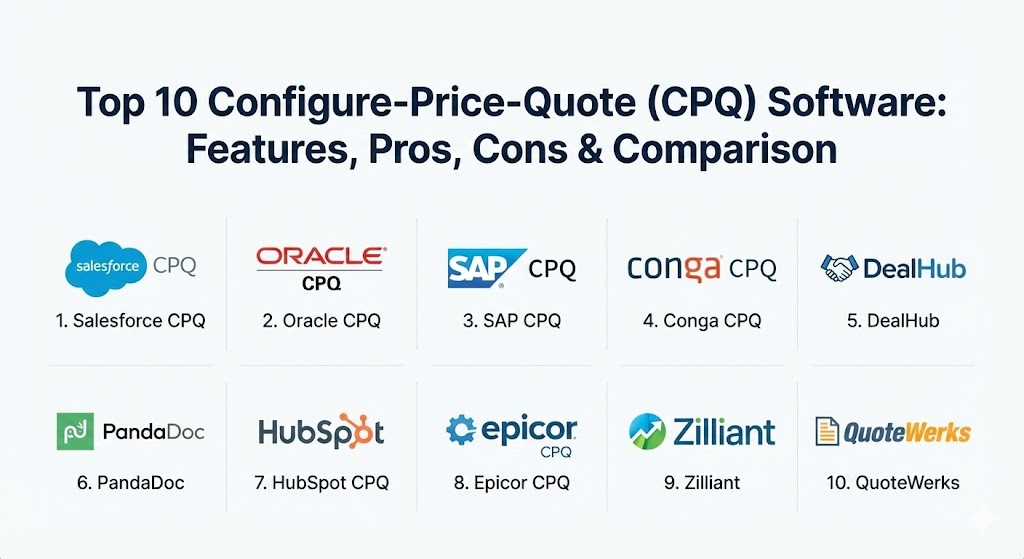
Top 10 Configure-Price-Quote (CPQ) Software Tools
1 — Salesforce CPQ
Part of the Salesforce Revenue Cloud, Salesforce CPQ is the industry leader for organizations already living within the Salesforce ecosystem. It is designed to handle everything from simple product sales to complex, multi-year subscriptions with nested bundles.
- Key features:
- Product rules and validation to ensure 100% configuration accuracy.
- Advanced pricing engine supporting block pricing, percentage-of-total, and tiered subscriptions.
- Guided selling prompts that ask reps questions to lead them to the right product mix.
- Integrated “Advanced Approvals” to automate complex discount workflows.
- Seamless sync with Salesforce standard objects (Opportunities, Quotes, Orders).
- Built-in document generator for professional, branded PDF proposals.
- Native integration with Salesforce Billing for a complete “Quote-to-Cash” journey.
- Pros:
- Deepest possible integration with the world’s #1 CRM; no data mapping required.
- Extremely high scalability for global organizations with thousands of users.
- Cons:
- Can be incredibly complex to implement; usually requires specialized consultants.
- The user interface for administrators is often described as dense and difficult to navigate.
- Security & compliance: SOC 2 Type II, HIPAA, GDPR, ISO 27001, and FedRAMP compliant. Includes full SSO support and granular audit logs.
- Support & community: Unmatched community through Salesforce Trailhead and Success Communities; premier support plans available for 24/7 enterprise needs.
2 — Oracle CPQ
Formerly known as BigMachines, Oracle CPQ is a heavy-duty enterprise solution built to manage the most complex configuration logic on the planet. It is particularly strong in the manufacturing and industrial sectors.
- Key features:
- High-performance configuration engine capable of handling thousands of attributes.
- Multi-channel support for direct sales, partners, and self-service e-commerce.
- Advanced deal management with “Price Score” and margin analysis.
- Seamless integration with Oracle Cloud ERP and other major third-party CRMs.
- Dynamic document generation in multiple languages and currencies.
- Integrated electronic signature via DocuSign or Adobe Sign.
- Pros:
- Exceptional at handling massive product catalogs without performance lag.
- Offers a more flexible “agnostic” integration capability compared to Salesforce.
- Cons:
- Implementation cycles can be lengthy and expensive.
- The UI feels more traditional and “corporate” compared to modern SaaS tools.
- Security & compliance: ISO 27001, SOC 1/2, GDPR, and HIPAA. Leverages Oracle’s robust cloud security infrastructure.
- Support & community: Extensive documentation and global enterprise support; massive partner network for implementation.
3 — SAP CPQ
SAP CPQ (formerly CallidusCloud) is designed for organizations that want to eliminate the gap between the sales quote and the back-office fulfillment system, especially those using SAP S/4HANA.
- Key features:
- Integration with SAP Variant Configurator for manufacturing consistency.
- “Solution Selling” capabilities that allow for cross-selling and up-selling logic.
- Margin health indicators that warn reps when discounts impact profitability.
- Global pricing management across different markets and tax zones.
- Automated workflow for legal and financial quote approvals.
- Support for omnichannel sales across web, mobile, and partner portals.
- Pros:
- Best-in-class integration for companies running their entire business on SAP.
- Very strong at managing high-volume, global pricing matrices.
- Cons:
- Can feel “locked in” to the SAP ecosystem for the best results.
- Reporting features are sometimes perceived as less intuitive than specialized BI tools.
- Security & compliance: GDPR, SOC 1/2/3, ISO 27001, and HIPAA compliant.
- Support & community: Robust support via SAP Support Portal and a vast network of SAP global partners.
4 — Conga CPQ
Conga (which merged with Apttus) provides a comprehensive solution that excels in industries where the contract is as complex as the quote itself, such as legal, healthcare, and telecommunications.
- Key features:
- Integrated CLM (Contract Lifecycle Management) and CPQ in a single platform.
- Omni-channel guided selling for direct and indirect sales channels.
- “Max” AI assistant for providing prescriptive deal advice to sales reps.
- Complex promotion and rebate management logic.
- Robust renewal management for subscription-based businesses.
- Support for high-volume quote generation in the telecom space.
- Pros:
- Unrivaled if your sales process is heavily legally-driven or contract-intensive.
- Very flexible data model that can reside on Salesforce or as a standalone.
- Cons:
- Some users find the admin setup for complex pricing logic to be cumbersome.
- The merger of two large companies (Apttus/Conga) has occasionally led to fragmented documentation.
- Security & compliance: SOC 2, ISO 27001, GDPR, and HIPAA.
- Support & community: Strong professional services team; active customer community and online learning university.
5 — DealHub
DealHub has gained massive traction by prioritizing the “Sales Experience” (SX). It moves away from traditional spreadsheets and focuses on a “DealRoom”—a personalized microsite where buyers and sellers collaborate.
- Key features:
- No-code setup that allows admins to go live in weeks rather than months.
- Guided selling playbooks that ensure consistency across the team.
- Integrated “DealRoom” for document sharing, chat, and e-signatures.
- Subscription management and recurring revenue tracking.
- Built-in CLM functionality for contract redlining.
- Real-time buyer intent tracking (see when they open the DealRoom).
- Pros:
- Extremely fast time-to-value; highly praised for its modern, clean UI.
- Native integration with HubSpot, Microsoft Dynamics, and Salesforce.
- Cons:
- May lack some of the extreme “part-level” configuration depth required by heavy industrial manufacturers.
- Advanced AI features are still maturing compared to Salesforce or Oracle.
- Security & compliance: SOC 2 Type II, GDPR, and ISO 27001.
- Support & community: Highly responsive customer success team; known for personalized onboarding.
6 — PandaDoc (CPQ Functionality)
While often categorized as a document automation tool, PandaDoc’s CPQ features are perfect for SMBs and mid-market companies that need a “CPQ-Lite” experience with stunning visual proposals.
- Key features:
- Drag-and-drop quote builder with real-time pricing tables.
- Catalog management with SKU-based pricing and discounts.
- Integrated e-signature and payment collection (Stripe, PayPal).
- Automated reminders and document tracking.
- Pre-built templates for beautiful, branded proposals.
- Smart fields that pull data directly from CRM opportunities.
- Pros:
- Most user-friendly tool on this list; reps can master it in minutes.
- Very cost-effective for smaller teams that don’t need complex engineering rules.
- Cons:
- Not a “true” configuration engine; it cannot handle complex hardware constraints.
- Limited capability for multi-level approval hierarchies.
- Security & compliance: SOC 2 Type II, HIPAA (with BAA), GDPR, and PCI DSS.
- Support & community: Comprehensive Help Center, 24/7 chat support, and a robust library of template resources.
7 — HubSpot CPQ (Sales Hub)
For organizations running on HubSpot, the native CPQ features (part of Sales Hub Professional/Enterprise) offer a frictionless way to move from lead to deal without leaving the platform.
- Key features:
- Native product library with support for recurring and one-time fees.
- Easy-to-use “Quote Templates” that can be customized with CSS.
- Integrated e-signatures and payment links.
- Multi-currency support for international sales.
- Automated workflow triggers based on quote status (e.g., alert finance when signed).
- Approvals for quotes that exceed a certain discount threshold.
- Pros:
- Zero integration required for HubSpot CRM users.
- Simplifies the tech stack by removing the need for third-party middleware.
- Cons:
- Currently lacks deep “Product Bundling” logic compared to Salesforce.
- Not suitable for complex manufacturing with inter-dependent part logic.
- Security & compliance: SOC 2 Type II, ISO 27001, GDPR, and HIPAA.
- Support & community: World-class HubSpot Academy, local user groups, and 24/7 phone support for higher tiers.
8 — Epicor CPQ (formerly KBMax)
Epicor CPQ is the “visual” leader in this space. It is designed for manufacturers who want to give their customers a 3D visualization of what they are configuring in real-time.
- Key features:
- 2D/3D visual configurator for complex mechanical products.
- Dynamic CAD automation (SolidWorks, Autodesk) to generate technical drawings instantly.
- Robust rules engine based on “Snap”—a visual programming language.
- Integration with virtually any ERP system (not just Epicor).
- Omnichannel deployment (embed the 3D configurator on your website).
- Automated BOM (Bill of Materials) generation for production.
- Pros:
- Visualizing the product dramatically increases buyer confidence and conversion.
- The most powerful rules engine for physical manufacturing constraints.
- Cons:
- High effort required to build out the 3D models and logic.
- Less focused on “service-based” SaaS businesses.
- Security & compliance: SOC 2, GDPR, and ISO standards.
- Support & community: Specialized technical support; strong engineering-focused community.
9 — Zilliant
Zilliant is unique because it combines CPQ with AI-driven “Price Optimization.” It is ideal for high-volume distributors and manufacturers where the price is the most complex variable.
- Key features:
- AI-powered market-responsive pricing suggestions.
- Deal management with “Negotiation Guidance” for sales reps.
- Integrated CPQ for configuring complex quotes.
- Real-time price updates across all sales channels.
- Visual analytics for tracking margin leakage.
- Native connectors for Salesforce and Microsoft Dynamics.
- Pros:
- Excellent at ensuring profitability in volatile markets (e.g., chemicals, metals).
- Data-driven approach prevents reps from over-discounting.
- Cons:
- The configuration engine is less robust than Oracle or Epicor.
- Requires a high volume of historical data for the AI to be effective.
- Security & compliance: ISO 27001, SOC 2, and GDPR.
- Support & community: Expert-led consulting and deep technical documentation.
10 — QuoteWerks
QuoteWerks is a veteran in the space, offering a localized or cloud-based solution that is exceptionally popular among IT resellers and managed service providers (MSPs).
- Key features:
- Native integration with IT distributors (Ingram Micro, Tech Data) for real-time pricing/stock.
- Integration with over 30 different CRMs (GoldMine, ACT!, Zoho, etc.).
- Built-in layout designer for highly detailed technical quotes.
- “QuoteValet” for online quote delivery and tracking.
- Procurement and purchase order management.
- Support for “Bundles” and “Configurations.”
- Pros:
- The best tool for IT companies that need to pull data from multiple distributors.
- Very affordable pricing model with no high-cost enterprise overhead.
- Cons:
- The user interface looks and feels like a legacy Windows application.
- Not as “AI-forward” as newer SaaS entrants.
- Security & compliance: Varies by deployment; generally supports standard encryption and SSO.
- Support & community: Very active user base; direct access to US-based technical support.
Comparison Table
| Tool Name | Best For | Platform(s) Supported | Standout Feature | Rating (Gartner) |
| Salesforce CPQ | Salesforce Ecosystem | Salesforce Native | Advanced Approvals | 4.6 / 5 |
| Oracle CPQ | Extreme Complexity | Cloud, On-Prem | High-Perf Config Engine | 4.5 / 5 |
| SAP CPQ | SAP ERP Users | SAP BTP / Cloud | Variant Config Integration | 4.4 / 5 |
| Conga CPQ | Contract Focus | Salesforce / SaaS | CPQ + CLM Integration | 4.4 / 5 |
| DealHub | Speed & UX | SaaS, HubSpot, CRM | Collaborative DealRoom | 4.8 / 5 |
| PandaDoc | SMB / Visuals | SaaS, Integration | Proposal Aesthetics | 4.7 / 5 |
| HubSpot CPQ | HubSpot Users | HubSpot Native | Frictionless HubSpot Sync | 4.5 / 5 |
| Epicor CPQ | Manufacturing | Web / Any ERP | 3D Visual Configurator | 4.7 / 5 |
| Zilliant | Pricing Intel | SaaS / API | AI Price Optimization | 4.4 / 5 |
| QuoteWerks | IT Resellers / MSPs | Windows / Cloud | Live Distributor Sync | 4.3 / 5 |
Evaluation & Scoring of Configure-Price-Quote (CPQ) Software
When choosing a CPQ solution, the “best” choice is rarely the one with the most features, but rather the one that your sales team will actually use without friction.
| Category | Weight | Evaluation Notes |
| Core Features | 25% | Guided selling, product bundling, and complex discounting logic. |
| Ease of Use | 15% | The “rep experience”—how fast can they build a quote? |
| Integrations | 15% | Does it talk to your CRM and ERP natively? |
| Security | 10% | Compliance certifications and data privacy (SSO, Encryption). |
| Performance | 10% | Load times for massive quotes and rules engine responsiveness. |
| Support | 10% | Onboarding quality and the availability of 24/7 technical help. |
| Price / Value | 15% | ROI based on time saved and improved margin accuracy. |
Which CPQ Software Tool Is Right for You?
The decision-making process for CPQ should be guided by your existing technical debt and the complexity of your product.
- Solo Users & SMBs: If you have a small team, avoid the “big” enterprise tools. PandaDoc or HubSpot CPQ provide the best balance of professional visuals and ease of setup.
- Mid-Market & Rapid Growth: If you need speed and high adoption, DealHub is a top contender. Its no-code approach means your RevOps team can make changes without needing a developer.
- Enterprise High-Tech: If you are already on Salesforce, Salesforce CPQ is the standard for a reason. Its ability to tie into Salesforce Billing and Service Cloud creates a seamless lifecycle.
- Heavy Manufacturing: If you sell products that have thousands of physical parts, Oracle CPQ or Epicor CPQ are necessary. They are the only ones capable of handling deep engineering constraints and 3D visualizations.
- Budget-Conscious IT Resellers: If you are an IT shop pulling parts from distributors, QuoteWerks is the industry standard for your specific workflow.
Frequently Asked Questions (FAQs)
1. What is the difference between a CRM and CPQ?
A CRM (like Salesforce or HubSpot) manages customer relationships and lead tracking. CPQ is an extension that specifically handles the configuration and pricing of the deal, ensuring that what you sell can actually be delivered.
2. How long does a CPQ implementation take?
For “no-code” tools like DealHub or PandaDoc, it can take 2–6 weeks. For enterprise platforms like Salesforce or Oracle, a full implementation typically takes 4–9 months.
3. Does CPQ really improve margins?
Yes. CPQ prevents “discount sprawl” by enforcing strict approval hierarchies and using AI (in tools like Zilliant) to suggest the optimal price based on market conditions.
4. Can CPQ handle subscription models?
Modern CPQ tools (like Salesforce and Conga) are designed specifically for the “subscription economy,” managing renewals, co-termination of contracts, and pro-rated add-ons.
5. Do I need an ERP for CPQ to work?
You don’t need one, but CPQ is most effective when it syncs with an ERP (like SAP or Oracle). This ensures that once a quote is signed, the “Order” is automatically sent to fulfillment with the correct SKUs.
6. What is “Guided Selling”?
Guided selling is a series of questions within the CPQ interface (e.g., “How many users?”, “Do you need 24/7 support?”) that automatically filters the product catalog to show only relevant items.
7. Can customers use CPQ themselves?
Many modern CPQ tools (like Epicor or Oracle) offer “Self-Service” portals where customers can configure their own products on your website and generate their own quotes.
8. What is “Quote-to-Cash”?
Quote-to-Cash (QTC) is the entire end-to-end process starting from the initial quote generation (CPQ), moving through the contract signature (CLM), and ending with the final invoice and payment.
9. Why is “Product Bundling” so difficult?
Bundling is hard because certain products depend on others. For example, you can’t sell “Software Support” if the customer hasn’t purchased the “Software License.” CPQ enforces these rules automatically.
10. Is CPQ software worth the cost?
Most organizations find the ROI in three areas: 1) Reduced sales cycle time, 2) 100% elimination of manual pricing errors, and 3) Higher deal sizes through automated cross-selling suggestions.
Conclusion
The selection of a CPQ tool is a high-stakes decision for any revenue leader. The “best” tool is rarely the one with the longest feature list; it is the one that fits your current CRM architecture and matches the technical complexity of your product. Whether you need the 3D visual power of Epicor, the enterprise scale of Salesforce, or the streamlined collaborative “DealRoom” of DealHub, the goal remains the same: making it as easy as possible for your customers to say “Yes.”