Introduction
An MLOps platform is a centralized suite of tools that applies DevOps principles—such as continuous integration, continuous delivery, and automated testing—to the world of machine learning. Unlike traditional software, ML models are “living” entities that can degrade as data shifts. MLOps platforms provide the “connective tissue” between data scientists, who build models, and IT engineers, who maintain the infrastructure. They solve the “last mile” problem of AI, ensuring that a high-performing model in a notebook actually translates into business value in the real world.
The importance of these platforms has skyrocketed with the rise of Generative AI and Agentic systems. In 2026, managing a single LLM is complex; managing a fleet of autonomous agents requires a level of orchestration, versioning, and observability that only dedicated MLOps platforms can provide. These tools are critical for reducing “time-to-value,” ensuring model reproducibility, and maintaining rigorous security standards in regulated industries.
When evaluating an MLOps platform, look for core capabilities: Experiment Tracking (to log every run), Model Registry (a version-controlled library of models), Automated Pipelines (to chain data prep and training), and Model Monitoring (to catch “drift” before it affects users).
Best for:
- Enterprise AI Teams: Large organizations managing hundreds of models across different departments.
- Regulated Industries: Finance, healthcare, and government agencies that require strict audit trails and compliance (GDPR, HIPAA).
- Tech-First Startups: Teams looking to scale their AI products rapidly without building internal infrastructure from scratch.
Not ideal for:
- Academic Researchers: Individuals focused on pure theory where production deployment is not a goal.
- Small Businesses with Basic Analytics: If your “AI” is a simple linear regression in Excel or a single script that runs once a month, a full MLOps platform is likely overkill.
- One-off Projects: Small-scale, non-recurring data science projects where the overhead of setting up a platform exceeds the project’s complexity.
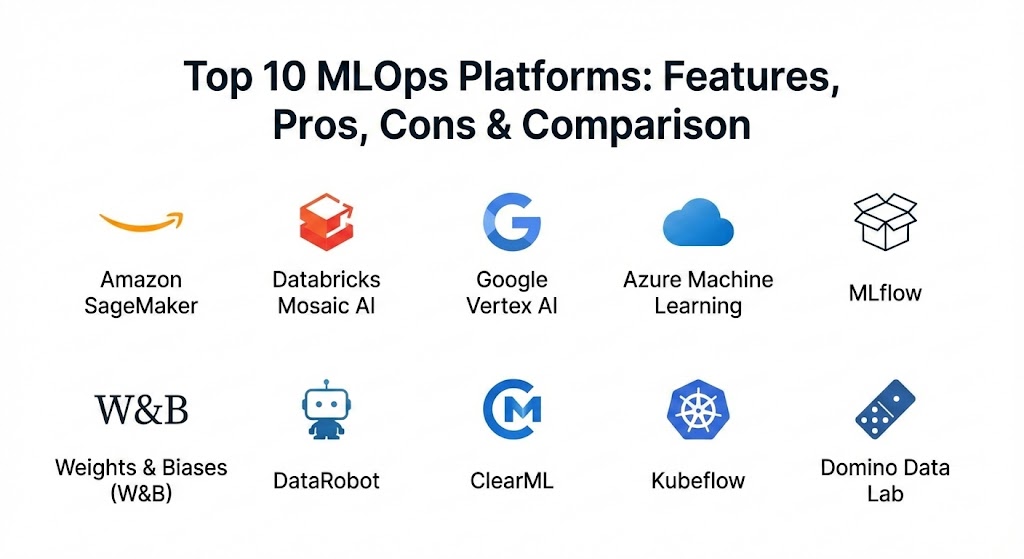
Top 10 MLOps Platforms
1 — Amazon SageMaker
Amazon SageMaker remains the titan of the industry, offering a fully managed, end-to-end service that covers every step of the ML lifecycle. In 2026, it has become the “engine room” for AWS-centric organizations, deeply integrated with Amazon Bedrock for generative AI orchestration.
- Key features:
- SageMaker Studio: A unified web-based IDE for the entire ML workflow.
- Autopilot: Advanced AutoML that automatically builds, trains, and tunes models.
- HyperPod: Purpose-built infrastructure for massive foundation model (FM) training.
- Clarify: Comprehensive tools for detecting bias and providing model explainability.
- Model Monitor: Automated detection of data and concept drift in production.
- Edge Manager: Specialized tools for deploying and managing models on IoT devices.
- Pros:
- Unrivaled integration with the broader AWS ecosystem (S3, Lambda, IAM).
- Scales effortlessly from a single developer to global enterprise requirements.
- Cons:
- Steep learning curve due to the sheer number of features and configurations.
- Can become very expensive if compute resources are not strictly managed.
- Security & compliance: SOC 1/2/3, ISO, PCI DSS, HIPAA, and GDPR compliant; supports VPC, KMS encryption, and fine-grained IAM roles.
- Support & community: Extensive official documentation, AWS Premium Support tiers, and a massive global community of certified practitioners.
2 — Databricks Mosaic AI
Databricks has evolved its “Lakehouse” architecture into a powerhouse for “Compound AI Systems.” By acquiring MosaicML, they have unified data engineering and high-performance model training into a single platform.
- Key features:
- Unity Catalog: Unified governance for data, models, and features.
- Managed MLflow: The industry-standard experiment tracking tool, hosted and optimized.
- Mosaic AI Model Serving: Highly optimized inference for both classical and generative models.
- Feature Store: Integrated repository for sharing and discovering ML features.
- Delta Lake Integration: Ensures high data quality and “time-travel” for reproducibility.
- Pros:
- Best-in-class collaboration features for data scientists and engineers.
- Eliminates the “data silos” between the data warehouse and the ML platform.
- Cons:
- Proprietary “DBU” pricing can be difficult to predict.
- Primary value is tied to the Databricks ecosystem; less flexible for non-Lakehouse users.
- Security & compliance: SOC 2 Type II, ISO 27001, HIPAA, and GDPR; includes robust audit logs and identity federation.
- Support & community: Excellent enterprise support, a strong open-source lineage (Spark, MLflow), and extensive training programs.
3 — Google Vertex AI
Vertex AI is Google Cloud’s unified platform that bridges the gap between AutoML and custom code. It is particularly strong for teams leveraging Google’s Gemini models and multimodal capabilities.
- Key features:
- Vertex AI Pipelines: Serverless orchestration based on Kubeflow.
- Model Garden: A curated repository of first-party (Gemini), third-party, and open-source models.
- Matching Engine: High-scale vector database for similarity search and RAG.
- Vertex Vizier: Robust black-box optimization for hyperparameter tuning.
- Explainable AI: Built-in tools to understand model feature importance.
- Pros:
- Seamless integration with BigQuery for “BigQuery ML” workflows.
- Superior support for TPU (Tensor Processing Unit) acceleration.
- Cons:
- The UI can feel disjointed as Google merges older products into Vertex.
- Heavily optimized for the Google Cloud Platform (GCP) ecosystem.
- Security & compliance: FedRAMP, HIPAA, SOC 2, and GDPR compliant; uses VPC Service Controls and Cloud IAM.
- Support & community: Strong documentation and deep integration with the TensorFlow community.
4 — Azure Machine Learning
Microsoft’s flagship MLOps offering is the go-to for enterprises already invested in the Microsoft 365 and Azure ecosystem. It excels in governance and “Data-to-AI” continuity via Microsoft Fabric.
- Key features:
- Prompt Flow: A specialized development tool for building LLM-based applications.
- Responsible AI Dashboard: A central hub for fairness, interpretability, and error analysis.
- Azure Container Instances Integration: Simplifies model deployment to serverless containers.
- Designer: A drag-and-drop interface for no-code/low-code ML pipeline creation.
- Managed Online Endpoints: Simplifies the scaling and updating of production APIs.
- Pros:
- The most familiar environment for organizations using Azure DevOps and GitHub.
- Top-tier enterprise governance and security features.
- Cons:
- Pricing tiers and license management can be complex.
- Integration with open-source tools sometimes feels like a secondary priority.
- Security & compliance: ISO, SOC, HIPAA, and GDPR compliant; features Microsoft Entra ID (formerly Azure AD) integration.
- Support & community: Enterprise-grade support with dedicated account managers for large contracts.
5 — MLflow (Databricks/Open Source)
MLflow is the most widely adopted open-source framework for the ML lifecycle. It is framework-agnostic, meaning it works equally well with PyTorch, TensorFlow, or Scikit-learn.
- Key features:
- Tracking: API and UI for logging parameters, code versions, metrics, and artifacts.
- Projects: A standard format for packaging reusable data science code.
- Models: A convention for packaging models for use in diverse downstream tools.
- Registry: A centralized model store for collaborative versioning and stage transitions.
- Recipes: Pre-defined templates for common ML tasks (e.g., regression, classification).
- Pros:
- Total flexibility; can be run locally, on-prem, or in any cloud.
- Massive community support and no vendor lock-in.
- Cons:
- The open-source version lacks built-in security and user management.
- Requires manual infrastructure setup unless using a managed provider like Databricks.
- Security & compliance: Varies (The open-source core has no built-in auth; managed versions are compliant).
- Support & community: Huge global community, frequent updates, and extensive third-party tutorials.
6 — Weights & Biases (W&B)
Often referred to as the “GitHub for ML,” Weights & Biases is the darling of research-heavy teams. It provides an exceptionally polished UI for experiment tracking and collaboration.
- Key features:
- W&B Sweeps: Powerful, visual hyperparameter optimization.
- Artifacts: Versioning for datasets and models with full lineage tracking.
- Reports: Collaborative, interactive documents for sharing insights.
- W&B Weave: A newer toolset specifically for tracing and evaluating LLM applications.
- Tables: Deep visualization for comparing model predictions across different runs.
- Pros:
- The most intuitive and beautiful user interface in the MLOps space.
- Extremely lightweight and easy to integrate (often just a few lines of code).
- Cons:
- Primarily focused on experimentation; deployment features are less mature than SageMaker.
- Pricing can scale quickly for large teams with high data volume.
- Security & compliance: SOC 2 Type II compliant; offers private cloud and on-premises deployment options.
- Support & community: Highly active community, excellent documentation, and responsive customer success teams.
7 — DataRobot
DataRobot is the pioneer of AutoML and remains a leader for organizations that prioritize speed, automation, and “citizen data science” while maintaining enterprise governance.
- Key features:
- Automated Model Selection: Tests hundreds of algorithms to find the best fit.
- Explainable AI (XAI): Provides “Prediction Explanations” to tell you why a model made a choice.
- No-Code Interface: Accessible to business analysts, not just PhD data scientists.
- Continuous AI: Automatically retrains models when performance drops.
- Compliance Documentation: Generates regulatory reports automatically (e.g., for SR 11-7).
- Pros:
- Fastest path from raw data to a production-ready model.
- Excellent for regulated industries needing high transparency.
- Cons:
- “Black box” nature can frustrate advanced engineers who want granular control.
- Premium pricing puts it out of reach for many smaller startups.
- Security & compliance: SOC 2, HIPAA, and GDPR; designed specifically for high-compliance banking and health sectors.
- Support & community: Strong professional services and white-glove onboarding for enterprises.
8 — ClearML
ClearML is a unique “plug-and-play” MLOps platform that offers an open-source core with a focus on orchestration and automation. It is ideal for teams that want to automate their GPU clusters.
- Key features:
- Hyper-Datasets: Versioning system that treats data as a first-class citizen.
- Orchestration: Turns any machine (cloud or on-prem) into a “worker” for ML jobs.
- Auto-Magical Logging: Automatically captures environment, Git state, and uncommitted changes.
- ClearML Serving: Simple, scalable model deployment framework.
- Pros:
- Exceptional value; the free tier is incredibly generous.
- Highly flexible orchestration that works with existing hardware.
- Cons:
- The UI is functional but not as polished as W&B or SageMaker.
- Smaller enterprise community compared to the “Big Three” cloud providers.
- Security & compliance: SSO, RBAC, and SOC 2 (Enterprise version); Open source version depends on local setup.
- Support & community: Active Slack community and comprehensive YouTube tutorials.
9 — Kubeflow
For organizations committed to Kubernetes, Kubeflow is the standard. It is not a single tool but a collection of microservices designed to make ML on K8s manageable.
- Key features:
- Central Dashboard: Access to all components through a single web UI.
- Kubeflow Pipelines: For building and deploying multi-step ML workflows.
- Katib: Kubernetes-native hyperparameter tuning and architecture search.
- Notebooks: Multi-user JupyterHub environment.
- KServe: Highly scalable model serving (formerly KFServing).
- Pros:
- Platform-agnostic; runs on any Kubernetes cluster (AWS, GCP, Azure, or On-prem).
- Infinite scalability and maximum control for platform engineers.
- Cons:
- Extremely high operational complexity; requires dedicated DevOps/K8s expertise.
- “Day 2” operations (upgrades, troubleshooting) can be a nightmare.
- Security & compliance: Depends on the underlying Kubernetes configuration and Istio/Dex integration.
- Support & community: Large, vibrant open-source community led by Google, IBM, and Red Hat.
10 — Domino Data Lab
Domino is the “Enterprise MLOps” platform focused on reproducibility and governance. It provides a highly controlled environment for large-scale data science organizations.
- Key features:
- Environment Management: Docker-based environments ensure “it works on my machine” translates to production.
- Compute Grid: Distributes jobs across various compute resources seamlessly.
- Knowledge Center: A searchable repository of past projects, code, and results.
- Model Monitoring: Integrated tracking of model health and business impact.
- Pros:
- Unmatched for reproducibility in clinical trials and financial modeling.
- Greatly reduces the burden on IT by providing self-service infrastructure.
- Cons:
- Can feel restrictive for developers used to complete local freedom.
- Tailored for large enterprises; overkill for small teams.
- Security & compliance: SOC 2, HIPAA, GDPR; provides deep audit trails for regulatory submission.
- Support & community: Dedicated customer success and specialized support for enterprise deployments.
Comparison Table
| Tool Name | Best For | Platform(s) Supported | Standout Feature | Rating (Gartner/Peer) |
| Amazon SageMaker | AWS-native Enterprises | AWS | SageMaker HyperPod | 4.4 / 5.0 |
| Databricks Mosaic AI | Lakehouse Users | Multi-cloud | Unity Catalog | 4.7 / 5.0 |
| Google Vertex AI | GCP & Gemini Users | GCP | Matching Engine | 4.3 / 5.0 |
| Azure ML | Microsoft Ecosystem | Azure | Prompt Flow | 4.4 / 5.0 |
| MLflow | Framework Agnosticism | Local, Any Cloud | Open-source standard | N/A (OSS) |
| Weights & Biases | Research & LLMops | SaaS, Private Cloud | Visual Reports | 4.8 / 5.0 |
| DataRobot | Rapid AutoML | Multi-cloud, On-prem | Auto-compliance docs | 4.7 / 5.0 |
| ClearML | K8s Orchestration | Any (OSS/SaaS) | Auto-Magical Logging | 4.6 / 5.0 |
| Kubeflow | Platform Engineers | Kubernetes | KServe | N/A (OSS) |
| Domino Data Lab | Regulated Industries | Multi-cloud, On-prem | Reproducibility Grid | 4.5 / 5.0 |
Evaluation & Scoring of MLOps Platforms
To provide a neutral comparison, we evaluated the top platforms using a weighted scoring rubric that reflects the priorities of modern AI teams in 2026.
| Criteria | Weight | SageMaker | Databricks | W&B | ClearML |
| Core Features | 25% | 10/10 | 9/10 | 8/10 | 8/10 |
| Ease of Use | 15% | 6/10 | 8/10 | 10/10 | 8/10 |
| Integrations | 15% | 10/10 | 9/10 | 9/10 | 7/10 |
| Security & Compliance | 10% | 10/10 | 10/10 | 8/10 | 7/10 |
| Perf & Reliability | 10% | 9/10 | 10/10 | 9/10 | 8/10 |
| Support & Community | 10% | 10/10 | 9/10 | 9/10 | 8/10 |
| Price / Value | 15% | 7/10 | 7/10 | 7/10 | 10/10 |
| TOTAL SCORE | 100% | 8.75 | 8.75 | 8.60 | 8.05 |
Which MLOps Platforms Tool Is Right for You?
Choosing a tool is not about finding the “best” one, but the one that fits your current organizational maturity and technical constraints.
1. By Company Size
- Solo Users / Freelancers: Stick with MLflow (running locally) or the free tier of Weights & Biases. You need speed and ease of setup, not enterprise governance.
- SMBs (Small to Mid-sized Businesses): ClearML offers the best bang-for-your-buck. Its open-source core allows you to grow without immediate licensing pressure.
- Mid-Market: Weights & Biases or Databricks. These platforms allow your team to collaborate effectively as you scale from five to fifty models.
- Enterprise: Amazon SageMaker, Azure ML, or Domino Data Lab. You need the “heavy lifting” of security, compliance, and multi-tenant management.
2. By Budget
- Budget-Conscious: Open-source is your friend. MLflow and Kubeflow have zero licensing costs, though you will pay for the engineers to maintain them.
- Premium / Managed: If you have more money than time, DataRobot or SageMaker are worth the investment. They automate the boring infrastructure work so your PhDs can focus on math.
3. By Feature Depth vs. Ease of Use
If your team consists of “Full Stack” engineers who love CLI and YAML, Kubeflow is a playground. If your team consists of Data Scientists who want to stay in a Jupyter Notebook and never look at a server, Weights & Biases is the winner.
4. Security and Compliance
If you are in Pharma, Banking, or Government, Domino Data Lab and Azure ML are the leaders. They don’t just “offer” security; they are built around the idea of a “System of Record” where every single action is logged for future audits.
Frequently Asked Questions (FAQs)
1. Is MLOps just DevOps for Machine Learning?
Not quite. While they share principles like CI/CD, MLOps adds the dimension of “Data.” In DevOps, code is the only variable. In MLOps, you must manage code, data, and the resulting model artifacts.
2. Can I use multiple MLOps tools at once?
Yes, and many teams do. It’s common to use Weights & Biases for experiment tracking while using Amazon SageMaker for the actual model deployment and hosting.
3. What is the biggest mistake when implementing MLOps?
Over-engineering. Many teams try to set up a complex Kubeflow cluster before they even have a single model in production. Start small with a tool like MLflow and scale as your pain points increase.
4. Do I need an MLOps platform for Generative AI (LLMs)?
In 2026, yes. LLMs introduce “LLMOps” requirements like prompt versioning, vector database management, and cost tracking that traditional MLOps tools are only now beginning to standardize.
5. How much do MLOps platforms typically cost?
Open-source is free. Managed services usually charge a “Platform Fee” ($1k–$5k/month) plus the underlying compute costs. Enterprise contracts can easily reach six or seven figures annually.
6. Does MLOps help with model “drift”?
Absolutely. Platforms like SageMaker Model Monitor or Vertex AI can alert you the moment the incoming production data looks significantly different from your training data, preventing silent failures.
7. Is Python knowledge required for all these tools?
Generally, yes. While DataRobot offers a no-code interface, the vast majority of MLOps platforms are “code-first” and rely on Python SDKs for integration.
8. Can these platforms run on-premises?
Yes. ClearML, Kubeflow, Domino Data Lab, and the open-source version of MLflow can all be installed on your own local servers or private data centers.
9. How long does it take to implement an MLOps platform?
A SaaS tool like W&B can be set up in minutes. An enterprise-grade Kubeflow or SageMaker implementation with full security integration can take 3 to 6 months.
10. What is “AgentOps” in 2026?
AgentOps is the subset of MLOps focused on autonomous agents. It tracks agent decisions, maintains long-term memory state, and provides “human-in-the-loop” oversight for autonomous actions.
Conclusion
The “Wild West” era of data science—where models lived on laptop hard drives and deployment meant emailing a pickle file—is officially over. As we move through 2026, the maturity of your MLOps platform will directly correlate with the success of your AI initiatives.
Whether you choose the sheer power of Amazon SageMaker, the collaborative elegance of Weights & Biases, or the open-source freedom of MLflow, the key is to choose a tool that matches your team’s current skills and your organization’s long-term goals. There is no universal “best” tool, only the tool that is best for your specific journey from data to value.