Introduction
Self-service analytics refers to a form of business intelligence (BI) that enables non-technical users—like sales leads, HR managers, or financial analysts—to access, explore, and visualize data without needing a background in SQL or data science. It is the “democratization” of data. These tools provide intuitive, often drag-and-drop interfaces that allow users to ask questions of their data and receive visual answers instantly.
The importance of these tools lies in organizational agility. When every team member can look at their own metrics, the entire company moves faster. Real-world use cases include sales teams tracking pipeline velocity in real-time, supply chain managers identifying shipping delays before they become crises, and customer success teams spotting churn patterns. When choosing a tool in this category, evaluation criteria should center on the “Time to Insight,” the quality of the Natural Language Query (NLQ) engine, mobile accessibility, and the robustness of the automated data preparation layer.
Best for: Business users who need answers quickly, mid-to-large scale enterprises looking to reduce IT backlog, and data-driven departments (Marketing, Sales, Finance) that want autonomy over their reporting. It is ideal for companies with a centralized data warehouse that need to “open the taps” for their employees.
Not ideal for: Very small businesses with simple, static data that can be handled in a basic spreadsheet, or highly specialized research labs where complex statistical modeling and heavy coding (Python/R) are more important than a user-friendly interface.
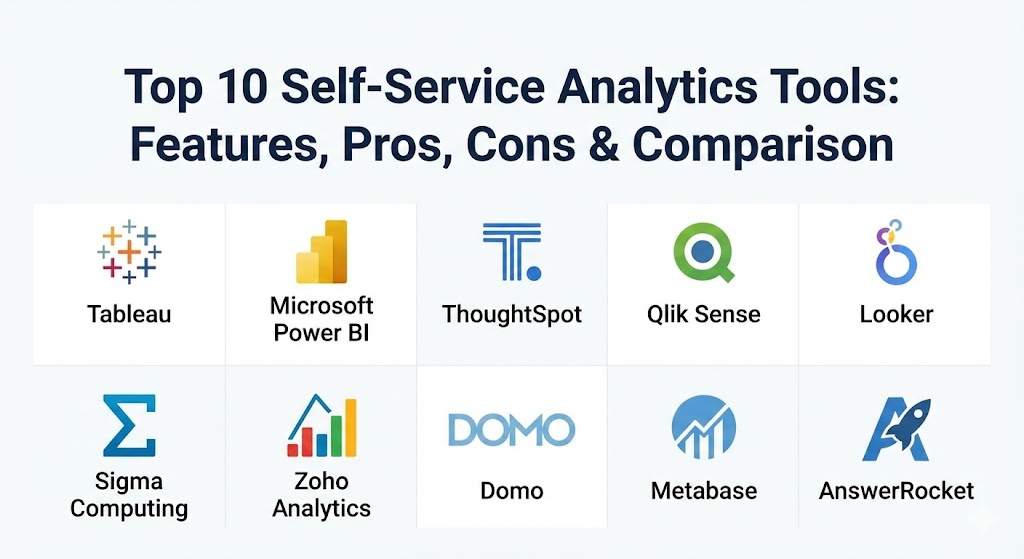
Top 10 Self-Service Analytics Tools
1 — Tableau (by Salesforce)
Tableau is widely regarded as the gold standard for data visualization. Since its acquisition by Salesforce, it has integrated deeply with CRM data while maintaining its reputation as the most flexible tool for visual data exploration.
- Key features:
- Tableau Pulse: An AI-powered insight engine that surfaces personalized metrics for users.
- Ask Data: A natural language processing (NLP) feature that lets users type questions to generate charts.
- Explain Data: Uses AI to find the “why” behind data outliers or trends automatically.
- Tableau Prep: A visual tool for cleaning and combining data without writing code.
- Extensive Visual Library: Support for almost any chart type imaginable, from heat maps to treemaps.
- Mobile App: Fully interactive mobile reporting with offline capabilities.
- Pros:
- Unmatched visual aesthetics; reports look professional and are highly engaging.
- A massive community (The Tableau Public) that provides endless inspiration and templates.
- Cons:
- Can be expensive for large organizations due to its per-user licensing model.
- The learning curve can be steep for users wanting to build highly complex custom calculations.
- Security & compliance: SOC 2, HIPAA, GDPR, ISO 27001, and advanced Row-Level Security (RLS).
- Support & community: Industry-leading community support; extensive documentation and a dedicated customer success portal for enterprise clients.
2 — Microsoft Power BI
Power BI is the dominant force in the self-service market, largely because it feels like a natural extension of Excel. For any organization already in the Microsoft 365 ecosystem, it is the most logical and cost-effective choice.
- Key features:
- Copilot for Power BI: A Generative AI assistant that builds reports and suggests insights.
- Power Query: The industry-standard tool for no-code data ingestion and transformation.
- OneLake Integration: Seamless connection to Microsoft Fabric for unified data storage.
- Quick Insights: Runs algorithms over your data to find hidden patterns in one click.
- Native Teams Integration: Share and discuss reports directly within a Teams chat or channel.
- Desktop & Pro Versions: Flexible deployment options for solo creators and large teams.
- Pros:
- Incredible value for the price; the “Pro” tier is significantly cheaper than most rivals.
- Minimal friction for Excel users; the interface feels familiar almost instantly.
- Cons:
- The DAX formula language can be intimidating for users trying to do advanced modeling.
- Mac users must use the web version, as there is no native macOS desktop app.
- Security & compliance: FedRAMP, HIPAA, GDPR, SOC 1/2/3, and integrated with Microsoft Purview.
- Support & community: Enormous user base with millions of YouTube tutorials and community-led forums (Microsoft Power BI Community).
3 — ThoughtSpot
ThoughtSpot flipped the BI script by focusing on “Search” rather than “Dashboards.” Instead of browsing through tabs, users simply type their questions into a search bar, much like using Google.
- Key features:
- Search-IQ: Natural language search that understands business context and synonyms.
- SpotIQ: An automated discovery engine that runs thousands of queries to find anomalies.
- Liveboards: Dynamic, real-time dashboards that update as the underlying data changes.
- ThoughtSpot Sage: A Generative AI interface that translates complex questions into SQL.
- Embedded Analytics: Easily build ThoughtSpot’s search bar into your own company applications.
- Data Workspace: A centralized area for analysts to govern the “Searchable” data layers.
- Pros:
- Highest adoption rate among non-technical executives who hate traditional dashboards.
- Extremely fast performance when paired with cloud warehouses like Snowflake or BigQuery.
- Cons:
- Requires a very well-structured data warehouse to work effectively.
- Less flexibility for users who want to “pixel-perfect” the design of their charts.
- Security & compliance: SOC 2 Type II, HIPAA, GDPR, and ISO 27001.
- Support & community: High-touch enterprise support; “ThoughtSpot University” provides structured onboarding for new teams.
4 — Qlik Sense
Qlik Sense is famous for its “Associative Engine.” While other tools rely on pre-defined paths (linear queries), Qlik allows users to click on any data point and see how it relates (or doesn’t relate) to everything else.
- Key features:
- Associative Data Indexing: Highlights data relationships in green (selected), white (related), and gray (unrelated).
- Insight Advisor: An AI assistant that suggests the best visualizations for your data.
- Multi-Cloud Deployment: Deploy on-prem, in the cloud, or as a hybrid solution.
- Automated Data Alerting: Get notified via email or mobile when a metric hits a certain threshold.
- Dynamic Views: Connect high-level dashboards to granular, real-time data sources.
- Pros:
- Excellent for “Data Discovery”—finding the things you didn’t even know you should look for.
- Very robust performance with massive datasets that would slow down other tools.
- Cons:
- The development of the “Data Load Script” requires technical knowledge compared to drag-and-drop ETL.
- The user interface is functional but can feel a bit more clinical than Tableau or Power BI.
- Security & compliance: SOC 2/3, GDPR, HIPAA, and ISO 27001.
- Support & community: Strong partner ecosystem; “Qlik Continuous Classroom” offers a vast library of self-paced learning.
5 — Looker (by Google Cloud)
Looker is a modern, cloud-native platform that centers around “data governance.” It uses a centralized modeling language (LookML) to ensure that every user is using the exact same definition of a metric.
- Key features:
- LookML: A centralized layer where analysts define the business logic once for everyone.
- Looker Blocks: Pre-built pieces of code for common data sources (like Google Ads or Salesforce).
- Live Connection: Looker never “extracts” data; it queries your database directly for real-time accuracy.
- Integration with Vertex AI: Use Google’s machine learning models directly within your analytics.
- Looker Studio Integration: Combines Looker’s governance with Looker Studio’s (formerly Data Studio) ease of use.
- Pros:
- Guarantees a “Single Source of Truth”—no more arguments over whose revenue number is correct.
- Ideal for organizations that have already standardized on Google Cloud / BigQuery.
- Cons:
- Requires a data analyst to set up the LookML layer before business users can start.
- Can be quite expensive, especially for smaller teams or low-volume users.
- Security & compliance: SOC 2, HIPAA, GDPR, ISO 27001, and PCI DSS.
- Support & community: Integrated into the Google Cloud support ecosystem; extensive online documentation.
6 — Sigma Computing
Sigma is the “dream tool” for people who love Excel but hate its limitations. It provides a spreadsheet-like interface that can handle billions of rows of live data from a cloud warehouse.
- Key features:
- Spreadsheet Interface: Uses familiar formulas and pivot tables directly on live cloud data.
- Live Data Connection: No data extracts; it writes SQL to your warehouse in the background.
- Input Tables: Allows users to “write back” to the data warehouse to perform “what-if” analysis.
- Collaboration: Multi-user editing similar to Google Sheets.
- Drill-Down: Click any cell to see the raw, row-level data behind the number.
- Pros:
- Zero learning curve for anyone who is proficient in Excel or Google Sheets.
- Allows business users to do deep, ad-hoc analysis without asking IT for a new report.
- Cons:
- Only supports cloud data warehouses (Snowflake, BigQuery, Redshift, Databricks).
- Visual formatting is less advanced than “design-heavy” tools like Tableau.
- Security & compliance: SOC 2 Type II, HIPAA, and GDPR compliant.
- Support & community: Proactive in-app chat support; very high customer satisfaction ratings in the modern data stack community.
7 — Zoho Analytics
Zoho Analytics is a part of the massive Zoho suite, but it stands alone as an excellent, budget-friendly self-service tool that is particularly strong for small to mid-sized businesses.
- Key features:
- Zia: An AI-powered conversational assistant that answers questions via text or voice.
- 500+ Connectors: Pre-built integrations for everything from QuickBooks to Shopify.
- White-Labeling: Businesses can rebrand the tool and offer it to their own clients.
- Unified Business Insights: Blends data from all other Zoho apps (CRM, Books, Projects) automatically.
- Collaborative Workspaces: High-level permissioning for team-based report building.
- Pros:
- Best-in-class pricing for the feature set provided.
- Very easy to set up; a non-technical user can have a dashboard running in 15 minutes.
- Cons:
- The visualization options are functional but not as “sophisticated” as the enterprise leaders.
- Can feel a bit disconnected if you aren’t using other Zoho applications.
- Security & compliance: SOC 2, HIPAA, GDPR, and ISO 27001.
- Support & community: Extensive webinar library; helpful support via email and phone for paid tiers.
8 — Domo
Domo is an all-in-one, cloud-native platform that focuses on “Business in your pocket.” It is designed for executives who want to see their entire company health on their phone at any time.
- Key features:
- Magic ETL: A drag-and-drop tool for blending data from thousands of sources.
- Card-Based UI: Information is organized into “cards” that are easy to digest and share.
- Buzz: A built-in chat system for collaborating directly on top of specific charts.
- App Dev Studio: Build custom data-driven apps for internal or external use.
- Predictive Analytics: Built-in machine learning tools for forecasting and trend analysis.
- Pros:
- One of the best mobile experiences in the entire BI industry.
- Incredible speed of deployment; it handles the storage, ETL, and visualization in one box.
- Cons:
- Can be very expensive as you scale, with less transparency in pricing.
- “Vendor lock-in” is a concern, as your data and logic are all inside the Domo cloud.
- Security & compliance: SOC 1/2, HIPAA, GDPR, ISO 27001, and PCI DSS.
- Support & community: Dedicated account managers for most tiers; “Domo Dojo” community for peer support.
9 — Metabase
Metabase is the outlier on this list because it focuses on extreme simplicity and open-source accessibility. It is the perfect starting point for teams that want to move away from spreadsheets without a six-figure investment.
- Key features:
- Visual Query Builder: Ask questions without knowing a single word of SQL.
- X-Rays: Click one button to get an automatic dashboard based on any table.
- Pulse: Send regular data updates to Slack or email automatically.
- Embedded Charts: Easily put a chart into a blog post or internal wiki.
- Self-Hosted Option: You can run it on your own servers for total data control.
- Pros:
- Free version available for self-hosting; paid cloud version is very affordable.
- The interface is so simple that users don’t even need a training manual.
- Cons:
- Lacks the advanced AI and “augmented analytics” of tools like ThoughtSpot or Power BI.
- Visual customization is limited; you can’t tweak every single pixel.
- Security & compliance: SOC 2 (Cloud version), GDPR, and SSO support.
- Support & community: Massive open-source community; paid support available for enterprise customers.
10 — AnswerRocket
AnswerRocket is a specialized player that has leaned heavily into the “Generative AI” revolution. It is designed to act as an “AI Analyst” rather than just a visualization tool.
- Key features:
- RocketSkill: Pre-packaged AI skills for specific industries like CPG (Consumer Packaged Goods).
- Max: A GPT-powered assistant that interprets data and writes a summary of the “story.”
- Natural Language Generation (NLG): Not only shows a chart but writes a paragraph explaining it.
- Automated Root Cause Analysis: Finds exactly why a metric dropped or spiked.
- Multi-Source Connectivity: Connects to structured databases and unstructured cloud data.
- Pros:
- Best for organizations that want “narrative” insights rather than just more charts.
- Extremely helpful for high-level managers who don’t have time to interpret complex graphs.
- Cons:
- Very niche focus; not as broad in its “standard” BI capabilities as Tableau.
- Higher price point due to the heavy focus on proprietary AI technology.
- Security & compliance: SOC 2 Type II, HIPAA, and GDPR.
- Support & community: High-touch, boutique enterprise support; specialized onboarding for specific business verticals.
Comparison Table
| Tool Name | Best For | Platform(s) Supported | Standout Feature | Rating (Gartner) |
| Tableau | Deep Visual Analysis | Cloud, Win, Mac | Tableau Pulse (AI) | 4.4 / 5 |
| Power BI | Microsoft Ecosystem | Cloud, Windows | Copilot AI & Cost | 4.4 / 5 |
| ThoughtSpot | Search-Driven BI | Cloud, Mobile | Search-IQ (Google-like) | 4.5 / 5 |
| Qlik Sense | Data Discovery | Cloud, Hybrid | Associative Engine | 4.5 / 5 |
| Looker | Data Governance | Cloud (GCP Focus) | LookML Semantic Layer | 4.4 / 5 |
| Sigma Computing | Spreadsheet Users | Cloud Only | Big Data Spreadsheet | 4.6 / 5 |
| Zoho Analytics | SMBs / Budget | Cloud, Mobile | Zia Conversational AI | 4.2 / 5 |
| Domo | Executives / Mobile | Cloud Only | Mobile Dashboarding | 4.3 / 5 |
| Metabase | Startups / Simplicity | Cloud, Self-Hosted | Automated X-Ray Insights | 4.5 / 5 |
| AnswerRocket | Narrative AI Insights | Cloud Only | Max (GPT Analyst) | 4.4 / 5 |
Evaluation & Scoring of Self-Service Analytics Tools
To help you decide, we have evaluated the general performance of this category using a weighted scoring rubric. While individual tools may vary, these are the “benchmarks” of a top-tier self-service solution.
| Category | Weight | Evaluation Criteria |
| Core Features | 25% | Visualization flexibility, Natural Language Query (NLQ), and automated data prep. |
| Ease of Use | 15% | Intuitiveness of the UI for non-technical users; training required. |
| Integrations | 15% | Connection to cloud warehouses (Snowflake, etc.) and SaaS apps. |
| Security & Compliance | 10% | Row-level security (RLS), SSO integration, and privacy certifications. |
| Performance | 10% | Query speed on large datasets and reliability of the cloud service. |
| Support & Community | 10% | Quality of documentation and availability of community-led troubleshooting. |
| Price / Value | 15% | Transparency of pricing and TCO (Total Cost of Ownership). |
Which Self-Service Analytics Tool Is Right for You?
The right choice depends heavily on your existing technical infrastructure and your budget.
Solo Users vs SMB vs Mid-Market vs Enterprise
- Solo Users: If you just need to analyze your own data, the free version of Metabase or the free desktop version of Power BI are excellent choices.
- SMBs: Zoho Analytics offers the best “all-in-one” value for small teams that need a mix of ease and power.
- Mid-Market: Sigma Computing is gaining massive traction here because it allows finance and ops teams to use their Excel skills on real enterprise data.
- Enterprise: Tableau, Qlik, and Looker are built for the complexity and governance needs of 1,000+ user organizations.
Budget-Conscious vs Premium Solutions
If budget is the primary driver, Power BI is almost always the winner due to its inclusion in many Microsoft E5 licenses. On the premium side, ThoughtSpot and Domo charge a premium for their “white-glove” experience and innovative interfaces.
Feature Depth vs Ease of Use
- Depth: If you have data analysts who want to build the “perfect” custom visualization, Tableau is the way to go.
- Ease of Use: If you want your CEO to be able to “type and find” answers, ThoughtSpot or AnswerRocket are superior.
Integration and Scalability Needs
If your data is already in Google BigQuery, Looker is the most seamless integration. If you are a heavy Salesforce user, Tableau is the natural fit. For those moving to the Modern Data Stack (Snowflake/Databricks), Sigma and ThoughtSpot were built specifically for that world.
Frequently Asked Questions (FAQs)
1. Is self-service analytics different from traditional BI?
Traditional BI is “top-down,” where IT builds reports for users. Self-service is “bottom-up,” where users have the tools to build their own reports from a governed data pool.
2. Can I use these tools if I don’t know SQL?
Yes. That is the entire purpose of this category. Most tools use drag-and-drop interfaces or AI search bars that translate your requests into SQL automatically.
3. Does “Self-Service” mean the IT department isn’t involved?
No. IT is still responsible for the “Data Governance”—making sure the data is clean, secure, and accurate. They set the boundaries; the business users play within them.
4. How long does it take to implement a self-service tool?
Cloud-native tools like Zoho or Metabase can be running in minutes. Enterprise-wide rollouts of Tableau or Looker can take weeks to months to properly configure the data models.
5. Are these tools secure for sensitive data?
Yes. All top-tier tools offer Row-Level Security (RLS), which ensures that a user only sees the data they are authorized to see (e.g., a regional manager only sees their region’s sales).
6. Can I access my dashboards on my phone?
Almost all modern tools have native iOS and Android apps. Domo and ThoughtSpot are particularly well-known for their mobile-first user experiences.
7. What is Natural Language Query (NLQ)?
NLQ allows you to “talk” to your data. You type “What were our sales in California last week?” and the tool automatically creates a bar chart with that specific data.
8. Do these tools handle real-time data?
Most can, especially those that connect directly to cloud data warehouses. However, some tools use “data extracts” that might only refresh once an hour or once a day.
9. What is a “Single Source of Truth”?
It’s a state where everyone in the company uses the same definition for a metric. Tools like Looker help achieve this by defining metrics in a central code layer.
10. Which tool is the easiest to learn?
For most business users, Sigma (because of its spreadsheet feel) or ThoughtSpot (because of its search bar) are the easiest to pick up without training.
Conclusion
The era of waiting for reports is officially over. Choosing a self-service analytics tool is no longer just a “technical” decision; it is a cultural one. By giving your team the ability to answer their own questions, you are fostering a culture of curiosity and evidence-based action.
While Microsoft Power BI and Tableau remain the heavyweights of the industry, innovators like ThoughtSpot and Sigma Computing are proving that ease of use and speed are the new competitive advantages. At the end of the day, the “best” tool isn’t the one with the most features—it’s the one your team actually enjoys using to find the insights that drive your business forward.