Introduction
Data visualization tools are software applications that transform raw data into graphical representations like charts, graphs, maps, and interactive dashboards. These tools allow users to see patterns, trends, and outliers that would be invisible in text-based data. By using visual elements, these platforms provide an accessible way for everyone—from data scientists to executive leadership—to grasp complex concepts and make data-driven decisions.
The importance of these tools lies in their ability to bridge the gap between technical data storage and human insight. Key real-world use cases include real-time sales monitoring, marketing campaign performance tracking, financial forecasting, and operational efficiency mapping. When choosing a tool in this category, users should evaluate it based on data connectivity (how easily it links to your databases), self-service capabilities (can non-technical users build reports?), scalability, and the depth of its AI-powered insights.
Best for: Data analysts, business intelligence (BI) professionals, and executive leadership in data-driven organizations ranging from mid-sized businesses to global enterprises. It is also essential for marketing teams and financial planners who need to communicate performance metrics clearly.
Not ideal for: Very small businesses with minimal data needs (where basic Excel or Google Sheets might suffice) or developers looking for a simple charting library to hard-code into a single app (where open-source libraries like Chart.js or D3.js are more appropriate than a full-scale BI platform).
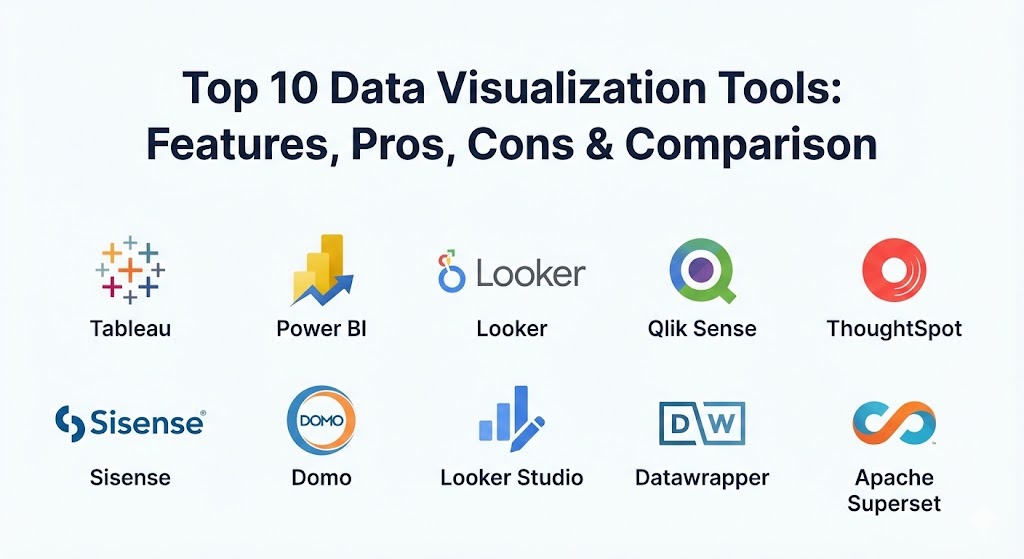
Top 10 Data Visualization Tools
1 — Tableau (Salesforce)
Tableau is widely considered the gold standard in the data visualization industry. Owned by Salesforce, it offers a sophisticated platform that allows for deep, exploratory analysis and high-design dashboards. It is built for the “Power User” who needs total control over every pixel of their data story.
- Key features:
- “VizQL” technology that translates drag-and-drop actions into data queries.
- Massive library of visualization types, from simple bars to complex treemaps.
- Tableau Prep for visual data cleaning and transformation.
- Strong integration with the Salesforce ecosystem and Slack.
- Support for hundreds of data connectors (SQL, NoSQL, Cloud, Spreadsheets).
- Robust mobile app for on-the-go dashboard interaction.
- AI-driven “Explain Data” and “Ask Data” natural language features.
- Pros:
- Industry-leading flexibility and visual aesthetic; you can create almost any visual imaginable.
- A massive, passionate community (Tableau Public) that shares templates and advice.
- Cons:
- Steep learning curve for advanced features and calculations.
- Licensing is expensive, particularly for smaller teams or view-only users.
- Security & compliance: SOC 2, HIPAA, GDPR, ISO 27001, and SSO/Active Directory integration.
- Support & community: Extensive documentation, a global network of user groups, and premium 24/7 enterprise support.
2 — Microsoft Power BI
Power BI is the most dominant player in the market for organizations already embedded in the Microsoft ecosystem. It offers a familiar interface for Excel users and provides one of the most cost-effective ways to scale business intelligence across an entire company.
- Key features:
- Seamless integration with Excel, Azure, and Microsoft 365.
- Power Query for robust data ingestion and transformation.
- DAX (Data Analysis Expressions) language for complex data modeling.
- Extensive library of custom visuals via the AppSource marketplace.
- Real-time dashboard updates and automated data refreshes.
- Quick Insights feature that uses machine learning to find trends automatically.
- Native integration with Power Automate for triggering workflows based on data.
- Pros:
- Highly affordable “Pro” and “Premium” tiers make it accessible for SMBs.
- Easy to adopt for anyone comfortable with Microsoft’s ribbon-style interface.
- Cons:
- The DAX language can be difficult to master compared to simple drag-and-drop tools.
- Performance can lag when handling extremely large, unoptimized datasets in the desktop app.
- Security & compliance: Azure Active Directory integration, Row-Level Security (RLS), GDPR, HIPAA, and FedRAMP.
- Support & community: Huge community of users, extensive Microsoft Learn documentation, and global partner support.
3 — Looker (Google Cloud)
Looker takes a different approach by focusing on a governed, centralized data model. It is designed for companies that want a “single source of truth” where everyone uses the same definitions for key metrics like “Revenue” or “Active Users.”
- Key features:
- LookML, a powerful modeling language for defining business logic.
- 100% browser-based interface with no desktop client needed.
- Deep integration with BigQuery and the Google Cloud Platform.
- Embedded analytics capabilities for putting dashboards inside other apps.
- Git-integrated version control for data models.
- Action Hub for sending data directly to third-party tools like Marketo or Zendesk.
- Modern, responsive API for custom development.
- Pros:
- Ensures high data consistency; you don’t have different departments reporting different numbers.
- Extremely powerful for developers and data engineers who prefer a code-based approach.
- Cons:
- Requires a data engineer to set up the LookML layer before business users can explore.
- Pricing is enterprise-focused and usually requires a significant annual commitment.
- Security & compliance: SOC 2 Type II, ISO 27001, GDPR, HIPAA, and FIPS 140-2.
- Support & community: Google Cloud Support, extensive Looker documentation, and a dedicated developer community.
4 — Qlik Sense
Qlik Sense is famous for its “Associative Engine.” Unlike most tools that use a linear, query-based approach, Qlik allows users to explore data in any direction, showing you not just what is related, but what data is not related to your current selection.
- Key features:
- Associative Engine for non-linear data exploration and discovery.
- AI-assisted “Insight Advisor” for automated visualization suggestions.
- Strong data integration (ETL) capabilities built directly into the platform.
- Multi-cloud and on-premises deployment options.
- Drag-and-drop dashboard creation with responsive design.
- Alerting and reporting automation for proactive decision-making.
- Advanced GeoAnalytics for complex map-based visualizations.
- Pros:
- Exceptional at revealing hidden insights and relationships in complex data.
- Very fast in-memory processing allows for snappy interaction with large datasets.
- Cons:
- The licensing model can be confusing and expensive for large-scale deployments.
- The UI, while functional, is often seen as less modern than Tableau or Looker.
- Security & compliance: SOC 2, SOC 3, HIPAA, GDPR, and ISO 27001.
- Support & community: Strong partner ecosystem, Qlik Design Blog, and comprehensive online training (Qlik Continuous Classroom).
5 — ThoughtSpot
ThoughtSpot is a leader in the “Search & AI-driven” analytics space. Instead of building static dashboards, users simply type questions into a search bar (like “What were sales in California last month?”) and the tool generates the visualization instantly using AI.
- Key features:
- “Spotter” AI analyst for natural language queries (NLQ).
- Live-to-data-warehouse connection (no need to move data).
- AI-driven “SpotIQ” that automatically finds anomalies and trends.
- Mobile-first design for executive access anywhere.
- Pinboards that act as interactive, live-updating dashboards.
- ThoughtSpot Embedded for including search-based analytics in your own products.
- Collaborative features for sharing insights via Slack or email.
- Pros:
- Virtually no learning curve for business users who know how to use a search engine.
- Eliminates the “dashboard backlog” where analysts are constantly asked for new reports.
- Cons:
- Requires a high-performance cloud data warehouse (Snowflake, BigQuery, Redshift) to work well.
- Not designed for “pixel-perfect” highly customized reporting or complex design.
- Security & compliance: SOC 2, HIPAA, GDPR, and end-to-end encryption.
- Support & community: Strong enterprise support and a growing user community focused on modern data stacks.
6 — Sisense
Sisense is built for companies that need to embed analytics into their own software products or manage massive, complex datasets. Its “In-Chip” technology is designed to process data much faster than traditional in-memory systems.
- Key features:
- In-Chip technology for high-speed processing of large datasets.
- “Infusion Apps” that bring analytics into tools like Slack, Teams, and Excel.
- Powerful embedded analytics with a fully white-labeled experience.
- Elasticube technology for preparing and caching disparate data sources.
- AI-powered “Narrative Insights” that explain data trends in plain English.
- Hybrid cloud architecture support.
- Robust API and SDK for developers.
- Pros:
- The best choice for SaaS companies looking to provide analytics to their own customers.
- Handles “messy” data from multiple sources exceptionally well.
- Cons:
- Highly technical setup; requires significant engineering resources to implement.
- The administrative interface is complex and can be overwhelming for non-IT users.
- Security & compliance: SOC 2 Type II, ISO 27001, HIPAA, GDPR, and SSO support.
- Support & community: Dedicated customer success managers for enterprise clients and a detailed knowledge base.
7 — Domo
Domo is a cloud-native platform that positions itself as an “Operating System for Business.” It is designed to be a complete end-to-end solution, covering everything from data integration and ETL to visualization and mobile apps.
- Key features:
- Over 1,000 pre-built connectors for easy data ingestion.
- “Magic ETL” for visual, drag-and-drop data preparation.
- Card-based visualization system that is inherently mobile-friendly.
- Integrated chat and collaboration tools (Domo Buzz).
- App Dev Studio for building custom data-driven applications.
- Real-time alerts and automated task triggers.
- Native multi-tenancy for managing data across different business units.
- Pros:
- Incredible speed to value; you can go from raw data to a dashboard in hours.
- Designed for the business user first, with an exceptionally intuitive interface.
- Cons:
- Pricing can be opaque and expensive as your data volume or user count grows.
- Being “all-in-one” means it can feel restrictive if you want to use other tools for ETL or storage.
- Security & compliance: SOC 1/2, HIPAA, GDPR, PCI DSS, and ISO 27001.
- Support & community: High-touch support model and the “Domo Dojo” user community.
8 — Google Looker Studio (formerly Data Studio)
Looker Studio is the “freemium” entry point into the Google analytics ecosystem. It is primarily used by marketing teams and small businesses to visualize web, social, and ad data without the complexity of a full BI suite.
- Key features:
- Free version available for anyone with a Google account.
- Native connectors for Google Ads, Analytics, Search Console, and BigQuery.
- Drag-and-drop report builder with highly customizable themes.
- Easy sharing via links, similar to Google Docs or Sheets.
- Interactive filters and date range controls for viewers.
- Community connectors for 3rd-party data like Facebook Ads or LinkedIn.
- Looker Studio Pro for enterprise-grade management and support.
- Pros:
- Zero cost for the basic version makes it the best starting point for many.
- Perfectly integrated with the tools marketers use every day.
- Cons:
- Limited data modeling capabilities; you often have to clean data in Sheets first.
- Can be slow and unresponsive when pulling from very large or complex datasets.
- Security & compliance: Managed through Google Cloud IAM, GDPR, and HIPAA (via BAA).
- Support & community: Community-led support and basic Google help documentation; Pro version includes enterprise support.
9 — Datawrapper
Datawrapper is a specialized tool designed specifically for journalists, publishers, and content creators. It doesn’t aim to be a full BI platform; instead, it focuses on making beautiful, embeddable charts and maps as quickly as possible.
- Key features:
- Web-based interface with no login required for basic chart creation.
- Optimized for mobile-first, responsive web design.
- Specialized in high-quality maps (choropleth, symbol, locator).
- Automatic color blindness checks for accessibility.
- “Zero-code” approach—just upload a CSV or link a Google Sheet.
- Customizable branding to match a publication’s style guide.
- High-quality export options (PNG, PDF, SVG).
- Pros:
- The fastest way to create a professional-looking chart for a blog or news article.
- Incredibly clean, minimalist aesthetic that focuses on the data, not the “fluff.”
- Cons:
- Not a dashboarding tool; you can’t build interactive “BI-style” reports.
- No automated ETL or deep data modeling features.
- Security & compliance: GDPR compliant; data is hosted in Germany. Private hosting available for enterprise.
- Support & community: Excellent documentation and “Academy” tutorials; direct email support for paid tiers.
10 — Apache Superset
Apache Superset is the leading open-source data visualization platform. Originally born at Airbnb, it is designed to be lightweight, highly scalable, and capable of visualizing petabyte-scale data in modern cloud warehouses.
- Key features:
- Deeply integrated SQL Lab for writing and optimizing queries.
- Support for nearly any database via SQLAlchemy (Snowflake, Trino, Druid).
- Rich set of visualization plugins and customizable chart types.
- Granular role-based access control (RBAC).
- Cloud-native architecture that scales with Kubernetes.
- No-code viz builder for business users and SQL Lab for power users.
- Lightweight “thin” client that runs entirely in the browser.
- Pros:
- Free to use (open source) with no per-user licensing fees.
- Handles massive datasets and high concurrency better than many commercial tools.
- Cons:
- Requires a technical team to install, maintain, and secure the environment.
- The user interface is less “polished” than commercial competitors like Tableau.
- Security & compliance: Varies by deployment; includes RBAC, OpenID, OAuth, and LDAP support.
- Support & community: Large GitHub community, Slack channel, and commercial support available via companies like Preset.
Comparison Table
| Tool Name | Best For | Platform(s) Supported | Standout Feature | Rating (Gartner Peer Insights) |
| Tableau | High-end visual storytelling | Windows, Mac, Cloud | VizQL Engine | 4.4 / 5 |
| Power BI | Microsoft-centric teams | Windows, Cloud, Mobile | Office 365 Integration | 4.5 / 5 |
| Looker | Centralized, governed metrics | Browser-based (Cloud) | LookML Modeling Layer | 4.4 / 5 |
| Qlik Sense | Discovery & Associative exploration | Windows, Cloud, Hybrid | Associative Data Engine | 4.3 / 5 |
| ThoughtSpot | AI-powered Search / NLQ | Cloud-Native | Natural Language Query | 4.4 / 5 |
| Sisense | Embedded Analytics / SaaS | Cloud, Linux, Windows | In-Chip Processing | 4.4 / 5 |
| Domo | Rapid deployment for business | Cloud-Native | 1,000+ Native Connectors | 4.4 / 5 |
| Looker Studio | Marketing / SMB Dashboards | Browser-based (Cloud) | Free Google Integration | 4.3 / 5 |
| Datawrapper | Journalists / Publishers | Browser-based (Cloud) | Accessibility & Map Focus | N/A |
| Apache Superset | Open-source / Large scale | Linux, Docker, Cloud | SQL Lab Integration | N/A |
Evaluation & Scoring of Data Visualization Tools
To help you decide which tool deserves your investment, we have evaluated the category using a weighted rubric. This ensures that a tool isn’t just “pretty,” but actually functional and secure for enterprise use.
| Category | Weight | Evaluation Criteria |
| Core Features | 25% | Variety of charts, dashboard interactivity, and data storytelling capabilities. |
| Ease of Use | 15% | Intuitiveness for non-technical users and the speed of the “learning curve.” |
| Integrations | 15% | Strength of the ecosystem (APIs, cloud connectors, and data warehouse links). |
| Security | 10% | Compliance certifications (SOC 2, HIPAA) and granular access controls. |
| Performance | 10% | Ability to handle millions of rows without slowing down the browser. |
| Support | 10% | Documentation quality, community size, and official help-desk responsiveness. |
| Price / Value | 15% | Total cost of ownership (TCO) including licensing, setup, and training. |
Which Data Visualization Tool Is Right for You?
Choosing a data visualization tool is not about finding the “best” one overall, but finding the “right” one for your specific constraints.
- Solo Users & Freelancers: If you need to create charts for a blog or presentation, Datawrapper or the free version of Looker Studio are your best bets. They require zero setup and are either free or very affordable.
- Small to Medium Businesses (SMBs): If you already use Microsoft 365, Power BI is the logical choice due to its low price and familiar feel. If you are a marketing-heavy SMB, Looker Studio will likely meet 90% of your needs.
- Mid-Market to Large Enterprise: This is where the battle between Tableau and Power BI is usually fought. Choose Tableau if your team prioritizes deep, artistic, and exploratory analysis. Choose Power BI if you prioritize cost-effectiveness and broad adoption across non-analyst departments.
- SaaS Companies & Product Teams: If you need to build a dashboard inside your own app for your customers to see, Sisense or ThoughtSpot Embedded are the industry leaders for a white-labeled experience.
- Engineering-Led Organizations: If you have the technical talent and want to avoid per-user fees, Apache Superset is a powerhouse. If you want a governed, code-centric approach to data modeling, Looker is the clear winner.
Frequently Asked Questions (FAQs)
1. Is there a difference between BI tools and Data Visualization tools?
Data visualization is a component of Business Intelligence (BI). BI includes the entire process—data collection, storage, cleaning, and analysis—while visualization is specifically about the graphical output and dashboarding.
2. Can I use these tools with basic Excel files?
Yes, almost all tools on this list (especially Power BI and Tableau) allow you to upload CSV or Excel files directly. However, for real-time dashboards, a database connection is preferred.
3. Do I need to know how to code to use these tools?
Most modern tools (Domo, ThoughtSpot, Power BI) are “no-code” or “low-code.” You only need code (SQL, Python, or proprietary languages like LookML) for very advanced data modeling or custom visual development.
4. Why is Tableau so much more expensive than Power BI?
Tableau positions itself as a premium, specialist tool for high-end analytics. Power BI is often “bundled” with other Microsoft services or priced low to encourage organization-wide adoption as a standard utility.
5. How do these tools handle data security?
Enterprise tools include Row-Level Security (RLS), which ensures that a regional manager in New York only sees data for New York, even if everyone is using the same dashboard.
6. Can I access these dashboards on my phone?
Yes, tools like Domo, Power BI, and Tableau have dedicated mobile apps. Most others are “responsive,” meaning they adjust their layout when viewed in a mobile browser.
7. What is “Natural Language Query” (NLQ)?
NLQ allows you to ask questions in plain English (e.g., “What was the total profit last quarter?”) instead of writing a database query. Tools like ThoughtSpot and “Ask Zia” in Zoho are famous for this.
8. Is my data stored in these tools?
Usually, no. Most modern tools use a “live connection” to your data warehouse (like Snowflake), meaning they only “read” the data to visualize it, rather than copying it into their own storage.
9. What are the common mistakes when choosing a tool?
The biggest mistake is choosing a tool based only on “how it looks” without testing how it connects to your specific, often messy, data sources. Always run a Proof of Concept (POC) first.
10. Are there free open-source alternatives?
Yes, Apache Superset and Metabase are the most popular open-source options. They are powerful but require your own server and technical team to manage the infrastructure.
Conclusion
The “best” data visualization tool depends entirely on your balance of technical skill, budget, and existing software ecosystem. If you are a Microsoft shop, Power BI is often a no-brainer. If you need the ultimate in design and storytelling, Tableau remains king. For those who want to empower every employee with AI-driven search, ThoughtSpot is the future. Ultimately, the goal isn’t just to build a pretty chart—it’s to find the tool that turns your company’s data into a clear, actionable roadmap for growth.