Introduction
A Data Lake Platform is a centralized repository that allows you to store all your structured and unstructured data at any scale. Unlike a data warehouse, which requires data to be “cleaned” and structured before it enters the system (Schema-on-Write), a data lake allows you to move data in first and define the structure later (Schema-on-Read). This makes it incredibly cost-effective for storing massive datasets that might not have an immediate use case but hold immense potential for the future.
The importance of a data lake lies in its democratization of data. It serves as a playground for data scientists to train machine learning models, for engineers to build real-time pipelines, and for analysts to discover hidden patterns through “exploratory” queries. Key real-world use cases include predictive maintenance in manufacturing, fraud detection in real-time banking, and genomic sequencing in healthcare. When choosing a platform in 2026, users should look for security and governance (to avoid the dreaded “data swamp”), open formats (like Apache Iceberg or Parquet) to avoid vendor lock-in, and the ability to separate storage from compute to manage costs effectively.
Best for: Data scientists, big data engineers, and large-scale enterprises that handle diverse, high-volume data types. It is essential for organizations focused on advanced analytics, AI/ML development, and long-term data archiving across industries like telecommunications, genomics, and global retail.
Not ideal for: Small businesses with strictly structured data (e.g., just basic accounting or CRM records) or teams that need a “plug-and-play” reporting tool without the resources to manage data engineering pipelines. In these cases, a traditional cloud data warehouse is often a more practical starting point.
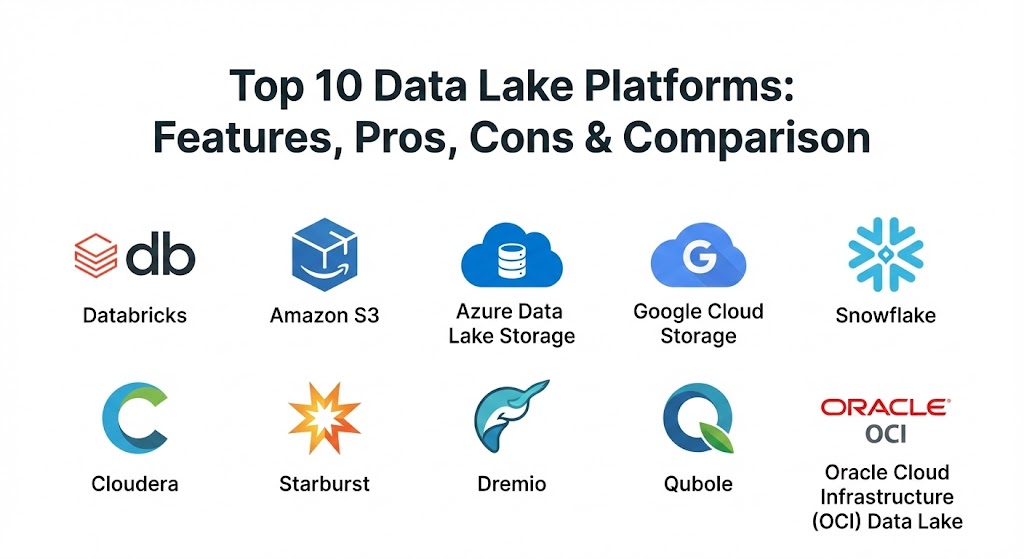
Top 10 Data Lake Platforms
1 — Databricks (Lakehouse Platform)
Databricks is the pioneer of the “Lakehouse” architecture, which blends the best parts of data lakes and data warehouses. Built by the original creators of Apache Spark, it is designed for high-performance analytics and machine learning.
- Key features:
- Delta Lake: An open-source storage layer that brings ACID transactions and reliability to data lakes.
- Unity Catalog: A unified governance layer for data, analytics, and AI across any cloud.
- Serverless Compute: Automatically scales resources based on workload, removing the need for cluster management.
- Mosaic AI: Integrated tools for building, deploying, and monitoring generative AI models.
- Collaborative Notebooks: Supports Python, SQL, R, and Scala for multi-disciplinary teams.
- Photon Engine: A vectorized query engine that significantly accelerates SQL workloads.
- Pros:
- Exceptional performance for machine learning and complex data engineering.
- Strong commitment to open formats, reducing the risk of being “locked into” a proprietary system.
- Cons:
- The pricing model can be complex and expensive for smaller, inconsistent workloads.
- Requires a high level of technical expertise to configure and optimize properly.
- Security & compliance: SOC 2 Type II, HIPAA, GDPR, PCI DSS, and FedRAMP. Includes end-to-end encryption and fine-grained access control.
- Support & community: Massive community around Spark and Delta Lake; Databricks Academy provides excellent training; 24/7 enterprise support tiers available.
2 — Amazon S3 (AWS Data Lake)
Amazon Simple Storage Service (S3) is the de facto storage foundation for thousands of data lakes. While it is technically object storage, AWS provides a massive ecosystem of tools to turn S3 into a fully functional data lake.
- Key features:
- S3 Storage Classes: Intelligent-Tiering automatically moves data to cheaper tiers based on access patterns.
- AWS Lake Formation: A service that makes it easy to set up a secure data lake in days.
- AWS Glue: Integrated serverless data integration service (ETL) and Data Catalog.
- Amazon Athena: An interactive query service that lets you analyze data in S3 using standard SQL.
- 99.999999999% Durability: Industry-leading data protection and redundancy.
- Amazon Macie: Uses machine learning to automatically discover and protect sensitive data.
- Pros:
- Virtually infinite scalability and the most mature ecosystem in the cloud market.
- Extremely cost-effective for “cold” data storage and archiving.
- Cons:
- On its own, S3 is just storage; you must configure multiple other AWS services to make it a “platform.”
- Egress fees can become a significant hidden cost if moving data out of the AWS environment.
- Security & compliance: FIPS 140-2, FISMA, HIPAA, GDPR, and integration with AWS IAM and KMS.
- Support & community: The largest user community in the world; endless documentation and third-party experts available for hire.
3 — Azure Data Lake Storage (ADLS Gen2)
Azure Data Lake Storage Gen2 is Microsoft’s highly scalable and secure data lake functionality built on top of Azure Blob Storage. It is designed to bridge the gap between object storage and big data analytics.
- Key features:
- Hierarchical Namespace: Organizes objects into a hierarchy of directories for faster data access and management.
- Azure Synapse Analytics Integration: Seamlessly connects the lake to a powerful analytics engine.
- Microsoft Purview: Unified data governance for managing and mapping your data estate.
- POSIX-compliant access: Allows for easier migration of legacy big data workloads.
- Integration with Power BI: Direct connectivity for building reports from raw data.
- Azure Data Factory: Native ETL/ELT service for orchestrating data movement.
- Pros:
- The best choice for “Microsoft shops” already using Active Directory and Windows-based tools.
- The hierarchical namespace significantly improves performance for big data processing jobs.
- Cons:
- The transition between Gen1 and Gen2 caused some fragmentation in older documentation.
- Monitoring and cost management tools within Azure can be less intuitive than competitors.
- Security & compliance: SOC 1/2/3, ISO 27001, HIPAA, GDPR, and integration with Azure Active Directory (SSO).
- Support & community: Robust enterprise support; large community of certified Microsoft professionals and partners.
4 — Google Cloud Storage (GCS)
Google Cloud Storage provides a unified object storage service that serves as the backbone for data lakes in the Google Cloud Platform (GCP). It focuses on high performance and consistency.
- Key features:
- Object Lifecycle Management: Automatically deletes or transitions data to lower-cost tiers.
- BigQuery Omni: Allows users to query data in GCS without moving it into BigQuery.
- Dataproc: A fully managed service for running Apache Spark and Hadoop clusters.
- Cloud Data Loss Prevention (DLP): Identifies and protects sensitive information within the lake.
- Strong Global Consistency: Ensures that what you write is immediately readable worldwide.
- Pub/Sub Integration: Easily ingest real-time streaming data into the lake.
- Pros:
- Exceptionally easy to use and manage compared to AWS or Azure.
- The “serverless” nature of GCP’s data tools (like BigQuery) makes analyzing the lake very fast.
- Cons:
- Smaller third-party tool ecosystem compared to AWS.
- Regional availability can sometimes be more limited than the other “Big Three” providers.
- Security & compliance: FedRAMP, HIPAA, GDPR, PCI DSS, and SOC 1/2/3.
- Support & community: Growing community; excellent documentation and direct access to Google’s engineering expertise for enterprise clients.
5 — Snowflake (Unistore & Iceberg)
Snowflake has evolved from a cloud data warehouse into a comprehensive data platform. With its support for Apache Iceberg and “Unistore,” it now functions as a high-performance data lake as well.
- Key features:
- Iceberg Tables: Allows Snowflake to read and write data in the open Apache Iceberg format.
- Snowpark: A developer framework for Python, Java, and Scala to process data in the lake.
- Document AI: Uses built-in LLMs to extract information from unstructured documents.
- Cross-Cloud Replication: Seamlessly syncs data across AWS, Azure, and GCP.
- Managed Governance: Centralized policies for data masking and row-level security.
- Data Marketplace: Easily buy or sell third-party data to enrich your own lake.
- Pros:
- The most polished “user experience” in the market; requires zero infrastructure management.
- One of the few platforms that truly works across different cloud providers with one interface.
- Cons:
- Proprietary “under the hood” logic can make it harder to leave if you don’t use the Iceberg format.
- Storage costs can be higher than raw S3 or GCS if using Snowflake’s managed storage.
- Security & compliance: SOC 2 Type II, HIPAA, PCI DSS, and FedRAMP (High).
- Support & community: Highly rated customer support; very active “Data Heroes” community and annual conferences.
6 — Cloudera Data Platform (CDP)
Cloudera is the veteran of the on-premises Hadoop era, now transformed into a modern hybrid-cloud platform. CDP is designed for organizations that need a data lake that spans both local servers and public clouds.
- Key features:
- SDX (Shared Data Experience): Consistent security and governance across all environments.
- Cloudera Data Warehouse: Optimized SQL engine for querying the lake.
- Cloudera Machine Learning: Collaborative workspace for ML model development.
- Hybrid Cloud Portability: Move workloads between private and public clouds without rewriting code.
- Open Source Foundation: Heavily based on the Apache big data stack (Hive, Impala, NiFi).
- Pros:
- The clear leader for “Hybrid Cloud” – if you have data on-prem that can’t move to the cloud, this is the tool.
- Provides the most control over the underlying software stack.
- Cons:
- Extremely high complexity; requires a dedicated team of “Cloudera Admins.”
- The legacy of Hadoop makes it feel more “heavyweight” than cloud-native rivals.
- Security & compliance: FIPS 140-2, HIPAA, GDPR, and highly granular Apache Ranger-based security.
- Support & community: Deep enterprise support with 24/7 availability; a massive legacy community of big data engineers.
7 — Starburst (Trino)
Starburst is built on top of Trino (formerly PrestoSQL), the world’s fastest distributed SQL query engine. It focuses on the “Data Mesh” concept—analyzing data where it lives without moving it.
- Key features:
- High-Performance SQL: Designed for low-latency interactive queries on massive lakes.
- Federated Querying: Query data across S3, Snowflake, Kafka, and Postgres in a single SQL statement.
- Starburst Galaxy: A fully managed, cloud-native version of the engine.
- Built-in Security: Integrates with Okta, Active Directory, and Ranger for access control.
- Stargate: Enables cross-region and cross-cloud analytics with data residency in mind.
- Pros:
- Incredible speed for “exploratory” analytics; analysts can get answers in seconds.
- Reduces the need for expensive ETL (Extract, Transform, Load) processes by querying data in place.
- Cons:
- It is a “query engine” rather than a “storage engine,” so you still need a separate place to store files.
- Managing the open-source version (Trino) at scale can be difficult without the Starburst enterprise layer.
- Security & compliance: SOC 2 Type II, HIPAA, and GDPR.
- Support & community: Very active Slack community (Trino); Starburst provides dedicated enterprise architects for clients.
8 — Dremio (Data Reflections)
Dremio is often called the “Easy Button” for data lakes. It provides an “analytical virtualization” layer that makes a data lake feel as fast and easy to use as a traditional SQL database.
- Key features:
- Data Reflections: A unique technology that automatically accelerates queries without manual tuning.
- Semantic Layer: Allows business users to define their own data views without IT help.
- Arctic: A metadata service for Apache Iceberg that provides a “Git-like” experience for data.
- Dremio Sonar: A SQL runner that connects to any cloud lake storage.
- Native Apache Arrow Support: Uses in-memory processing for extreme speed.
- Pros:
- Simplifies the “Data Consumer” experience more than almost any other tool.
- The “Data Reflections” feature can significantly lower compute costs by optimizing query paths.
- Cons:
- Can be resource-heavy on the memory side due to its in-memory architecture.
- Not designed for complex data engineering (ETL) tasks; it’s a consumption tool.
- Security & compliance: SOC 2, HIPAA, and GDPR compliant features.
- Support & community: Growing community; “Dremio University” offers free training courses.
9 — Qubole
Qubole is an open, autonomous data lake platform that focuses on automating the administration of big data workloads on AWS, Azure, and GCP.
- Key features:
- Workload-Aware Auto-scaling: Scales clusters based on the specific requirements of the job.
- Financial Analytics: Provides deep visibility into exactly how much each query or user is costing.
- Unified Workbench: Supports SQL, Spark, Hive, and Presto in a single interface.
- Spot Instance Optimization: Dramatically reduces cloud costs by using “spare” cloud capacity.
- Multi-Cloud Management: One interface to manage clusters across different cloud providers.
- Pros:
- Exceptional for “cost-conscious” teams that want to automate away the headache of cluster management.
- Very flexible—it doesn’t care if you use Spark, Hive, or Presto.
- Cons:
- The user interface can feel a bit dated compared to the “slick” look of Snowflake or Databricks.
- Smaller market share means fewer third-party integrations are available “out of the box.”
- Security & compliance: HIPAA, GDPR, SOC 2, and VPC-level network isolation.
- Support & community: Well-regarded enterprise support; active blog and technical documentation library.
10 — Oracle Cloud Infrastructure (OCI) Data Lake
Oracle has reinvented its data strategy to be highly competitive in the cloud era. The OCI Data Lake is a collection of integrated services designed for performance and Oracle-to-Oracle synergy.
- Key features:
- OCI Object Storage: High-performance, low-cost storage with automatic tiering.
- Data Catalog: A self-service portal to find and organize data across the Oracle estate.
- OCI Data Flow: A fully managed Spark service for processing big data.
- Big Data Service: Automated Hadoop clusters for legacy compatibility.
- Integration with Oracle ADW: Seamlessly move data into the Autonomous Data Warehouse.
- Pros:
- The absolute best performance for organizations running Oracle applications (ERP, HCM).
- Very aggressive pricing that often undercuts AWS and Azure for similar workloads.
- Cons:
- Not the first choice for organizations that are already “all-in” on another cloud.
- The learning curve can be steep for those not familiar with the Oracle OCI Console.
- Security & compliance: FIPS 140-2, HIPAA, PCI DSS, and “always-on” encryption.
- Support & community: Access to Oracle’s legendary global support network and deep industry expertise.
Comparison Table
| Tool Name | Best For | Platform(s) Supported | Standout Feature | Rating (Gartner) |
| Databricks | ML & AI Teams | AWS, Azure, GCP | Delta Lake Lakehouse | 4.6 / 5 |
| Amazon S3 | Cost-Effective Storage | AWS | 99.999999999% Durability | 4.7 / 5 |
| Azure ADLS | Microsoft Shops | Azure | Hierarchical Namespace | 4.5 / 5 |
| Google GCS | Data Science & Simplicity | GCP | Global Strong Consistency | 4.5 / 5 |
| Snowflake | Multi-Cloud Analytics | AWS, Azure, GCP | Apache Iceberg Support | 4.6 / 5 |
| Cloudera CDP | Hybrid Cloud / Enterprise | Hybrid, Cloud, On-Prem | SDX Unified Security | 4.3 / 5 |
| Starburst | Federated Queries | Multi-Cloud | Trino Speed (No Movement) | 4.7 / 5 |
| Dremio | Business Analysts | AWS, Azure, GCP | Data Reflections Acceleration | 4.6 / 5 |
| Qubole | Cost Management | AWS, Azure, GCP | Spot Instance Optimization | 4.2 / 5 |
| OCI Data Lake | Oracle Ecosystem | OCI | Oracle Application Synergy | 4.3 / 5 |
Evaluation & Scoring of Data Lake Platforms
Selecting a data lake is a 10-year decision. We use the following weighted rubric to help organizations determine which platform provides the best long-term value.
| Category | Weight | Evaluation Criteria |
| Core Features | 25% | Protocol support, open formats (Iceberg/Delta), and storage/compute separation. |
| Ease of Use | 15% | Administrative overhead, UI intuitiveness, and setup speed. |
| Integrations | 15% | Connectivity with existing BI tools, ETL pipelines, and data sources. |
| Security | 10% | Compliance certifications, encryption, and granular access controls. |
| Performance | 10% | Query speed, data ingestion throughput, and auto-scaling reliability. |
| Support | 10% | Documentation quality, community activity, and vendor response speed. |
| Price / Value | 15% | Storage/compute costs, egress fees, and cost-optimization features. |
Which Data Lake Platforms Tool Is Right for You?
The “right” platform is the one that aligns with your current technical skills and your future business goals.
- Solo Users & SMBs: If you are a small team, avoid the complexity of Cloudera or Starburst. Focus on Google Cloud Storage or Snowflake. Their “set it and forget it” nature allows you to get value from your data without hiring five engineers.
- Budget-Conscious Organizations: Amazon S3 with Qubole is a powerful combination. S3 provides the cheapest storage, and Qubole’s spot instance optimization ensures you aren’t overpaying for compute.
- Feature-Hungry / AI-Focused: If your primary goal is building the next generation of AI tools, Databricks is the undisputed leader. Its integrated machine learning lifecycle tools (MLflow) are years ahead of the competition.
- Hybrid & On-Prem Needs: If you are a bank or a government agency with strict data residency requirements, Cloudera or Yellowbrick are your only real options for a true hybrid-cloud data lake.
- The “Microsoft Shop”: If your company already pays for M365 and Power BI, the integration benefits of Azure Data Lake Storage are too significant to ignore.
Frequently Asked Questions (FAQs)
1. What is the difference between a Data Lake and a Data Warehouse?
A Data Lake stores raw, unstructured data in its native format (Schema-on-Read). A Data Warehouse stores processed, structured data specifically for reporting (Schema-on-Write).
2. Can a Data Lake replace a Data Warehouse?
With modern “Lakehouse” technology (like Databricks or Snowflake Iceberg), yes. You can now get data warehouse-like performance directly on top of your data lake.
3. What is a “Data Swamp”?
A data swamp is a data lake that lacks metadata, governance, and organization. It becomes impossible for users to find what they need, rendering the data useless.
4. How much does a Data Lake cost?
Storage is very cheap (often $20 per TB per month). The real cost is the compute used to analyze the data and the egress fees if you move data between cloud providers.
5. Is a Data Lake secure?
Yes, if configured correctly. Modern platforms offer encryption, SSO, and granular “row-level” security. However, because lakes hold raw data, they are high-value targets and require strict monitoring.
6. Do I need to know SQL to use a Data Lake?
Usually, yes. While data scientists use Python or R, most analysts access the lake using standard SQL through query engines like Athena, Starburst, or Dremio.
7. What are “Open Data Formats”?
Formats like Apache Parquet, Avro, and Iceberg are not owned by any company. Using them ensures that if you leave a vendor, you can still read your data with other tools.
8. Can I build a Data Lake on-premises?
Yes, using tools like Cloudera or MinIO. However, most organizations choose the cloud because managing the hardware for petabyte-scale storage is incredibly difficult.
9. What is “Data Governance” in a lake?
Governance is the set of rules that determines who can see what data, how long data is kept, and how its quality is measured. Tools like Microsoft Purview or Collibra help manage this.
10. How do I prevent vendor lock-in?
Store your data in open formats (like Parquet or Iceberg) and use a query engine that can work across multiple clouds (like Starburst or Databricks).
Conclusion
The data lake is no longer just a “cheap place to put stuff.” In 2026, it is the intelligence engine of the enterprise. Whether you choose the massive ecosystem of AWS, the AI-first approach of Databricks, or the simplicity of Snowflake, the key to success is governance. Without a clear strategy for organizing and securing your data, a lake quickly becomes a swamp. The best platform is the one that empowers your team to find insights today while keeping your options open for the innovations of tomorrow.