Introduction
Database Security Tools are specialized software solutions designed to protect the data layer of an organization’s IT infrastructure. They provide a multi-layered defense system that includes Database Activity Monitoring (DAM), vulnerability assessments, encryption, data masking, and privileged access management. Unlike general network security tools, these solutions are “data-aware,” meaning they understand SQL queries, database schemas, and the specific behaviors of database users.
The importance of these tools lies in their ability to mitigate high-impact risks such as SQL injection attacks, insider threats, and accidental data exposure. Real-world use cases range from a healthcare provider ensuring HIPAA compliance by masking patient records to a financial institution using real-time alerts to stop an unauthorized administrative login. When evaluating these tools, organizations should look for multi-platform support (SQL, NoSQL, and Cloud), performance overhead (to ensure security doesn’t slow down the business), and compliance automation for frameworks like GDPR, PCI DSS, and SOX.
Best for: Large-scale enterprises, financial institutions, healthcare providers, and government agencies that handle vast amounts of regulated data. It is essential for Database Administrators (DBAs), Chief Information Security Officers (CISOs), and Compliance Officers.
Not ideal for: Small businesses with very limited data footprints or companies that rely entirely on managed SaaS providers where the vendor handles all underlying security layers (e.g., a simple blog on a hosted platform).
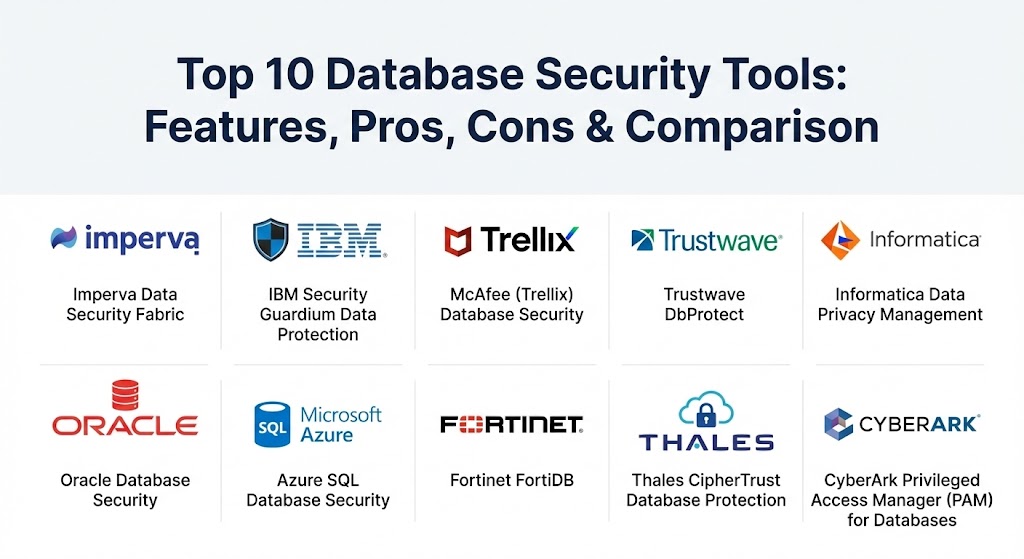
Top 10 Database Security Tools
1 — Imperva Data Security Fabric (DSF)
Imperva is a perennial leader in the data security space. Its Data Security Fabric provides a unified platform to protect data across on-premises, cloud, and hybrid environments, focusing on visibility and risk analytics.
- Key features:
- Automated data discovery and classification across structured and unstructured data.
- Real-time Database Activity Monitoring (DAM) for local and remote connections.
- Advanced behavioral analytics to detect anomalous user activity.
- Vulnerability assessment tools to identify misconfigurations and unpatched systems.
- Data masking and tokenization to protect PII.
- Unified security dashboard for global visibility.
- Pros:
- Exceptional scalability, making it ideal for the world’s largest data environments.
- Broadest coverage of data sources, including legacy mainframes and modern NoSQL.
- Cons:
- High total cost of ownership (TCO) including licensing and implementation.
- The administrative interface can be complex for smaller IT teams.
- Security & compliance: SOC 2, GDPR, HIPAA, PCI DSS, and FIPS 140-2 compliant.
- Support & community: Extensive documentation, 24/7 enterprise support, and a well-established user community.
2 — IBM Security Guardium Data Protection
IBM Guardium is an enterprise-grade platform known for its robust compliance automation and ability to protect “Big Data” environments. It is a favorite among large financial institutions.
- Key features:
- Centralized audit repository for streamlined compliance reporting.
- “Collector-Aggregator” architecture for high-volume data logging.
- Vulnerability analyzer to find security gaps in database configurations.
- Entitlement reporting to identify over-privileged users.
- Dynamic data masking to hide sensitive info based on user roles.
- Integration with IBM QRadar and other SIEM platforms.
- Pros:
- Industry-leading maturity in agent-based monitoring.
- Excellent at handling heterogeneous environments with hundreds of databases.
- Cons:
- Deployment is notoriously complex and often requires specialized IBM-certified engineers.
- UI can feel dated and less intuitive compared to newer SaaS competitors.
- Security & compliance: ISO 27001, GDPR, SOX, HIPAA, and PCI DSS.
- Support & community: World-class global enterprise support and an extensive library of training resources through IBM Skills.
3 — McAfee (Trellix) Database Security
McAfee Database Security focuses on ease of deployment and real-time threat prevention. It is designed to stop attacks “at the wire” before they can reach the data.
- Key features:
- “Virtual Patching” to protect unpatched databases from known exploits.
- Sensor-based monitoring that has minimal impact on database performance.
- Real-time session termination for policy violations.
- Centralized management through the Trellix ePolicy Orchestrator (ePO).
- Pre-built compliance reports for major regulations.
- Pros:
- Significantly faster time-to-value due to its simple installation process.
- Low performance overhead makes it suitable for high-transaction environments.
- Cons:
- Limited depth in data discovery compared to Imperva or IBM.
- Branding transition (McAfee to Trellix) can sometimes make support documentation hard to find.
- Security & compliance: FIPS 140-2, PCI DSS, HIPAA, and GDPR.
- Support & community: Large global user base and established enterprise support channels.
4 — Trustwave DbProtect
Trustwave DbProtect is a highly focused database security solution that excels in vulnerability management and rights review. It is often used by organizations as a “security auditor” for their data layer.
- Key features:
- Comprehensive vulnerability scanning with a library of thousands of checks.
- Rights Review to identify “who can see what” and find excessive permissions.
- Activity monitoring that alerts on unauthorized administrative changes.
- Dashboard-based risk scoring for prioritized remediation.
- Support for both on-premises and cloud-hosted databases.
- Pros:
- One of the best tools for conducting deep-dive database security audits.
- Very strong reporting features that are clear and actionable for management.
- Cons:
- Lacks some of the “blocking” capabilities found in real-time DAM tools.
- Primarily focused on structured relational databases (RDBMS).
- Security & compliance: SOC 2 Type II, GDPR, and HIPAA.
- Support & community: Backed by Trustwave’s managed security services expertise and 24/7 global SOC.
5 — Informatica Data Privacy Management
Informatica takes a “privacy-first” approach, focusing on data discovery, classification, and subject registry management. It is the tool of choice for Data Privacy Officers.
- Key features:
- AI-driven sensitive data discovery and classification.
- Data lineage tracking to see where sensitive data travels.
- Subject Registry to manage “Right to be Forgotten” (GDPR) requests.
- Persistent and dynamic data masking.
- Risk scoring based on data volume, sensitivity, and proliferation.
- Pros:
- Unmatched visibility into data proliferation across the enterprise.
- Essential for managing complex privacy regulations like GDPR and CCPA.
- Cons:
- More of a “governance” tool than a “threat prevention” tool.
- Requires a significant metadata setup to be effective.
- Security & compliance: SOC 2 Type II, GDPR, CCPA, and HIPAA.
- Support & community: Highly rated for customer loyalty and technical documentation.
6 — Oracle Database Security
For organizations running Oracle Database, the native security suite is often the most logical choice. It provides deep integration that third-party tools cannot match at the kernel level.
- Key features:
- Oracle Transparent Data Encryption (TDE) for data-at-rest.
- Database Vault to prevent DBAs from viewing sensitive application data.
- Data Masking and Subsetting for secure non-production environments.
- Label Security for row-level access control based on user clearance.
- Blockchain tables for tamper-proof audit trails.
- Pros:
- Zero performance impact for many features since they are native to the DB.
- Deepest possible security controls (e.g., blocking a sysadmin from specific tables).
- Cons:
- Extremely expensive (most features are paid add-ons).
- Proprietary to the Oracle ecosystem; doesn’t manage non-Oracle databases.
- Security & compliance: FIPS 140-2, Common Criteria, GDPR, and HIPAA.
- Support & community: Massive global community and the highest level of Oracle technical support.
7 — Azure SQL Database Security
As companies move to the cloud, Microsoft’s native Azure security features provide an integrated, SaaS-based defense for SQL workloads.
- Key features:
- Advanced Threat Protection (detects SQL injection and brute force).
- Dynamic Data Masking and Always Encrypted technology.
- Azure SQL Firewall and Virtual Network service endpoints.
- SQL Auditing with integration into Azure Monitor and Sentinel.
- Vulnerability Assessment as a managed service.
- Pros:
- Seamless “one-click” enablement for Azure SQL users.
- Cost-effective compared to on-premises enterprise suites.
- Cons:
- Locked to the Azure platform.
- Some advanced security features require an extra per-server/per-month fee.
- Security & compliance: FedRAMP, SOC 2, HIPAA, and ISO 27001.
- Support & community: Backed by Microsoft’s massive cloud support ecosystem.
8 — Fortinet FortiDB
Fortinet FortiDB is a comprehensive database security appliance that excels at centralized vulnerability management and activity monitoring.
- Key features:
- Centrally managed security policies for hundreds of databases.
- Pre-populated with hundreds of policies for PCI-DSS and SOX.
- Change control features to track structural (DDL) and user (DCL) changes.
- Database discovery to find “rogue” databases on the network.
- Standards-based reports with remediation advice.
- Pros:
- Excellent for heterogeneous environments involving many different DB brands.
- Ships with out-of-the-box reports that make audit prep much easier.
- Cons:
- Hardware-centric approach may not appeal to “cloud-only” organizations.
- The UI can be more technical and less user-friendly than modern SaaS apps.
- Security & compliance: PCI DSS, SOX, HIPAA, and GDPR.
- Support & community: Backed by FortiGuard Labs research and global support.
9 — Thales CipherTrust Database Protection
Thales focuses on the encryption and key management side of database security, providing a “data-centric” approach.
- Key features:
- Transparent encryption that doesn’t require application changes.
- Centralized Enterprise Key Management (FIPS 140-2 compliant).
- Application-layer data protection via specialized APIs.
- Format-Preserving Encryption (FPE) for sensitive database columns.
- Security intelligence logs for SIEM integration.
- Pros:
- Best-in-class for managing encryption keys across multiple clouds and sites.
- Reduces the risk of data breaches even if the database file is stolen.
- Cons:
- Lacks the “behavioral analytics” or “activity monitoring” of tools like Imperva.
- Configuration of application-layer encryption requires developer effort.
- Security & compliance: FIPS 140-2 Level 3 (HSM), SOC 2, and GDPR.
- Support & community: Strong enterprise reputation and reliable global support.
10 — CyberArk Privileged Access Manager (PAM) for Databases
While primarily an identity tool, CyberArk is critical for database security because it secures the #1 vector of attack: stolen DBA credentials.
- Key features:
- Credential vaulting and automated password rotation for DBA accounts.
- Isolation and recording of privileged database sessions.
- “Just-in-Time” (JIT) access to give DBAs temporary admin rights.
- Analytics to detect hijacked privileged accounts.
- Integration with major databases for native credential injection.
- Pros:
- Unrivaled at preventing internal privilege escalation and lateral movement.
- Provides a video-like recording of every command a DBA runs.
- Cons:
- Doesn’t monitor “application-to-database” traffic (only “user-to-database”).
- High cost and complex initial setup.
- Security & compliance: FIPS 140-2, SOC 2, HIPAA, and GDPR.
- Support & community: Leading player in the PAM space with a massive global partner network.
Comparison Table
| Tool Name | Best For | Platform(s) Supported | Standout Feature | Rating (Gartner Peer Insights) |
| Imperva DSF | Large-scale Risk Analytics | Multi-cloud, On-prem, NoSQL | Behavioral Analytics (ML) | 4.5 / 5 |
| IBM Guardium | Compliance Automation | Hybrid, Mainframe, Hadoop | Collector Architecture | 4.3 / 5 |
| McAfee (Trellix) | Performance & Ease of Use | Multi-platform, Cloud | Virtual Patching | 4.2 / 5 |
| Trustwave DbProtect | Security Audits | RDBMS, Cloud | Deep Vulnerability Library | 4.1 / 5 |
| Informatica DPM | Privacy & Data Lineage | Cloud, Hybrid, Structured | Subject Registry (GDPR) | 4.4 / 5 |
| Oracle Security | Oracle-exclusive Shops | Oracle DB, OCI | Native Kernel-level Blocking | 4.6 / 5 |
| Azure SQL Security | Azure Cloud Native | Azure SQL, Synapse | Microsoft Defender Integration | 4.5 / 5 |
| Fortinet FortiDB | Heterogeneous Environments | Windows, Linux, Solaris | Change Control Monitoring | 4.2 / 5 |
| Thales CipherTrust | Encryption & Key Mgmt | Multi-cloud, On-prem | FIPS 140-2 Key Control | 4.3 / 5 |
| CyberArk PAM | Privileged Access | Hybrid, Multi-database | Session Recording (Video) | 4.7 / 5 |
Evaluation & Scoring of Database Security Tools
Choosing a database security tool is not a one-size-fits-all process. We evaluated these tools based on a weighted rubric that reflects the priorities of modern IT departments.
| Category | Weight | Evaluation Criteria |
| Core Features | 25% | Presence of DAM, data discovery, encryption, and vulnerability assessment. |
| Ease of Use | 15% | Intuitiveness of the UI and speed of deployment. |
| Integrations | 15% | Ability to connect with SIEM, IAM, and existing cloud ecosystems. |
| Compliance | 10% | Depth of pre-built reporting for GDPR, PCI DSS, and HIPAA. |
| Performance | 10% | Latency impact on database queries and system resource usage. |
| Support | 10% | Response times, documentation depth, and user community activity. |
| Price / Value | 15% | Licensing transparency and ROI based on risk reduction. |
Which Database Security Tool Is Right for You?
The “right” tool depends on your infrastructure’s complexity and your team’s specific pain points.1
- Solo Users vs. SMBs: Small businesses should prioritize ease of use and price. If you are already in the cloud, Azure SQL Security or McAfee are the best starting2 points. Avoid heavy enterprise suites like IBM Guardium unless you have a dedicated security team.
- Mid-Market Companies: Organizations with a growing data footprint should look for tools that offer good automation. Informatica is excellent if you are mostly worried about privacy, while Trustwave is great for companies that need to pass a yearly audit.
- Enterprises: Large firms need a platform that can see everything. Imperva DSF is the most comprehensive choice for hybrid multi-cloud environments. If your data is largely sitting in an Oracle environment, stick with Oracle’s native tools.
- Budget vs. Premium: McAfee and Azure offer great value. CyberArk and IBM are premium solutions that require significant investment but offer unparalleled protection for the world’s most sensitive data.
- Security Depth vs. Ease of Use: If you need “set it and forget it,” go with a SaaS-first cloud native tool. If you need to stop a rogue DBA from accessing a specific row of data in a production database, you will need the depth of Oracle Database Vault or CyberArk.
Frequently Asked Questions (FAQs)
1. What is Database Activity Monitoring (DAM)?
DAM is a technology that observes and records all activity within a database, including who accessed what data and when. It is the core of modern database security and is essential for identifying insider threats.
2. Does encryption slow down my database?
Transparent Data Encryption (TDE) usually has a minimal performance impact (often less than 3%). However, application-layer encryption can be much slower and more complex to implement.
3. What is “Virtual Patching”?
Virtual patching is a feature (found in tools like McAfee) that monitors for traffic patterns that exploit known vulnerabilities. It blocks the attack at the firewall or database level even if you haven’t applied the physical patch to the database yet.
4. How do these tools help with GDPR?
They help by discovering where PII is stored, classifying it, and providing audit logs to prove that access is restricted to authorized personnel only. Tools like Informatica also help manage “Right to be Forgotten” requests.
5. Can I use a regular Firewall instead?
No. A network firewall only checks IP addresses and ports. It cannot see what is happening inside a SQL query. A database security tool can detect if a query is trying to dump an entire table (SQL injection), whereas a regular firewall cannot.
6. Is it better to use cloud-native security or a third-party tool?
Cloud-native tools are easier and cheaper but only work on one platform. Third-party tools like Imperva are better for “Hybrid” strategies where you have data on-premises and in multiple clouds.
7. What is Data Masking?
Data masking replaces sensitive data with functional but fake data (e.g., changing a real credit card number to a fake one). This allows developers to test applications with “real-looking” data without seeing the actual sensitive info.
8. Why is privileged access management important for databases?
Most major data breaches involve the theft of an administrator’s credentials. Privileged access tools (like CyberArk) ensure that these powerful accounts are locked down and every action is recorded.
9. Can these tools protect NoSQL databases like MongoDB?
Yes, modern platforms like Imperva and IBM Guardium have expanded their coverage to include NoSQL, Hadoop, and Big Data environments.
10. How often should I run vulnerability scans?
Ideally, vulnerability scans should be automated and continuous. At a minimum, they should be run after every major database update or structural change.
Conclusion
The database is no longer just a storage container; it is the heart of the modern business. In 2026, protecting that heart requires more than just a strong password. Whether you choose the massive scale of Imperva, the compliance-heavy power of IBM, or the cloud-native simplicity of Azure, the goal is the same: visibility and control. The “best” tool is the one that integrates seamlessly into your current workflow while providing the transparency your auditors—and your customers—demand.