Introduction
A Key Management System (KMS) serves as the “vault” for an organization’s digital keys. It provides a secure, centralized environment where administrators can manage the keys used to encrypt data across databases, cloud storage, and applications. Without a KMS, keys often end up scattered in configuration files, hardcoded in scripts, or stored on local drives—scenarios that represent a massive security risk.
In 2026, the KMS market has evolved to handle hybrid and multi-cloud environments, integrating deeply with identity providers and offering “confidential computing” to ensure keys are never exposed, even in memory. Key real-world use cases include securing sensitive customer data in financial services, managing digital certificates for web traffic, and protecting healthcare records under HIPAA. When choosing a KMS, users should prioritize platform compatibility, FIPS 140-2/3 certifications, ease of integration, and automated lifecycle management to reduce human error.
Best for: Large-scale enterprises, financial institutions, healthcare providers, and cloud-native startups that need to meet rigorous compliance standards (like PCI DSS or GDPR) and maintain high-security data boundaries. It is ideal for IT security teams and DevOps engineers managing multi-cloud or hybrid infrastructure.
Not ideal for: Individual users or very small businesses with basic, non-sensitive data needs where standard disk encryption (like BitLocker or FileVault) or simple cloud-native defaults (without customer-managed keys) are sufficient.
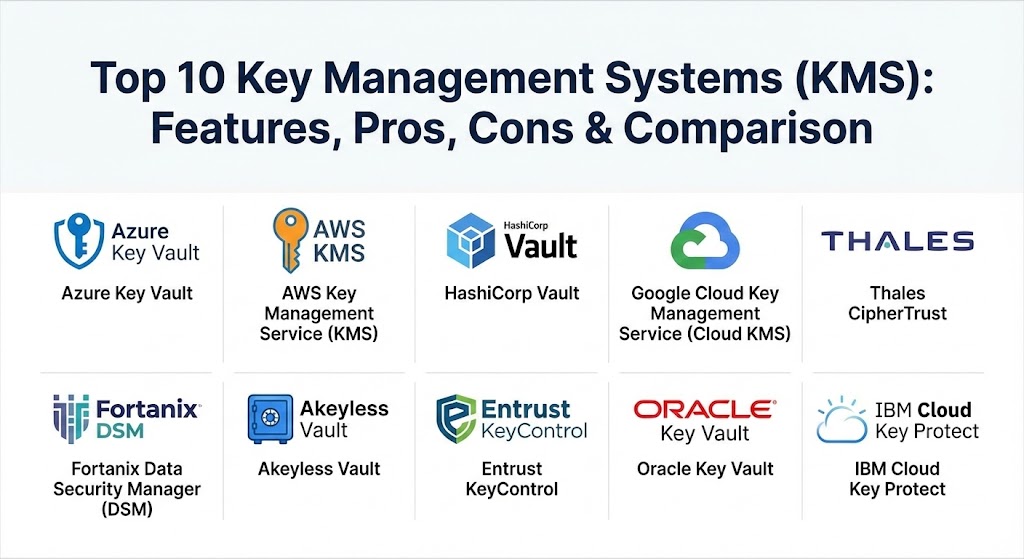
Top 10 Key Management Systems (KMS) Tools
1 — Azure Key Vault
Azure Key Vault is Microsoft’s cloud-hosted service for managing cryptographic keys, secrets, and certificates. It is designed to safeguard sensitive information and provide a centralized location to monitor access.
- Key features:
- Native integration with Microsoft Entra ID (formerly Azure AD).
- Supports Hardware Security Modules (HSMs) for FIPS 140-2 Level 2 and Level 3 compliance.
- Centralized certificate management for automated SSL/TLS issuance.
- Managed HSM service for high-security, single-tenant requirements.
- Seamless integration with other Azure services like Azure Disk Encryption and SQL Database.
- Automated secret rotation via Azure Functions.
- Robust logging through Azure Monitor.
- Pros:
- Unrivaled ecosystem integration for companies already using the Microsoft stack.
- Highly scalable with global availability across all Azure regions.
- Cons:
- Limited functionality for managing keys outside of the Azure environment.
- Pricing can become complex and high with high-volume API requests or HSM usage.
- Security & compliance: SOC 2 Type II, ISO 27001, HIPAA, GDPR, PCI DSS, FIPS 140-2 Level 2/3.
- Support & community: World-class enterprise support; extensive documentation and a massive community of Azure developers.
2 — AWS Key Management Service (KMS)
AWS KMS is a fully managed service that makes it easy for you to create and control the encryption keys used to encrypt your data. It uses FIPS 140-2 validated HSMs to protect the security of your keys.
- Key features:
- Integrated with over 100 AWS services (S3, RDS, EBS, etc.).
- Multi-region keys for global data resiliency and disaster recovery.
- Automatic key rotation with a simple click-to-enable feature.
- Detailed audit logs via integration with AWS CloudTrail.
- Support for asymmetric keys and HMAC.
- Customer Managed Keys (CMKs) provide granular control over key policies.
- Custom Key Store (CKS) to link AWS KMS with your own CloudHSM cluster.
- Pros:
- Deeply embedded in the AWS platform, making it the default choice for AWS users.
- “Set it and forget it” simplicity for basic encryption tasks.
- Cons:
- Significant vendor lock-in; moving keys out of AWS KMS is highly restricted.
- Lacks native support for multi-cloud key management (e.g., managing Azure or GCP keys).
- Security & compliance: FIPS 140-2 Level 2 (Service) and Level 3 (HSM), SOC 1/2/3, PCI DSS, FedRAMP, HIPAA.
- Support & community: Extensive 24/7 support; huge community footprint with endless tutorials and forums.
3 — HashiCorp Vault
HashiCorp Vault is a multi-cloud secrets management and data protection solution that secures, stores, and tightly controls access to tokens, passwords, certificates, and encryption keys.
- Key features:
- Cloud-agnostic architecture—works across AWS, Azure, GCP, and on-premises.
- Dynamic secrets: Generates temporary credentials on the fly that expire automatically.
- “Encryption-as-a-Service” allows apps to encrypt data without storing the keys.
- Identity-based access control with native support for Okta, LDAP, and GitHub.
- Multi-datacenter replication for high availability.
- Open-source version available for basic self-managed use cases.
- Built-in revocation and audit logging for every request.
- Pros:
- The most flexible solution for organizations running a multi-cloud or hybrid strategy.
- Powerful automation capabilities for DevOps and CI/CD pipelines.
- Cons:
- Steep learning curve; requires dedicated staff to manage and scale effectively.
- High operational overhead if self-hosting the open-source or enterprise versions.
- Security & compliance: SOC 2, FIPS 140-2 Level 3 (with HSM integration), GDPR, HIPAA.
- Support & community: Massive open-source community; premium enterprise support available for paying customers.
4 — Google Cloud Key Management Service (Cloud KMS)
Google Cloud KMS is a cloud-hosted service that lets you manage symmetric and asymmetric cryptographic keys for your cloud services in the same way you do on-premises.
- Key features:
- Integrated with Google Cloud IAM for granular access control.
- Cloud HSM: FIPS 140-2 Level 3 validated HSM clusters fully managed by Google.
- External Key Manager (EKM) allows you to use keys stored in third-party systems.
- “Autokey” automates key provisioning for various Google Cloud resources.
- Support for Cloud External Key Manager for highest level of sovereignty.
- Built-in 24-hour delay for key destruction to prevent accidental or malicious data loss.
- Global availability and low-latency API access.
- Pros:
- EKM provides unique sovereignty options for users who don’t want Google to hold their keys.
- Very easy to use for organizations built on Google Cloud Platform (GCP).
- Cons:
- Smaller feature set compared to Azure or AWS KMS in terms of built-in integrations.
- Managing external keys can introduce additional latency and complexity.
- Security & compliance: FIPS 140-2 Level 3 (HSM), SOC 2, ISO 27001, HIPAA, GDPR.
- Support & community: Solid documentation; standard Google Cloud support tiers.
5 — Thales CipherTrust Data Security Platform
Thales CipherTrust is an enterprise-grade platform that unifies data discovery, classification, and data protection with centralized key management.
- Key features:
- Centralized management for all encryption keys, including multi-vendor and multi-cloud keys.
- CipherTrust Manager for full key lifecycle management.
- Transparent Encryption for files and databases without application changes.
- Multi-cloud key management for BYOK (Bring Your Own Key) across all major providers.
- Advanced data discovery to find sensitive data across the enterprise.
- Ransomware protection features with behavior monitoring.
- Support for KMIP (Key Management Interoperability Protocol).
- Pros:
- Industry leader in hardware security heritage; excellent for hybrid and legacy environments.
- Truly unified “single pane of glass” for all data security needs.
- Cons:
- Can be very expensive for smaller organizations.
- The platform is highly complex and usually requires professional services for setup.
- Security & compliance: FIPS 140-2 up to Level 3, Common Criteria, SOC 2, HIPAA, GDPR.
- Support & community: Global 24/7 enterprise support; extensive training and certification programs.
6 — Fortanix Data Security Manager (DSM)
Fortanix DSM is a unified data security platform powered by confidential computing, providing HSM-grade security with the flexibility of software.
- Key features:
- Powered by Intel SGX (Software Guard Extensions) for confidential computing.
- Integrated HSM, KMS, and secrets management in one platform.
- Format-Preserving Encryption (FPE) for sensitive data protection.
- Native multi-cloud support with a “Sovereign Cloud” focus.
- REST APIs for easy integration into modern developer workflows.
- Quorum control and role-based access for high-security approvals.
- Native database encryption for Oracle, SQL Server, and MongoDB.
- Pros:
- Cutting-edge security—keys are never exposed even when they are “in use.”
- Superior flexibility; can be deployed on-premises, as a virtual appliance, or as SaaS.
- Cons:
- Requires a higher level of technical expertise to utilize confidential computing features.
- Newer player compared to Thales, with a smaller partner ecosystem.
- Security & compliance: FIPS 140-2 Level 3, SOC 2 Type II, HIPAA, GDPR.
- Support & community: High-quality technical support; growing community of security-first developers.
7 — Akeyless Vault
Akeyless is a SaaS-based secrets and key management platform that uses “Vaultless” technology to eliminate the need for traditional infrastructure.
- Key features:
- Patented Distributed Fragments Cryptography (DFC™) ensures zero-knowledge security.
- SaaS-only model: No servers, clusters, or replication to manage.
- Multi-cloud KMS for centralized BYOK management.
- Certificate Lifecycle Management (CLM) for automated renewals.
- “Just-in-Time” (JIT) secrets for temporary, zero-trust access.
- Secure remote access for developers and machines.
- Unified governance across multiple clouds and on-premises sites.
- Pros:
- Fast time-to-value—you can be up and running in hours instead of weeks.
- Significantly lower TCO (Total Cost of Ownership) compared to self-hosted vaults.
- Cons:
- SaaS-only deployment may be a dealbreaker for ultra-high-security on-premise environments.
- Less established than legacy players like Thales or Entrust.
- Security & compliance: SOC 2 Type II, FIPS 140-2 Level 3 (certified crypto modules), GDPR, HIPAA.
- Support & community: Responsive customer support; simplified onboarding process.
8 — Entrust KeyControl
Entrust KeyControl (formerly HyTrust) provides comprehensive encryption key management for diverse workloads across physical, virtual, and cloud environments.
- Key features:
- Decentralized vault-based architecture for managing keys across sites.
- Extensive support for KMIP to integrate with legacy storage and virtualization.
- Entrust KeyControl Vault for Databases (optimized for TDE).
- Integration with nShield HSMs for hardware-backed security.
- Unified dashboard for inventory, risk, and compliance tracking.
- Automated key rotation and policy enforcement.
- Support for BYOK and HYOK (Hold Your Own Key) for cloud users.
- Pros:
- Robust and stable choice for large enterprises with complex on-premises virtualization.
- Exceptional compliance reporting tailored for specific industry audits.
- Cons:
- Steeper learning curve than cloud-native tools.
- Higher total cost of ownership compared to SaaS-based alternatives.
- Security & compliance: FIPS 140-2 Level 3 (with HSM), PCI DSS, HIPAA, GDPR.
- Support & community: Reliable global support; strong enterprise reputation.
9 — Oracle Key Vault
Oracle Key Vault is optimized for managing the encryption keys, secrets, and credential files used by the Oracle ecosystem, particularly Oracle Database.
- Key features:
- Deeply optimized for Oracle Transparent Data Encryption (TDE).
- Centralized management for Oracle Wallets and Java KeyStores.
- Native KMIP support for integrating with non-Oracle hardware.
- High-availability clustering with up to 16 nodes for global reach.
- Detailed audit logs for database security audits.
- Automated backup and recovery of key material.
- Pros:
- The definitive choice for organizations running heavy Oracle workloads.
- High performance for mission-critical database encryption.
- Cons:
- Very niche; not suitable as a general-purpose KMS for non-Oracle apps.
- Limited feature set for modern cloud-native or multi-cloud scenarios.
- Security & compliance: FIPS 140-2 Level 3, SOC 2, PCI DSS, GDPR.
- Support & community: Backed by the massive Oracle support infrastructure.
10 — IBM Cloud Key Protect
IBM Cloud Key Protect is a cloud-based key management service designed to provide lifecycle management for encryption keys used in IBM Cloud services or user-built apps.
- Key features:
- “Keep Your Own Key” (KYOK) capability using single-tenant HSMs.
- Built on FIPS 140-2 Level 3 hardware.
- Integrated with IBM Cloud Activity Tracker for auditing.
- Programmatic API for secret management and key actions.
- Dual-auth deletion to prevent unauthorized key destruction.
- Seamless integration with IBM Cloud Object Storage and VMware.
- Pros:
- Superior security for organizations in the IBM Cloud ecosystem.
- High-assurance hardware roots provide peace of mind for financial firms.
- Cons:
- Limited appeal outside of the IBM Cloud platform.
- UI and API experience can feel a bit traditional compared to AWS or Azure.
- Security & compliance: FIPS 140-2 Level 3, SOC 1/2/3, ISO 27001, HIPAA.
- Support & community: Professional IBM support services; strong enterprise legacy.
Comparison Table
| Tool Name | Best For | Platform(s) Supported | Standout Feature | Rating (Gartner Peer Insights) |
| Azure Key Vault | Azure Environments | Azure, Hybrid | Native Entra ID Integration | 4.6 / 5 |
| AWS KMS | AWS Environments | AWS Only | Multi-Region Key Durability | 4.7 / 5 |
| HashiCorp Vault | Multi-Cloud/DevOps | Multi-Cloud, On-Prem | Dynamic Secrets & Auth | 4.5 / 5 |
| Google Cloud KMS | GCP Environments | GCP, EKM | External Key Manager (EKM) | 4.4 / 5 |
| Thales CipherTrust | Hybrid/Legacy Enterprise | Multi-Cloud, On-Prem | Transparent Data Protection | 4.5 / 5 |
| Fortanix DSM | High-Security/Privacy | Multi-Cloud, Hybrid | Confidential Computing (SGX) | 4.6 / 5 |
| Akeyless Vault | SaaS-first SMB/Mid-Market | Multi-Cloud, SaaS | Vaultless DFC Architecture | 4.8 / 5 |
| Entrust KeyControl | Virtualization/On-Prem | Hybrid, VMware | Decentralized Vault Architecture | 4.3 / 5 |
| Oracle Key Vault | Oracle Database Users | Oracle Cloud, On-Prem | Native TDE Optimization | 4.1 / 5 |
| IBM Cloud Key Protect | IBM Cloud Users | IBM Cloud | KYOK (Keep Your Own Key) | 4.2 / 5 |
Evaluation & Scoring of Key Management Systems (KMS)
Selecting a KMS requires a balance between security rigor and operational agility. The following scoring rubric reflects the criteria most relevant to modern enterprises in 2026.
| Category | Weight | Evaluation Rationale |
| Core Features | 25% | Key lifecycle management, automatic rotation, HSM support, and multi-region durability. |
| Ease of Use | 15% | Intuitiveness of the dashboard, API quality, and simplicity of rotation setups. |
| Integrations | 15% | Native support for major cloud providers, identity providers (SSO), and CI/CD tools. |
| Security & Compliance | 10% | FIPS certifications (Level 3 is premium), audit logging, and SOC 2 compliance. |
| Performance | 10% | API latency, high availability (uptime SLAs), and scalability under high transaction loads. |
| Support & Community | 10% | Availability of enterprise-grade 24/7 help and quality of online documentation. |
| Price / Value | 15% | Transparency of the cost model and ROI on reduced infrastructure overhead. |
Which Key Management System (KMS) Tool Is Right for You?
The “right” choice is often dictated by your existing infrastructure and your internal technical debt.
- Solo Users vs. SMBs: Small businesses should avoid the overhead of complex systems like Thales or HashiCorp Vault. Azure Key Vault or AWS KMS are the easiest and most cost-effective if you already have a cloud presence. If you need multi-cloud without the setup, Akeyless Vault provides a powerful SaaS experience with low overhead.
- Mid-Market Companies: Organizations that are scaling and moving to a multi-cloud strategy should look at HashiCorp Vault (for power and flexibility) or Akeyless Vault (for ease of management). If privacy is your top concern, Fortanix DSM offers the highest level of protection via confidential computing.
- Large Enterprises: Global firms with a mix of legacy on-premises servers and modern cloud apps need a unified manager. Thales CipherTrust and Entrust KeyControl are the standard-bearers for hybrid enterprises that require consistent policy enforcement across diverse hardware.
- Budget-Conscious vs. Premium: Cloud-native tools (AWS, Azure) are pay-as-you-go and generally budget-friendly for low volumes. Akeyless offers a very competitive SaaS TCO. Premium platforms like Fortanix and Thales command a higher price but offer hardware-grade security that justifies the cost for regulated industries.
- Security & Compliance Needs: If your firm handles government secrets or ultra-sensitive financial data, look for FIPS 140-2 Level 3 hardware roots. IBM Cloud Key Protect and Google Cloud EKM are particularly strong for maintaining strict sovereignty where you keep your keys entirely separate from the cloud provider.
Frequently Asked Questions (FAQs)
1. What is the difference between a “Key” and a “Secret”?
A key is a cryptographic object used for encryption, decryption, or signing. A secret is a generic term for any sensitive piece of information, such as a database password, an API token, or a TLS certificate. Most KMS tools manage both.
2. Why do I need a KMS if my cloud provider already encrypts my data?
By default, cloud providers use “keys they manage.” A KMS allows you to “Bring Your Own Key” (BYOK), giving you control over who can access the key and when it is rotated, which is a requirement for many compliance standards.
3. What is FIPS 140-2 Level 3, and why does it matter?
FIPS 140-2 is a US government security standard for cryptographic modules. Level 3 includes physical tamper-resistance requirements and identity-based authentication, offering a higher degree of protection than the software-based Level 1 or 2.
4. Can I migrate keys from one KMS to another?
It is difficult. For security reasons, KMS keys are often designed to be “non-exportable.” While you can import your own keys into a KMS, exporting a key generated inside a cloud KMS to a different provider is usually not possible.
5. How often should I rotate my encryption keys?
Best practices recommend rotating keys at least once a year, or more frequently for high-risk data. Automated rotation, a core feature of most KMS tools, ensures this happens without breaking your applications.
6. What is “Confidential Computing” in KMS?
Confidential computing, used by tools like Fortanix, uses hardware-based “enclaves” to protect data and keys while they are being processed in memory. This ensures that even the cloud provider or a root user cannot see the keys.
7. Is a SaaS-based KMS safe?
Yes, modern SaaS KMS providers like Akeyless use “Distributed Fragments Cryptography,” where the full key is never stored in one place. Not even the SaaS provider has access to your full key material.
8. What happens if I accidentally delete a key?
Most KMS tools have a “soft delete” or “deletion latency” feature (e.g., a 7-to-30-day waiting period) to allow you to recover a key before it is permanently purged, which would otherwise result in permanent data loss.
9. Do KMS tools impact application performance?
For very high-transaction workloads, yes. However, most tools use “envelope encryption,” where you only use the KMS once to get a data key, and then perform the bulk encryption locally, minimizing latency.
10. What is KMIP and why should I care?
KMIP is an industry-standard protocol for key management. If you have diverse hardware (like NetApp storage, VMware, and Cisco switches), choosing a KMS that supports KMIP ensures you can manage all those keys from a single tool.
Conclusion
Key Management Systems have transitioned from specialized government tools to essential enterprise infrastructure. In 2026, the “best” tool is no longer just the most secure one, but the one that integrates most seamlessly into your automated workflows. Whether you choose the cloud-native simplicity of AWS KMS, the multi-cloud power of HashiCorp Vault, or the vaultless efficiency of Akeyless, the goal is clear: centralize your control to minimize your risk. As data privacy regulations continue to tighten globally, your KMS will remain the most critical lock on your organization’s digital doors.