Introduction
Call center software, often referred to in modern circles as Contact Center as a Service (CCaaS), is a specialized suite of tools designed to help businesses manage high volumes of inbound and outbound communications. Unlike traditional phone systems, this software unifies multiple channels—voice, email, live chat, SMS, and social media—into a single interface for agents. In 2026, the industry has shifted heavily toward AI-native platforms that utilize generative AI for real-time agent coaching, automated call summarization, and predictive routing. These tools are no longer just for “answering phones”; they are sophisticated data hubs that track customer sentiment and journey history.
The importance of choosing the right software lies in its direct impact on customer satisfaction and operational efficiency. A poor system leads to long wait times, frustrated agents, and lost revenue. Key real-world use cases include technical support desks managing complex troubleshooting via screen sharing, retail businesses handling holiday surge volumes through automated IVR (Interactive Voice Response), and healthcare providers coordinating patient appointments while maintaining strict privacy compliance. When evaluating these tools, users should prioritize reliability (uptime), integration depth with CRMs, AI capabilities, and ease of use for remote teams.
Best for: Customer support teams, outbound sales organizations, and enterprise help desks across industries like e-commerce, finance, and healthcare. It is essential for any business managing more than five agents who require coordinated communication and performance tracking.
Not ideal for: Solopreneurs or very small local businesses that only receive a few calls a day. For these users, a simple Voice over IP (VoIP) phone line or a basic business mobile plan is often more cost-effective and less complex than a full-scale contact center platform.
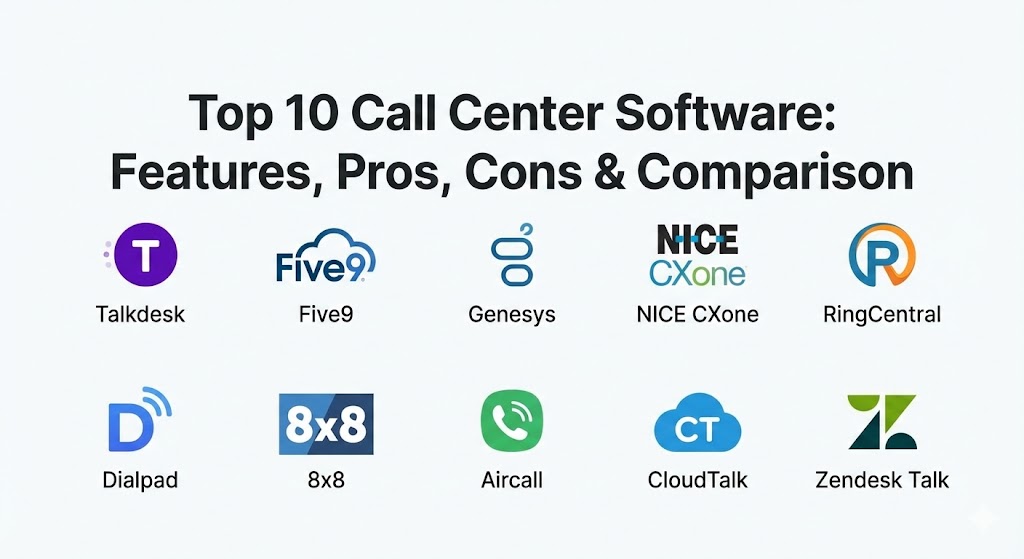
Top 10 Call Center Software Tools
1 — Talkdesk
Talkdesk is an enterprise-grade, cloud-native contact center platform that prioritizes automation and specialized industry solutions. It is designed for large organizations that need to scale rapidly while maintaining high-quality customer experiences through an “AI-first” approach.
- Key Features:
- Talkdesk IQ: Built-in AI that provides real-time transcriptions and sentiment analysis.
- Industry Experience Clouds: Specialized versions tailored for retail, financial services, and healthcare.
- Virtual Agent: Sophisticated self-service bots that handle routine queries using natural language.
- AppConnect: A marketplace with over 80 one-click integrations for CRMs and help desks.
- Guardian: A security suite that uses AI to detect anomalies and potential data breaches.
- Omnichannel Support: Unified routing for voice, chat, email, and social messaging.
- No-Code Flow Designer: Allows admins to create complex call routing paths visually.
- Pros:
- Extremely intuitive user interface that reduces agent training time.
- Deep industry-specific customization that addresses unique compliance and workflow needs.
- Cons:
- Pricing is significantly higher than mid-market competitors.
- Some advanced reporting features require a steep learning curve to set up.
- Security & compliance: SOC 2 Type II, GDPR, HIPAA, PCI-DSS, and ISO 27001 compliant; features comprehensive SSO and end-to-end encryption.
- Support & community: High-quality documentation; provides 24/7 global support and an active “Talkdesk Community” for knowledge sharing.
2 — Five9
Five9 is one of the pioneers of cloud contact center technology. It is designed for businesses of all sizes that require a reliable, high-performance platform with a strong emphasis on outbound sales and sophisticated IVR systems.
- Key Features:
- Intelligent Virtual Assistant (IVA): Leverages Google Cloud AI to provide human-like self-service interactions.
- Predictive Dialer: Automatically adjusts dialing rates based on agent availability and historical data.
- Agent Assist: Provides real-time “whisper” coaching and suggested answers to agents during live calls.
- Engagement Workflow: A tool that visualizes the entire customer journey across channels.
- Workforce Optimization (WFO): Tools for quality management, recording, and scheduling.
- CRM Integrations: Deep native integrations with Salesforce, Zendesk, and Oracle.
- Visual IVR: Allows customers to interact with menus on their mobile screens instead of listening to prompts.
- Pros:
- Renowned for its robust outbound dialing capabilities and sales tools.
- Highly scalable architecture that can support thousands of concurrent agents.
- Cons:
- The administrative backend can feel dated compared to newer “modern-first” platforms.
- Initial implementation can be complex and often requires professional services.
- Security & compliance: SOC 2, PCI, HIPAA, and GDPR compliant; features robust audit logs and SSO.
- Support & community: Extensive knowledge base; offers “Five9 University” for training and professional enterprise support.
3 — Genesys Cloud CX
Genesys is a global leader in the contact center space, offering a unified platform that excels in complex, large-scale enterprise environments. It is designed for organizations that want to move away from fragmented legacy systems into a single, cohesive cloud environment.
- Key Features:
- Genesys AI: A suite of tools for predictive engagement, routing, and workforce forecasting.
- Native Workforce Engagement Management (WEM): Integrated tools for agent morale, scheduling, and training.
- Unified Workspace: Agents handle every channel (voice, chat, social) within a single, consistent interface.
- Journey Mapping: Visually tracks every touchpoint a customer has with the brand.
- Speech & Text Analytics: Automatically scans 100% of interactions for compliance and quality.
- Open APIs: Highly extensible for companies that want to build custom agent tools.
- Cloud-First Architecture: Built on AWS for extreme reliability and global reach.
- Pros:
- One of the most comprehensive feature sets in the entire industry.
- Excellent global support and local data residency options for international firms.
- Cons:
- Pricing can be opaque and expensive as you add necessary modules.
- Can be “overkill” for mid-sized teams that don’t need its immense feature depth.
- Security & compliance: ISO 27001, SOC 2, HIPAA, GDPR, and FedRAMP compliant.
- Support & community: Dedicated account managers for enterprise; massive user community and comprehensive documentation.
4 — NICE CXone
NICE CXone is widely regarded as the largest and most feature-rich CCaaS platform on the market. It is designed for organizations that want a “future-proof” system that can handle the most complex routing and AI requirements.
- Key Features:
- Enlighten AI: The industry’s first AI specifically trained on billions of real customer interactions.
- Smart Reach: An outbound suite that optimizes contact rates across SMS and voice.
- Personalized Routing: Matches customers to agents based on personality and historical success.
- Self-Service Portal: Advanced tools for building knowledge bases and AI chatbots.
- Performance Management: Gamification tools to increase agent engagement and performance.
- Recording & Screen Capture: High-fidelity recording for 100% of interactions for legal compliance.
- Real-Time Interaction Guidance: Coaches agents on their soft skills (e.g., empathy) during a call.
- Pros:
- Unrivaled AI depth; the platform “learns” faster than almost any other tool.
- Massive ecosystem of partners and specialized third-party apps.
- Cons:
- The interface can be cluttered and intimidating for non-technical managers.
- Implementation times are often longer due to the platform’s vast complexity.
- Security & compliance: HITRUST, SOC 2, PCI Level 1, HIPAA, and GDPR compliant; industry-leading data privacy.
- Support & community: Extensive “CXone Expert” documentation; 24/7 global support and professional certification programs.
5 — RingCentral Contact Center
RingCentral Contact Center is built on a partnership with NICE but is optimized for teams that already use RingCentral’s popular Unified Communications (UCaaS) platform. It is designed for businesses that want their office phone system and contact center in a single ecosystem.
- Key Features:
- Omnichannel Routing: Supports 30+ digital channels including WhatsApp and Apple Business Chat.
- Collaborative Contact Center: Allows agents to message experts within the company instantly for help.
- Smart Dialing: Various modes including preview, progressive, and predictive dialing.
- IVR with ASR: Advanced Speech Recognition allows customers to speak their requests naturally.
- Quality Management: Advanced tools for scoring calls and providing feedback to agents.
- Integrated UCaaS: Seamlessly transfer calls from the contact center to any employee in the company.
- Live Dashboards: Real-time visibility into queue status and agent performance.
- Pros:
- Perfect for companies that want to consolidate all communications under a single vendor.
- The integrated internal chat (Teams-like) allows for faster issue resolution.
- Cons:
- Since it is a white-labeled version of NICE, updates can sometimes lag behind the parent product.
- Reporting can be complex to customize without professional help.
- Security & compliance: SOC 2, HIPAA, PCI-DSS, and GDPR compliant; features multi-factor authentication and SSO.
- Support & community: Robust online portal; 24/7 phone support and a large network of local implementation partners.
6 — Dialpad
Dialpad is a modern, “AI-native” communications platform. It is designed for fast-moving teams that want a lightweight, easy-to-use system where AI is baked into the core of the product rather than added as an afterthought.
- Key Features:
- Ai CS (Contact Center): Real-time transcriptions, post-call summaries, and live coaching.
- Ai Scorecards: Automatically scores 100% of calls based on preset criteria, saving managers hours.
- Native Transcription: Every call is transcribed in real-time with high accuracy.
- Sentiment Analysis: Shows managers which calls are going south in real-time.
- Unified Interface: Switching between a call, a video meeting, and a message is seamless.
- Quick Setup: Can be deployed in minutes rather than weeks or months.
- Easy Integrations: Native “click-to-install” integrations for HubSpot, Salesforce, and G Suite.
- Pros:
- The most modern and “clean” user interface in the industry.
- The real-time AI transcription is exceptionally accurate and helpful for agent training.
- Cons:
- Lacks some of the deep, complex outbound dialing features found in Five9 or NICE.
- Not ideal for massive enterprises requiring highly customized, localized hardware deployments.
- Security & compliance: SOC 2 Type II, HIPAA, and GDPR compliant; uses 256-bit AES encryption for all calls.
- Support & community: Excellent digital documentation; responsive chat and phone support for enterprise plans.
7 — 8×8 Contact Center
8×8 offers an integrated platform that combines contact center, voice, video, and chat. It is particularly popular for mid-market companies with international footprints that need high-quality voice termination globally.
- Key Features:
- Global Reach: Owns its own global network for superior call quality across borders.
- Expert Connect: Connects agents with the rest of the organization via Microsoft Teams or 8×8 Work.
- Post-Call Surveys: Automated SMS and voice surveys to measure CSAT (Customer Satisfaction).
- Speech Analytics: Identifies key phrases and trends across thousands of recordings.
- Quality Management: Integrated tools for agent evaluation and coaching.
- Unified Reporting: One set of analytics for both the back office and the contact center.
- CRM Screen Pop: Automatically displays customer info to the agent as soon as the call arrives.
- Pros:
- Very reliable global voice quality; excellent for international sales teams.
- The integrated UCaaS/CCaaS model simplifies billing and IT management.
- Cons:
- The mobile application is sometimes reported as less stable than the desktop version.
- Customer support response times can be inconsistent during peak periods.
- Security & compliance: FISMA, HIPAA, PCI-DSS, SOC 2, and GDPR compliant.
- Support & community: Comprehensive “8×8 Academy” for user training; 24/7 support available for higher-tier plans.
8 — Aircall
Aircall is a “modern-first” phone system designed specifically for sales and support teams using popular CRM tools. It focuses on extreme ease of use and a fast “time-to-value,” making it the top choice for SMBs and startups.
- Key Features:
- Simplicity by Design: A desktop and mobile app that feels as easy to use as a personal smartphone.
- IVR & Routing: Simple drag-and-drop builder for setting up call menus and hunt groups.
- Power Dialer: Speeds up outbound calling for sales teams directly within their CRM.
- Call Tagging & Notes: Agents can tag calls and leave notes that sync instantly to the CRM.
- Shared Inbox: Allows teams to collaborate on missed calls and voicemails.
- Live Feed: Real-time dashboard for managers to monitor team activity.
- Insight Cards: Displays relevant CRM information to the agent during a call.
- Pros:
- The fastest setup on this list; a team can be live in under 15 minutes.
- One of the best user experiences for agents, leading to high tool adoption.
- Cons:
- Lacks the deep AI and workforce management tools of enterprise platforms like NICE.
- Not suitable for very large call centers with hundreds of concurrent agents.
- Security & compliance: GDPR compliant; features SSO and secure cloud infrastructure (AWS).
- Support & community: Very helpful documentation; provides dedicated onboarding for teams of a certain size.
9 — CloudTalk
CloudTalk is a cloud-based phone system designed specifically for sales and customer service teams. It offers a balance between advanced features and a mid-market price point, with a strong focus on automation.
- Key Features:
- Smart Dialer: Automatically creates a queue of calls based on CRM data.
- Call Flow Designer: A visual tool to build custom routing logic.
- International Numbers: Provides local numbers for over 160 countries.
- Emotion Detection: Simple AI that flags calls with high stress or negative sentiment.
- SMS Support: Allows agents to send follow-up texts directly from the call interface.
- Wallboard: Real-time visibility into agent performance and call statistics.
- Blacklist: Allows for easy blocking of spam and unwanted callers.
- Pros:
- Very affordable pricing for the level of automation provided.
- Excellent local phone number availability for international expansion.
- Cons:
- The mobile app lacks some of the features available on the desktop version.
- Advanced analytics are limited compared to enterprise-grade tools like Genesys.
- Security & compliance: GDPR compliant; features standard encryption and SSO.
- Support & community: Responsive email and phone support; good library of “how-to” articles.
10 — Zendesk Talk
Zendesk Talk is the call center module built natively into the Zendesk support ecosystem. It is the logical choice for teams that are already “all-in” on Zendesk for their ticketing and help desk needs.
- Key Features:
- Native Ticketing: Every call automatically generates a ticket with the recording attached.
- Text Support: Allows agents to respond to texts within the same ticketing interface.
- Omnichannel Routing: Calls are routed alongside chat, email, and social tickets.
- Group Routing: Directs calls to specific teams based on their area of expertise.
- Call Monitoring: Allows managers to listen in on calls and “barge” in if necessary.
- Voicemail-to-Ticket: Automatically transcribes voicemails and creates a ticket for follow-up.
- Warm Transfer: Agents can consult with another teammate before passing the customer over.
- Pros:
- Unrivaled workflow efficiency for teams already using Zendesk for email and chat.
- No need for external integrations; customer history is visible instantly.
- Cons:
- As a phone system, it is less “deep” than specialized carriers like Dialpad or 8×8.
- Pricing can become expensive as Zendesk is billed on a per-agent basis for both the CRM and the Talk module.
- Security & compliance: SOC 2, HIPAA, and GDPR compliant; inherits Zendesk’s enterprise-grade security.
- Support & community: Massive global support network; extensive “Zendesk Help Center” and community forums.
Comparison Table
| Tool Name | Best For | Platform(s) Supported | Standout Feature | Rating |
| Talkdesk | Enterprise / Industry | Web, Desktop, Mobile | Industry Experience Clouds | 4.7 / 5 |
| Five9 | Outbound Sales | Web, Desktop | Predictive Dialer Power | 4.6 / 5 |
| Genesys Cloud | Global Enterprise | Web, Desktop, Mobile | Omnichannel Journey Mapping | 4.8 / 5 |
| NICE CXone | Advanced AI Needs | Web, Desktop | Enlighten AI Engine | 4.8 / 5 |
| RingCentral CC | Unified Communications | Web, Desktop, Mobile | UCaaS/CCaaS Integration | 4.5 / 5 |
| Dialpad | Modern / AI-First | Web, Desktop, Mobile | Real-time Ai Coaching | 4.7 / 5 |
| 8×8 | International Teams | Web, Desktop, Mobile | Global Voice Reliability | 4.4 / 5 |
| Aircall | SMB / Startups | Web, Desktop, Mobile | CRM Integration Simplicity | 4.6 / 5 |
| CloudTalk | Mid-market Sales | Web, Desktop, Mobile | Smart Outbound Dialer | 4.3 / 5 |
| Zendesk Talk | Zendesk Users | Web, Mobile | Native CRM Ticketing | 4.4 / 5 |
Evaluation & Scoring of Call Center Software
Selecting a platform requires a balanced look at technical capability and human experience. Below is our weighted scoring rubric for 2026.
| Criteria | Weight | Evaluation Basis |
| Core Features | 25% | Reliability (99.99%+), Omnichannel routing, IVR, and ACD depth. |
| Ease of Use | 15% | Agent interface intuitiveness and administrative backend clarity. |
| Integrations | 15% | Native CRM support, API robustness, and “one-click” app marketplace. |
| Security & Compliance | 10% | HIPAA, SOC 2, GDPR, and data residency/encryption standards. |
| Performance | 10% | Call quality, latency, and uptime history. |
| Support & Community | 10% | Quality of documentation, 24/7 availability, and user forums. |
| Price / Value | 15% | Transparency of pricing and overall ROI for the feature set. |
Which Call Center Software Tool Is Right for You?
The “perfect” tool depends entirely on your team’s size, technical maturity, and existing software stack.
Solo Users vs. SMB vs. Mid-market vs. Enterprise
- SMB (1–20 agents): Aircall or Dialpad are the best choices. They are easy to set up and focus on the features a smaller team actually uses without the corporate bloat.
- Mid-Market (20–250 agents): CloudTalk or 8×8 offer a great balance of automation and price, with robust enough features to handle growing teams.
- Enterprise (250+ agents): Genesys Cloud CX, NICE CXone, or Talkdesk are essential. These platforms offer the governance, global scale, and deep AI needed to manage hundreds of agents.
Budget-conscious vs. Premium Solutions
- Budget-conscious: CloudTalk and Zendesk Talk (if you already have the CRM) provide the best entry points.
- Premium: NICE CXone and Genesys are premium investments. You are paying for the industry’s most advanced AI and the highest levels of global reliability.
Feature Depth vs. Ease of Use
If your primary goal is Ease of Use, go with Aircall. If your primary goal is Feature Depth (e.g., you need complex AI-driven workforce management), NICE CXone is the unrivaled leader.
Frequently Asked Questions (FAQs)
1. What is the difference between PBX and CCaaS?
PBX (Private Branch Exchange) is a traditional office phone system for internal use. CCaaS (Contact Center as a Service) is built specifically for customer-facing teams, offering tools like call queuing, recording, and omnichannel routing.
2. Can I keep my existing phone numbers?
Yes, almost all modern call center software providers offer “number porting,” allowing you to move your current numbers to their cloud platform.
3. Does the software require specialized hardware?
No. Most modern platforms are “browser-based” or use desktop/mobile apps. You only need a stable internet connection and a high-quality USB or Bluetooth headset.
4. How much internet bandwidth do I need?
Each active call typically requires about 100kbps of bandwidth. For a call center with 20 agents, a reliable 10Mbps connection is usually sufficient, though higher is recommended for video.
5. Is my data safe with a cloud-based call center?
Cloud providers spend millions on security. Look for tools with SOC 2, HIPAA, and GDPR certifications to ensure your customer data and recordings are encrypted and protected.
6. Can the software record all calls automatically?
Yes, and this is a core feature for most. You can choose to record 100% of calls for quality and compliance, with options to pause recording for sensitive info like credit card numbers.
7. What is IVR?
Interactive Voice Response (IVR) is the automated menu callers hear (e.g., “Press 1 for Sales”). Modern IVR uses natural language so callers can just say what they need.
8. How long does implementation take?
For simple tools like Aircall, it takes minutes. For enterprise systems like Genesys, it can take 3 to 6 months to fully integrate with your legacy systems and train your team.
9. Can agents work from home?
Yes. Since the software is cloud-based, agents only need a computer and internet to log in from anywhere in the world.
10. What are “Skills-Based Routing” and “ACD”?
ACD (Automatic Call Distributor) is the engine that directs calls. Skills-based routing is a rule within that engine that sends a call to the most qualified agent (e.g., a Spanish speaker for a Spanish caller).
Conclusion
The selection of a call center software platform in 2026 is no longer just an IT decision—it is a strategic customer experience decision. The industry has moved beyond simple voice calls into a world where AI relevance, omnichannel cohesion, and agent wellbeing are the primary drivers of success.
If you are a tech-forward startup, the AI-native coaching of Dialpad will give you a competitive edge. If you are a global enterprise coordinating across continents, the massive scale of Genesys or NICE is required. Ultimately, the “best” tool is the one that integrates seamlessly with your CRM and empowers your agents to solve problems on the first try. Before committing, run a pilot with a small group of agents to ensure the interface matches their workflow. The right choice will not only lower your costs but will turn your contact center from a cost center into a powerful engine for customer loyalty.