Introduction
Video conferencing tools are digital platforms that facilitate real-time audio and visual communication between users in different locations. By leveraging high-speed internet, these tools allow for face-to-face interactions, screen sharing, and collaborative document editing, effectively bridging the geographical gap between teams. In today’s hybrid work era, these platforms are the backbone of everything from quick morning huddles to massive international webinars and virtual board meetings.
Beyond simple communication, these tools are vital for maintaining company culture and ensuring project continuity. Key real-world use cases include remote hiring and interviews, virtual classrooms for global education, telehealth consultations, and agile development sprints where real-time screen sharing is non-negotiable. When evaluating tools in this category, users must look for audio/video stability, security encryption, AI-driven features (like automated summaries), and mobile responsiveness.
Best for: Remote and hybrid teams of all sizes, educational institutions, healthcare providers offering telemedicine, and global enterprises requiring multi-national coordination.
Not ideal for: Organizations with extremely strict “air-gapped” security requirements where no external cloud communication is permitted, or micro-businesses where simple phone calls or asynchronous messaging (like Slack or email) are sufficient for their daily needs.
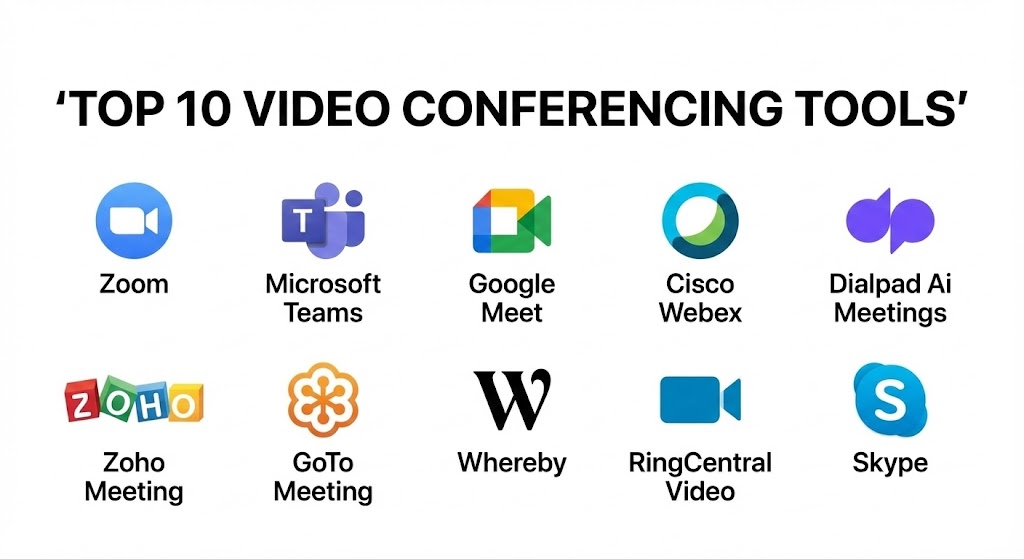
Top 10 Video Conferencing Tools
1 — Zoom
Zoom remains a titan in the industry, having become synonymous with video calling during the early 2020s. In 2026, it has doubled down on its “Workvivo” integration and AI Companion, offering a seamless experience that spans from personal calls to enterprise-level virtual events.
- Key features:
- AI Companion: Automatically generates meeting summaries, identifies action items, and drafts follow-up emails.
- Breakout Rooms: Highly customizable sub-rooms for focused group discussions during large sessions.
- Zoom Events: A comprehensive platform for hosting multi-day virtual conferences and webinars.
- Virtual Backgrounds & Studio Effects: Advanced AI-driven video enhancement for professional presentation in any environment.
- Whiteboard: Persistent digital canvases that allow teams to brainstorm before, during, and after meetings.
- Multi-Language Translation: Real-time captioning and audio translation for global teams.
- Pros:
- Exceptional reliability even on low-bandwidth connections.
- Massive third-party app marketplace allows for deep customization of the meeting experience.
- Cons:
- “Zoom Fatigue” is a real user phenomenon due to its high-intensity interface.
- Large meetings can become difficult to manage without a dedicated co-host.
- Security & compliance: AES 256-bit GCM encryption, SSO, SOC 2 Type II, GDPR, HIPAA, and ISO 27001 compliant.
- Support & community: Extensive self-service knowledge base, 24/7 phone/chat support for premium tiers, and a very active global user community.
2 — Microsoft Teams
Microsoft Teams is the go-to solution for organizations already invested in the Microsoft 365 ecosystem. It isn’t just a conferencing tool; it’s a unified communication hub that blends chat, meetings, and file collaboration into one powerhouse application.
- Key features:
- Copilot Integration: Deep AI integration that can pull data from Excel, Word, and PowerPoint during a live call.
- Together Mode: A unique digital view that places all participants in a shared virtual space, like an auditorium.
- Mesh for Teams: Immersive 3D avatars and virtual spaces for a more “metaverse” style meeting experience.
- Live Components: Collaborative tables and lists that update in real-time within the meeting chat.
- Front Row Layout: Specifically designed for hybrid rooms to make remote participants feel equal to those in the office.
- Advanced Phone System: Replaces traditional PBX systems with a full cloud-based telephony solution.
- Pros:
- Unmatched integration with Office apps—editing a document while on a call is incredibly smooth.
- Included in most M365 subscriptions, making it highly cost-effective for large enterprises.
- Cons:
- The interface can feel cluttered and heavy, often consuming significant system resources (RAM).
- Initial setup and permission management can be complex for small IT teams.
- Security & compliance: SSO, Multi-Factor Authentication (MFA), End-to-end encryption (E2EE), SOC 2, HIPAA, GDPR, and FedRAMP compliant.
- Support & community: Enterprise-grade support, vast documentation, and a global network of certified Microsoft partners.
3 — Google Meet
Google Meet focuses on speed, simplicity, and a browser-first approach. It is the preferred choice for startups and organizations using Google Workspace, offering a zero-install experience that is hard to beat.
- Key features:
- Zero-Install Interface: Runs entirely in the web browser with no desktop client required.
- Duet AI: Provides real-time “Take notes for me” features and lighting/studio sound enhancements.
- Direct Integration with Google Calendar: Join meetings with a single click from your schedule.
- Companion Mode: Allows in-room participants to join on a second screen for chat and polls without audio feedback.
- Jamboard Integration: Native digital whiteboarding for collaborative sketching.
- Live Streaming: Capability to stream to up to 100,000 viewers within a Workspace domain.
- Pros:
- The most user-friendly tool for external participants who may not have specific software installed.
- Extremely fast load times and minimal impact on system performance.
- Cons:
- Lacks some of the “heavyweight” features found in Zoom, such as advanced webinar management.
- Recording and some AI features are restricted to higher-tier Workspace plans.
- Security & compliance: Encrypted in transit and at rest, SSO, SOC 2, HIPAA, and GDPR compliant.
- Support & community: Robust online help center, Workspace admin support, and a large ecosystem of Google Cloud users.
4 — Cisco Webex
Cisco Webex is the “old guard” of video conferencing, but in 2026, it is leading the way in hardware integration and high-end security. It is designed for large-scale enterprises that prioritize privacy and hardware-software synergy.
- Key features:
- Webex Devices: Native integration with world-class room kits, cameras, and desk hubs.
- Slido Integration: Best-in-class polling, Q&A, and audience engagement tools.
- Real-time Noise Removal: Industry-leading AI that can filter out background lawnmowers or barking dogs.
- Webex Control Hub: A centralized dashboard for IT admins to manage users, devices, and security at scale.
- Gesture Recognition: Raise your hand or give a thumbs up physically, and the AI reflects it digitally.
- Holographic Meetings: Support for augmented reality (AR) headsets for 3D collaborative design.
- Pros:
- Superior audio quality and hardware-level noise cancellation.
- The most defensible security posture for government and highly regulated sectors.
- Cons:
- The transition between the “old” and “new” Webex interfaces can still be confusing for some users.
- Pricing is generally higher than the competition when including hardware.
- Security & compliance: FIPS 140-2, SSO, SOC 2, HIPAA, GDPR, ISO 27001, and FedRAMP compliant.
- Support & community: 24/7 premium support, dedicated account managers, and a vast professional certification program.
5 — Dialpad Ai Meetings
Dialpad has emerged as a disruptive force by baking AI into the very core of its platform. It is designed for businesses that want meetings to be “actionable” rather than just conversations.
- Key features:
- Built-in Ai (Dialpad Ai): Real-time transcription that is remarkably accurate and identifies sentiment.
- Action Item Tracking: Automatically detects when someone says “I’ll send that report” and adds it to a task list.
- Countdown Timer: Helps keep meetings on track by showing a subtle timer for participants.
- Social Profiles: Pulls LinkedIn and public data for participants so you know who you’re talking to instantly.
- No-Download Access: Participants can join via browser with full feature access.
- Post-Call Summaries: Delivers a comprehensive summary to all participants’ inboxes within seconds of the meeting ending.
- Pros:
- AI transcription is included in the base price, whereas others often charge extra.
- The interface is incredibly modern and streamlined, focusing on productivity.
- Cons:
- The community and third-party integration library are smaller than Zoom or Microsoft.
- Occasional AI “hallucinations” in transcriptions with heavy technical jargon.
- Security & compliance: SSO, AES-256 encryption, SOC 2 Type II, GDPR, and HIPAA compliant.
- Support & community: Responsive chat and email support, growing knowledge base, and personalized onboarding for enterprise.
6 — Zoho Meeting
Zoho Meeting is the value leader in the space. It is part of the Zoho ecosystem and offers a robust, secure conferencing experience at a fraction of the cost of its competitors.
- Key features:
- Webinar Solution: Built-in tools for registrations, polls, and Q&A without needing a separate app.
- Control Screen Sharing: Request and give control of screens for remote technical support.
- Organizational Branding: High-level customization to put your logo and colors on the meeting interface.
- Moderator Controls: Lock meetings, mute all, and eject participants with ease.
- Integration with Zoho CRM: Start meetings directly from your lead or contact pages.
- File Storage: Securely store meeting recordings in the Zoho cloud.
- Pros:
- Exceptional price-to-feature ratio, making it the best choice for budget-conscious SMBs.
- Highly private; Zoho does not sell user data and has a very clean privacy record.
- Cons:
- Lacks the advanced 3D/VR “metaverse” features found in Teams or Zoom.
- Video quality can occasionally lag behind the “Big Three” on high-latency networks.
- Security & compliance: SSL/TLS encryption, SSO, GDPR, HIPAA, and SOC 2 compliant.
- Support & community: 24/5 support, active Zoho user forums, and comprehensive user guides.
7 — GoTo Meeting
GoTo Meeting is a reliable workhorse known for its “Commuter Mode” and high-performance screen sharing. It is built for business professionals who need a rock-solid connection while on the move.
- Key features:
- Commuter Mode: Optimized for mobile users with large buttons and reduced data usage.
- Smart Meeting Assistant: AI-powered transcriptions and search within recordings.
- Call Me Feature: The meeting calls your phone so you don’t have to dial in or use VoIP.
- Drawing Tools: Annotate shared screens in real-time to highlight specific data points.
- Unlimited Cloud Recording: Store as many meetings as you need without worrying about storage limits.
- Pros:
- Extremely stable mobile experience for “road warriors” and field sales teams.
- Very high-quality screen sharing with minimal latency.
- Cons:
- The desktop application can feel a bit dated compared to the sleekness of Google Meet or Dialpad.
- Limited free version compared to Zoom or Google.
- Security & compliance: SSO, AES-256 encryption, SOC 2, HIPAA, and GDPR compliant.
- Support & community: 24/7 global support, tiered enterprise service levels, and a robust help center.
8 — Whereby
Whereby is the “anti-Zoom”—a beautiful, privacy-focused tool that requires no downloads and focuses on “room” based meetings. It is a favorite among creative agencies and European firms.
- Key features:
- Permanent Room Links: Your meeting room link never changes, making it easy for clients to remember.
- Embedded Meetings: Allows developers to embed video calls directly into their own websites or apps.
- Custom Branding: Total control over the look and feel of your virtual meeting room.
- Miro Integration: Seamless whiteboarding via the popular Miro platform.
- Privacy First: Data is processed primarily in the EU with a strong focus on user anonymity.
- Pros:
- The fastest “join” experience; literally one click in the browser and you are in.
- Beautiful, minimalist design that reduces the stress of video calls.
- Cons:
- Not designed for massive webinars or 1,000+ person events.
- Smaller set of native integrations compared to the platform giants.
- Security & compliance: GDPR compliant, End-to-end encryption (optional), and SOC 2 (varies).
- Support & community: High-quality email support, “Whereby for Developers” community, and clear documentation.
9 — RingCentral Video
RingCentral Video is a part of a unified communications suite (UCaaS). It is designed for businesses that want their phone system, SMS, and video conferencing to live in one single application.
- Key features:
- Switch Devices Mid-Call: Move from your mobile to your desktop with a single tap without dropping the call.
- AI Video Highlights: Short snippets of the most important moments from your meetings.
- Advanced Analytics: Detailed reporting on meeting usage, quality, and participant engagement.
- Task Management: Assign tasks during the meeting that sync with your project management tools.
- Integrated Team Messaging: A Slack-like chat experience that remains persistent after the video call ends.
- Pros:
- Excellent for large companies looking to consolidate their entire communication stack.
- Highly reliable “five-nines” (99.999%) uptime SLA.
- Cons:
- Can be expensive if you only need video and not the full telephony suite.
- The mobile app can be overwhelming due to the sheer number of features (Phone/SMS/Video/Chat).
- Security & compliance: SSO, E2EE, SOC 2, HIPAA, GDPR, and ISO 27001 compliant.
- Support & community: 24/7 technical support, dedicated implementation managers, and an active user community.
10 — Skype (Skype for Business/Consumer)
While often overshadowed by newer tools, Skype remains a massive global force. It is the original “video call” app and continues to serve small businesses and individuals who need a free, familiar tool.
- Key features:
- Meet Now: A feature that allows you to start a meeting and invite anyone (even non-users) via a link.
- Skype Number: Get a local phone number in another country for incoming calls.
- Smart Messaging: Reactions, @mentions, and file sharing within the call window.
- Bing AI Integration: Chat with Microsoft’s AI directly within the Skype interface for research.
- Low-Cost Landline Calls: Ability to call any phone number in the world at competitive rates.
- Pros:
- High familiarity; almost everyone has used Skype at some point.
- Completely free for small groups with no time limits on 1:1 calls.
- Cons:
- Lacks the advanced “workplace” features like breakout rooms or deep CRM integration.
- Can feel “consumer-grade” compared to the professional polish of Teams or Webex.
- Security & compliance: Standard encryption, GDPR compliant. Not typically recommended for HIPAA-level security.
- Support & community: Massive community forums and Microsoft help guides.
Comparison Table
| Tool Name | Best For (target user) | Platform(s) Supported | Standout Feature | Rating (Gartner) |
| Zoom | General Business | Win, Mac, iOS, Android, Linux | AI Companion | 4.6 / 5 |
| Microsoft Teams | M365 Enterprises | Win, Mac, iOS, Android, Web | Deep O365 Integration | 4.5 / 5 |
| Google Meet | Startups / Browser-First | Web, iOS, Android | No-Install Simplicity | 4.4 / 5 |
| Cisco Webex | Large Corp / Security | Win, Mac, iOS, Android, Web | Hardware Integration | 4.5 / 5 |
| Zoho Meeting | Budget-Minded SMB | Web, Win, Mac, iOS, Android | Price/Value Ratio | 4.3 / 5 |
| Dialpad | AI Productivity | Win, Mac, iOS, Android, Web | Real-time AI Transcripts | 4.5 / 5 |
| GoTo Meeting | Road Warriors | Win, Mac, iOS, Android | Commuter Mode | 4.2 / 5 |
| Whereby | Creative Agencies | Web, iOS, Android | Room-based Links | 4.6 / 5 |
| RingCentral | Unified Communication | Win, Mac, iOS, Android, Web | Device Handoff | 4.4 / 5 |
| Skype | Individual / Small Team | Win, Mac, iOS, Android, Web | Global Familiarity | 4.1 / 5 |
Evaluation & Scoring of Video Conferencing Tools
To accurately compare these platforms, we have utilized a weighted scoring rubric based on the current demands of the 2026 workforce. This scoring is reflective of an average business use case.
| Criteria | Weight | Evaluation Rationale |
| Core Features | 25% | Presence of breakout rooms, AI summaries, recording, and sharing. |
| Ease of Use | 15% | Time to join, interface intuitiveness, and participant friction. |
| Integrations | 15% | Connectivity with CRM, Calendar, and Project Management suites. |
| Security & Compliance | 10% | Encryption standards, HIPAA/GDPR readiness, and SSO support. |
| Performance | 10% | Stability on low bandwidth and audio/video sync quality. |
| Support & Community | 10% | Quality of self-help docs and speed of customer service. |
| Price / Value | 15% | Competitive pricing relative to the total feature set provided. |
Which Video Conferencing Tool Is Right for You?
Choosing the “best” tool is less about the technical specs and more about your specific organizational culture and existing tech stack.
Solo Users vs SMB vs Mid-market vs Enterprise
- Solo Users/Freelancers: Whereby or Google Meet (free version) are typically sufficient. They require no overhead and make it easy to invite clients.
- Small to Medium Businesses (SMBs): Zoho Meeting or Dialpad offer professional features without the enterprise-level price tag.
- Mid-market: Zoom is the standard here, offering the flexibility to grow with your team.
- Enterprise: Microsoft Teams (if you use Office) or Cisco Webex (if security is paramount) are the only two choices that can handle massive, multi-national requirements with centralized IT control.
Budget-conscious vs Premium Solutions
If every dollar counts, Zoho Meeting and Skype provide the most functionality for the least investment. If budget is secondary to productivity, Dialpad’s AI or Microsoft Teams’ Copilot can save thousands of dollars in employee time through automated note-taking and project tracking.
Feature Depth vs Ease of Use
If you need deep, specialized features like 3D avatars or advanced conference management, Zoom and Teams are your candidates. However, if your team is not tech-savvy, the simplicity of Whereby or Google Meet will result in far fewer “Can you hear me now?” moments.
Integration and Scalability Needs
If your company lives in Salesforce, Zoom and RingCentral offer the best integrations. If you are a Google Workspace shop, switching to anything other than Google Meet often creates unnecessary friction in your workflow.
Frequently Asked Questions (FAQs)
1. Is video conferencing safe for sensitive legal or medical data?
Yes, provided you choose a tool that is HIPAA or SOC 2 compliant (like Webex, Zoom, or Teams) and ensure that End-to-End Encryption (E2EE) is enabled for those specific sessions.
2. Do I really need a paid plan?
Most free plans (Zoom, Meet) have a 40-60 minute time limit on group calls. If your meetings run longer, or if you need to record to the cloud, a paid plan is almost always necessary.
3. What is the best tool for low-speed internet?
Zoom and GoTo Meeting are widely regarded as having the best compression algorithms, allowing them to maintain audio clarity even when the video quality has to drop due to slow speeds.
4. Can I join a meeting without an account?
Yes, tools like Google Meet, Whereby, and Zoom allow participants to join via a web browser link without having to create a profile, though the host must have an account.
5. How much bandwidth does a high-def video call use?
On average, a 1:1 HD call uses about 1.2 to 1.5 Mbps. Group calls use slightly more. Most tools will automatically scale down to “Standard Definition” if your connection dips.
6. What is “AI Companion” in video conferencing?
In 2026, AI companions are standard. They use natural language processing to listen to the call, transcribe it, and provide a summary of who said what and what the next steps are.
7. Can I use my phone as a webcam?
Yes, most platforms (especially Teams and Zoom) allow you to use a mobile app as a secondary camera or use features like Apple’s Continuity Camera to use your iPhone as the primary lens.
8. Is there a way to prevent “Zoom bombing”?
Yes. Use waiting rooms, require meeting passwords, and never share your meeting ID on public social media. Most tools now enable these security features by default.
9. Which tool is best for webinars?
Zoom Events and Webex are the leaders for large-scale, professional webinars that require registration pages, attendee tracking, and high-end moderator controls.
10. Do I need special hardware for a good experience?
While a laptop camera works, a dedicated 4K webcam and a USB microphone (or high-quality headset) will significantly improve how professional you appear to clients and colleagues.
Conclusion
The “best” video conferencing tool is no longer just a window for seeing other people; it’s a portal for getting work done. For the enterprise that lives in documents, Microsoft Teams is an unbeatable collaborative engine. For the startup that needs to move fast, Google Meet offers frictionless entry. And for the modern team that wants to leverage the cutting edge of productivity, Dialpad’s AI features represent the future of meetings.
Ultimately, your choice should lead to fewer meetings, not more. By choosing a tool that offers robust recording, AI summaries, and persistent chat, you can move toward a more asynchronous work style where meetings are only for the most critical human connections.