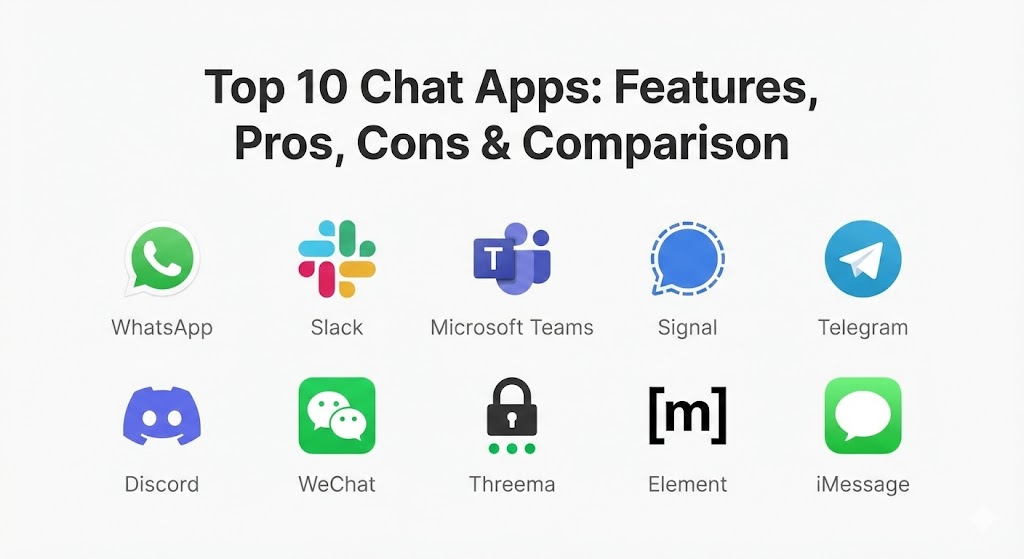
Introduction
Chat Apps are instant messaging applications that facilitate real-time communication via text, voice, and video over the internet. While they originated as digital alternatives to SMS (Short Message Service), modern chat apps have morphed into “super apps” or comprehensive collaboration hubs. They allow for the seamless sharing of high-resolution media, large file sets, and live locations, and in 2026, many now feature integrated Artificial Intelligence (AI) to summarize conversations, schedule meetings, or translate languages in real-time. These tools are important because they eliminate the latency of email and the geographical barriers of traditional telephony, fostering a “real-time” culture that matches the speed of modern business and social interaction.
Key real-world use cases for these tools are diverse. A multinational corporation might use an enterprise-grade chat app to manage thousands of employees across time zones, while a local hobbyist group might use a community-focused app to organize weekly meetups. Security-conscious individuals rely on them for end-to-end encrypted (E2EE) private conversations, and small businesses use them to provide instant support to their customers. When choosing a chat app, evaluation criteria should include security protocols (specifically encryption standards), platform interoperability, file-sharing limits, and the quality of the user interface.
Best for: Remote and hybrid workers, international families, gaming communities, and organizations of all sizes. They are particularly beneficial for industries like Tech, Marketing, and Customer Service, where immediate feedback loops and collaborative file-sharing are essential for operational success.
Not ideal for: Those who require formal, legally binding asynchronous documentation—where traditional email or specialized contract management software is still the gold standard. They are also not a replacement for deep-focus work; without proper notification management, the constant “ping” of a chat app can become a primary driver of workplace distraction and burnout.
Top 10 Chat Apps Tools
1 — WhatsApp
WhatsApp remains the global leader in personal messaging as we move through 2026. Owned by Meta, it has expanded from a simple SMS replacement into a robust platform that includes community features and deep business integrations.
- Key features:
- End-to-End Encryption (E2EE): All personal messages and calls are secured by default.
- WhatsApp Communities: A feature that allows for the organization of multiple group chats under one umbrella.
- Multi-Device Support: Use the app on up to four linked devices even when the primary phone is offline.
- WhatsApp Business: Specialized tools for small businesses to showcase products and respond to customers.
- Channels: A one-way broadcasting tool for organizations to reach large audiences.
- Voice and Video Calling: High-quality calling for up to 32 participants in a single session.
- Pros:
- Massive global user base; almost everyone you know already has it installed.
- Extremely intuitive and simple interface that requires zero learning curve.
- Cons:
- Owned by Meta, which raises data privacy concerns for users wary of big-tech data harvesting.
- File sharing is still somewhat limited in terms of raw size compared to Telegram.
- Security & compliance: Uses the Signal Protocol for E2EE. GDPR compliant for European users. Features 2-Step Verification and Chat Lock for sensitive conversations.
- Support & community: Extensive online help center, automated support bots, and a massive ecosystem of third-party developers building for the WhatsApp Business API.
2 — Slack
Slack has become the “digital headquarters” for the modern workforce. Since its acquisition by Salesforce, it has integrated more deeply with CRM data, making it the top choice for sales and marketing teams.
- Key features:
- Channels: Organized spaces for projects, topics, or teams that keep conversations contextual.
- Huddles: Quick, one-click audio and video sessions for spontaneous collaboration.
- Slack Connect: Securely communicate with external partners and vendors without leaving your workspace.
- Workflow Builder: A no-code tool to automate routine tasks and approvals.
- AI Summaries: Built-in AI that summarizes long threads and highlights action items.
- App Directory: Integrations with over 2,500 apps including Google Drive, Zoom, and Jira.
- Pros:
- Exceptional at reducing internal email volume and keeping project history searchable.
- Highly customizable notifications allow users to manage their focus time effectively.
- Cons:
- Can become expensive for large organizations due to the per-user pricing model.
- The “always-on” culture of Slack can lead to employee fatigue if not managed by leadership.
- Security & compliance: SOC 2, SOC 3, ISO 27001, HIPAA, and GDPR compliant. Supports SSO (Single Sign-On) and Enterprise Key Management (EKM).
- Support & community: 24/7 priority support for enterprise tiers, a massive “Slack Community” for admins, and world-class documentation.
3 — Microsoft Teams
Teams is the powerhouse of the enterprise world, deeply embedded into the Microsoft 365 ecosystem. In 2026, it serves as much more than a chat app; it is a full-scale portal for document management and virtual meetings.
- Key features:
- Unified Ecosystem: Total integration with Word, Excel, PowerPoint, and SharePoint.
- Together Mode: A unique video conferencing feature that places participants in a shared virtual space.
- Live Captions & Translation: Real-time AI translation for international meetings.
- Breakout Rooms: Specialized tools for workshops and small-group brainstorming.
- Planner & To-Do: Integrated task management that syncs with Outlook.
- Whiteboard: A collaborative canvas for visual ideation during calls.
- Pros:
- Incredibly cost-effective for organizations already paying for a Microsoft 365 license.
- Unmatched security and governance features for highly regulated industries like Finance and Healthcare.
- Cons:
- The user interface can feel heavy and cluttered compared to the streamlined feel of Slack.
- Can be resource-heavy on older hardware, leading to occasional performance lag.
- Security & compliance: FedRAMP, HIPAA, SOC 1/2, ISO 27001, and GDPR compliant. Features multi-factor authentication and data residency options.
- Support & community: Enterprise-grade global support, a massive network of certified partners, and the Microsoft Learn community.
4 — Signal
Signal is the “gold standard” for privacy enthusiasts and security experts. As a non-profit, its primary mission is to provide the world with the most secure communication tool possible, free from advertisements or trackers.
- Key features:
- Signal Protocol: The most respected E2EE protocol in the industry.
- Disappearing Messages: Set self-destruct timers for messages ranging from seconds to weeks.
- Sealed Sender: A technology that hides the metadata of who is messaging whom.
- Screen Security: Prevents previews of the app from showing in the multitasking switcher.
- Group Links: Quickly invite people to secure group chats without sharing phone numbers.
- Zero Ads: No tracking, no affiliates, and no data mining—ever.
- Pros:
- The highest level of privacy available in a mainstream chat app today.
- Fast, lightweight, and completely free to use without any hidden “premium” tiers.
- Cons:
- Lacks the advanced “fun” features (like elaborate stickers or stories) found in social-first apps.
- The user base is smaller, meaning you may have to convince your contacts to switch.
- Security & compliance: Open-source and regularly audited. GDPR compliant. Does not store any user metadata.
- Support & community: Robust community-driven support forums, detailed technical documentation, and a transparent GitHub repository.
5 — Telegram
Telegram is the “Swiss Army Knife” of messaging. It bridges the gap between a private chat app and a social network, offering massive group sizes and sophisticated bot capabilities that appeal to developers and large communities.
- Key features:
- Massive Groups: Support for up to 200,000 members in a single group.
- Channels for Broadcasting: Unlimited audience reach for public announcements.
- Bot API: A powerful platform for creating automated services, games, and payment systems.
- Cloud Storage: Send files up to 2GB each and store them in the Telegram cloud indefinitely.
- Secret Chats: Specialized E2EE chats with self-destruct timers (note: regular chats are not E2EE by default).
- Custom Themes: Total control over the visual appearance of the app.
- Pros:
- The most feature-rich app on the market; if you can imagine a feature, Telegram likely has it.
- Superior file-sharing capabilities make it a favorite for power users and tech professionals.
- Cons:
- End-to-end encryption is not enabled by default for standard chats, requiring users to manually start a “Secret Chat.”
- Has a history of being used for “grey market” activities due to its hands-off moderation policy.
- Security & compliance: Uses the MTProto protocol. HIPAA/GDPR compliance is “Varies” depending on the type of chat used.
- Support & community: Large developer community, extensive API documentation, and a helpful Twitter (X) support presence.
6 — Discord
Originally built for gamers, Discord has evolved into the ultimate community management tool. In 2026, it is used by everything from AI startups and study groups to massive global brands seeking to engage their fans.
- Key features:
- Servers & Channels: Create highly organized communities with text, voice, and video sections.
- Roles & Permissions: Granular control over what different members can see and do.
- Stage Channels: Host “Clubhouse-style” audio events for large audiences.
- Rich Presence: Shows friends what you are playing, listening to, or working on.
- Integration Hub: Connects with Twitch, YouTube, Spotify, and hundreds of custom bots.
- High-Fidelity Audio: Low-latency voice chat designed for high-performance activities.
- Pros:
- The best platform for “hanging out” in real-time; the voice channels feel more natural than scheduled calls.
- Excellent for fostering a sense of belonging in large, distributed groups.
- Cons:
- The interface has a steep learning curve for those not used to gaming platforms.
- Can be a significant source of “notification noise” if server settings are not meticulously managed.
- Security & compliance: GDPR compliant. Features 2FA and robust anti-spam/anti-raid tools. Not E2EE.
- Support & community: Massive user-run support servers, a dedicated “Safety Center,” and a huge developer ecosystem.
7 — WeChat
WeChat is more than a chat app; it is a “Super App” that dominates the Chinese market. It combines messaging, social media, mobile payments, and even government services into one unavoidable ecosystem.
- Key features:
- Mini-Programs: Sub-applications within WeChat for ordering food, booking travel, or shopping.
- WeChat Pay: One of the most advanced mobile payment systems in the world.
- Moments: A social feed similar to a private version of Facebook.
- Official Accounts: Verified channels for brands and celebrities to interact with fans.
- Voice Snippets: A very popular “push-to-talk” walkie-talkie feature.
- Translation: High-quality built-in translation for international communication.
- Pros:
- Essential for anyone doing business in or traveling to China.
- The “Super App” model means you almost never have to leave the app to live your life.
- Cons:
- Significant privacy concerns regarding government surveillance and data sharing.
- Outside of China and the Chinese diaspora, its utility is limited due to the dominance of localized competitors.
- Security & compliance: Compliance with Chinese cybersecurity laws. No E2EE. GDPR compliance is “Limited.”
- Support & community: Help center in multiple languages and an extensive developer platform for Mini-Programs.
8 — Threema
Threema is the European answer to the security dilemma. Based in Switzerland, it is a paid app that prioritizes absolute anonymity, allowing users to communicate without linking a phone number or email address.
- Key features:
- Anonymous IDs: Use the app via a randomly generated Threema ID rather than a phone number.
- On-Premise Version: Specialized version for corporations that want to host their own chat servers.
- Polls: Built-in tool for making group decisions quickly.
- QR Code Verification: Verify a contact’s identity by scanning their physical QR code (ensuring no “man-in-the-middle” attacks).
- Media Encryption: All files and voice calls are E2EE.
- Desktop App: Fully independent desktop client that doesn’t require a constant phone connection.
- Pros:
- The strongest legal protections for data, thanks to its Swiss jurisdiction.
- Perfect for corporate environments that require “Air-Gapped” security.
- Cons:
- It is a paid app, which is a barrier for users accustomed to “free” big-tech platforms.
- The user base is very niche, primarily centered in Europe and the security community.
- Security & compliance: Fully E2EE. GDPR and FADP (Swiss) compliant. Open-source code.
- Support & community: High-quality professional support for corporate clients and a detailed FAQ for individuals.
9 — Element (Matrix)
Element is the flagship app for the Matrix protocol. It represents the future of “decentralized” communication, allowing different chat apps to talk to each other through a shared, open standard.
- Key features:
- Decentralization: No single company owns the network; you can host your own home server.
- Interoperability (Bridges): Communicate with people on Slack, WhatsApp, and Telegram from within Element.
- End-to-End Encryption: Secured by the Megolm and Olm protocols.
- Cross-Signing: A secure way to verify new devices in your account.
- Unlimited Rooms: Host massive discussions without being restricted by a central provider.
- Video Conferencing: Integrated Jitsi-based video calls.
- Pros:
- You have 100% control over your data and who can access it.
- The only viable solution for organizations that want “sovereign” communication independent of big tech.
- Cons:
- Setting up your own server (for full decentralization) requires significant technical knowledge.
- The user interface is functional but lacks the “polish” of billionaire-backed competitors like WhatsApp.
- Security & compliance: E2EE by default. GDPR compliant. Used by several European governments for secure internal communication.
- Support & community: Active Matrix community, extensive developer documentation, and professional support via Element Matrix Services (EMS).
10 — iMessage (Apple Messages)
iMessage is the cornerstone of the Apple ecosystem. While it is restricted to Apple hardware, its seamless integration with macOS, iOS, and iPadOS makes it the default choice for millions of high-value users.
- Key features:
- Native Integration: Works out of the box on every iPhone, Mac, and iPad.
- Blue Bubbles (E2EE): All messages between Apple devices are end-to-end encrypted.
- iMessage Apps: Use third-party apps (like games or payment tools) inside the chat thread.
- Memoji & Stickers: High-end creative tools for personal expression.
- Check In: A safety feature that notifies friends when you arrive safely at a destination.
- Edit & Undo Send: Fix typos or recall messages within a limited time window.
- Pros:
- The most “frictionless” experience for anyone already in the Apple ecosystem.
- Superior multimedia quality compared to SMS/MMS.
- Cons:
- “The Walled Garden”—it is not available on Android or Windows, which can fracture group chats.
- Still uses the unencrypted SMS protocol when communicating with non-Apple devices (though RCS support is rolling out).
- Security & compliance: E2EE for iMessage-to-iMessage. GDPR compliant. Uses Apple’s proprietary security infrastructure.
- Support & community: World-class Apple Support (online and in-store) and a massive global user base.
Comparison Table
| Tool Name | Best For | Platform(s) Supported | Standout Feature | Rating (2026) |
| Universal Personal Use | iOS, Android, Web, Desktop | Massive Global Reach | 4.8 / 5 | |
| Slack | Professional Collaboration | iOS, Android, Desktop | 2,500+ App Integrations | 4.7 / 5 |
| MS Teams | Corporate Enterprise | iOS, Android, Desktop | 365 Deep Integration | 4.5 / 5 |
| Signal | Absolute Privacy | iOS, Android, Desktop | Metadata Privacy (Sealed Sender) | 4.9 / 5 |
| Telegram | Large Communities | iOS, Android, Desktop | Massive Group Sizes (200k) | 4.6 / 5 |
| Discord | Communities & Gaming | iOS, Android, Desktop | Voice Channel “Hangouts” | 4.7 / 5 |
| China-based Life/Biz | iOS, Android, Desktop | “Super App” Ecosystem | 4.2 / 5 | |
| Threema | Corporate Anonymity | iOS, Android, Web | No Phone Number Required | 4.4 / 5 |
| Element | Decentralized Teams | iOS, Android, Web, Desktop | Cross-Platform Bridges | 4.3 / 5 |
| iMessage | Apple Ecosystem | iOS, iPadOS, macOS | Native System Integration | 4.6 / 5 |
Evaluation & Scoring of Chat Apps
Choosing the right chat app in 2026 involves balancing convenience with security. We have evaluated these platforms based on a weighted rubric that reflects the priorities of modern users.
| Criteria | Weight | Evaluation Rationale |
| Core Features | 25% | Messaging speed, group limits, and multimedia quality. |
| Ease of Use | 15% | Intuitiveness of the UI and the onboarding process. |
| Integrations | 15% | Connectivity with third-party business or social apps. |
| Security & Compliance | 10% | Encryption standards, privacy jurisdiction, and audits. |
| Performance | 10% | Battery consumption, load times, and call stability. |
| Support & Community | 10% | Help center quality and active user forums. |
| Price / Value | 15% | ROI for businesses or value for free users. |
Which Chat Apps Tool Is Right for You?
Solo Users vs SMB vs Mid-market vs Enterprise
- Solo Users: If you just want to talk to friends, WhatsApp or iMessage are the clear winners due to their ubiquity. For the privacy-conscious individual, Signal is the only logical choice.
- SMBs (10-100 employees): Slack (Pro plan) or Discord are excellent. They provide a organized space for work without the “heavy” feel of enterprise suites.
- Mid-market (100-1,000 employees): Slack or Microsoft Teams are the standards here. They offer the necessary administrative controls and security audits required as a company scales.
- Enterprise (1,000+ employees): Microsoft Teams is often the default due to its inclusion in 365, but security-heavy firms may opt for Threema Work or Element to ensure data sovereignty.
Budget-conscious vs Premium Solutions
If you are strictly focused on budget, Signal, Telegram, and the free tier of Discord offer incredible power at zero cost. For Premium business needs where you require guaranteed uptime, legal compliance, and deep CRM integration, Slack and Microsoft Teams justify their monthly subscription fees through immense productivity gains.
Feature Depth vs Ease of Use
If you prioritize Ease of Use, WhatsApp and iMessage are designed to be used by everyone from toddlers to grandparents. If you need Feature Depth—specifically for automation, massive group management, and complex API work—Telegram and Slack provide the most advanced technical “toolboxes.”
Integration and Scalability Needs
For those heavily invested in the Salesforce ecosystem, Slack is a mandatory choice. If your entire company runs on Excel and Outlook, Microsoft Teams is the most scalable option. If you are looking to build a community of thousands where automation is key, Discord’s bot ecosystem is unrivaled.
Security and Compliance Requirements
If you work in a field with extreme secrecy requirements (like investigative journalism or high-level defense), Signal and Threema are your primary defenses. If you are a government entity looking to move away from American big-tech influence, the decentralized nature of Element (Matrix) provides a unique path to digital independence.
Frequently Asked Questions (FAQs)
1. What is End-to-End Encryption (E2EE)?
E2EE ensures that only the sender and the recipient can read the message. Even the company providing the app (like Meta or Telegram) cannot “see” the content of your conversation, as the decryption keys are stored only on your devices.
2. Can I use WhatsApp and Slack on the same phone?
Absolutely. Most people in 2026 use a “Personal” folder for apps like WhatsApp and Signal, and a “Work” folder for Slack and Teams to keep their professional and private lives separated.
3. Is Telegram more secure than WhatsApp?
It depends. WhatsApp has E2EE turned on for all chats by default. Telegram only offers E2EE in its “Secret Chats” mode. However, Telegram offers more privacy from big-tech data harvesting than Meta-owned WhatsApp.
4. Why should I pay for Threema when Signal is free?
Threema allows you to be truly anonymous by not requiring a phone number. Signal requires a phone number to register (though you can hide it later). Threema’s Swiss jurisdiction also provides a different level of legal protection than US-based Signal.
5. Does Microsoft Teams work with people outside my company?
Yes, but they usually need to be invited as “Guests,” or your organization needs to enable “External Access.” Slack Connect is generally considered a smoother experience for external collaboration.
6. Can I recover deleted messages in these apps?
In most secure apps like Signal or WhatsApp, once a message is deleted on both ends, it is gone forever. Some business apps like Slack may retain a history if the company has “Legal Hold” or archival features enabled.
7. Do chat apps drain my battery?
Modern apps are highly optimized, but apps that stay “active” in the background to listen for voice calls (like Discord or WhatsApp) will always use more power than minimalist apps like Signal.
8. What is a “Super App”?
A “Super App” like WeChat is an application that contains multiple “mini-apps” inside it. It allows you to do everything from messaging and social media to banking and medical appointments without ever leaving the app.
9. Can I use these apps on my laptop?
Yes. Almost all top-tier chat apps in 2026 have native desktop applications for Windows and macOS, or at the very least, a web-based portal.
10. What happens if I lose my phone?
For secure apps like Signal, your messages are usually lost unless you have a local backup. For cloud-based apps like Telegram, Slack, or Teams, you can simply log in on a new device and all your history will be there.
Conclusion
The “best” chat app in 2026 is no longer a single winner; it is a specialized tool for a specific need. If you are looking for universal connection, WhatsApp is your home. If you are building a professional powerhouse, Slack and Teams are your foundations. And if you are guarding your right to privacy, Signal and Threema are your shields.
Choosing the right tool is about understanding your own “Digital Footprint.” Do you prioritize the convenience of a super app, the collaboration of a work hub, or the safety of an encrypted vault? By aligning your communication habits with the right platform, you don’t just send messages—you build a secure and efficient digital world.