Introduction
Live Chat Software refers to technology that enables real-time, text-based communication between website visitors and company representatives. While the core functionality remains the same—a chat window where a user types a message—the back-end capabilities have evolved significantly. Modern platforms now integrate sophisticated Artificial Intelligence (AI) agents, co-browsing features, and deep CRM integrations that allow agents to see a customer’s entire purchase history before they even say “hello.”
The importance of these tools cannot be overstated. High-growth organizations use live chat to reduce bounce rates, increase average order value through proactive “nudges,” and resolve support tickets at a fraction of the cost of phone-based help. Key real-world use cases include an e-commerce store offering a discount code to a user hovering on the checkout page, a SaaS company providing technical troubleshooting via screen-sharing, or a real estate agency capturing leads after office hours using automated AI assistants. When evaluating these tools, users should prioritize mobile responsiveness, AI capabilities, omnichannel support (integrating WhatsApp, Messenger, etc.), and ease of use for the human agents on the other side.
Best for: Customer support teams, sales departments, and marketing managers in E-commerce, SaaS, Finance, and Professional Services. It is ideal for any business where rapid response times directly correlate with revenue and customer satisfaction.
Not ideal for: Ultra-low-traffic personal blogs where the cost of a subscription outweighs the engagement, or industries requiring highly complex, multi-page legal documentation that is better handled via formal email or secure portal uploads.
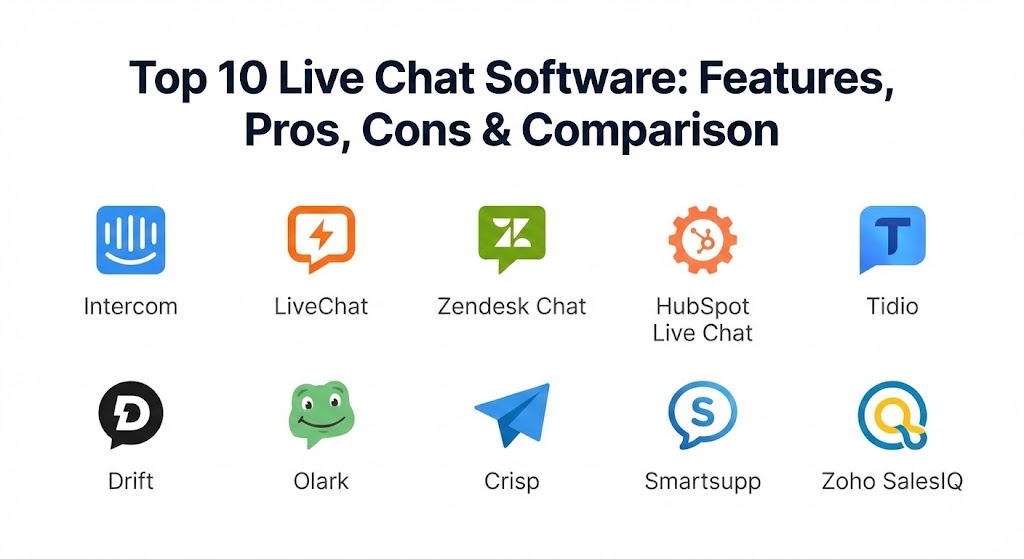
Top 10 Live Chat Software Tools
1 — Intercom
Intercom is widely considered the pioneer of the “messenger-first” business model. In 2026, it has solidified its position as the leader in AI-driven customer service, utilizing its proprietary “Fin” AI agent to resolve a significant percentage of queries without human intervention.
- Key features:
- Fin AI Agent: A highly sophisticated bot that learns from your existing support articles to provide human-like answers.
- Product Tours: Integrated tooltips and walkthroughs that appear within the chat environment.
- Shared Team Inbox: A centralized hub for chat, email, and social media messages.
- Proactive Messaging: Trigger-based messages that target users based on their behavior (e.g., “Welcome back, we see you’re looking at pricing!”).
- Messenger Apps: An ecosystem of small apps that can live inside the chat window, such as calendars or surveys.
- Help Center Integration: Seamlessly search and share articles within the conversation.
- Pros:
- The most powerful automation and AI capabilities currently available in the market.
- A beautiful, intuitive user interface that sets the standard for modern web design.
- Cons:
- The pricing structure is famously complex and can become very expensive as you scale.
- Can feel “over-engineered” for small businesses that only need basic chat functionality.
- Security & compliance: SOC 2 Type II, GDPR, and HIPAA compliant. Features data encryption and SSO.
- Support & community: Extensive documentation via Intercom Academy, 24/7 chat support, and a massive community of “Intercom Experts.”
2 — LiveChat
LiveChat is a “pure-play” tool that focuses intensely on the agent and customer experience. It is designed for high-volume support teams that need a fast, reliable, and highly customizable chat interface without the “platform bloat” of a full CRM.
- Key features:
- Message Preview: See what the customer is typing before they hit “send,” allowing for lightning-fast responses.
- Agent Ratings: Built-in feedback system for customers to rate their experience immediately.
- Canned Responses: Organized snippets for frequently asked questions.
- Multi-Website Support: Manage different chat widgets for different brands from one dashboard.
- Rich Messages: Send product cards, buttons, and images to make the chat more interactive.
- Reporting Suite: In-depth analytics on response times, chat volume, and agent performance.
- Pros:
- One of the fastest and most stable platforms, even during massive traffic spikes.
- The “sneak peek” typing feature is a massive productivity booster for support agents.
- Cons:
- Lacks native marketing automation features compared to Intercom or HubSpot.
- Advanced reporting and security features are locked behind higher-tier plans.
- Security & compliance: HIPAA, GDPR, and SOC 2 compliant. Offers 256-bit SSL encryption.
- Support & community: 24/7/365 live support (via their own tool), high-quality webinars, and a robust developer marketplace.
3 — Zendesk Chat
Zendesk Chat is the natural choice for organizations already utilizing the Zendesk Suite for ticketing. It excels at converting casual chats into formal support tickets, ensuring no customer issue falls through the cracks.
- Key features:
- Native Ticketing Integration: Seamlessly transition a chat into a persistent ticket history.
- Answer Bot: An AI-powered assistant that suggests articles from the Zendesk Knowledge Base.
- Chat Routing: Advanced logic to send chats to the most qualified department (e.g., Sales vs. Tech Support).
- File Sending: Easy drag-and-drop for screenshots and documents.
- Mobile SDKs: Build the Zendesk chat experience directly into your native iOS or Android apps.
- Triggers: Automated messages based on visitor location, page views, or time on site.
- Pros:
- The best option for enterprise-scale organizations with complex, tiered support structures.
- Total visibility into the customer journey when combined with the full Zendesk ecosystem.
- Cons:
- The interface can feel a bit “corporate” and dated compared to newer, agile rivals.
- Requires a significant amount of configuration to get the most out of the platform.
- Security & compliance: ISO 27001, SOC 2, HIPAA, and GDPR compliant. Includes robust audit logs.
- Support & community: Massive global support infrastructure, dedicated account managers for enterprise, and extensive online training.
4 — HubSpot Live Chat
HubSpot’s live chat tool is unique because it is built directly on top of their free CRM. This means that every conversation is automatically logged against a contact record, providing sales teams with invaluable context.
- Key features:
- CRM-Powered Personalization: The chat window can display different messages if the visitor is a “VIP customer” or a “new lead.”
- Chatbots Builder: A no-code visual builder for creating simple lead-qualification bots.
- Team Email Sync: Transition from chat to email without losing the thread of the conversation.
- Slack Integration: Respond to chats directly from within your company’s Slack channels.
- Meeting Scheduling: Allow visitors to book time on your calendar directly through the chat widget.
- Targeted Welcome Messages: Specific greetings based on the referral source (e.g., “Welcome, LinkedIn visitors!”).
- Pros:
- Unbeatable value for small-to-mid-sized businesses already using the HubSpot ecosystem.
- Zero-cost entry level makes it the most accessible professional-grade tool.
- Cons:
- The chat widget customization is somewhat limited compared to specialized tools like LiveChat.
- The mobile app for agents can occasionally lag when handling multiple high-speed conversations.
- Security & compliance: GDPR and SOC 2 compliant. Data is hosted on secure AWS servers with encryption.
- Support & community: High-quality knowledge base, “HubSpot Academy” certifications, and a vibrant user community.
5 — Tidio
Tidio is the “hidden gem” for small businesses and e-commerce entrepreneurs. It combines live chat, chatbots, and multichannel communication (email and Messenger) into one lightweight and affordable package.
- Key features:
- Lyro AI: A specialized AI bot designed for small businesses that answers up to 70% of common questions.
- Sales Automations: Bots that specifically target abandoned carts or offer discount codes.
- Visual Chatbot Builder: An easy-to-use drag-and-drop interface with dozens of templates.
- Multichannel Inbox: View messages from your website, Facebook, and Instagram in one place.
- Visitor List: See who is currently browsing your site in real-time and start a chat proactively.
- Integration with Shopify/Wix: One-click installation for the world’s most popular site builders.
- Pros:
- Extremely fast setup; you can be live and automated in under 15 minutes.
- The AI features are surprisingly advanced for such an affordable price point.
- Cons:
- Analytics and reporting are basic compared to enterprise tools like Zendesk.
- Large teams may find the permission levels and routing logic too simplistic.
- Security & compliance: GDPR compliant. Uses secure TSL/SSL protocols for all data transmission.
- Support & community: Excellent chat support, a detailed help center, and regular “how-to” video guides.
6 — Drift
Drift positions itself as a “Conversational Marketing” platform rather than just a support tool. It is designed to replace traditional lead forms with real-time conversations that qualify prospects and book meetings instantly.
- Key features:
- Custom Greetings: Messages tailored to specific high-value accounts (ABM – Account Based Marketing).
- Drift Intel: Identifies the company name and industry of anonymous visitors.
- Virtual Sales Assistant: An AI that qualifies leads and routes them to the right salesperson.
- Video Messaging: Record and send personalized videos directly within the chat window.
- Email Playbooks: Integrated follow-up sequences that trigger after a chat ends.
- Advanced Lead Routing: Logic that respects sales territories and “round-robin” assignment.
- Pros:
- The best tool for B2B companies looking to accelerate their sales cycle.
- Exceptional at identifying and “rolling out the red carpet” for enterprise prospects.
- Cons:
- Can be prohibitively expensive for companies that aren’t focused on high-ticket B2B sales.
- Not designed as a primary tool for heavy technical support or long-term ticket management.
- Security & compliance: SOC 2 Type II and GDPR compliant. Features advanced SSO for large teams.
- Support & community: “Drift Insider” educational platform, high-touch account management, and an annual “RevGrowth” conference.
7 — Olark
Olark is the choice for teams that value simplicity, accessibility, and human connection. It avoids the “bot-heavy” approach of Intercom or Drift, focusing instead on making the human-to-human chat experience as smooth as possible.
- Key features:
- Real-Time Dashboards: Simple, visual updates on team activity and chat volume.
- Automated Rules: Simple “if this, then that” logic for greetings and routing.
- Searchable Transcripts: An easy way to find and tag old conversations for training purposes.
- Cobrowsing: See the user’s screen (with permission) to guide them through complex tasks.
- Custom CSS: Total control over the look and feel of the chat widget.
- PowerUps: Modular add-ons like translation, co-browsing, and visitor insights.
- Pros:
- One of the most “human” and accessible tools, with a strong focus on Section 508 compliance.
- Transparent, predictable pricing that doesn’t surprise you with “per-seat” escalations.
- Cons:
- Lacks the advanced AI and deep marketing automation of modern rivals.
- The interface, while clean, can feel a bit basic for high-tech SaaS companies.
- Security & compliance: GDPR compliant and Privacy Shield certified. Data is encrypted via SSL.
- Support & community: Highly-rated human support (ironically, via chat), a great blog, and clear documentation.
8 — Crisp
Crisp is an “all-in-one” multichannel platform that has become a favorite for startups. It offers a generous free tier and includes a wide range of features like knowledge bases and status pages alongside the chat widget.
- Key features:
- MagicBrowse: A co-browsing feature that allows agents to see and even control the user’s mouse.
- Crisis Management: Built-in status pages to alert users if your service is down.
- Multichannel Support: WhatsApp, Messenger, Line, Telegram, and Email integration.
- Live Translate: Automatically translate messages in real-time, allowing agents to talk to anyone in the world.
- Knowledge Base: A simple, SEO-friendly help center that integrates with the chat.
- Game Center: A fun feature to keep users engaged (playing a game) while they wait for an agent.
- Pros:
- Incredible value for money; the “Pro” plan offers unlimited seats for a flat monthly fee.
- The co-browsing and live translation features are world-class.
- Cons:
- The mobile app notifications can occasionally be inconsistent.
- The chatbot builder is not as powerful or intuitive as Tidio’s or Intercom’s.
- Security & compliance: GDPR compliant (hosted in Europe). Uses end-to-end encryption for co-browsing sessions.
- Support & community: Active Discord community, great help articles, and fast email/chat support.
9 — Smartsupp
Smartsupp is a unique European player that combines live chat with Session Recordings. This allows you to watch a video of exactly what a customer did on your site before they asked for help.
- Key features:
- Video Recordings: See the user’s mouse movements, clicks, and scrolling behavior.
- AI Chatbots: Automated assistants to handle basic questions and lead generation.
- Web + Mobile App: Robust apps for agents to handle chats from anywhere.
- Deep E-commerce Integrations: View customer shopping cart content directly in the chat.
- Statistics & Reporting: Track conversion rates specifically driven by chat interactions.
- Team Analytics: Monitor individual agent efficiency and satisfaction scores.
- Pros:
- The session recording feature provides a level of context that other tools simply cannot match.
- Very popular in the European market due to strict adherence to data privacy and localized support.
- Cons:
- The visual design of the chat widget is a bit more traditional/utilitarian.
- Storing video recordings can lead to higher data usage and potential privacy concerns if not managed well.
- Security & compliance: GDPR compliant (Czech-based company). Data is stored securely in the EU.
- Support & community: Good knowledge base, responsive chat support, and localized support in several European languages.
10 — Zoho SalesIQ
Zoho SalesIQ is the strategic choice for companies already using the Zoho CRM or the Zoho One suite. It acts as both a live chat tool and a visitor-tracking platform, providing a “radar” view of everyone on your site.
- Key features:
- Visitor Scoring: Assign points to visitors based on their behavior to identify high-value leads.
- Zobot: A chatbot builder that can be programmed using Zoho’s proprietary “Deluge” script.
- Geo-Location Tracking: See where your visitors are coming from on a real-time world map.
- Audio Calling: Initiate a voice call directly from the chat window for high-stakes sales.
- Internal Chat: Allow agents to chat with each other to solve a customer’s problem collaboratively.
- Screen Sharing: Built-in tools for remote troubleshooting and demos.
- Pros:
- Perfect integration with the 40+ other apps in the Zoho ecosystem.
- The “Visitor Radar” is a powerful tool for proactive sales teams.
- Cons:
- The user interface can be cluttered and “busy,” following Zoho’s traditional design language.
- The mobile app’s UX is not as polished as Intercom’s or Crisp’s.
- Security & compliance: ISO 27001, SOC 2, and GDPR compliant. Offers data residency options.
- Support & community: Massive user base, localized support worldwide, and extensive video training.
Comparison Table
| Tool Name | Best For | Platform(s) Supported | Standout Feature | Rating (Gartner) |
| Intercom | AI-First SaaS | Web, iOS, Android | Fin AI Agent | 4.8 / 5 |
| LiveChat | High-Volume Support | Web, iOS, Android | Message Preview (Sneak Peek) | 4.7 / 5 |
| Zendesk Chat | Enterprise Support | Web, iOS, Android | Ticketing Integration | 4.5 / 5 |
| HubSpot Chat | Sales & CRM Alignment | Web, iOS, Android | Free CRM Integration | 4.6 / 5 |
| Tidio | Small Business/SMB | Web, iOS, Android | Lyro AI Assistant | 4.7 / 5 |
| Drift | B2B Lead Gen | Web, iOS, Android | ABM Intelligence | 4.4 / 5 |
| Olark | Simplicity/Human | Web | Accessibility & UI Customization | 4.5 / 5 |
| Crisp | Startups/Multichannel | Web, Desktop, Mobile | MagicBrowse Co-browsing | 4.6 / 5 |
| Smartsupp | E-commerce Context | Web, iOS, Android | Video Session Recordings | 4.4 / 5 |
| Zoho SalesIQ | Zoho Ecosystem | Web, iOS, Android | Visitor Scoring & Radar | 4.3 / 5 |
Evaluation & Scoring of Live Chat Software
To help you decide which platform fits your specific needs, we have evaluated the general performance of these tools using a weighted scoring rubric. In 2026, AI & Automation carry significant weight, as human-only chat is becoming increasingly difficult to scale.
| Criteria | Weight | Evaluation Rationale |
| Core Features | 25% | Real-time messaging, bot builders, and basic file sharing. |
| Ease of Use | 15% | Intuitiveness for the visitor and the administrative backend. |
| Integrations | 15% | Connectivity with CRM, Help Desks, Slack, and Shopify. |
| Security & Compliance | 10% | Adherence to GDPR, SOC 2, HIPAA, and data encryption. |
| Performance | 10% | Load speeds of the widget and stability of mobile apps. |
| Support & Community | 10% | Quality of documentation and availability of human support. |
| Price / Value | 15% | ROI based on ticket deflection and sales conversion. |
Which Live Chat Software Tool Is Right for You?
Solo Users vs SMB vs Mid-market vs Enterprise
- Solo Users/Micro-businesses: HubSpot Live Chat (Free version) or Tidio are the clear winners. They provide a professional appearance without a monthly financial commitment.
- SMBs (10-100 employees): Crisp and Tidio offer the best balance of features and predictable pricing, allowing you to scale without “per-seat” anxiety.
- Mid-market (100-1,000 employees): Intercom and LiveChat are the standard. They provide the depth of analytics and AI automation needed to manage large volumes of traffic effectively.
- Enterprise (1,000+ employees): Zendesk Chat and Drift are the required choices for high-stakes corporate environments that need complex routing, governance, and ABM capabilities.
Budget-conscious vs Premium Solutions
If you are strictly focused on budget, Crisp offers an “Unlimited Agents” model that is incredibly disruptive to the industry. For those looking for a Premium experience where the ROI is driven by high-ticket sales, Drift and Intercom are the gold standards that justify their higher price points.
Feature Depth vs Ease of Use
If you want something that “just works” with zero training, Olark and LiveChat are your best bets. If you need Feature Depth—specifically for building complex AI workflows, co-browsing, and integrated status pages—Intercom and Crisp provide the most advanced technical toolsets.
Integration and Scalability Needs
For Salesforce power users, Zendesk and Drift offer the deepest bidirectional sync. If your company is built on the Zoho suite, SalesIQ is the only logical choice. In terms of global scalability, Intercom’s AI agents are currently the only solution capable of handling millions of queries across multiple languages without a massive increase in headcount.
Frequently Asked Questions (FAQs)
1. Is live chat better than a chatbot?
In 2026, the best approach is a hybrid. Chatbots (like Intercom’s Fin) handle 70-80% of repetitive questions instantly, while live human agents step in for complex, emotional, or high-value sales conversations.
2. Does live chat slow down my website?
Poorly built widgets can, but the tools on this list use “asynchronous loading.” This means the chat widget only loads after the rest of your page content, ensuring it doesn’t negatively impact your SEO or load speed.
3. How much does live chat software cost?
Pricing ranges from $0 (HubSpot/Tidio) to $500+ per month for enterprise plans. Most mid-market tools charge between $20 and $60 per agent per month.
4. Can I use live chat on my mobile phone as an agent?
Yes, almost all modern platforms (except Olark, which is web-focused) have excellent iOS and Android apps that allow agents to respond to customers while on the go.
5. Is live chat data secure?
Reputable vendors use AES-256 encryption and are GDPR compliant. If you are in healthcare or finance, ensure you select a tool that is specifically HIPAA or SOC 2 certified.
6. What is “Co-browsing” and do I need it?
Co-browsing (found in Crisp and Smartsupp) allows an agent to see the customer’s browser tab in real-time. It is essential for technical support and guiding users through complex checkout or registration processes.
7. Can live chat help with my SEO?
Indirectly, yes. By increasing “time on site” and reducing bounce rates through proactive engagement, live chat signals to search engines that your site is valuable and engaging.
8. Can I use live chat for internal team communication?
While tools like Zoho SalesIQ have internal chat features, they are not a replacement for dedicated team tools like Slack or Microsoft Teams.
9. How many agents do I need for live chat?
A good rule of thumb is one agent for every 50-100 daily visitors, provided you have a chatbot to handle basic queries. AI agents significantly reduce the number of humans required.
10. Do I need to be able to code to install live chat?
No. Most tools are installed by simply copying and pasting a single line of JavaScript into your website’s header, or by using a plugin for platforms like WordPress, Shopify, or Wix.
Conclusion
The “best” live chat software in 2026 is no longer the one with the most bells and whistles—it’s the one that aligns most closely with your team’s existing workflow and your customers’ expectations. If you are a sales-driven B2B firm, the intelligence of Drift is unmatched. If you are a high-volume SaaS looking to automate support, the AI power of Intercom is the clear winner. And if you are a small business looking to provide a human touch without breaking the bank, Tidio and Crisp offer the best path forward.
Ultimately, the goal of live chat is to remove the barriers between you and your customers. Choose a tool that stays out of the way of the conversation, provides your agents with the context they need, and makes the customer feel heard instantly. In a world of infinite choices, being the brand that answers first is often enough to win.