Introduction
Survey Tools are digital platforms designed to create, distribute, and analyze questionnaires. While they started as simple digital versions of paper forms, modern survey software has evolved into highly sophisticated systems featuring complex conditional logic, AI-driven sentiment analysis, and seamless integrations with global CRM databases. At their core, these tools are about capturing human sentiment in a way that can be measured, compared, and acted upon.
The importance of these tools lies in their ability to eliminate the “echo chamber.” Without a structured way to listen to external voices, organizations often make decisions based on the loudest person in the room. Real-world use cases are virtually endless: a restaurant testing a new menu, a software company identifying a bug through user feedback, a nonprofit measuring the impact of a community program, or a university conducting large-scale psychological research. When choosing a tool, you should evaluate logic capabilities (the ability to skip questions based on previous answers), distribution channels (email, SMS, social, web), data visualization, and security compliance.
Best for: Market researchers, human resource departments, customer success teams, and academic institutions. They are essential for any role that requires gathering feedback from a large group of people quickly and organizing that data into a format that can influence strategy or policy.
Not ideal for: One-on-one deep-dive interviews where qualitative nuance is more important than quantitative scale. They are also not a replacement for specialized “user testing” platforms that record a user’s screen or eye movements. If you only need to talk to three people, a video call is far more effective than a survey.
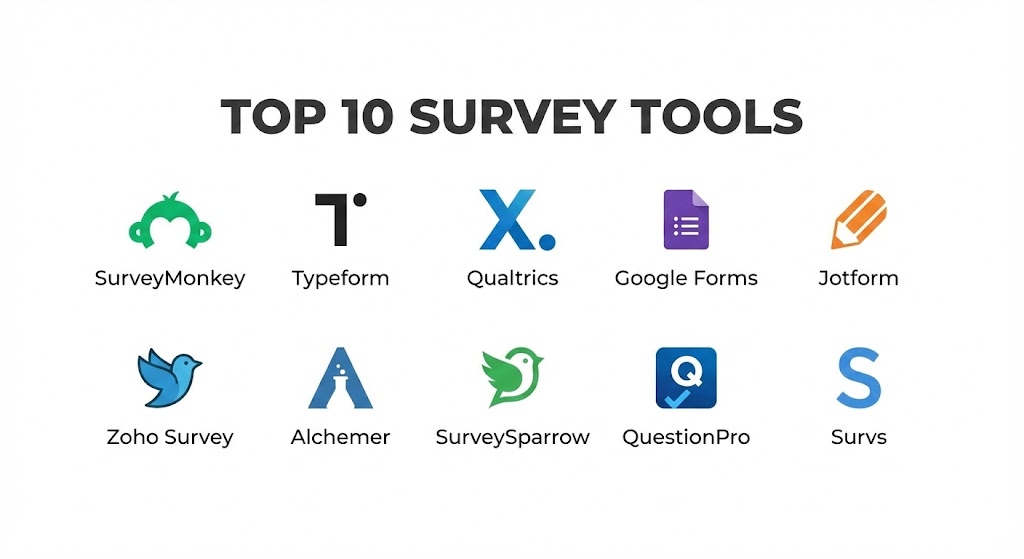
Top 10 Survey Tools
1 — SurveyMonkey
SurveyMonkey is the undisputed titan of the survey world. It has been around long enough to become synonymous with digital questionnaires, but it hasn’t stayed stagnant. In 2026, it is a powerhouse of AI-assisted survey design and massive benchmarking data.
- Key features:
- SurveyMonkey Genius: An AI assistant that scores your survey for effectiveness before you send it.
- Question Bank: Thousands of pre-written, expert-certified questions.
- Benchmarking: Compare your results against industry averages to see how you truly stack up.
- Logic and Branching: Sophisticated skip logic and question randomization to prevent bias.
- Global Audience: Built-in panel to “buy” responses from specific demographics.
- Multilingual Support: Automatic translation for global distribution.
- Pros:
- Extremely high “brand trust,” which leads to better response rates.
- The reporting dashboards are among the most intuitive for non-data scientists.
- Cons:
- The free version is notoriously restrictive (limited responses and no data export).
- Pricing can become quite expensive as you move into enterprise-level features.
- Security & compliance: SOC 2, HIPAA, GDPR, and ISO 27001 compliant. Features SSO and data encryption.
- Support & community: 24/7 email support, priority phone support for top tiers, and a massive library of educational content.
2 — Typeform
Typeform changed the philosophy of surveying by moving away from the “form” look and toward a “conversation.” It presents questions one at a time, creating a sleek, immersive experience that feels more like a chat than a test.
- Key features:
- One-Question-at-a-Time: A unique UI that keeps users focused and reduces survey fatigue.
- VideoAsk Integration: Allows for asynchronous video questions and responses.
- Logic Jumps: Visual logic builder that makes complex branching easy to manage.
- Custom Brand Kits: Deep customization to make the survey feel like a native part of your brand.
- Calculations: Perform math on the fly (useful for quizzes or quote calculators).
- Rich Media Support: Seamless integration of high-quality images, GIFs, and videos.
- Pros:
- Significantly higher completion rates compared to traditional “list-style” surveys.
- The most aesthetically pleasing interface for both the creator and the respondent.
- Cons:
- Not ideal for very long, academic surveys where users want to see the “whole picture.”
- The logic builder can become visually cluttered with 50+ questions.
- Security & compliance: GDPR and SOC 2 compliant. Data encrypted in transit and at rest.
- Support & community: Great documentation, active user forums, and responsive help-desk support.
3 — Qualtrics
Qualtrics is the “heavy artillery” of the survey world. It is an Experience Management (XM) platform used by major corporations and academic researchers who need to do deep-dive statistical analysis on massive datasets.
- Key features:
- Stats iQ: Built-in statistical analysis (regression, correlation) without needing SPSS or R.
- Text iQ: AI-driven sentiment analysis for open-ended text responses.
- Predictive Analytics: Uses machine learning to predict future customer or employee behavior.
- Directory Management: Manage “contact frequency” to ensure you don’t over-survey individuals.
- Advanced Logic: Supports custom JavaScript for highly specialized survey behaviors.
- Omnichannel Intercepts: Trigger surveys based on specific website behaviors or app usage.
- Pros:
- The most powerful analytical engine on the market; it can find correlations no other tool can.
- Unmatched for large-scale, enterprise-wide deployments across multiple departments.
- Cons:
- Extremely high price point; it is out of reach for most small businesses.
- The learning curve is steep; users often require specific training to master it.
- Security & compliance: FedRAMP (for government use), ISO 27001, HIPAA, GDPR, and SOC 2 Type II compliant.
- Support & community: Global enterprise support, Qualtrics Basecamp training platform, and dedicated success managers.
4 — Google Forms
Google Forms is the “people’s tool.” It is completely free (for personal use) and offers the most straightforward way to get a survey live in under 60 seconds.
- Key features:
- Seamless Google Sync: Responses go directly into a Google Sheet for real-time tracking.
- Collaboration: Multiple people can edit the survey at the same time, just like a Google Doc.
- Simple Logic: Basic “Go to section based on answer” capabilities.
- Add-on Marketplace: Thousands of third-party plugins to add timers, email notifications, and more.
- Responsive Design: Works perfectly on mobile without any extra configuration.
- File Uploads: Allows respondents to upload documents directly to your Google Drive.
- Pros:
- Absolutely zero cost for most users, making it the highest value-for-money tool.
- Almost everyone already knows how to use the interface, so no training is required.
- Cons:
- Lacks advanced data analysis; you have to do the heavy lifting in Google Sheets.
- Branding options are extremely limited (basic colors and header images).
- Security & compliance: GDPR and HIPAA compliant (via Google Workspace). Uses standard Google security protocols.
- Support & community: Community-based support forums and a massive library of YouTube tutorials.
5 — Jotform
While often categorized as a “form builder,” Jotform is one of the most powerful survey tools due to its incredible library of widgets and its ability to handle complex workflows and payments.
- Key features:
- 10,000+ Templates: The largest library of starting points in the industry.
- Jotform Tables: A powerful backend that acts as a hybrid between a spreadsheet and a database.
- PDF Editor: Automatically turn survey responses into professionally formatted PDF reports.
- Conditional Logic: Robust “If/Then” rules for showing fields or calculating values.
- Mobile Forms: A dedicated app that allows for offline data collection in the field.
- Payment Integrations: Collect fees or donations directly within the survey.
- Pros:
- The best tool for “survey-to-workflow” automation (e.g., survey triggers a contract).
- Incredible flexibility; it can be used as a survey tool, a CRM, or a payment portal.
- Cons:
- The interface can feel a bit “busy” because there are so many features.
- Free tier is limited by the number of submissions per month.
- Security & compliance: GDPR, HIPAA, SOC 2, and PCI DSS (for payments) compliant.
- Support & community: 24/7 customer support and an extensive user forum.
6 — Zoho Survey
Zoho Survey is part of the massive Zoho ecosystem. It is an excellent mid-market tool that offers “pro” features like logic and multi-channel distribution at a significantly lower price than SurveyMonkey.
- Key features:
- Integration with Zoho CRM: Push survey data directly into customer records.
- 25+ Question Types: Includes sliders, star ratings, and matrices.
- Offline Surveying: Collect responses without an internet connection and sync later.
- White-Labeling: Full control over domain and branding on professional tiers.
- Scoring: Assign values to answers to create graded assessments or quizzes.
- Email Campaigns: Built-in tool to send and track survey invitations.
- Pros:
- Offers enterprise-grade logic and features at a very affordable price.
- Deeply integrated with the Zoho suite, making it a no-brainer for Zoho users.
- Cons:
- The user interface feels a bit “functional” and less modern than Typeform or SurveySparrow.
- Some advanced reporting features require a separate Zoho Analytics license.
- Security & compliance: GDPR and HIPAA compliant. Data centers located in multiple global regions.
- Support & community: 24/5 support, detailed documentation, and Zoho user groups.
7 — Alchemer (formerly SurveyGizmo)
Alchemer is designed for users who have outgrown basic tools but find Qualtrics too complex. It provides a highly flexible “open” environment where you can customize almost every aspect of the data collection process.
- Key features:
- Highly Flexible Logic: Complex branching, looping, and piping.
- Custom Scripting: Use “Alchemer Script” to build custom behaviors that aren’t in the standard UI.
- Deep Integrations: Native hooks into Salesforce, Microsoft Dynamics, and Tableau.
- Advanced Question Types: Includes heatmaps, drag-and-drop ranking, and semantic differentials.
- Reporting Flexibility: Build “cross-tab” reports and filtered dashboards on the fly.
- Pros:
- The “Swiss Army Knife” of survey tools; if you can think of it, you can build it.
- Excellent balance between ease-of-use and technical depth.
- Cons:
- The pricing has shifted toward an enterprise-only model recently, making it harder for small teams to access.
- The UI can feel slightly dated compared to “design-first” platforms.
- Security & compliance: SOC 2 Type II, GDPR, and HIPAA compliant.
- Support & community: High-tier phone support and a dedicated “Alchemer University” for training.
8 — SurveySparrow
SurveySparrow’s claim to fame is its “Chat-style” surveys. It aims to make the experience feel like a conversation in WhatsApp or Slack, which is perfect for mobile-first audiences.
- Key features:
- Conversational Interface: Surveys that feel like a messaging app.
- NPS Platform: Dedicated module for tracking Net Promoter Scores over time.
- 360-Degree Feedback: Specialized tool for employee performance reviews.
- Offline App: Collect data in kiosks or via tablets in physical locations.
- Workflows: Trigger emails or Slack messages based on specific survey scores.
- Executive Dashboards: Clean, visual summaries of high-level trends.
- Pros:
- One of the best tools for engaging a younger, mobile-savvy demographic.
- The “360-feedback” feature is a massive plus for HR departments.
- Cons:
- Not suitable for complex academic research or very long surveys.
- Customization is good, but you are somewhat locked into the “chat” aesthetic.
- Security & compliance: GDPR and SOC 2 compliant. Uses secure SSL encryption.
- Support & community: 24/5 support, active webinars, and a detailed blog on customer experience.
9 — QuestionPro
QuestionPro is a direct competitor to Qualtrics and SurveyMonkey, offering a massive suite of tools for market research, employee experience, and customer experience.
- Key features:
- Conjoint Analysis: Specialized market research tool to see how people value different product features.
- Communities: Build a dedicated group of “super users” to survey repeatedly.
- Sentiment Analysis: Automatically tags open-ended responses for emotional tone.
- QuestionPro App: For mobile data collection and real-time alerts.
- Multilingual Scripting: Advanced tools for managing complex global surveys.
- Survey Rewards: Built-in tool to offer gift cards or incentives for completion.
- Pros:
- Excellent “all-in-one” platform for dedicated research teams.
- Offers a surprisingly robust “Free” version for nonprofits and students.
- Cons:
- The interface is a bit dense and can take some time to navigate.
- Customer support response times can be inconsistent on the lower tiers.
- Security & compliance: ISO 27001, SOC 2, HIPAA, and GDPR compliant.
- Support & community: Global support teams, extensive documentation, and regular training webinars.
10 — Survs
Survs is the “hidden gem” for those who want a professional, no-nonsense survey tool that focuses on clean design and data privacy without the bloat of enterprise systems.
- Key features:
- Minimalist Interface: Clean, distraction-free environment for both creators and respondents.
- Advanced Logic: Despite its simplicity, it supports skip logic and question piping.
- Collaborative Editing: Invite team members to build and review surveys together.
- Custom URLs: Professional branding for survey links even on lower tiers.
- Real-Time Analytics: Basic but very clear data visualization as responses come in.
- Export Options: Clean data exports to CSV, Excel, and SPSS.
- Pros:
- The interface is incredibly fast and snappy; no “bloat.”
- Excellent choice for professional agencies that need to send quick, branded polls.
- Cons:
- Lacks the advanced AI and predictive features of the larger platforms.
- The integration ecosystem is smaller than SurveyMonkey or Google Forms.
- Security & compliance: GDPR compliant. Strong focus on data privacy and European hosting.
- Support & community: High-quality email support and a straightforward knowledge base.
Comparison Table
| Tool Name | Best For | Platform(s) Supported | Standout Feature | Rating (2026) |
| SurveyMonkey | All-around Professional | Web, iOS, Android | AI Survey Genius | 4.8 / 5 |
| Typeform | UX/Engagement | Web, Mobile | Conversational UI | 4.7 / 5 |
| Qualtrics | Enterprise/Scientific | Web, iOS, Android | Advanced Stats iQ | 4.8 / 5 |
| Google Forms | Free/Internal Needs | Web, Mobile | Google Sheet Sync | 4.5 / 5 |
| Jotform | Workflow/Payments | Web, iOS, Android | 10,000+ Templates | 4.7 / 5 |
| Zoho Survey | Mid-market/CRM Sync | Web, iOS, Android | Zoho CRM Integration | 4.4 / 5 |
| Alchemer | Custom Flexibility | Web, Mobile | Custom Scripting | 4.6 / 5 |
| SurveySparrow | Mobile/NPS | Web, WhatsApp | Chat-style Surveys | 4.5 / 5 |
| QuestionPro | Market Research | Web, iOS, Android | Conjoint Analysis | 4.6 / 5 |
| Survs | Minimalist/Agencies | Web | Clean Design | 4.4 / 5 |
Evaluation & Scoring of Survey Tools
Choosing a tool isn’t just about the “overall” score; it’s about how that score aligns with your specific needs. We have used a weighted rubric to evaluate the general state of the 2026 survey tool market.
| Criteria | Weight | Evaluation Rationale |
| Core Features | 25% | Variety of question types, logic depth, and distribution channels. |
| Ease of Use | 15% | Intuitiveness for the creator and the friction for the respondent. |
| Integrations | 15% | Connectivity with CRM, Slack, and BI tools. |
| Security & Compliance | 10% | Adherence to GDPR, HIPAA, and SOC 2. |
| Performance | 10% | Load times, mobile responsiveness, and system uptime. |
| Support & Community | 10% | Quality of documentation and availability of human help. |
| Price / Value | 15% | ROI based on the feature set vs. the license cost. |
Which Survey Tools Tool Is Right for You?
Solo Users vs SMB vs Mid-market vs Enterprise
If you are a Solo User or a student, Google Forms is likely all you need. If you want to look more professional, the free version of Typeform or Survs is a great step up. SMBs (10-100 employees) should look at Zoho Survey or SurveySparrow, which offer a great balance of features and price. For Mid-market companies, SurveyMonkey and Jotform provide the scalability needed to manage multiple departments. For Global Enterprises, the choice usually comes down to Qualtrics or Alchemer, due to their rigorous security and deep analytical power.
Budget-conscious vs Premium Solutions
If you are budget-conscious, Google Forms is the clear winner at $0. If you have a small budget, Zoho Survey offers the most “pro” features for the lowest monthly fee. If you are looking for a Premium solution where the “Cost of Failure” (i.e., making a bad multi-million dollar decision) is high, Qualtrics is a necessary investment.
Feature Depth vs Ease of Use
If you priority is Ease of Use, Typeform and Google Forms win hands down. If you need Feature Depth—specifically for things like multi-variate statistical analysis or complex automated workflows—you should opt for Alchemer or Qualtrics, even if they take longer to master.
Integration and Scalability Needs
For those who live in Salesforce, SurveyMonkey and Qualtrics have the most robust bidirectional sync. If you are a G-Suite shop, Google Forms is perfectly integrated. If you need to scale surveys across a 10,000-person organization with strict permissions for different managers, Qualtrics is the only tool with the governance features to handle that complexity.
Frequently Asked Questions (FAQs)
1. What is “Skip Logic” in survey tools?
Skip logic (or branching) allows the survey to change based on a respondent’s answer. For example, if someone says they “don’t own a car,” the survey can automatically skip all the questions about car maintenance.
2. Can I use survey tools to collect payments?
Yes. Tools like Jotform and Typeform have native integrations with Stripe, PayPal, and Square, allowing you to collect fees, deposits, or donations as part of the survey flow.
3. Is my data secure in these platforms?
Reputable vendors like those on this list use high-level encryption (AES-256) and follow strict data privacy laws. If you are in healthcare, ensure the tool is HIPAA compliant before collecting patient data.
4. How do I improve my survey response rates?
Keep it short, use a conversational tool like Typeform, and ensure it is mobile-friendly. Offering an incentive (like a gift card or a discount code) via tools like QuestionPro also significantly boosts participation.
5. What is the difference between a Survey and a Form?
A “Form” is generally for data entry (signing up for a newsletter, paying a bill). A “Survey” is for data analysis (gathering opinions, measuring satisfaction). Most high-end tools do both.
6. Can I run surveys in multiple languages?
Yes. SurveyMonkey and Qualtrics have automated translation engines. You can send a single link, and the respondent will see the survey in their browser’s native language.
7. Can I white-label these surveys?
Most mid-to-high tier plans in tools like Zoho Survey and Alchemer allow you to remove the vendor’s logo and use your own domain (e.g., https://www.google.com/search?q=feedback.yourcompany.com).
8. What is “Sentiment Analysis” in surveys?
It is an AI process (found in Qualtrics and QuestionPro) that reads open-ended comments and automatically tags them as “Positive,” “Negative,” or “Neutral,” saving you from reading thousands of comments manually.
9. Can I use survey tools without an internet connection?
Yes, tools like Zoho Survey, Jotform, and QuestionPro have dedicated mobile apps that allow for “Offline Mode.” The data is stored on the device and synced once a connection is restored.
10. How much does professional survey software cost?
It ranges from free (Google Forms) to $30-$100/month for mid-tier tools, and upwards of $5,000/year for enterprise-grade platforms like Qualtrics.
Conclusion
The “best” survey tool is ultimately the one that your audience will actually finish and your team will actually understand. If you build the world’s most advanced research survey but it’s so ugly and clunky that nobody completes it, your data is worthless. Conversely, a beautiful, fun survey that doesn’t allow you to export the data into your CRM is just a wasted opportunity.
For most businesses in 2026, SurveyMonkey and Typeform provide the best balance of engagement and analytical power. If you are an enterprise seeking to predict the future of your market, Qualtrics is the gold standard. And if you just need to know what pizza to order for the office party, Google Forms will never let you down. Choose the tool that matches your stage of growth, and remember: the questions you don’t ask are the only ones you’ll never get answers to.