Introduction
Customer Feedback Tools are specialized software platforms designed to collect, organize, and analyze the opinions and experiences of your users. At their core, they help businesses bridge the gap between what they think they are delivering and what the customer actually perceives. By utilizing standardized surveys like Net Promoter Score (NPS), Customer Satisfaction (CSAT), and Customer Effort Score (CES), these tools turn qualitative feelings into quantitative data. In the current landscape, these platforms often leverage Artificial Intelligence to perform sentiment analysis, identifying the emotional tone behind thousands of open-ended comments in seconds.
The importance of these tools is rooted in the “feedback economy.” It is far more expensive to acquire a new customer than to retain an existing one, and listening is the first step toward retention. Real-world use cases include a SaaS product team identifying a “bug” that was actually just a confusing UI element, a retailer realizing their shipping speed is the primary driver of negative reviews, or a bank improving its mobile app based on real-time “exit surveys.” When evaluating tools, you should look for omnichannel distribution, real-time alerting, depth of AI analysis, and the seamlessness of integration with your CRM or Help Desk.
Best for: Product Managers, UX Designers, Customer Success teams, and Marketing leaders across all industries, including E-commerce, Fintech, B2B SaaS, and Hospitality. It is essential for any organization that prioritizes a “Customer-Centric” approach and needs data to justify strategic shifts.
Not ideal for: Solo hobbyists with very low traffic or micro-businesses where direct, personal communication with every customer is still possible. If you only have ten clients, a phone call is infinitely more valuable than a software-generated NPS survey.
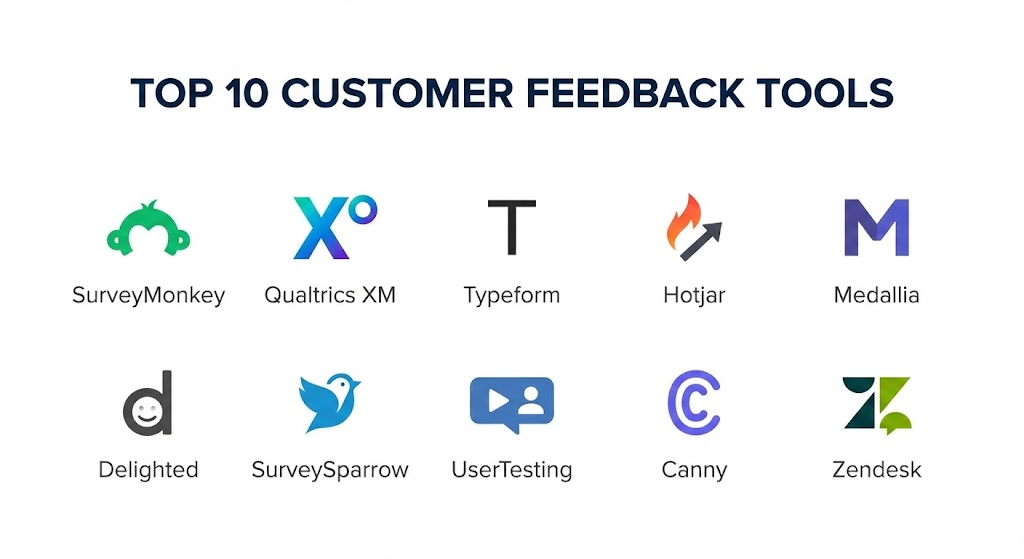
Top 10 Customer Feedback Tools
1 — SurveyMonkey (Momentive)
SurveyMonkey is perhaps the most recognized name in the world of surveys. It has transitioned into a robust enterprise feedback platform that balances ease of use with deep analytical power, making it suitable for everything from quick internal polls to global market research.
- Key features:
- AI-Powered Survey Genius: Automatically identifies potential biases in your questions.
- Omnichannel Distribution: Send surveys via email, web link, social media, or SMS.
- Massive Template Library: 250+ expert-written templates for every conceivable use case.
- Sophisticated Branching: Use skip logic and question piping for personalized paths.
- Global Benchmarking: Compare your results against industry peers.
- Reporting Dashboards: Customizable charts and graphs for real-time visualization.
- Pros:
- The interface is incredibly familiar to most users, leading to higher completion rates.
- Exceptional flexibility; there is almost no survey type it cannot handle.
- Cons:
- The “Basic” free tier is very restrictive, often requiring an upgrade to export data.
- Can feel a bit “generalist” for teams looking for deep, in-app product feedback specific to SaaS.
- Security & compliance: SOC 2, GDPR, and HIPAA compliant. Features SSO and data encryption.
- Support & community: Extensive help center, 24/7 email support, and a massive community of researchers.
2 — Qualtrics XM
Qualtrics is the “Enterprise Titan” of experience management. It is designed for large organizations that need to link customer feedback with employee data and brand sentiment to get a 360-degree view of the business.
- Key features:
- iQ Engines: AI that performs text, sentiment, and predictive analysis on the fly.
- Customer Journey Mapping: Track feedback across the entire lifecycle, from lead to advocate.
- Advanced Logic: Supports complex JavaScript for highly customized survey behaviors.
- Omnichannel Feedback: Intercept users on mobile apps, websites, and even physical kiosks.
- Role-Based Dashboards: Specific views for executives vs. front-line managers.
- Integration Ecosystem: Direct hooks into Salesforce, SAP, and Adobe.
- Pros:
- Unrivaled analytical depth; it can find correlations you didn’t even know existed.
- Built for scale; it handles millions of responses without breaking a sweat.
- Cons:
- The cost is prohibitive for small and medium-sized businesses.
- The platform is complex enough that it often requires a dedicated administrator.
- Security & compliance: FedRAMP, SOC 2 Type II, ISO 27001, and HIPAA compliant.
- Support & community: High-tier enterprise support, “Qualtrics Basecamp” for training, and global user summits.
3 — Typeform
Typeform changed the game by making surveys “human.” Instead of a long list of checkboxes, it presents questions one at a time in a beautiful, conversational layout that significantly boosts engagement.
- Key features:
- Conversational UI: One-question-at-a-time approach that feels like a chat.
- VideoAsk Integration: Allows for asynchronous video feedback for a more personal touch.
- Smart Jump Logic: Highly visual way to map out complex branching paths.
- Beautiful Aesthetics: High-end design templates that look native to your brand.
- Calculated Variables: Perform math within the survey for quotes or scores.
- Native Integrations: Connects seamlessly with Slack, HubSpot, and Google Sheets.
- Pros:
- Completion rates are generally 20-30% higher than traditional “static” surveys.
- It makes your brand look “premium” and modern to the customer.
- Cons:
- The data analysis features are basic compared to Qualtrics or SurveyMonkey.
- Not ideal for long, technical surveys with 50+ questions.
- Security & compliance: GDPR and SOC 2 compliant. Data is encrypted in transit and at rest.
- Support & community: Great documentation, active user forums, and responsive email support.
4 — Hotjar (by Contentsquare)
Hotjar is a “visual feedback” tool. It doesn’t just ask people what they think; it shows you what they do through heatmaps and session recordings, then layers surveys on top to explain the “why.”
- Key features:
- Heatmaps: See exactly where users click, move, and scroll on your site.
- Session Recordings: Watch real-time video of a user’s journey through your funnel.
- Feedback Widgets: Simple “incoming” feedback tabs that stay on the side of the page.
- On-Site Surveys: Trigger questions based on specific behaviors (e.g., “leaving the cart”).
- Interview Recruitment: A built-in tool to find and schedule user interview sessions.
- Sentiment Tracking: Visual emoji-based ratings for quick mood checks.
- Pros:
- The combination of “behavior” and “opinion” data is incredibly powerful for UX fixes.
- Very easy to install with a single script tag.
- Cons:
- Does not have the survey depth for complex market research or large-scale NPS campaigns.
- High-traffic sites can quickly reach their “session recording” limits.
- Security & compliance: GDPR and CCPA compliant. Features automatic PII suppression in recordings.
- Support & community: Extensive blog, “Hotjar Academy,” and 24/5 support.
5 — Medallia
Medallia is a premium “Voice of the Customer” platform built for the world’s largest brands (hotels, airlines, retail giants). It focuses on “closing the loop” by alerting staff the moment a customer has a bad experience.
- Key features:
- Athena AI: Specialized engine for predicting customer behavior and churn.
- Real-Time Alerting: Sends push notifications to store managers for immediate resolution.
- Video Feedback: Capture customer facial expressions and tone through mobile video.
- Social Media Listening: Aggregates what people are saying about you on public platforms.
- IoT Integration: Collect feedback from connected devices (smart appliances, car systems).
- Enterprise Governance: Granular controls for global permissions.
- Pros:
- Exceptional for operationalizing feedback—turning data into immediate action.
- Superior sentiment analysis that understands sarcasm and nuance in text.
- Cons:
- Implementation is a massive undertaking that takes months.
- The platform can feel very “heavy” and corporate.
- Security & compliance: ISO 27001, SOC 2, HIPAA, and GDPR compliant.
- Support & community: High-touch professional services and a dedicated executive community.
6 — Delighted (by Qualtrics)
Delighted is the “aesthetic” choice for companies that want to run a professional NPS or CSAT program without the complexity of a massive enterprise suite. It’s owned by Qualtrics but maintains its own simple, clean identity.
- Key features:
- Multi-Metric Support: Run NPS, CSAT, CES, 5-star, and Smileys.
- Autopilot: Schedule recurring surveys so you never have to manual-trigger again.
- Smart Sampling: Ensures you don’t over-survey the same customer.
- One-Click Feedback: Customers can answer directly within their email inbox.
- Internal Benchmarks: Compare scores across different product lines or regions.
- Slack/Shopify Integration: Get feedback directly in your communication channels.
- Pros:
- The most “frictionless” setup on this list; you can be live in 10 minutes.
- The email surveys are beautifully designed and highly responsive.
- Cons:
- Lacks the deep “drill-down” analysis found in larger tools.
- Not suitable for long, custom research projects.
- Security & compliance: SOC 2 Type II and GDPR compliant.
- Support & community: Highly responsive chat support and a very clear knowledge base.
7 — SurveySparrow
SurveySparrow is an “omnichannel” platform that turns surveys into conversations. It is designed for businesses that want to reach customers wherever they are—WhatsApp, Slack, or embedded on a website.
- Key features:
- Chat Surveys: A chat-like interface that improves engagement on mobile devices.
- 360-Degree Feedback: Modules for employee performance alongside customer feedback.
- Executive Dashboards: High-level summaries for the C-suite.
- Offline Surveys: A dedicated app for collecting data at trade shows or in the field.
- White-Labeling: Remove all “Sparrow” branding for a fully native feel.
- Workflows: Trigger emails or Slack messages based on specific survey answers.
- Pros:
- Excellent value for money; it offers “enterprise” features at mid-market prices.
- The conversational UI is very effective for younger, mobile-first demographics.
- Cons:
- Some of the advanced workflow triggers can be tricky to set up for non-technical users.
- The reporting interface is good but not as “visual” as Typeform.
- Security & compliance: GDPR and SOC 2 compliant. SSL encryption throughout.
- Support & community: 24/5 support, active webinars, and a detailed blog.
8 — UserTesting
UserTesting is a “qualitative” feedback giant. It doesn’t use surveys in the traditional sense; instead, it provides video recordings of real people speaking their thoughts out loud as they use your website or app.
- Key features:
- Live Conversation: Real-time 1-on-1 video interviews with your target demographic.
- Insight Core: AI that summarizes hours of video into key highlight reels.
- Massive Participant Panel: Access to over 1.5 million vetted testers globally.
- Card Sorting & Tree Testing: Specialist tools for information architecture.
- Mobile App Testing: Watch users interact with your app on their actual devices.
- Sentiment Analysis: AI identifies moments of “frustration” or “delight” in the video.
- Pros:
- Provides the “Why” behind the data; hearing a customer’s voice is transformative for designers.
- Incredibly fast; you can often get video feedback within 2 hours of launching a test.
- Cons:
- Very expensive compared to standard survey tools.
- Analyzing hours of video (even with AI) is more time-consuming than reading a spreadsheet.
- Security & compliance: GDPR and SOC 2 Type II compliant. Strict participant privacy rules.
- Support & community: Dedicated success managers and a massive “University” for UX research.
9 — Canny
Canny is a “feedback board” tool. It is designed for product-led companies that want a public (or private) space where users can post feature requests and vote on their favorites.
- Key features:
- Voting Boards: Users can upvote the features they want most.
- Changelog: Automatically notify users when the feature they voted for is released.
- Internal Prioritization: Tag feedback by “impact” or “revenue” to help your roadmap.
- Roadmap Integration: Connects with Jira, Linear, and Trello.
- User Segmentation: See which features your “VIP” paying customers want vs. free users.
- Admin Controls: Merge duplicate requests and moderate the conversation.
- Pros:
- Perfect for building a transparent, community-driven product culture.
- Reduces “support noise” because users can see that someone has already asked for a feature.
- Cons:
- Not a survey tool; it won’t help you with NPS or brand sentiment.
- Public boards can sometimes lead to “feature bloat” if not managed carefully.
- Security & compliance: GDPR compliant. Supports SSO for private internal boards.
- Support & community: Great chat support and a very active blog on product management.
10 — Zendesk (Gather & Survey)
For those already using Zendesk for support, their built-in feedback modules are the path of least resistance. It allows you to trigger a CSAT survey the moment a ticket is closed.
- Key features:
- Native CSAT: Embedded directly into the support ticket workflow.
- Zendesk Gather: Community forums for user feedback and discussions.
- Integrated Profiles: Feedback is saved directly to the customer’s support history.
- Automated Triggers: Send a survey 24 hours after a resolution.
- Reporting & Analytics: Part of the larger “Zendesk Explore” data suite.
- Marketplace Apps: Connect to dozens of specialized third-party survey tools.
- Pros:
- No extra integration work required for existing users.
- Provides the most accurate measure of “Support Quality” specifically.
- Cons:
- Limited in scope; it’s hard to use this for general product or market research.
- The design of the surveys is very functional and lacks “premium” flair.
- Security & compliance: ISO 27001, SOC 2, HIPAA, and GDPR compliant.
- Support & community: Massive global support infrastructure and partner network.
Comparison Table
| Tool Name | Best For | Platform(s) Supported | Standout Feature | Rating (2026) |
| Qualtrics XM | Enterprise Intelligence | Web, iOS, Android | Predictive iQ Analysis | 4.8 / 5 |
| SurveyMonkey | General Research | Web, Mobile | AI Survey Genius | 4.7 / 5 |
| Typeform | Visual Engagement | Web | Conversational UI | 4.6 / 5 |
| Hotjar | UX & Behavior | Web | Visual Heatmaps | 4.5 / 5 |
| Medallia | CX Operations | Web, Mobile | Real-time Store Alerts | 4.4 / 5 |
| Delighted | Simple NPS/CSAT | Web, Email | Autopilot Automation | 4.7 / 5 |
| SurveySparrow | Conversational UI | Web, WhatsApp | 360-Degree Feedback | 4.5 / 5 |
| UserTesting | Qual. Video Feedback | Web, iOS, Android | Global Tester Panel | 4.8 / 5 |
| Canny | Feature Roadmap | Web | User Voting Boards | 4.6 / 5 |
| Zendesk | Support Feedback | Web, Mobile | Native Ticket CSAT | 4.3 / 5 |
Evaluation & Scoring of Customer Feedback Tools
In a 2026 market where “Data Privacy” and “AI Efficiency” are the top priorities, we have evaluated these tools against a weighted rubric to help you see where each platform excels.
| Criteria | Weight | Evaluation Rationale |
| Core Features | 25% | Variety of metrics (NPS, CSAT), sentiment analysis, and logic. |
| Ease of Use | 15% | Time to setup and the intuitiveness for the customer. |
| Integrations | 15% | Connectivity with Slack, Salesforce, Jira, and Hubspot. |
| Security & Compliance | 10% | Adherence to GDPR, SOC 2, and data residency laws. |
| Performance | 10% | Impact on site speed and mobile app stability. |
| Support & Community | 10% | Help center quality and response times. |
| Price / Value | 15% | ROI relative to the monthly or annual subscription cost. |
Which Customer Feedback Tools Tool Is Right for You?
Solo Users vs SMB vs Mid-market vs Enterprise
If you are a Solo User or a small startup, Delighted or the free tier of Typeform are your best options. They provide professional-grade results without a financial burden. For Mid-market companies, SurveySparrow and Hotjar offer the perfect balance of behavior tracking and conversational feedback. Enterprise giants should look exclusively at Qualtrics or Medallia, as these are the only platforms that can handle the governance and predictive analytics required at that scale.
Budget-conscious vs Premium Solutions
If you are budget-conscious, SurveySparrow offers an incredible feature-to-price ratio. If you are looking for a Premium solution where “quality of insight” is the only metric that matters, UserTesting is a high-cost but high-reward investment that can prevent million-dollar design mistakes.
Feature Depth vs Ease of Use
If you priority is Ease of Use, Typeform and Delighted win. They require zero training for you or the customer. If you need Feature Depth—specifically for things like multivariate analysis or cross-channel journey mapping—you must accept the learning curve of Qualtrics.
Integration and Scalability Needs
If your team already uses Salesforce as your “source of truth,” Qualtrics or SurveyMonkey Enterprise have the most robust bidirectional sync. If you are a product-led company that lives in Slack, tools like Canny or Delighted will feel more native to your daily workflow.
Frequently Asked Questions (FAQs)
1. What is the difference between NPS and CSAT?
NPS (Net Promoter Score) measures long-term loyalty (“Would you recommend us?”), while CSAT (Customer Satisfaction) measures short-term happiness with a specific interaction (e.g., “How was your support chat?”).
2. Do these tools slow down my website?
Tools like Hotjar or Qualtrics use “asynchronous” scripts, meaning they load after your page content to minimize impact. However, poorly configured feedback widgets can occasionally cause a minor lag on mobile devices.
3. Is my customer data safe in these tools?
Reputable vendors like those on this list use AES-256 encryption and follow strict GDPR/SOC 2 standards. Always ensure the tool allows you to “anonymize” responses if you are handling sensitive user data.
4. How many responses do I need for the data to be valid?
For NPS, a sample size of 100-200 responses is generally considered statistically significant for a small business, whereas enterprise brands often require thousands per segment.
5. Can I run surveys in multiple languages?
Yes. High-end tools like SurveySparrow and Docebo (integrated) offer automated translation and localization features to ensure your global customers feel at home.
6. Can I use these for internal employee feedback?
Absolutely. SurveyMonkey and SurveySparrow are frequently used for “Employee Net Promoter Scores” (eNPS) to track workplace satisfaction and culture.
7. What is “Sentiment Analysis”?
It is an AI process that reads open-ended text and categorizes it as “Positive,” “Negative,” or “Neutral,” helping you find themes in thousands of comments without reading them all manually.
8. Can I offer incentives (gift cards) for taking surveys?
Some tools, like Qualtrics and SurveyMonkey, have built-in integrations with platforms like Rybbon or Tango Card to automate the delivery of rewards for completed surveys.
9. How do I prevent “Survey Fatigue”?
Look for tools with “Throttling” or “Sampling” features (like Delighted) that prevent a customer from seeing more than one survey every 3 or 6 months.
10. What is a “Feedback Loop”?
It is the process of collecting feedback, acting on it, and then telling the customer what you changed. Tools like Canny are designed specifically to close this loop via automated emails.
Conclusion
The “best” customer feedback tool is the one that your customers will actually use and your team will actually act upon. If you have the world’s most powerful analytical engine but your surveys look like 1990s tax forms, your data will be useless because nobody will finish them.
For most businesses in 2026, Typeform and Delighted provide the perfect blend of beauty and utility. If you are a product-focused team that needs to see “the why,” Hotjar and UserTesting are essential. And for the enterprise that needs to predict the future, Qualtrics is the only logical choice. Choose the tool that matches your company’s stage of growth, and remember: the data is only as good as the changes you make because of it.