Introduction
A Digital Adoption Platform (DAP) is a software solution designed to facilitate the seamless integration and usage of other digital tools. It sits on top of applications—whether they are complex ERPs like SAP, CRM systems like Salesforce, or proprietary internal tools—and provides in-app walk-throughs, task automation, and self-service support. By using AI-driven triggers, a DAP can sense when a user is struggling and offer a “nudge” or a step-by-step tutorial right when it is needed. This eliminates the need for users to leave their workflow to search for help articles or wait for a support ticket to be resolved.
The importance of DAPs lies in their ability to maximize Software ROI. When a company implements a multi-million dollar software suite, its success is directly tied to user proficiency. Real-world use cases include accelerating employee onboarding, reducing IT support costs, standardizing data entry compliance, and improving customer retention in SaaS products. When choosing a DAP, users should evaluate analytical depth (tracking where users drop off), ease of content creation (no-code vs. low-code), cross-application support, and the sophistication of the AI engine.
Best for: Digital Transformation officers, HR leaders, Product Managers, and Customer Success teams in mid-market to enterprise-level organizations. It is essential for companies undergoing rapid scaling or those with complex tech stacks where manual training is no longer feasible.
Not ideal for: Micro-businesses using simple, intuitive software with very few users. If your team only uses basic tools like email and simple spreadsheets, the cost and implementation effort of a full DAP will likely outweigh the benefits. It is also not a replacement for fundamental UX design; a DAP should enhance a workflow, not fix a broken one.
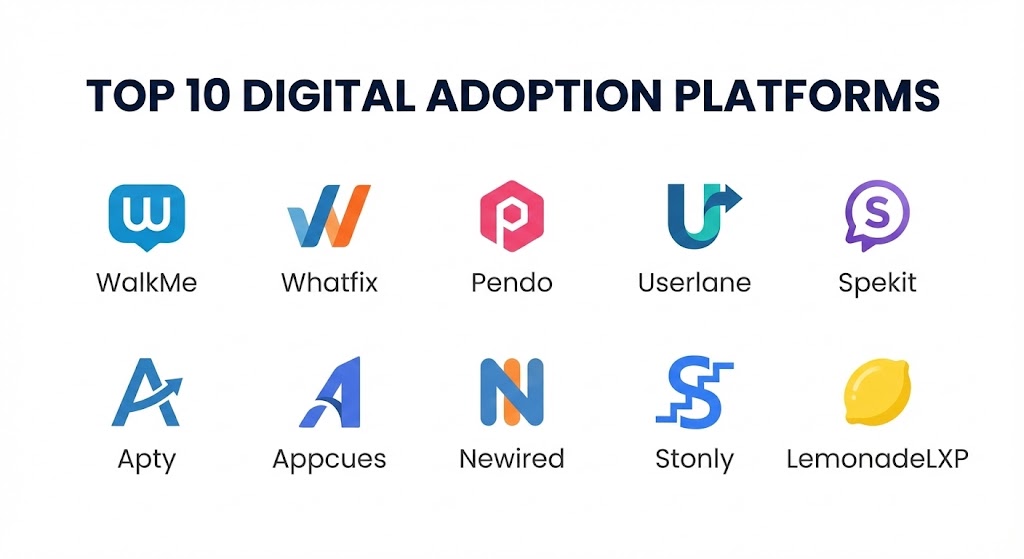
Top 10 Digital Adoption Platforms Tools
1 — WalkMe
WalkMe is widely recognized as the pioneer of the DAP category. In 2026, it remains the “powerhouse” choice for global enterprises that require deep customization and the ability to manage adoption across hundreds of different applications simultaneously.
- Key features:
- Workstation: A centralized desktop hub that allows employees to search for information and launch processes across all their apps.
- ActionBot: A conversational interface that completes tasks across multiple systems on behalf of the user.
- Deep Analytics: Tracks every click and movement to identify friction points in complex business processes.
- Cross-App Guidance: Provides a seamless experience as users move from a CRM to a billing system.
- AI-Powered Insights: Predicts which users are likely to struggle with a new software update.
- Pros:
- The most mature feature set in the industry, capable of handling highly complex enterprise environments.
- Exceptional automation capabilities that can remove manual data entry tasks entirely.
- Cons:
- The implementation can be resource-heavy and usually requires a dedicated administrator.
- The pricing is at the highest end of the market, making it less accessible for smaller firms.
- Security & compliance: ISO 27001, SOC 2 Type II, GDPR, HIPAA, and FedRAMP compliant. Includes advanced SSO and audit logs.
- Support & community: High-tier enterprise support, “WalkMe University” for certification, and a massive global partner ecosystem.
2 — Whatfix
Whatfix has carved out a leadership position by focusing on “data-driven” adoption. It is designed for companies that want to personalize the user experience based on the individual’s role, behavior, and past performance.
- Key features:
- Self-Help Widgets: A searchable help menu that stays within the app and pulls content from various knowledge bases.
- Personalized Onboarding: Tailors walk-throughs based on the specific job function of the user.
- Content Aggregation: Automatically converts DAP guides into PDFs, videos, and articles for multi-channel learning.
- Smart Tips: Non-intrusive icons that provide contextual information when a user hovers over a field.
- Mirroring: Create guidance for sandbox environments and sync them to production with one click.
- Pros:
- Excellent balance between powerful features and ease of content creation.
- The “Self-Help” feature significantly reduces the volume of repetitive support tickets.
- Cons:
- Analytics reporting can occasionally feel less granular than WalkMe’s deepest dives.
- Some advanced UI customizations require a basic understanding of CSS/HTML.
- Security & compliance: SOC 2 Type II, ISO 27001, GDPR, and HIPAA compliant. Offers 256-bit encryption.
- Support & community: 24/7 global support, dedicated account managers for mid-market clients, and an active user community.
3 — Pendo
Pendo is unique because it blends Product Analytics with Digital Adoption. It is the go-to choice for SaaS companies that want to understand how their customers use their product and then guide them toward the “Aha!” moment.
- Key features:
- In-App Guides: Build lightboxes, tooltips, and banners without writing any code.
- Path and Funnel Analysis: Visualize exactly how users move through your application.
- Feedback Management: Built-in tools to collect and prioritize user feature requests.
- Product Sentiment (NPS): Measure user satisfaction directly within the app experience.
- Pendo Free: A robust free tier for startups looking to start their adoption journey.
- Pros:
- The absolute best for product managers who need to justify roadmap decisions with hard data.
- The installation is famously easy (a single “snippet” of code).
- Cons:
- Primarily designed for web and mobile apps; not as strong for legacy “behind the firewall” desktop software.
- Guidance features are slightly less “process-heavy” than enterprise-first tools like Apty.
- Security & compliance: SOC 2 Type II, GDPR, and HIPAA compliant. Features secure data residency options.
- Support & community: Extensive documentation, “Pendo Academy,” and a very strong presence in the product management community.
4 — Userlane
Userlane focuses on the “Human” side of technology. Based in Europe, it prioritizes a clean, high-end user experience and is designed for companies that want their guidance to feel like a natural part of the software.
- Key features:
- Interactive Guides: Users learn by doing rather than watching videos; the guide reacts to their inputs in real-time.
- Hearts & Minds: A specialized dashboard that measures employee sentiment and engagement levels.
- Virtual Assistant: An always-on support layer that guides users through complex logic paths.
- Multi-Language Support: Best-in-class automated translation for global workforces.
- No-Code Editor: A browser extension that allows anyone in HR or L&D to build a guide in minutes.
- Pros:
- Perhaps the most intuitive user interface for content creators.
- The “hearts and minds” data provides unique insights into employee frustration levels.
- Cons:
- Lacks the deep “task automation” (ActionBots) found in the heavy enterprise platforms.
- Not suitable for mobile app adoption; focuses primarily on browser-based software.
- Security & compliance: GDPR (Germany-based), SOC 2, and ISO 27001 compliant. Strong emphasis on privacy by design.
- Support & community: High-quality European support, localized onboarding, and a growing community of “Digital Adoption” professionals.
5 — Spekit
Spekit is a hybrid of a DAP and a Knowledge Management tool. It is designed for high-growth teams (especially in Sales and Enablement) who need to access training and playbooks right inside their CRM.
- Key features:
- Speks: Bite-sized “Knowledge cards” that appear when a user clicks an icon next to a field.
- In-App Playbooks: Embed complex sales methodologies directly into Salesforce or HubSpot.
- Notification Center: Push critical updates (like a change in pricing) to the entire team instantly.
- Knowledge Search: A “Google-like” search that pulls from your entire company wiki.
- Topic Organization: Categorizes guidance by department, role, or specific software module.
- Pros:
- The best tool for reinforcing “knowledge” rather than just “clicks.”
- Deeply integrated with Salesforce, making it a favorite for Sales Ops.
- Cons:
- Not a traditional “walk-through” tool; it focuses more on contextual help than step-by-step guides.
- Limited analytics regarding full-funnel process compliance.
- Security & compliance: SOC 2 Type II and GDPR compliant. Features data encryption and SSO.
- Support & community: Highly-rated customer success team and a specialized community for Sales Enablement.
6 — Apty
Apty is the “compliance” leader in the DAP space. It is designed for enterprise companies with rigid business processes (like Finance or Supply Chain) where a single data entry mistake can cost millions.
- Key features:
- Validation Engine: Prevents users from submitting a form if the data doesn’t match predefined business rules.
- Process Mining: Analyzes back-end data to see where users are deviating from the “standard” operating procedure.
- Cross-Application Tracking: Follows a business process as it spans across multiple web apps.
- Enterprise Search: Pulls documentation from SharePoint, Google Drive, and internal wikis.
- Automation Workflows: Can auto-fill fields based on logic to speed up work.
- Pros:
- Exceptional at enforcing data integrity and process compliance.
- Implementation is focused on “solving business problems” rather than just “training.”
- Cons:
- The interface for content creators is slightly more complex than Userlane or Appcues.
- Requires a very clear understanding of your business processes before setup.
- Security & compliance: ISO 27001, SOC 2, and GDPR compliant.
- Support & community: Professional services for implementation and 24/7 technical support.
7 — Appcues
Appcues is a specialist in Product-Led Growth (PLG). It is built for companies that want to automate the onboarding of thousands of new customers without needing a human to hop on a call.
- Key features:
- Checklists: A visual list of tasks that motivates new users to reach the “Aha!” moment.
- Modals and Slideouts: High-impact visual pop-ups for announcing new features.
- Segmenting: Show different guides to “Free” users versus “Enterprise” users.
- Event Tracking: Trigger a guide based on a specific action a user just took.
- Mobile App Support: One of the few platforms with a dedicated, high-quality mobile DAP builder.
- Pros:
- The most “beautiful” guidance; it looks like a premium, native part of your app.
- Incredible for marketing-led adoption and trial-to-paid conversions.
- Cons:
- Not designed for internal employee training on legacy software.
- Analytics focus more on “conversion” than “productivity.”
- Security & compliance: SOC 2 Type II and GDPR compliant.
- Support & community: Excellent blog, “Appcues University,” and a highly responsive support team.
8 — Newired
Newired is the choice for companies with extreme security requirements. It is one of the few platforms that offers an “on-premise” or “private cloud” deployment, ensuring that data never leaves the company’s firewall.
- Key features:
- Overlay Guidance: No-code, step-by-step layers that work on web and desktop apps.
- Offline Mode: Guidance that works even when the user is disconnected from the internet.
- Feedback Surveys: Simple, contextual surveys at the end of a process.
- Privacy First: Does not collect PII (Personally Identifiable Information) by default.
- Dynamic Links: Launch guides from an external email or a PDF document.
- Pros:
- The safest option for Government, Defense, and highly regulated Banking sectors.
- Very lightweight; it doesn’t slow down the underlying application.
- Cons:
- The visual design of the guides feels a bit more traditional/utilitarian.
- Lacks the AI-driven predictive insights found in WalkMe or Whatfix.
- Security & compliance: GDPR, ISO 27001, and SOC 2. Specialized in localized data hosting.
- Support & community: Personalized technical support and a dedicated onboarding manager.
9 — Stonly
Stonly approaches adoption through Interactive Knowledge. It replaces traditional “flat” help articles with interactive trees, allowing users to choose their own path to a solution.
- Key features:
- Step-by-Step Widgets: Embed interactive troubleshooters directly into any page.
- Logic Branching: Ask the user questions and show them a different solution based on their answer.
- Knowledge Base: A modern, interactive alternative to Zendesk or Help Scout.
- Contact Routing: Only sends a user to a live agent if the interactive guide can’t solve the problem.
- Search Integration: Connects with your site search to surface guides instantly.
- Pros:
- Drastically reduces the “mental load” on users by only showing them relevant info.
- Best-in-class for customer support and troubleshooting use cases.
- Cons:
- Less effective for “automatic” task completion or deep employee productivity tracking.
- Not a traditional “overlay” DAP; it lives in a widget or a dedicated page.
- Security & compliance: GDPR and SOC 2 compliant.
- Support & community: 24/7 chat support and an extensive library of template “trees.”
10 — LemonadeLXP
LemonadeLXP is a specialized DAP focused on Financial Services. It combines digital adoption with “gamification” to ensure that bank tellers and customers can use new banking tech effectively.
- Key features:
- Digital Twins: Create a perfect, interactive clone of your banking app for risk-free practice.
- Gamified Learning: Points, badges, and leaderboards for completing training.
- Knowledge Base Search: Contextual search within the practice environment.
- Customer-Facing Guidance: Share specific walkthroughs with customers to help them with mobile banking.
- Compliance Audits: Track who has practiced which banking workflows.
- Pros:
- The absolute best for Banks and Credit Unions.
- The “Digital Twin” feature is the safest way to train on sensitive financial systems.
- Cons:
- Very niche focus; not suitable for a general tech startup or a retail company.
- Requires significant effort to build out the “Digital Twin” simulations.
- Security & compliance: HIPAA, SOC 2, and specialized Banking security certifications.
- Support & community: Dedicated industry experts and localized financial services support.
Comparison Table
| Tool Name | Best For | Platform(s) Supported | Standout Feature | Rating (Gartner) |
| WalkMe | Enterprise Complexity | Web, Mobile, Desktop | ActionBot Automation | 4.8 / 5 |
| Whatfix | Data-Driven Training | Web, Mobile, Desktop | Content Aggregation | 4.6 / 5 |
| Pendo | Product Experience | Web, Mobile | Product Usage Analytics | 4.7 / 5 |
| Userlane | Employee Sentiments | Web | Hearts & Minds Dashboard | 4.5 / 5 |
| Spekit | Sales Enablement | Web (Browser Ext) | In-App Spek Cards | 4.8 / 5 |
| Apty | Process Compliance | Web | Form Validation Engine | 4.4 / 5 |
| Appcues | PLG & Onboarding | Web, Mobile | Checklist & Flow Builder | 4.7 / 5 |
| Newired | High Security/Gov | Web, Desktop | On-Premise Deployment | 4.3 / 5 |
| Stonly | Troubleshooting | Web | Interactive Logic Trees | 4.6 / 5 |
| LemonadeLXP | Financial Services | Web | Digital Twin Simulations | 4.5 / 5 |
Evaluation & Scoring of Digital Adoption Platforms
Selecting a DAP is a high-stakes decision. To help you evaluate these tools objectively, we have provided a scoring rubric. In 2026, a “perfect” score would be $100\%$, with the following weights applied to each category.
| Criteria | Weight | Evaluation Rationale |
| Core Features | 25% | Presence of walkthroughs, automation, and self-help widgets. |
| Ease of Use | 15% | No-code creator capabilities and learner UI intuitiveness. |
| Integrations | 15% | Connectivity with Salesforce, SAP, Workday, and BI tools. |
| Security & Compliance | 10% | Adherence to GDPR, SOC 2, and data residency needs. |
| Performance | 10% | Impact on application load times and mobile stability. |
| Support & Community | 10% | Documentation, “University” programs, and human help. |
| Price / Value | 15% | ROI based on ticket deflection and employee time saved. |
Which Digital Adoption Platforms Tool Is Right for You?
Solo Users vs SMB vs Mid-market vs Enterprise
If you are a SaaS Startup (SMB), Pendo or Appcues are your best bet. They allow you to grow your user base without hiring a massive support team. Mid-market companies (200-1,000 employees) should look at Whatfix or Userlane, as they provide a professional employee experience without the extreme complexity of an enterprise tool. For Global Enterprises, WalkMe remains the king of the mountain, provided you have the budget and personnel to manage it.
Budget-conscious vs Premium Solutions
If you are budget-conscious, Stonly or the free tier of Pendo offer incredible value. If you are looking for a Premium solution where the “Cost of Failure” is high (e.g., you are training 50,000 people on a new ERP), WalkMe or Apty are investments that pay for themselves through the prevention of a failed digital transformation.
Feature Depth vs Ease of Use
If you prioritize Ease of Use for your creators, Userlane and Spekit allow your HR team to start building guides in a single afternoon. If you need Feature Depth—specifically for cross-app automation and deep data mining of process deviations—WalkMe and Whatfix are the required technical choice.
Integration and Scalability Needs
If you live entirely in Salesforce, Spekit is almost a mandatory add-on. If you need to scale across dozens of different “Best of Breed” tools (Slack, Jira, Workday, etc.), look for a platform like WalkMe that offers a desktop agent capable of bridging the gaps between different browser windows and applications.
Frequently Asked Questions (FAQs)
1. How long does it take to implement a DAP?
For a simple SaaS onboarding flow (Pendo/Appcues), you can be live in 1-2 weeks. For a complex enterprise-wide rollout (WalkMe/Whatfix), expect 3-6 months to fully map processes and build content.
2. Will a DAP slow down my website or software?
Modern DAPs in 2026 use asynchronous loading, meaning they don’t block the underlying app’s performance. However, poor configuration (too many pop-ups) can degrade the perceived speed for the user.
3. Do I need to be a coder to build these guides?
No. 90% of the top tools are “No-Code” browser extensions. You simply click on elements in your software and the DAP “records” the action to build the guide.
4. Can a DAP work on proprietary, custom-built software?
Yes. As long as the software is web-based (HTML), a DAP can identify the elements on the screen. For old-fashioned “Desktop” software, you will need a DAP with a desktop agent like WalkMe.
5. How much does a DAP typically cost?
Pricing is almost always custom. Small businesses might pay $5,000 – $15,000 annually. Large enterprises often pay $100,000 – $500,000+ depending on the number of users and apps.
6. Does a DAP replace an LMS (Learning Management System)?
No. An LMS is for “formal” education (videos, quizzes). A DAP is for “just-in-time” learning. Most companies in 2026 use both, with the DAP acting as the front-line support.
7. Can DAPs help with accessibility (Section 508/WCAG)?
Yes. Many DAPs like Userlane and WalkMe have specific features to help visually impaired users navigate complex software via screen readers and high-contrast overlays.
8. What is “Process Mining” in a DAP?
Process mining (found in Apty/WalkMe) analyzes the actual data logs of your software to see how people really work, rather than how you think they work.
9. Can I use a DAP to collect user feedback?
Absolutely. Pendo and Appcues are leaders in this, allowing you to trigger a survey the moment a user completes a task.
10. How do I measure the success of my DAP?
The most common metrics are: Reduction in support tickets, increase in feature adoption, faster “Time to Value” for new hires, and improved data accuracy in your CRM.
Conclusion
Digital adoption is no longer a luxury; it is the prerequisite for a successful digital transformation. In 2026, the gap between “having software” and “using software” is where millions of dollars are lost every year.
For the enterprise seeking absolute power, WalkMe remains the titan. For the product-led startup, Pendo is the essential data-companion. And for the sales team that just needs to know what to do next, Spekit is the perfect partner. Ultimately, the “best” tool is the one that stays out of the user’s way and allows them to do their best work without the friction of learning.