Introduction
An eLearning Authoring Tool is a software application that allows users to create digital learning content, package it into standardized formats (such as SCORM, xAPI, or cmi5), and deploy it via a Learning Management System (LMS) or the web. In 2026, these tools have moved beyond simple slide-based interactions. They now incorporate AI-driven content generation, immersive 360-degree environments, and highly responsive designs that work seamlessly from a desktop monitor to a smartphone.
The importance of these tools lies in their ability to democratize knowledge. Instead of requiring a team of software developers to build a single course, a single instructional designer—or even a subject matter expert—can build complex simulations and branching scenarios. Key real-world use cases include onboarding new hires at scale, delivering compliance training that meets strict legal standards, and providing product knowledge updates to global sales teams. When evaluating these tools, users should look for ease of learning, the depth of the asset library, responsive design capabilities, and collaborative review features.
Best for: Instructional Designers, L&D (Learning and Development) professionals, and HR managers in mid-market to enterprise companies. It is also essential for educational institutions and independent course creators who need to produce high-fidelity, interactive content for a global audience.
Not ideal for: Individuals looking to create a simple, one-off video or a basic text-based document. If your goal is just to share a recorded presentation without interactivity or tracking, standard video editing software or basic document sharing tools are more cost-effective alternatives.
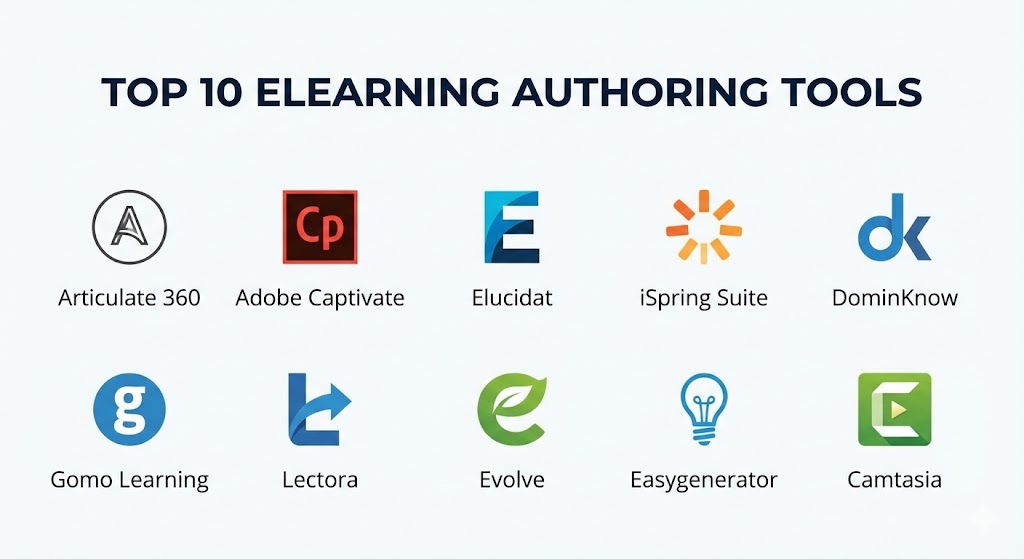
Top 10 eLearning Authoring Tools
1 — Articulate 360
Articulate 360 remains the industry heavyweight in 2026. It is a comprehensive suite that includes Storyline 360 (for highly customized, trigger-based interactions) and Rise 360 (for fast, web-based responsive course building).
- Key features:
- Content Library 360: Access to millions of high-quality photos, templates, and characters.
- Review 360: A web-based tool for stakeholders to leave comments directly on specific slides or blocks.
- Storyline Triggers: Complex logic-building that allows for sophisticated branching and simulations.
- Rise Blocks: Modern, scroll-based learning that is automatically mobile-responsive.
- AI Video Creator: Integrated tool to generate talking-head videos from text scripts.
- High-Fidelity Accessibility: Built-in tools to ensure WCAG 2.1 compliance.
- Pros:
- The most widely used tool, meaning there is an endless supply of tutorials and community support.
- Offers the perfect balance between “fast” development (Rise) and “deep” customization (Storyline).
- Cons:
- Storyline 360 is still primarily a Windows-based application, requiring virtual machines for Mac users.
- The annual subscription model is relatively expensive for individual freelancers.
- Security & compliance: SOC 2 Type II, GDPR, and HIPAA compliant. Uses SSO and end-to-end encryption.
- Support & community: Award-winning documentation, the massive “E-Learning Heroes” community, and 24/7 priority support for Teams accounts.
2 — Adobe Captivate (The All-New Version)
Adobe Captivate has undergone a massive reimagining to focus on modern, responsive design and immersive learning. It is the premier choice for organizations that need high-end software simulations and VR-ready modules.
- Key features:
- Infinite Slider: Preview how content looks on any screen size instantly.
- Software Simulations: Best-in-class tools for “Show Me, Try Me, Test Me” software training.
- Virtual Reality (VR): Support for 360-degree media to create immersive safety and compliance tours.
- Quick Start Projects: Professionally designed templates that can be customized in minutes.
- Interactive Video: Overlay questions and interactions directly onto a video timeline.
- JavaScript Integration: Allows developers to write custom code for highly unique logic.
- Pros:
- Unrivaled for technical software training and simulation-heavy courses.
- Integration with Adobe Creative Cloud makes it easy to bring in high-end graphics and video.
- Cons:
- The learning curve is significantly steeper than web-based tools like Rise.
- Some legacy features from older versions are still being migrated to the “All-New” interface.
- Security & compliance: FedRAMP, SOC 2, and GDPR compliant.
- Support & community: Adobe’s global enterprise support, extensive video tutorials, and a dedicated professional forum.
3 — Elucidat
Elucidat is a cloud-based authoring platform designed for large-scale enterprise teams. It focuses on “Collaborative Authoring,” allowing teams of dozens to work on the same global projects simultaneously without version-control issues.
- Key features:
- Learning Accelerator: An AI-driven wizard that suggests the best course structure based on your goals.
- Brand Style Importer: Automatically apply your company’s brand colors and fonts across all courses.
- Multi-Language Support: A sophisticated translation workflow for global organizations.
- Guided Authoring: Restrict certain design elements to ensure non-designers stay “on brand.”
- Social Learning: Built-in features for learner comments and peer interaction.
- Advanced Roles: Granular permissions for authors, reviewers, and administrators.
- Pros:
- The best tool on the market for consistency across a large, decentralized L&D team.
- No software to install; everything happens in a highly secure cloud environment.
- Cons:
- Pricing is strictly aimed at the enterprise market and is not transparent for small users.
- Less freedom for “pixel-perfect” custom triggers compared to Articulate Storyline.
- Security & compliance: ISO 27001, SOC 2, and GDPR compliant. High-level data residency options.
- Support & community: Dedicated Customer Success Managers and an exclusive “Elucidat Academy.”
4 — iSpring Suite
iSpring Suite is a powerful toolkit that lives directly inside Microsoft PowerPoint. It is designed for those who want to turn their existing presentations into professional eLearning modules without learning a whole new interface.
- Key features:
- PowerPoint Integration: Convert slides, animations, and transitions into SCORM instantly.
- Role-Play Simulations: A dedicated tool for building branching conversation simulations with characters.
- Screen Recording: Integrated tool for high-quality tutorials with webcam overlays.
- Quiz Maker: 14 different question types with customizable feedback and scoring.
- Interactive Book Creator: Turn Word documents or PDFs into interactive flipbooks.
- Asset Library: Access to over 89,000 eLearning assets (characters, locations, icons).
- Pros:
- Virtually zero learning curve for anyone who knows how to use PowerPoint.
- One of the fastest ways to convert “legacy” training materials into trackable eLearning.
- Cons:
- Dependent on PowerPoint; if you don’t use Microsoft Office, this tool isn’t for you.
- Limited in terms of high-end custom gaming or complex data-variable tracking.
- Security & compliance: SOC 2 and GDPR compliant. Features secure cloud storage for the “iSpring Space” collaboration tool.
- Support & community: Famous for “Expert Support” (answering 80% of cases in under 2 hours), and regular webinars.
5 — DominKnow | One
DominKnow | One is an integrated system that combines a traditional authoring tool with a Content Management System (LCMS). It is ideal for companies that need to “Single Source” their content across different platforms.
- Key features:
- Single-Source Publishing: Update a piece of content once and have it update across multiple courses.
- Flow vs. Claro: Switch between responsive (Flow) and fixed-layout (Claro) authoring.
- Capture: A built-in software simulation recorder.
- Reviewer Workflow: Centralized feedback system for internal and external stakeholders.
- Accessibility by Default: High-level support for Section 508 and WCAG compliance.
- Reusable Learning Objects: Store individual blocks of content to be reused in any project.
- Pros:
- The most efficient tool for maintaining a massive library of training that needs frequent updates.
- True “Single Sourcing” saves hundreds of hours in maintenance time.
- Cons:
- The interface can feel quite technical and “database-heavy.”
- Not as visually trendy as modern, scroll-based tools like Evolve.
- Security & compliance: SOC 2 Type II, HIPAA, and GDPR compliant.
- Support & community: High-touch enterprise support and a detailed “Knowledge Base.”
6 — Gomo Learning
Gomo is a cloud-native, responsive authoring tool that focuses on “Multi-Device” delivery. It is a favorite for teams that need to deliver training to a deskless workforce using tablets and smartphones.
- Key features:
- Cloud Authoring: No installation required; collaborate in real-time with colleagues globally.
- Multi-Language Capabilities: Single-file architecture for multiple languages.
- Gomo Delivery: Allows you to push courses directly to websites or apps without an LMS.
- Responsive by Design: Content automatically adapts to portrait or landscape orientations.
- Integrated Analytics: Provides data even if you aren’t using a traditional LMS.
- Interactive Assets: Drag-and-drop elements for quizzes, accordions, and carousels.
- Pros:
- One of the simplest “true responsive” tools to master.
- Excellent for external-facing training (customers/partners) where you don’t want LMS friction.
- Cons:
- Customization of themes and templates is somewhat limited compared to Storyline.
- The asset library is smaller than Articulate’s or iSpring’s.
- Security & compliance: ISO 27001 and GDPR compliant.
- Support & community: Online support desk, video tutorials, and a dedicated training portal.
7 — Lectora (ELB Learning)
Lectora has long been the choice for power users who require absolute control over every pixel and variable. It is known for its incredible depth in accessibility and its ability to handle complex programming logic.
- Key features:
- Crivello AI: Integrated AI to help generate scripts, images, and quiz questions.
- Asset Library (by ELB): Access to one of the world’s largest collections of eLearning templates.
- Variable Tracking: Deep logic capabilities for personalized learning paths.
- Accessibility Checkers: Real-time feedback on the accessibility of your course.
- VR Capability: Integration with CenarioVR for immersive learning.
- Conditional Logic: Create highly complex “if/then” scenarios for compliance testing.
- Pros:
- The “unlimited” tool; if you can imagine it, you can build it in Lectora.
- Industry-leading accessibility support, making it the favorite for government and educational sectors.
- Cons:
- The interface is dense and can be overwhelming for new designers.
- Development speed is slower due to the high degree of manual control.
- Security & compliance: SOC 2 and GDPR compliant.
- Support & community: Extensive user groups, ELB Learning’s “Rockstars” community, and high-tier support.
8 — Evolve (Intellum)
Evolve is the “cool kid” of authoring tools. It is a web-based platform designed to create high-end, scroll-based content that looks more like a modern website than a traditional slide deck.
- Key features:
- Advanced Theming: Create stunning, pixel-perfect designs that match your brand perfectly.
- Logic & Variables: Surprisingly deep logic features for a web-based tool.
- Interactive Components: Wide range of unique “blocks” for interactive charts and graphs.
- Real-Time Preview: See exactly what the learner sees instantly.
- Intellum Integration: Perfect for those using the Intellum platform for customer education.
- Asset Management: Centralized hub for images, videos, and fonts across all courses.
- Pros:
- Produces the most modern-looking, aesthetically pleasing courses in the industry.
- Highly intuitive for people coming from a web design or marketing background.
- Cons:
- Lacks a “freeform” slide-based editor for software simulations.
- Can be pricier than other web-based alternatives like Easygenerator.
- Security & compliance: SOC 2 Type II and GDPR compliant.
- Support & community: Modern help desk and specialized success coaching for enterprise clients.
9 — Easygenerator
As the name suggests, Easygenerator is built for the non-instructional designer. It is designed to empower subject matter experts (SMEs) within a company to create their own training.
- Key features:
- Zero Training Needed: An interface that is as simple as writing an email or a blog post.
- AI Assistant: Helps draft learning objectives and content blocks from raw notes.
- Course Templates: Pre-built structures for different business needs.
- Reviewer Tool: Simple way for managers to provide feedback on content.
- Direct Publishing: One-click sharing via link or LMS export.
- Basic Analytics: See completion rates and quiz scores without an external tool.
- Pros:
- Eliminates the bottleneck of the L&D department by letting experts create content.
- The fastest “time-to-launch” for simple compliance or product updates.
- Cons:
- Very limited in terms of custom interactivity or branding.
- Not suitable for high-stakes simulations or complex technical training.
- Security & compliance: ISO 27001 and GDPR compliant.
- Support & community: 24/5 live chat support and an “Easygenerator Academy.”
10 — Camtasia (with Audiate)
While primarily a video editor, Camtasia has become a top eLearning authoring tool in 2026 due to its ability to add SCORM-compliant interactivity and quizzes to high-quality video content.
- Key features:
- SmartFocus: Automatically zooms in on important screen actions during software sims.
- Interactive Quizzing: Add multiple-choice questions directly onto the video timeline.
- Audiate Integration: Edit your audio by editing text (like a Word document).
- PowerPoint Plugin: Record and enhance your slide presentations.
- SCORM Export: Turn any video into a trackable eLearning module.
- Cursor Effects: High-end visual cues to guide learners through complex software.
- Pros:
- The absolute best for video-centric learning and software walkthroughs.
- Much cheaper than full-blown authoring suites like Articulate or Adobe.
- Cons:
- No branching logic or complex “if/then” variables.
- Limited interactivity compared to slide-based or web-based tools.
- Security & compliance: Varies / N/A (Standard local software security).
- Support & community: Massive YouTube presence, TechSmith Academy, and a huge user base.
Comparison Table
| Tool Name | Best For | Platform(s) Supported | Standout Feature | Rating (2026) |
| Articulate 360 | All-around Industry Standard | Windows (Web apps for Mac) | Content Library 360 | 4.9 / 5 |
| Adobe Captivate | Software Sims & VR | Windows, Mac | 360-degree Media Support | 4.7 / 5 |
| Elucidat | Large Global Teams | Web (Cloud) | Multi-language Workflow | 4.6 / 5 |
| iSpring Suite | Fast PowerPoint Conversion | Windows (PowerPoint Add-in) | Role-play Simulations | 4.8 / 5 |
| DominKnow | Centralized Content Mgmt | Web (Cloud) | Single-source Publishing | 4.5 / 5 |
| Gomo Learning | Multi-device/Responsive | Web (Cloud) | Gomo Delivery (Non-LMS) | 4.4 / 5 |
| Lectora | Accessibility Power Users | Windows, Web | Crivello AI Integration | 4.3 / 5 |
| Evolve | Modern Web Aesthetic | Web (Cloud) | High-end Theming Engine | 4.6 / 5 |
| Easygenerator | Non-ID Experts (SMEs) | Web (Cloud) | AI Course Drafting | 4.7 / 5 |
| Camtasia | Video-centric Tutorials | Windows, Mac | Audiate Text-to-Audio | 4.5 / 5 |
Evaluation & Scoring of eLearning Authoring Tools
To provide an objective overview, we have evaluated the general performance of the 2026 market using the following weighted scoring rubric. The scores represent the “category standard” for a top-tier tool.
| Criteria | Weight | Evaluation Rationale |
| Core Features | 25% | Presence of simulations, assessments, and asset libraries. |
| Ease of Use | 15% | The learning curve for a new designer or subject matter expert. |
| Integrations | 15% | Compatibility with LMSs (SCORM/xAPI) and external creative apps. |
| Security & Compliance | 10% | Adherence to GDPR, SOC 2, and WCAG accessibility standards. |
| Performance | 10% | Stability of the editor and the loading speed of published content. |
| Support & Community | 10% | Quality of tutorials, live help, and the depth of the user community. |
| Price / Value | 15% | Total cost of ownership relative to the productivity gains. |
Which eLearning Authoring Tools Tool Is Right for You?
Solo Users vs SMB vs Mid-market vs Enterprise
If you are a solo freelancer, iSpring Suite or Camtasia offer the best return on investment without requiring a massive upfront learning period. For SMBs, Easygenerator is perfect for getting team knowledge documented fast. Mid-market firms usually settle on Articulate 360 as their “Swiss Army Knife.” Finally, for the Enterprise, Elucidat and DominKnow provide the governance and collaboration features necessary to manage thousands of global assets.
Budget-conscious vs Premium Solutions
If you are budget-conscious, Camtasia or the “Single User” tier of Easygenerator are your best bets. If you are looking for a Premium solution where quality and scale are the only priorities, Articulate 360 and Adobe Captivate are the gold standards that justify their higher price points through immense feature depth.
Feature Depth vs Ease of Use
If you priority is Ease of Use, you cannot beat Rise 360 (within Articulate) or Easygenerator. They are as simple as filling out a web form. If you need Feature Depth—specifically for high-fidelity technical sims or complex variable tracking—you must accept the steeper learning curve of Lectora or Adobe Captivate.
Integration and Scalability Needs
For those heavily invested in an LMS like Cornerstone or Docebo, ensure the tool you choose supports xAPI (Experience API). This allows for far more detailed tracking of learner behavior than old-fashioned SCORM. If scalability is your primary concern (e.g., updating one policy across 100 courses), DominKnow is the only logical choice.
Frequently Asked Questions (FAQs)
1. What is the difference between SCORM and xAPI?
SCORM (the old standard) tracks simple things like “Did they finish?” and “What was their score?” xAPI (the modern standard) can track almost anything, including clicks, video pauses, and real-world performance tasks outside the LMS.
2. Can I use these tools on a Mac?
Web-based tools like Rise, Elucidat, and Evolve work on anything with a browser. Desktop tools like Storyline and Lectora are primarily Windows-only, though Adobe Captivate and Camtasia have native Mac versions.
3. Do I need to be a graphic designer to use these?
No. Modern tools like Articulate 360 and iSpring include massive libraries of pre-made characters, photos, and templates that make your work look professional even if you have no design background.
4. Can these tools create mobile-friendly courses?
Yes. “Responsive” tools like Rise, Gomo, and Evolve automatically rearrange elements to fit a phone screen. Slide-based tools like Storyline are “mobile-compatible” but may require zooming.
5. Is AI changing eLearning authoring in 2026?
Massively. Most tools now include AI assistants that can draft scripts, generate images from text, and even build entire quiz banks from a single PDF or video file.
6. What is “Section 508” and “WCAG”?
These are legal standards for accessibility. If you are building for the government or public sector, your tool (like Lectora) must be able to create content that works for screen readers and keyboard-only users.
7. How much do these tools typically cost?
Pricing ranges from $300/year for simple video tools to $1,500+/year for enterprise suites. Some cloud tools charge based on the number of “Active Learners” who see the content.
8. Can I import my PowerPoint slides?
Yes, most tools (especially iSpring) allow you to import PPTs. However, you will usually need to add interactivity and quizzes to turn a “deck” into a “course.”
9. Can I work offline?
Desktop-based tools (Storyline, Captivate) allow you to work without an internet connection. Cloud-based tools (Rise, Elucidat) require a stable connection to save your work.
10. Do I need an LMS to use these tools?
Technically, no. You can host a course on a standard website. However, you will lose the ability to track who took the course and what their scores were.
Conclusion
The “best” eLearning authoring tool in 2026 is no longer about which one has the most buttons; it is about which one matches your organizational “rhythm.” If you need to move fast and deliver to mobile devices, web-based tools like Rise or Gomo are your future. If you are building high-stakes software simulations or complex logic paths, the power of Adobe Captivate or Articulate Storyline remains unmatched.
Ultimately, these tools are just facilitators. The true success of an eLearning module depends on the instructional design and the clarity of the message. Choose the tool that stays out of your way and allows your content to shine. Whether you are an SME sharing a quick update or an Instructional Designer building a global curriculum, there has never been a better time to create.