Introduction
OKR & Goal Management Software is a category of digital tools designed to help organizations set, track, and align their most ambitious goals. Unlike traditional project management software, which focuses on tasks (the “what”), OKR software focuses on outcomes (the “why” and “how much”). These platforms provide a centralized “single source of truth” where every employee can see how their individual contributions roll up into the company’s broader mission. By visualizing these connections, the software eliminates the “execution gap” that often plagues large organizations where strategy is discussed in boardrooms but lost on the front lines.
The importance of these tools lies in their ability to foster transparency, focus, and accountability. In a real-world scenario, a marketing lead can see exactly how their lead-generation target directly supports the CEO’s objective of entering a new geographic market. Key use cases include quarterly strategic planning, cross-departmental alignment, remote team engagement, and continuous performance feedback. When choosing a tool in this category, users should evaluate the depth of hierarchy visualization, automation of data check-ins, integration with existing work tools (like Slack or Jira), and the intuitiveness of the user interface.
Best for: CEOs, HR leaders, Operations managers, and scaling startups that need to maintain alignment as they grow. It is particularly effective for “remote-first” or hybrid companies where organic office communication is absent.
Not ideal for: Micro-businesses with fewer than five employees where a simple shared document or physical whiteboard is often more efficient. It is also not a replacement for basic task management; if you only need to check off to-do lists without measuring strategic outcomes, a standard project management tool is a better fit.
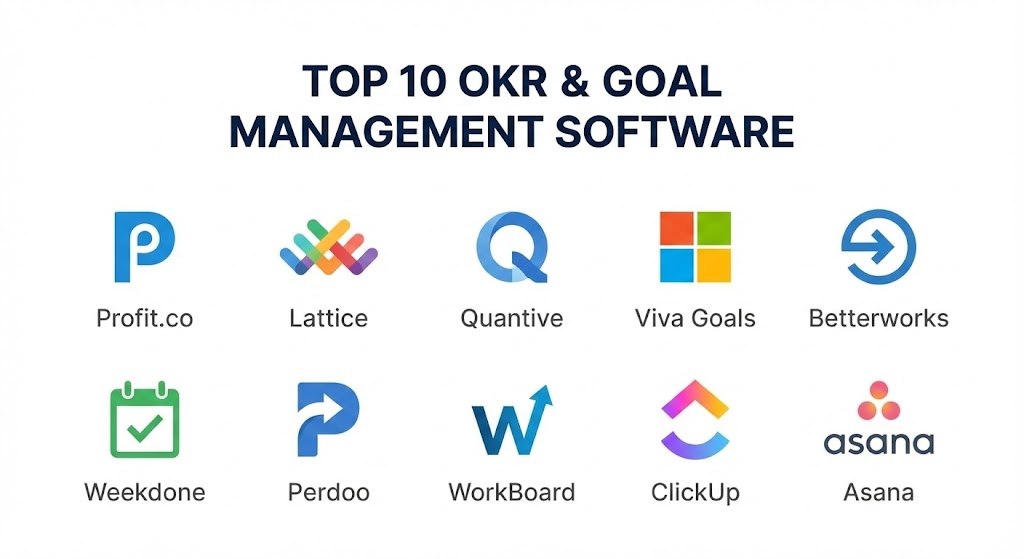
Top 10 OKR & Goal Management Software Tools
1 — Profit.co
Profit.co is widely regarded as one of the most comprehensive OKR platforms on the market in 2026. It is designed to be a complete “Strategy-to-Execution” engine, offering a massive library of pre-built KPIs and a highly customizable interface that can adapt to various business sizes.
- Key features:
- 400+ KPI Library: A vast repository of ready-to-use metrics to help teams define Key Results.
- Step-by-Step OKR Builder: Guided wizards that help beginners write high-quality objectives.
- Alignment Dashboards: Visual “birds-eye” views of how goals are nested across departments.
- Integrated Task Management: Link specific daily tasks directly to a Key Result.
- Continuous Feedback: Built-in tools for recognition, awards, and employee pulse surveys.
- Automated Check-ins: Reminders and automated data syncing to keep progress updated in real-time.
- Pros:
- Extremely powerful for enterprise-level customization; it can mirror almost any organizational structure.
- Excellent balance between high-level strategy and granular task tracking.
- Cons:
- The sheer number of features can lead to a steep learning curve for non-technical users.
- The user interface can feel slightly cluttered compared to more “minimalist” competitors.
- Security & compliance: SOC 2 Type II, GDPR, ISO 27001, and HIPAA compliant. Features advanced SSO and audit logs.
- Support & community: 24/7 global support, dedicated success managers for enterprise, and a robust “OKR University” for training.
2 — Lattice
Lattice has become the favorite for “People-First” companies. In 2026, it is famous for integrating OKRs directly into the performance management and employee engagement flow, ensuring that “how people are doing” and “what they are achieving” are never separated.
- Key features:
- Integrated Reviews: Link OKR progress directly into annual or quarterly performance reviews.
- Public Praise: A social feed where teammates can celebrate hit targets.
- Weekly Check-ins: A lightweight way for managers to see roadblocks and progress every week.
- Visual Goal Trees: Simple, clean diagrams showing the “Line of Sight” from individual to company.
- Actionable Analytics: Insights into which teams are falling behind and why.
- Mobile App: One of the most polished mobile experiences for updating goals on the go.
- Pros:
- The best user experience in the industry; employees actually enjoy using the platform.
- Superior for building a culture of transparency and growth rather than just “tracking numbers.”
- Cons:
- Less focus on deep “data-driven” KPI automation compared to Quantive or Profit.co.
- Can be expensive if you only need the OKR module without the full HR suite.
- Security & compliance: SOC 2 Type II and GDPR compliant. Data encryption at rest and in transit.
- Support & community: High-quality documentation, a massive “Library of People” community, and responsive customer success.
3 — Quantive Results (formerly Gtmhub)
Quantive is the “Data Scientist” of the OKR world. It is built for organizations that want to eliminate manual updates by connecting their goals directly to their data sources (SQL, Salesforce, Jira, etc.).
- Key features:
- 170+ Connectors: Automate Key Result updates by pulling data from almost any business tool.
- Insightboards: Advanced BI-style dashboards to visualize performance trends.
- Whiteboard Feature: A collaborative space for teams to brainstorm OKRs before finalizing them.
- Mission Control: A centralized hub for leaders to track the “Health” of the entire strategy.
- AI-Powered Suggestions: AI that analyzes your objectives and suggests improvements for clarity.
- Custom Roles & Permissions: Highly granular control over who can see and edit specific goals.
- Pros:
- The undisputed leader for data-driven organizations; it minimizes “admin fatigue.”
- Extremely scalable, capable of handling tens of thousands of users without performance lag.
- Cons:
- Setting up complex data integrations requires a certain level of technical expertise.
- May feel too “cold” or “analytical” for companies focused on soft-skill growth.
- Security & compliance: ISO 27001, SOC 2 Type II, and GDPR compliant. Features advanced SSO and IP whitelisting.
- Support & community: Global 24/7 support, dedicated technical engineers, and an extensive “Help Center.”
4 — Microsoft Viva Goals
For companies already living in the Microsoft 365 ecosystem, Viva Goals (built on the acquisition of Ally.io) is the path of least resistance. It brings strategy directly into the tools employees use every day, like Teams and Outlook.
- Key features:
- Teams Integration: Update OKRs and view progress directly inside a Microsoft Teams chat.
- Azure DevOps Sync: Seamlessly pull progress from technical engineering tasks into Key Results.
- Standardized Templates: Best-practice templates for various departments (Sales, Product, HR).
- Focus Mode: Allows users to filter their view to only show the goals they are responsible for.
- Summary Reports: Automatically generated PowerPoint-style slides for executive meetings.
- Pros:
- Incredible value for existing Microsoft customers due to the seamless login and UI familiarity.
- Reduces “context switching” by keeping strategy where the work actually happens.
- Cons:
- Primarily beneficial for those already using Microsoft 365; less appealing for Google-centric shops.
- Some of the advanced features feel “tacked on” to the core Office experience.
- Security & compliance: Backed by Microsoft’s enterprise-grade security; FedRAMP, SOC 2, and GDPR compliant.
- Support & community: Massive global support network and extensive documentation via Microsoft Learn.
5 — Betterworks
Betterworks is an enterprise-scale platform that prioritizes “Strategic Alignment.” It is designed to help large global corporations maintain a unified direction while allowing for local flexibility.
- Key features:
- Strategic Alignment Visualizer: A high-end tool to map dependencies between different departments.
- Continuous Conversations: Built-in 1-on-1 agendas that keep managers focused on goals.
- Calibration Tools: Ensure that performance ratings and OKR achievement are fair across the company.
- Milestone Tracking: Break down large Key Results into smaller, manageable chunks.
- Internal Talent Marketplace: Connects high-performing individuals to new internal projects.
- Pros:
- Exceptional for identifying “Goal Silos” where teams are working at cross-purposes.
- Very strong for mid-to-large organizations that need a formal, structured approach.
- Cons:
- Can feel a bit “corporate” and rigid for small, agile startups.
- The implementation process usually requires a dedicated internal project manager.
- Security & compliance: SOC 2 Type II, ISO 27001, and HIPAA compliant. Advanced data residency options.
- Support & community: Dedicated Strategic Advisory services and an annual “Betterworks Empower” conference.
6 — Weekdone
Weekdone is the perfect solution for small-to-medium businesses that want to implement OKRs without the “Enterprise Bloat.” It focuses on the weekly rhythm of the business, connecting weekly plans to quarterly goals.
- Key features:
- Weekly Planning: A “Plans, Progress, Problems” (PPP) framework integrated with OKRs.
- Team Newsfeed: A social-style feed to see what everyone else is working on this week.
- One-Click Reports: Quickly generate summaries for the CEO or Board.
- Visual Hierarchy: A simple, easy-to-read “tree” view of all company goals.
- Personal OKRs: Allows individuals to set growth goals that aren’t necessarily tied to company KPIs.
- Pros:
- The best tool for driving a “Weekly Rhythm” of accountability.
- Very fast setup; teams can be fully operational in less than an hour.
- Cons:
- Lacks the deep data automation and “heavy” analytics of Quantive.
- Not suitable for massive organizations with complex matrix hierarchies.
- Security & compliance: GDPR compliant and uses secure SSL encryption. SOC 2 compliant via AWS infrastructure.
- Support & community: Personalized OKR coaching for new teams and an extensive library of case studies.
7 — Perdoo
Perdoo is a European favorite known for its simplicity and its “Strategy-First” approach. It emphasizes the “Roadmap” as much as the OKRs themselves, ensuring that strategy isn’t just a list of numbers.
- Key features:
- Strategy Map: A visual roadmap that connects long-term vision to short-term OKRs.
- The “Ambassador” Program: Specialized training for internal OKR champions within your company.
- Health Metrics: Track KPIs that aren’t necessarily OKRs (e.g., “keep the lights on” metrics).
- Closing Reports: Guided reviews at the end of a quarter to learn from failures.
- Group-to-Group Alignment: Explicitly map how one team’s Objective helps another team’s Key Result.
- Pros:
- Very clean, minimalist interface that reduces “choice paralysis.”
- Excellent educational resources for companies that are new to the OKR framework.
- Cons:
- Integration ecosystem is smaller than Profit.co or Microsoft.
- Analytics can feel a bit basic for power users who want deep data slicing.
- Security & compliance: GDPR compliant with German-based data hosting. SSO and 2FA support.
- Support & community: High-touch customer success and a popular “OKR Podcast” for community learning.
8 — WorkBoard
WorkBoard is the “C-Suite’s Choice.” It positions itself as an “Outcome Management” platform, specifically built for high-level leaders to run their entire business through a digital cockpit.
- Key features:
- Meeting Management: Integrated agendas that automatically pull in OKR progress for review.
- Business Reviews: Standardized templates for Monthly and Quarterly Business Reviews (MBRs/QBRs).
- Outcome-Focused Dashboards: High-level views focused on “Value Delivered” rather than “Activity.”
- Dependency Mapping: Identifies where a delay in one team will impact the whole company.
- AI Summary Generator: Summarizes vast amounts of team data into executive bullet points.
- Pros:
- Exceptional for converting “Boardroom Strategy” into actual operational execution.
- Very high reliability and “Executive Grade” reporting.
- Cons:
- The pricing is strictly aimed at the enterprise market.
- Can feel a bit “top-down” if not implemented with a focus on employee autonomy.
- Security & compliance: SOC 2 Type II, ISO 27001, and GDPR compliant. FedRAMP ready for government use.
- Support & community: Elite-tier support and an exclusive “Strategy Execution” user community.
9 — ClickUp (Goals Feature)
For teams that want everything in one place, ClickUp’s “Goals” module is a strong contender. While not a dedicated OKR tool, it allows you to link your strategic goals directly to the tasks you are doing every day.
- Key features:
- Goal Folders: Group similar objectives (e.g., “Engineering Q1”) into organized folders.
- Direct Task Linkage: A Key Result is automatically updated as the underlying tasks are completed.
- Progress Percentages: Visual bars that show exactly how close you are to the finish line.
- Multiple Targets: Support for numerical, monetary, true/false, and task-based targets.
- Whiteboards & Docs: Brainstorm and document your strategy in the same tool as your goals.
- Pros:
- Best value for companies that want an “all-in-one” work management system.
- Eliminates the “two-tool” problem where people forget to update their OKRs in a separate app.
- Cons:
- Lacks the deep “strategic coaching” and specialized OKR features of Perdoo or Profit.co.
- The platform can be overwhelming due to the massive number of non-goal-related features.
- Security & compliance: SOC 2 Type II, ISO 27001, and HIPAA compliant.
- Support & community: 24/7 support, a massive YouTube tutorial library, and a global user community.
10 — Asana (Goals Feature)
Asana is the market leader in project management, and its “Goals” feature is designed to connect work to purpose. It is ideal for mid-market companies that are already using Asana for their daily project work.
- Key features:
- Goal Privacy: Keep sensitive strategic goals visible only to executives.
- Parent/Child Goals: Clearly visualize the hierarchy from the company down to the individual.
- Portfolio Sync: Link a “Portfolio” of projects to a specific strategic goal.
- Goal Comments: Have discussions about strategy directly on the goal page itself.
- Status Updates: Guided workflows for writing high-quality narrative updates on progress.
- Pros:
- The most “approachable” tool for non-technical teams like Marketing or Creative.
- Highly reliable and backed by a world-class user interface.
- Cons:
- The Goals feature is only available on higher-priced “Enterprise” or “Advanced” tiers.
- Less analytical depth for organizations that need complex KPI modeling.
- Security & compliance: SOC 2 Type II, ISO 27001, and GDPR compliant.
- Support & community: Extensive “Asana Academy” and a massive global network of certified “Asana Partners.”
Comparison Table
| Tool Name | Best For | Platform(s) Supported | Standout Feature | Rating (Gartner) |
| Profit.co | Customization & SME | Web, iOS, Android | Massive KPI Library | 4.8 / 5 |
| Lattice | People-First SMBs | Web, iOS, Android | Integrated Performance | 4.7 / 5 |
| Quantive | Data-Driven Teams | Web, iOS, Android | 170+ Data Connectors | 4.6 / 5 |
| Viva Goals | Microsoft Shops | Web, Teams, Mobile | Teams Integration | 4.4 / 5 |
| Betterworks | Global Enterprise | Web, iOS, Android | Strategic Alignment Map | 4.5 / 5 |
| Weekdone | Weekly Accountability | Web, iOS, Android | Weekly Planning (PPP) | 4.8 / 5 |
| Perdoo | Strategic Roadmaps | Web, Mobile | Strategy Map Builder | 4.7 / 5 |
| WorkBoard | C-Suite/Outcome Mgmt | Web, iOS, Android | Outcome Dashboards | 4.3 / 5 |
| ClickUp | All-in-One Value | Web, iOS, Android | Task-to-Goal Linkage | 4.7 / 5 |
| Asana | Project Execution | Web, iOS, Android | Portfolio Goal Sync | 4.5 / 5 |
Evaluation & Scoring of OKR & Goal Management Software
To help you decide, we have evaluated the general performance of the top 10 players based on the following weighted rubric:
| Criteria | Weight | Evaluation Rationale |
| Core Features | 25% | Presence of goal hierarchy, progress tracking, and check-in workflows. |
| Ease of Use | 15% | Intuitiveness of the UI and how quickly employees can learn the tool. |
| Integrations | 15% | Ability to connect with Slack, Jira, Salesforce, and HRIS systems. |
| Security & Compliance | 10% | Adherence to data privacy laws and enterprise security standards. |
| Performance | 10% | System uptime, mobile responsiveness, and page load speeds. |
| Support & Community | 10% | Quality of onboarding, tutorials, and community learning resources. |
| Price / Value | 15% | ROI based on the feature set vs. the per-user license cost. |
Which OKR & Goal Management Software Tool Is Right for You?
Solo Users vs SMB vs Mid-market vs Enterprise
- Solo Users/Freelancers: You likely don’t need a full OKR suite. ClickUp or Asana (Free versions) are more than enough to keep your personal goals in sight.
- SMBs (10–100 employees): Weekdone and Perdoo are the gold standards here. They provide enough structure to keep the team aligned without the administrative burden of an enterprise tool.
- Mid-market (100–1,000 employees): Lattice and Profit.co are excellent choices that bridge the gap between simple tracking and complex strategic alignment.
- Enterprise (1,000+ employees): Betterworks, WorkBoard, and Quantive are the only tools with the industrial-strength features required to manage global complexity and data automation.
Budget-conscious vs Premium Solutions
If you are on a tight budget, the “Goals” feature in ClickUp offers the best “bang for your buck” because it covers project management and OKRs in one price. If money is no object and you want elite-level strategic coaching and automation, Quantive and Profit.co are premium solutions that justify their cost through massive time savings.
Feature Depth vs Ease of Use
If you want something so easy that no one needs a manual, go with Weekdone or Lattice. If you need “Feature Depth”—specifically for complex data modeling, custom reporting, and automated KPI syncing—you must accept the steeper learning curve of Quantive or Profit.co.
Integration and Scalability Needs
If your company lives in Microsoft Teams, Viva Goals is the logical choice. If your engineers live in Jira and your sales team in Salesforce, and you want their progress to update automatically, Quantive is the only tool that can handle that level of integration seamlessly at scale.
Frequently Asked Questions (FAQs)
1. Can’t I just use a spreadsheet for OKRs?
You can, but spreadsheets are “static.” They don’t send reminders, they don’t visualize the hierarchy well, and they often become “forgotten files” that are only updated the day before a meeting. Dedicated software makes OKRs a “living” part of the workday.
2. How often should we update our OKRs in the software?
Ideally, weekly. Most software tools like Weekdone or Profit.co send automated prompts to team members every Friday to spend 5 minutes updating their progress. This ensures data is always fresh for leadership.
3. What is the difference between a KPI and an OKR?
A KPI (Key Performance Indicator) is like a car’s speedometer; it tells you if the engine is running. An OKR is the GPS; it tells you where you are going and how much closer you are to the destination. Most software tracks both.
4. Is OKR software hard to implement?
The software is easy; the culture is hard. Most failures in OKR software implementation happen because the team hasn’t been trained on how to write good OKRs. Tools like Perdoo provide great coaching to help with this.
5. How much does OKR software typically cost?
Pricing varies widely. Some tools like Weekdone start around $9/user/month, while enterprise tools like WorkBoard can be much higher and often require an annual contract.
6. Does the software help in writing better OKRs?
Yes, many 2026 platforms like Quantive and Profit.co now use AI assistants to scan your Objectives and provide feedback like, “This is too much like a task, try making it more outcome-oriented.”
7. Can we keep some goals private?
Yes, most enterprise-level tools (Betterworks, WorkBoard, Asana) allow for “Private Goals” that are only visible to specific individuals or the C-suite, which is essential for sensitive strategic moves.
8. Does OKR software replace performance reviews?
No, but it informs them. Software like Lattice specifically uses OKR data to provide a factual basis for performance reviews, reducing recency bias and making the process more objective.
9. Can we track dependencies between teams?
Yes, this is one of the biggest benefits of software over spreadsheets. Tools like Betterworks explicitly show if Team A’s progress is blocked because Team B hasn’t hit their target yet.
10. Do these tools work for non-profits?
Absolutely. In fact, non-profits often benefit more because their “Objectives” are mission-driven rather than purely monetary. Perdoo and Weekdone are very popular in the non-profit sector.
Conclusion
The “best” OKR & Goal Management Software is ultimately the one that your team will actually use. If the software is too complex, it will become an expensive digital graveyard. If it’s too simple, it won’t provide the insights needed to scale.
For sheer power and data integration, Profit.co and Quantive are the titans of 2026. For companies focused on employee engagement and culture, Lattice remains the gold standard. And for those who want simplicity and a weekly rhythm, Weekdone is hard to beat. Choosing the right tool is the first step toward turning your company’s “2026 Vision” into a documented, trackable, and achievable reality.