Introduction
An Applicant Tracking System (ATS) is a software application designed to help businesses organize, track, and manage the recruitment process. From the moment a job is posted to the final offer letter signature, an ATS acts as a centralized database for candidate information. It automates the “busy work” of recruiting, such as resume parsing, interview scheduling, and candidate communication. In 2026, these systems are more than just trackers; they are strategic tools that leverage predictive analytics to help teams identify top-tier talent before the competition does.
The importance of an ATS lies in its ability to eliminate the “resume black hole” and provide a structured, equitable hiring process. Key real-world use cases include high-volume hiring for retail expansions, specialized technical recruiting for startups, and compliance-heavy hiring for government contractors. When evaluating these tools, users should look for resume parsing accuracy, automation depth, collaborative hiring features, and candidate experience metrics. A system that is powerful but difficult for candidates to navigate will ultimately hurt your employer brand.
Best for: Internal recruitment teams, HR managers, and scaling businesses across industries like Tech, Healthcare, and Finance. It is ideal for companies receiving a high volume of applications that need to standardize their evaluation process and maintain a “talent pool” for future roles.
Not ideal for: Solo entrepreneurs or micro-businesses that hire only once or twice a year. For these users, a simple task manager or a spreadsheet is often sufficient. It may also be overkill for specialized executive search firms that handle a very low volume of highly bespoke placements, where a CRM (Customer Relationship Management) tool might be better suited.
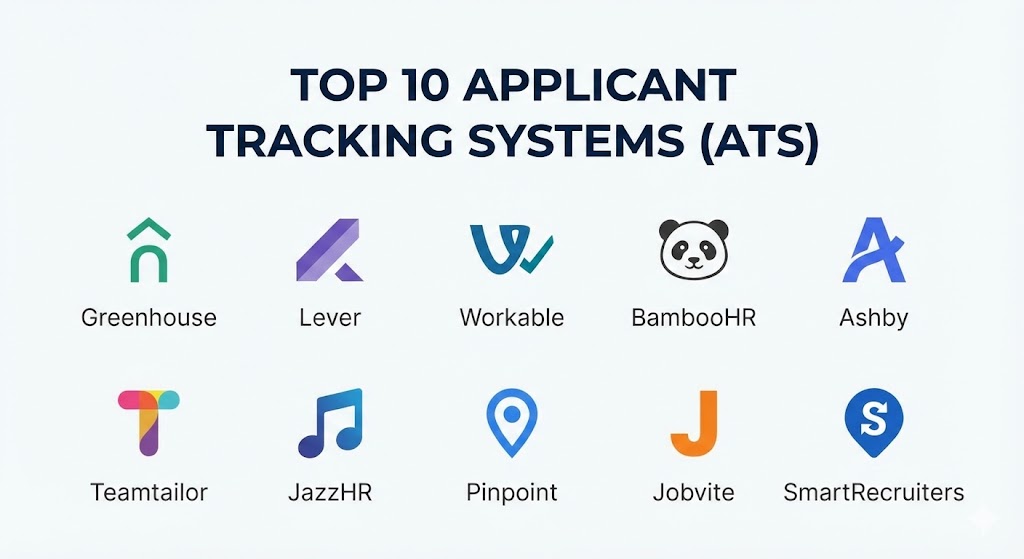
Top 10 Applicant Tracking Systems (ATS) Tools
1 — Greenhouse
Greenhouse is often cited as the industry benchmark for “structured hiring.” It is designed for companies that want to move beyond gut feelings and make hiring decisions based on data and pre-defined scorecards. It is particularly popular among mid-market and enterprise tech firms.
- Key features:
- Structured Interviewing: Pre-defined scorecards and interview kits to ensure every candidate is evaluated on the same criteria.
- Automated Task Management: Triggers reminders for interviewers to submit feedback immediately after a session.
- Diversity & Inclusion Suite: Built-in tools to reduce bias, such as anonymized resume screening.
- Massive Integration Ecosystem: Over 400 native integrations with tools like Slack, Zoom, and various HRIS platforms.
- Predictive Analytics: Reports that show which sourcing channels yield the highest-quality hires over time.
- Candidate CRM: Manage “silver medalist” candidates for future opportunities.
- Pros:
- Encourages a highly disciplined hiring culture that leads to better long-term retention.
- Exceptional reporting capabilities that provide deep insights into the recruitment funnel.
- Cons:
- The platform can feel overly complex and “rigid” for teams that prefer a more casual hiring style.
- Implementation is a significant project that requires dedicated time and training.
- Security & compliance: SOC 2 Type II, GDPR, HIPAA (on request), and ISO 27001 compliant. Features robust SSO and encryption.
- Support & community: Extensive documentation, a dedicated customer success manager for larger accounts, and a vibrant community of “Greenhouse Open” users.
2 — Lever
Lever is known for its “LeverTRM” platform, which combines a traditional ATS with a powerful recruitment CRM. It is designed for teams that prioritize active sourcing and want to treat candidates like a sales pipeline.
- Key features:
- Unified Pipeline: See both active applicants and sourced candidates in a single, visual flow.
- Easy Book: An integrated scheduling tool that eliminates the back-and-forth of finding interview times.
- Nurture Campaigns: Automated email sequences to keep sourced talent engaged over months or years.
- Collaborative Sourcing: Chrome extension that allows recruiters to “clip” profiles directly from LinkedIn or GitHub.
- Chrome Extension: Seamlessly pull data from social profiles into the candidate database.
- Advanced Diversity Insights: Real-time data on the diversity of your pipeline at every stage.
- Pros:
- One of the most intuitive and modern user interfaces in the category.
- Excellent for “proactive” recruiting where you reach out to talent rather than just waiting for applicants.
- Cons:
- Some of the more advanced analytics and automation features are locked behind higher-tier pricing.
- Reporting, while visual, can be less customizable than Greenhouse’s engine.
- Security & compliance: SOC 2 Type II, GDPR, and ISO 27001 compliant. Supports SAML-based SSO.
- Support & community: High-quality onboarding, 24/5 chat support, and a robust “Lever Academy” for training.
3 — Workable
Workable is the “all-in-one” choice for small-to-mid-market companies that need to get up and running quickly. It is famous for its ease of use and its built-in job board syndication.
- Key features:
- One-Click Job Posting: Automatically post to over 200 job boards, including LinkedIn and Indeed.
- AI Candidate Sourcing: An AI tool that searches millions of profiles to suggest candidates that match your job description.
- Mobile App: One of the few ATS tools with a fully functional mobile app for managing candidates on the go.
- Built-in Assessments: Native cognitive and personality tests to screen candidates early in the process.
- E-Signatures: Integrated offer letter management and digital signatures.
- Automated Referrals: A portal that makes it easy for employees to refer their network.
- Pros:
- Extremely fast implementation; a team can be hiring within 48 hours of sign-up.
- The AI sourcing tool is a huge time-saver for teams without a dedicated “sourcer” role.
- Cons:
- Less flexible in terms of custom workflows compared to Greenhouse or Lever.
- Can become expensive as you scale the number of active job postings.
- Security & compliance: SOC 2 Type II and GDPR compliant. 256-bit SSL encryption.
- Support & community: Extensive help center, 24/7 email and phone support for premium plans, and a popular recruitment blog.
4 — BambooHR (ATS Module)
BambooHR is primarily an HRIS, but its integrated ATS module is a favorite for HR teams that want a single source of truth. It is designed for businesses that want the hiring process to flow seamlessly into onboarding.
- Key features:
- Unified Employee Record: The candidate record automatically becomes the employee record upon hire.
- Collaborative Hiring: Simple “thumbs up/down” rating system for the whole team.
- Automated Offer Letters: Pulls data directly from the ATS to generate accurate offers.
- New Hire Onboarding: Integrated checklists that start the moment the candidate signs.
- Customizable Job Pages: Build a simple, branded career page without needing a developer.
- Mobile Review: Quick mobile interface for managers to approve or reject candidates.
- Pros:
- Eliminates the data fragmentation that happens when using separate HR and recruiting tools.
- Very affordable for companies already using the BambooHR ecosystem.
- Cons:
- Lacks the deep “sourcing” and “nurture” features of specialized tools like Lever.
- Not suitable for high-volume, enterprise-level recruiting needs.
- Security & compliance: SOC 2, HIPAA, and GDPR compliant. Features multi-factor authentication.
- Support & community: Exceptional customer service, “BambooHR University,” and local user groups.
5 — Ashby
Ashby is a relatively newer player that has taken the market by storm by focusing on “all-in-one” recruiting with elite-level analytics. It is designed for high-growth tech companies that are obsessed with efficiency.
- Key features:
- Ultra-Fast UI: Designed for high-speed navigation and data entry.
- Native Scheduling: Includes complex multi-part interview scheduling as a core feature.
- Deep Analytics: Native reports that rival dedicated BI (Business Intelligence) tools.
- Integrated CRM: Manage your talent community and sourcing in the same place as your ATS.
- Automation Engine: Build complex “if-then” rules for moving candidates through stages.
- Branded Career Sites: High-end visual editor for creating beautiful job pages.
- Pros:
- Consolidates three tools (ATS, CRM, and Analytics) into one high-performance platform.
- The speed of the interface is significantly better than legacy enterprise systems.
- Cons:
- The platform’s density of features can be overwhelming for a solo recruiter.
- It is a premium product with a price tag that reflects its advanced capabilities.
- Security & compliance: SOC 2 Type II and GDPR compliant. Advanced SSO support.
- Support & community: High-touch technical onboarding and a dedicated Slack community for users.
6 — Teamtailor
Teamtailor focuses heavily on Employer Branding. It is designed for companies that want their job site to look like a high-end marketing page to attract top talent.
- Key features:
- Drag-and-Drop Career Site: Build a stunning, professional career site without any coding knowledge.
- Interactive Funnels: Visual candidate management that feels like a modern CRM.
- Nurture via “Connect”: Allow candidates to “subscribe” to departments and receive automated updates.
- Internal Referrals: Social-sharing features that turn every employee into a brand ambassador.
- Anonymous Hiring: Tools to hide candidate names and photos during initial screening to reduce bias.
- Employee Advocacy: Integrated tools for employees to share their work life on social media.
- Pros:
- The best career site builder on the market; it truly makes your company look attractive.
- High engagement rates from candidates due to the modern, interactive “Connect” feature.
- Cons:
- The back-end administrative tools are slightly less “rigorous” than a tool like Greenhouse.
- Not the best choice for organizations that don’t prioritize employer branding.
- Security & compliance: GDPR compliant and SOC 2 ready. SSL encryption.
- Support & community: 24/7 live chat, “Teamtailor Academy,” and regular webinars.
7 — JazzHR
JazzHR is a cost-effective powerhouse for small businesses. It focuses on the core “blocking and tackling” of recruitment and provides a structured process at a fraction of the cost of enterprise tools.
- Key features:
- Job Board Syndication: Post to all the major boards with one click.
- Interview Scorecards: Simple, standardized forms for interviewers to fill out.
- Collaborative Commenting: @mention team members on candidate profiles for quick feedback.
- Customizable Workflows: Design different stages for different roles (e.g., Sales vs. Engineering).
- E-Signatures: Built-in offer letters and document management.
- Workflow Automation: Automatically send emails when a candidate is moved to a specific stage.
- Pros:
- One of the best “bang-for-your-buck” tools on the market.
- The customer support is famously helpful for small business owners.
- Cons:
- The user interface can feel a bit dated and “boxy” compared to Lever or Ashby.
- Lacks the high-end AI sourcing and predictive analytics found in more expensive rivals.
- Security & compliance: SOC 2 and GDPR compliant. Features secure data hosting.
- Support & community: Dedicated US-based support, extensive training library, and community webinars.
8 — Pinpoint
Pinpoint is a “managed ATS” that focuses on providing a high-end experience for both recruiters and candidates. It is designed for organizations that want a premium, automated recruiting experience.
- Key features:
- Automated Candidate Sourcing: Uses social media and job boards to find talent automatically.
- Multilingual Career Sites: Perfect for organizations hiring across different countries.
- Interview Self-Scheduling: Candidates can pick their own times from a list of available slots.
- Onboarding Module: A full-featured onboarding system that takes over after the hire.
- Blind Recruiting: Native tools to remove identifying information from applications.
- Direct Integrations: Strong hooks into HRIS, background check tools, and Slack.
- Pros:
- The automation levels are high, significantly reducing the administrative load on recruiters.
- The “candidate experience” is exceptionally polished and modern.
- Cons:
- Pricing is at the premium end, making it less suitable for micro-budgets.
- The feature set can be overkill for companies with very simple hiring needs.
- Security & compliance: ISO 27001, SOC 2 Type II, and GDPR compliant.
- Support & community: White-glove implementation and proactive customer success management.
9 — Jobvite
Jobvite is an enterprise-grade recruiting suite that focuses on “Recruitment Marketing.” It is designed for massive organizations that need to manage thousands of hires and complex talent pipelines.
- Key features:
- Recruitment Marketing: Advanced tools to build and track talent marketing campaigns.
- AI Sourcing: Powerful AI that identifies talent across external and internal databases.
- Internal Mobility: A specialized portal for current employees to find new roles.
- Video Interviewing: Native video platform for screening and interviewing.
- Advanced Reporting: High-fidelity data on time-to-hire, cost-per-hire, and sourcing ROI.
- Intelligent Messaging: AI-powered chatbots to engage with candidates on your job site.
- Pros:
- The most robust tool for managing “Talent Communities” at scale.
- Unmatched for organizations that view recruiting as a marketing function.
- Cons:
- The platform can feel very heavy and “corporate,” with a steep learning curve.
- Can be very expensive when adding all the specialized modules.
- Security & compliance: SOC 2 Type II, GDPR, and FedRAMP (for government) compliant.
- Support & community: Enterprise-tier support, global user conferences, and “Jobvite University.”
10 — SmartRecruiters
SmartRecruiters is a “Talent Acquisition Suite” designed for modern enterprises. It focuses on the “hiring success” of an organization by making the process collaborative and mobile-first.
- Key features:
- Hiring App: One of the best mobile apps for managers to review and approve candidates.
- Global Compliance: Built-in rules for hiring in over 100 different countries.
- Marketplace: An open ecosystem of over 250 pre-integrated apps.
- AI Matching: AI that scores candidates based on their fit for the role.
- Recruitment CRM: A sophisticated tool for managing long-term talent relationships.
- Custom Career Portals: Tailor the candidate journey for different locations or job types.
- Pros:
- The mobile experience for managers is the best in the industry.
- Exceptional global support for multi-national organizations.
- Cons:
- The pricing is strictly aimed at the enterprise market.
- Some users find the sheer amount of data and options to be visually cluttered.
- Security & compliance: ISO 27001, SOC 2 Type II, and GDPR compliant. Features multi-factor authentication.
- Support & community: Global 24/7 support, dedicated account managers, and an active “Hiring Success” community.
Comparison Table
| Tool Name | Best For | Platform(s) Supported | Standout Feature | Rating (2026) |
| Greenhouse | Structured Hiring | Web, iOS, Android | Multi-level Scorecards | 4.8 / 5 |
| Lever | Proactive Sourcing | Web, iOS, Android | Unified CRM/ATS | 4.7 / 5 |
| Workable | SMB / Rapid Setup | Web, iOS, Android | AI Sourcing Tool | 4.6 / 5 |
| BambooHR | HRIS Integration | Web, iOS, Android | Seamless Onboarding Flow | 4.5 / 5 |
| Ashby | Analytics & Speed | Web, iOS, Android | All-in-one Recruiting BI | 4.8 / 5 |
| Teamtailor | Employer Branding | Web, iOS, Android | Career Site Builder | 4.6 / 5 |
| JazzHR | Budget SMB | Web | Affordable Core Workflows | 4.4 / 5 |
| Pinpoint | Candidate Experience | Web, Mobile | Managed Automation | 4.5 / 5 |
| Jobvite | Enterprise Marketing | Web, Mobile | Talent Marketing Campaigns | 4.3 / 5 |
| SmartRecruiters | Global Enterprise | Web, iOS, Android | Manager Hiring App | 4.4 / 5 |
Evaluation & Scoring of Applicant Tracking Systems (ATS)
Selecting an ATS should be a quantitative process. We have evaluated the category based on the following weighted scoring rubric. The scores below represent the category average for the top 10 players.
| Criteria | Weight | Evaluation Rationale |
| Core Features | 25% | Resume parsing, workflow customization, and interview management. |
| Ease of Use | 15% | Recruiter UI speed, manager adoption, and candidate friction. |
| Integrations | 15% | Breadth of native connections with HRIS, Slack, and Assessment tools. |
| Security & Compliance | 10% | Adherence to GDPR, SOC 2, and data encryption standards. |
| Performance | 10% | System uptime, mobile app stability, and data loading speeds. |
| Support & Community | 10% | Quality of documentation and availability of live human help. |
| Price / Value | 15% | ROI for the organization relative to hiring volume. |
Which Applicant Tracking Systems (ATS) Tool Is Right for You?
Solo Users vs SMB vs Mid-market vs Enterprise
If you are an SMB looking for your first “real” ATS, Workable or JazzHR are the winners. They provide structure without the massive implementation cost. Mid-market organizations with 100–500 employees usually thrive with Greenhouse or Lever, as these tools grow with your complexity. For the Enterprise, SmartRecruiters and Jobvite are the only platforms with the governance and reporting necessary to handle thousands of global hires.
Budget-conscious vs Premium Solutions
If you are budget-conscious, JazzHR offers an incredible set of core features for a low monthly fee. If you are looking for a Premium solution where data-driven efficiency is more important than price, Ashby and Greenhouse are the investments that pay for themselves through better quality of hire and reduced time-to-fill.
Feature Depth vs Ease of Use
If you prioritize Ease of Use for your hiring managers (who may only use the tool once a month), SmartRecruiters and BambooHR are the best options. If you need Feature Depth (e.g., you need to know exactly how much your “Engineering” cost-per-hire has changed over 12 months), Greenhouse and Ashby are the only logical choices.
Integration and Scalability Needs
If you already use an HRIS like BambooHR, sticking with their native ATS module is the path of least resistance. If you are a “best-of-breed” shop that wants to connect the best sourcing, assessment, and background check tools, Greenhouse has the most robust API and marketplace in the industry.
Frequently Asked Questions (FAQs)
1. Does an ATS automatically reject candidates?
No. While many systems use AI to “rank” candidates based on keywords, it is almost always a human who makes the final decision to reject. However, you can set “knock-out” questions (e.g., “Do you have a legal right to work in this country?”) that can automate rejection for unqualified applicants.
2. How long does it take to implement a new ATS?
For a simple tool like Workable, it can take 48 hours. For an enterprise titan like Greenhouse or Jobvite, expect 4 to 12 weeks for data migration, team training, and workflow configuration.
3. What is “Resume Parsing”?
It is the technology that “reads” a candidate’s resume and automatically fills in the fields in the ATS (Name, Experience, Education). This saves the candidate from having to manually type out their entire history.
4. Can an ATS help with diversity hiring?
Yes. Modern systems have “Blind Hiring” features that hide names, photos, and university names during the initial review phase to help reduce unconscious bias.
5. How much do ATS tools typically cost?
Pricing is varied. Some (like JazzHR) have flat monthly fees starting around $100. Others (like Greenhouse) charge based on company headcount or the number of active job postings, often ranging from $5,000 to $50,000+ per year.
6. Do I need an ATS if I already use LinkedIn?
Yes. LinkedIn is a sourcing tool, but it is not a database for managing the process. An ATS keeps your notes, scorecards, and historical data organized and compliant.
7. Are these tools mobile-friendly?
In 2026, most have a mobile app. SmartRecruiters is currently the leader in manager-side mobile experience, while Workable is excellent for recruiters.
8. Is my candidate data secure?
Reputable vendors use AES-256 encryption and follow strict GDPR standards. If you hire in Europe, ensuring your ATS has a strong GDPR compliance module is non-negotiable.
9. Can I migrate data from my old ATS?
Yes, most premium tools offer “Data Migration” services. However, be aware that “cleaning” your old data before moving it is often a manual and time-consuming process.
10. What is a “Recruitment CRM”?
While an ATS manages the application, a CRM manages the relationship. It allows you to nurture talent that hasn’t applied yet, such as passive candidates you’ve sourced on LinkedIn.
Conclusion
The “best” Applicant Tracking System is not a universal truth; it is a reflection of your organizational hiring philosophy. If you value rigid structure and data-backed scorecards, Greenhouse is your ally. If you want to build a stunning employer brand that makes candidates fall in love with your culture, Teamtailor is the winner. And if you need to hire at a global, enterprise scale, SmartRecruiters will provide the governance you require.
Ultimately, an ATS should feel like a partner, not a burden. It should empower your recruiters to focus on the human side of hiring while the software handles the logistics. Choose the tool that matches your current size but leaves room for the growth you plan to achieve in the years to come.