Introduction
Payroll Software is a digital solution designed to automate the process of paying an organization’s employees. It calculates gross-to-net earnings by accounting for salaries, hourly wages, bonuses, and commissions, while simultaneously managing tax withholdings, social security contributions, and benefit deductions. In 2026, these tools are essential because they eliminate the high margin of error associated with manual spreadsheets, ensuring that employees are paid accurately and on time—a fundamental pillar of workplace trust.
Key real-world use cases for these tools include automated tax filing at the federal, state, and local levels, direct deposit management, and compliance tracking for diverse worker classifications like full-time staff and 1099 contractors. When choosing a tool in this category, users should evaluate criteria such as ease of use, integration with existing accounting/HR stacks, global reach (if applicable), and the robustness of the mobile employee portal.
Best for: Small-to-medium businesses (SMBs) looking to automate tax filings, mid-market companies scaling their operations, and global enterprises managing multi-country compliance. It is vital for HR managers, accountants, and business owners who want to reduce the administrative burden of payday.
Not ideal for: Micro-businesses with only 1–2 steady employees where a simple manual ledger might suffice, or organizations with extremely unique, highly irregular pay structures that require a custom-built, bespoke legacy solution.
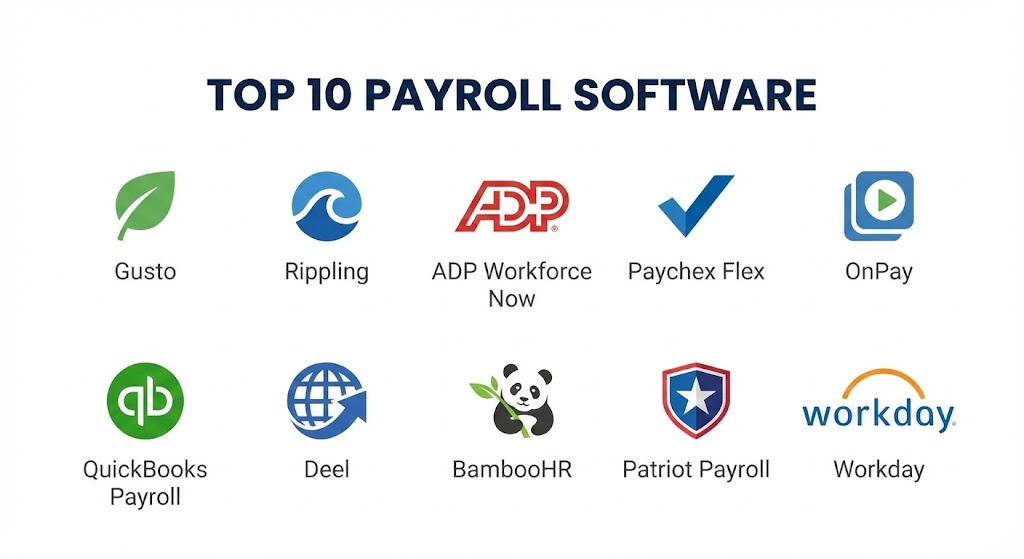
Top 10 Payroll Software Tools
1 — Gusto
Gusto has cemented its place in 2026 as the gold standard for small-to-medium businesses that prioritize a modern, “people-first” user interface. It is designed to make the complex world of payroll feel intuitive, even for those without an accounting background.
- Key features:
- Full-Service Tax Filing: Automatically calculates, files, and pays local, state, and federal taxes.
- Gusto Wallet: A dedicated mobile app for employees to track pay, save money, and access earned wages early.
- Contractor Management: Seamlessly pay contractors in over 120 countries without separate systems.
- Autopilot Mode: Set the payroll to run automatically for salaried teams with zero manual clicks.
- Health Benefits Integration: Directly broker and manage health, dental, and vision insurance within the platform.
- Lifetime Employee Accounts: Workers keep access to their paystubs and W-2s even after they leave the company.
- Pros:
- Exceptional user experience that reduces “payroll dread” for administrators.
- Transparent pricing with no hidden fees for basic tax filings.
- Cons:
- Higher-tier features like health insurance brokering are only available in specific states.
- Can become expensive as the team scales beyond 50–75 employees.
- Security & compliance: SOC 2 Type II compliant, HIPAA compliant, and features 256-bit SSL encryption.
- Support & community: High-quality searchable documentation, 24/7 chat support, and a robust “Gusto Community” for small business owners.
2 — Rippling
Rippling is the undisputed leader in Payroll Automation for tech-forward companies. It differentiates itself by treating payroll as just one part of a unified “Employee Graph” that connects HR, IT, and Finance systems.
- Key features:
- Global Payroll: Pay employees and contractors worldwide in their local currencies in minutes.
- Automatic Compliance Alerts: The system flags potential labor law violations (like minimum wage or overtime) automatically.
- Unified Data: Changes in an employee’s role or department automatically update their pay and tax status.
- Custom Reporting: Build granular reports on labor costs using any data point in the system.
- Device Management Integration: Automatically ship and manage laptops for new hires as part of the onboarding/payroll flow.
- Advanced Workflows: Trigger specific actions (like bonus approvals) based on complex logic.
- Pros:
- The most powerful automation engine on the market; it “sets itself up” as the company grows.
- Exceptional for companies with high turnover or rapid scaling needs.
- Cons:
- The modular pricing can be confusing; users must pay for the platform plus individual apps.
- Some users find the sheer number of features overwhelming for a simple payroll-only need.
- Security & compliance: SOC 2, GDPR, and ISO 27001 compliant. Features advanced SSO and zero-trust security protocols.
- Support & community: Dedicated account managers for enterprise clients and an extensive “Rippling Help” portal.
3 — ADP Workforce Now
ADP is the “heavyweight” of the industry, offering a level of scalability that few can match. Workforce Now is their flagship solution for mid-market and enterprise organizations that require deep analytical power and industrial-strength reliability.
- Key features:
- ADP Assist: An AI-powered virtual assistant that answers complex payroll and HR questions in real-time.
- Multi-State Compliance: Specialized tools for companies operating across all 50 U.S. states and internationally.
- Executive Reporting: Board-ready dashboards that visualize turnover, diversity, and labor spending.
- Talent Management: Integrated recruiting, performance reviews, and learning management within the payroll flow.
- Direct Deposit & Paycards: Flexible payment options for unbanked or underbanked workers.
- Benchmarking Data: Compare your salary offers against real-world industry data from millions of other ADP users.
- Pros:
- Unrivaled for enterprise-scale reliability and “audit-proof” record-keeping.
- Massive ecosystem of third-party integrations (over 600+ apps).
- Cons:
- Pricing is non-transparent and usually requires a custom quote.
- Implementation can be a lengthy process compared to modern “plug-and-play” startups.
- Security & compliance: FedRAMP, SOC 1 & 2, HIPAA, and ISO 27001 compliant.
- Support & community: 24/7 global support and a massive network of local certified payroll professionals.
4 — Paychex Flex
Paychex Flex is the go-to choice for businesses that value customer service and a human touch. It bridges the gap between high-tech software and a dedicated “payroll specialist” approach.
- Key features:
- Dedicated Specialist: Assigns a single point of contact who knows your business personally.
- Paychex Pre-Check: Allows employees to review their pay for accuracy before the funds are actually sent.
- Integrated HR Services: Manage 401(k), workers’ compensation, and health insurance in one dashboard.
- Learning Management: Assign training modules that employees must complete as part of their payroll cycle.
- Customizable Mobile App: High-rated app for both managers (to run payroll) and employees (to view stubs).
- Tax Credit Services: Identifies and applies for tax credits (like ERTC) automatically for the business.
- Pros:
- Excellent for small businesses that don’t want to “go it alone” with software.
- Very strong at handling the complexities of tipped employees (restaurants and retail).
- Cons:
- The interface, while functional, feels slightly more dated than Gusto or Rippling.
- Can have a higher “per-check” fee structure that adds up over time.
- Security & compliance: SOC 2 Type II and GDPR compliant. Features multi-factor authentication.
- Support & community: 24/7 live chat, phone support, and a dedicated training academy for administrators.
5 — OnPay
OnPay is the “simplicity” leader of 2026. It is designed for small businesses that want a flat, transparent price without being nickeled and dimed for basic HR features.
- Key features:
- Flat-Rate Pricing: One price covers all features, including all tax filings and unlimited pay runs.
- Free Data Migration: OnPay’s team will manually move your data from your old provider at no cost.
- Vertical-Specific Solutions: Tailored setups for agriculture, non-profits, and restaurants.
- Integrated HR Tools: Includes offer letters, personnel files, and org charts in the base price.
- Report Designer: An easy-to-use tool for building custom payroll and HR reports.
- Multi-State Payroll: Handles tax filings in all 50 states at no extra charge.
- Pros:
- The most straightforward pricing in the industry.
- Exceptional for niche industries like farms and churches that have unique tax rules.
- Cons:
- Lacks a native mobile app (though the mobile website is highly responsive).
- Not suitable for large enterprises or those with complex international needs.
- Security & compliance: SOC 2 Type II compliant and utilizes encrypted cloud storage.
- Support & community: Rated as having some of the most helpful “human” support for small business owners.
6 — QuickBooks Payroll
For businesses already living in the QuickBooks ecosystem, this tool is the path of least resistance. It offers a “single pane of glass” experience where payroll and accounting are perfectly synced.
- Key features:
- Instant Accounting Sync: Payroll data is automatically mapped to your general ledger in real-time.
- Same-Day Direct Deposit: Submit payroll as late as 7:00 AM PT on payday for the Elite plan.
- Auto-Payroll: Runs the entire cycle automatically if no changes are made.
- Workforce Mobile App: Employees can track time and view paychecks in one app.
- Expert Review: QuickBooks professionals will review your setup to ensure it is compliant.
- Tax Penalty Protection: QuickBooks will pay up to $25,000 in penalties if they make a mistake on your taxes.
- Pros:
- Eliminates the need for manual data entry between payroll and accounting.
- Very high speed for salary disbursements.
- Cons:
- The full feature set is only unlocked at higher, more expensive tiers.
- If you move away from QuickBooks accounting, the payroll tool loses much of its value.
- Security & compliance: Backed by Intuit’s enterprise security; SOC 2 and GDPR compliant.
- Support & community: Massive user base means endless tutorials and local pro-advisors.
7 — Deel
As global hiring has become the norm in 2026, Deel has emerged as the premier Global Payroll and EOR (Employer of Record) platform. It allows a US company to hire someone in Japan as easily as someone in Ohio.
- Key features:
- Global Compliance: Manages taxes, benefits, and labor laws in over 150 countries.
- Multi-Currency Payouts: Employees can choose to get paid in over 120 currencies, including crypto.
- Deel Card: A debit card for employees to access their pay instantly across borders.
- Contractor Compliance: Automatically collects W-8/W-9 forms and signs local contracts.
- Integrated Perks: Manage global health insurance and equipment shipping in one platform.
- Deel HR: A completely free HR platform for teams of up to 200 people.
- Pros:
- The absolute best for “borderless” hiring and international expansion.
- Transparent, flat-rate pricing for contractor management.
- Cons:
- EOR (Full-time employee) pricing can be very steep ($599+/month per employee).
- Can be overkill for a purely domestic, single-state company.
- Security & compliance: SOC 2 Type II, ISO 27001, and GDPR compliant.
- Support & community: 24/7 localized support in multiple languages.
8 — BambooHR
BambooHR is an HR-first platform that happens to have an excellent integrated payroll module. It is designed for companies that want to focus on culture and employee experience first, and mechanics second.
- Key features:
- Seamless Sync: Onboarding a new hire in BambooHR automatically sets them up for payroll.
- Employee Self-Service: High-end portal for leave requests, paystubs, and performance goals.
- Time Tracking Integration: Hours tracked in the HR app flow directly into the pay cycle.
- Custom Salary Reports: Visualize how your compensation compares to internal benchmarks.
- Federal & State Tax Filing: Complete end-to-end automation for U.S. domestic payroll.
- Hiring & Onboarding: Manage the entire candidate journey from one dashboard.
- Pros:
- Beautiful, clean interface that employees actually enjoy using.
- Great for mid-sized companies that need a “holistic” HR solution.
- Cons:
- Payroll is only available for U.S.-based employees.
- The payroll module is an “add-on” that requires the core HR platform.
- Security & compliance: SOC 2 Type II and GDPR compliant.
- Support & community: Known for high customer satisfaction and a wealth of HR educational content.
9 — Patriot Payroll
Patriot Payroll is the “budget king” of 2026. It is designed for small business owners who are tired of high software fees but still need a reliable, compliant way to pay their team.
- Key features:
- Basic or Full Service: Choose between “you file taxes” or “we file taxes” for ultimate cost control.
- Three-Step Payroll: A simplified wizard that allows you to finish payroll in under 60 seconds.
- Unlimited Pay Runs: Pay your team as often as you want without extra fees.
- Free Onboarding: Patriot’s team will set up your history and employees for free.
- Net-to-Gross Tool: Useful for calculating “take-home” bonuses easily.
- Employee Portal: Simple, no-frills access for workers to download their W-2s.
- Pros:
- The most affordable “full-service” option for micro-teams.
- Extremely fast and lightweight; no “bloatware” or unnecessary features.
- Cons:
- Lacks advanced HR features like performance management or recruitment.
- Support is primarily domestic (U.S.) only.
- Security & compliance: PCI and SOC 2 compliant. Features secure data encryption.
- Support & community: Consistently high marks for friendly, US-based phone support.
10 — Workday
Workday is the “final boss” of payroll. It is an ERP-level solution designed for Global 2000 companies that have tens of thousands of employees and require a high degree of custom logic.
- Key features:
- Global Unified System: A single database for finance, HR, and payroll across the entire world.
- Predictive Analytics: AI that forecasts future labor costs and turnover risks based on payroll data.
- Calculated Fields: Create virtually any pay rule imaginable using a proprietary logic engine.
- Audit-Ready Dashboards: Real-time visibility into every penny for regulatory audits.
- Workday Assist: Natural language processing to manage payroll tasks via voice or chat.
- On-Demand Pay: High-end financial wellness tools for large-scale workforces.
- Pros:
- The most powerful and flexible platform in existence for large-scale operations.
- Integrated with a full Finance and ERP suite.
- Cons:
- Prohibitively expensive and complex for anyone but large enterprises.
- Requires a dedicated internal team (Workday Admins) to manage.
- Security & compliance: Military-grade security; FedRAMP, SOC 1/2/3, and GDPR compliant.
- Support & community: Elite-tier support and an exclusive “Workday Community” for enterprise leaders.
Comparison Table
| Tool Name | Best For | Platform(s) Supported | Standout Feature | Rating (Gartner) |
| Gusto | Small Business | Web, iOS, Android | Lifetime Employee Accounts | 4.6 / 5 |
| Rippling | Automation & Tech | Web, iOS, Android | Integrated IT Management | 4.8 / 5 |
| ADP Workforce | Scalable Enterprise | Web, iOS, Android | Industry Benchmarking | 4.1 / 5 |
| Paychex Flex | Service-Led SMB | Web, iOS, Android | Dedicated Payroll Specialist | 4.3 / 5 |
| OnPay | Flat-Rate Value | Web (Responsive) | Vertical-Specific Support | 4.7 / 5 |
| QuickBooks | Accounting Sync | Web, iOS, Android | Same-Day Direct Deposit | 4.2 / 5 |
| Deel | Global/Remote | Web, Mobile | Pay in 120+ Currencies | 4.7 / 5 |
| BambooHR | Culture-First HR | Web, iOS, Android | Clean Employee Experience | 4.4 / 5 |
| Patriot | Budget/Micro-Biz | Web | Affordable Full-Service | 4.8 / 5 |
| Workday | Global ERP | Web, iOS, Android | Predictive Labor Analytics | 4.3 / 5 |
Evaluation & Scoring of Payroll Software
To provide a clear, mathematical evaluation of the 2026 market, we have scored the category based on a weighted rubric. The total score $S$ for each tool is determined by the following weightage:
| Criteria | Weight | Evaluation Rationale |
| Core Features | 25% | Tax filing, direct deposit, and wage calculation accuracy. |
| Ease of Use | 15% | The intuitiveness of the admin dashboard and employee portal. |
| Integrations | 15% | Connectivity with accounting (Xero/QuickBooks) and HRIS. |
| Security & Compliance | 10% | Data encryption, multi-factor auth, and regulatory history. |
| Performance | 10% | System uptime and mobile application responsiveness. |
| Support & Community | 10% | Helpfulness of documentation and speed of human support. |
| Price / Value | 15% | Total cost of ownership vs. the ROI of time saved. |
Which Payroll Software Tool Is Right for You?
Solo Users vs SMB vs Mid-market vs Enterprise
If you are a solo entrepreneur or have a tiny team, Gusto or Patriot are your best bets; they provide exactly what you need without the bloat. Mid-market companies (50–500 employees) often find the sweet spot in Rippling or BambooHR, where HR and payroll are unified. The Enterprise requires the heavy lifting of ADP or Workday, where compliance and complex reporting are board-level priorities.
Budget-conscious vs Premium Solutions
If every dollar counts, Patriot Payroll and OnPay offer the most feature-dense experience for the lowest price. If you prioritize “peace of mind” and automation above all else, Rippling or QuickBooks Elite are premium solutions where you pay more to do less work yourself.
Feature Depth vs Ease of Use
If you want something so easy that a non-accountant can run it in their sleep, choose Gusto. If you need to manage union rules, complex shift differentials, and multi-national subsidiaries, you must accept the steeper learning curve of a tool like ADP.
Integration and Scalability Needs
If you already use QuickBooks Online, don’t fight it—use their native payroll. If you plan on hiring in five different countries next year, Deel is the only tool that will scale with that level of complexity without requiring you to open five different bank accounts.
Frequently Asked Questions (FAQs)
1. Is it better to use a PEO or a payroll software?
A PEO (Professional Employer Organization) actually co-employs your staff and manages everything including health insurance. Payroll software is just a tool you use to pay them. Use a PEO if you want to completely outsource HR liability; use software if you want more control.
2. Can I run payroll for contractors and employees in the same tool?
Yes. In 2026, most top-tier tools like Deel, Gusto, and Rippling allow you to handle both W-2s and 1099s in the same pay run.
3. Does payroll software handle local taxes automatically?
Most “Full Service” plans do. However, always check if your software covers local city or school district taxes, as some budget tools only handle federal and state levels.
4. How long does it take to switch payroll providers?
With modern migration tools, it takes 1–3 weeks. Many providers like OnPay and Patriot will even do the heavy data-lifting for you for free.
5. What is Earned Wage Access (EWA)?
It is a 2026 trend where employees can withdraw part of their salary before payday based on the hours they’ve already worked. Tools like Gusto and Workday have this built-in.
6. Can I pay employees in cryptocurrency?
Yes, tools like Deel and Rippling have native integrations to pay employees in Bitcoin or USDC, which is becoming increasingly popular for global remote teams.
7. Is cloud-based payroll safe?
Yes. Modern cloud payroll providers use bank-level encryption and are often more secure than a physical computer in your office that could be stolen or damaged.
8. What happens if the software makes a tax error?
Most “Elite” or “Full Service” providers (like QuickBooks and Gusto) offer a “Compliance Guarantee” where they will pay the penalty fees if the error was on their end.
9. Can I run payroll from my phone?
Almost all modern platforms have a mobile app. In fact, you can run a full pay cycle from the ADP or Gusto app while waiting in line for coffee.
10. Do I need an accountant if I use payroll software?
Not necessarily, but it is highly recommended. The software does the math, but an accountant provides the strategy and ensures your overall tax liability is optimized.
Conclusion
The best payroll software in 2026 is not a universal constant; it is a variable that depends on your company’s size, your team’s technical comfort, and your geographical footprint. For the small business looking for joy in administration, Gusto is the winner. For the global scale-up, Deel is the foundation. And for the classic enterprise, ADP remains the titan.
Ultimately, payroll is the most sensitive touchpoint between a company and its people. Choosing a tool that is reliable, transparent, and easy to use is not just a financial decision—it is a commitment to your employee experience. Evaluate your needs, test the portals, and choose the system that makes payday a celebration rather than a stressor.