Introduction
Time & Attendance Software is a specialized category of HR technology designed to track employee working hours, break times, and time-off requests. While its primary function is to record when employees start and end their shifts, modern iterations go much further—incorporating biometric verification, geofencing, AI-driven scheduling, and real-time compliance monitoring. By centralizing this data, companies eliminate the “human error” factor of manual entry and ensure that labor costs are perfectly aligned with actual work performed.
The importance of these tools is most evident in the prevention of “buddy punching” (where one employee clocks in for another) and the mitigation of legal risks associated with overtime and mandatory break laws. Real-world use cases are vast: a retail manager adjusting schedules based on foot traffic, a construction foreman verifying site attendance via GPS, or a remote software agency monitoring focus time. When evaluating tools, users should look for accuracy in data capture, seamless payroll integration, mobile accessibility, and proactive compliance alerts.
Best for: Operations managers, payroll specialists, and HR directors in industries with hourly workers, such as retail, healthcare, hospitality, manufacturing, and construction. It is essential for mid-market and enterprise-level companies that need to automate complex labor calculations and ensure adherence to regional labor laws.
Not ideal for: Small, output-based creative teams or high-level executive groups where work is measured entirely by deliverables rather than hours spent. If your organization operates on a strictly “results-only” basis with salaried staff and zero billable-hour requirements, a light project management tool is often more appropriate than a dedicated attendance system.
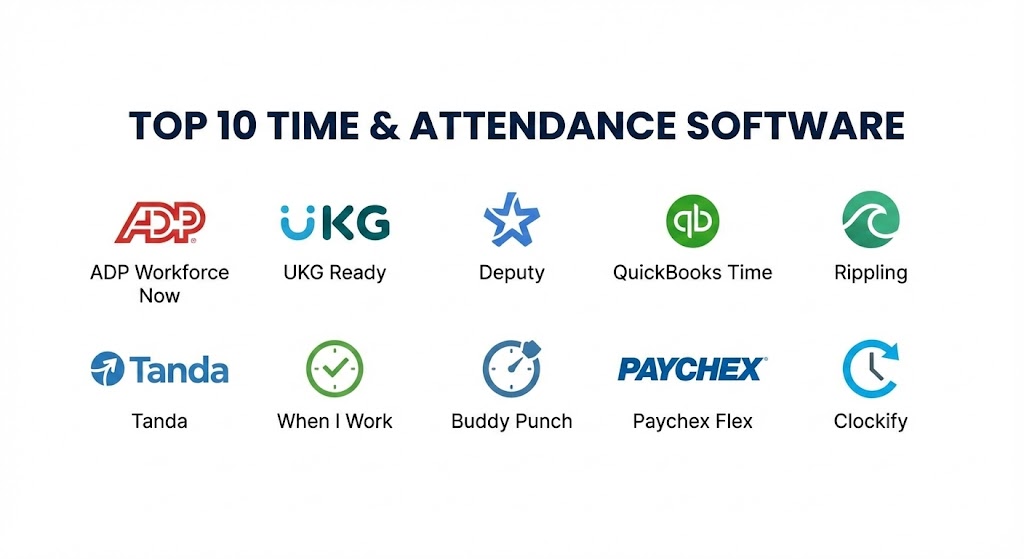
Top 10 Time & Attendance Software Tools
1 — ADP Workforce Now
ADP is a global giant in the payroll space, and its Time & Attendance module is a natural extension of its ecosystem. It is designed for businesses that want a “one-stop-shop” where attendance data flows directly into the world’s most used payroll engine without any manual intervention.
- Key features:
- Automated Time Collection: Syncs data from physical clocks, mobile apps, and web portals.
- Proactive Compliance Alerts: Notifies managers of potential overtime or break violations before they happen.
- Integrated Payroll: Eliminates data exports by pulling hours directly into the ADP payroll system.
- Employee Self-Service: Allows staff to view schedules, request time off, and check pay stubs from a single app.
- Advanced Analytics: Provides visual heatmaps of labor spending vs. budget.
- Geofencing: Restricts clock-ins to specific geographic perimeters for mobile workers.
- Pros:
- Unmatched reliability for large-scale enterprises with complex multi-state tax and labor requirements.
- The most robust compliance database in the industry, updated in real-time as laws change.
- Cons:
- The user interface can feel “corporate” and dense compared to modern SaaS startups.
- Implementation is often a long, multi-week process requiring dedicated technical support.
- Security & compliance: SOC 1 & 2, ISO 27001, HIPAA, and GDPR compliant. Features multi-factor authentication and high-level data encryption.
- Support & community: 24/7 phone support, a massive knowledge base, and a global network of certified ADP consultants for onsite help.
2 — UKG Ready
UKG (Ultimate Kronos Group) is the result of a merger between two industry titans. UKG Ready is their flexible, cloud-based solution tailored for mid-sized organizations that need enterprise-grade power with a slightly more agile delivery.
- Key features:
- AI-Powered Scheduling: Uses historical data to predict staffing needs and suggest optimal shift patterns.
- Biometric Integration: Supports facial recognition and fingerprint scanning for high-security environments.
- Compliance Dashboard: A single view to track FMLA, ACA, and local labor law adherence.
- Attestation Workflows: Asks employees to confirm they took their breaks upon clock-out.
- Mobile First Design: Full functionality for managers and employees on iOS and Android.
- Pros:
- Exceptional at handling “complex” pay rules (e.g., shift differentials, weekend premiums).
- Very strong reporting tools that allow for deep-dive audits of labor trends.
- Cons:
- Can be expensive for smaller teams that don’t need the high-end compliance features.
- Some users find the navigation menu to be overly complex for basic daily tasks.
- Security & compliance: SOC 2 Type II, GDPR, and ISO 27001 compliant. Includes advanced SSO and audit logging.
- Support & community: High-tier enterprise support, “UKG Community” forums, and an extensive library of training videos.
3 — Deputy
Deputy has carved out a niche as the “friendly” face of workforce management. It is a favorite for the hospitality and retail sectors, providing a visual, social-media-style interface that makes shift swapping and time tracking feel intuitive.
- Key features:
- Auto-Scheduling: One-click scheduling that balances employee preferences with business demand.
- News Feed: A centralized hub for team communication and shift announcements.
- Task Management: Assign specific duties to employees within their shifts.
- Time Clock with Face ID: Uses tablet cameras to verify identity at the start of a shift.
- Fair Workweek Compliance: Specialized tools for regions with “predictive scheduling” laws.
- Pros:
- The fastest setup time on this list; a small business can be live in hours.
- Employees genuinely enjoy using the app, which increases data accuracy.
- Cons:
- Not as strong as UKG or ADP for heavy industrial or manufacturing “master-slave” clocking.
- Custom reporting is not as granular as the enterprise-heavy competitors.
- Security & compliance: SOC 2, ISO 27001, and GDPR compliant. Uses industry-standard encryption.
- Support & community: 24/7 chat support, a robust help center, and an active user forum for small business owners.
4 — QuickBooks Time (formerly TSheets)
QuickBooks Time is the definitive choice for those who live in the Intuit ecosystem. It is particularly powerful for field service businesses like plumbing, electrical, and landscaping, where the “office” is a truck.
- Key features:
- GPS Tracking: Real-time map view of where all employees are currently working.
- Geofencing: Automatically reminds employees to clock in when they arrive at a job site.
- Project Tracking: Link hours directly to specific customers or service codes.
- Schedule by Job: Drag-and-drop tasks directly onto an employee’s calendar.
- QuickBooks Sync: Seamlessly pushes time data into QuickBooks Desktop or Online for billing.
- Pros:
- Best-in-class integration for small businesses already using QuickBooks for accounting.
- The GPS “Who’s Working” window is an essential safety and coordination tool for field teams.
- Cons:
- Does not include built-in HR or payroll (unless you add the QuickBooks Payroll module).
- Pricing is a bit high if you only need basic time tracking without the accounting sync.
- Security & compliance: SOC 2 Type II and GDPR compliant. Backed by Intuit’s global security infrastructure.
- Support & community: Phone and chat support, extensive community forums, and thousands of certified “ProAdvisors” worldwide.
5 — Rippling
Rippling is the “new school” of HR technology. It treats time and attendance as a data point that should trigger actions across IT and HR. It is designed for modern, tech-forward companies that want everything automated.
- Key features:
- The Employee Graph: A single database that powers time, payroll, and software permissions.
- Automated Overtime Rules: Configure complex rules once and they apply everywhere.
- Global Time Tracking: Handles international contractors and employees in a single view.
- Workflows: Automatically trigger a Slack message to a manager if an employee is late.
- Custom Approvals: Multi-step approval paths for different departments.
- Pros:
- The most modern and integrated user experience in the HR tech space.
- Exceptional for “IT-heavy” companies that want to link attendance to software access.
- Cons:
- The “All-in-one” approach can feel restrictive if you prefer a “best-of-breed” software stack.
- Still a relatively new player in the heavy-duty biometric physical clock space.
- Security & compliance: SOC 2 Type II, ISO 27001, and GDPR compliant.
- Support & community: 24/7 chat and email support, a very modern help center, and proactive customer success.
6 — Tanda
Tanda is a powerhouse for organizations that prioritize “cost-controlled” scheduling. It is a highly analytical platform that focuses on the financial impact of every shift scheduled.
- Key features:
- Cognitive Scheduling: AI that suggests the cheapest staffing mix that still meets demand.
- Digital Onboarding: Collects employee data and tax forms directly into the attendance system.
- Award Interpretation: Automatically calculates wages based on complex industry “awards” (common in Australia/UK).
- Shift Bidding: Allows employees to bid on open shifts, reducing the manager’s workload.
- Live Labor Insights: Real-time view of labor costs vs. actual sales data.
- Pros:
- Exceptional for companies that need to manage razor-thin margins.
- One of the best tools for automating complex, multi-layered pay rules.
- Cons:
- The analytics can be overwhelming for non-financial managers.
- The setup requires a very clear understanding of your internal pay logic.
- Security & compliance: GDPR compliant, ISO 27001 standard data centers, and secure SSO.
- Support & community: High-quality technical support, webinars, and dedicated account managers for larger firms.
7 — When I Work
When I Work is the “essential” tool for shift-based businesses that need a clean way to manage staff. It focuses on communication and simplicity, making it a favorite for small restaurants, coffee shops, and independent retailers.
- Key features:
- Team Messaging: Built-in chat that keeps work conversations out of personal texts.
- Shift Swapping: Empowers employees to handle their own coverage issues (with manager approval).
- Labor Forecasting: Simple tools to estimate labor costs based on the schedule.
- Mobile Time Clock: Turns any smartphone or tablet into a digital time station.
- Request Management: Centralized hub for PTO and unavailability requests.
- Pros:
- Zero training required; if you can use a smartphone, you can use When I Work.
- The “Free” tier for very small teams is surprisingly functional.
- Cons:
- Lacks the deep “compliance auditing” found in ADP or UKG.
- Not suitable for businesses with highly complex, multi-site labor requirements.
- Security & compliance: GDPR compliant and utilizes industry-standard SSL encryption.
- Support & community: Active blog, help center, and email/chat support for paid tiers.
8 — Buddy Punch
Buddy Punch is a cloud-based attendance tool that targets mid-sized businesses looking to eliminate time-tracking headaches. It is famous for its “no-fluff” approach to getting hours from the job site to the payroll desk.
- Key features:
- Facial Recognition: Verifies the person clocking in is actually who they say they are.
- Job Codes: Track time against specific projects or clients for accurate billing.
- Automatic Breaks: Deducts break time automatically based on company policy.
- PTO Tracking: Integrated accruals and request system.
- QR Code Clock-In: Allows for touchless clock-ins using unique employee codes.
- Pros:
- Very cost-effective for companies that need biometric security without expensive hardware.
- Extremely responsive customer support that often helps with setup.
- Cons:
- The interface is functional but lacks the modern “polish” of Rippling or Deputy.
- Limited built-in scheduling compared to the “Schedule-first” apps like Tanda.
- Security & compliance: GDPR compliant, SSO available, and 256-bit data encryption.
- Support & community: Known for high-quality chat support and a very detailed “knowledge base.”
9 — Paychex Flex
Paychex is a veteran in the HR world. Its “Flex” platform is an integrated suite that balances traditional reliability with modern mobile features, making it a safe choice for established businesses.
- Key features:
- Integrated HR & Payroll: Full-lifecycle employee management in one portal.
- Biometric Time Clocks: Offers proprietary physical hardware for fingerprint and iris scanning.
- Schedule Comparison: View scheduled vs. actual hours to identify attendance patterns.
- Compliance Support: Dedicated HR professionals available to answer compliance questions.
- Mobile Punching: Secure app for remote employees to log time.
- Pros:
- Ideal for businesses that want a high level of “human” support alongside their software.
- The hardware clocks are some of the most reliable and durable in the industry.
- Cons:
- The platform can feel slower and more bureaucratic than modern SaaS alternatives.
- Pricing is complex and often requires a custom quote.
- Security & compliance: SOC 2, HIPAA, and GDPR compliant. Multi-factor authentication is standard.
- Support & community: 24/7 phone support and a dedicated “HR Professional” for premium accounts.
10 — Clockify
Clockify disrupted the market by offering a “Free Forever” plan with unlimited users and projects. While it started as a time tracker for freelancers, its 2026 iteration has become a robust attendance tool for large teams on a budget.
- Key features:
- Unlimited Everything: No caps on users or projects in the free tier.
- Kiosk Mode: Use a shared tablet as a centralized clock-in station.
- Activity Dashboards: See who is currently working and what project they are on.
- GPS Tracking: Optional location tracking for field workers.
- Approval Workflows: Allows managers to lock timesheets after review.
- Pros:
- The best value on the market for teams that don’t need high-end “compliance logic.”
- Very clean, modern UI that works perfectly across every possible device.
- Cons:
- Lacks the deep “labor law” automation (like award interpretation) found in UKG.
- You have to pay for the “Pro” version to get advanced features like GPS or SSO.
- Security & compliance: ISO 27001, GDPR compliant, and features region-specific data hosting (US, EU, UK).
- Support & community: Extensive documentation, 24/7 chat support for paid tiers, and a very active community.
Comparison Table
| Tool Name | Best For | Platform(s) Supported | Standout Feature | Rating (Gartner) |
| ADP Workforce Now | Global Enterprise | Web, iOS, Android | Integrated Payroll Engine | 4.6 / 5 |
| UKG Ready | Mid-market Compliance | Web, Mobile, Biometric | AI Predictive Scheduling | 4.5 / 5 |
| Deputy | Retail & Hospitality | Web, Mobile, Tablet | Visual Shift Swapping | 4.7 / 5 |
| QuickBooks Time | Field & Trades | Mobile, Web, Kiosk | GPS Geofencing Map | 4.5 / 5 |
| Rippling | Tech-Forward SMEs | Web, Mobile | Automated IT Workflows | 4.8 / 5 |
| Tanda | Financial Optimization | Web, Mobile | Award Interpretation | 4.4 / 5 |
| When I Work | Small Team Simplicity | Web, Mobile | Built-in Team Chat | 4.5 / 5 |
| Buddy Punch | SMB Biometrics | Web, Mobile, Tablet | Face ID Clock-In | 4.4 / 5 |
| Paychex Flex | HR-led Support | Web, Mobile, Hardware | Dedicated HR Consultant | 4.2 / 5 |
| Clockify | Unlimited Value | Web, Mobile, Kiosk | Free Unlimited Users | 4.7 / 5 |
Evaluation & Scoring of Time & Attendance Software
Selecting a tool requires a quantitative look at how it fits your specific operational constraints. We have evaluated the market leaders using the following weighted rubric:
| Criteria | Weight | Evaluation Rationale |
| Core Features | 25% | Accuracy of clock-ins, biometric support, and leave management. |
| Ease of Use | 15% | Employee adoption rates and simplicity of the manager dashboard. |
| Integrations | 15% | Native connectivity with Payroll, HRIS, and ERP systems. |
| Security & Compliance | 10% | Adherence to GDPR/HIPAA and the robustness of the audit trail. |
| Performance | 10% | Uptime history and the reliability of the mobile application. |
| Support & Community | 10% | Quality of documentation and availability of live human help. |
| Price / Value | 15% | Total cost of ownership relative to the labor savings generated. |
Which Time & Attendance Software Tool Is Right for You?
Solo Users vs SMB vs Mid-market vs Enterprise
If you are a solo user or a tiny team (1-5 people), Clockify or When I Work provide the most friction-free experience. SMBs looking for professional structure should focus on QuickBooks Time or Deputy. Mid-market companies with complex compliance needs will find the most value in UKG Ready or Rippling. Finally, the Enterprise managing thousands of employees across international lines must look to ADP or Paychex for the depth of their compliance and hardware ecosystems.
Budget-conscious vs Premium Solutions
For the budget-conscious, Clockify is unbeatable. It provides 90% of the features for 10% of the cost. However, if your business is in a high-risk industry (like healthcare or heavy manufacturing), a Premium solution like UKG or ADP is a defensive investment. One labor law lawsuit can cost far more than a decade of premium software licenses.
Feature Depth vs Ease of Use
If you prioritize Ease of Use, Deputy and Rippling are the clear winners; they look and feel like the modern apps we use in our personal lives. If you need Feature Depth—specifically for things like “Labor Cost Forecasting” or “Union Rule Enforcement”—you must be prepared for the steeper learning curve associated with Tanda or ADP.
Frequently Asked Questions (FAQs)
1. What is “buddy punching” and how do these tools stop it?
Buddy punching is when an employee clocks in for a friend who is late or absent. Software stops this via Biometric verification (fingerprint/face), GPS Geofencing (must be on-site to clock in), or Photo-capture at the time of clock-in.
2. Is it legal to track employee location via GPS?
Generally, yes, provided it is done only during working hours and employees are clearly informed. Modern tools like QuickBooks Time have strict privacy controls to ensure location is only recorded while the “timer” is active.
3. Do these tools integrate with existing payroll software?
Yes. Native integration is a core evaluation criterion. Most tools on this list have “one-click” exports to major providers like Xero, Gusto, and QuickBooks.
4. Can I use these for remote employees?
Absolutely. In 2026, most tools have “Web Clock” and “App Clock” features designed for remote workers. Some even include “active window” tracking to ensure remote staff are focused on work tasks.
5. How much does a Time & Attendance tool typically cost?
Pricing usually ranges from $2 to $10 per user per month. Some tools also charge a monthly “base fee” ranging from $20 to $100.
6. Do I need to buy a physical clock?
Not necessarily. Many modern businesses use a wall-mounted tablet (iPad/Surface) running a “Kiosk” app. However, heavy industrial sites still often prefer dedicated, ruggedized biometric hardware.
7. Can employees swap shifts themselves?
Yes. Tools like Deputy and When I Work have “Shift Marketplaces” where employees can trade shifts, which the manager then simply clicks to approve or deny.
8. How do these tools handle FMLA or PTO?
Most professional tools have an integrated “Leave Management” module. Employees request time off in the app, and the system automatically deducts it from their accrual balance once approved.
9. What is “Attestation”?
It is a legal safeguard where an employee must “attest” (confirm) that they took their breaks and were not injured during their shift before the software allows them to clock out.
10. How long does implementation take?
For small businesses, 1-2 days. For large enterprises with custom pay rules and hardware installations, it can take 3 to 6 months.
Conclusion
Selecting the right Time & Attendance Software in 2026 is an exercise in balancing human psychology with operational rigor. The best tool is the one that your employees will actually use, and that your managers can trust to be accurate.
If you are a retail or hospitality business, the visual ease of Deputy is your best ally. If you are a field service team, the GPS-backed reliability of QuickBooks Time is essential. And if you are a global enterprise looking for absolute compliance, ADP remains the gold standard. Ultimately, time is your most expensive resource—choose the tool that respects it most.