Introduction
Workforce Management Software is a suite of integrated tools designed to optimize the productivity of an organization’s employees. At its core, WFM encompasses several critical pillars: demand forecasting, staff scheduling, time and attendance tracking, and long-term labor analytics. In today’s high-stakes environment, these tools also play a vital role in ensuring compliance with local labor laws and managing complex payroll requirements. By replacing manual spreadsheets with AI-driven automation, companies can minimize labor waste, reduce burnout, and significantly lower administrative overhead.
The importance of WFM software is most visible in industries with hourly workers or variable demand. Real-world use cases include a retail chain using predictive analytics to staff up during holiday rushes, a hospital coordinating nurse shifts across multiple departments to ensure patient safety, or a logistics firm tracking driver hours to stay compliant with safety regulations. When evaluating these tools, users should focus on forecasting accuracy, mobile accessibility for employees, integration with payroll systems, and the robustness of the compliance engine.
Best for: Operations managers, HR directors, and business owners in retail, healthcare, hospitality, manufacturing, and logistics. It is particularly beneficial for large-scale enterprises with complex shift patterns and organizations with hundreds or thousands of hourly employees who need to stay compliant with varying labor laws.
Not ideal for: Small, creative agencies or professional service firms where work is primarily project-based rather than shift-based. If your team is composed entirely of salaried employees with standard “9-to-5” schedules and zero billable-hour tracking needs, a comprehensive WFM suite will likely be unnecessary administrative overkill.
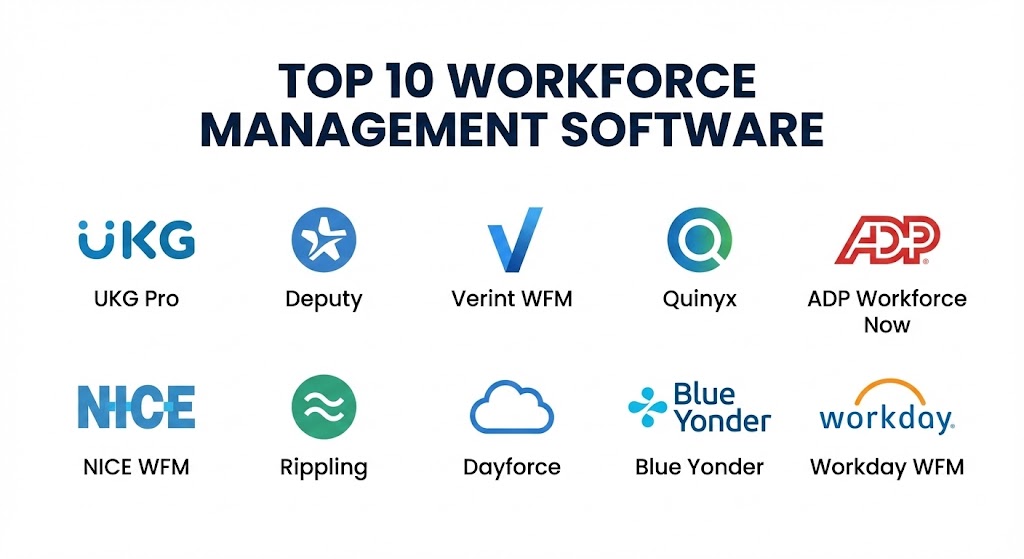
Top 10 Workforce Management Software Tools
1 — UKG Pro (formerly Kronos Dimensions)
UKG Pro is widely considered the gold standard for global enterprise workforce management. It leverages advanced AI (UKG Bryte) to provide deep insights into labor trends and offers a highly scalable platform that handles the most complex organizational structures on earth.
- Key features:
- AI-Powered Forecasting: Predicts labor needs based on historical data, weather, and local events.
- Global Compliance Engine: Automatically updates rules for overtime, breaks, and certifications across dozens of countries.
- Advanced Scheduling: Multi-level scheduling that respects employee preferences and seniority.
- Strategic Analytics: Real-time dashboards that show labor costs vs. budget at the department level.
- Employee Self-Service: A robust mobile app for shift swaps, time-off requests, and viewing pay stubs.
- Time & Attendance: Biometric clock-in and geofenced mobile tracking to prevent time theft.
- Pros:
- Unmatched scalability for organizations with 10,000+ employees.
- The most mature compliance database in the industry, significantly reducing legal risk.
- Cons:
- Implementation is a massive undertaking that can take several months.
- The cost is high, making it inaccessible for small to mid-market companies.
- Security & compliance: SOC 2 Type II, ISO 27001, HIPAA, and GDPR compliant. Features advanced SSO and military-grade encryption.
- Support & community: Extensive UKG Academy, 24/7 global enterprise support, and a massive community of specialized partners.
2 — Deputy
Deputy is the favorite for small-to-mid-sized businesses that need a clean, intuitive way to manage shift work. It excels in the hospitality and retail sectors, providing a visual scheduling interface that feels like a modern social app.
- Key features:
- Auto-Scheduling: One-click scheduling based on staff availability and cost constraints.
- News Feed: A centralized place for management to broadcast messages to all staff.
- Task Management: Assign specific duties to employees within their shifts and track completion.
- Time Clock with Face ID: Uses facial recognition on tablets to prevent “buddy punching.”
- Pay Rate Integration: Automatically calculates wages based on complex overtime and holiday rules.
- Pros:
- Exceptionally easy to use; managers can be trained in a single afternoon.
- The mobile experience is top-tier, leading to high employee adoption.
- Cons:
- Lacks the deep “strategic forecasting” found in enterprise-grade tools like Verint.
- Custom reporting is somewhat limited compared to the big-box HRIS players.
- Security & compliance: SOC 2, ISO 27001, and GDPR compliant. Standard encryption in transit and at rest.
- Support & community: High-quality help center, 24/7 chat support, and an active user forum for small business owners.
3 — Verint Workforce Management
Verint is a specialist tool designed specifically for contact centers and back-office operations. It focuses heavily on “workforce optimization,” ensuring that every agent is utilized to their maximum potential based on call volumes.
- Key features:
- Multi-Channel Forecasting: Handles demand across phone, email, chat, and social media simultaneously.
- Strategic Planner: Long-term modeling to see how hiring decisions today will affect costs in six months.
- Performance Management: Links agent KPIs (like call duration) directly to their shift patterns.
- Real-Time Adherence: Alerts managers when an agent is not on their assigned task.
- Automated Shift Bidding: Allows agents to bid on high-value shifts based on their performance scores.
- Pros:
- The best tool for optimizing call center efficiency and reducing wait times.
- Deep AI capabilities that predict customer behavior patterns to inform staffing.
- Cons:
- Very specialized; not suitable for retail or hospitality environments.
- The user interface can feel technical and dense for non-expert users.
- Security & compliance: PCI-DSS, HIPAA, SOC 2, and ISO 27001 compliant.
- Support & community: Professional services for implementation and a robust technical support desk.
4 — Quinyx
Quinyx is a cloud-native platform that focuses on “AI-First” scheduling. It is popular in the European market and is making significant strides in North America due to its emphasis on employee well-being and flexibility.
- Key features:
- AI Optimizer: Automatically creates the most efficient schedule while respecting employee “happiness” scores.
- Pulse Surveys: Built-in tools to gauge employee sentiment at the end of every shift.
- Demand-Driven Staffing: Syncs with POS systems to adjust staffing based on real-time sales data.
- Budget Control: Real-time visibility into labor spending versus projected revenue.
- Unified Time & Attendance: Seamless flow from clock-in to payroll processing.
- Pros:
- Modern, “snappy” UI that is much faster to navigate than legacy platforms.
- Unique focus on employee retention through flexible scheduling and feedback loops.
- Cons:
- The third-party integration library is still growing compared to UKG or Workday.
- Some advanced reporting requires exporting data to external BI tools.
- Security & compliance: ISO 27001, SOC 2 Type II, and GDPR compliant.
- Support & community: High-touch customer success and a growing library of documentation.
5 — ADP Workforce Now
ADP is a payroll giant, and its Workforce Management module is a powerhouse because it is natively connected to the world’s most used payroll system. It is the definitive choice for mid-to-large companies that want a “single pane of glass” for HR.
- Key features:
- Unified Database: No syncing required between the schedule and the paycheck.
- Compliance Dashboards: Instant visibility into ACA, FMLA, and state-specific labor laws.
- Scheduling & Swapping: Simple mobile interface for employees to manage their own shifts.
- Labor Cost Tracking: Granular breakdown of labor spending by location, job, or project.
- Executive Reporting: Board-ready reports on turnover, labor trends, and diversity.
- Pros:
- Eliminates the data silos between WFM and Payroll entirely.
- Backed by ADP’s massive legal team, ensuring compliance is always up to date.
- Cons:
- The platform can feel “clunky” and slow due to the sheer volume of modules.
- Customer support can be inconsistent depending on the size of your account.
- Security & compliance: SOC 1 & 2, ISO 27001, HIPAA, and GDPR compliant.
- Support & community: 24/7 phone support and a massive network of certified ADP consultants.
6 — NICE Workforce Management
Similar to Verint, NICE is a high-end solution for contact centers. It is known for its “Adaptive WFM” which uses machine learning to adjust to intraday changes in demand without manual intervention.
- Key features:
- Adaptive Forecasting: Automatically adjusts the schedule when call volumes spike unexpectedly.
- Gamification: Integrated rewards system for agents who meet their performance and adherence goals.
- Mobile Agent App: Allows call center staff to request time off and view shifts from home.
- Back-Office Optimization: Extends WFM to non-voice tasks like document processing.
- Scenario Modeling: Test how a new product launch will impact call center wait times.
- Pros:
- Unrivaled for managing complex, global contact center operations.
- The most sophisticated AI-driven intraday management in the category.
- Cons:
- Extremely high cost; strictly an enterprise-level investment.
- Requires a dedicated team to manage and optimize the platform.
- Security & compliance: PCI-DSS, SOC 2, ISO 27001, and HIPAA compliant.
- Support & community: Comprehensive technical support and global user conferences.
7 — Rippling
Rippling is the “new school” of WFM. It treats the workforce like a piece of software, allowing you to automate the entire employee lifecycle—from onboarding to scheduling to offboarding—in one unified system.
- Key features:
- The Employee Graph: A single source of truth for all employee data used across WFM, IT, and HR.
- Automated Onboarding: Automatically assigns schedules and training based on job title.
- Global Time & Attendance: Track hours for both local employees and international contractors.
- Custom Workflows: Trigger actions in other apps (like Slack) when an employee clocks in late.
- Policy Guard: Automatically flags shifts that violate local labor laws or company policies.
- Pros:
- The most modern and integrated feel of any tool on this list.
- Exceptional for tech-forward companies that want to automate everything.
- Cons:
- Still relatively new in the high-end “forecasting” space compared to UKG.
- Not as specialized for “physical” shift work like manufacturing or construction.
- Security & compliance: SOC 2 Type II, ISO 27001, and GDPR compliant.
- Support & community: Fast 24/7 chat support and excellent online documentation.
8 — Dayforce (Ceridian)
Dayforce is a global HCM platform that prides itself on “real-time” processing. Unlike other tools that calculate payroll at the end of a cycle, Dayforce calculates it continuously as work is performed.
- Key features:
- Real-Time Payroll: See exactly how much an employee is owed at any moment in the shift.
- Integrated WFM: Seamless transition from the schedule to the audit trail to the paycheck.
- Labor Optimization: AI-driven suggestions to reduce overtime and improve coverage.
- Employee Wellness: Tools for employees to access their pay early (On-Demand Pay).
- Global Governance: Managed compliance in over 160 countries.
- Pros:
- The real-time nature of the data significantly reduces payroll errors.
- Excellent for large organizations that want a truly unified HCM and WFM experience.
- Cons:
- Implementation requires a significant time investment and internal change management.
- The UI can be complex for managers who only need basic scheduling features.
- Security & compliance: SOC 2, ISO 27001, HIPAA, and GDPR compliant.
- Support & community: Professional onboarding and a mature global partner network.
9 — Blue Yonder (Workforce Management)
Blue Yonder is a specialist in supply chain and retail WFM. It is designed to bridge the gap between “corporate strategy” and “store execution,” ensuring that labor is aligned with actual inventory and foot traffic.
- Key features:
- Task-Driven Scheduling: Aligns shifts with specific store tasks like restocking or inventory audits.
- Foot Traffic Forecasting: Predicts store visits to ensure customers are never waiting.
- Regulatory Compliance: Specialized rules for retail-specific labor laws (like “fair workweek”).
- Corporate-to-Store Communication: Direct channel for broadcasting operational directives.
- Intraday Management: Adjust store staffing levels on the fly as traffic patterns change.
- Pros:
- Deeply specialized for the retail and grocery sectors.
- Excellent at tying labor costs directly to store-level profitability.
- Cons:
- Not suitable for general office work or contact center environments.
- Smaller third-party ecosystem compared to the broader HR suites.
- Security & compliance: ISO 27001, SOC 2, and GDPR compliant.
- Support & community: High-quality technical support and specialized retail consulting.
10 — Workday HCM (Workforce Management)
Workday is the enterprise choice for HR. Its WFM module is designed for the modern, high-growth enterprise that wants a single platform for talent, finance, and workforce management.
- Key features:
- Prism Analytics: High-end data lake that blends WFM data with external business data.
- Skills-Based Scheduling: Assigns shifts based on validated skills and certifications.
- Global Time Tracking: A unified interface for tracking time across different legal entities.
- Absence Management: Integrated tracking for PTO, FMLA, and maternity leave.
- Workday Assist: AI chatbot to help employees manage their own schedules.
- Pros:
- The most powerful analytical reporting for C-suite executives.
- Perfect for organizations that already use Workday for Finance and HR.
- Cons:
- Extremely expensive and requires a massive IT team to maintain.
- Can feel “rigid” for small, agile teams needing quick shift swaps.
- Security & compliance: SOC 2, ISO 27001, HIPAA, and GDPR compliant.
- Support & community: World-class support, “Workday Community,” and annual global conferences.
Comparison Table
| Tool Name | Best For | Platform(s) Supported | Standout Feature | Rating (Gartner) |
| UKG Pro | Global Enterprise | Cloud, Mobile | Bryte AI Forecasting | 4.8 / 5 |
| Deputy | SMB Retail/Hospitality | Cloud, Mobile, Tablet | News Feed & Task Sync | 4.7 / 5 |
| Verint WFM | Large Contact Centers | Cloud, Desktop | Multi-Channel Forecasting | 4.5 / 5 |
| Quinyx | AI-First Flexibility | Cloud, Mobile | Employee Happiness Pulse | 4.6 / 5 |
| ADP Workforce | Integrated Payroll | Cloud, Mobile | Single-Pane HRIS | 4.4 / 5 |
| NICE WFM | Enterprise Call Centers | Cloud, Desktop | Adaptive Machine Learning | 4.5 / 5 |
| Rippling | Tech-Forward SMEs | Cloud, Mobile | Employee Graph Automation | 4.7 / 5 |
| Dayforce | Real-Time Payroll | Cloud, Mobile | On-Demand Pay Access | 4.5 / 5 |
| Blue Yonder | Supply Chain/Retail | Cloud, Mobile | Foot Traffic Forecasting | 4.3 / 5 |
| Workday WFM | Strategic HR Orgs | Cloud, Mobile | Prism Analytics Engine | 4.4 / 5 |
Evaluation & Scoring of Workforce Management Software
Selecting a WFM tool is a quantitative decision. We have evaluated the market using the following weighted rubric to help you determine the total ROI of your investment.
| Criteria | Weight | Evaluation Rationale |
| Core Features | 25% | Depth of forecasting, scheduling, and time-tracking features. |
| Ease of Use | 15% | Intuitiveness for managers and adoption rates for employees. |
| Integrations | 15% | Breadth of native connections with Payroll, HRIS, and POS systems. |
| Security & Compliance | 10% | Robustness of the labor law engine and data encryption standards. |
| Performance | 10% | Stability of the cloud infrastructure and mobile app reliability. |
| Support & Community | 10% | Documentation quality and availability of expert implementation help. |
| Price / Value | 15% | Total cost of ownership versus expected labor savings. |
Which Workforce Management Software Tool Is Right for You?
Solo Users vs SMB vs Mid-market vs Enterprise
WFM software is rarely designed for solo users. If you manage a team of 1–10 people, a shared calendar is often enough. For SMBs, Deputy and Rippling are the clear winners due to their low friction. Mid-market companies (100–1,000 employees) should look at ADP or Quinyx for a balance of power and compliance. For the Enterprise, UKG Pro, Workday, and Dayforce are the only platforms capable of handling the legal and operational complexity of a global workforce.
Budget-conscious vs Premium Solutions
If you are budget-conscious, Deputy offers a high-value entry point with a low per-user cost. For those looking for a Premium solution where price is secondary to absolute efficiency, UKG Pro and NICE provide the AI-driven forecasting that can save a large company millions in labor waste.
Feature Depth vs Ease of Use
If you prioritize Ease of Use and employee satisfaction, Quinyx and Deputy are your best options. If you need Feature Depth—specifically for regulated environments like a nuclear plant or a high-volume call center—you must accept the steeper learning curve of Verint or NICE.
Integration and Scalability Needs
If your primary concern is Integration with payroll, ADP and Dayforce are unbeatable. If you need Scalability to grow from one country to fifty, UKG Pro’s global compliance engine makes it the most secure long-term investment.
Frequently Asked Questions (FAQs)
1. What is the difference between HRIS and WFM?
An HRIS (Human Resource Information System) manages employee records, benefits, and hiring. WFM (Workforce Management) focuses on the daily operations: when people work, what they do, and how long it takes.
2. Can WFM software prevent labor law violations?
Yes. Modern tools have built-in compliance engines that flag shifts that violate overtime rules, mandatory break times, or “fair workweek” laws.
3. How much does WFM software cost?
Pricing typically ranges from $2 to $10 per user per month for small businesses, while enterprise contracts can reach hundreds of thousands annually with implementation fees.
4. Is WFM software hard to implement?
For small businesses using tools like Deputy, you can be up and running in a few days. For global enterprise tools, implementation can take 6 to 12 months.
5. Does it work for remote teams?
Absolutely. Many WFM tools now include “activity tracking” and “digital punch-ins” designed for remote knowledge workers and contractors.
6. Can employees swap shifts themselves?
Yes, most top-tier WFM apps have a “Shift Marketplace” where employees can trade shifts with colleagues, provided they have the same certifications.
7. How does WFM help with payroll?
By accurately tracking time and attendance and syncing that data with the payroll engine, it eliminates the “human error” of manual data entry.
8. Is my employee data secure?
Reputable vendors use AES-256 encryption and are compliant with SOC 2 and GDPR. Always ask where your data is physically hosted.
9. What is “Intraday Management”?
It is the process of adjusting the schedule in the middle of a workday—for example, calling in extra retail staff if foot traffic suddenly spikes.
10. Can I use WFM software for contractors?
Yes. Modern tools like Rippling and UKG allow you to manage a “blended workforce” of full-time employees and 1099 contractors in one view.
Conclusion
The selection of a Workforce Management tool in 2026 is no longer just an IT decision; it is a fundamental business strategy. The “best” tool is the one that aligns with your industry’s specific labor dynamics and your team’s technical maturity.
For the high-volume call center, NICE and Verint provide the analytical edge. For the bustling retail store, Deputy and Blue Yonder ensure the customer is never ignored. And for the global enterprise, UKG Pro and Dayforce provide the security of universal compliance. Workforce management is about the human element—choose the tool that empowers your people to do their best work without the stress of manual scheduling.