Introduction
A Mobile App Development Platform (MADP) is a suite of tools, frameworks, and services that allow developers to design, build, test, and deploy mobile applications for various operating systems, primarily iOS and Android. In the early days of mobile, “Native” development—writing separate code for each platform—was the only option. Today, the category has expanded into cross-platform frameworks, low-code environments, and even hybrid web-based solutions. These platforms serve as the foundation upon which your digital product is built, dictating how fast you can launch, how smooth the user experience feels, and how much it will cost to maintain in the long run.
The importance of choosing the right MADP cannot be overstated. A mismatch between your business goals and your development platform can lead to “technical debt,” where future updates become prohibitively expensive or performance bottlenecks alienate your users. Key real-world use cases include Enterprise Resource Planning (ERP) apps for field workers, High-Frequency E-commerce stores, and AI-integrated health trackers. When evaluating these tools, users should look for UI performance (frame rates), access to native hardware (GPS, Biometrics), developer community size, and integration capabilities.
Best for: CTOs, product managers, independent software developers, and startup founders across industries like FinTech, HealthTech, and E-commerce. It is essential for companies aiming to establish a persistent presence on their customers’ home screens.
Not ideal for: Businesses that only need to display static information (where a responsive website suffices) or projects with extremely limited budgets that might be better served by a Progressive Web App (PWA) rather than a full store-listed application.
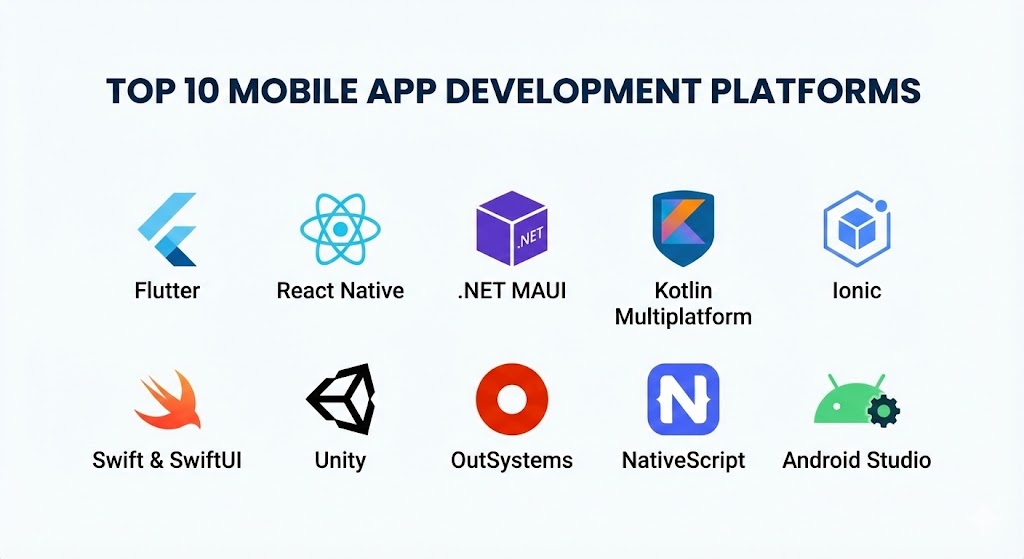
Top 10 Mobile App Development Platforms Tools
1 — Flutter (by Google)
Flutter remains the most dominant force in cross-platform development in 2025. It uses the Dart programming language and the Skia (and now Impeller) rendering engine to draw every pixel on the screen, bypassing native UI components entirely for a highly consistent look.
- Key features:
- Impeller Rendering Engine: Delivers 60-120 FPS performance by pre-compiling shaders.
- Hot Reload: Allows developers to see code changes in real-time without restarting the app.
- Huge Widget Library: A comprehensive set of pre-designed Material and Cupertino widgets.
- Single Codebase: Build for iOS, Android, Web, Windows, macOS, and Linux simultaneously.
- Deep Firebase Integration: Seamless backend support for authentication, database, and hosting.
- Platform Channels: Easy communication between Dart code and native (Swift/Kotlin) code.
- Pros:
- Stunning, brand-consistent UI across all devices.
- Extremely fast development cycles compared to native development.
- Cons:
- App file sizes are generally larger than native equivalents.
- Dart, while easy to learn, is less common than JavaScript or Python.
- Security & compliance: Supports SSO via Firebase, data encryption at rest, and is compliant with GDPR/HIPAA standards when configured with secure backends.
- Support & community: Backed by Google with a massive GitHub community and extensive documentation.
2 — React Native (by Meta)
React Native continues to be the preferred choice for teams with a strong background in JavaScript and React. It maps JavaScript components to actual native UI elements, providing a feel that is indistinguishable from native apps.
- Key features:
- Fabric Architecture: A modern rendering system that improves interoperability with native code.
- Fast Refresh: Real-time feedback on UI changes without losing the app state.
- NPM Ecosystem: Access to millions of JavaScript libraries.
- CodePush: Deploy minor updates to users instantly without waiting for App Store approval.
- Hermes Engine: A JavaScript engine optimized for fast app startup on mobile.
- Pros:
- Access to a massive talent pool of JavaScript developers.
- Excellent balance between development speed and native performance.
- Cons:
- Occasional “bridge” performance issues with heavy data processing.
- Updating the framework version can be complex and time-consuming.
- Security & compliance: Supports OAuth, biometrics, and Keystore/Keychain encryption. GDPR and SOC 2 ready.
- Support & community: Maintained by Meta (Facebook) with a legendary community on Stack Overflow and Discord.
3 — .NET MAUI (Multi-platform App UI)
As the successor to Xamarin, .NET MAUI is Microsoft’s premier framework for building cross-platform apps using C# and XAML. It is the go-to for enterprise “Microsoft shops.”
- Key features:
- Single Project System: Manage all platforms (Android, iOS, WinUI, Mac Catalyst) in one project.
- Blazor Hybrid Support: Use existing web components inside native mobile shells.
- Direct Native API Access: Full access to underlying sensors and hardware via C#.
- Azure Integration: Native SDKs for easy cloud-backend syncing.
- Hot Design: Visual UI updates while the app is running.
- Pros:
- Deep integration with the Visual Studio ecosystem.
- Highly robust and type-safe development via C#.
- Cons:
- Tooling can feel heavy and resource-intensive on older machines.
- Tooling is primarily Windows-centric, though Mac support has improved.
- Security & compliance: Microsoft Entra ID (formerly Azure AD) integration for SSO, ISO 27001, and HIPAA compliant.
- Support & community: Professional enterprise support from Microsoft and a dedicated developer forum.
4 — Kotlin Multiplatform (KMP)
KMP has emerged in 2025 as the “purist’s” choice. Unlike other frameworks that wrap the app, KMP allows developers to share business logic while building the UI natively for each platform.
- Key features:
- Shared Logic: Write networking, data storage, and analytics once in Kotlin.
- Native UI: Use SwiftUI for iOS and Jetpack Compose for Android.
- Interoperability: Works perfectly with existing Swift and Objective-C code.
- Modular Adoption: Developers can migrate an existing app to KMP one module at a time.
- Pros:
- Zero performance overhead compared to 100% native apps.
- No “framework lag”—always use the latest Apple and Google UI features.
- Cons:
- Requires developers to know both Kotlin and the native iOS stack.
- Still a steeper learning curve than “all-in-one” builders.
- Security & compliance: Uses native security protocols (KeyChain/Keystore); GDPR compliant.
- Support & community: Maintained by JetBrains with growing support from Google.
5 — Ionic (with Capacitor)
Ionic is the leader in web-first mobile development. It allows developers to build mobile apps using standard web technologies (HTML, CSS, JS) and deploy them as native apps or PWAs.
- Key features:
- Capacitor Bridge: A modern native runtime to access GPS, Camera, and Filesystem.
- Framework Agnostic: Works with Angular, Vue, React, or plain JavaScript.
- Web Component Library: Over 100 pre-built UI components that mimic native styles.
- Ionic Portals: Embed mobile web experiences into existing native apps.
- Pros:
- Fastest prototyping speed for web developers.
- One codebase covers Web, iOS, and Android seamlessly.
- Cons:
- Not ideal for high-performance 3D gaming or intensive image processing.
- Reliance on the “WebView” can lead to slight scrolling jitters on older devices.
- Security & compliance: Auth Connect (SSO), Identity Vault for secure storage, and GDPR compliant.
- Support & community: High-quality official documentation and a proactive Slack community.
6 — Swift & SwiftUI (Apple Native)
For apps that must be “perfect” on the iPhone, Apple’s native stack is the only choice. It offers the deepest possible integration with the Apple hardware ecosystem.
- Key features:
- SwiftUI: A declarative framework that makes UI design fast and concise.
- Combine Framework: Handles asynchronous events and data streams natively.
- App Clips: Small, discoverable parts of your app that don’t require a full install.
- ARKit: The world’s leading platform for mobile Augmented Reality.
- Pros:
- Absolute best performance and battery efficiency on iOS devices.
- Immediate access to the latest iOS features on launch day.
- Cons:
- iOS only; you must build a separate app for Android.
- Requires macOS hardware for development.
- Security & compliance: Apple Secure Enclave, FaceID/TouchID integration, ISO/GDPR compliant.
- Support & community: World-class documentation from Apple and the massive WWDC ecosystem.
7 — Unity (for AR/VR & Gaming)
While primarily a game engine, Unity is a top-tier platform for mobile applications that require heavy 3D visualizations, Augmented Reality, or gamified experiences.
- Key features:
- AR Foundation: A unified API for building AR experiences on both ARCore and ARKit.
- C# Scripting: Robust logic handling for complex interactions.
- Asset Store: Thousands of pre-built 3D models and scripts.
- Cross-platform Export: Build for mobile, consoles, and VR headsets simultaneously.
- Pros:
- Unmatched 3D rendering capabilities.
- Largest ecosystem for AR/VR developers.
- Cons:
- High battery drain for simple utility apps.
- Massive app file sizes.
- Security & compliance: Custom encryption support; GDPR compliant.
- Support & community: Extensive “Unity Learn” resources and a massive global forum.
8 — OutSystems (Low-Code MADP)
OutSystems is the leading enterprise-grade low-code platform for mobile, designed for rapid delivery by professional IT teams within large corporations.
- Key features:
- Visual Development: Drag-and-drop logic and UI design.
- AI-Assisted Development: Suggests next steps and identifies logic errors in real-time.
- One-Click Deployment: Automates the CI/CD pipeline.
- Built-in Backend: Manages data storage and server-side logic automatically.
- Pros:
- Up to 10x faster development speed for business applications.
- Reduces the need for a large specialized mobile engineering team.
- Cons:
- High annual licensing costs.
- Potential for vendor lock-in.
- Security & compliance: SOC 2 Type II, ISO 27001, HIPAA, and GDPR.
- Support & community: Dedicated enterprise support and professional training.
9 — NativeScript
NativeScript is an open-source framework for building truly native mobile apps using Angular, Vue.js, or TypeScript. It provides direct access to all native APIs.
- Key features:
- 0% Direct API Access: No need for “wrappers”; call iOS/Android APIs directly from JS.
- CSS Styling: Use standard CSS to style native UI components.
- Code Sharing: Share up to 90% of code with web projects.
- Pros:
- Real native UI performance without the complexity of native languages.
- Deep integration with the Angular and Vue ecosystems.
- Cons:
- Smaller plugin ecosystem than React Native or Flutter.
- Community support is not as rapid as major tech giants.
- Security & compliance: Varies by implementation; standard encryption supported.
- Support & community: Community-led with professional support options from Progress.
10 — Android Studio (Jetpack Compose)
For Android-first or Android-only apps, the official Google IDE and the Jetpack Compose framework provide the ultimate control and optimization for the Android ecosystem.
- Key features:
- Jetpack Compose: Modern, declarative UI toolkit for Android.
- Material You: Automatic UI theming based on user preferences.
- Powerful Profilers: Real-time data on memory, CPU, and battery usage.
- Google Play Integration: Built-in tools for A/B testing and store listing.
- Pros:
- Total control over every Android feature and sensor.
- Completely free to use with no licensing fees.
- Cons:
- Android only; requires a separate build for iOS.
- Android Studio can be very resource-heavy for older computers.
- Security & compliance: Google Play Protect, Android Keystore, GDPR/HIPAA capable.
- Support & community: Google’s official developer support and massive global community.
Comparison Table
| Tool Name | Best For | Platform(s) Supported | Standout Feature | Rating (G2/Gartner) |
| Flutter | Custom UI/Startups | iOS, Android, Web+ | Impeller Engine | 4.7 / 5 |
| React Native | JS-focused Teams | iOS, Android | Fast Refresh | 4.6 / 5 |
| .NET MAUI | Enterprise / MS Shops | iOS, Android, Win | Blazor Hybrid | 4.3 / 5 |
| KMP | High Performance | iOS, Android, Web | Native UI Sharing | 4.5 / 5 |
| Ionic | Web-to-Mobile | iOS, Android, PWA | Web Component Library | 4.4 / 5 |
| SwiftUI | Premium iOS Apps | iOS, iPadOS, watchOS | Native Apple Access | 4.8 / 5 |
| Unity | AR/VR & Gaming | iOS, Android, AR | 3D Visualization | 4.6 / 5 |
| OutSystems | Rapid Enterprise | iOS, Android | Visual Low-Code | 4.2 / 5 |
| NativeScript | Angular/Vue Devs | iOS, Android | Direct API Access | 4.1 / 5 |
| Android Studio | Android Specialists | Android | Jetpack Compose | 4.7 / 5 |
Evaluation & Scoring of Mobile App Development Platforms
To assist in the selection process, we have evaluated these platforms based on a weighted rubric that reflects the most common professional requirements in 2025.
| Criteria | Weight | Evaluation Rationale |
| Core Features | 25% | UI libraries, hot reload, native API access, and cross-platform depth. |
| Ease of Use | 15% | Learning curve, IDE quality, and setup complexity. |
| Integrations | 15% | Cloud support (AWS/Azure/Firebase) and 3rd party SDK availability. |
| Security & Compliance | 10% | Encryption, SSO, biometrics, and adherence to global standards. |
| Performance | 10% | Frame rates, startup speed, and battery consumption. |
| Support & Community | 10% | Documentation, forums, and availability of expert talent for hire. |
| Price / Value | 15% | Licensing fees, infrastructure costs, and maintenance ROI. |
Which Mobile App Development Platform Tool Is Right for You?
Solo Users vs SMB vs Mid-market vs Enterprise
If you are a solo developer or a small startup, Flutter or Ionic provide the best “effort-to-result” ratio, allowing you to launch on both stores single-handedly. SMBs often prefer React Native because it allows them to leverage their existing web development talent. Mid-market companies with complex data needs often gravitate toward KMP for its performance reliability. Enterprises with large budgets and legacy systems should look toward .NET MAUI or OutSystems for their governance and scale.
Budget-conscious vs Premium Solutions
For those on a tight budget, open-source tools like Flutter, React Native, and NativeScript are free to use. If you have a larger budget and need a Premium solution that prioritizes development speed and professional support, OutSystems or a native Swift/Kotlin approach (hiring two specialized teams) provides the highest quality end-product.
Feature Depth vs Ease of Use
If you need Feature Depth (e.g., custom AI camera filters or complex Bluetooth hardware communication), Native (Swift/Kotlin) is non-negotiable. If you prioritize Ease of Use and want to build a content-based app or a simple shop, Ionic or OutSystems are much more accessible.
Integration and Scalability Needs
If your app must integrate with Microsoft Azure, .NET MAUI is the logical choice. If you are building a scalable real-time chat or social app, the Flutter/Firebase combo is industry-leading for handling millions of concurrent users with minimal DevOps effort.
Frequently Asked Questions (FAQs)
1. Is cross-platform development as good as native in 2025?
For 95% of business use cases, yes. Modern frameworks like Flutter and React Native provide performance that is virtually indistinguishable from native code. Only high-end games or apps using experimental hardware still require 100% native development.
2. What is the difference between Hybrid and Cross-platform?
Hybrid apps (like Ionic) run inside a web container, essentially a browser inside an app. Cross-platform apps (like Flutter or React Native) compile to native code or use native UI components directly, offering much better performance.
3. Do I need a Mac to develop for iOS?
Yes. Regardless of the platform you choose (even Flutter or React Native), you will eventually need a Mac with Xcode to compile and submit the app to the Apple App Store.
4. How much does it cost to build a mobile app?
While the platforms vary, a professional-grade app typically ranges from $20,000 for a simple version to $250,000+ for complex enterprise solutions. Using a cross-platform tool generally reduces costs by 30-40%.
5. Which platform is easiest to learn for a beginner?
Ionic is usually the easiest for those who know web basics. Flutter is the easiest for those starting from scratch, as the Dart language is very beginner-friendly and the documentation is excellent.
6. Can I switch platforms after I start?
It is extremely difficult. Switching from React Native to Flutter essentially requires a complete rewrite of the UI and logic. It is vital to spend time on the selection process before writing any code.
7. Are low-code platforms (like OutSystems) “real” development?
Yes. Professional low-code platforms allow you to write custom code when needed. They are simply tools to automate the repetitive parts of development, though they do come with higher licensing costs.
8. How do these platforms handle offline mode?
Most modern platforms have built-in support for local databases (like SQLite or Realm). Flutter and KMP are particularly strong in managing offline data synchronization.
9. Will these platforms keep my app secure?
Platforms provide the tools for security (encryption, secure storage), but the implementation is up to the developer. Native platforms usually offer the most direct control over the device’s secure hardware.
10. What is a PWA and should I consider it instead?
A Progressive Web App is a website that looks like an app. It’s cheaper and doesn’t require App Store approval, but it lacks access to deep hardware features like FaceID or background push notifications.
Conclusion
The “best” Mobile App Development Platform doesn’t exist in a vacuum—it only exists in relation to your specific project needs. In 2025, the gap between platforms has narrowed, making the choice more about your team’s skills and your long-term maintenance strategy.
If you want a beautiful, brand-perfect UI with high speed, Flutter is your winner. If you want to leverage the world’s largest talent pool, React Native is the path. And if you are building the next generation of high-performance Android or iOS apps where every millisecond counts, Native development remains the gold standard. Choose wisely, prioritize your user experience, and start building the future of mobile today.