Introduction
A Website Builder is a platform or program that allows the construction of websites without manual code editing. They typically offer a suite of tools including drag-and-drop interfaces, pre-designed templates, integrated hosting, and domain management. By abstracting the technical complexities of web development, these tools allow users to focus on content, design, and user experience. Whether you are launching an e-commerce empire, a professional portfolio, or a local community blog, a website builder provides the foundational infrastructure to get online quickly and securely.
The importance of these tools lies in their efficiency and accessibility. Real-world use cases range from a restaurant owner setting up an online reservation system to a global enterprise creating a high-converting landing page for a new product launch. When evaluating a website builder, users should prioritize design flexibility, mobile responsiveness, SEO capabilities, loading speed, and the scalability of the underlying platform.
Best for: Small business owners, creative professionals, entrepreneurs, and marketing teams who need a high-quality site without the overhead of a full development team. It is ideal for retail, service industries, and personal branding.
Not ideal for: High-complexity tech startups requiring custom-built proprietary software, large-scale financial institutions with hyper-specific security protocols, or developers who want total, unrestricted access to every line of server-side code.
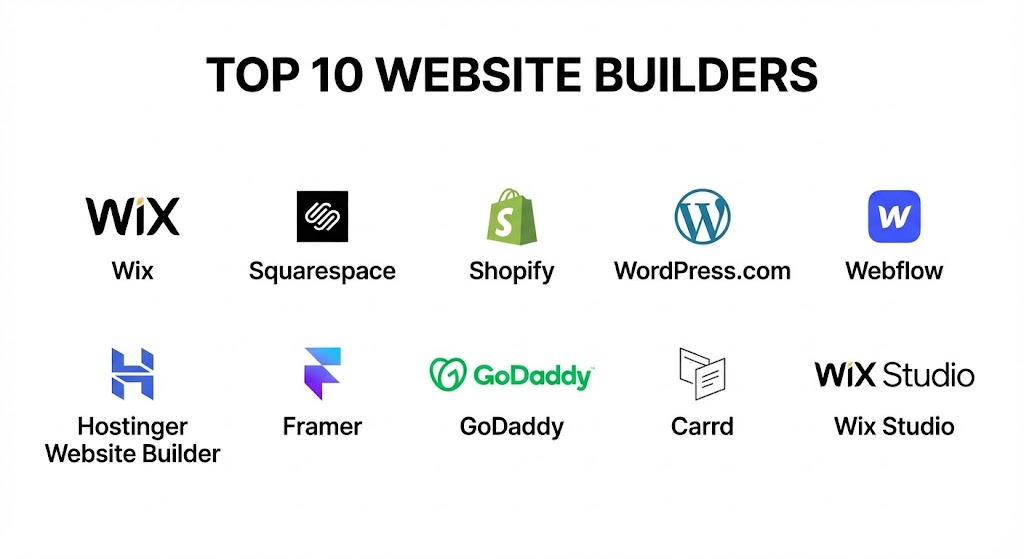
Top 10 Website Builders Tools
1 — Wix
Wix is the industry leader known for its total creative freedom. It offers a pure drag-and-drop experience that allows users to place elements anywhere on a page with pixel-perfect precision.
- Key features:
- Wix ADI (Artificial Design Intelligence): Automatically builds a site for you based on a few questions.
- Velo by Wix: A full-stack development platform for adding custom functionality via Javascript.
- Wix App Market: Thousands of third-party and native apps for everything from bookings to live chat.
- Advanced SEO Wiz: A personalized plan to help your site rank on search engines.
- Multilingual Support: Easily translate your site into dozens of languages.
- Integrated E-commerce: Robust tools for selling physical and digital products.
- Pros:
- Unmatched design flexibility; you are not limited by a rigid grid.
- The most extensive app ecosystem of any specialized website builder.
- Cons:
- Once you choose a template, you cannot switch to a new one without rebuilding your content.
- The sheer number of options can be overwhelming for absolute beginners.
- Security & compliance: PCI DSS, GDPR, CCPA, and SOC 2 Type II compliant. SSL is provided by default.
- Support & community: 24/7 customer care, a massive help center, and a vibrant community of “Wix Partners.”
2 — Squarespace
Squarespace is the gold standard for aesthetics. It is designed for those who want their website to look like it was created by a high-end design agency, featuring clean lines and stunning typography.
- Key features:
- Fluid Engine: A highly flexible, grid-based editor that balances freedom with structure.
- Award-Winning Templates: Industry-leading designs specifically for portfolios and lifestyle brands.
- Integrated Video Studio: Tools to create professional social media and website video content.
- Built-in Email Marketing: Seamlessly manage newsletters and campaigns from your dashboard.
- Scheduling & Bookings: Integrated appointment management for service-based businesses.
- E-commerce Suite: Comprehensive tools for inventory, tax, and shipping management.
- Pros:
- The most beautiful, professionally designed templates on the market.
- Highly cohesive “all-in-one” feel where every feature works perfectly with the next.
- Cons:
- The editor has a slight learning curve compared to Wix.
- Lacks a deep third-party app market; you must rely on Squarespace’s native features.
- Security & compliance: GDPR and CCPA compliant, SOC 2 compliant data centers, and HSTS encryption.
- Support & community: 24/7 email support, live chat during business hours, and an extensive forum.
3 — Shopify
Shopify is not just a website builder; it is a global e-commerce powerhouse. If your primary goal is to sell products online, Shopify is the industry-standard platform.
- Key features:
- Online Store 2.0: A modular theme architecture that allows for deep customization.
- Shopify Markets: Tools to manage global sales, including localized pricing and duties.
- Point of Sale (POS): Syncs your physical store sales with your online inventory.
- App Store: Access to over 8,000 apps to extend your store’s functionality.
- Shopify Magic: AI tools for generating product descriptions and email copy.
- Integrated Payments: Their own payment gateway (Shopify Payments) for lower transaction fees.
- Pros:
- The most scalable platform for e-commerce, from $0 to $1B in revenue.
- Best-in-class inventory and order management systems.
- Cons:
- Monthly costs can escalate quickly with the addition of paid apps.
- The platform is highly specialized for commerce; it is not ideal for simple blogs or portfolios.
- Security & compliance: PCI DSS Level 1 compliant (the highest standard), GDPR, and CCPA compliant.
- Support & community: 24/7 phone, email, and chat support; massive ecosystem of “Shopify Experts.”
4 — WordPress.com
WordPress.com is the hosted version of the world’s most popular open-source software. It offers a balance between the ease of a builder and the infinite power of the WordPress ecosystem.
- Key features:
- Block Editor (Gutenberg): A modern, component-based way to build pages and posts.
- Jetpack Integration: Built-in tools for security, performance, and social sharing.
- Infinite Extensibility: Access to over 50,000 plugins (on the Creator plan and above).
- Managed Hosting: WordPress handles the updates and server maintenance for you.
- Built-in SEO Tools: Robust metadata management and XML sitemap generation.
- Global CDN: Ensures your site loads quickly for visitors anywhere in the world.
- Pros:
- You can start for free and scale to a site as complex as a major news outlet.
- Your data is portable; you can move to self-hosted WordPress at any time.
- Cons:
- The “good” features (plugins and themes) are locked behind higher-priced plans.
- Can feel more “technical” and less “visual” than Wix or Squarespace.
- Security & compliance: GDPR compliant, SOC 2, and real-time backup options available.
- Support & community: “Happiness Engineers” (support) available 24/7; the world’s largest web community.
5 — Webflow
Webflow is the “pro” choice. It is a visual development platform that translates design directly into clean, semantic code. It is designed for designers who want the power of a developer.
- Key features:
- Visual Canvas: Provides total control over CSS properties (Flexbox, Grid) without writing code.
- CMS (Content Management System): Build complex database structures for blogs, real estate listings, etc.
- Interactions & Animations: Create high-end, scroll-based animations visually.
- Webflow Logic: Automate workflows and connect your site to other apps.
- Enterprise-Grade Hosting: Powered by AWS and Fastly for sub-second load times.
- Editor Mode: Allows clients to update text and images without breaking the layout.
- Pros:
- Produces much cleaner and faster code than traditional drag-and-drop builders.
- No limit to what you can design; if you can imagine it, you can build it.
- Cons:
- Extremely steep learning curve; requires a basic understanding of how the web works.
- Pricing is complex and can get expensive for sites with many CMS items.
- Security & compliance: SOC 2 Type II, ISO 27001, GDPR, and CCPA compliant.
- Support & community: “Webflow University” (the best training in the industry) and a very active designer forum.
6 — Hostinger Website Builder
Hostinger (formerly Zyro) is the “value” king. It focuses on using AI to make the website-building process as fast and affordable as possible for small business owners.
- Key features:
- AI Website Generator: Create a full site from a single prompt.
- AI Heatmap: Predicts where visitors will look on your page to optimize design.
- AI Logo & Slogan Maker: Integrated branding tools for new businesses.
- Drag-and-Drop Grid: A “snap-to-grid” system that ensures your site always looks tidy.
- Integrated Marketing Tools: Simple connections for Google Analytics and Meta Pixel.
- Free Domain & Email: Included in most annual plans for the first year.
- Pros:
- One of the most affordable professional-grade builders on the market.
- Incredibly fast; the AI can literally build a site in under 60 seconds.
- Cons:
- Lacks the deep customization and app ecosystem of Wix or Shopify.
- Not suitable for high-growth e-commerce or complex membership sites.
- Security & compliance: GDPR compliant and standard SSL encryption.
- Support & community: 24/7 live chat support with very fast response times.
7 — Framer
Framer has exploded in popularity in 2025 as the go-to tool for high-end “startup” websites. It feels like designing in Figma but publishes directly to the web.
- Key features:
- Figma Import: Bring your designs from Figma into Framer with a single click.
- High-Fidelity Animations: Industry-leading tools for transitions and micro-interactions.
- AI Site Generation: Generate layouts and copy from text descriptions.
- CMS Capabilities: Simple, powerful database for managing dynamic content.
- Localization: Built-in tools to adapt your site for different regions and languages.
- Speed Optimization: Automatically optimizes images and code for performance.
- Pros:
- The best tool for creating sites that feel “modern” and “interactive.”
- The workflow from design to publish is faster than almost any other platform.
- Cons:
- The CMS is not as robust as Webflow’s for very large datasets.
- It is a design-first tool; e-commerce features are still maturing.
- Security & compliance: SOC 2 compliant, GDPR compliant, and secure cloud hosting.
- Support & community: Active Discord community and high-quality video tutorials.
8 — GoDaddy Website Builder
GoDaddy is designed for the “busy business owner.” It prioritizes simplicity and integrated marketing tools over design granularly.
- Key features:
- GoDaddy InSight: Provides data-driven suggestions to improve your site based on industry peers.
- Unified Inbox: Manage customer messages from your site, social media, and email in one place.
- Content Creator: Integrated tool for creating social media posts and branded graphics.
- Online Appointments: Easy-to-manage booking system for service providers.
- Email Marketing: Integrated campaign builder with professional templates.
- Mobile App: Edit your site and manage orders entirely from your phone.
- Pros:
- The most straightforward interface for people who “hate technology.”
- Excellent all-in-one marketing suite for local service businesses.
- Cons:
- Design freedom is very limited compared to Squarespace or Wix.
- You can quickly outgrow the platform if your needs become complex.
- Security & compliance: GDPR compliant and provides basic SSL/DDoS protection.
- Support & community: 24/7 phone support and a wide-reaching global presence.
9 — Carrd
Carrd is a specialist. It is designed for “One-Page” websites. Whether it’s a personal “link in bio,” a landing page, or a simple “about me” site, Carrd is the most efficient way to build it.
- Key features:
- Single-Page Focus: Every tool is optimized for high-performance one-page layouts.
- Responsive by Default: Pages look perfect on mobile without any manual adjustment.
- Custom Domains: Connect your own domain even on very low-cost plans.
- Forms Integration: Simple connections with Mailchimp, SendFox, and more.
- Widgets & Embeds: Support for custom code, PayPal, and Stripe.
- Pro Templates: Dozens of high-quality designs for different niches.
- Pros:
- Incredibly affordable (literally $19/year for the Pro plan).
- Fastest possible way to get a simple, professional link live on the web.
- Cons:
- Strictly for one-page sites; you cannot build a blog or a multi-page site here.
- Limited in terms of advanced SEO and data analytics.
- Security & compliance: GDPR compliant and standard data encryption.
- Support & community: Email support and a helpful, minimalist documentation library.
10 — Wix Studio (for Professionals)
While we mentioned Wix earlier, Wix Studio is a separate platform launched for agencies and freelance designers. It is the enterprise-grade evolution of the Wix ecosystem.
- Key features:
- Responsive AI: Automatically makes your design responsive across all screen sizes.
- Reusable Assets: Create your own library of components to use across different client sites.
- Collaborative Workspace: Multiple designers can work on the same page in real-time.
- Custom CSS: Full access to the code for those who want to fine-tune designs.
- Client Handover: Specialized dashboard for managing client permissions and training.
- High-Velocity Infrastructure: Optimized for global performance and security.
- Pros:
- Combines the ease of Wix with the professional power of Webflow.
- The AI responsiveness tool is a massive time-saver for complex layouts.
- Cons:
- Overkill for a single business owner; it is built for professionals.
- Pricing is structured for agencies and high-end freelancers.
- Security & compliance: Multi-region hosting, SOC 2, ISO, GDPR, and CCPA compliant.
- Support & community: Dedicated priority support and a specialized agency community.
Comparison Table
| Tool Name | Best For | Platform(s) Supported | Standout Feature | Rating (G2/Gartner) |
| Wix | Creative Freedom | Cloud / SaaS | AI ADI & App Market | 4.6 / 5 |
| Squarespace | Visual Aesthetics | Cloud / SaaS | Fluid Engine Design | 4.5 / 5 |
| Shopify | E-commerce | Cloud / SaaS | Global Sales Engine | 4.8 / 5 |
| WordPress.com | Content/Bloggers | Cloud / SaaS | Infinite Plugin Power | 4.4 / 5 |
| Webflow | Professional Designers | Cloud / SaaS | Visual Code Control | 4.5 / 5 |
| Hostinger | Budget/Speed | Cloud / SaaS | AI Site Generator | 4.7 / 5 |
| Framer | Startup Design | Cloud / SaaS | Figma-to-Web Sync | 4.6 / 5 |
| GoDaddy | Local Services | Cloud / SaaS | Unified Marketing Box | 4.1 / 5 |
| Carrd | One-Page Sites | Cloud / SaaS | $19/year Price Point | 4.7 / 5 |
| Wix Studio | Agencies | Cloud / SaaS | Responsive AI Editor | 4.6 / 5 |
Evaluation & Scoring of Website Builders
We have evaluated the website builder category using a weighted scoring rubric to reflect the needs of a modern digital business.
| Criteria | Weight | Evaluation Rationale |
| Core Features | 25% | Presence of drag-and-drop, AI, and e-commerce depth. |
| Ease of Use | 15% | Intuitiveness of the interface and speed to launch. |
| Integrations | 15% | Connectivity with marketing, analytics, and CRM tools. |
| Security & Compliance | 10% | GDPR readiness, SSL availability, and SOC certifications. |
| Performance | 10% | Page load speed and mobile responsiveness. |
| Support & Community | 10% | Quality of documentation and 24/7 human help. |
| Price / Value | 15% | Long-term costs relative to the business growth potential. |
Which Website Builders Tool Is Right for You?
Solo Users vs SMB vs Mid-market vs Enterprise
If you are a solo user looking to build a personal brand, Carrd or Squarespace are your best options. For SMBs looking for a balanced presence, Wix is the most versatile. Mid-market companies with complex content needs should look at WordPress.com or Webflow. Enterprises and high-growth e-commerce brands should exclusively consider Shopify or Wix Studio.
Budget-conscious vs Premium Solutions
For those on a tight budget, Hostinger Website Builder offers a professional site for a very low monthly fee. If you are looking for a Premium solution where the design itself acts as a competitive advantage, the investment in Framer or Webflow is justified by the superior user experience you can create.
Feature Depth vs Ease of Use
If you need Feature Depth (e.g., custom member areas, complex databases, and advanced logic), Webflow is the leader. If you prioritize Ease of Use and want to launch a site during your lunch break, GoDaddy or Hostinger are the most frictionless paths.
Integration and Scalability Needs
If your business will eventually need to connect to complex ERPs or handle millions of dollars in sales, Shopify is the only logical choice. If you want a site that can grow from a simple blog to a massive news portal, the scalability of WordPress.com is unmatched.
Frequently Asked Questions (FAQs)
1. Is a website builder better than hiring a developer?
For 90% of businesses, yes. Website builders are faster, cheaper, and allow you to make your own updates. You only need a developer if you are building something entirely unique with custom-coded logic.
2. Do I need to buy separate hosting for these builders?
In most cases, no. Tools like Wix, Squarespace, and Shopify include hosting in their monthly price. WordPress.com also includes hosting, but the self-hosted version (WordPress.org) does not.
3. Will my site look the same on mobile?
All the top 10 tools listed here are “Mobile Responsive,” meaning the layout automatically adjusts for phones and tablets. Some (like Framer and Webflow) give you even more control over the mobile-specific design.
4. Can I move my site to another builder later?
It is difficult. While you can export your “content” (images and text), you cannot easily move the “design” of a Wix site to Squarespace. Choose your platform carefully based on where you want to be in 3 years.
5. How much does a website builder typically cost?
Prices range from $10/month to $50/month for standard sites. E-commerce plans usually start around $30/month. Carrd is an outlier at $19/year.
6. Do website builders have good SEO?
Yes. Modern builders like Wix and Squarespace have excellent SEO tools. However, SEO is 90% content and strategy—the tool just provides the technical foundation.
7. Can I sell products on any website builder?
Most builders have e-commerce features, but some are better than others. If you sell more than 5-10 products, you should look at specialized platforms like Shopify.
8. Do I own my website and content?
You own your content (your text and images). However, you are “renting” the builder’s proprietary software. If you stop paying your subscription, your site will go offline.
9. What is the fastest builder for a beginner?
Hostinger and GoDaddy are generally the fastest. Their use of AI allows you to generate a usable site in minutes.
10. Do I need a custom domain?
Yes. While builders offer free domains (e.g., yourname.wixsite.com), a custom domain (e.g., yourbrand.com) is essential for professional credibility and SEO.
Conclusion
The “best” website builder is not the one with the most features, but the one that empowers you to tell your story effectively. In 2025, the barriers to entry are gone.
If you are a visual artist, Squarespace will showcase your work best. If you are a retail disruptor, Shopify is your foundation. And if you are a local entrepreneur just starting out, the AI speed of Hostinger is a game-changer. Don’t wait for perfection—choose a tool, start building, and join the global digital conversation today.