Introduction
Social Media Management Tools are software platforms designed to consolidate all social media activities into a single interface. These tools allow users to publish content, monitor brand mentions, respond to messages, and generate detailed analytical reports across various social networks simultaneously. By centralizing these tasks, marketing teams can maintain a consistent brand voice while significantly reducing the manual labor associated with logging into multiple accounts.
The importance of these platforms lies in their ability to provide data-driven insights and operational efficiency. Instead of guessing what content resonates, businesses can use integrated analytics to see exactly what drives engagement. Key real-world use cases include bulk scheduling for global campaigns, social listening to track industry trends, and unified inboxes that ensure no customer query goes unanswered. When choosing a tool, users should evaluate the number of supported platforms, the depth of AI-assisted content generation, collaborative workflows, and reporting granularity.
Best for: Social Media Managers, digital marketing agencies, and growth-focused businesses of all sizes—from solopreneurs to multinational corporations. These tools are particularly valuable for industries where customer engagement is high, such as e-commerce, hospitality, tech, and entertainment.
Not ideal for: Individual users with a single personal account or businesses that do not use social media as a primary growth channel. If your posting frequency is less than once a week and you have low engagement, the subscription costs may not justify the convenience.
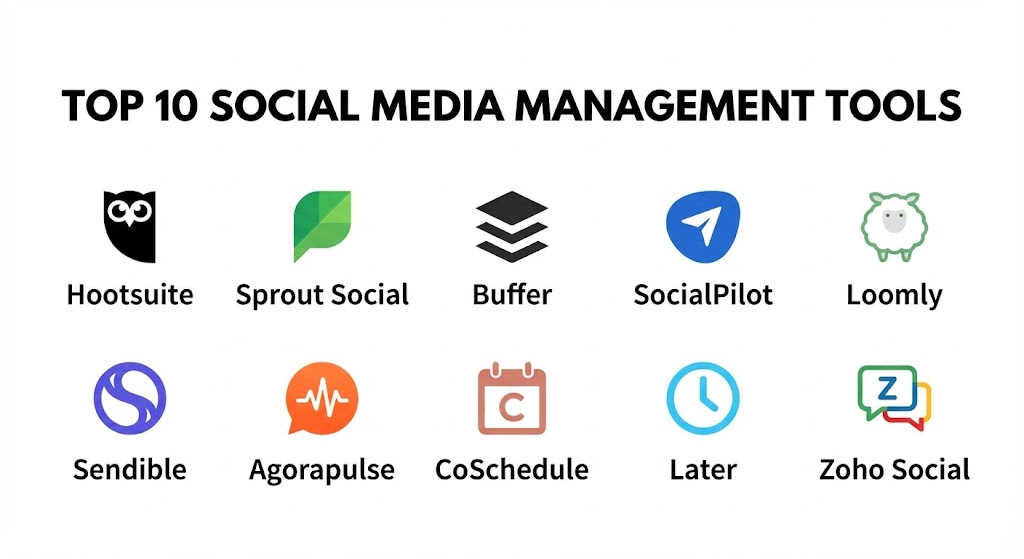
Top 10 Social Media Management Tools
1 — Hootsuite
Hootsuite is one of the oldest and most established platforms in the industry. It is a comprehensive suite designed for teams that need high-level oversight and a wide range of integrations. It has recently pivoted heavily toward AI-driven content suggestions and robust social listening.
- Key features:
- OwlyWriter AI: An integrated AI tool that generates captions, ideas, and hashtags based on a prompt or link.
- Unified Social Inbox: Manage messages, comments, and mentions from all platforms in one view.
- Best Time to Publish: Algorithms that analyze your specific audience to suggest optimal posting times.
- Social Listening: Powered by Talkwalker, allowing users to track brand sentiment and competitor activity.
- Bulk Composer: Upload and schedule up to 350 posts at once using a CSV file.
- Canva Integration: Edit graphics directly within the Hootsuite dashboard.
- Pros:
- Extremely reliable with a massive ecosystem of over 150 app integrations.
- Comprehensive training via Hootsuite Academy is excellent for professional development.
- Cons:
- The pricing has increased significantly over recent years, making it one of the more expensive options.
- The user interface can feel cluttered and overwhelming for new users.
- Security & compliance: SSO (Single Sign-On), SOC 2 Type II, GDPR compliant, and granular permission levels for team members.
- Support & community: 24/7 live chat support for higher tiers, a massive knowledge base, and a dedicated customer success manager for enterprise clients.
2 — Sprout Social
Sprout Social is often cited as the gold standard for enterprise-level social media management. It focuses heavily on deep analytics and “Social Listening” to help big brands understand the “why” behind their metrics.
- Key features:
- Advanced Social Listening: Uncover trends and consumer insights by monitoring billions of conversations.
- Employee Advocacy: A dedicated module that allows employees to share brand-approved content easily.
- Automated Link Tracking: Built-in integration with Google Analytics to track ROI on every post.
- Smart Inbox: Uses AI to categorize messages and prioritize high-value customer queries.
- Asset Library: Centralized storage for brand-approved images, videos, and templates.
- ViralPost technology: Uses data to determine when your specific audience is most likely to engage.
- Pros:
- The analytics reports are arguably the most beautiful and “client-ready” in the industry.
- Extremely intuitive UI that requires very little training to master.
- Cons:
- The pricing model is “per user,” which can make it prohibitively expensive for large teams.
- Some of the most powerful listening tools are locked behind additional monthly fees.
- Security & compliance: ISO 27001, SOC 2 Type II, HIPAA, and GDPR compliant. 2FA is standard.
- Support & community: Highly-rated customer support team, webinars, and a robust “Sprout Social Arbor” community.
3 — Buffer
Buffer is the antithesis of the “bloated” enterprise tool. It is designed for simplicity, transparency, and affordability, making it a favorite for small businesses and independent creators who want to get straight to work.
- Key features:
- Start Page: A simple landing page (link-in-bio) builder that integrates with your social content.
- AI Assistant: Helps in repurposing long-form content into short-form social posts.
- Clean Calendar View: Drag-and-drop interface to reorganize your content queue.
- Transparent Analytics: Focused on “Engagement Rate” and “Follower Growth” without the noise.
- Customized Posting: Tweak the caption and image for each platform within a single window.
- Shop Grid: A tool for e-commerce brands to link Instagram posts directly to product pages.
- Pros:
- “A-la-carte” pricing allows you to pay only for the channels you actually use.
- The interface is incredibly fast and distraction-free.
- Cons:
- Lacks a unified “Social Inbox” on the lower-priced plans.
- Does not offer deep social listening or competitor analysis features found in Sprout.
- Security & compliance: SOC 2 Type II, GDPR compliant. 2FA and encryption at rest/transit are provided.
- Support & community: Responsive email and social media support, a very transparent public roadmap, and a dedicated Slack community.
4 — SocialPilot
SocialPilot is built specifically for digital marketing agencies. It offers a balance between advanced features and affordability, with a heavy emphasis on multi-client management and white-label reporting.
- Key features:
- Client Approval Workflow: Send content calendars to clients for approval without them needing to log in.
- White-Label Reports: Customize analytical reports with your agency’s logo and colors.
- Bulk Scheduling with Images: Upload up to 500 posts with images via a simple file upload.
- Curated Content Discovery: Built-in tool to find and share trending industry news.
- TikTok & Reels Integration: Full support for modern short-form video platforms.
- Team Collaboration: Assign specific roles like “Editor” or “Manager” to different client accounts.
- Pros:
- Offers the best “price-per-account” ratio for agencies managing 20+ profiles.
- No hidden fees; most features are available on the basic professional plan.
- Cons:
- The mobile app is not as functional as the desktop version.
- Social listening capabilities are relatively basic compared to enterprise tools.
- Security & compliance: GDPR compliant, SSL encryption, and secure OAuth connections for all social platforms.
- Support & community: Priority email and chat support, a detailed help center, and personalized onboarding for higher plans.
5 — Loomly
Loomly brands itself as a “Brand Success Platform.” It is unique because it guides the user through the content creation process, offering inspiration and optimization tips at every step.
- Key features:
- Post Ideas: Automatically suggests trending topics and holidays based on your industry.
- Post Mockups: See exactly how your post will look on every platform before you hit “schedule.”
- Content Library: Manage and version-control all your brand assets in one place.
- Automated & Manual Publishing: Flexibility to choose which posts are auto-published.
- Interactions Tool: A streamlined way to manage comments and mentions on your posts.
- Ad Mockups: Create and preview Facebook and Instagram ads directly in the platform.
- Pros:
- The most “helpful” tool for teams that struggle with creative blocks.
- Excellent collaborative features with built-in commenting and approval logs.
- Cons:
- Analytics are somewhat basic for enterprise-level reporting needs.
- Does not support as many “niche” social platforms as Hootsuite.
- Security & compliance: SOC 2 Type II, GDPR compliant, and 2FA support.
- Support & community: Very fast email support, a rich blog on brand strategy, and comprehensive tutorials.
6 — Sendible
Sendible is designed to help agencies scale. Its standout feature is its “Client Dashboard,” which allows agencies to give each client their own branded portal to view and approve content.
- Key features:
- Individual Client Connect: Clients can securely connect their own social profiles without sharing passwords.
- Canva & Google Photos Integration: Access your design assets instantly.
- Social Listening Alert: Set up alerts for specific keywords to monitor brand reputation.
- CRM Integration: Sync social interactions with tools like Salesforce or HubSpot.
- Automatic Content Suggestions: Uses RSS feeds to suggest relevant content to share.
- Priority Inbox: Highlights the most important messages using sentiment analysis.
- Pros:
- Exceptional for agencies that prioritize transparency and client relationships.
- The reporting is highly customizable with “drag-and-drop” report builders.
- Cons:
- The mobile app can be buggy when uploading video content.
- Pricing tiers can be confusing based on the number of “services” (accounts) used.
- Security & compliance: GDPR compliant, SOC 2, and advanced encryption for data at rest.
- Support & community: Dedicated success managers, a thriving partner program, and 24/5 support.
7 — Agorapulse
Agorapulse is the tool of choice for teams that prioritize Engagement. It features one of the most powerful and easy-to-use social inboxes, making it easy to hit “Inbox Zero” every day.
- Key features:
- Inbox Zero Interface: Mark messages as reviewed to clear them from your view.
- Social ROI Tracking: Links your social activity directly to website conversions (via UTMs).
- Facebook & Instagram Competitor Reports: See how you stack up against the competition.
- Automated Moderation: Set up rules to automatically delete spam or assign queries to specific team members.
- Shared Calendars: External links for clients to view and approve content without a login.
- Fan Ranking: Identify your most engaged followers and influencers.
- Pros:
- The most “user-friendly” inbox; it feels like managing an email account.
- Very competitive pricing for teams that need multi-user collaboration.
- Cons:
- Lacks some of the deep “Social Listening” features found in Sprout Social.
- No built-in AI content generator as advanced as Hootsuite’s.
- Security & compliance: GDPR compliant, ISO 27001, and SOC 2 Type II.
- Support & community: Consistently rated #1 for customer support speed and quality.
8 — CoSchedule (Marketing Suite)
CoSchedule is more than just a social media tool; it is a full Marketing Calendar. It is designed for marketing departments that need to align social media with blogs, events, and email campaigns.
- Key features:
- Marketing Calendar: A bird’s eye view of every marketing project, not just social media.
- ReQueue: An intelligent tool that automatically reshapes and reschedules your best evergreen content.
- Headline Analyzer: Built-in tool to ensure your post titles are optimized for clicks.
- Task Templates: Standardize your workflow for every social campaign launch.
- Social Organizer: Specific tools for managing social publishing and engagement.
- Asset Organizer: Digital Asset Management (DAM) for enterprise marketing teams.
- Pros:
- The best tool for holistic marketing planning; it breaks down the “Social Silo.”
- ReQueue is an incredible time-saver for filling gaps in your content schedule.
- Cons:
- The full “Marketing Suite” is very expensive for smaller teams.
- Can feel like “overkill” if you only want to manage social media.
- Security & compliance: SOC 2 Type II, GDPR, and HIPAA compliant.
- Support & community: High-quality webinars, extensive marketing guides, and 24/7 technical support.
9 — Later
Later is a visual-first platform, originally built for Instagram. It is the preferred tool for brands where aesthetics are everything—think fashion, beauty, and food.
- Key features:
- Visual Planner: A grid-style interface that allows you to see exactly how your Instagram feed will look.
- Linkin.bio: A customizable “Link-in-bio” page that turns your Instagram feed into a clickable shop.
- User-Generated Content (UGC) Tools: Easily find and credit content shared by your fans.
- Best Time to Post: Specific to Instagram, TikTok, and Pinterest.
- Auto-Publishing: Including Reels, Stories (with some limitations), and Carousels.
- AI Caption Writer: Specialized for the “aesthetic” and casual tone of visual platforms.
- Pros:
- The best tool for Instagram and Pinterest management, bar none.
- Extremely strong for e-commerce brands focusing on “Social Shopping.”
- Cons:
- Lacks robust features for LinkedIn or X (Twitter) compared to Hootsuite.
- Analytics are heavily skewed toward visual engagement rather than broad business data.
- Security & compliance: GDPR compliant, SSL encryption, and official Meta/TikTok partner status.
- Support & community: Detailed “Later Training” videos, email support, and a vibrant Instagram strategy blog.
10 — Zoho Social
Zoho Social is part of the massive Zoho ecosystem. Its biggest strength is its deep integration with Zoho CRM, allowing businesses to turn social followers into leads and tracked customers.
- Key features:
- CRM Integration: See a follower’s purchase history and lead status directly in your social inbox.
- Smart Queue: Suggests optimal times to post based on when your audience is most active.
- Custom Reports: Build detailed reports using a modular “drag-and-drop” interface.
- Collaborative Drafting: Work on posts with team members in real-time.
- Multi-Channel Scheduling: Post to Google Business Profiles, Instagram, LinkedIn, and more.
- Social Monitoring: Track specific keywords and hashtags to find sales opportunities.
- Pros:
- Incredible value for businesses already using the Zoho suite of apps.
- One of the few tools that effectively bridges the gap between Marketing and Sales.
- Cons:
- The UI can feel a bit “utilitarian” and less modern than Sprout or Buffer.
- The social listening module is not as powerful as standalone enterprise competitors.
- Security & compliance: SOC 2 Type II, ISO 27001, GDPR, and HIPAA compliant.
- Support & community: Global 24/5 support, extensive “Zoho University” resources, and a massive international user base.
Comparison Table
| Tool Name | Best For | Platform(s) Supported | Standout Feature | Rating (Gartner / G2) |
| Hootsuite | Enterprise Teams | 15+ Platforms | OwlyWriter AI | 4.1 / 5 |
| Sprout Social | Analytics & ROI | FB, IG, LI, TT, X | Deep Social Listening | 4.4 / 5 |
| Buffer | Solopreneurs | FB, IG, LI, TT, PIN | A-la-carte Pricing | 4.3 / 5 |
| SocialPilot | Agencies (Cost) | FB, IG, LI, TT, PIN | White-label Reports | 4.5 / 5 |
| Loomly | Content Creation | FB, IG, LI, TT, PIN | Content Success Tips | 4.6 / 5 |
| Sendible | Agency Workflow | FB, IG, LI, TT, Google | Client Branded Portal | 4.5 / 5 |
| Agorapulse | Engagement/Inbox | FB, IG, LI, TT, X | Social Inbox Zero | 4.5 / 5 |
| CoSchedule | Marketing Orgs | FB, IG, LI, PIN | Integrated Calendar | 4.4 / 5 |
| Later | Visual Brands | IG, PIN, TT | Visual Grid Planner | 4.5 / 5 |
| Zoho Social | CRM Integrated | FB, IG, LI, TT, GBP | Zoho CRM Sync | 4.2 / 5 |
Evaluation & Scoring of Social Media Management Tools
Selecting a tool requires balancing diverse needs. We have used a weighted scoring rubric to reflect the priorities of a modern digital marketing team in 2025.
| Criteria | Weight | Evaluation Rationale |
| Core Features | 25% | Scheduling, unified inbox, and baseline analytics. |
| Ease of Use | 15% | Speed of onboarding and daily interface efficiency. |
| Integrations | 15% | Connectivity with Canva, Slack, CRMs, and Cloud Storage. |
| Security & Compliance | 10% | Enterprise-grade protection and global privacy standards. |
| Performance | 10% | Mobile app stability and auto-publishing reliability. |
| Support & Community | 10% | Documentation quality and human support response times. |
| Price / Value | 15% | Feature set relative to the monthly subscription cost. |
Which Social Media Management Tool Is Right for You?
Solo Users vs SMB vs Mid-market vs Enterprise
If you are a solo user, Buffer or Later (if you are visual) are the clear winners due to their simplicity and low entry cost. SMBs with small teams will find the best value in Loomly or Agorapulse, which offer strong collaboration features without the enterprise price tag. For Mid-market and Enterprises requiring deep listening and global governance, Sprout Social and Hootsuite are the industry standards.
Budget-conscious vs Premium Solutions
For those on a tight budget, SocialPilot offers the most “bang for your buck,” especially for those managing multiple accounts. If you have a Premium budget and need to prove the exact ROI of every social post to a boardroom, Sprout Social is worth the investment.
Feature Depth vs Ease of Use
If you need Feature Depth (CRM sync, listening, advocacy), Hootsuite or Zoho Social are the way to go. If you prioritize Ease of Use and want your team to start posting within 5 minutes of signing up, Buffer or Loomly are far more intuitive.
Integration and Scalability Needs
If you already live in a specific ecosystem (like Zoho or Salesforce), choosing their native social tool is usually the most efficient choice for data continuity. For Agencies, the white-labeling and client-approval features of Sendible and SocialPilot are essential for professional scaling.
Frequently Asked Questions (FAQs)
1. Do these tools allow me to post to TikTok and Instagram Reels?
Yes, most top-tier tools in 2025 now support direct auto-publishing for TikTok and Instagram Reels. However, some still require a “reminder” notification for specific features like adding music or trending filters.
2. Can I manage my Facebook and Instagram Ads within these platforms?
Some tools, like Hootsuite, Sprout Social, and Loomly, offer basic ad management and mocking. However, for complex ad campaigns, most experts still recommend using the native Meta Ads Manager alongside these tools.
3. Is my social media data safe on these third-party platforms?
Professional tools use official APIs (Application Programming Interfaces) to connect to your accounts, meaning they never actually “see” your password. Look for tools with SOC 2 compliance for maximum security.
4. How much do these tools typically cost?
Pricing ranges from “Free” (for 1-3 accounts on Buffer) to $5,000+ per month for enterprise-level Sprout Social or Hootsuite contracts. Most SMBs pay between $50 and $200 per month.
5. What is “Social Listening” and do I need it?
Social listening is the process of tracking mentions of your brand, competitors, or keywords across the entire web, not just your own pages. It is essential for brand reputation management and market research.
6. Can I use these tools to respond to Google Business Profile reviews?
Yes, tools like Zoho Social, Agorapulse, and Hootsuite allow you to monitor and respond to Google reviews directly from your unified inbox.
7. Do these tools provide AI-generated content?
Most platforms have now integrated AI assistants (like OwlyWriter in Hootsuite) that can help draft captions, suggest hashtags, and even repurpose old content into new formats.
8. Can I schedule the same post across different platforms?
Yes, but best practice is to “customize” the post for each network (e.g., shorter captions for X, more hashtags for Instagram). Most tools allow you to do this within a single composer window.
9. What happens if a platform’s API goes down?
Occasionally, social networks change their technical rules, causing tools to stop working temporarily. Professional tools have status pages and dedicated teams that fix these issues within hours.
10. Do I need a credit card to try these tools?
Many tools like Buffer and Later offer “Free-forever” plans. Others, like SocialPilot and Agorapulse, offer a 14-day or 30-day free trial, often without requiring credit card details.
Conclusion
The “best” social media management tool in 2025 isn’t necessarily the one with the most features; it’s the one that integrates most seamlessly into your team’s existing workflow. For the visual creator, Later is a dream. For the data-hungry enterprise, Sprout Social is an powerhouse. For the agency seeking to scale, SocialPilot and Sendible provide the necessary professional edge.
Before you commit to a subscription, take advantage of the free trials. Connect your busiest accounts, try to achieve “Inbox Zero,” and generate a report. The right tool should feel like an extension of your marketing team—saving you time, reducing stress, and ultimately helping you build a more meaningful connection with your audience.