Introduction
A Marketing Automation Platform is a software solution designed to streamline, automate, and measure marketing tasks and workflows. At its core, it enables businesses to target customers with automated messages across email, web, social, and text. These platforms use behavioral triggers—such as a user downloading a whitepaper or abandoning a shopping cart—to initiate specific marketing actions without human intervention. This ensures that no lead falls through the cracks and that every prospect receives a personalized experience based on their unique behavior.
The importance of these tools lies in their ability to bridge the gap between sales and marketing. Through lead scoring, dynamic content, and cross-channel orchestration, automation platforms provide a 360-degree view of the customer. Key real-world use cases include automated “welcome” sequences for new subscribers, re-engagement campaigns for dormant users, and sophisticated attribution modeling to see exactly which touchpoints drove a sale. When choosing a platform, users should evaluate the ease of workflow building, depth of CRM integration, analytics capabilities, and deliverability rates.
Best for: Marketing managers, e-commerce directors, B2B sales organizations, and digital agencies. These tools are essential for companies scaling their lead generation efforts or those managing complex customer lifecycles in industries like SaaS, Retail, Finance, and Education.
Not ideal for: Very small, local businesses with a limited customer base that can be managed via manual outreach. It is also likely overkill for creators or solo entrepreneurs who only need a simple email newsletter tool without the need for behavioral tracking or CRM synchronization.
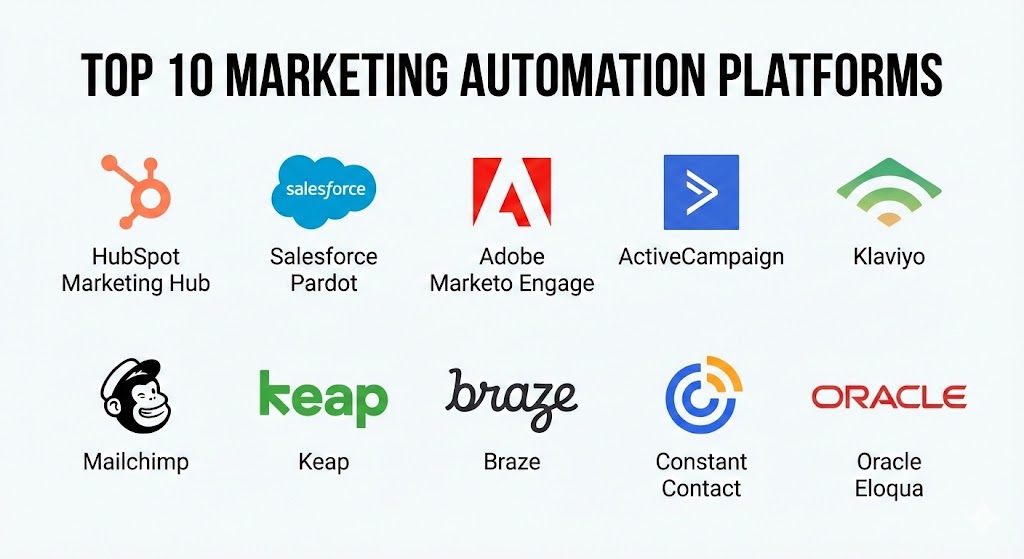
Top 10 Marketing Automation Platforms Tools
1 — HubSpot Marketing Hub
HubSpot is arguably the most recognized name in the industry, famous for pioneering the “Inbound Marketing” methodology. It is an all-in-one platform that combines content management, SEO, social media, and email automation into a single, user-friendly interface.
- Key features:
- Visual Workflow Builder: A drag-and-drop canvas for creating complex multi-step automation sequences.
- Smart Content: The ability to change website and email content based on a visitor’s persona or lifecycle stage.
- Native CRM Integration: Data flows seamlessly between marketing and sales teams without third-party connectors.
- Social Media Management: Schedule posts and track engagements directly within the platform.
- Advanced SEO Tools: Built-in recommendations to improve search rankings for landing pages and blogs.
- Ad Management: Track the ROI of Google, Facebook, and LinkedIn ads in relation to closed deals.
- Pros:
- Exceptional user experience with a very shallow learning curve for beginners.
- The most integrated ecosystem, reducing the need for multiple disparate software subscriptions.
- Cons:
- Costs can escalate rapidly as your contact database grows.
- Some of the most powerful automation features are locked behind high-tier “Enterprise” plans.
- Security & compliance: SSO, two-factor authentication, SOC 2 Type II, GDPR, and CCPA compliant.
- Support & community: World-class documentation, HubSpot Academy certifications, 24/7 phone support for paid tiers, and a massive global user group network.
2 — Salesforce Account Engagement (Pardot)
Pardot, now officially known as Salesforce Account Engagement, is the premier B2B marketing automation choice. It is specifically designed to help sales teams at larger organizations manage long, complex buying cycles.
- Key features:
- Lead Scoring & Grading: Automatically prioritizes leads based on their activity and how well they fit the ideal customer profile.
- Engagement Studio: A sophisticated environment for building and testing complex B2B lead nurturing paths.
- Salesforce Integration: Offers the deepest possible synchronization with the world’s leading CRM.
- Account-Based Marketing (ABM) Tools: Specific features for targeting and tracking high-value accounts.
- Dynamic Content: Tailors emails and web pages based on professional attributes or past interactions.
- B2B Marketing Analytics: Powered by CRM Analytics to provide deep ROI insights.
- Pros:
- Unrivaled for B2B organizations where marketing and sales alignment is the top priority.
- Powerful automation logic that handles very complex, multi-year sales cycles effectively.
- Cons:
- The interface can be technical and may require a dedicated administrator to manage.
- Expensive starting price point, making it inaccessible for most small businesses.
- Security & compliance: ISO 27001, SOC 2, HIPAA, GDPR, and FedRAMP compliant.
- Support & community: Extensive Salesforce Trailhead training, dedicated customer success managers, and a global network of certified consultants.
3 — Adobe Marketo Engage
Marketo is a heavyweight in the enterprise marketing space. It is known for its extreme flexibility and “industrial-strength” automation capabilities, making it a favorite for multi-national corporations with complex data needs.
- Key features:
- Cross-Channel Orchestration: Manages experiences across web, mobile, social, email, and digital ads.
- Sophisticated Lead Management: High-end workflows for lead lifecycle transitions and scoring.
- Predictive Content: Uses AI to suggest the most relevant content to specific users on your site.
- Event & Webinar Management: Specific modules for tracking and automating physical and digital events.
- Sales Connect: Empowers sales reps to send marketing-approved templates directly from their inbox.
- Advanced Attribution: Deep-dive reporting into which channels contribute to revenue at every stage.
- Pros:
- Incredibly scalable; it can handle millions of leads and complex global hierarchies.
- Highly customizable, allowing technical teams to build bespoke automation logic.
- Cons:
- The user interface is often described as dated and less intuitive than HubSpot.
- Requires significant technical expertise to implement and maintain correctly.
- Security & compliance: SOC 2 Type II, GDPR, HIPAA, and ISO 27001 compliant.
- Support & community: “Adobe Experience League” provides extensive training, and a robust professional community of “Marketo Champions.”
4 — ActiveCampaign
ActiveCampaign focuses on “Customer Experience Automation” (CXA). It has gained massive popularity among mid-market companies by offering enterprise-level automation features at a much more accessible price point.
- Key features:
- Automated Goal Tracking: Allows you to see exactly when a user completes a specific desired action.
- Site Tracking: Tracks what users do on your website to trigger hyper-relevant emails.
- Split Action Testing: The ability to A/B test entire automation paths, not just single emails.
- Built-in CRM: A lightweight, effective CRM designed to help small teams manage deals.
- Omnichannel Messaging: Integrates SMS, site messaging, and Facebook Custom Audiences.
- Predictive Sending: Uses machine learning to send emails at the time a specific user is most likely to open.
- Pros:
- Offers the most powerful automation builder for the price on the market.
- Excellent for businesses that need high-level automation without the enterprise bloat.
- Cons:
- The CRM is not nearly as powerful as Salesforce or HubSpot for complex sales teams.
- The vast number of features can lead to a slightly cluttered dashboard experience.
- Security & compliance: SSO, SOC 2 Type II, GDPR, and HIPAA compliant.
- Support & community: Active user forums, one-on-one strategy sessions, and a comprehensive help center.
5 — Klaviyo
Klaviyo is the undisputed leader for e-commerce brands. It is built specifically to integrate with platforms like Shopify and Magento, using transactional data to drive high-revenue automation.
- Key features:
- E-commerce Native Integrations: Pulls in every product, order, and SKU detail automatically.
- Predictive Analytics: Estimates a customer’s lifetime value (CLV) and predicted next purchase date.
- Back-in-Stock Alerts: Automated messages when inventory is replenished for a specific user’s interest.
- Price Drop Triggers: Notifies customers when items they viewed or carted go on sale.
- SMS Automation: Unified platform for managing both email and text-based marketing.
- Deep Benchmarking: Compare your performance against thousands of similar brands in your industry.
- Pros:
- The best ROI for e-commerce stores due to its deep focus on transactional data.
- Very easy to set up for Shopify users, with pre-built “flows” for every scenario.
- Cons:
- Limited usefulness for B2B or service-based businesses that don’t have a product catalog.
- Pricing based on contact count can become expensive for brands with large, low-engagement lists.
- Security & compliance: SOC 2, GDPR, and CCPA compliant. Uses standard cloud encryption.
- Support & community: Extensive Klaviyo Academy, active partner ecosystem, and responsive chat/email support.
6 — Mailchimp (by Intuit)
Once just a simple email tool, Mailchimp has transformed into a full marketing platform. It remains the top choice for small businesses due to its brand recognition and easy-to-use creative tools.
- Key features:
- Customer Journey Builder: A visual way to map out automated paths for new subscribers.
- Content Optimizer: Uses data from millions of campaigns to suggest improvements to your copy and design.
- Creative Assistant: AI-driven tool that generates branded designs based on your website.
- Standard CRM: Basic contact management with tagging and segmentation.
- Predictive Demographics: Guesses age and gender of subscribers to refine targeting.
- Appointment Scheduling: Built-in tool for service-based businesses to book clients.
- Pros:
- Extremely approachable for non-technical users and small business owners.
- Excellent design tools that help smaller brands look professional with minimal effort.
- Cons:
- Automation logic is significantly less powerful than HubSpot or ActiveCampaign.
- Customer support is notoriously limited on the lower-priced plans.
- Security & compliance: SOC 2 Type II, GDPR, and PCI DSS compliant.
- Support & community: Vast library of tutorials, but direct support is mostly limited to email/chat for paid tiers.
7 — Keap (formerly Infusionsoft)
Keap is designed specifically for small businesses that need a combination of marketing automation, CRM, and basic business operations like invoicing and payments.
- Key features:
- Sales & Marketing Automation: Combines lead capture with automated follow-up sequences.
- Business Phone Line: Provides a dedicated professional number that connects to your mobile.
- Invoicing & Payments: Send quotes and take payments directly within the automation flow.
- Appointment Reminders: Automated SMS and email alerts for upcoming meetings.
- Lead Capture Page Builder: Simple tools for creating high-converting landing pages.
- Pipeline Management: Visual boards to track the progress of every sales deal.
- Pros:
- Excellent for “solopreneurs” and small service providers who need to run their entire business in one app.
- High emphasis on “follow-up,” which is where most small businesses lose revenue.
- Cons:
- The “Advanced” version (formerly Infusionsoft) can be very complex to set up.
- Not designed for large-scale enterprise marketing departments.
- Security & compliance: SOC 2, HIPAA (on certain plans), and GDPR compliant.
- Support & community: 24/7 chat support, dedicated onboarding “success coaches,” and an active user community.
8 — Braze
Braze is a modern “Customer Engagement Platform” that excels in mobile-first and cross-channel communication. It is favored by high-growth startups like DoorDash and Lyft for its real-time data processing.
- Key features:
- Canvas Flow: A high-level orchestration tool for building cross-channel customer journeys.
- Real-time Data Streaming: Processes massive amounts of user data instantly to trigger messages.
- In-App Messaging: Powerful tools for communicating with users while they are inside your mobile app.
- Predictive Suites: AI that predicts the “likelihood to churn” or “likelihood to buy.”
- Content Cards: Allows you to send persistent, rich-media content to a user’s app feed.
- Liquid Templating: Highly technical personalization capabilities for developers.
- Pros:
- The absolute best for mobile-first brands that need to coordinate push, email, and SMS.
- Extremely fast and reliable data processing for high-volume environments.
- Cons:
- Very high cost of entry, typically reserved for well-funded startups or enterprises.
- Requires a strong technical team to implement the SDKs and manage the platform.
- Security & compliance: SOC 2 Type II, ISO 27001, HIPAA, and GDPR compliant.
- Support & community: High-end enterprise support, dedicated account managers, and “Braze Learning” portal.
9 — Constant Contact
Constant Contact is a stalwart in the small business space. It focuses on simplicity and ease of use, making it ideal for non-profits and local retail stores.
- Key features:
- Event Marketing: Specialized tools for promoting and managing events and ticket sales.
- Social Posting & Ads: One-stop shop for Facebook and Instagram marketing.
- Automated Welcome Series: Simple triggers for new sign-ups.
- List Growth Tools: Pop-ups and landing pages designed for easy lead capture.
- Subject Line A/B Testing: Basic optimization tools to improve open rates.
- Survey Integration: Built-in tools to gather customer feedback.
- Pros:
- One of the easiest platforms to learn; perfect for someone with zero marketing background.
- Strong event-management features that many other platforms lack.
- Cons:
- Automation capabilities are very basic compared to almost everyone else on this list.
- The email editor can sometimes feel restrictive for advanced designers.
- Security & compliance: GDPR and CCPA compliant. Uses industry-standard encryption.
- Support & community: Highly rated phone and chat support, and a helpful online community forum.
10 — Oracle Eloqua
Oracle Eloqua is the “industrial grade” choice for enterprise marketing automation. It is part of the Oracle CX suite and is designed for global corporations managing hundreds of products and target markets.
- Key features:
- Campaign Canvas: An enterprise-level environment for building massive, multi-channel campaigns.
- Advanced Lead Scoring: Multi-dimensional scoring that can vary by product or region.
- Oracle Data Cloud Integration: Access to massive third-party data sets to enrich lead profiles.
- Security Groups: Granular control over who can see and edit specific marketing assets globally.
- Hyperscale Sending: Designed to send millions of emails across the globe with high reliability.
- Closed-Loop Reporting: Detailed attribution that links marketing spend directly to revenue.
- Pros:
- Unmatched for global governance and control in massive organizations.
- Highly sophisticated data management and cleansing capabilities.
- Cons:
- Prohibitively expensive and complex for anyone outside of the Fortune 500.
- The learning curve is steep, and implementation can take months.
- Security & compliance: FedRAMP, HIPAA, SOC 2, ISO 27001, and GDPR compliant.
- Support & community: Global Oracle support network, “Oracle University” training, and professional services.
Comparison Table
| Tool Name | Best For | Platform(s) Supported | Standout Feature | Rating (Gartner) |
| HubSpot | Inbound Marketing | Cloud / SaaS | All-in-one CRM Sync | 4.6 / 5 |
| Salesforce (Pardot) | B2B Enterprise | Cloud / SaaS | Salesforce Integration | 4.4 / 5 |
| Adobe Marketo | Complex B2B/B2C | Cloud / SaaS | Lead Lifecycle Logic | 4.3 / 5 |
| ActiveCampaign | Mid-market CXA | Cloud / SaaS | Price-to-Feature Ratio | 4.5 / 5 |
| Klaviyo | E-commerce | Cloud / SaaS | Transactional Data ML | 4.7 / 5 |
| Mailchimp | Small Business | Cloud / SaaS | Creative AI Assistant | 4.2 / 5 |
| Keap | Service Providers | Cloud / SaaS | CRM + Invoicing Sync | 4.1 / 5 |
| Braze | Mobile-First | Cloud / SaaS | Cross-Channel Realtime | 4.7 / 5 |
| Constant Contact | Non-Profits/Local | Cloud / SaaS | Event Management | 4.0 / 5 |
| Oracle Eloqua | Global Enterprise | Cloud / SaaS | Industrial Governance | 4.1 / 5 |
Evaluation & Scoring of Marketing Automation Platforms
Choosing a platform is a long-term commitment that impacts every department in your company. To help you evaluate these tools objectively, we have provided a scoring rubric. A “Marketer-first” organization will score “Ease of Use” more highly, while a “Tech-first” company will prioritize “Integrations & Ecosystem.”
| Criteria | Weight | Evaluation Details |
| Core Features | 25% | Email, SMS, landing pages, lead scoring, and workflow builders. |
| Ease of Use | 15% | Intuitiveness of the UI and the learning curve for new staff. |
| Integrations | 15% | Breadth and depth of the ecosystem and API quality. |
| Security & Compliance | 10% | GDPR/HIPAA readiness, SSO, and global audit logs. |
| Performance | 10% | App speed, email deliverability, and real-time data processing. |
| Support & Community | 10% | Quality of documentation, forums, and technical help desk. |
| Price / Value | 15% | Scaling cost relative to the features unlocked. |
Which Marketing Automation Platforms Tool Is Right for You?
Selecting the “best” tool is a matter of matching your business model and team size to the right capabilities.
Solo Users vs SMB vs Mid-Market vs Enterprise
If you are a solo user (e.g., a creator), Mailchimp or Constant Contact provide the easiest entry point. For SMBs (under 100 employees), Keap or ActiveCampaign offer the most practical features for the price. Mid-market firms requiring better relevance should look at HubSpot. Enterprises with massive technical documentation and legacy data will find the necessary power in Salesforce Pardot, Marketo, or Eloqua.
Budget-Conscious vs Premium Solutions
If budget is the primary driver, ActiveCampaign is the winner for providing the most “automation power” per dollar. If you have the internal talent, Mailchimp is highly cost-effective for simple needs. For Premium solutions where accuracy and depth are paramount, the investment in HubSpot (Enterprise) or Braze is justified by the massive reduction in manual labor.
Feature Depth vs Ease of Use
If you need extreme feature depth (e.g., managing global multi-currency sales cycles with custom lead scoring), Marketo or Salesforce are the leaders. If you want ease of use so your sales team can find a pitch deck or build a sequence without training, HubSpot or Mailchimp are far more approachable.
Integration and Scalability Needs
For those heavily invested in the Salesforce or Adobe ecosystem, their native platforms are the logical choice. If you require high-volume scalability for mobile apps, Braze is the most reliable modern option.
Frequently Asked Questions (FAQs)
1. Is Marketing Automation the same as Email Marketing?
No. Email marketing is a component of automation. While email marketing is about sending messages, automation is about using data and triggers (like website behavior) to manage the entire customer journey across many channels.
2. How long does it take to implement a platform?
For small business tools like Mailchimp, it can take a few hours. For enterprise platforms like Marketo or Eloqua, implementation typically takes 3 to 6 months of data mapping, training, and workflow design.
3. Does Marketing Automation work for B2B?
Absolutely. In fact, B2B is where it shines most. Because B2B sales cycles are long and involve many decision-makers, automation allows you to stay “top of mind” over months or years through lead nurturing.
4. How much do these platforms cost?
Pricing varies widely. Basic plans can start at $20/month. Mid-market solutions typically range from $200–$1,000/month. Enterprise platforms often start at $2,000/month and can go much higher.
5. What is “Lead Scoring”?
It is a system that assigns points to prospects based on their behavior (e.g., +10 points for visiting a pricing page). When a lead reaches a certain score, the platform automatically notifies a sales rep to call them.
6. Can these tools help with GDPR compliance?
Yes. Professional platforms include built-in tools for managing consent, “unsubscribe” requests, and data deletion, making it much easier to stay compliant with global privacy laws.
7. Do I need a developer to run these?
For platforms like HubSpot or ActiveCampaign, no. For Braze, Marketo, or Eloqua, you will likely need a technical marketer or a developer for the initial setup and custom integrations.
8. What is the “Flicker” or “Deliverability” problem?
Deliverability refers to whether your emails actually land in the inbox or the spam folder. High-end platforms have dedicated “Deliverability Teams” to ensure their servers stay whitelisted by Gmail and Outlook.
9. Why is CRM integration so important?
Because without it, your marketing team doesn’t know when a lead has become a customer. Integration ensures that you don’t keep sending “Buy Now” emails to someone who already purchased yesterday.
10. What is the most common mistake in Marketing Automation?
“Setting and forgetting.” Automation requires constant testing and refinement. If you don’t periodically check your workflows, you may find that your messages have become outdated or irrelevant.
Conclusion
The “best” Marketing Automation Platform is the one that your team will actually use to its full potential. For organizations that live and die by their inbound content, the depth and ease of HubSpot is essential. For e-commerce brands, the data-driven precision of Klaviyo is a game-changer. And for global corporations, the governance of Eloqua and Marketo provides the necessary control.
Before you buy, perform a “Workflow Audit.” Ask your team where they are wasting the most time on manual tasks. If they are struggling to follow up with leads, start with ActiveCampaign or Keap. If they are struggling to unify data from 10 different apps, look at HubSpot. The right tool will turn your marketing from a cost center into a high-performance revenue engine.