Introduction
A Customer Data Platform (CDP) is a packaged software that creates a persistent, unified customer database that is accessible to other systems. Unlike a CRM, which is primarily for manual entry and sales tracking, a CDP automatically pulls in first-party data from multiple sources, cleans it, and stitches it together into a single, comprehensive “360-degree” view of the individual customer. It allows businesses to understand the entire customer journey, from the first ad click to the most recent support interaction.
The importance of a CDP lies in its ability to facilitate identity resolution and real-time personalization. Key real-world use cases include omnichannel marketing orchestration (ensuring a user doesn’t see an ad for a product they just bought), predictive churn modeling, and granular audience segmentation. When evaluating tools in this category, users should look for data ingestion capabilities, identity stitching accuracy, ease of integration (connectors), and compliance with global privacy regulations.
Best for: Growth marketers, data engineers, and customer success leaders in mid-to-large enterprises, particularly in Retail, FinTech, SaaS, and Travel. It is ideal for organizations that manage high volumes of first-party data across at least four or five different digital touchpoints.
Not ideal for: Small businesses with a single sales channel or companies that rely primarily on third-party data. For a small business with a simple mailing list, a standard Email Service Provider (ESP) or a basic CRM like HubSpot or Pipedrive will likely be sufficient and much easier to manage.
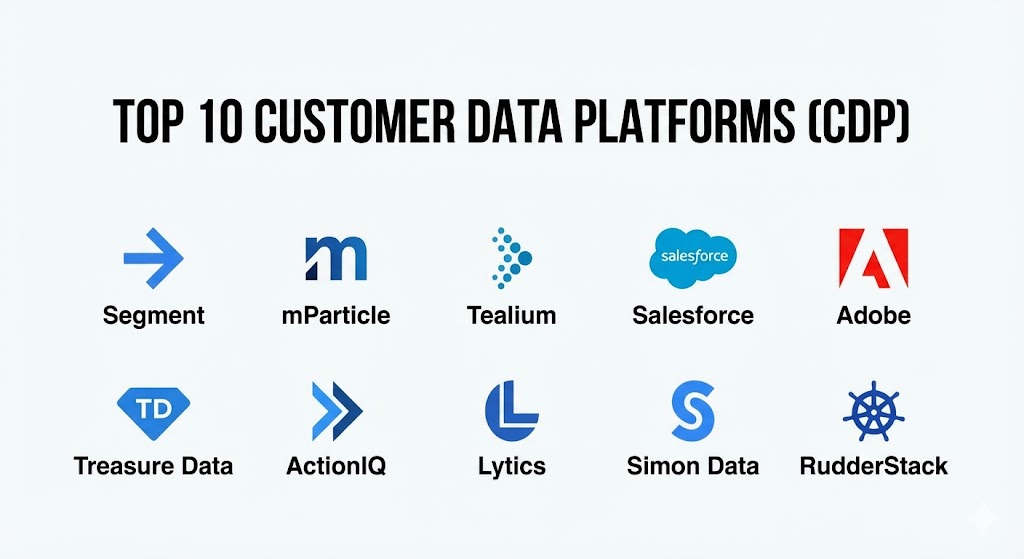
Top 10 Customer Data Platforms (CDP) Tools
1 — Segment (by Twilio)
Segment is arguably the most recognizable name in the CDP space, favored by developers for its “clean code” approach to data collection. It acts as a single API that collects data from your apps and routes it to hundreds of other marketing and analytics tools.
- Key features:
- Connections: A centralized hub to collect data from any source and send it to any destination.
- Protocols: A data governance tool that ensures all data follows a standardized schema.
- Personas: An identity resolution engine that builds unified profiles in real-time.
- Reverse ETL: The ability to send data from your warehouse back into your operational tools.
- Functions: Allows developers to write custom code to transform data as it flows through the platform.
- Privacy Portal: Automated tools for handling GDPR and CCPA data deletion requests.
- Pros:
- Exceptional developer experience with industry-standard documentation.
- A massive library of pre-built integrations (over 450+ destinations).
- Cons:
- The pricing model, based on Monthly Tracked Users (MTU), can become extremely expensive as you scale.
- Can be overly complex for marketing teams without technical support.
- Security & compliance: SSO, 256-bit encryption, SOC 2 Type II, GDPR, ISO 27001, and HIPAA (on specific plans).
- Support & community: Extensive self-service documentation, active developer community, and 24/7 enterprise-grade support for top-tier plans.
2 — mParticle
mParticle is a mobile-first CDP designed for high-growth consumer brands. It specializes in handling the complexities of mobile app data, such as deep linking and cross-device attribution, making it a favorite for the “app-first” economy.
- Key features:
- Multi-platform SDKs: Specialized libraries for iOS, Android, Web, and OTT devices.
- Data Master: A suite of data quality tools to prevent “dirty data” from entering the system.
- Identity Reporting: Advanced visualization of how different user IDs are stitched together.
- Live Stream: Real-time debugging and monitoring of data as it enters the platform.
- Audience Builder: Intuitive visual interface for marketers to build segments without SQL.
- Smart Triggers: Ability to trigger actions in external tools based on specific user milestones.
- Pros:
- The undisputed leader for mobile-centric businesses (Travel, Gaming, Food Delivery).
- Very strong focus on data security and granular privacy controls.
- Cons:
- Lacks some of the “all-in-one” marketing automation features found in enterprise suites.
- Requires a significant initial technical investment to set up correctly.
- Security & compliance: SOC 2 Type II, GDPR, CCPA, ISO 27001, and HIPAA compliant.
- Support & community: High-touch enterprise onboarding, dedicated account managers, and a professional services arm.
3 — Tealium EventStream
Tealium is a veteran in the data space, having evolved from tag management to a full-scale CDP. It is known for its “event-driven” architecture, which allows for ultra-fast data processing and activation.
- Key features:
- AudienceStream: A real-time CDP that builds profiles and triggers actions across the stack.
- Predict: A built-in machine learning layer that predicts customer behavior like churn or intent.
- iQ Tag Management: The foundation of the platform, offering massive control over web data.
- DataAccess: Rich data storage and export capabilities for long-term analysis.
- 1,300+ Integrations: One of the largest marketplaces for third-party connections.
- Identity Resolution: Sophisticated cross-device and cross-platform “visitor stitching.”
- Pros:
- Unmatched flexibility for complex, global enterprises with legacy systems.
- Does not sample data; you get a 100% accurate view of every event.
- Cons:
- The user interface can feel dated and “heavy” compared to modern SaaS startups.
- Very steep learning curve for those not already familiar with tag management.
- Security & compliance: HIPAA, SOC 2 Type II, ISO 27001, GDPR, and FedRAMP (for government use).
- Support & community: Robust training via Tealium Education, global technical support, and a dedicated partner network.
4 — Salesforce Data Cloud
Salesforce Data Cloud (formerly Genie) is an integrated part of the Salesforce ecosystem. It is designed to bridge the gap between sales, service, and marketing by unifying all CRM data into a single real-time profile.
- Key features:
- Hyperforce Integration: Leverages Salesforce’s modern cloud infrastructure for massive scale.
- Flow Builder: Automates business processes across the entire Salesforce platform.
- Tableau Integration: Native connection for deep data visualization and discovery.
- MuleSoft Connectivity: Allows for connecting to almost any legacy backend or ERP.
- Einstein AI: Built-in predictive analytics and generative AI for customer interactions.
- Data Spaces: Allows for segregating data by brand, region, or department within one org.
- Pros:
- A “no-brainer” for organizations already deeply invested in the Salesforce ecosystem.
- Exceptional for B2B use cases involving complex account-based marketing (ABM).
- Cons:
- Less effective as a standalone tool for companies not using Salesforce CRM.
- Pricing is complex and often requires a large annual contract.
- Security & compliance: Fully compliant with global standards (SOC, ISO, HIPAA, GDPR, FedRAMP).
- Support & community: Massive “Trailblazer” community, extensive training certifications, and global 24/7 support.
5 — Adobe Real-Time CDP
Adobe’s CDP is built on the Adobe Experience Platform. It is a high-end enterprise solution that excels in the “Experience” part of the CDP definition, turning data into creative action instantly.
- Key features:
- Edge Network: Ultra-fast data collection and activation through Adobe’s global servers.
- XDM (Experience Data Model): A standardized language for describing customer data.
- Data Governance: Sophisticated tools for labeling and enforcing data usage policies.
- B2B and B2C Models: Specialized schemas for different business models.
- Customer Journey Analytics: Visualizes the entire path to purchase across touchpoints.
- Segment Match: Securely collaborate with partners to find overlapping audiences.
- Pros:
- Unrivaled for marketing teams who already use Adobe Analytics and Experience Manager.
- Best-in-class for creative and media-heavy organizations.
- Cons:
- Implementation is a massive undertaking, often taking 6–12 months.
- Cost is at the absolute top end of the market.
- Security & compliance: ISO 27001, SOC 2, HIPAA, GDPR, and high-level encryption for all data.
- Support & community: Premium enterprise support, dedicated success managers, and the “Adobe Experience League.”
6 — Treasure Data
Treasure Data is a CDP with a deep heritage in big data and data warehousing. It is designed for companies with massive amounts of unstructured data who need a tool that can “process” before it “activates.”
- Key features:
- Enterprise-grade Ingestion: Capable of handling billions of events per day.
- Schema-on-Read: Highly flexible way to ingest data without pre-defining every field.
- Predictive Lead Scoring: Built-in ML for identifying high-value customers.
- Custom SQL Querying: Allows data analysts to write direct queries against the CDP data.
- Consent Management: Integrated tools to manage user permissions across regions.
- Marketing Orchestration: Visual builder for multi-step customer journeys.
- Pros:
- Strongest data processing and “heavy lifting” capabilities of the top 10.
- Highly scalable for multi-brand conglomerates.
- Cons:
- Requires a more technical team (data analysts/engineers) to manage than “marketer-first” tools.
- The interface is functional but less “slick” than competitors like Segment.
- Security & compliance: SOC 2 Type II, ISO 27001, HIPAA, GDPR, and FISC.
- Support & community: Excellent technical documentation, global support teams, and high customer satisfaction scores.
7 — ActionIQ
ActionIQ is built for the “modern data stack,” focusing on speed and extreme scalability. It is designed to sit on top of your existing data warehouse, allowing for a “zero-copy” data architecture.
- Key features:
- InfiniteCompute: A proprietary engine designed to process petabytes of data in seconds.
- Zero-Copy Architecture: Allows you to access data in Snowflake/BigQuery without duplicating it.
- Visual Segment Builder: High-speed audience creation for non-technical users.
- Real-time Personalization: Triggers experiences based on live streaming events.
- Customer Journey Mapping: Visualizes how different segments move through the funnel.
- Pros:
- Perfect for companies that already have a strong investment in a Cloud Data Warehouse.
- Eliminates the “data lag” often found in legacy CDP syncing processes.
- Cons:
- Primarily a “Marketing CDP”—less focus on technical event routing than Segment.
- Requires a modern, warehouse-centric technical environment to be useful.
- Security & compliance: SOC 2 Type II, GDPR, HIPAA, and ISO 27001 compliant.
- Support & community: Dedicated strategic consulting, professional onboarding, and email/chat support.
8 — Lytics
Lytics is a “Behavioral CDP” that puts a heavy emphasis on data science and machine learning. It doesn’t just collect data; it interprets the “intent” behind the data to help marketers decide what to do next.
- Key features:
- Content Affinity: Understands what specific topics or products a user is interested in.
- Predictive Audiences: Segments users by likelihood to churn, buy, or engage.
- Cloud Connect: Native “Reverse ETL” to sync data back to marketing tools.
- Behavioral Scoring: Assigns scores based on real-time engagement patterns.
- Canvas: A visual tool for orchestrating cross-channel experiences.
- Pros:
- Best-in-class for companies that want to automate their decision-making via AI.
- More affordable than the “Big Three” (Adobe, Salesforce, SAP) for mid-market firms.
- Cons:
- Smaller integration ecosystem compared to Segment or Tealium.
- Machine learning models require a significant amount of data before they become accurate.
- Security & compliance: SOC 2 Type II, GDPR, and CCPA compliant.
- Support & community: Responsive technical support, webinars, and detailed user guides.
9 — Simon Data
Simon Data is a CDP that focuses on the “Marketing Orchestration” layer. It is built for marketing teams who want to build complex, data-driven experiments and campaigns across every channel.
- Key features:
- Unified Data Layer: Combines warehouse data with real-time streaming data.
- Simon Journeys: A sophisticated canvas for building multi-step, multi-channel logic.
- A/B Testing: Built-in experimentation for entire audience segments.
- Identity Resolution: Proprietary algorithms for matching email, phone, and web IDs.
- Direct Connect: Faster syncing with popular ESPs (Email Service Providers).
- Pros:
- Exceptional for marketing teams that feel limited by their current ESP or CRM.
- Allows for rapid testing of different marketing strategies.
- Cons:
- Less focus on the “data plumbing” side (SDKs/event tracking) than Segment.
- The interface can be complex for users who aren’t familiar with “logic-based” builders.
- Security & compliance: SOC 2 Type II, GDPR, and HIPAA compliant.
- Support & community: High-touch client success teams and thorough onboarding.
10 — RudderStack
RudderStack is the “open-source alternative” to Segment. It is designed for data engineering teams who want the power of a CDP but want to maintain total control over their data and infrastructure.
- Key features:
- Warehouse-First: Treats your data warehouse as the primary source and destination.
- Event Stream: Collects and routes event data from web, mobile, and backend apps.
- RudderStack Cloud & Open Source: Choice between a managed service or self-hosting.
- Identity Stitching: Open-source models for building unified profiles in your warehouse.
- 150+ Destinations: Growing library of cloud and warehouse connectors.
- Data Transformation: JavaScript-based functions to clean data on the fly.
- Pros:
- Significantly more cost-effective than Segment for high-volume data.
- Eliminates “vendor lock-in” by keeping data in your own warehouse.
- Cons:
- Requires a strong data engineering team to implement and maintain.
- The marketing-facing UI (for building segments) is not as mature as competitors.
- Security & compliance: SOC 2 Type II, GDPR, CCPA, and ISO 27001.
- Support & community: Active Slack community, open-source GitHub repository, and enterprise support.
Comparison Table
| Tool Name | Best For | Platform(s) Supported | Standout Feature | Rating (Gartner) |
| Segment | Developers/Startups | Web, App, Server | 450+ Destinations | 4.6 / 5 |
| mParticle | Mobile-First Brands | iOS, Android, OTT | Mobile Identity Stitching | 4.5 / 5 |
| Tealium | Large Enterprises | Web, App, IoT | Event-Driven Speed | 4.4 / 5 |
| Salesforce | Salesforce Users | Cloud / SaaS | Einstein AI Integration | 4.2 / 5 |
| Adobe | Creative/Media | Cloud / SaaS | Experience Data Model | 4.1 / 5 |
| Treasure Data | Big Data/Analytics | Web, App, Server | Schema-on-Read Ingestion | 4.5 / 5 |
| ActionIQ | Warehouse-Native | Web, App, Server | Zero-Copy Architecture | 4.6 / 5 |
| Lytics | AI-Driven Teams | Web, App, Email | Content Affinity ML | 4.3 / 5 |
| Simon Data | Marketers | Web, App, Email | Campaign Orchestration | 4.4 / 5 |
| RudderStack | Data Engineers | Web, App, Warehouse | Warehouse-First Logic | 4.7 / 5 |
Evaluation & Scoring of Customer Data Platforms (CDP)
Selecting a CDP is a long-term strategic decision. To help you evaluate these tools objectively, we have provided a scoring rubric. A “Marketer-first” organization will score “Ease of Use” more highly, while a “Tech-first” company will prioritize “Integrations & Ecosystem.”
| Criteria | Weight | Evaluation Details |
| Core Features | 25% | Identity resolution, profile unification, and data ingestion. |
| Ease of Use | 15% | Intuitiveness of the UI for non-technical marketing teams. |
| Integrations | 15% | Breadth of pre-built connectors and API quality. |
| Security & Compliance | 10% | GDPR/HIPAA readiness, SSO, and audit logs. |
| Performance | 10% | Data latency, uptime, and real-time processing speed. |
| Support & Community | 10% | Quality of documentation and customer success models. |
| Price / Value | 15% | ROI relative to seat costs and data volume fees. |
Which Customer Data Platforms (CDP) Tool Is Right for You?
Solo Users vs SMB vs Mid-market vs Enterprise
If you are a solo user or a small business, you should generally avoid a CDP. The overhead of implementation will outweigh the benefits. For mid-market companies, Segment or Lytics offer the best balance of features and usability. Enterprises with massive, complex data structures should look at Tealium, Adobe, or Treasure Data.
Budget-conscious vs Premium Solutions
If budget is the primary driver, RudderStack (Open Source) or Segment (Free Tier) are the best starting points. For those who want a Premium, fully-managed experience where the platform does the heavy lifting, Adobe Real-Time CDP and Salesforce Data Cloud are the top-tier investments.
Feature Depth vs Ease of Use
If you need Feature Depth (e.g., complex data processing and custom SQL), Treasure Data or RudderStack are the clear winners. If you prioritize Ease of Use so your marketing team can build campaigns today without calling a developer, Simon Data or ActionIQ are the most approachable.
Integration and Scalability Needs
For those heavily invested in a Modern Data Stack (Snowflake, BigQuery, dbt), RudderStack and ActionIQ are designed for your ecosystem. If you need to integrate with a legacy, on-premise tech stack, Tealium is the most flexible choice.
Frequently Asked Questions (FAQs)
1. Is a CDP the same as a CRM?
No. A CRM (like Salesforce) tracks manual interactions and sales pipelines. A CDP (like Segment) tracks all digital events and behavior automatically across every platform, then sends that data back to the CRM and other tools.
2. How long does it take to implement a CDP?
A basic implementation of a tool like Segment can take 2–4 weeks. A full enterprise deployment for Adobe or Salesforce can take 6–12 months, depending on the complexity of your data sources.
3. Does a CDP replace my data warehouse?
No. A CDP and a data warehouse (like Snowflake) work together. The CDP handles real-time data collection and activation, while the warehouse handles long-term storage and complex reporting.
4. How much do CDPs cost?
Most CDPs start in the range of $1,000–$2,000 per month for basic plans. Enterprise contracts for the top-tier tools often range from $50,000 to over $250,000 per year.
5. What is “Identity Resolution”?
It is the process of matching an anonymous website visitor (based on a cookie) to a known customer (based on an email login) and a mobile user (based on a device ID) to create one single profile.
6. Is a CDP compliant with GDPR?
Yes, most professional CDPs are designed with “Privacy by Design.” They provide tools to manage user consent, handle data deletion requests, and ensure data is stored in specific geographic regions.
7. Do I need a developer to run a CDP?
Yes. While marketers use the CDP dashboard, a developer or data engineer is required to install the SDKs, set up the API connections, and ensure the data is flowing correctly.
8. What is the biggest mistake people make with CDPs?
Ingesting too much “garbage” data. A CDP is only as good as the data you put into it. Without a clean tracking plan and data governance, the CDP will just create “unified garbage profiles.”
9. Can a CDP help with ad targeting?
Absolutely. By syncing your CDP with Facebook or Google Ads, you can create “Lookalike Audiences” based on your highest-value customers or suppress ads for people who have already purchased.
10. What is “Reverse ETL”?
It is the process of taking refined data from your warehouse or CDP and sending it “backwards” into your operational tools, like your CRM or Helpdesk, to give those teams better context.
Conclusion
Selecting the right Customer Data Platform is one of the most significant technical decisions a modern business can make. It is the foundation of a data-driven culture. For the agile startup, the flexibility of Segment is hard to beat. For the enterprise looking to maximize their existing CRM investment, Salesforce Data Cloud is the natural choice.
The “best” CDP is ultimately the one that aligns with your technical capabilities and your business goals. Before you buy, perform a thorough audit of your current data sources and define exactly what “customer experience” you are trying to create. A CDP is a powerful engine—but you need to know where you’re driving it.