Introduction
A Wiki is a collaborative website or database that allows users to create and edit content directly from their web browser. Unlike traditional document storage, wikis are designed for non-linear information sharing, utilizing internal linking to create a web of interconnected knowledge. The term comes from the Hawaiian word “wiki-wiki,” meaning “quick,” reflecting the ease with which users can contribute and retrieve information.
The importance of a wiki lies in its ability to foster a culture of transparency and self-service. Instead of asking a manager for a policy or a developer for a technical specification, employees can simply search the wiki. Key real-world use cases include onboarding new hires, documenting software codebases, storing HR policies, and collaborative project planning. When evaluating a wiki, users should look for search relevancy, ease of editing, version history, and permission granularity.
Best for: Knowledge workers, project managers, and engineering teams within mid-sized to large enterprises. It is particularly beneficial for remote-first companies and industries like tech, healthcare, and education where information changes rapidly.
Not ideal for: Micro-businesses with very simple operations where verbal communication suffices, or for teams requiring high-end data analysis or complex spreadsheet modeling, where a Business Intelligence (BI) tool or Excel would be more appropriate.
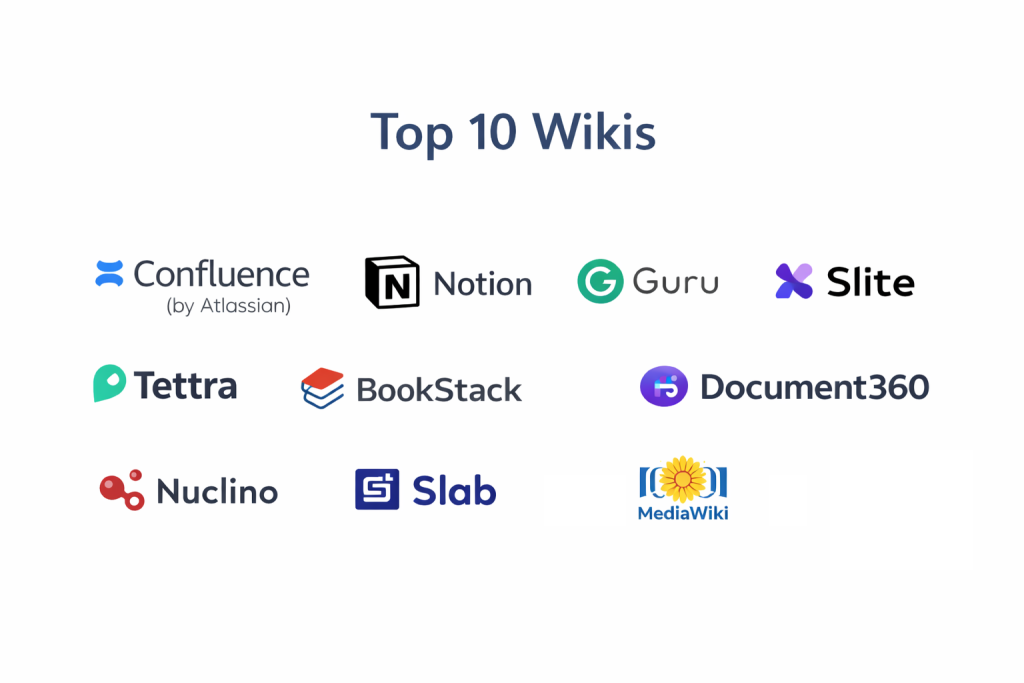
Top 10 Wikis Tools
1 — Confluence (by Atlassian)
Confluence is the industry heavyweight, specifically designed to help teams organize and collaborate on complex projects. It is a favorite among engineering and product teams due to its deep integration with the Atlassian ecosystem.
- Key features:
- Jira Integration: Seamlessly link Jira tasks and issues directly into wiki pages.
- Rich Macro Library: Add dynamic content like roadmaps, status bars, and code snippets.
- Space Hierarchy: Organize information into “Spaces” for different departments or projects.
- Collaborative Editing: Multiple users can edit a page simultaneously with real-time sync.
- Advanced Permissions: Granular control over who can see, edit, or comment on content.
- Whiteboard Integration: Built-in digital whiteboarding to move from brainstorming to documentation.
- Pros:
- Unrivaled for technical teams already using Jira or Bitbucket.
- Massive library of pre-built templates for project plans and meeting notes.
- Cons:
- The interface can be overwhelming and “clunky” for non-technical users.
- Pricing scales aggressively for large enterprises.
- Security & compliance: SSO, 256-bit encryption, SOC 2, GDPR, HIPAA, and ISO 27001 compliant.
- Support & community: Extensive global partner network, “Atlassian University” for training, and a massive online user community.
2 — Notion
Notion has redefined the modern wiki by combining notes, tasks, and databases into a single, highly flexible “all-in-one” workspace. It is the go-to choice for startups and creative teams.
- Key features:
- Block-based Architecture: Move text, images, and tables like LEGO blocks to build custom layouts.
- Relational Databases: Link different sets of data to create complex knowledge maps.
- Notion AI: Automatically summarizes pages, drafts content, and extracts action items.
- Public Pages: Easily turn any wiki page into a public-facing website or portfolio.
- Synced Blocks: Edit content in one place and have it update automatically across the entire wiki.
- Pros:
- Extremely high user adoption rate due to its beautiful and intuitive design.
- Highly versatile; can replace several other tools like Trello or Evernote.
- Cons:
- Search functionality can become less precise as the volume of pages grows.
- Lacks some of the “hardcore” technical documentation features found in Confluence.
- Security & compliance: SSO, SOC 2 Type II, and GDPR compliant. HIPAA compliance is available on enterprise tiers.
- Support & community: Vibrant community of template creators, robust help center, and active YouTube tutorial ecosystem.
3 — Guru
Guru is a “knowledge management” wiki that lives where you work. It uses a unique “Card” system and a browser extension to push information to employees within their existing workflows.
- Key features:
- Knowledge Triggers: Automatically suggests relevant wiki content based on the text on a user’s screen.
- Browser Extension: Access the entire wiki from any tab in Chrome or Edge.
- Verification Workflow: Periodically prompts experts to verify that a “card” is still accurate.
- Slack/Teams Integration: Search and share knowledge directly within chat applications.
- AI Suggest: Uses AI to identify and capture knowledge from chat threads.
- Pros:
- Solves the “stale information” problem through mandatory expert verification.
- Best-in-class for sales and support teams who need quick answers during live calls.
- Cons:
- The “Card” format is not ideal for long-form, multi-page technical manuals.
- Can feel fragmented compared to a traditional “book-style” wiki.
- Security & compliance: SSO, SOC 2 Type II, and GDPR compliant. Data encryption at rest and in transit.
- Support & community: Responsive chat support, onboarding webinars, and a dedicated “Deep Guru” community forum.
4 — Slite
Slite is a modern wiki designed specifically for remote teams. It emphasizes “clarity” and focuses on helping teams stay aligned through well-organized, clean documentation.
- Key features:
- Slite AI: An assistant that answers employee questions by searching your wiki content.
- Smart Collections: Automatically organizes documents based on tags and metadata.
- Discussion Threads: Inline comments and discussions that don’t clutter the main text.
- External Sharing: Securely share individual pages or entire collections with clients.
- Global Search: Extremely fast search that scans text within images and PDFs.
- Pros:
- One of the cleanest writing and reading experiences available.
- “Decision” tracking helps teams look back at why specific choices were made.
- Cons:
- Fewer third-party integrations compared to Notion or Confluence.
- Lacks complex database functionality.
- Security & compliance: SSO, GDPR compliant, and SOC 2 (varies by tier).
- Support & community: Helpful blog, template gallery, and responsive email-based support.
5 — Tettra
Tettra is a specialized wiki built specifically for teams using Slack. It focuses on harvesting the knowledge that happens in chat and organizing it into a permanent home.
- Key features:
- Slack Question/Answer: Turn a Slack question into a permanent wiki page with one click.
- Knowledge Experts: Assign owners to specific categories to ensure content stays fresh.
- Internal Search: Fast search that integrates directly with Slack’s search bar.
- Content Request: Allow employees to “request” a page if they find a gap in knowledge.
- Verified Content: Visual badges showing that an expert has recently approved a page.
- Pros:
- The best option for teams that do 90% of their work in Slack.
- Very low barrier to entry for non-technical departments like HR or Sales.
- Cons:
- Limited feature set for teams that aren’t heavy Slack users.
- Less powerful design and layout options than Webflow or Notion.
- Security & compliance: SSO, GDPR compliant, and standard cloud encryption.
- Support & community: Simple onboarding guides, email support, and a dedicated Slack community.
6 — BookStack
BookStack is a free and open-source wiki platform that uses a familiar “Bookshelf” metaphor to organize information. It is ideal for those who want a structured, self-hosted solution.
- Key features:
- Hierarchy of Books/Chapters/Pages: A logical, easy-to-understand organizational structure.
- Markdown & WYSIWYG: Choose the editor that fits your team’s technical level.
- Self-Hosted: Full control over your data and server environment.
- Dark Mode & Theming: Basic customization to match company branding.
- Multi-lingual Support: Available in over 30 languages.
- Pros:
- Completely free to use with no per-user licensing fees.
- Extremely simple to navigate; users immediately understand the “Book” metaphor.
- Cons:
- Requires internal IT resources to manage installation and updates.
- Lacks the advanced AI and project management features of SaaS competitors.
- Security & compliance: GDPR compliant (user-managed); supports LDAP and Social Authentication.
- Support & community: Active GitHub community, subreddit, and extensive wiki-style documentation.
7 — Document360
Document360 is a premium knowledge base and wiki platform designed for technical writing and customer-facing documentation. It excels at managing large-scale documentation projects.
- Key features:
- Eddy AI: An AI assistant that helps users find answers and helps writers improve content.
- Category Manager: A sophisticated drag-and-drop interface for managing complex hierarchies.
- Version Control: Compare different versions of a page side-by-side.
- Private & Public Portals: Host an internal team wiki and an external help center in one app.
- API Documentation: Specialized tools for documenting code and API endpoints.
- Pros:
- The most professional tool for technical writers and “Knowledge Managers.”
- Excellent analytics to see what users are searching for and where they are failing.
- Cons:
- One of the most expensive standalone wiki tools on the market.
- Might be “overkill” for a team that just needs a simple internal notepad.
- Security & compliance: SSO, SOC 2 Type II, HIPAA, and GDPR compliant.
- Support & community: 24/7 technical support, dedicated migration assistance, and regular webinars.
8 — Nuclino
Nuclino is often described as a “collective brain” for teams. it is a lightweight, extremely fast wiki that offers a unique “Graph View” to visualize how information is connected.
- Key features:
- Graph View: A mind-map style visualization of your entire wiki hierarchy.
- Real-time Collaboration: See who is editing what in real-time with zero lag.
- Board/Table Views: Switch from a wiki page to a Kanban board or a list instantly.
- Clean Markdown Editor: Focus on content without the distraction of complex toolbars.
- Fast Search: Instant results that update as you type.
- Pros:
- The fastest performance of any wiki tool; pages load instantly.
- Simple, focused feature set prevents “software bloat.”
- Cons:
- Lacks advanced enterprise features like automated content verification.
- Not ideal for high-end data management or complex spreadsheet integration.
- Security & compliance: SSO, GDPR compliant, and SOC 2 (varies by tier).
- Support & community: Responsive email support, helpful user guides, and a streamlined onboarding process.
9 — Slab
Slab is a knowledge hub designed to be “the heart of your company’s information.” It focuses on a beautiful reading experience and high-quality search across all your company’s other apps.
- Key features:
- Unified Search: Search for information across Slab, Slack, Google Drive, and GitHub simultaneously.
- Slab Topics: A flexible way to organize content that transcends traditional folders.
- Right-to-Left Support: Full support for RTL languages like Arabic and Hebrew.
- Integration with 50+ Apps: Embed live content from Figma, GitHub, and more directly into pages.
- Verified Content: Clearly marks which pages have been reviewed by a designated expert.
- Pros:
- Arguably the best search functionality in the wiki market.
- Clean, distraction-free interface that prioritizes readability.
- Cons:
- Lacks the “all-in-one” task management power of Notion.
- The free version is quite limited for growing teams.
- Security & compliance: SSO, SOC 2, and GDPR compliant.
- Support & community: Email-based support and a robust library of help articles.
10 — MediaWiki
MediaWiki is the engine that powers Wikipedia. It is the most powerful and scalable open-source wiki in existence, designed for managing massive amounts of public or private data.
- Key features:
- Extreme Scalability: Capable of handling millions of pages and billions of views.
- Vast Extension Library: Thousands of community-made extensions for every possible use case.
- Category/Namespace System: The most advanced organizational system in the wiki world.
- Talk Pages: Dedicated discussion spaces for every single article.
- VisualEditor: A WYSIWYG interface for users who don’t want to learn “Wikitext” code.
- Pros:
- Completely free and highly customizable for those with the technical skill to modify it.
- The most defensible, long-term format for “permanent” knowledge storage.
- Cons:
- Very steep learning curve for administrators.
- The “out of the box” design looks like 2005-era web and requires effort to modernize.
- Security & compliance: HIPAA and GDPR compliant (user-managed); supports various SSO integrations.
- Support & community: A massive global community of developers, extensive documentation (Meta-Wiki), and specialized consulting firms.
Comparison Table
| Tool Name | Best For | Platform(s) Supported | Standout Feature | Rating (Gartner) |
| Confluence | Technical Teams | Web, Win, Mac, Mobile | Jira Integration | 4.4 / 5 |
| Notion | Startups / All-in-one | Web, Win, Mac, Mobile | Block-based UX | 4.7 / 5 |
| Guru | Real-time Teams | Extension, Web, Slack | Expert Verification | 4.6 / 5 |
| Slite | Remote Teams | Web, Win, Mac, Mobile | Slite AI Assistant | 4.4 / 5 |
| Tettra | Slack Users | Web, Slack | Chat-to-Wiki Capture | 4.2 / 5 |
| BookStack | Self-hosted / SMB | Self-hosted (PHP) | Shelf/Book Metaphor | N/A |
| Document360 | Technical Writing | Web | AI Search (Eddy) | 4.7 / 5 |
| Nuclino | Speed / Mindmaps | Web, Win, Mac, Mobile | Graph Visualization | 4.6 / 5 |
| Slab | Knowledge Hub | Web, Desktop | Unified App Search | 4.5 / 5 |
| MediaWiki | Massive Datasets | Self-hosted (PHP) | Wikipedia Heritage | 4.1 / 5 |
Evaluation & Scoring of Wikis
To help you objectively choose a wiki, we have evaluated these tools against a weighted scoring rubric. While “Ease of Use” is vital for team adoption, “Security” and “Features” are the foundation for long-term knowledge retention.
| Criteria | Weight | Evaluation Rationale |
| Core Features | 25% | Editing quality, versioning, AI tools, and hierarchy management. |
| Ease of Use | 15% | Intuitiveness of the interface and speed of onboarding. |
| Integrations | 15% | Connectivity with Slack, Jira, CRM, and cloud storage. |
| Security & Compliance | 10% | Encryption, SSO, and regulatory certifications (SOC 2, HIPAA). |
| Performance | 10% | Search speed, page load times, and mobile responsiveness. |
| Support & Community | 10% | Quality of documentation and availability of expert help. |
| Price / Value | 15% | Cost-to-feature ratio and the generosity of the free tier. |
Which Wikis Tool Is Right for You?
Selecting a wiki is a long-term commitment. Moving information from one system to another is notoriously difficult, so choose based on your 3-year growth plan.
Solo Users vs SMB vs Mid-Market vs Enterprise
If you are a solo user (e.g., a researcher or student), Notion or Nuclino are the clear winners due to their simplicity and generous free tiers. For SMBs, Slite or Tettra offer the best path to team alignment. Mid-Market organizations with complex engineering needs should gravitate toward Confluence. Enterprises and government bodies requiring massive data volumes and extreme compliance should stick to Confluence or the self-hosted MediaWiki.
Budget-Conscious vs Premium Solutions
If budget is the primary driver, BookStack and MediaWiki are essentially free, though they require IT resources to host. For those who want a Premium experience where the software handles all the maintenance, branding, and AI integration, Document360 and Notion (Enterprise) provide the highest return on investment.
Feature Depth vs Ease of Use
If you need absolute feature depth (e.g., tracking every software release and connecting it to a developer’s task), Confluence is unrivaled. If you prioritize ease of use and want your marketing team to start documenting today, Notion or Slab are much more approachable.
Frequently Asked Questions (FAQs)
1. What is the difference between a wiki and a knowledge base?
A wiki is traditionally collaborative (anyone can edit), making it ideal for internal team knowledge. A knowledge base is usually curated by a few experts for a larger audience (like a help center for customers).
2. Can I use a wiki for project management?
Yes. Tools like Notion and Confluence have built-in Kanban boards and task lists, allowing you to manage the work and the documentation in the same space.
3. Is it hard to move my data if I change wikis later?
It can be. While most tools offer Markdown or HTML exports, the unique “blocks” or “macros” of specific tools often don’t translate perfectly, requiring manual cleanup.
4. How do I prevent my wiki from becoming disorganized?
Assign “Knowledge Owners” to specific spaces. Periodically use tools like Guru to verify information or run “Wiki Gardening” sessions where teams delete outdated pages.
5. Are wikis secure enough for HR data?
Yes, provided the tool supports SSO and has SOC 2 Type II certification. You should use granular permissions to ensure only the HR department can see sensitive payroll or contract info.
6. Do I need a developer to set up a wiki?
For SaaS tools like Notion or Slite, no. For self-hosted tools like MediaWiki or BookStack, yes—you will need someone to manage the server and database.
7. Can I access my wiki offline?
Most modern SaaS wikis have mobile and desktop apps with limited offline caching. For full offline power, a self-hosted wiki on a local network is the most reliable option.
8. What is the “Markdown” format mentioned in these tools?
Markdown is a lightweight way to format text using simple symbols (like # for a heading). It is popular in wikis because it allows for fast writing without taking your hands off the keyboard.
9. Can I make my internal wiki public?
Most platforms (especially Notion and Slab) allow you to turn on “Public Access” for specific pages, making them useful for sharing public roadmaps or documentation with clients.
10. How much does wiki software cost?
Basic versions are often free for small teams. Professional tiers typically range from $5 to $15 per user per month. Enterprise tiers are custom-quoted and usually start around $20 per user.
Conclusion
The “best” wiki in 2025 is the one that your team actually uses. A wiki is not a “set it and forget it” tool; it is a living document of your organization’s progress. For the technical powerhouse, the depth of Confluence remains the gold standard. For the modern startup, the flexibility of Notion is unmatched. And for the team that lives in Slack, the intelligence of Guru and Tettra is a game-changer.
Before you commit, start with a “Seed Project.” Choose your most disorganized department—perhaps HR or Sales—and build a wiki for them. If they find it useful and the information stays updated, you’ve found the right platform for the rest of your company.