Introduction
Knowledge Base Software is a digital library or directory used to store frequently asked questions, technical documentation, troubleshooting guides, and company policies. It transforms unstructured information into a searchable, structured database. By providing a “single source of truth,” these tools ensure that both customers and employees have access to accurate information at the moment they need it.
The importance of these tools lies in their ability to reduce operational friction. For customer support, a public knowledge base enables “self-service,” which drastically lowers ticket volume and support costs. Internally, a private knowledge base accelerates employee onboarding and prevents the “knowledge silo” effect where critical information is lost when a staff member leaves. Key real-world use cases include customer support help centers, IT documentation portals, HR policy wikis, and software developer API documentation. When evaluating tools, users should look for search relevancy (AI-powered), ease of content authoring, analytics, and permission management.
Best for: Customer success managers, IT directors, HR leaders, and DevOps teams. It is essential for high-growth startups, SaaS companies, and mid-to-large enterprises in industries like Fintech, Healthcare, and E-commerce where accuracy and speed are paramount.
Not ideal for: Micro-businesses with fewer than five employees where verbal communication is sufficient, or for creative teams looking for high-end graphic asset management (where a DAM system is better).
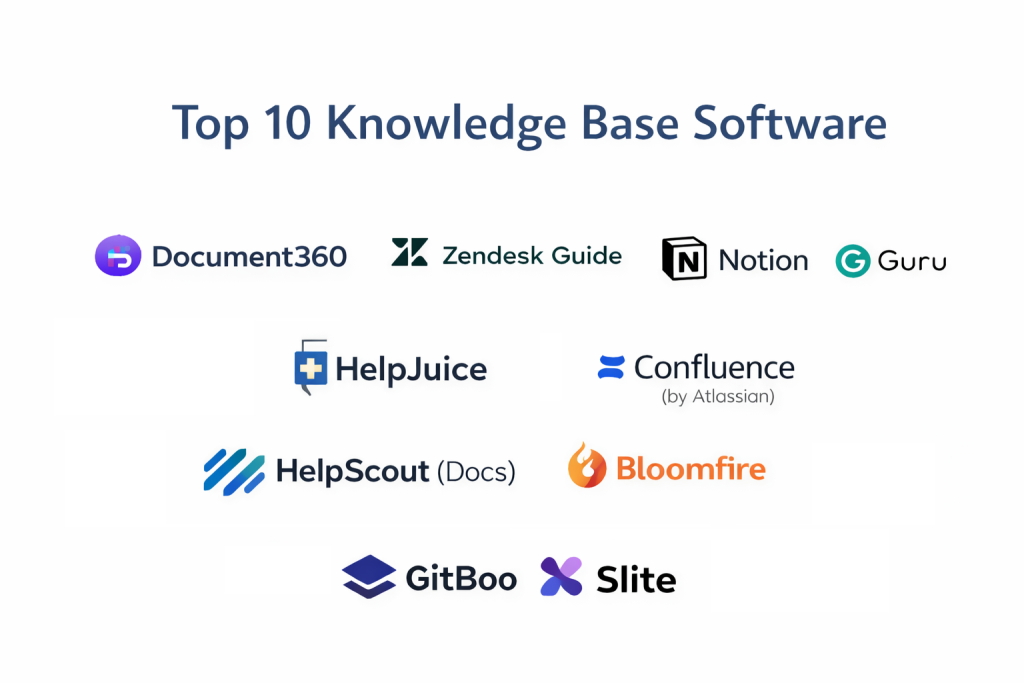
Top 10 Knowledge Base Software Tools
1 — Document360
Document360 is a high-end, dedicated knowledge base platform designed specifically for software companies and technical writers. It focuses on the “authoring experience,” making it incredibly easy to produce beautiful documentation.
- Key features:
- Eddy AI: An AI-powered search and assistant that answers queries based on your content.
- Advanced WYSIWYG Editor: Supports both Markdown and a visual editor for diverse writing preferences.
- Version Control: Allows authors to roll back to previous versions of articles or see change logs.
- Category Manager: A drag-and-drop interface to manage complex folder hierarchies.
- Private Knowledge Base: Secure login-only portals for internal company documentation.
- Contextual Help Widget: An embeddable “Knowledge Base” inside your own web application.
- Pros:
- The most intuitive interface for technical writers and documentation teams.
- Excellent analytics that show exactly what users are searching for and where they are failing.
- Cons:
- Higher price point than general-purpose help desk tools.
- Feature set might be overkill for very small teams with simple needs.
- Security & compliance: SSO, 256-bit encryption, SOC 2 Type II, GDPR, and HIPAA compliant.
- Support & community: 24/7 technical support, a dedicated migration team, and extensive video documentation.
2 — Zendesk Guide
Zendesk Guide is a core component of the broader Zendesk Support Suite. It is built for companies that want their knowledge base to be perfectly synced with their customer support ticketing system.
- Key features:
- Content Cues: AI that analyzes support tickets to suggest which knowledge base articles need to be written.
- Answer Bot: Automatically sends relevant articles to customers during the ticket submission process.
- Multi-brand Support: Manage different help centers for multiple products under one account.
- Rich Themes: Highly customizable frontend to match your brand’s look and feel.
- Community Forums: Built-in tools to allow customers to help each other.
- Pros:
- Seamless integration with Zendesk tickets—support agents can turn a reply into an article with one click.
- Massive scalability for global enterprises with millions of customers.
- Cons:
- Can be very expensive as it often requires a full Zendesk Support subscription.
- Customizing the CSS/HTML of the help center requires technical knowledge.
- Security & compliance: ISO 27001, SOC 2, HIPAA, GDPR, and FedRAMP compliant.
- Support & community: 24/7 global support, massive user forum, and certified partner network.
3 — Notion
While Notion is often called an “all-in-one workspace,” its flexibility makes it a favorite for internal knowledge bases and team wikis. It excels at spatial organization and collaborative drafting.
- Key features:
- Block-based Architecture: Move text, videos, and tables like LEGO blocks.
- Relational Databases: Cross-link different sets of information (e.g., linking a “Project” to a “SOP”).
- Notion AI: Summarizes long articles and can generate drafts from scratch.
- Permissions: Granular control over who can see, edit, or comment on specific pages.
- Public Pages: Option to turn any page into a public-facing website with one click.
- Pros:
- Incredibly low barrier to entry; most employees already know how to use it.
- Replaces multiple tools by combining notes, tasks, and documentation.
- Cons:
- Not designed specifically for external customer support (lacks “ticketing” or “self-service” bots).
- Search functionality can become slow as the workspace grows to thousands of pages.
- Security & compliance: SSO, SOC 2 Type II, and GDPR compliant. HIPAA is available on Enterprise plans.
- Support & community: Huge YouTube community, thousands of free templates, and robust help guides.
4 — Guru
Guru is a “knowledge management” tool that lives where you work. It uses a unique “Card” system and browser extension to put info directly into Slack, Teams, or your CRM.
- Key features:
- Browser Extension: Access the knowledge base from any tab without switching apps.
- Knowledge Triggers: Automatically suggests relevant info based on the text on your screen.
- Verification Workflow: Periodically asks experts to “verify” that an article is still accurate.
- Slack/Teams Integration: Search and share knowledge base cards directly in chat.
- AI Suggest: Automatically categorizes and tags new information.
- Pros:
- Solves the problem of “stale” info through the mandatory verification feature.
- Perfect for sales and support teams who need answers in real-time while talking to clients.
- Cons:
- The “Card” format is not ideal for very long, multi-page technical manuals.
- Can feel fragmented for users who prefer a traditional “book-style” documentation view.
- Security & compliance: SSO, SOC 2 Type II, GDPR, and HIPAA compliant.
- Support & community: Highly responsive chat support, onboarding webinars, and a “Deep Guru” community group.
5 — HelpJuice
HelpJuice is a dedicated knowledge base provider that prides itself on having the most powerful search engine and the best customization tools in the market.
- Key features:
- Google-like Search: Exceptionally fast and accurate search results with auto-suggestions.
- Intelligent Analytics: Shows “impact” of articles (how many tickets they’ve prevented).
- No-limit Customization: Their team will actually design your help center for you for free.
- Multi-language Auto-Translate: Uses AI to translate your documentation into dozens of languages.
- Version Control: Comprehensive history of every edit and change.
- Pros:
- The most “done-for-you” service for companies that want a professional help center without design effort.
- Superior search precision that reduces user frustration.
- Cons:
- One of the most expensive standalone knowledge base tools.
- Lacks a built-in ticketing system (requires integration with others).
- Security & compliance: SSO, SOC 2, HIPAA, and GDPR compliant.
- Support & community: 24/7 concierge-level support and a highly regarded customer success team.
6 — Confluence (by Atlassian)
Confluence is the industry standard for internal team collaboration and technical documentation, particularly for software development teams using Jira.
- Key features:
- Jira Integration: Link Jira issues directly to documentation pages for full traceability.
- Space Hierarchy: Organize info by department, team, or project using “Spaces.”
- Rich Macro Library: Add dynamic content like status bars, roadmap planners, and code snippets.
- Collaborative Editing: Multiple people can edit a page simultaneously with real-time sync.
- Templates: Massive library of pre-built pages for project plans, meeting notes, and retros.
- Pros:
- Unrivaled for technical and engineering teams who need deep project transparency.
- Massive ecosystem of “Forge” apps to add almost any functionality.
- Cons:
- The interface can feel “clunky” and overwhelming for non-technical users (HR/Marketing).
- Permission management can be notoriously difficult to configure correctly.
- Security & compliance: ISO 27001, SOC 2, HIPAA, GDPR, and FedRAMP compliant.
- Support & community: Global partner network, Atlassian University, and a massive online community.
7 — HelpScout (Docs)
HelpScout is a customer-centric support platform that offers “Docs,” a beautifully simple and effective knowledge base tool designed for small to medium businesses.
- Key features:
- Beacon Widget: Embeds the knowledge base search directly into your website’s contact bubble.
- Search Analytics: Identifies “failed searches” to tell you what content is missing.
- Mobile-Optimized: Help centers look great on phones and tablets out of the box.
- SEO Settings: Manual control over meta descriptions and titles for public articles.
- Related Articles: Automatically suggests “further reading” at the bottom of pages.
- Pros:
- The fastest tool to set up; you can have a help center live in under an hour.
- Very affordable pricing for the quality of the “Beacon” integration.
- Cons:
- Lacks advanced technical features like Markdown or API-driven documentation.
- Limited hierarchical depth (best for simple, flat structures).
- Security & compliance: SSO, GDPR, HIPAA (on certain plans), and SOC 2 compliant.
- Support & community: World-class customer service (they are known for it) and an excellent blog on support strategy.
8 — Bloomfire
Bloomfire is an enterprise-level “knowledge engagement” platform that focuses on making information discoverable through AI and deep social interaction.
- Key features:
- Deep Video Search: AI transcribes videos so you can search for a spoken word and jump to that moment.
- Q&A Engine: Allows employees to ask questions that experts then answer and archive.
- Rich Media Support: Handles white papers, videos, and complex images equally well.
- Personalized Feeds: Content is pushed to users based on their role and interests.
- Bulk Import: Tools to ingest thousands of legacy documents at once.
- Pros:
- The best choice for large companies with heavy video-based training or research.
- Excellent for fostering a “learning culture” through the Q&A social features.
- Cons:
- Too complex and expensive for a simple customer help center.
- Requires a dedicated “Knowledge Manager” to curate the experience.
- Security & compliance: SOC 2 Type II, GDPR, HIPAA, and ISO 27001 compliant.
- Support & community: Professional onboarding and dedicated customer success.
9 — GitBook
GitBook is a documentation platform designed specifically for software developers and product teams. It treats documentation like code.
- Key features:
- Git Sync: Synchronize documentation directly with a GitHub or GitLab repository.
- Markdown Support: Built for developers who prefer to write in plain text.
- API Documentation: Specific tools to document REST or GraphQL APIs.
- Change Requests: A “Pull Request” style workflow for reviewing documentation updates.
- Rich Embeds: Seamlessly embed code playgrounds, Figma files, and YouTube videos.
- Pros:
- The best tool for public-facing developer docs and API manuals.
- High-quality aesthetics that look “modern tech” by default.
- Cons:
- Not suitable for non-technical departments (e.g., Sales/HR) who may find the Git-logic confusing.
- Free version is quite limited for private team use.
- Security & compliance: SSO, GDPR, and SOC 2 compliant.
- Support & community: Active developer community and excellent technical documentation.
10 — Slite
Slite is a modern team wiki that focuses on “clarity.” It is designed for remote-first teams that need to stay aligned through clean, organized documentation.
- Key features:
- Slite AI: Helps you find answers, rewrite text, and organize your “Smart Collections.”
- Discussion Threads: Inline comments and discussions that don’t clutter the main page.
- Checklists & Progress: Track project status within the documentation.
- External Sharing: Securely share individual docs with clients or partners.
- Inter-app Search: Search for info in Slite and other apps (Slack/Google Drive) simultaneously.
- Pros:
- Beautifully clean design that makes reading a pleasure.
- Much faster and lighter than Confluence or SharePoint.
- Cons:
- Lacks the deep database functionality found in Notion.
- Not a replacement for a customer-facing help desk.
- Security & compliance: SSO, GDPR, and ISO 27001 compliant.
- Support & community: Helpful blog, email support, and a library of remote-work templates.
Comparison Table
| Tool Name | Best For | Platform(s) Supported | Standout Feature | Rating (Gartner) |
| Document360 | Technical Teams | Web | AI Search (Eddy) | 4.7 / 5 |
| Zendesk Guide | Customer Support | Web, Mobile | Answer Bot AI | 4.5 / 5 |
| Notion | Internal Wikis | Web, Win, Mac, iOS | Block Architecture | 4.7 / 5 |
| Guru | Real-time Sales | Extension, Web | Verification Logic | 4.6 / 5 |
| HelpJuice | Custom Branding | Web | Concierge Design | 4.5 / 5 |
| Confluence | Engineering/Jira | Web, Win, Mac | Jira Traceability | 4.3 / 5 |
| HelpScout | SMB Support | Web, iOS, Android | Beacon Widget | 4.5 / 5 |
| Bloomfire | Video Knowledge | Web, Mobile | Deep Video Search | 4.4 / 5 |
| GitBook | Developer Docs | Web | Git Repository Sync | 4.6 / 5 |
| Slite | Remote Teams | Web, Win, Mac | Slite AI Assistant | 4.4 / 5 |
Evaluation & Scoring of Knowledge Base Software
Choosing the right platform requires an objective look at how the tool will be used. We use a weighted scoring rubric that prioritizes “Core Features” and “Ease of Use,” as these are the biggest drivers of user adoption.
| Criteria | Weight | Evaluation Rationale |
| Core Features | 25% | Search power, AI capabilities, and authoring tools. |
| Ease of Use | 15% | The learning curve for both writers and readers. |
| Integrations | 15% | Connection with ticketing systems, Slack, and CRMs. |
| Security & Compliance | 10% | Enterprise readiness (SSO, HIPAA, GDPR). |
| Performance | 10% | App speed and mobile responsiveness. |
| Support & Community | 10% | Quality of documentation and customer help. |
| Price / Value | 15% | Cost-to-feature ratio and scalability of pricing. |
Which Knowledge Base Software Tool Is Right for You?
Solo Users vs SMB vs Mid-Market vs Enterprise
If you are a solo user (e.g., a freelancer), a free Notion or Slite account is usually sufficient. For SMBs (under 100 employees), HelpScout or Slite offer the best ease-of-use-to-price ratio. Mid-Market companies with technical needs should look at Document360 or GitBook. Enterprises requiring global compliance and deep integrations should stick to Zendesk Guide, Confluence, or Bloomfire.
Budget-Conscious vs Premium Solutions
If budget is the primary driver, Notion and HelpScout provide high value. If you are looking for a Premium experience where the vendor handles design and provides high-end AI insights, Document360 and HelpJuice are worth the investment.
Feature Depth vs Ease of Use
If you need absolute feature depth (e.g., managing software release notes and API endpoints), Confluence and Document360 are the winners. If you want ease of use so your marketing team can document their processes today, Notion or Slite are much more approachable.
Frequently Asked Questions (FAQs)
1. What is the difference between an internal and external knowledge base?
An internal knowledge base (like Confluence or Notion) is for employees to share company secrets and SOPs. An external knowledge base (like Zendesk Guide or Document360) is a public help center for customers to solve their own problems.
2. Does knowledge base software improve SEO?
Yes. Public knowledge bases like Document360 allow Google to index your help articles. This can lead to your help pages appearing in search results when customers search for “How to [do something]” related to your product.
3. Is AI really necessary for a knowledge base?
In 2025, yes. AI helps in two ways: it allows users to ask natural language questions (e.g., “How do I reset my password?”) and get an answer immediately, and it helps authors find gaps in their content automatically.
4. Can I migrate my content from Word/PDF into these tools?
Most professional tools like HelpJuice and Document360 offer a “Concierge Migration” service or a bulk importer that can turn your static files into structured online articles.
5. How much does knowledge base software cost?
Pricing ranges from $0 (basic Notion/Slite) to $500+/month for enterprise standalone platforms. Most “Support Suite” add-ons cost roughly $20–$50 per agent per month.
6. Is it safe to store confidential company info in Notion?
Yes, provided you enable SSO and MFA. However, for extremely sensitive industries (Defense/Healthcare), a tool with more robust permission audits like Confluence or Document360 is often preferred.
7. How do I prevent my knowledge base from becoming “outdated”?
Look for tools with “Verification” features (like Guru) or analytics that flag articles that haven’t been updated in 6 months or have received negative user feedback.
8. Can I use my own domain name (e.g., https://www.google.com/search?q=help.company.com)?
Yes, all top-tier tools allow you to use a Custom Domain and provide an SSL certificate so the help center appears as a native part of your website.
9. What is the most important feature of a knowledge base?
Search. If a user can’t find what they need in under 10 seconds, they will leave the help center and contact your support team instead, defeating the purpose of the tool.
10. How long does it take to implement?
A basic team wiki can be ready in a day. A full-scale enterprise help center with 100+ articles usually takes 2–4 weeks to write, organize, and brand.
Conclusion
The “best” knowledge base software is the one that your team actually wants to contribute to. For customer support excellence, the AI-driven power of Document360 and Zendesk Guide are unrivaled. For team collaboration and internal alignment, the simplicity of Notion and Slite has redefined the category.
Before you buy, perform a “Knowledge Audit.” Identify where your biggest information gaps are. Is your support team overwhelmed? Go with a customer-facing tool. Are your new hires confused? Go with a team wiki. The right tool should feel like a bridge, connecting the people who have the answers to the people who have the questions.