Introduction
A Document Management System (DMS) is a software solution designed to track, manage, and store documents while significantly reducing paper usage. It serves as a centralized repository where digital files are captured, indexed, and stored for easy retrieval. Beyond simple storage, a robust DMS manages version control, ensures regulatory compliance, and facilitates collaborative editing across remote teams.
The importance of a DMS lies in its ability to eliminate “information silos” and reduce the time employees spend searching for files—which industry experts suggest can take up to 20% of an average workday. Key real-world use cases include automated invoice processing in finance, contract lifecycle management in legal departments, and employee record governance in HR. When evaluating a tool, users must look for metadata capabilities, OCR (Optical Character Recognition) accuracy, audit trails, and seamless integration with existing software stacks like CRM or ERP systems.
Best for: Compliance-heavy industries (Healthcare, Finance, Legal), mid-market companies seeking to automate internal workflows, and large enterprises managing massive volumes of structured and unstructured data.
Not ideal for: Freelancers or micro-businesses with basic storage needs where simple cloud storage (like a personal Google Drive or Dropbox) is sufficient and more cost-effective.
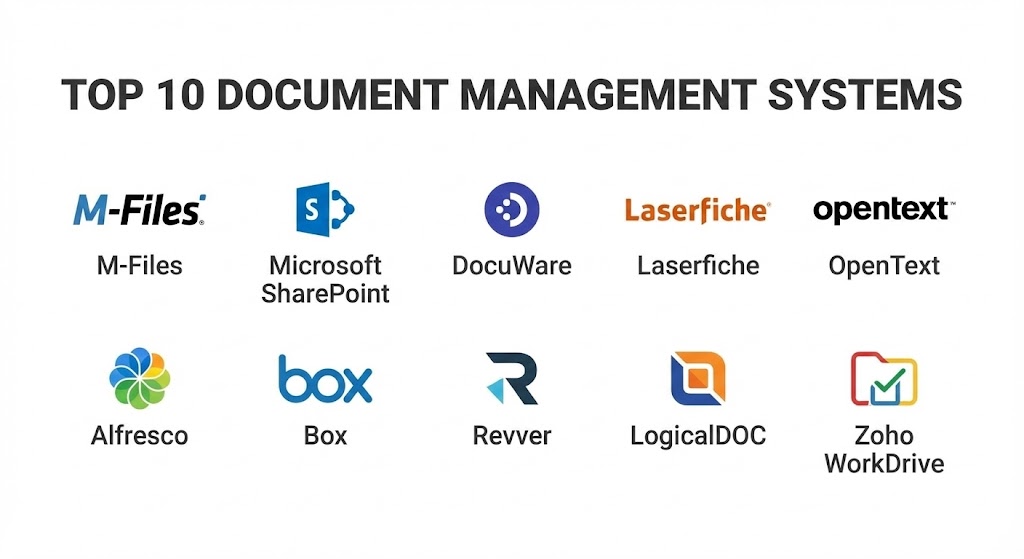
Top 10 Document Management Systems Tools
#1 — M-Files
M-Files takes a unique approach to document management by focusing on “what” a document is rather than “where” it is stored. It uses a metadata-driven architecture that allows files to be organized by their attributes (client, date, project) across different repositories.
- Key features:
- Metadata-driven architecture: Organizes content based on context rather than folder location.
- External Repository Integration: Connects with network folders, SharePoint, and Box without migration.
- Automated Workflows: AI-powered assignment of tasks based on document type.
- Version Control: Automatic tracking of every change with easy roll-back capabilities.
- Compliance Management: Built-in templates for ISO, HIPAA, and GDPR standards.
- Offline Access: Mobile and desktop synchronization for work without internet connectivity.
- Pros:
- Eliminates the problem of duplicate files across different folders.
- Highly flexible and customizable to specific industry needs.
- Cons:
- Steep learning curve for users accustomed to traditional folder structures.
- Initial configuration and metadata tagging can be time-consuming.
- Security & compliance: SSO, 256-bit AES encryption, full audit logs, SOC 2, HIPAA, and GDPR compliant.
- Support & community: Extensive knowledge base, dedicated customer success managers, and a robust partner network for localized support.
#2 — Microsoft SharePoint
As a cornerstone of the Microsoft 365 ecosystem, SharePoint is arguably the most widely used DMS globally. it excels at collaborative content management and deep integration with the Office suite.
- Key features:
- Seamless Microsoft 365 Integration: Native connectivity with Word, Excel, Teams, and Outlook.
- Co-authoring: Multiple users can edit the same document in real-time.
- SharePoint Syntex: Uses AI to automatically classify documents and extract data.
- Advanced Search: Hybrid search capabilities across local and cloud environments.
- Customizable Intranets: Build internal sites to host documents and news.
- Permission Levels: Granular control over who can view, edit, or share specific items.
- Pros:
- Included in many existing Microsoft 365 business subscriptions, making it “free” for many.
- Highly scalable from small teams to hundreds of thousands of users.
- Cons:
- Requires significant IT expertise to set up and manage effectively.
- The user interface can feel cluttered and unintuitive for non-technical users.
- Security & compliance: SSO, MFA, Advanced Threat Protection, ISO 27001, HIPAA, and FedRAMP compliant.
- Support & community: Massive global community, extensive official documentation, and third-party consultants available everywhere.
#3 — DocuWare
DocuWare is a leader in office automation and document management, particularly known for its powerful cloud-based workflows and user-friendly interface.
- Key features:
- Intelligent Indexing: Uses AI to convert key data from documents into searchable metadata.
- Workflow Designer: Drag-and-drop tool to build complex approval processes.
- DocuWare Forms: Create web-based forms to capture data and start workflows.
- Connect to Outlook: Archive emails directly into the central document pool.
- Electronic Signatures: Integrated support for legally binding digital signatures.
- Universal Cloud: Access documents via any browser or mobile device.
- Pros:
- Exceptionally easy to use for administrative staff and non-IT roles.
- Rapid deployment for common use cases like Accounts Payable.
- Cons:
- Customization options are slightly more rigid compared to M-Files.
- Cost can scale quickly as more advanced workflow features are added.
- Security & compliance: SSO, TLS encryption, SOC 2 Type II, GDPR, and HIPAA compliant.
- Support & community: Comprehensive DocuWare Academy, active user forums, and responsive multi-language support.
#4 — Laserfiche
Laserfiche is a high-performance DMS that excels in business process automation (BPA). It is a favorite among government agencies, higher education, and financial services.
- Key features:
- Laserfiche Forms: Highly customizable forms for data collection and public portals.
- Process Automation: Advanced engine for automating multi-step business logic.
- Enterprise Search: Precise search capabilities within text and metadata.
- Records Management: Tools for managing the entire lifecycle of records from creation to disposal.
- Direct Share: Securely share documents with external parties without giving them system access.
- Snapshot: A tool to “print” digital versions of files directly into the repository.
- Pros:
- Powerful automation capabilities that go far beyond simple document storage.
- Excellent at handling massive, enterprise-scale document repositories.
- Cons:
- The interface can feel a bit dated compared to modern cloud-first competitors.
- Can be expensive for smaller organizations that don’t need the full automation suite.
- Security & compliance: SSO, audit trails, DoD 5015.2-STD, GDPR, and HIPAA compliant.
- Support & community: Robust Laserfiche Answers community, annual user conferences, and extensive training certifications.
#5 — OpenText Content Cloud
OpenText is an enterprise-grade solution designed for the world’s largest organizations. It focuses on Information Management at a massive scale, often integrating with large ERP systems like SAP.
- Key features:
- SAP/Oracle Integration: Deeply embedded document management within enterprise resource planning.
- Core Content: A cloud-native application for simple document sharing and control.
- Records Governance: Highly sophisticated rules for retention and legal hold.
- Magellan AI: Advanced analytics and data visualization based on document content.
- Digital Asset Management (DAM): Capabilities for managing rich media alongside documents.
- Global Scalability: Designed to manage billions of objects across global regions.
- Pros:
- Unrivaled for global compliance and multi-national governance requirements.
- Strongest integration capabilities for complex, high-end enterprise software.
- Cons:
- Too complex and expensive for anything other than large enterprises.
- The implementation cycle is often measured in months or years, not weeks.
- Security & compliance: ISO 27001, SOC 2, HIPAA, GDPR, and NIST compliant.
- Support & community: 24/7 global enterprise support, dedicated account managers, and executive-level consulting.
#6 — Hyland Alfresco
Alfresco (now part of Hyland) is a flexible, open-source-based DMS that appeals to organizations wanting a highly customizable platform that can be hosted on-premise or in the cloud.
- Key features:
- Open Source Core: Allows for deep code-level customization for specific business needs.
- Content Services: Broad API support for building custom applications on top of the DMS.
- Smart Folders: Automatically group documents based on metadata criteria.
- Governance Services: Certified records management modules.
- Process Services: BPMN 2.0-compliant engine for workflow automation.
- Desktop Sync: High-performance local folder synchronization.
- Pros:
- Extremely high degree of flexibility for developers and IT teams.
- Generally lower licensing costs for the open-source version compared to proprietary rivals.
- Cons:
- Requires significant internal development resources to maintain and customize.
- The enterprise support is necessary for large-scale production, which adds to the cost.
- Security & compliance: SSO, AES-256 encryption, SOC 2, GDPR, and HIPAA compliant.
- Support & community: Active open-source community, Hyland University training, and global support tiers.
#7 — Box
While many know Box as cloud storage, its “Box Content Cloud” has evolved into a full-featured DMS with a focus on ease of use, security, and external collaboration.
- Key features:
- Box Sign: Integrated e-signature functionality included in many plans.
- Box Shield: Advanced threat detection and classification-based security.
- Box Relay: Simple, user-facing workflow automation engine.
- App Ecosystem: Over 1,500 integrations including Slack, Salesforce, and Zoom.
- Box Governance: Specialized tools for retention policies and legal holds.
- Box AI: Ask questions about your documents and get summaries instantly.
- Pros:
- Arguably the most intuitive user interface in the industry.
- Exceptional for organizations that collaborate frequently with external partners.
- Cons:
- Lacks the deep metadata-first architecture of tools like M-Files.
- The folder-based structure can still lead to organization issues at scale.
- Security & compliance: SSO, FIPS 140-2, FedRAMP, HIPAA, GDPR, and FINRA compliant.
- Support & community: Extensive self-service portal, Box Education (Box University), and tiered support levels.
#8 — Revver (formerly eFileCabinet)
Revver is designed specifically for small to mid-sized businesses that need a professional DMS that works “out of the box” with minimal technical overhead.
- Key features:
- Zonal OCR: Automatically extracts data from specific areas of a document (e.g., invoice numbers).
- Secure Drawer: A portal for securely sharing documents with clients or customers.
- Automated Filing: Rules-based engine that puts documents in the right place based on names.
- Templates: Standardized folder structures for common industries like Accounting or HR.
- Integrated Signatures: Built-in tools for gathering approvals.
- Pros:
- Very fast implementation time; businesses can be up and running in days.
- Excellent price-to-feature ratio for mid-market firms.
- Cons:
- Not as scalable for multi-national enterprises with billions of files.
- Fewer third-party integrations compared to Box or SharePoint.
- Security & compliance: SSO, AES-256 encryption, HIPAA, GDPR, and FINRA compliant.
- Support & community: Strong onboarding program, phone support, and a library of video tutorials.
#9 — LogicalDOC
LogicalDOC is a cross-platform DMS that focuses on being lightweight, fast, and accessible across Windows, Linux, and macOS.
- Key features:
- Cross-Platform: Full support for various operating systems and database types (MySQL, SQL Server).
- Web-based Interface: Clean, modern UI that works in any browser.
- Dropbox/Google Drive Integration: Import and sync files from consumer cloud apps.
- Full-Text Indexing: Searches not just metadata, but the content of every file.
- Barcode Recognition: Automates document sorting via barcode scanning.
- Web Services API: REST and SOAP support for custom integrations.
- Pros:
- High performance even on modest hardware; very “lightweight” feel.
- Flexible hosting options (On-premise, Cloud, or Hybrid).
- Cons:
- The workflow engine is less sophisticated than DocuWare or Laserfiche.
- Community version is quite limited; full features require the Enterprise edition.
- Security & compliance: SSO, HTTPS support, audit logs, GDPR compliant.
- Support & community: Wiki-style documentation, email support, and an active developer community.
#10 — Zoho WorkDrive
Zoho WorkDrive is an affordable yet powerful DMS that serves as the document backbone for the Zoho ecosystem, ideal for SMBs looking for a unified software experience.
- Key features:
- Team Folders: Shared workspaces with custom permission levels.
- Zoho Office Suite: Built-in web-based word processor, spreadsheet, and slide tool.
- Data Templates: Custom metadata fields for better document classification.
- WorkDrive Snap: Capture and annotate images or screens directly into the DMS.
- External Sharing: Password-protected links with expiration dates.
- Global Search: Search across all team folders and personal files simultaneously.
- Pros:
- Incredible value for money, especially for teams already using Zoho CRM or Mail.
- Very easy to manage from a central administrative console.
- Cons:
- Does not have the advanced records management certifications of Laserfiche.
- Best used within the Zoho ecosystem; standalone value is lower.
- Security & compliance: SSO, MFA, encryption at rest/transit, HIPAA and GDPR compliant.
- Support & community: 24/5 support, Zoho Community forums, and extensive “How-To” guides.
Comparison Table
| Tool Name | Best For | Platform(s) Supported | Standout Feature | Rating (Gartner) |
| M-Files | Metadata/Context | Win, iOS, Android, Web | No-Folder Architecture | 4.6 / 5 |
| SharePoint | MS 365 Users | Win, Mac, Web | Ecosystem Integration | 4.4 / 5 |
| DocuWare | SMB Automation | Web, iOS, Android | Intelligent Indexing | 4.7 / 5 |
| Laserfiche | Govt/Education | Win, Web, Mobile | Process Automation | 4.6 / 5 |
| OpenText | Global Enterprise | Web, Win, Linux | SAP Integration | 4.2 / 5 |
| Alfresco | Customization | Web, Win, Linux | Open Source Flexibility | 4.3 / 5 |
| Box | External Collab | Web, Win, Mac, Mobile | Box Shield Security | 4.5 / 5 |
| Revver | SMB/Accounting | Web, Win | Zonal OCR | 4.4 / 5 |
| LogicalDOC | Linux/Cross-Platform | Win, Linux, Mac, Web | Barcode Recognition | 4.3 / 5 |
| Zoho WorkDrive | Cost-Conscious | Web, Win, Mac, Mobile | Zoho Office Integration | 4.5 / 5 |
Evaluation & Scoring of Document Management Systems
To accurately compare these systems, we utilize a weighted scoring rubric. This ensures that fundamental requirements like security and core features carry more weight than community support.
| Criteria | Weight | Evaluation Rationale |
| Core Features | 25% | OCR, versioning, indexing, and search precision. |
| Ease of Use | 15% | User interface, adoption rate, and training requirements. |
| Integrations | 15% | Connectivity with existing CRM, ERP, and productivity suites. |
| Security & Compliance | 10% | Encryption, audit logs, and industry-specific certifications. |
| Performance | 10% | System uptime, retrieval speed, and mobile responsiveness. |
| Support & Community | 10% | Availability of training, documentation, and expert help. |
| Price / Value | 15% | Licensing costs versus the total ROI and feature set. |
The final score for a system can be calculated using a simple weighted sum:
$$\text{Final Score} = \sum (\text{Rating}_i \times \text{Weight}_i)$$
Which Document Management Systems Tool Is Right for You?
Solo Users vs SMB vs Mid-Market vs Enterprise
If you are a solo user, you likely don’t need a formal DMS; stick to basic cloud storage. For SMBs (under 100 employees), Zoho WorkDrive or Revver offer the best balance of simplicity and professional features. Mid-Market firms requiring automation should look at DocuWare or M-Files. Enterprises with complex global needs will find OpenText or Laserfiche to be the most viable options for long-term scalability.
Budget-Conscious vs Premium Solutions
If budget is the primary driver, Zoho WorkDrive and the Alfresco Community Edition (if you have IT resources) provide high value. If you are looking for a Premium experience where the software does the “thinking” for you through AI and metadata, M-Files and DocuWare are worth the higher investment.
Feature Depth vs Ease of Use
There is often a trade-off between power and simplicity. Box and Zoho are the easiest for employees to start using today. However, if you need deep feature sets like barcode recognition, zonal OCR, and complex multi-path workflows, you must accept the higher learning curve of Laserfiche or M-Files.
Integration and Scalability Needs
Assess your current “tech stack.” If your company lives in Microsoft Teams and Outlook, SharePoint is the logical path of least resistance. If you are a heavy SAP or Oracle user, OpenText is purposefully built to work alongside those giants.
Frequently Asked Questions (FAQs)
1. What is the difference between Cloud Storage and a DMS?
Cloud storage (like Dropbox or personal Google Drive) is essentially a digital hard drive. A DMS includes advanced features like version history, automated workflows, OCR, metadata tagging, and strict compliance audit logs that basic storage lacks.
2. How long does a typical DMS implementation take?
For small businesses using cloud-based systems like Box or Revver, it can take 1–2 weeks. For enterprise systems like OpenText or Laserfiche involving data migration and workflow mapping, it can take 3–9 months.
3. Is my data safe in the cloud?
Yes, most top-tier DMS providers use 256-bit AES encryption and multiple redundancy zones. In many cases, document security in a SOC 2 compliant cloud is higher than in an on-premise server with limited IT oversight.
4. Can a DMS handle physical paper documents?
Yes, through a process called “imaging.” Most DMS tools have mobile apps or scanner integrations that use OCR to read the text on the paper and turn it into a searchable digital file.
5. What is Version Control?
Version control ensures that when a document is edited, the system saves the new version while keeping the old one. This allows users to see who made what changes and “roll back” to a previous version if an error occurs.
6. Do I need a DMS for HIPAA compliance?
If you handle Protected Health Information (PHI), a DMS is highly recommended. It provides the necessary audit trails and access controls required to pass a HIPAA audit, which manual folder structures often cannot provide.
7. Can I access my documents offline?
Most modern systems like M-Files and SharePoint offer a desktop sync client that allows you to work on files offline. Changes are automatically synced to the cloud once an internet connection is restored.
8. What is OCR?
OCR stands for Optical Character Recognition. it is the technology that allows the software to “read” the text inside an image or a scanned PDF, making the content of those documents searchable.
9. Is it difficult to migrate files from a local server to a DMS?
Migration is often the most challenging part of the process. Most DMS vendors provide migration tools or services to help map your existing data into the new system’s architecture.
10. How much does a DMS cost?
Pricing varies wildly. SMB solutions like Zoho can start as low as $5 per user per month. Enterprise solutions usually involve a base platform fee (thousands of dollars) plus per-user fees and implementation costs.
Conclusion
The “best” Document Management System is not the one with the most features, but the one that aligns most closely with your organization’s specific workflows and compliance needs. For those seeking the cutting edge of contextual organization, M-Files is the clear leader. For Microsoft-centric teams, the power of SharePoint is hard to beat. Meanwhile, SMBs looking for rapid automation will find DocuWare or Revver to be game-changers for their efficiency.
Before committing to a system, it is vital to perform a thorough “document audit” within your company. Understand how your files move, who needs access to them, and what regulations you must follow. A DMS is a long-term investment; choosing the right one today will save thousands of hours of administrative friction over the next decade.