Introduction
Note-taking apps are specialized software applications designed to capture, organize, and store digital information in various formats, including text, images, voice recordings, and hand-drawn sketches. Unlike a standard text editor, these tools are built for “Personal Knowledge Management” (PKM). They allow users to create hierarchies, link related ideas, and sync data across multiple devices instantly.
The importance of these apps lies in their ability to reduce cognitive load. By offloading the burden of remembering every detail to a reliable digital system, users can focus their mental energy on creative and analytical tasks. Key real-world use cases include:
- Professional Project Management: Tracking tasks, meeting notes, and project milestones.
- Academic Research: Organizing citations, lecture notes, and study guides.
- Creative Writing: Outlining plots, storing character sketches, and drafting chapters.
- Life Administration: Saving recipes, travel itineraries, and digital copies of important documents.
When evaluating these tools, users should prioritize synchronization speed, search capability, ease of organization, and mobile accessibility.
Best for: Knowledge workers, students, researchers, software engineers, and creative professionals who need to manage large volumes of information across multiple devices.
Not ideal for: Users who strictly prefer a tactile pen-and-paper experience or those performing extremely heavy data analysis that requires specialized spreadsheet or BI software.
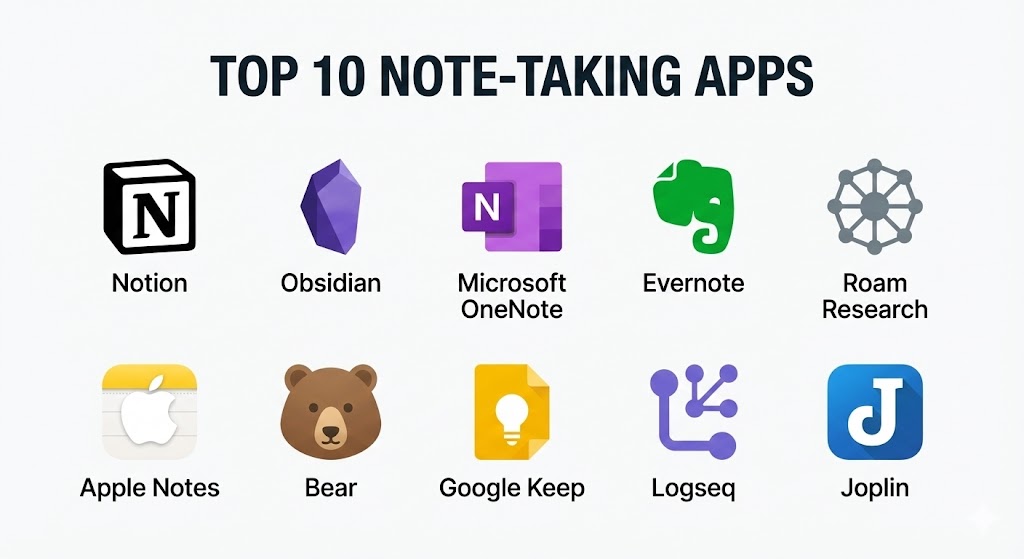
Top 10 Note-taking Apps Tools
1 — Notion
Notion has redefined the category by blending note-taking with database management and project tracking. It is an “all-in-one” workspace where blocks of content can be moved and transformed with ease.
- Key features:
- Block-based Editor: Every paragraph, image, or checklist is a movable block.
- Relational Databases: Create tables, boards, and calendars that link to each other.
- Notion AI: Integrated assistant for summarizing notes, drafting content, and brainstorming.
- Templates: Thousands of community-made templates for everything from CRM to personal journaling.
- Collaboration: Real-time co-editing with granular permission controls.
- Web Clipper: Save articles and web pages directly into your database.
- Pros:
- Extremely flexible; you can build almost any productivity system within it.
- Eliminates the need for multiple separate apps for tasks, notes, and wikis.
- Cons:
- The steep learning curve can be overwhelming for people who just want a simple list.
- Offline mode is limited, which can be frustrating for travelers.
- Security & compliance: SSO available for enterprise, TLS 1.2 encryption, SOC 2 Type II, GDPR compliant.
- Support & community: Large YouTube community, extensive official guides, and 24/7 priority support for Enterprise tiers.
2 — Obsidian
Obsidian is the darling of the “Second Brain” community. It is a local-first, Markdown-based app that focuses on networked thought through bi-directional linking.
- Key features:
- Bi-directional Linking: Create a web of connected notes using
[[internal links]]. - Graph View: A visual map of how all your notes are interconnected.
- Local-first Storage: Your notes are stored as plain Markdown files on your own hard drive.
- Canvas: An infinite whiteboard for visual brainstorming and spatial note-taking.
- Plugins: Over 1,000 community plugins to customize the interface and functionality.
- Markdown Support: Future-proof files that can be opened by any text editor.
- Bi-directional Linking: Create a web of connected notes using
- Pros:
- Complete privacy and ownership of your data; it works perfectly without an internet connection.
- Extremely fast performance since it doesn’t rely on cloud fetching for every click.
- Cons:
- Syncing across devices requires a paid “Obsidian Sync” subscription or a manual technical setup.
- Requires some familiarity with Markdown to get the most out of the experience.
- Security & compliance: Encryption for Sync; since it is local-first, compliance depends on the user’s hardware security.
- Support & community: Massive Discord and forum community; excellent documentation but limited direct customer support for free users.
3 — Microsoft OneNote
OneNote is the digital equivalent of a three-ring binder. It offers a free-form canvas that allows users to place text, images, and drawings anywhere on the page.
- Key features:
- Infinite Canvas: Write or draw anywhere without being confined to a traditional page layout.
- Ink-to-Text: Superior handwriting recognition for those using a stylus or Apple Pencil.
- Microsoft 365 Integration: Seamlessly pull in data from Outlook, Excel, and Word.
- Multi-level Hierarchy: Organize via Notebooks, Sections, and Pages.
- Audio Recording: Record meetings and sync the audio with the notes you type during the session.
- Math Assistant: Solves equations and provides step-by-step instructions.
- Pros:
- Completely free for the vast majority of users; very generous storage.
- The best choice for students who prefer digital handwriting and sketching.
- Cons:
- The search function can occasionally be sluggish with very large notebooks.
- The “infinite canvas” can make printing or exporting to PDF difficult.
- Security & compliance: HIPAA, GDPR, SOC 2, and ISO 27001 compliant through the Microsoft 365 cloud.
- Support & community: Comprehensive Microsoft support, global user base, and integrated help menus.
4 — Evernote
Once the king of note-taking, Evernote remains a powerful tool for those who prioritize document scanning, OCR (Optical Character Recognition), and high-powered search.
- Key features:
- Advanced Search: Find text inside images, PDFs, and even handwritten notes.
- Web Clipper: widely regarded as the best in the industry for saving full web pages.
- Tasks and Calendar: Manage your to-do list alongside your notes and sync with Google Calendar.
- Home Dashboard: A centralized view of your most recent notes, tasks, and widgets.
- AI-Powered Search: Natural language queries to find information across thousands of notes.
- Pros:
- The best tool for paperless offices; its ability to index scanned documents is unrivaled.
- Available on almost every platform with consistent synchronization.
- Cons:
- The free tier has become extremely restrictive (limited notes and devices).
- The app has grown heavier and slower over the years compared to modern minimalist rivals.
- Security & compliance: TLS/SSL encryption, SOC 2, and GDPR compliant. Note encryption available at the text level.
- Support & community: Dedicated help center, email support for paid users, and a long-standing user community.
5 — Roam Research
Roam Research pioneered the “Networked Thought” movement. It uses a bullet-point structure to turn every note into a node in a giant, searchable knowledge graph.
- Key features:
- Daily Notes: Automatically opens to a fresh page for the current day to encourage low-friction entry.
- Block-level Linking: Link to specific bullets in other notes, not just the whole page.
- Side-by-side View: Open two notes at once to synthesize information.
- Attributes: Use metadata to track projects, people, and dates within the graph.
- Query Builder: Search for specific combinations of tags and links (e.g., “All books” by “Author A”).
- Pros:
- Excellent for researchers who need to see connections between disparate pieces of information.
- Requires very little upfront “folder” organization; the structure emerges over time.
- Cons:
- One of the most expensive note-taking apps on the market with no permanent free tier.
- The “outliner” style (bullets only) doesn’t suit users who like to write long-form prose.
- Security & compliance: Standard cloud encryption; GDPR compliant.
- Support & community: A cult-like following known as “RoamCult” provides extensive unofficial tutorials and help.
6 — Apple Notes
For those fully immersed in the Apple ecosystem, Apple Notes is the default for a reason. It is incredibly fast, simple, and deeply integrated into iOS and macOS.
- Key features:
- Deep OS Integration: Use Siri to take notes or start a “Quick Note” from the corner of your screen.
- Shared Folders: Simple collaboration for families or small teams.
- Document Scanning: High-quality built-in scanner that automatically straightens pages.
- Smart Folders: Automatically categorize notes based on tags or dates.
- Locking Notes: Protect sensitive information with FaceID or a password.
- Pros:
- Zero cost for Apple users; no extra subscriptions to manage.
- The fastest “time-to-note” on mobile; it opens instantly.
- Cons:
- Zero support for Windows or Android, making it a “walled garden” tool.
- Lacks advanced features like bi-directional linking or database management.
- Security & compliance: End-to-end encryption via iCloud (if Advanced Data Protection is enabled).
- Support & community: Official Apple Support and a massive global user base.
7 — Bear
Bear is a beautiful, minimalist writing app for Mac and iOS. It uses Markdown and a unique “nested tagging” system to keep notes organized without folders.
- Key features:
- Nested Tags: Organize by using
#work/projects/alphafor multi-level hierarchy. - Stunning Typography: Multiple themes and beautiful fonts designed for writers.
- Markdown Core: Write in plain text while seeing rich previews of images and links.
- Specialized Export: Export notes as HTML, PDF, DOCX, JPG, and even ePub.
- Panda Editor: A state-of-the-art editing engine that supports tables and high-res attachments.
- Nested Tags: Organize by using
- Pros:
- One of the most aesthetically pleasing apps available; it makes writing a joy.
- The tagging system is much more flexible than traditional folder structures.
- Cons:
- Subscription-based for syncing; no version for Android or Web.
- Does not support complex features like task dependencies or graph views.
- Security & compliance: Uses iCloud for storage; notes are encrypted at rest; GDPR compliant.
- Support & community: Active Reddit community and a responsive development team.
8 — Google Keep
Google Keep is the digital equivalent of a fridge covered in Post-it notes. It is designed for quick captures, reminders, and simple lists.
- Key features:
- Color-coded Cards: Quickly identify notes by their background color.
- Location-based Reminders: Get an alert when you arrive at a specific grocery store or office.
- Labeling: Simple tag system for categorization.
- Voice-to-Text: Record a thought and have Keep transcribe it instantly.
- Collaborative Lists: Share a grocery list with a partner and see real-time checkboxes.
- Pros:
- Extremely lightweight and works on any device with a browser.
- Completely free with no hidden tiers or limitations.
- Cons:
- Too simple for long-form writing or complex knowledge management.
- Organization becomes chaotic once you have more than a few hundred notes.
- Security & compliance: Protected by Google’s standard account security; GDPR and SOC 2 compliant.
- Support & community: Standard Google Support help center; no dedicated user community.
9 — Logseq
Logseq is an open-source, privacy-focused outliner that competes directly with Roam Research but keeps all data on your local machine.
- Key features:
- Flashcards: Built-in Spaced Repetition System (SRS) for learning.
- PDF Annotator: Highlight PDFs and pull those highlights directly into your notes.
- Daily Log: A journal-centric workflow for tracking thoughts as they happen.
- Whiteboard: A visual canvas for mapping out connections between blocks.
- Privacy-first: Local storage ensures no third party ever sees your data.
- Pros:
- The best free alternative to Roam Research for those who prefer outlining.
- Strong community-driven development with frequent new features.
- Cons:
- The mobile app is still maturing and can be slightly more technical to sync.
- The “block” structure can feel rigid for those used to standard document editing.
- Security & compliance: Local-first (user-controlled); GDPR compliant.
- Support & community: Active Discord and GitHub community; great for technical users.
10 — Joplin
Joplin is the best choice for users who want an open-source alternative to Evernote with full end-to-end encryption.
- Key features:
- End-to-End Encryption (E2EE): Only you hold the keys to your data.
- Markdown & Rich Text: Choose between a code-style editor or a visual editor.
- Sync Choice: Sync via Dropbox, OneDrive, Nextcloud, or Joplin Cloud.
- Web Clipper: Browser extensions for Chrome and Firefox.
- Mobile & Desktop: Full feature parity across all major operating systems.
- Pros:
- The ultimate choice for privacy advocates and the “de-google” movement.
- Handles thousands of notes without the performance lag of web-based apps.
- Cons:
- The user interface is functional but lacks the “polish” of Bear or Notion.
- Setting up E2EE and custom sync can be slightly technical for average users.
- Security & compliance: E2EE by default; Open-source (transparent) security; GDPR compliant.
- Support & community: Very active forum-based support and documentation.
Comparison Table
| Tool Name | Best For | Platform(s) Supported | Standout Feature | Rating (Gartner) |
| Notion | All-in-one Teams | Web, Win, Mac, iOS, Android | Databases & Templates | 4.7 / 5 |
| Obsidian | Second Brain / PKM | Win, Mac, Linux, iOS, Android | Graph View & Local Files | 4.8 / 5 |
| OneNote | Digital Handwriting | Win, Mac, iOS, Android, Web | Free-form Canvas | 4.5 / 5 |
| Evernote | Paperless Office | Web, Win, Mac, iOS, Android | OCR & Document Search | 4.4 / 5 |
| Roam Research | Academic Research | Web, Mac, Win | Bi-directional Linking | 4.3 / 5 |
| Apple Notes | Apple Ecosystem | iOS, Mac, Web | System Integration | N/A |
| Bear | Aesthetic Writing | Mac, iOS | Nested Tags | 4.6 / 5 |
| Google Keep | Quick Reminders | Web, iOS, Android | Color-coded Cards | 4.2 / 5 |
| Logseq | Privacy Outlining | Win, Mac, Linux, iOS | PDF Annotation | N/A |
| Joplin | Open Source / Privacy | Win, Mac, Linux, iOS, Android | E2E Encryption | 4.5 / 5 |
Evaluation & Scoring of Note-taking Apps
Selecting the right app requires balancing several competing needs. We have evaluated these tools using a weighted scoring rubric that reflects the priorities of 2025’s knowledge workers.
| Criteria | Weight | Evaluation Focus |
| Core Features | 25% | Text editing, organization, multimedia, and search power. |
| Ease of Use | 15% | Intuitiveness and time to become productive. |
| Integrations | 15% | Connectivity with calendars, email, and web browsers. |
| Security & Compliance | 10% | Encryption, privacy policies, and enterprise readiness. |
| Performance | 10% | App launch speed and sync reliability. |
| Support & Community | 10% | Tutorials, documentation, and user-led resources. |
| Price / Value | 15% | Free tier utility vs. cost of premium features. |
Which Note-taking Apps Tool Is Right for You?
Solo Users vs SMB vs Mid-Market vs Enterprise
- Solo Users: If you are a student or a freelancer, Obsidian or Apple Notes offer incredible power without the overhead. If you love structure, Notion’s free tier is highly capable.
- SMB & Mid-Market: Notion or Evernote Teams are the best choices here. They provide a shared wiki and project space that helps small teams stay aligned.
- Enterprise: Microsoft OneNote is the standard due to its inclusion in the Microsoft 365 suite and its high security compliance.
Budget-Conscious vs Premium Solutions
- Budget-Conscious: Google Keep, Apple Notes, and Joplin are your best bets. They offer robust features for zero or very low cost.
- Premium: If you have the budget, Roam Research or Notion (Paid Tiers) provide advanced automation and AI features that can save hours of manual organization.
Feature Depth vs Ease of Use
- Ease of Use: If you just want to write things down and find them later, Google Keep or Apple Notes are the clear winners.
- Feature Depth: If you want to build a complex interconnected library of knowledge, Obsidian and Logseq offer the most depth for technical users.
Integration, Security, and Compliance
For those in regulated industries (Finance, Legal, Healthcare), OneNote and Joplin (with E2EE enabled) provide the safest environments for sensitive information.
Frequently Asked Questions (FAQs)
1. Is it safe to store my passwords in a note-taking app?
Generally, no. While some apps like Apple Notes allow you to lock individual notes, a dedicated password manager (like Bitwarden or 1Password) is much safer. If you must, use an app with End-to-End Encryption like Joplin.
2. Can I switch from one app to another easily?
It varies. Apps that use Markdown (like Obsidian, Logseq, and Bear) are very easy to migrate. proprietary apps like Notion or OneNote can be much harder to leave without messy formatting issues.
3. Do note-taking apps work offline?
Local-first apps like Obsidian, Logseq, and Joplin work perfectly offline. Cloud-based apps like Notion or Roam Research have limited or unreliable offline support.
4. Which app is best for digital handwriting?
Microsoft OneNote is widely considered the best for handwriting, followed closely by Apple Notes and GoodNotes (not on this list, but excellent for iPad).
5. How much storage do I get?
Google Keep and OneNote offer massive storage linked to your cloud account. Notion provides unlimited blocks for individuals, while Obsidian is only limited by your computer’s hard drive.
6. What is “Bi-directional Linking”?
It means that if you link Page A to Page B, Page B automatically shows a “Backlink” to Page A. This helps you discover connections between notes that you might have forgotten.
7. Is AI in note-taking apps useful?
Yes, especially for summarizing long meeting notes or cleaning up messy drafts. However, be cautious about privacy if you are putting sensitive data into AI prompts.
8. Can I use these apps for project management?
Notion and ClickUp (another alternative) are designed specifically for this. Obsidian and Evernote can handle basic tasks but aren’t full project management suites.
9. Are my notes private from the software company?
Only if the app uses End-to-End Encryption (E2EE). In apps like Notion or Evernote, employees could technically see your notes if required for support, whereas in Joplin or Logseq, they cannot.
10. Do I need to learn Markdown?
Not necessarily. Most modern apps provide a visual editor. However, learning basic Markdown (like using # for headings) will make you much faster in apps like Obsidian or Bear.
Conclusion
The “perfect” note-taking app does not exist; only the one that fits your specific brain and workflow. If you crave structure and databases, Notion is your home. If you prioritize privacy and long-term data ownership, Obsidian or Joplin are the winners. For pure speed and simplicity, you cannot beat the native Apple Notes or Google Keep.
What matters most is that you choose a tool and stick with it. The true value of a note-taking app is not the software itself, but the accumulated knowledge you build inside it over months and years. Start small, capture consistently, and watch your “Digital Second Brain” grow.