Introduction
Mind mapping tools are visual productivity applications that allow users to organize information hierarchically around a central concept. Unlike traditional linear note-taking, mind mapping mimics the radiant way the human brain thinks, using branches, keywords, and visual cues to connect disparate ideas. These tools provide a “digital canvas” where abstract thoughts are converted into structured diagrams, facilitating better memory retention and more effective problem-solving.
The importance of these tools lies in their versatility. They serve as a bridge between the “messy” phase of brainstorming and the “structured” phase of execution. Key real-world use cases include strategic business planning, curriculum development, software requirement gathering, creative writing outlines, and complex project roadmapping. When choosing a tool, users should prioritize evaluation criteria such as cross-platform synchronization, AI-assisted idea generation, data security standards, and ease of navigation.
Best for: Strategic planners, product managers, creative writers, and researchers in organizations of all sizes who need to visualize relationships between ideas and turn brainstorms into project plans.
Not ideal for: Data analysts requiring heavy statistical modeling (where BI tools are better) or technical writers creating long-form, linear documentation where a radial structure adds unnecessary complexity.
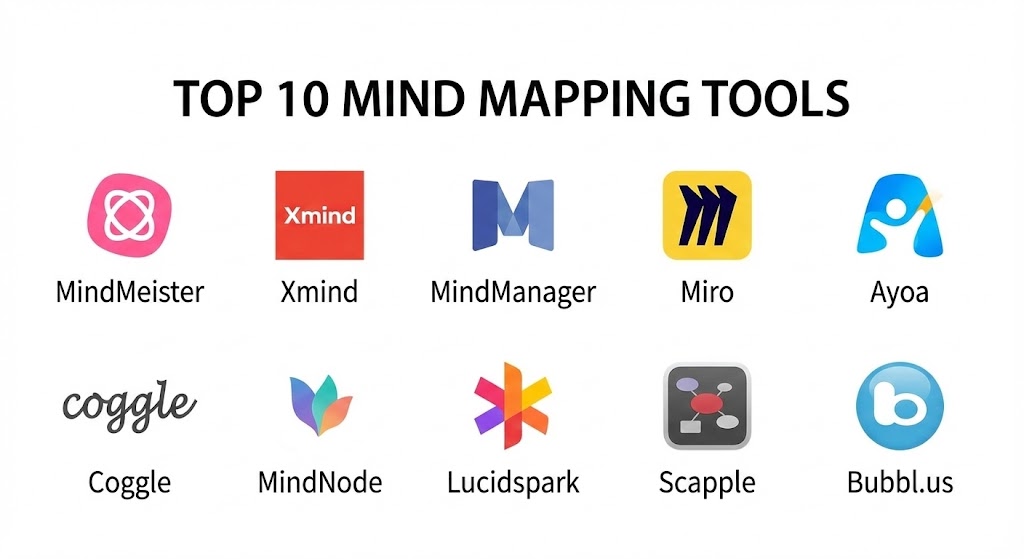
Top 10 Mind Mapping Tools
1 — MindMeister
MindMeister is the gold standard for web-based, collaborative mind mapping. It focuses on a clean, modern user experience that enables teams to brainstorm in real-time regardless of their physical location.
- Key features:
- Real-time Collaboration: Multiple users can edit a single map simultaneously with changes visible instantly.
- MeisterTask Integration: Convert mind map nodes directly into actionable tasks in its sister project management app.
- AI Mind Map Generator: Uses AI prompts to automatically expand on a central topic or summarize branches.
- Presentation Mode: Turn mind maps into dynamic slide decks with one click.
- Focus Mode: Simplifies the interface to eliminate distractions during intensive thinking sessions.
- Pros:
- Extremely intuitive; requires zero training for new team members.
- Excellent cloud stability and mobile app synchronization.
- Cons:
- The free tier is limited to only three editable mind maps.
- Lacks some of the advanced engineering-focused diagramming found in competitors.
- Security & compliance: ISO 27001 certified, SOC 2 Type II, and GDPR compliant. Includes SSO for enterprise users.
- Support & community: Extensive video library, dedicated customer success managers for large teams, and a vibrant template community.
2 — Xmind
Xmind is a powerhouse favored by professional designers and academics who require high-end visual aesthetics and diverse diagramming structures beyond simple radial maps.
- Key features:
- Multi-Structure Support: Create logic charts, fishbone diagrams, tree tables, and org charts within one file.
- Zen Mode: A full-screen, minimalist interface designed for deep focus.
- Pitch Mode: Smooth transitions and professional animations designed for board meetings.
- Equation Support: LaTeX integration for mathematical and scientific mapping.
- Outliner View: Toggle between a visual map and a linear list format instantly.
- Pros:
- The most beautiful and professional-looking map styles in the industry.
- Robust offline functionality for users who travel or have inconsistent internet.
- Cons:
- Real-time collaboration is less seamless than web-native tools like Miro or MindMeister.
- Pricing can be a bit steep for casual individual users.
- Security & compliance: Standard data encryption at rest; GDPR compliant.
- Support & community: Active user forums, frequent software updates, and a massive gallery of shared user maps.
3 — MindManager
MindManager is the “heavyweight” choice for serious business users. It functions more like a visual database than a simple drawing tool, offering unmatched depth for enterprise project management.
- Key features:
- Advanced Data Linking: Connect map nodes to live data from Excel, SharePoint, or Outlook.
- Resource Management: Assign costs, timelines, and dependencies directly to map branches.
- Gantt Pro: Automatically generates project timelines based on your mind map structure.
- Co-editing: Multi-user editing with robust version history and “check-in/check-out” systems.
- Formula Support: Perform calculations within the map nodes (useful for budget planning).
- Pros:
- Unrivaled for managing complex projects that involve massive amounts of external data.
- Deep integration with the Microsoft 365 ecosystem.
- Cons:
- Significant learning curve; the interface can be overwhelming for beginners.
- The price point is among the highest in the category.
- Security & compliance: SOC 2, HIPAA, and GDPR compliant. Features advanced administrative controls for file permissions.
- Support & community: Phone support, enterprise onboarding programs, and extensive technical documentation.
4 — Miro
While primarily an online whiteboard, Miro’s mind mapping capabilities are world-class due to the platform’s “infinite canvas” and massive integration library.
- Key features:
- Infinite Canvas: Build mind maps that span miles of virtual space alongside sticky notes and flowcharts.
- Miro Assist (AI): Generates entire sub-branches based on a single node’s keyword.
- Multi-User Interaction: See the real-time cursors of dozens of teammates as you build.
- App Marketplace: Connect your mind maps to Jira, Asana, Slack, and Google Workspace.
- Interactive Voting: Allow team members to vote on the best ideas directly on the map.
- Pros:
- Best-in-class for hybrid workshops and remote brainstorming sessions.
- Allows you to mix mind maps with other visual frameworks seamlessly.
- Cons:
- Can be “too much” for users who just want a simple, focused mind mapping tool.
- Infinite canvas can become difficult to navigate without proper framing.
- Security & compliance: SOC 2 Type II, SOC 3, ISO 27001, and GDPR compliant.
- Support & community: “Miroverse” community template gallery is a goldmine for strategic frameworks.
5 — Ayoa
Ayoa (developed by the team behind iMindMap) focuses on a “neuro-inclusive” approach, blending organic, artistic mind mapping with modern task management.
- Key features:
- Organic Mind Mapping: Uses curved, colorful branches that mimic traditional hand-drawn maps.
- Radial Maps: A unique view that uses concentric circles to represent hierarchy and priority.
- Integrated Task Boards: Switch from a mind map view to a Kanban or Timeline view instantly.
- AI Suggestions: Intelligent assistant that prompts users with related keywords to avoid “writer’s block.”
- Whiteboard Mode: A free-form space for initial “messy” thoughts before structuring them.
- Pros:
- Highly engaging and visually stimulating; great for creative teams.
- Successfully bridges the gap between brainstorming and actual project execution.
- Cons:
- The “Organic” style might feel too informal for some corporate environments.
- Mobile experience is slightly less refined than the desktop version.
- Security & compliance: GDPR compliant; standard TLS 1.2 encryption for data in transit.
- Support & community: High-quality webinars, user guides, and a responsive customer support team.
6 — Coggle
Coggle is the minimalist’s choice. It is a browser-based tool that prides itself on simplicity and speed, making it perfect for educators and small teams.
- Key features:
- Simple Drag-and-Drop: Intuitive interface that feels like you’re “drawing” connections.
- Unlimited Image Uploads: Easily add visual context to any node.
- Revision History: Roll back to any previous version of your map if an idea goes sideways.
- Loops and Cross-Links: Allows for more complex network structures rather than just simple trees.
- Markdown Support: Format text and notes within nodes using standard markdown.
- Pros:
- The fastest way to get a professional collaborative map up and running.
- The free version is quite generous compared to other cloud-based competitors.
- Cons:
- Lacks advanced task management features like Gantt charts or due dates.
- Customization of visual styles (colors, fonts) is more limited than Xmind.
- Security & compliance: GDPR compliant; uses Google Cloud infrastructure for reliable security.
- Support & community: Simple, effective documentation and email-based support.
7 — MindNode
MindNode is the premier choice for the Apple ecosystem. It is a “clean” app that focuses on the core experience of capturing thoughts without technical friction.
- Key features:
- Visual Tags: Add context and filter your maps based on specific categories or people.
- Focus Mode: Highlights a specific branch while fading out the rest of the map.
- Outliner: A side-by-side view that turns your visual map into a structured list.
- Apple Reminders Integration: Sync your node “tasks” directly with Apple’s native task app.
- iCloud Sync: Flawless transition between Mac, iPad, iPhone, and Apple Watch.
- Pros:
- The most elegant and distraction-free interface in the mind mapping category.
- Perfect for solo creative professionals and Apple power users.
- Cons:
- Only available on Apple devices; no Windows or Android support.
- Collaboration features are limited to sharing files via iCloud.
- Security & compliance: Relies on Apple’s standard iCloud encryption; GDPR compliant.
- Support & community: Official Apple support, extensive knowledge base, and a curated template gallery.
8 — Lucidspark
Part of the Lucid Visual Collaboration Suite, Lucidspark is designed to capture high-velocity ideas and transition them into the more structured world of Lucidchart.
- Key features:
- Breakout Boards: Split a large team into smaller groups to map out sub-topics independently.
- Voting & Timer: Built-in tools for facilitating structured brainstorming workshops.
- Dynamic Matrix: Automatically sorts map branches into a grid based on priority or status.
- Gather & Sort: AI-driven tool that clusters similar ideas together to identify patterns.
- Visual Activities: Interactive templates for team alignment and decision-making.
- Pros:
- Excellent for large organizations that need to scale their visual thinking.
- Unrivaled stability and performance during massive simultaneous sessions.
- Cons:
- Can feel a bit “corporate” compared to the artistic freedom of Ayoa or Xmind.
- Full features require a subscription to the entire Lucid suite.
- Security & compliance: SOC 2 Type II, ISO 27001, GDPR, and HIPAA compliant.
- Support & community: “Lucid University” for training and a highly responsive enterprise support team.
9 — Scapple
Scapple is unique because it isn’t a strict mind mapping tool; it’s a “virtual sheet of paper.” It allows for completely free-form thought-linking that doesn’t have to start from a single center.
- Key features:
- Freeform Placement: Drag notes anywhere on the canvas without them being attached to anything.
- Magnetic Nodes: Move one note and all its connected “children” follow.
- Simple Interface: No complex toolbars; just double-click anywhere to start typing.
- Stacking: Group related notes together into vertical or horizontal piles.
- Export to PDF: High-resolution exports for sharing or printing.
- Pros:
- Extremely low friction; ideal for “messy” first-stage brainstorming.
- One-time purchase price (no subscription) is rare in the 2025 market.
- Cons:
- No real-time collaboration or cloud-syncing features.
- Not suitable for formal presentations or technical project management.
- Security & compliance: N/A (local application); data security is managed by the user’s local machine.
- Support & community: Developed by the makers of Scrivener, featuring excellent forum-based support.
10 — Bubbl.us
Bubbl.us is a venerable web-based tool that remains popular because it does one thing very well: creating clean, colorful, “bubble” maps in a browser without any clutter.
- Key features:
- No-Installation Web App: Works on any device with a browser, including older tablets.
- One-Click Sharing: Generate a simple link or embed code for your map.
- Presentation Mode: A simplified view for showing maps to a live audience.
- Easy Styling: Automatically colors “generations” of bubbles to maintain hierarchy.
- Team Workspace: Folders and permissions for sharing maps with specific team members.
- Pros:
- The most “approachable” tool for non-technical users or students.
- Very lightweight; doesn’t require a high-powered machine to run complex maps.
- Cons:
- Feature set is very basic compared to the AI-driven giants like Miro or MindMeister.
- Export options are limited to images and basic text formats.
- Security & compliance: Standard SSL encryption; GDPR compliant.
- Support & community: Help center and email support; well-established user base.
Comparison Table
| Tool Name | Best For | Platform(s) Supported | Standout Feature | Rating (G2/Trust) |
| MindMeister | Team Brainstorming | Web, iOS, Android | Real-time Collab | 4.6 / 5 |
| Xmind | Professional Visuals | Win, Mac, iOS, Android | Multi-Structure Maps | 4.7 / 5 |
| MindManager | Enterprise Projects | Win, Mac, Web | Live Data Linking | 4.5 / 5 |
| Miro | Hybrid Workshops | Web, Win, Mac, Mobile | Infinite Whiteboard | 4.8 / 5 |
| Ayoa | Creative Planning | Web, iOS, Android | Neuro-inclusive Styles | 4.3 / 5 |
| Coggle | Simple Web Mapping | Web | Frictionless UI | 4.4 / 5 |
| MindNode | Apple Enthusiasts | Mac, iOS, Apple Watch | Minimalist Design | 4.6 / 5 |
| Lucidspark | Large Scale Ideation | Web, Mobile | Lucidchart Sync | 4.5 / 5 |
| Scapple | Free-form Thinking | Mac, Win | Non-Linear Canvas | 4.2 / 5 |
| Bubbl.us | Education/Beginners | Web | Simple Bubble UI | 4.1 / 5 |
Evaluation & Scoring of Mind Mapping Tools
When choosing a mind mapping tool for your organization, the decision should be based on a balanced scorecard rather than just visual appeal. Use the following rubric to score your top candidates:
| Criteria | Weight | Evaluation Focus |
| Core Features | 25% | Node management, branch styles, and auto-layout quality. |
| Ease of Use | 15% | Time to master keyboard shortcuts and navigation. |
| Integrations | 15% | Connectivity with project managers (Jira, Asana, Teams). |
| Security & Compliance | 10% | Enterprise readiness (SSO, SOC 2, HIPAA, GDPR). |
| Performance | 10% | Responsiveness of real-time syncing and offline modes. |
| Support & Community | 10% | Quality of documentation and community templates. |
| Price / Value | 15% | Free tier utility vs. premium feature ROI. |
Which Mind Mapping Tool Is Right for You?
Solo Users vs. SMB vs. Enterprise
For Solo Users (students or independent writers), MindNode or Coggle offer the best focus-to-feature ratio. SMBs find the most value in MindMeister or Ayoa, as they balance powerful collaboration with affordable pricing. Enterprises with strict compliance and data needs should gravitate toward MindManager or Lucidspark.
Budget-Conscious vs. Premium
If you are strictly budget-conscious, Scapple (one-time fee) or Coggle (generous free plan) are the winners. If you have the budget for a Premium solution, Miro or MindManager provide extensive returns by serving as more than just mind maps—they become full operational dashboards.
Feature Depth vs. Ease of Use
If you need to map out a 10,000-node technical system, do not choose a simple tool; you will need the stability of MindManager. Conversely, if you want your team to adopt the tool in under five minutes without a manual, Whimsical (an honorable mention) or Bubbl.us are the better choices.
Frequently Asked Questions (FAQs)
1. Is AI mind mapping better than manual mapping?
AI is not “better,” but it is faster. AI is excellent for overcoming the “blank page” problem by suggesting branches you might have missed. However, the best results still come from a human reviewing and refining those AI suggestions.
2. Can I export my mind maps to PowerPoint?
Yes, most professional tools like MindMeister, Xmind, and MindManager have a “Presentation Mode” or a direct “Export to PPTX” feature that turns your nodes into slides.
3. Are mind maps effective for people with ADHD?
Yes. Many experts suggest that the non-linear, visual nature of mind mapping (like that found in Ayoa) is highly effective for neurodivergent thinkers who find traditional linear lists overwhelming.
4. Can I collaborate with people who don’t have an account?
Tools like Coggle and Lucidspark allow you to share a secret link that permits anonymous editing, but for long-term security, most enterprise tools require participants to have at least a guest account.
5. How secure is my mind map data?
Look for tools with SOC 2 Type II certification. This ensures that the company has independent verification of its data security controls. MindMeister and Miro are industry leaders in this regard.
6. Do I need a drawing tablet to use these tools?
No. While some tools support styluses (like MindNode on iPad), most are optimized for mouse and keyboard shortcuts, which are actually faster for structured mind mapping.
7. Can I link mind maps to my calendar?
MindManager and ClickUp (which has built-in mind mapping) offer the best calendar synchronization, allowing nodes with due dates to appear on your schedule automatically.
8. What is the “Fishbone” diagram feature in Xmind?
The Fishbone (Ishikawa) diagram is used specifically for root-cause analysis in engineering and business, showing the causes of a specific event in a highly structured way.
9. Is there a free mind mapping tool that doesn’t limit the number of maps?
Diagrams.net (Draw.io) is completely free and unlimited, though it is a general diagramming tool rather than a dedicated, “fluid” mind mapping application.
10. Can I print my mind maps?
Yes, though large maps may require “tiled printing” across multiple sheets or a high-resolution export to a PDF for a professional plotter.
Conclusion
Mind mapping in 2025 has moved far beyond simple bubbles on a page. It is now a sophisticated method for managing organizational knowledge, driving strategic clarity, and accelerating project execution. Whether you choose the artistic fluidity of Ayoa, the technical rigor of MindManager, or the collaborative power of Miro, the goal remains the same: to make the complex simple.
When selecting your tool, remember that the best software is the one that your team actually wants to use. Start with a trial of two or three tools from this list, map out a real project, and see which one most naturally fits your cognitive style.