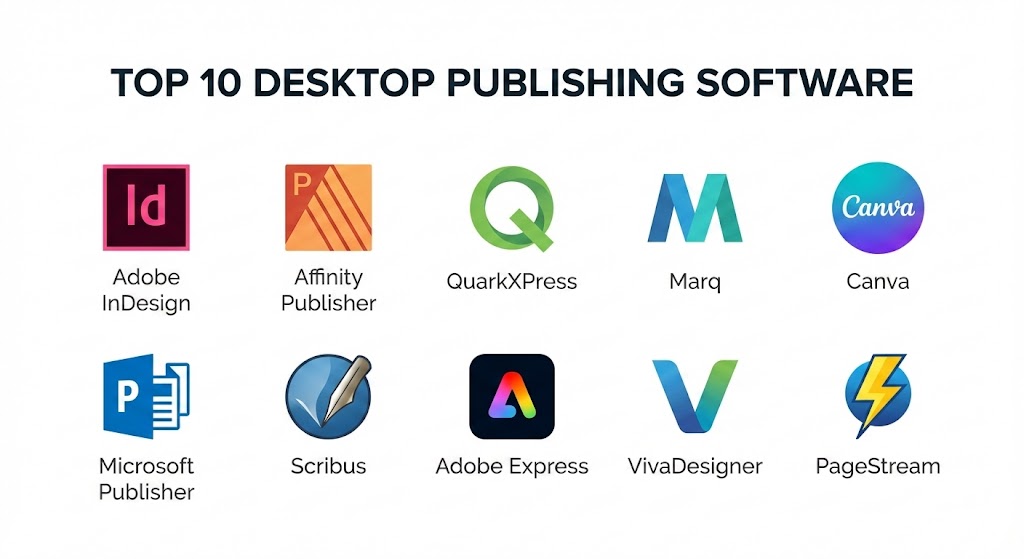
In an era dominated by digital-first content, the art of physical and high-fidelity digital layout remains a cornerstone of professional communication. Desktop Publishing (DTP) software serves as the bridge between raw creative assets and polished, ready-to-distribute publications. Whether you are designing a 300-page academic textbook, a sleek corporate annual report, or a vibrant social media flyer, the right DTP tool determines your efficiency, precision, and final output quality.
Introduction
Desktop Publishing (DTP) software is a specialized category of applications designed to arrange text and graphics on a virtual page. Unlike standard word processors, which focus on content creation and linear text flow, DTP tools prioritize layout control. They allow users to position elements with mathematical precision, manage complex typography, and ensure color accuracy for professional printing.
In the modern business landscape, DTP software is essential for maintaining brand consistency and producing high-impact visual communication. Its importance lies in its ability to handle “pre-press” requirements—the technical specifications needed to ensure a file looks exactly the same on a high-speed commercial press as it does on a designer’s screen.
Key real-world use cases include:
- Print Media: Books, magazines, newspapers, and brochures.
- Marketing Collateral: Business cards, posters, and catalogs.
- Digital Publications: Interactive PDFs, e-books (EPUB), and digital flipbooks.
- Business Documentation: Annual reports, white papers, and technical manuals.
When evaluating DTP tools, users should look for typography control (kerning, tracking, and ligatures), master pages for consistency across long documents, color management (CMYK and Pantone support), and robust export options (PDF/X standards).
Best for: Professional graphic designers, prepress technicians, marketing agencies, and large-scale publishing houses that require absolute control over every pixel and point.
Not ideal for: Simple document editing, internal memos, or users who only need basic text formatting. In these cases, standard office suites like Microsoft Word or Google Docs are more efficient and cost-effective.
Top 10 Desktop Publishing Software Tools
1 — Adobe InDesign
Adobe InDesign is the undisputed industry standard for professional layout design. It is used by nearly every major publishing house and design agency globally, offering a deep ecosystem of tools for both print and digital media.
- Key Features:
- Liquid Content: Automatically adapts layouts for different page sizes and orientations.
- Advanced Typography: Seamless integration with Adobe Fonts and deep OpenType support.
- Master Pages: Create global templates to ensure consistency across hundreds of pages.
- Preflight Panel: Real-time warnings for low-res images, missing fonts, or color bleeds.
- Publish Online: One-click conversion of layouts into interactive web-hosted documents.
- Adobe Stock Integration: Search and license millions of assets directly within the app.
- Pros:
- Unrivaled precision and professional-grade feature set.
- Deep integration with Photoshop and Illustrator via Creative Cloud.
- Cons:
- Requires a recurring monthly subscription (no perpetual license).
- Steep learning curve for absolute beginners.
- Security & compliance: SSO, Enterprise ID management, SOC 2 Type 2, GDPR, and HIPAA-ready cloud storage via Adobe Creative Cloud for Enterprise.
- Support & community: Massive global community, extensive Adobe-led tutorials, and 24/7 enterprise-grade technical support.
2 — Affinity Publisher
Affinity Publisher has disrupted the market by offering a high-end, professional layout experience without the subscription model. It is known for its speed and its unique “StudioLink” technology.
- Key Features:
- StudioLink: Switch instantly to Photo or Designer personas without leaving the layout app.
- Live Preflight: Constant checking for errors while you work.
- Non-Destructive Editing: Adjust images and vectors without losing original data.
- Table Tool: Highly intuitive and flexible table creation for data-heavy reports.
- Advanced Grids: Sophisticated baseline and layout grids for architectural precision.
- Resource Manager: Easily track and update linked images and graphics.
- Pros:
- One-time purchase model (no subscription).
- Extremely fast performance, even on hardware with limited RAM.
- Cons:
- Lacks the massive plugin ecosystem of InDesign.
- Missing some niche features like tagged PDF export for accessibility.
- Security & compliance: Local file storage (Varies / User-managed); basic GDPR compliance for account data.
- Support & community: Growing active forum, high-quality video tutorials, and direct developer support.
3 — QuarkXPress
Once the king of DTP, QuarkXPress remains a powerhouse for large-scale publishing and packaging design, recently adding significant AI-driven layout features.
- Key Features:
- AI-Driven Content Adaptation: Automatically resizes and reflows content for different formats.
- Direct Image Editing: Native photo manipulation tools within the layout interface.
- Flex Layouts: Create responsive web designs directly from print layouts.
- Variable Data Printing: Advanced tools for personalized direct mail campaigns.
- Long Document Support: Robust indexing, cross-referencing, and footnote management.
- Pros:
- Superior typography and color management for high-end commercial printing.
- Available as a perpetual license for those who avoid subscriptions.
- Cons:
- Higher upfront cost compared to competitors.
- The interface can feel cluttered and less modern than Affinity.
- Security & compliance: SSO support for enterprise licenses, GDPR compliant.
- Support & community: Dedicated technical support for subscribers; professional certification programs.
4 — Marq (formerly Lucidpress)
Marq is a cloud-based brand templating platform designed for organizations that need to empower non-designers while maintaining strict brand control.
- Key Features:
- Lockable Templates: Designers lock brand elements (logos, colors) while allowing others to edit text.
- Data Automation: Pull information from CRMs or Google Sheets directly into flyers or catalogs.
- Web-Based Interface: No installation required; works on any browser.
- Collaborative Editing: Real-time multi-user editing similar to Google Docs.
- Direct-to-Print: Built-in integration with professional printing services.
- Pros:
- Incredibly easy for non-designers to use.
- Excellent for maintaining brand consistency across large, distributed teams.
- Cons:
- Lacks the advanced typographic control of desktop-native apps.
- Requires a stable internet connection for all tasks.
- Security & compliance: SOC 2 Type 2, SSO (SAML), data encryption at rest and in transit, GDPR compliant.
- Support & community: Customer success managers for enterprise, searchable knowledge base, and email support.
5 — Canva Pro
While often seen as a general graphic design tool, Canva Pro has evolved into a legitimate DTP option for small businesses and social media marketers.
- Key Features:
- Vast Template Library: Thousands of pre-designed layouts for every niche.
- Magic Switch: Instantly convert a flyer into an Instagram post or a presentation.
- Brand Kit: Centralized storage for logos, fonts, and colors.
- AI Design Assistant: “Magic Media” text-to-image and text-to-graphics tools.
- Content Planner: Schedule and publish designs directly to social platforms.
- Pros:
- Lowest barrier to entry; virtually no learning curve.
- Huge asset library included in the subscription cost.
- Cons:
- Limited “pre-press” control (difficult for complex print specifications).
- Standardized templates can lead to “generic” looking designs.
- Security & compliance: ISO 27001, SOC 2, SSO, GDPR.
- Support & community: Extensive online help center, massive social media user groups, 24/7 email support.
6 — Microsoft Publisher
A staple of the Microsoft 365 suite, Publisher is a gateway tool for small businesses and internal corporate communications.
- Key Features:
- Familiar Interface: Uses the standard Office Ribbon, making it intuitive for Word users.
- Mail Merge: Powerful integration with Excel for personalized newsletters.
- Simple Page Navigation: Easy-to-use page sorter for small brochures.
- Basic Image Tools: Integrated tools for cropping and adding simple effects.
- Pros:
- Included with many Microsoft 365 plans (low incremental cost).
- Quick and efficient for simple, internal documents.
- Cons:
- Windows only; no macOS version available.
- Lacks professional color management (no CMYK/Pantone support).
- Security & compliance: Part of Microsoft 365; follows global standards (SOC 1/2/3, ISO 27001, HIPAA, GDPR).
- Support & community: Massive Microsoft documentation library and global user forums.
7 — Scribus (Open Source)
Scribus is the premier free, open-source alternative to high-end DTP software, making professional-grade layout accessible to everyone.
- Key Features:
- Professional Color Management: Supports CMYK and ICC color profiles (rare for free tools).
- Scripting Engine: Allows for task automation using Python.
- Vector Drawing Tools: Built-in tools for creating simple shapes and paths.
- PDF/X-3 Support: Ensures files are compatible with commercial printing presses.
- Pros:
- Completely free and open-source.
- Highly stable and cross-platform (Windows, macOS, Linux).
- Cons:
- The user interface is dated and can be difficult to navigate.
- Steep learning curve compared to modern web apps.
- Security & compliance: N/A (Self-hosted/Desktop-only).
- Support & community: Community-driven wiki, mailing lists, and IRC channels.
8 — Adobe Express
Formerly Adobe Spark, Express is a web and mobile-first DTP solution aimed at rapid content creation and social-focused publishing.
- Key Features:
- Generative AI: Powered by Adobe Firefly for high-quality image and text effect generation.
- Quick Actions: One-tap background removal, video resizing, and PDF conversion.
- Shared Brands: Sync assets across Express and InDesign via Creative Cloud.
- Video Integration: Simple timeline tools for adding motion to layouts.
- Pros:
- Very fast workflow for “snackable” content.
- Free version is surprisingly robust.
- Cons:
- Not suitable for multi-page print documents like books.
- Limited manual layout control.
- Security & compliance: SSO, Adobe Creative Cloud security framework.
- Support & community: Adobe help center, active Discord community, and YouTube tutorials.
9 — VivaDesigner
VivaDesigner is a professional DTP application known for its browser-based high-end layout capabilities, making it a favorite for collaborative enterprise environments.
- Key Features:
- Cross-Platform Parity: The web version and desktop version are virtually identical.
- InDesign Import: High-fidelity import of InDesign IDML files.
- User Rights Management: Control exactly what different users can edit in a shared layout.
- Multi-Language Typography: Advanced support for non-Latin scripts.
- Pros:
- Exceptional for remote teams needing professional tools in a browser.
- Highly customizable for specific corporate workflows.
- Cons:
- Lesser-known brand means fewer third-party learning resources.
- UI can feel a bit industrial compared to Canva or Express.
- Security & compliance: Secure hosting options, user permission levels, GDPR compliant.
- Support & community: Direct enterprise support, technical documentation.
10 — PageStream
A veteran in the industry, PageStream is a lightweight and affordable DTP tool that caters to hobbyists and small publishers who value simplicity and stability.
- Key Features:
- Lightweight Engine: Runs smoothly on older hardware.
- PostScript Output: Reliable output for a wide range of printers.
- Typography Controls: Basic kerning, tracking, and leading adjustments.
- Multi-Platform: Available for Windows, Mac, Linux, and even AmigaOS.
- Pros:
- Very low system requirements.
- Affordable one-time licensing fee.
- Cons:
- Development cycle is slower than competitors.
- The interface lacks modern design sensibilities.
- Security & compliance: Varies / N/A (Desktop-based).
- Support & community: Small but dedicated user forum and email support.
Comparison Table
| Tool Name | Best For | Platform(s) Supported | Standout Feature | Rating (Approx.) |
| Adobe InDesign | Professionals & Agencies | Win, macOS | Creative Cloud Ecosystem | 4.8 / 5 |
| Affinity Publisher | Small Studios & SMBs | Win, macOS, iPad | StudioLink Integration | 4.7 / 5 |
| QuarkXPress | Print & Packaging | Win, macOS | AI Content Adaptation | 4.3 / 5 |
| Marq | Brand Consistency | Web Browser | Lockable Templates | 4.5 / 5 |
| Canva Pro | Marketers & Social Media | Web, Mobile, Desktop | Template Library | 4.7 / 5 |
| MS Publisher | Internal Business Use | Windows | 365 Integration | 4.1 / 5 |
| Scribus | Open Source Enthusiasts | Win, macOS, Linux | Free / PDF/X Support | 4.2 / 5 |
| Adobe Express | Fast Social Content | Web, Mobile | Generative AI Tools | 4.6 / 5 |
| VivaDesigner | Browser Collaboration | Web, Win, macOS | InDesign File Import | 4.4 / 5 |
| PageStream | Budget Hobbyists | Multi-Platform | Ultra-Lightweight | N/A |
Evaluation & Scoring
To provide a structured comparison, we evaluated these tools based on a weighted rubric reflecting the needs of modern publishers.
| Category | Weight | Description |
| Core Features | 25% | Typography, layout precision, master pages, and pre-flight tools. |
| Ease of Use | 15% | Learning curve, UI intuitiveness, and onboarding resources. |
| Integrations | 15% | Compatibility with other design apps (Photoshop) and cloud services. |
| Security | 10% | Encryption, SSO, compliance (GDPR/SOC2), and permission controls. |
| Performance | 10% | Stability, speed of rendering, and efficiency on hardware. |
| Support | 10% | Quality of documentation, forums, and customer service. |
| Price / Value | 15% | Total cost of ownership (TCO) vs. feature depth. |
Which Desktop Publishing Software Tool Is Right for You?
Choosing the right tool is a strategic decision that depends on your specific volume of work, your technical skill level, and your output requirements.
Solo Users vs. SMBs vs. Enterprise
- Solo Users: If you are a freelancer, Affinity Publisher is often the best choice due to its lack of a monthly bill. If you are a content creator, Canva Pro offers the fastest path to results.
- SMBs: Small teams often struggle with brand consistency. Marq is the leader here, allowing a single designer to create templates that the sales team can safely edit.
- Enterprise: Adobe InDesign is the standard for a reason. It integrates with Adobe Experience Manager and offers the robust security (SSO/Asset management) that IT departments require.
Budget-Conscious vs. Premium
If budget is the primary constraint, Scribus is the only fully-featured professional tool that costs $0. For those who want premium features without a “forever” bill, Affinity Publisher and QuarkXPress offer perpetual licenses.
Feature Depth vs. Ease of Use
There is an inverse relationship between power and simplicity. InDesign can do anything, but it takes months to master. Canva can do many things in minutes, but you hit a “ceiling” when you need complex typographic formatting or custom print profiles.
Security and Compliance
For industries like healthcare or finance, security is non-negotiable. Cloud-first tools like Adobe InDesign (Enterprise) and Marq offer the best audit logs and SSO integrations to protect sensitive company data.
Frequently Asked Questions (FAQs)
1. Is Adobe InDesign better than Affinity Publisher?
“Better” is subjective. InDesign is the industry standard with more advanced features like tagged PDF accessibility and a wider plugin market. However, Affinity Publisher is faster, cheaper, and offers a superior one-time purchase model.
2. Can I use Microsoft Word for desktop publishing?
While Word has basic layout tools, it is a word processor. It lacks “master pages,” professional CMYK color support, and the ability to place objects with mathematical precision, which are essential for professional printing.
3. What is the best free desktop publishing software?
Scribus is widely considered the best free tool. It is open-source and supports professional-grade features like CMYK color and PDF/X-3 export, though its interface has a steep learning curve.
4. Does Canva replace professional DTP tools?
For social media and simple brochures, yes. For 500-page books, complex catalogs, or high-end magazine publishing, Canva lacks the necessary typographic and long-document management features.
5. Why is CMYK support important in DTP?
Computer screens use RGB (Red, Green, Blue) light, while printers use CMYK (Cyan, Magenta, Yellow, Black) ink. Professional DTP software allows you to work in CMYK to ensure colors on paper match your design.
6. Can I open InDesign files in other programs?
InDesign uses a proprietary .indd format. However, you can export files as .idml (InDesign Markup Language), which can be opened by Affinity Publisher, QuarkXPress, and VivaDesigner.
7. Is there a mobile version of desktop publishing software?
Adobe Express and Canva have excellent mobile apps. For professional-grade layout, Affinity Publisher is currently the only major player with a full-featured version for the iPad.
8. What is “Preflight” in desktop publishing?
Preflight is a process that checks your document for technical errors—such as missing fonts or low-resolution images—before you send it to a commercial printer.
9. How long does it take to learn InDesign?
A beginner can learn the basics in a few days, but becoming proficient in advanced styles, automation, and pre-press usually takes 3 to 6 months of regular use.
10. Do I need a powerful computer for DTP?
For simple layouts, most modern laptops are sufficient. For large documents (100+ pages) with high-res images, you will want at least 16GB of RAM and a dedicated graphics card.
Conclusion
The “best” desktop publishing software is ultimately the one that aligns with your workflow and output goals. If you are entering the professional design workforce, Adobe InDesign remains a non-negotiable skill. If you are a small business owner looking for a balance of power and price, Affinity Publisher is an unbeatable value. For teams prioritizing speed and brand safety above all else, cloud-based tools like Marq represent the future of the industry.
When making your choice, prioritize your long-term needs: will you need to scale to larger documents? Do you need to collaborate in real-time? By answering these questions first, you can ensure your investment in a DTP tool pays dividends in the quality of your finished publications.
Would you like me to create a detailed feature-by-feature comparison between two specific tools, such as Adobe InDesign and Affinity Publisher?
Desktop publishing software bridges the gap between raw assets and professional layouts, making it essential for everything from annual reports to social media graphics. This guide expertly contrasts industry titans like Adobe InDesign with modern, collaborative platforms like Marq and accessible tools like Canva Pro.