Introduction
Vector illustration tools are specialized software applications used to create graphics based on mathematical paths rather than pixels. Unlike raster images, vector graphics can be scaled infinitely without losing quality, making them essential for professional design work. These tools are widely used to design logos, icons, illustrations, typography, diagrams, infographics, user interface elements, and branding assets.
The importance of vector illustration tools lies in their precision, flexibility, and scalability. Designers rely on them to produce consistent visuals across print, web, mobile, and large-format media. From startups creating brand identities to enterprises managing global marketing assets, vector tools play a central role in modern design workflows.
When choosing a vector illustration tool, users should evaluate drawing precision, performance, file format compatibility, ease of use, collaboration features, and integration with other creative tools. Pricing models, learning curve, and platform support also matter, especially for teams working across devices and operating systems.
Best for: Graphic designers, illustrators, branding agencies, UI and UX designers, marketing teams, print professionals, and creative studios.
Not ideal for: Users who only need basic image edits, photo retouching, or simple social media graphics without scalable vector requirements.
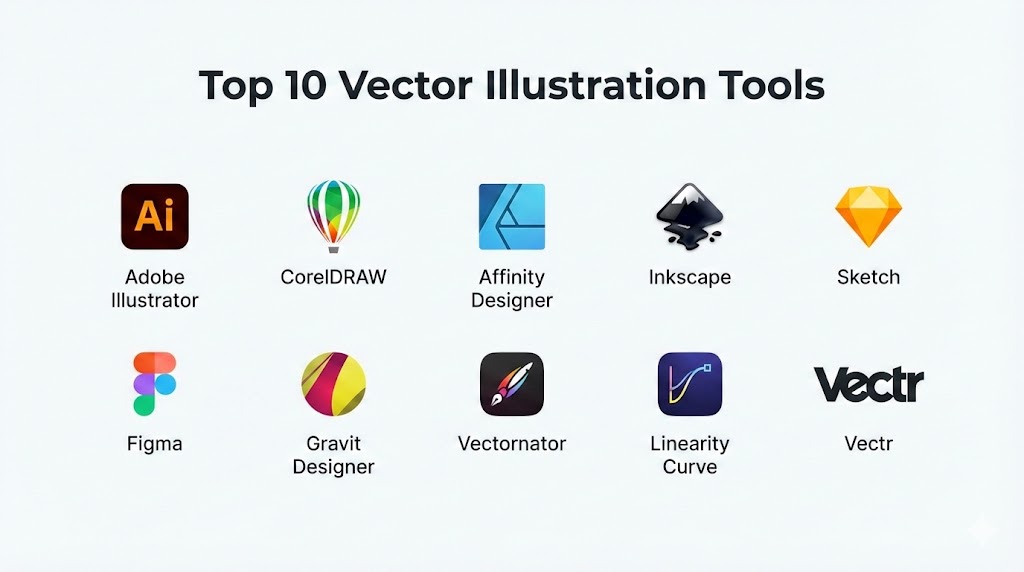
Top 10 Vector Illustration Tools
1 — Adobe Illustrator
A leading professional vector illustration tool used across industries for branding, illustration, and complex graphic design.
Key features
- Precision pen and shape tools
- Advanced typography and text effects
- Extensive color and gradient controls
- Artboards and symbol management
- Seamless integration with creative ecosystems
Pros
- Industry standard with broad adoption
- Extremely powerful and flexible
- Excellent file compatibility
Cons
- Subscription-based pricing
- Steep learning curve for beginners
Security and compliance
Enterprise-grade encryption and access controls; compliance varies by region.
Support and community
Extensive documentation, tutorials, community forums, and enterprise support.
2 — CorelDRAW Graphics Suite
A comprehensive vector illustration and layout solution popular in print and signage industries.
Key features
- Advanced vector drawing tools
- Page layout and typography features
- Color management for print workflows
- Non-destructive editing
- Extensive file format support
Pros
- Strong print and production features
- One-time license option available
- Intuitive interface
Cons
- Smaller ecosystem than competitors
- Performance varies on complex files
Security and compliance
Local file security; enterprise compliance varies.
Support and community
Strong official support and long-standing user base.
3 — Affinity Designer
A modern, high-performance vector illustration tool offering professional features with a one-time purchase.
Key features
- Vector and raster personas
- High-performance rendering engine
- Precision snapping and grids
- Advanced typography tools
- Seamless zoom and pan
Pros
- No subscription fees
- Fast and responsive
- Affordable for professionals
Cons
- Smaller plugin ecosystem
- Limited collaboration features
Security and compliance
Local processing with standard file security.
Support and community
Growing community and well-maintained documentation.
4 — Inkscape
A powerful open-source vector illustration tool suitable for designers seeking a free and flexible solution.
Key features
- SVG-native workflow
- Advanced path operations
- Customizable extensions
- Cross-platform support
- Non-destructive effects
Pros
- Completely free
- Highly extensible
- Strong community-driven development
Cons
- Slower performance on large files
- Interface less polished
Security and compliance
Local usage; compliance not applicable.
Support and community
Large open-source community and extensive guides.
5 — Sketch
A vector-based design tool focused on interface and user experience design.
Key features
- Vector UI design tools
- Symbol and component management
- Responsive layout features
- Design system support
- Prototyping capabilities
Pros
- Excellent for UI and UX design
- Clean and intuitive interface
- Strong plugin ecosystem
Cons
- Limited illustration depth
- Platform-restricted
Security and compliance
Workspace-based security; compliance varies.
Support and community
Active community and extensive plugin marketplace.
6 — Figma
A collaborative design platform with strong vector illustration and interface design capabilities.
Key features
- Real-time collaboration
- Vector drawing and layout tools
- Component and style libraries
- Version history and comments
- Cloud-based workflows
Pros
- Excellent collaboration
- Easy sharing and feedback
- Cross-platform access
Cons
- Requires internet connectivity for full features
- Limited advanced illustration tools
Security and compliance
Enterprise-grade encryption, SSO, and compliance options.
Support and community
Large global community and learning resources.
7 — Gravit Designer
A lightweight vector design tool suitable for web and UI design.
Key features
- Clean vector drawing tools
- Cloud and offline modes
- Cross-platform compatibility
- Modern interface
- Export presets
Pros
- Easy to learn
- Affordable pricing
- Good for quick designs
Cons
- Limited advanced illustration features
- Smaller ecosystem
Security and compliance
Cloud-based security varies.
Support and community
Online documentation and user forums.
8 — Vectornator
A user-friendly vector illustration tool optimized for touch-based and desktop workflows.
Key features
- Precision vector drawing
- Gesture and stylus support
- Real-time previews
- Smooth zooming
- Export flexibility
Pros
- Intuitive user experience
- Great for illustrators
- Optimized performance
Cons
- Limited enterprise features
- Smaller professional adoption
Security and compliance
Local device security.
Support and community
Tutorials and growing creative community.
9 — Linearity Curve
A modern vector design tool focused on speed and usability for branding and marketing visuals.
Key features
- Fast vector rendering
- Smart layout tools
- Asset libraries
- Cross-device workflows
- Export automation
Pros
- Simple and efficient
- Good for branding assets
- Lightweight performance
Cons
- Fewer advanced illustration tools
- Limited third-party integrations
Security and compliance
Local and cloud-based security options.
Support and community
Official documentation and support channels.
10 — Vectr
A simple vector illustration tool designed for beginners and quick graphic creation.
Key features
- Basic vector drawing tools
- Real-time collaboration
- Cloud storage
- Easy export options
- Clean interface
Pros
- Beginner-friendly
- Free tier available
- Easy collaboration
Cons
- Limited professional features
- Not suitable for complex projects
Security and compliance
Cloud-based security varies.
Support and community
Basic documentation and community forums.
Comparison Table
| Tool Name | Best For | Platforms Supported | Standout Feature | Rating |
|---|---|---|---|---|
| Adobe Illustrator | Professional illustration | Windows, macOS | Industry standard | N/A |
| CorelDRAW | Print and production | Windows, macOS | Print workflows | N/A |
| Affinity Designer | Budget-conscious pros | Windows, macOS, iPadOS | One-time license | N/A |
| Inkscape | Open-source users | Windows, macOS, Linux | Free SVG editing | N/A |
| Sketch | UI and UX design | macOS | Design systems | N/A |
| Figma | Team collaboration | Web, Desktop | Real-time collaboration | N/A |
| Gravit Designer | Quick designs | Web, Desktop | Lightweight UI | N/A |
| Vectornator | Illustrators | Desktop, Tablet | Touch optimization | N/A |
| Linearity Curve | Branding assets | Desktop, Tablet | Speed and simplicity | N/A |
| Vectr | Beginners | Web, Desktop | Ease of use | N/A |
Evaluation and Scoring of Vector Illustration Tools
| Criteria | Weight | Description |
|---|---|---|
| Core features | 25% | Depth of vector drawing tools |
| Ease of use | 15% | Learning curve and UI |
| Integrations and ecosystem | 15% | Workflow compatibility |
| Security and compliance | 10% | Data protection |
| Performance and reliability | 10% | Speed and stability |
| Support and community | 10% | Learning resources |
| Price and value | 15% | Cost effectiveness |
Which Vector Illustration Tool Is Right for You?
Solo designers often prefer affordable tools with flexible licensing and strong core features. Small and mid-sized teams benefit from collaboration and asset-sharing capabilities. Enterprises require scalability, security, and workflow integration. Beginners should choose intuitive tools, while advanced illustrators may prioritize precision and customization.
Frequently Asked Questions
What is vector illustration software used for?
It is used to create scalable graphics such as logos, icons, and illustrations.
Why choose vector over raster graphics?
Vector graphics scale without losing quality.
Are vector tools suitable for UI design?
Yes, many are optimized for interface and layout design.
Can beginners learn vector illustration tools easily?
Yes, especially tools designed with simple interfaces.
Do vector tools support print workflows?
Professional tools include advanced print color management.
Is collaboration important in vector tools?
For teams, real-time collaboration greatly improves efficiency.
Are free vector tools reliable?
Yes, open-source tools can be powerful with learning effort.
Can vector tools export to multiple formats?
Most support common vector and raster exports.
Do vector tools support tablets and stylus input?
Many modern tools are optimized for touch devices.
Is subscription pricing necessary?
It depends on budget and long-term workflow needs.
Conclusion
Vector illustration tools are essential for creating scalable, professional-quality graphics across industries. Each tool offers a unique balance of power, usability, pricing, and collaboration. The best vector illustration tool depends on your creative goals, technical requirements, team size, and budget. Choosing the right one can significantly enhance design quality and productivity.
Vector illustration tools are essential for creating precise, infinitely scalable graphics that define modern branding and UI design. This guide expertly contrasts industry titans like Adobe Illustrator with modern collaborative platforms like Figma and affordable alternatives like Affinity Designer. It’s a helpful resource for anyone looking to align their creative goals with the right technical ecosystem.