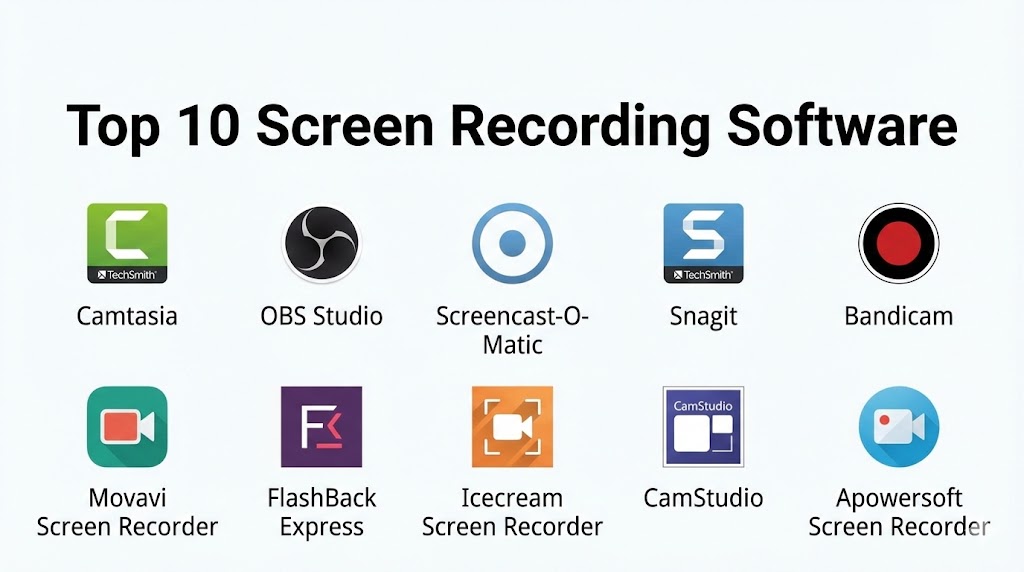
Introduction
Screen recording software is a tool that allows users to capture their computer or mobile screens along with audio, enabling them to create tutorials, presentations, webinars, gaming videos, or corporate demos. This type of software is crucial for educators, content creators, marketers, and businesses that need to communicate visually and clearly. Modern screen recorders often combine features like webcam overlay, voice narration, annotation tools, and live streaming, enhancing the value of the recorded content.
The importance of screen recording software is evident in its wide application: educators can create step-by-step tutorials, businesses can record product demos or training videos, and gamers can capture and share gameplay. When selecting a screen recorder, users should consider video quality, recording formats, audio support, editing capabilities, ease of use, platform compatibility, and cost.
Best for: Online educators, YouTubers, corporate trainers, marketers, game streamers, and technical support teams.
Not ideal for: Individuals who need only occasional screenshots or those with very basic screen capture needs.
Top 10 Screen Recording Software Tools
1 — Camtasia
Short description:
Camtasia is a professional-grade screen recorder with integrated video editing, designed for educators, trainers, and content creators.
Key features:
- High-definition screen capture
- Multi-track timeline editing
- Webcam and audio recording
- Pre-built animations and transitions
- Annotations and callouts
- Cursor effects
- Export to multiple formats
Pros:
- All-in-one screen recording and editing
- Beginner-friendly with tutorials
- Professional-quality output
Cons:
- Expensive compared to alternatives
- Large file sizes for HD recordings
Security & compliance:
Varies / N/A
Support & community:
Documentation, tutorials, email support, active forums
2 — OBS Studio
Short description:
Open Broadcaster Software (OBS) is a free, open-source screen recording and streaming software widely used by gamers and educators.
Key features:
- Real-time audio/video capturing
- Multiple source support (screens, cameras)
- Scene composition and transitions
- High-performance recording
- Plugin support for extended functionality
- Stream directly to platforms
- Multi-platform support
Pros:
- Free and open-source
- Highly customizable
- Active community support
Cons:
- Learning curve for beginners
- Limited built-in editing features
Security & compliance:
Varies / N/A
Support & community:
Documentation, forums, tutorials
3 — Screencast-O-Matic
Short description:
Screencast-O-Matic is a web-based screen recording software aimed at educators and small businesses.
Key features:
- Screen and webcam recording
- Audio narration
- Cloud storage and sharing
- Basic video editing
- Captioning support
- Scripted recordings
- Hosting for recorded content
Pros:
- Affordable and easy to use
- Cloud sharing included
- Quick setup
Cons:
- Limited editing compared to premium tools
- Free version has watermark
Security & compliance:
Varies / N/A
Support & community:
Tutorials, documentation, email support
4 — Snagit
Short description:
Snagit is a screen capture and recording software focused on efficiency and ease of use for professionals.
Key features:
- Screen and webcam recording
- Quick video trimming
- Annotations and callouts
- Image capture with editing
- GIF creation
- Share directly to platforms
- User-friendly interface
Pros:
- Fast and intuitive
- Great for short tutorial videos
- Powerful annotation tools
Cons:
- Limited advanced video editing
- Premium pricing
Security & compliance:
Varies / N/A
Support & community:
Documentation, tutorials, support forums
5 — Bandicam
Short description:
Bandicam is a lightweight screen recorder designed for high-quality gameplay and professional demonstrations.
Key features:
- HD screen and gameplay recording
- External device capture
- Webcam overlay
- Real-time drawing and effects
- Multiple codecs support
- Scheduled recording
- High compression with minimal quality loss
Pros:
- Excellent for gaming
- Lightweight and efficient
- High-quality recording
Cons:
- Limited editing tools
- Free version watermark
Security & compliance:
Varies / N/A
Support & community:
Support documentation, FAQs, email support
6 — Movavi Screen Recorder
Short description:
Movavi is a versatile screen recording tool with built-in editing for educational and business use.
Key features:
- Capture screen, webcam, and audio
- Scheduled recordings
- Basic video editing tools
- Annotations and callouts
- Export to multiple formats
- Integration with Movavi Video Editor
- User-friendly interface
Pros:
- Easy for beginners
- Quick video editing
- Multiple export options
Cons:
- Limited advanced editing features
- Paid version required for full functionality
Security & compliance:
Varies / N/A
Support & community:
Tutorials, email support, documentation
7 — FlashBack Express
Short description:
FlashBack Express is a free screen recorder for Windows users offering basic recording and sharing capabilities.
Key features:
- Record screen and webcam
- Audio recording from microphone/system
- No time limits in free version
- Export to MP4, AVI, and WMV
- Simple editing options in paid version
- Highlight mouse and keyboard actions
- Scheduled recording
Pros:
- Free version available
- Simple to use
- Lightweight software
Cons:
- Editing features limited without upgrade
- Windows only
Security & compliance:
Varies / N/A
Support & community:
Documentation, tutorials, email support
8 — Icecream Screen Recorder
Short description:
Icecream Screen Recorder is a user-friendly software suitable for tutorials, demos, and presentations.
Key features:
- Record full screen or custom area
- Webcam and audio recording
- Annotate while recording
- Capture screenshots
- Export to popular formats
- Schedule recordings
- Simple interface
Pros:
- Easy to use
- Annotation tools during recording
- Affordable
Cons:
- Limited editing features
- Watermark on free version
Security & compliance:
Varies / N/A
Support & community:
Documentation, email support
9 — CamStudio
Short description:
CamStudio is an open-source screen recording software for simple video capture and AVI output.
Key features:
- Capture screen and audio
- Create AVI files
- Lightweight software
- Simple interface
- Custom cursors and annotations
- Free to use
- Minimal system resources
Pros:
- Free and lightweight
- Easy to install and use
- Good for basic tutorials
Cons:
- Lacks modern features
- Limited editing capabilities
Security & compliance:
Varies / N/A
Support & community:
Forums, documentation
10 — Apowersoft Screen Recorder
Short description:
Apowersoft is a versatile screen recorder suitable for Windows and Mac users for professional recordings.
Key features:
- Full screen and region recording
- Audio and webcam capture
- Annotation tools
- Scheduled recordings
- Cloud storage integration
- Multiple export formats
- Video editing tools
Pros:
- Feature-rich
- Easy-to-use interface
- Cloud and local saving
Cons:
- Paid version needed for full features
- Performance dependent on system
Security & compliance:
Varies / N/A
Support & community:
Documentation, live chat, email support
Comparison Table
| Tool Name | Best For | Platform(s) Supported | Standout Feature | Rating |
|---|---|---|---|---|
| Camtasia | Professional tutorials | Windows, Mac | Full editing + recording | N/A |
| OBS Studio | Gamers & educators | Windows, Mac, Linux | Open-source, flexible | N/A |
| Screencast-O-Matic | Educators & small businesses | Web, Windows, Mac | Web-based with editing | N/A |
| Snagit | Quick tutorials & screenshots | Windows, Mac | Annotation tools | N/A |
| Bandicam | Gaming & demos | Windows | High-quality gameplay | N/A |
| Movavi | Educational & business | Windows, Mac | Easy editing + recording | N/A |
| FlashBack Express | Basic Windows recording | Windows | Free and simple | N/A |
| Icecream | Tutorials & demos | Windows, Mac | Annotation during recording | N/A |
| CamStudio | Basic free recording | Windows | Lightweight & free | N/A |
| Apowersoft | Professional & business | Windows, Mac | Cloud + multiple formats | N/A |
Evaluation & Scoring of Screen Recording Software
| Criteria | Weight | Description |
|---|---|---|
| Core features | 25% | Screen, webcam, audio recording, annotations |
| Ease of use | 15% | Beginner-friendly interface, workflow |
| Integrations & ecosystem | 15% | Editing tools, cloud storage, plugins |
| Security & compliance | 10% | Data protection, encryption |
| Performance & reliability | 10% | Recording quality, stability |
| Support & community | 10% | Tutorials, forums, support availability |
| Price / value | 15% | Free vs premium features and plans |
Which Screen Recording Software Tool Is Right for You?
- Beginners / occasional use: OBS Studio, FlashBack Express, CamStudio
- Professional tutorials / education: Camtasia, Movavi, Screencast-O-Matic
- Gaming / high-quality recording: Bandicam, OBS Studio
- Annotation and quick videos: Snagit, Icecream
- Business / cloud integration: Apowersoft, Screencast-O-Matic
Frequently Asked Questions (FAQs)
- What is screen recording software?
Software that captures computer or mobile screens along with audio for tutorials, demos, or content creation. - Can beginners use these tools?
Yes, OBS Studio, Icecream, and FlashBack Express are beginner-friendly. - Which software is best for editing?
Camtasia and Movavi offer built-in editing tools. - Can I record gameplay?
Bandicam, OBS Studio, and Camtasia support high-quality gameplay recording. - Are there free options?
Yes, OBS Studio, CamStudio, FlashBack Express, and Screencast-O-Matic offer free versions. - Can I add webcam overlays?
Most tools, including Camtasia, Bandicam, and Movavi, support webcam recording overlays. - Do these tools support audio narration?
Yes, all major screen recorders capture system and microphone audio. - Which software is cross-platform?
OBS Studio, Movavi, Screencast-O-Matic, Icecream, and Apowersoft support Windows and Mac. - Is cloud storage included?
Some tools like Apowersoft and Screencast-O-Matic offer cloud integration. - Can I annotate during recording?
Snagit, Icecream, Camtasia, and Apowersoft allow annotations in real time.
Conclusion
Selecting the best screen recording software depends on your use case, audience, and level of experience. Beginners can opt for OBS Studio, FlashBack Express, or CamStudio, while educators and professionals benefit from Camtasia, Movavi, and Screencast-O-Matic. Gamers seeking high-quality recording may prefer Bandicam. Considering features, usability, and cost ensures you create engaging, professional, and effective screen content.
Screen recording software has transformed how we share knowledge, allowing us to capture everything from high-stakes gameplay to step-by-step educational tutorials. This guide is a solid resource, contrasting professional powerhouses like Camtasia with flexible, free tools like OBS Studio.