Introduction
Audio editing software is essential for musicians, podcasters, sound designers, and video editors to produce high-quality audio content. It allows users to manipulate sound recordings, including cutting, splicing, mixing, and adding effects, ensuring clear, professional audio output. Audio editing tools range from simple waveform editors to advanced digital audio workstations (DAWs) with multi-track recording, VST plugin support, and real-time effects processing.
Audio quality is crucial in creating engaging content, whether for music production, podcasting, video production, or live streaming. These tools help enhance clarity, balance volume, remove noise, and apply effects to achieve a polished, professional sound. When selecting audio editing software, users should consider features such as multi-track editing, effects support, format compatibility, user interface, and integration with other production tools.
Best for:
Musicians, sound designers, podcasters, audio engineers, video editors, and media production companies benefit most from audio editing software for producing high-quality, professional-grade audio content.
Not ideal for:
Individuals who only require simple voice recordings or casual audio trimming may not need advanced software features.
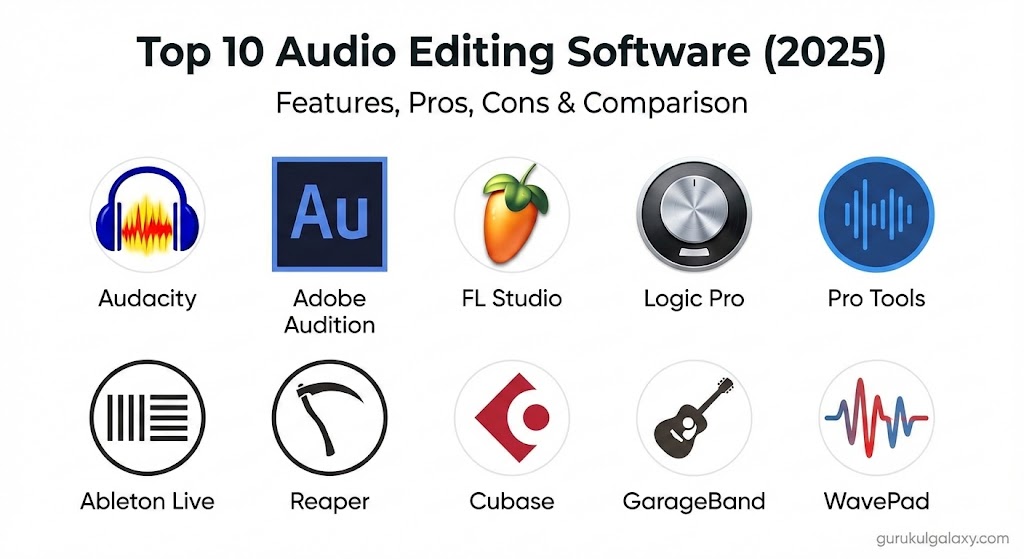
Top 10 Audio Editing Software Tools
1 — Audacity
Short description:
Audacity is a free, open-source audio editor ideal for beginners and basic audio editing tasks.
Key features:
- Multi-track editing
- Effects and filters
- Noise reduction and normalization
- VST plugin support
- Export in multiple audio formats
- Real-time preview
- Cross-platform compatibility
Pros:
- Free and accessible
- Lightweight and easy to use
- Extensive community support
Cons:
- Limited advanced features
- Interface may feel outdated
Security & compliance:
Varies / N/A
Support & community:
Official documentation, forums, online tutorials.
2 — Adobe Audition
Short description:
Adobe Audition is a professional DAW with robust audio editing, mixing, and restoration tools.
Key features:
- Multi-track recording and editing
- Noise reduction and sound restoration
- Effects rack and VST plugin support
- Spectral frequency display
- Batch processing
- Integration with Adobe Creative Cloud
- Real-time audio analysis
Pros:
- Professional-grade audio editing
- Seamless integration with Premiere Pro and other Adobe tools
- Advanced restoration capabilities
Cons:
- Subscription-based
- Steep learning curve for beginners
Security & compliance:
Varies / N/A
Support & community:
Adobe documentation, tutorials, forums.
3 — FL Studio
Short description:
FL Studio is a DAW widely used by music producers for creating, recording, and mixing tracks.
Key features:
- Multi-track sequencing
- Virtual instruments and synthesizers
- Mixer with effects chains
- MIDI editing and piano roll
- Automation clips and envelopes
- VST/AU plugin support
- High-quality audio rendering
Pros:
- Popular among electronic music producers
- Powerful production features
- User-friendly interface
Cons:
- Can be overwhelming for beginners
- Limited for live audio recording compared to Audition
Security & compliance:
Varies / N/A
Support & community:
Documentation, online tutorials, community forums.
4 — Logic Pro
Short description:
Logic Pro is Apple’s professional DAW designed for music production and audio editing on macOS.
Key features:
- Multi-track editing and mixing
- Built-in virtual instruments and effects
- MIDI and audio recording
- Smart tempo and Flex Time
- Automation and modulation tools
- Logic Remote for iOS control
- High-resolution audio support
Pros:
- Mac-optimized performance
- Extensive library of sounds and instruments
- Ideal for music production
Cons:
- Mac-only
- Expensive one-time purchase
Security & compliance:
Varies / N/A
Support & community:
Apple documentation, tutorials, forums.
5 — Pro Tools
Short description:
Pro Tools is an industry-standard DAW used in professional studios for recording, editing, and mixing audio.
Key features:
- Multi-track recording
- Advanced mixing console
- Real-time effects and plugin support
- MIDI and audio integration
- Cloud collaboration
- High-resolution audio formats
- Automation and dynamic processing
Pros:
- Professional studio standard
- Excellent audio fidelity
- Collaborative workflow
Cons:
- Expensive subscription or license
- High learning curve
Security & compliance:
Varies / N/A
Support & community:
Avid documentation, certified training, forums.
6 — Ableton Live
Short description:
Ableton Live is a DAW designed for music production, live performance, and DJing.
Key features:
- Session and arrangement views
- Real-time audio manipulation
- Built-in instruments and effects
- MIDI support
- Max for Live integration
- Automation and clip launching
- Multi-track recording
Pros:
- Excellent for live performance
- Flexible workflow for electronic music
- Intuitive clip-based editing
Cons:
- Less focused on traditional audio post-production
- Expensive for full version
Security & compliance:
Varies / N/A
Support & community:
Ableton documentation, online tutorials, forums.
7 — Reaper
Short description:
Reaper is a powerful, affordable DAW suitable for recording, editing, and mixing audio.
Key features:
- Multi-track editing
- Extensive plugin support
- MIDI editing and automation
- Flexible routing and workflow customization
- Real-time effects processing
- Lightweight and fast
- Cross-platform support
Pros:
- Affordable license
- Lightweight and flexible
- Strong community support
Cons:
- Interface can feel complex
- Requires configuration for advanced workflows
Security & compliance:
Varies / N/A
Support & community:
Documentation, forums, online tutorials.
8 — Cubase
Short description:
Cubase is a professional DAW for music production, recording, and mixing.
Key features:
- Multi-track recording and editing
- MIDI and virtual instrument support
- Automation and effects
- Audio warp and time correction
- VST plugin compatibility
- High-quality audio rendering
- Score editor for notation
Pros:
- Comprehensive music production features
- Industry-standard MIDI workflow
- High-quality output
Cons:
- Expensive
- Complex interface for beginners
Security & compliance:
Varies / N/A
Support & community:
Steinberg documentation, tutorials, forums.
9 — GarageBand
Short description:
GarageBand is a beginner-friendly DAW for Mac users, suitable for music creation and basic audio editing.
Key features:
- Multi-track recording
- Built-in instruments and loops
- Basic effects and automation
- MIDI support
- User-friendly interface
- Integration with Logic Pro
- Real-time recording
Pros:
- Free for macOS and iOS
- Easy to use for beginners
- Decent library of sounds
Cons:
- Limited advanced features
- Mac-only
Security & compliance:
Varies / N/A
Support & community:
Apple documentation, forums, tutorials.
10 — WavePad
Short description:
WavePad is a straightforward audio editor suitable for beginners and intermediate users.
Key features:
- Basic multi-track editing
- Effects and filters
- Noise reduction and amplification
- Audio format conversion
- Batch processing
- Real-time preview
- Cross-platform support
Pros:
- Easy-to-use interface
- Affordable
- Lightweight and fast
Cons:
- Lacks advanced DAW features
- Limited plugin support
Security & compliance:
Varies / N/A
Support & community:
Documentation, tutorials, online forums.
Comparison Table
| Tool Name | Best For | Platform(s) Supported | Standout Feature | Rating |
|---|---|---|---|---|
| Audacity | Beginners & hobbyists | Windows, Mac, Linux | Free & open-source | N/A |
| Adobe Audition | Professional audio editors | Windows, Mac | Advanced editing & restoration | N/A |
| FL Studio | Music production | Windows, Mac | MIDI & virtual instruments | N/A |
| Logic Pro | Music production | Mac | Built-in instruments & effects | N/A |
| Pro Tools | Professional studios | Windows, Mac | Industry-standard mixing | N/A |
| Ableton Live | Music production & live performance | Windows, Mac | Clip-based workflow | N/A |
| Reaper | Flexible audio editing | Windows, Mac, Linux | Lightweight & customizable | N/A |
| Cubase | Music production & MIDI | Windows, Mac | Comprehensive DAW features | N/A |
| GarageBand | Beginners & casual users | Mac | Easy & free for Mac | N/A |
| WavePad | Beginners & intermediate users | Windows, Mac | Simple editing tools | N/A |
Evaluation & Scoring of Audio Editing Software
| Criteria | Weight | Description |
|---|---|---|
| Core features | 25% | Multi-track editing, effects, mixing, MIDI |
| Ease of use | 15% | Interface, learning curve, usability |
| Integrations & ecosystem | 15% | Plugin support, workflow integration |
| Security & compliance | 10% | Licensing, enterprise usage |
| Performance & reliability | 10% | Stability, real-time processing |
| Support & community | 10% | Tutorials, forums, documentation |
| Price / value | 15% | Cost vs features and functionality |
Which Audio Editing Software Tool Is Right for You?
- Solo users / beginners: Audacity, GarageBand, WavePad
- SMBs / podcasters / content creators: Reaper, FL Studio, Ableton Live
- Mid-market / professional teams: Adobe Audition, Logic Pro, Cubase
- Enterprises / studios: Pro Tools, FL Studio (high-end), Logic Pro
Frequently Asked Questions (FAQs)
- What is audio editing software?
A tool for recording, editing, mixing, and enhancing audio tracks. - Do I need professional skills?
Some software is beginner-friendly; advanced DAWs require experience. - Can I use plugins?
Yes, most DAWs support VST/AU plugin integration. - Are these tools suitable for podcasting?
Audacity, Adobe Audition, and Reaper are ideal for podcasts. - Which supports multi-track editing?
Most professional DAWs like Pro Tools, Logic Pro, and FL Studio do. - Are there free options?
Audacity, GarageBand, and WavePad offer free or trial versions. - Which software is best for music production?
FL Studio, Logic Pro, Cubase, and Ableton Live are preferred. - Can these edit video audio too?
Adobe Audition and Pro Tools can integrate with video editing software. - Are they cross-platform?
Most support Windows and Mac; Linux support is limited. - Which is ideal for professional studios?
Pro Tools and Adobe Audition are industry standards.
Conclusion
Audio editing software is vital for producing professional, clear, and polished sound for music, podcasts, film, and multimedia projects. From beginner-friendly tools like Audacity and GarageBand to industry-standard DAWs like Pro Tools, Adobe Audition, and Logic Pro, selecting the right software depends on skill level, project needs, and budget. Proper software choice ensures efficient workflows, high-quality audio output, and creative freedom.
High-quality audio is essential for everything from podcasts to professional music production. This guide effectively contrasts user-friendly options like Audacity with industry powerhouses like Pro Tools, providing a solid roadmap for anyone looking to refine their sound.