Introduction
Color grading software is essential for adjusting and enhancing the color and tone of videos, films, and visual media. It allows filmmakers, editors, and colorists to achieve consistent visual aesthetics, enhance storytelling, and set a particular mood or style in post-production. These tools provide precise control over color balance, exposure, contrast, highlights, shadows, and saturation. Advanced color grading software also offers features like LUT (Look-Up Table) support, HDR color handling, and real-time preview, enabling professionals to visualize and refine their work efficiently.
The importance of color grading software cannot be overstated. It elevates the visual quality of projects, ensures continuity across scenes, and significantly impacts audience perception. Key use cases include film production, commercial editing, music videos, short films, and high-end video projects. When selecting color grading software, users should consider precision controls, workflow integration, LUT support, HDR compatibility, ease of use, and export options.
Best for:
Professional colorists, film editors, videographers, post-production houses, and content creators who need precise control over the visual style and color consistency of their projects.
Not ideal for:
Beginners or creators with minimal post-production needs, or those producing content that does not require professional-grade color manipulation.
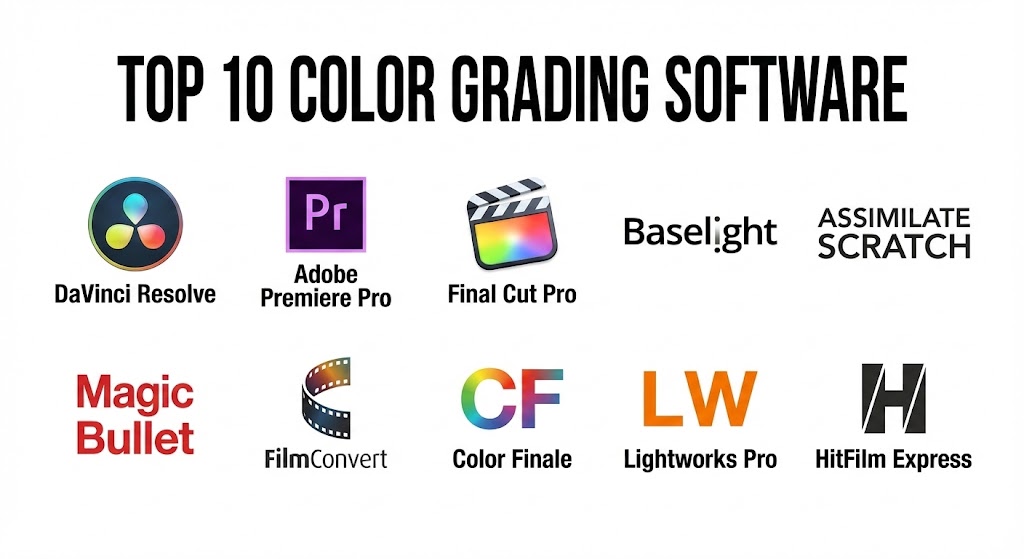
Top 10 Color Grading Software Tools
1 — DaVinci Resolve
Short description:
DaVinci Resolve by Blackmagic Design is a professional color grading and video editing software widely used in the film and television industry.
Key features:
- Advanced color wheels and curves
- HDR color grading support
- LUTs and color match tools
- Node-based color grading workflow
- Real-time playback and GPU acceleration
- Integration with editing and VFX pipelines
- Collaborative workflow for teams
Pros:
- Industry standard for professional color grading
- Free version available with robust features
- Powerful node-based color workflow
Cons:
- High system requirements for real-time performance
- Steep learning curve for beginners
Security & compliance:
Varies / N/A
Support & community:
Official documentation, forums, training courses.
2 — Adobe Premiere Pro
Short description:
Adobe Premiere Pro is a professional video editing software with integrated color grading and Lumetri tools.
Key features:
- Lumetri color panel for grading
- Color wheels, curves, and HSL adjustments
- LUT support and creative presets
- Real-time preview and editing
- Integration with After Effects and Photoshop
- HDR color workflow
- Timeline-based color corrections
Pros:
- Integrated editing and grading workflow
- Seamless Adobe Creative Cloud integration
- User-friendly interface
Cons:
- Less advanced than DaVinci Resolve for node-based grading
- Subscription-based pricing
Security & compliance:
Varies / N/A
Support & community:
Adobe tutorials, forums, community resources.
3 — Final Cut Pro
Short description:
Final Cut Pro by Apple is a professional video editing software with robust color grading capabilities, designed for Mac users.
Key features:
- Color wheels, curves, and color board
- HDR color grading
- LUT and color preset support
- Real-time playback and GPU optimization
- Integrated timeline editing
- Masking and color isolation
- Support for 360-degree video
Pros:
- Optimized for macOS performance
- Intuitive interface for Mac users
- Powerful grading and editing combination
Cons:
- Mac-only software
- Less flexible than node-based workflows
Security & compliance:
Varies / N/A
Support & community:
Apple documentation, tutorials, forums.
4 — FilmLight Baselight
Short description:
Baselight by FilmLight is a high-end professional color grading software used in major film and TV productions.
Key features:
- Advanced node-based grading workflow
- HDR and wide gamut color support
- Precision color controls
- Film emulation and look creation
- Integration with editing and VFX pipelines
- Real-time grading for collaborative teams
- Track matte and secondary color corrections
Pros:
- Industry-leading grading tools
- Professional-grade color precision
- Widely used in feature films
Cons:
- Very expensive
- Requires professional training
Security & compliance:
Varies / N/A
Support & community:
Official documentation, training programs, forums.
5 — Assimilate Scratch
Short description:
Scratch is a professional color grading and finishing software for film, commercials, and digital cinema.
Key features:
- Real-time grading and playback
- HDR and SDR support
- Node-based and layer-based workflows
- LUT and 3D LUT support
- Film and digital camera support
- Collaborative workflow features
- Integration with VFX pipelines
Pros:
- Real-time high-resolution grading
- Supports multiple camera formats
- Flexible workflow for large productions
Cons:
- Expensive licensing
- Complex interface for beginners
Security & compliance:
Varies / N/A
Support & community:
Documentation, training courses, community forums.
6 — Red Giant Magic Bullet Suite
Short description:
Magic Bullet Suite is a plugin collection for color grading and film looks, integrated with Premiere Pro, After Effects, and other software.
Key features:
- Color grading with Lumetri-like tools
- Film look presets and stylization
- Skin tone correction tools
- Real-time GPU acceleration
- LUT creation and application
- Integration with Adobe products
- Fast workflow for creative looks
Pros:
- Quick application of cinematic looks
- GPU-accelerated processing
- Intuitive for editors
Cons:
- Plugin-based, requires host software
- Not standalone grading solution
Security & compliance:
Varies / N/A
Support & community:
Red Giant documentation, tutorials, forums.
7 — FilmConvert
Short description:
FilmConvert is a plugin that provides film emulation and color grading tools for video editors and colorists.
Key features:
- Film stock emulation
- Color correction and grading controls
- LUT support
- Grain simulation for cinematic look
- Integration with Premiere Pro, Final Cut Pro, DaVinci Resolve
- Real-time preview
- Adjustable exposure and contrast
Pros:
- Produces cinematic film looks
- Easy to use for stylized grading
- Supports multiple NLEs
Cons:
- Limited advanced grading tools
- Plugin-dependent
Security & compliance:
Varies / N/A
Support & community:
Documentation, tutorials, forums.
8 — Color Finale
Short description:
Color Finale is a professional color grading plugin for Final Cut Pro with advanced grading tools.
Key features:
- Color wheels, curves, and LUTs
- HDR grading support
- Layer-based and node-based adjustments
- Real-time preview
- Film emulation
- Masking and secondary corrections
- Integration with Final Cut Pro
Pros:
- Powerful FCP plugin for grading
- Intuitive interface
- Supports professional workflows
Cons:
- Mac-only
- Plugin-dependent
Security & compliance:
Varies / N/A
Support & community:
Documentation, tutorials, forums.
9 — Lightworks Pro
Short description:
Lightworks Pro is a professional video editor with built-in color grading tools and LUT support.
Key features:
- Color wheels and curves
- LUT and 3D LUT import
- Real-time grading and playback
- HDR workflow support
- Secondary color corrections
- Timeline-based adjustments
- Integration with editing workflow
Pros:
- Professional editing and grading combined
- Multi-platform support
- Affordable professional option
Cons:
- Less powerful than DaVinci Resolve for grading
- Interface may be complex for beginners
Security & compliance:
Varies / N/A
Support & community:
Documentation, tutorials, community forums.
10 — HitFilm Express
Short description:
HitFilm Express is a free video editing and color grading software with basic grading tools for indie creators.
Key features:
- Color wheels and curves
- LUT support
- Real-time preview
- Simple masking and secondary corrections
- Integration with compositing tools
- Layer-based workflow
- GPU acceleration
Pros:
- Free and accessible for beginners
- Easy-to-learn interface
- Basic grading and editing tools
Cons:
- Limited advanced grading features
- Less suitable for professional workflows
Security & compliance:
Varies / N/A
Support & community:
Documentation, tutorials, forums.
Comparison Table
| Tool Name | Best For | Platform(s) Supported | Standout Feature | Rating |
|---|---|---|---|---|
| DaVinci Resolve | Professional film & video | Windows, Mac, Linux | Node-based grading, HDR support | N/A |
| Adobe Premiere Pro | Video editors & content creators | Windows, Mac | Lumetri color tools, plugin support | N/A |
| Final Cut Pro | Mac editors & filmmakers | Mac | Integrated grading and editing | N/A |
| Baselight | High-end film & TV | Windows, Mac | Node-based professional workflow | N/A |
| Scratch | Film & commercials | Windows, Mac | Real-time high-res grading | N/A |
| Magic Bullet Suite | Editors & stylization | Windows, Mac | Film look presets | N/A |
| FilmConvert | Cinematic grading | Windows, Mac | Film stock emulation | N/A |
| Color Finale | FCP advanced grading | Mac | Layer-based grading in FCP | N/A |
| Lightworks Pro | Multi-platform editing | Windows, Mac, Linux | Professional grading and editing | N/A |
| HitFilm Express | Beginners & indie creators | Windows, Mac | Free grading with editing | N/A |
Evaluation & Scoring of Color Grading Software
| Criteria | Weight | Description |
|---|---|---|
| Core features | 25% | Color wheels, LUTs, HDR support, secondary grading |
| Ease of use | 15% | Interface, workflow simplicity |
| Integrations & ecosystem | 15% | Plugin support, NLE integration |
| Security & compliance | 10% | Licensing, enterprise deployment |
| Performance & reliability | 10% | Real-time preview, GPU acceleration |
| Support & community | 10% | Tutorials, forums, documentation |
| Price / value | 15% | Licensing vs features |
Which Color Grading Software Tool Is Right for You?
- Solo users / beginners: HitFilm Express, FilmConvert for accessible and free/affordable solutions
- SMBs / small studios: Adobe Premiere Pro, Color Finale for professional yet manageable workflow
- Mid-market / professional teams: DaVinci Resolve, Final Cut Pro, Lightworks Pro for advanced grading and editing
- Enterprises / large studios: Baselight, Scratch, Magic Bullet Suite for high-end film and commercial production
Frequently Asked Questions (FAQs)
- What is color grading software?
Software that allows adjusting and enhancing color, contrast, and tone of video and film. - Do I need professional skills to use it?
Some tools are beginner-friendly, while advanced solutions require professional knowledge. - Can I use LUTs?
Yes, most professional color grading software supports LUTs. - Do these tools support HDR workflows?
High-end tools like DaVinci Resolve, Baselight, and Scratch support HDR grading. - Can I combine grading with editing?
Yes, many solutions integrate grading with timeline editing for efficiency. - Are there free options?
HitFilm Express and the free version of DaVinci Resolve offer robust capabilities. - Which software is best for cinematic looks?
FilmConvert, Magic Bullet Suite, and DaVinci Resolve are popular for cinematic grading. - Can I integrate these with After Effects?
Yes, plugins like Magic Bullet Suite and LUT exports work seamlessly with After Effects. - Are these multi-platform?
Most are available for Windows and Mac; Linux support varies. - Which is ideal for indie creators?
HitFilm Express and FilmConvert provide accessible, cost-effective options.
Conclusion
Color grading software is critical for achieving visual consistency, cinematic quality, and stylistic storytelling in film, video, and digital media. From free beginner-friendly tools like HitFilm Express to professional-grade solutions like DaVinci Resolve, Baselight, and Scratch, the right software depends on your project scope, workflow, and creative goals. Proper selection ensures efficient post-production, precise color control, and polished, engaging content.
Color grading is where the visual soul of a project is born, setting the mood and ensuring every frame feels intentional. This guide highlights everything from the industry-standard node-based precision of DaVinci Resolve to the seamless Lumion tools in Premiere Pro. It is an excellent resource for anyone looking to bridge the gap between raw footage and a polished, cinematic final product.