Introduction
Game engines are comprehensive software frameworks that provide developers with the tools to design, build, and deploy interactive digital games. They include core functionalities such as rendering graphics, simulating physics, handling audio, managing assets, and scripting gameplay logic. Game engines simplify the development process by integrating multiple subsystems into a cohesive platform, allowing creators to focus on content, storytelling, and user experience rather than building core systems from scratch.
The importance of game engines lies in their ability to accelerate game development, reduce production costs, and support cross-platform deployment. They are used for 2D, 3D, AR, VR, and mobile gaming, making them essential tools for studios, indie developers, educational applications, and enterprise gamified solutions. Key considerations when choosing a game engine include platform support, graphical capabilities, scripting flexibility, physics and AI systems, asset pipeline integration, licensing costs, and community support.
Best for:
Game developers, studios, educational content creators, VR/AR developers, and interactive media professionals benefit most from game engines due to their ability to streamline complex development processes.
Not ideal for:
Hobbyists with simple projects, or developers working exclusively on text-based or non-interactive applications may not require full-featured engines, and simpler frameworks or libraries could suffice.
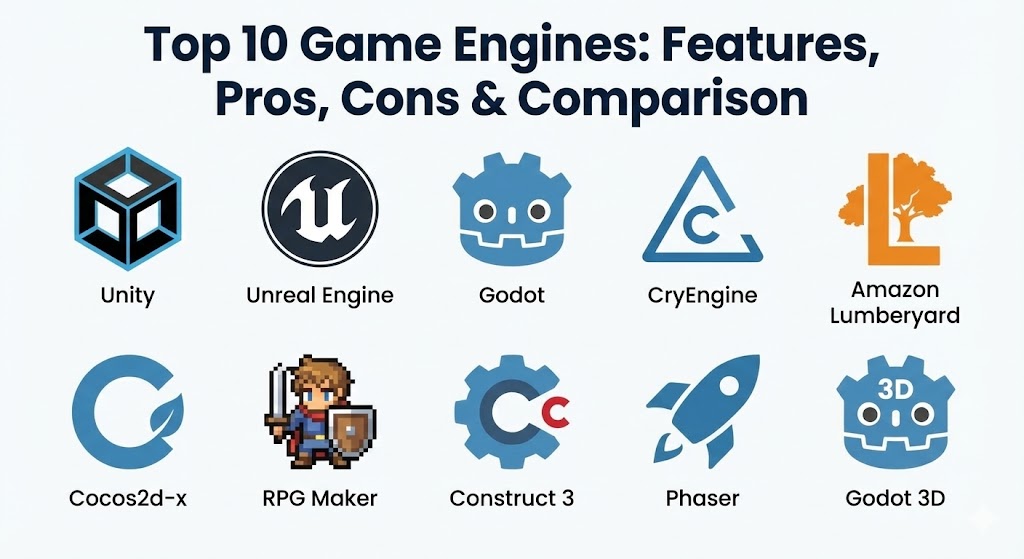
Top 10 Game Engines Tools
1 — Unity
Short description:
Unity is a widely used game engine supporting 2D, 3D, AR, VR, and mobile game development across multiple platforms.
Key features:
- Cross-platform deployment (PC, mobile, consoles, AR/VR)
- Real-time 3D rendering engine
- Extensive asset store with prebuilt models and scripts
- Physics, AI, and animation systems
- C# scripting for gameplay logic
- AR/VR SDK integration
- Collaborative development and cloud services
Pros:
- Versatile and beginner-friendly
- Strong community and learning resources
- Scalable for small indie projects to large enterprises
Cons:
- Performance may require optimization for high-end graphics
- Large project sizes can be resource-intensive
Security & compliance:
Varies / N/A
Support & community:
Comprehensive documentation, forums, tutorials, enterprise support.
2 — Unreal Engine
Short description:
Unreal Engine is a high-fidelity game engine known for photorealistic rendering and complex game mechanics.
Key features:
- Real-time 3D rendering with advanced graphics
- Blueprint visual scripting
- VR/AR and cross-platform support
- Physics and animation systems
- AI and gameplay tools
- Asset marketplace and plugin ecosystem
- Networking and multiplayer support
Pros:
- Exceptional graphics and visual fidelity
- Suitable for AAA-quality games
- Strong plugin and developer ecosystem
Cons:
- Higher system requirements
- Steeper learning curve than some alternatives
Security & compliance:
Varies / N/A
Support & community:
Official documentation, tutorials, forums, enterprise support.
3 — Godot
Short description:
Godot is an open-source game engine for 2D and 3D development with a lightweight and flexible architecture.
Key features:
- Node-based architecture for scene management
- Visual scripting and GDScript (Python-like language)
- Multi-platform export
- Built-in 2D and 3D rendering engines
- Physics and animation systems
- Asset library and plugin support
- Open-source community contributions
Pros:
- Free and open-source
- Lightweight and flexible
- Active development and community support
Cons:
- Smaller asset ecosystem than Unity or Unreal
- Limited high-end graphics features for AAA games
Security & compliance:
Varies / N/A
Support & community:
Documentation, forums, open-source community.
4 — CryEngine
Short description:
CryEngine is a game engine known for high-quality rendering and realistic environmental simulations.
Key features:
- Photorealistic 3D rendering
- Real-time lighting and physics
- VR support
- Audio and AI tools
- Sandbox editor for level design
- Scripting with C++ and Lua
- Advanced particle systems
Pros:
- Stunning visuals and environments
- Built-in VR support
- Advanced physics engine
Cons:
- Steep learning curve
- Smaller community than Unity or Unreal
Security & compliance:
Varies / N/A
Support & community:
Documentation, forums, tutorials.
5 — Amazon Lumberyard
Short description:
Amazon Lumberyard is a free AAA-quality game engine integrated with AWS and Twitch for cloud and multiplayer support.
Key features:
- Integration with AWS cloud services
- Real-time 3D rendering
- VR/AR support
- Networking and multiplayer framework
- Lua and C++ scripting
- Asset marketplace
- Twitch integration for streaming features
Pros:
- Cloud and multiplayer support
- Free AAA-quality engine
- Integrated with AWS ecosystem
Cons:
- Smaller user community
- Less documentation than Unity/Unreal
Security & compliance:
AWS enterprise-grade security
Support & community:
Documentation, forums, developer resources.
6 — Cocos2d-x
Short description:
Cocos2d-x is an open-source engine optimized for 2D mobile game development.
Key features:
- Cross-platform 2D support (iOS, Android, Windows)
- C++, Lua, and JavaScript scripting
- Physics engine for 2D games
- Animation system and particle effects
- Lightweight and high-performance
- Asset management
- Free and open-source
Pros:
- Ideal for mobile 2D games
- Lightweight and fast
- Active open-source community
Cons:
- Limited 3D capabilities
- Smaller ecosystem than Unity
Security & compliance:
Varies / N/A
Support & community:
Community forums, GitHub contributions, documentation.
7 — RPG Maker
Short description:
RPG Maker is a user-friendly engine for creating role-playing games without extensive programming knowledge.
Key features:
- Tile-based map editor
- Event scripting and database management
- Character and sprite management
- Built-in battle systems
- Cross-platform deployment
- Plugin support for additional features
- Visual and intuitive workflow
Pros:
- Beginner-friendly
- Fast prototyping for RPGs
- No coding required for basic projects
Cons:
- Limited 3D and advanced graphics
- Focused primarily on RPG genre
Security & compliance:
Varies / N/A
Support & community:
Official documentation, forums, community plugins.
8 — Construct 3
Short description:
Construct 3 is a browser-based game engine for 2D games, emphasizing drag-and-drop development.
Key features:
- HTML5-based 2D game engine
- Visual scripting (event sheets)
- Cross-platform export
- Built-in physics engine
- Asset library and plugin support
- Real-time preview in browser
- Multiplayer and networking features
Pros:
- Easy to use for beginners
- Rapid prototyping
- No installation required
Cons:
- Limited 3D capabilities
- Browser dependency may affect performance
Security & compliance:
Varies / N/A
Support & community:
Documentation, forums, tutorials.
9 — Phaser
Short description:
Phaser is a fast, open-source HTML5 framework for 2D game development.
Key features:
- Canvas and WebGL rendering
- JavaScript-based scripting
- Physics engine integration
- Animation and audio support
- Cross-platform browser deployment
- Plugin ecosystem
- Lightweight and fast
Pros:
- Free and open-source
- Ideal for web-based 2D games
- Lightweight framework
Cons:
- Limited 3D and VR/AR support
- Requires JavaScript knowledge
Security & compliance:
Varies / N/A
Support & community:
Documentation, GitHub, forums.
10 — Godot 3D
Short description:
Godot 3D provides 3D game development support within the Godot engine, offering node-based scene management.
Key features:
- 3D rendering engine
- Physics simulation
- C# and GDScript scripting
- Animation and particle systems
- Cross-platform export
- Open-source and free
- Asset library support
Pros:
- Free and open-source
- Flexible 3D development
- Node-based architecture simplifies scene management
Cons:
- Smaller community than Unity/Unreal
- Performance limitations for AAA 3D projects
Security & compliance:
Varies / N/A
Support & community:
Documentation, community forums, tutorials.
Comparison Table
| Tool Name | Best For | Platform(s) Supported | Standout Feature | Rating |
|---|---|---|---|---|
| Unity | Cross-platform AR/VR & 2D/3D | Windows, Mac, Mobile, Consoles | Versatile engine | N/A |
| Unreal Engine | AAA-quality games | Windows, Mac | Photorealistic graphics | N/A |
| Godot | Indie & open-source games | Windows, Mac, Linux | Node-based scene management | N/A |
| CryEngine | High-fidelity 3D games | Windows | Realistic rendering | N/A |
| Amazon Lumberyard | Multiplayer/cloud-based games | Windows | AWS integration | N/A |
| Cocos2d-x | 2D mobile games | Windows, Mac, Mobile | Lightweight & fast | N/A |
| RPG Maker | RPG games | Windows, Mac | Tile-based maps & events | N/A |
| Construct 3 | 2D browser games | Browser | Drag-and-drop development | N/A |
| Phaser | Web-based 2D games | Browser | Lightweight HTML5 framework | N/A |
| Godot 3D | 3D indie games | Windows, Mac, Linux | Flexible 3D development | N/A |
Evaluation & Scoring of Game Engines
| Criteria | Weight | Description |
|---|---|---|
| Core features | 25% | Rendering, physics, AI, scripting |
| Ease of use | 15% | Visual tools, scripting, workflow |
| Integrations & ecosystem | 15% | Asset store, plugins, engine integration |
| Security & compliance | 10% | Cloud services, enterprise standards |
| Performance & reliability | 10% | Rendering speed, stability |
| Support & community | 10% | Documentation, forums, tutorials |
| Price / value | 15% | Licensing costs vs functionality |
Which Game Engine Is Right for You?
- Solo users: Godot, Construct 3, Phaser for accessible and lightweight development
- SMBs: Unity, Cocos2d-x, RPG Maker for small to mid-scale projects
- Mid-market teams: Unreal Engine, Unity for cross-platform and high-quality projects
- Enterprises: Unreal Engine, Unity, CryEngine, Lumberyard for AAA-quality and multiplayer games
Budget-conscious users can choose Godot, Phaser, or Cocos2d-x, while premium developers benefit from Unreal Engine or Unity for enterprise-level game development.
Frequently Asked Questions (FAQs)
- What is a game engine?
A framework providing tools for creating interactive 2D, 3D, AR, or VR games. - Can beginners use these engines?
Yes, platforms like Godot, Construct 3, and RPG Maker are beginner-friendly. - Are these engines cross-platform?
Many support PC, mobile, console, and AR/VR devices. - Do I need coding skills?
Visual scripting and low-code tools exist, but advanced projects require programming. - Can I create VR/AR games?
Yes, Unity and Unreal Engine provide robust AR/VR support. - Are game engines expensive?
Unity, Unreal have free tiers; enterprise licenses may be costly. - Can I collaborate on projects?
Most engines support version control and collaborative workflows. - Can these engines handle multiplayer games?
Yes, engines like Lumberyard and Unity provide multiplayer frameworks. - Are there open-source options?
Godot and Phaser are free and open-source. - Which engine is best for mobile games?
Unity, Cocos2d-x, and Construct 3 are optimized for mobile deployment.
Conclusion
Game engines provide essential tools for building 2D, 3D, AR, and VR interactive experiences. From open-source options like Godot and Phaser to high-fidelity engines like Unreal and Unity, each platform has unique strengths tailored to specific project requirements. Selecting the best engine depends on project complexity, target platforms, budget, and team expertise. No single engine is universally best—the ideal choice aligns with your development goals and workflow.
Game engines are the backbone of digital creativity, powering everything from 2D indie gems to photorealistic AAA titles. This guide expertly contrasts giants like Unity and Unreal with specialized tools like RPG Maker and Phaser.