Introduction
3D Modeling Tools are software applications used to create three-dimensional digital representations of objects, characters, environments, and surfaces. These tools allow designers and engineers to build detailed models that can be visualized, modified, analyzed, and used across industries such as gaming, animation, architecture, manufacturing, healthcare, and product design. A 3D model acts as the foundation for rendering, animation, simulation, prototyping, and even physical production through 3D printing.
The importance of 3D modeling tools continues to grow as industries demand realistic visualization, faster design cycles, and improved accuracy. From designing a mechanical part to creating a game character or visualizing a building before construction, 3D modeling enables better planning, reduced errors, and enhanced creativity. These tools help teams communicate ideas clearly and test designs before committing to time-consuming or costly physical builds.
When choosing a 3D modeling tool, users should look at factors such as modeling precision, sculpting and surface tools, performance, ease of use, file compatibility, rendering support, collaboration features, extensibility, and pricing. Long-term scalability and community support are also key considerations.
Best for:
3D modeling tools are best suited for 3D artists, game developers, animators, product designers, mechanical engineers, architects, industrial designers, startups, creative studios, and large enterprises working with complex digital or physical products.
Not ideal for:
These tools may not be necessary for users who only require basic 2D graphics, simple diagrams, or static illustrations. Lightweight design or drafting software may be more efficient in such cases.
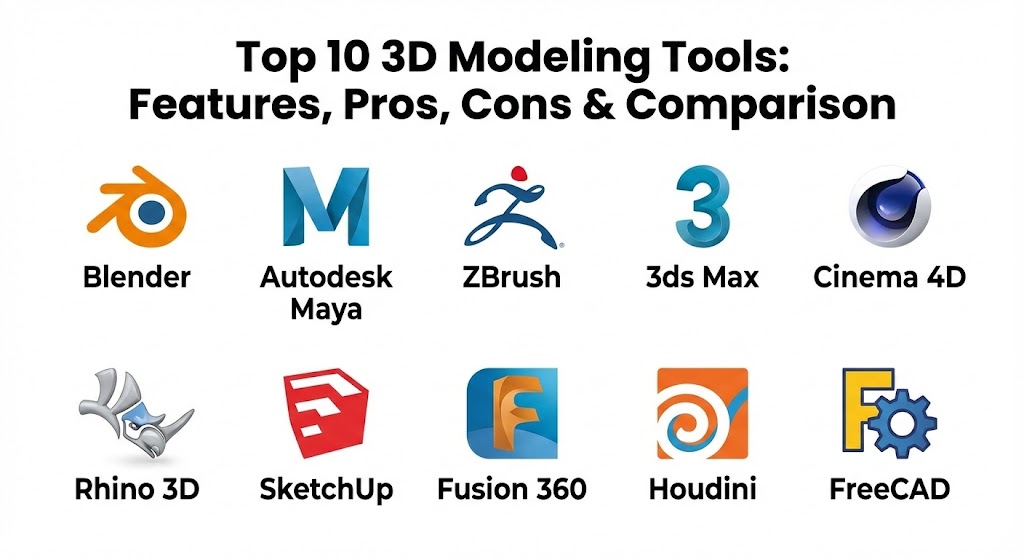
Top 10 3D Modeling Tools
1 — Blender
Short description:
Blender is a powerful, open-source 3D modeling and creation suite used by beginners and professionals alike across multiple industries.
Key features:
- Polygon, sculpting, and parametric modeling
- Advanced sculpting brushes
- Real-time and photorealistic rendering
- UV mapping and texture painting
- Add-on and scripting support
- Full animation pipeline
Pros:
- Free and open-source
- Large plugin ecosystem
- Rapid feature updates
Cons:
- Steep learning curve for new users
- Complex interface for beginners
- Limited official enterprise support
Security & compliance:
Varies / N/A (local installation).
Support & community:
Extensive global community, tutorials, forums, and documentation.
2 — Autodesk Maya
Short description:
Autodesk Maya is a professional 3D modeling and animation tool widely used in film, television, and game studios.
Key features:
- Advanced polygon and surface modeling
- High-end sculpting tools
- Node-based workflows
- Scriptable environment
- Industry-standard file support
- Integration with animation and VFX
Pros:
- Industry-recognized standard
- Highly precise modeling tools
- Strong pipeline compatibility
Cons:
- Expensive subscription
- Requires powerful hardware
- Not beginner-friendly
Security & compliance:
SSO, encryption, GDPR-ready.
Support & community:
Professional documentation, enterprise support, large user base.
3 — ZBrush
Short description:
ZBrush specializes in high-resolution digital sculpting and is widely used for character and organic modeling.
Key features:
- High-density sculpting
- Dynamic tessellation
- Advanced brush system
- Texture and polypainting
- Industry-standard detailing
- Seamless export workflows
Pros:
- Exceptional sculpting quality
- Ideal for characters and creatures
- Fast detailing workflow
Cons:
- Limited hard-surface modeling
- Unique interface can be confusing
- Not a complete modeling pipeline
Security & compliance:
Varies / N/A.
Support & community:
Strong artist community, learning resources, documentation.
4 — 3ds Max
Short description:
3ds Max is a versatile 3D modeling tool widely used in architecture, visualization, and game asset creation.
Key features:
- Polygon and spline modeling
- Architectural visualization tools
- Modifier-based workflow
- Asset libraries
- Rendering integration
- Script automation
Pros:
- Strong modeling flexibility
- Excellent for architectural assets
- Stable performance
Cons:
- Windows-only
- Subscription-based pricing
- Limited organic sculpting
Security & compliance:
Enterprise-grade security, GDPR-ready.
Support & community:
Extensive documentation and professional support.
5 — Cinema 4D
Short description:
Cinema 4D is known for its ease of use and is popular among motion designers and visual artists.
Key features:
- Intuitive modeling tools
- Procedural object system
- MoGraph integration
- High-quality rendering
- Stable viewport performance
- Plugin ecosystem
Pros:
- Beginner-friendly interface
- Fast learning curve
- Reliable performance
Cons:
- Limited advanced sculpting
- High subscription cost
- Smaller engineering focus
Security & compliance:
Standard security practices, GDPR-ready.
Support & community:
Good documentation, training resources, commercial support.
6 — Rhino 3D
Short description:
Rhino 3D focuses on precision surface modeling and is widely used in industrial and architectural design.
Key features:
- NURBS-based modeling
- High precision control
- Cross-platform support
- Extensive plugin ecosystem
- File compatibility
- Custom scripting
Pros:
- Excellent surface modeling
- Affordable licensing
- Flexible workflows
Cons:
- Limited parametric modeling
- Steeper learning curve
- Needs plugins for advanced tasks
Security & compliance:
Varies / N/A.
Support & community:
Active community, strong documentation.
7 — SketchUp
Short description:
SketchUp is a simple and intuitive 3D modeling tool focused on conceptual design and visualization.
Key features:
- Push-pull modeling
- Large asset library
- Fast conceptual modeling
- Visualization-friendly
- Extension support
Pros:
- Extremely easy to learn
- Ideal for quick concepts
- Lightweight and fast
Cons:
- Limited precision modeling
- Weak for manufacturing use
- Not suitable for complex assemblies
Security & compliance:
Standard security practices.
Support & community:
Large user base, tutorials, support options.
8 — Fusion 360
Short description:
Fusion 360 combines 3D modeling with simulation and manufacturing tools in a cloud-enabled platform.
Key features:
- Parametric and freeform modeling
- Cloud-based collaboration
- Integrated simulation
- CAM workflows
- Version control
- Cross-platform access
Pros:
- All-in-one design environment
- Flexible subscription options
- Strong collaboration tools
Cons:
- Internet dependency
- Performance varies by project size
- Limited for very large assemblies
Security & compliance:
Encryption, SSO, GDPR-ready.
Support & community:
Active community, documentation, professional support.
9 — Houdini
Short description:
Houdini uses a procedural modeling approach and is favored for complex, rule-based designs.
Key features:
- Procedural modeling
- Node-based workflows
- Scalable asset generation
- High-performance computation
- Integration with VFX pipelines
- Custom automation
Pros:
- Extremely flexible
- Ideal for complex models
- Non-destructive workflows
Cons:
- Very steep learning curve
- Overkill for simple tasks
- Requires technical knowledge
Security & compliance:
Enterprise security options available.
Support & community:
Professional documentation, strong technical community.
10 — FreeCAD
Short description:
FreeCAD is an open-source parametric 3D modeling tool suitable for engineering and hobby projects.
Key features:
- Parametric modeling
- Modular architecture
- Cross-platform support
- Scriptability
- Community-driven development
Pros:
- Free and open-source
- Flexible customization
- Suitable for basic engineering
Cons:
- Less polished UI
- Limited advanced modeling
- Smaller development team
Security & compliance:
Varies / N/A.
Support & community:
Community forums, documentation, tutorials.
Comparison Table
| Tool Name | Best For | Platform(s) Supported | Standout Feature | Rating |
|---|---|---|---|---|
| Blender | All-purpose modeling | Windows, macOS, Linux | Free full pipeline | N/A |
| Autodesk Maya | Film & games | Windows, macOS, Linux | Industry standard | N/A |
| ZBrush | Sculpting | Windows, macOS | High-detail sculpting | N/A |
| 3ds Max | Architecture & games | Windows | Modifier workflow | N/A |
| Cinema 4D | Motion design | Windows, macOS | Ease of use | N/A |
| Rhino 3D | Surface modeling | Windows, macOS | NURBS precision | N/A |
| SketchUp | Concept design | Windows, macOS | Simplicity | N/A |
| Fusion 360 | CAD-based modeling | Windows, macOS | Cloud integration | N/A |
| Houdini | Procedural modeling | Windows, macOS, Linux | Node-based design | N/A |
| FreeCAD | Open-source CAD | Windows, macOS, Linux | Parametric open source | N/A |
Evaluation & Scoring of 3D Modeling Tools
| Criteria | Weight | Description |
|---|---|---|
| Core features | 25% | Modeling, sculpting, surfaces |
| Ease of use | 15% | Learning curve and UI |
| Integrations & ecosystem | 15% | Plugins and pipelines |
| Security & compliance | 10% | Data and access controls |
| Performance & reliability | 10% | Stability and speed |
| Support & community | 10% | Documentation and help |
| Price / value | 15% | Cost vs capability |
Which 3D Modeling Tool Is Right for You?
- Solo users: Blender, SketchUp, or FreeCAD are affordable and flexible.
- SMBs: Cinema 4D, Rhino 3D, or Fusion 360 balance power and usability.
- Mid-market teams: Maya, 3ds Max, or Fusion 360 support scalable workflows.
- Enterprises: Maya, Houdini, and ZBrush handle complex, high-end projects.
Budget-conscious users should prioritize open-source or lower-cost tools, while premium users benefit from industry-standard pipelines and advanced capabilities. Always match tool complexity with your team’s skills and project needs.
Frequently Asked Questions (FAQs)
1. What are 3D modeling tools used for?
They are used to create digital 3D objects for visualization, animation, simulation, and manufacturing.
2. Are 3D modeling tools difficult to learn?
Basic modeling is easy to start, but advanced skills require practice.
3. Which tool is best for beginners?
SketchUp and Blender are popular beginner options.
4. Are free tools reliable?
Yes, open-source tools like Blender are widely used professionally.
5. Can these tools be used for 3D printing?
Most tools support export formats for 3D printing.
6. Do I need a powerful computer?
Complex models benefit from strong hardware.
7. Are cloud-based tools secure?
Most modern platforms use encryption and access controls.
8. What is the difference between sculpting and modeling?
Sculpting is organic shaping, while modeling is precise geometry creation.
9. Can I switch tools later?
Yes, but expect a learning curve and file compatibility challenges.
10. How long does it take to master 3D modeling?
Mastery can take years, depending on complexity and usage.
Conclusion
3D modeling tools are essential for transforming ideas into accurate digital forms. Each tool covered in this guide serves different purposes, from freeform sculpting and conceptual design to precise engineering models. The most important factors when choosing a 3D modeling solution are your project goals, skill level, budget, and industry requirements. There is no universal best tool—the right choice is the one that fits your workflow, scales with your needs, and helps you create efficiently and confidently.
It’s exciting to see how 3D modeling has become the bedrock for everything from the next big video game character to a life-saving medical device. The contrast between ZBrush’s specialized, high-detail sculpting and Cinema 4D’s user-friendly, motion-focused workflow shows just how diverse the field has become. This guide is a solid resource for anyone looking to cut through the complexity and find a tool that actually helps them turn their ideas into a digital reality.