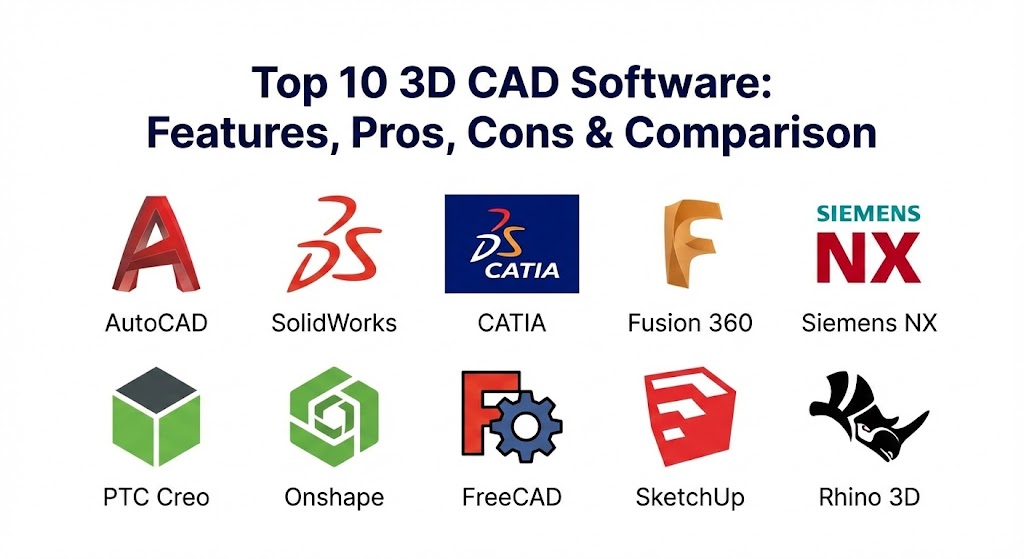
Introduction
3D CAD Software (Computer-Aided Design Software) refers to digital tools used to design, model, simulate, and analyze three-dimensional objects and systems. These tools help engineers, designers, architects, and manufacturers create precise digital models before physical production begins. From mechanical parts and buildings to consumer products and industrial machinery, 3D CAD software plays a critical role in modern design workflows.
The importance of 3D CAD software has grown rapidly as industries demand faster innovation, reduced costs, and higher accuracy. By using 3D CAD tools, organizations can visualize designs, test functionality through simulations, detect errors early, and collaborate more effectively across teams. This reduces rework, speeds up development cycles, and improves overall product quality.
Real-world use cases include product design, mechanical engineering, automotive and aerospace development, architecture, construction planning, electronics design, manufacturing, and prototyping. When selecting a 3D CAD tool, users should evaluate modeling capabilities, parametric design support, simulation features, ease of use, collaboration options, integration with manufacturing workflows, performance, security, and pricing.
Best for:
3D CAD software is ideal for mechanical engineers, product designers, architects, industrial designers, manufacturers, startups building physical products, mid-sized engineering teams, and large enterprises with complex design requirements.
Not ideal for:
3D CAD software may not be necessary for users focused only on 2D drafting, graphic design, or conceptual sketches. In such cases, simpler drawing or illustration tools may be more suitable.
Top 10 3D CAD Software Tools
1 — AutoCAD
Short description:
AutoCAD is a widely used CAD tool known for precision drafting and 3D modeling. It is commonly used in architecture, engineering, and construction.
Key features:
- 2D drafting and 3D modeling
- Parametric constraints
- Industry-specific toolsets
- File compatibility across formats
- Automation using scripts
- Cloud collaboration support
Pros:
- Industry-standard and widely recognized
- High precision and reliability
- Strong compatibility with other tools
Cons:
- Expensive subscription
- Limited advanced simulation
- Learning curve for beginners
Security & compliance:
SSO, encryption, GDPR-ready, enterprise-grade security.
Support & community:
Extensive documentation, large user community, professional and enterprise support.
2 — SolidWorks
Short description:
SolidWorks is a powerful parametric 3D CAD tool focused on mechanical design and product development.
Key features:
- Parametric and direct modeling
- Assembly and part design
- Built-in simulation tools
- Sheet metal and weldments
- Drawing automation
- Manufacturing-ready outputs
Pros:
- Excellent for mechanical engineering
- Intuitive parametric workflow
- Strong simulation capabilities
Cons:
- High licensing cost
- Windows-only platform
- Hardware-intensive
Security & compliance:
Enterprise security, access controls, GDPR-compliant.
Support & community:
Strong professional community, training resources, reseller-based support.
3 — CATIA
Short description:
CATIA is an advanced 3D CAD and PLM tool used primarily in aerospace, automotive, and complex engineering industries.
Key features:
- Advanced surface modeling
- Complex assembly management
- Integrated PLM capabilities
- Multi-disciplinary design support
- High-end simulation integration
- Scalable enterprise workflows
Pros:
- Ideal for complex products
- Highly scalable for enterprises
- Deep engineering precision
Cons:
- Very expensive
- Steep learning curve
- Overkill for small teams
Security & compliance:
Enterprise-grade security, ISO-aligned, GDPR-ready.
Support & community:
Enterprise support, structured documentation, limited beginner community.
4 — Fusion 360
Short description:
Fusion 360 is a cloud-enabled 3D CAD tool combining design, simulation, and manufacturing in one platform.
Key features:
- Parametric and freeform modeling
- Integrated CAM and simulation
- Cloud collaboration
- Version control
- Electronics design support
- Cross-platform access
Pros:
- All-in-one design platform
- Flexible pricing options
- Strong collaboration features
Cons:
- Internet dependency
- Limited for very large assemblies
- Performance varies with hardware
Security & compliance:
Cloud encryption, SSO, GDPR-ready.
Support & community:
Active community, learning resources, commercial support available.
5 — Siemens NX
Short description:
Siemens NX is a high-end CAD solution designed for advanced product engineering and manufacturing.
Key features:
- Parametric and synchronous modeling
- Integrated simulation and CAM
- Complex assembly handling
- Digital twin support
- Enterprise scalability
- Automation and customization
Pros:
- Extremely powerful and flexible
- Excellent for large assemblies
- Strong manufacturing integration
Cons:
- Very high cost
- Requires training
- Best suited for enterprises
Security & compliance:
Enterprise security, access management, compliance-ready.
Support & community:
Professional documentation, enterprise-grade support.
6 — PTC Creo
Short description:
PTC Creo is a robust 3D CAD tool focused on parametric modeling and product innovation.
Key features:
- Parametric and direct modeling
- Advanced simulation tools
- Additive manufacturing support
- Generative design
- Augmented reality integration
- Modular licensing
Pros:
- Strong parametric design
- Scalable feature set
- Good for product innovation
Cons:
- Interface can feel complex
- Pricing varies by module
- Smaller user base than SolidWorks
Security & compliance:
Enterprise security, role-based access, GDPR-ready.
Support & community:
Quality documentation, professional support, growing community.
7 — Onshape
Short description:
Onshape is a cloud-native 3D CAD platform built for collaboration and version control.
Key features:
- Fully cloud-based modeling
- Real-time collaboration
- Built-in version control
- Browser-based access
- Secure data management
- Scalable enterprise plans
Pros:
- No installation required
- Excellent collaboration
- Automatic updates
Cons:
- Internet required
- Limited offline work
- Advanced features need paid plans
Security & compliance:
Encryption, SOC 2, GDPR-ready.
Support & community:
Good documentation, responsive support, growing user community.
8 — FreeCAD
Short description:
FreeCAD is an open-source parametric 3D CAD tool suitable for hobbyists and basic engineering projects.
Key features:
- Parametric modeling
- Modular architecture
- Custom scripting support
- Multi-platform support
- Open-source extensibility
Pros:
- Free and open-source
- Flexible customization
- Active community development
Cons:
- Less polished UI
- Limited advanced features
- Slower development pace
Security & compliance:
Varies / N/A.
Support & community:
Community-driven support, forums, documentation.
9 — SketchUp
Short description:
SketchUp is a user-friendly 3D modeling tool popular in architecture and interior design.
Key features:
- Easy-to-use modeling tools
- Large asset library
- Fast conceptual design
- Visualization-friendly
- Extension ecosystem
Pros:
- Very easy to learn
- Ideal for conceptual designs
- Lightweight and fast
Cons:
- Limited engineering precision
- Weak parametric modeling
- Not ideal for manufacturing
Security & compliance:
Standard security practices, GDPR-ready.
Support & community:
Large user community, tutorials, commercial support.
10 — Rhino 3D
Short description:
Rhino 3D specializes in freeform surface modeling and is widely used in industrial and architectural design.
Key features:
- Advanced surface modeling
- Precision control
- Plugin ecosystem
- Cross-platform support
- Compatibility with other CAD tools
Pros:
- Excellent for complex surfaces
- Affordable licensing
- Flexible workflows
Cons:
- Limited parametric tools
- Steeper learning curve
- Requires plugins for advanced features
Security & compliance:
Varies / N/A.
Support & community:
Strong community, detailed documentation, commercial support.
Comparison Table
| Tool Name | Best For | Platform(s) Supported | Standout Feature | Rating |
|---|---|---|---|---|
| AutoCAD | Drafting & general CAD | Windows, macOS | Precision drafting | N/A |
| SolidWorks | Mechanical design | Windows | Parametric modeling | N/A |
| CATIA | Aerospace & automotive | Windows | Complex assemblies | N/A |
| Fusion 360 | Integrated CAD/CAM | Windows, macOS | Cloud collaboration | N/A |
| Siemens NX | Enterprise engineering | Windows, Linux | Digital twin | N/A |
| PTC Creo | Product innovation | Windows | Generative design | N/A |
| Onshape | Collaborative CAD | Browser-based | Real-time collaboration | N/A |
| FreeCAD | Open-source CAD | Windows, macOS, Linux | Parametric open source | N/A |
| SketchUp | Conceptual modeling | Windows, macOS | Ease of use | N/A |
| Rhino 3D | Surface modeling | Windows, macOS | Freeform surfaces | N/A |
Evaluation & Scoring of 3D CAD Software
| Criteria | Weight | Description |
|---|---|---|
| Core features | 25% | Modeling, assemblies, simulation |
| Ease of use | 15% | Learning curve and UI |
| Integrations & ecosystem | 15% | Plugins and workflows |
| Security & compliance | 10% | Enterprise readiness |
| Performance & reliability | 10% | Stability and speed |
| Support & community | 10% | Documentation and help |
| Price / value | 15% | Cost vs capabilities |
Which 3D CAD Software Tool Is Right for You?
- Solo users: FreeCAD, SketchUp, or Fusion 360 offer affordability and flexibility.
- SMBs: SolidWorks, Fusion 360, or Rhino provide strong features without enterprise complexity.
- Mid-market teams: PTC Creo, Onshape, or SolidWorks scale well with collaboration needs.
- Enterprises: CATIA and Siemens NX support complex products and large teams.
Budget-focused users should prioritize open-source or subscription-flexible tools, while enterprises benefit from advanced simulation, security, and scalability. Always balance feature depth with usability and integration needs.
Frequently Asked Questions (FAQs)
1. What is 3D CAD software used for?
It is used to design, model, and simulate 3D products before manufacturing or construction.
2. Is 3D CAD software hard to learn?
Basic modeling can be learned quickly, but advanced design requires practice.
3. Which tool is best for beginners?
SketchUp, Fusion 360, and FreeCAD are beginner-friendly options.
4. Are free 3D CAD tools reliable?
Yes, open-source tools can be reliable for small and medium projects.
5. Can CAD software handle large assemblies?
High-end tools like CATIA and Siemens NX are designed for this.
6. Do I need powerful hardware?
Complex models and simulations require stronger hardware.
7. Is cloud-based CAD secure?
Most modern tools use encryption and enterprise security standards.
8. Can CAD tools integrate with manufacturing?
Yes, many include CAM and export manufacturing-ready files.
9. How important is parametric modeling?
It enables easy design changes and is critical for engineering workflows.
10. Can I switch CAD tools later?
Yes, but there may be a learning curve and data migration effort.
Conclusion
3D CAD software is a foundational technology for modern engineering, design, and manufacturing. Each tool offers unique strengths, from cloud collaboration and affordability to enterprise-scale simulation and precision modeling. The most important factors when choosing a 3D CAD solution are your industry, project complexity, team size, budget, and long-term scalability. There is no single best tool for everyone—the right choice is the one that aligns most closely with your specific needs and workflows.

It’s amazing how much 3D CAD has changed the way we build things, letting us test every bolt and beam before we even pick up a tool. This guide is a lifesaver because it sorts through the heavy hitters like AutoCAD and CATIA alongside newer, cloud-focused options like Onshape and Fusion 360. Whether you’re a hobbyist looking for something like FreeCAD or a pro needing high-end precision, this breakdown makes it easy to find a tool that actually fits your workflow.