Introduction
Workspace analytics refers to the collection and analysis of data regarding how employees interact with their digital and physical work environments. These tools typically fall into two categories: physical space analytics, which uses sensors and badge data to monitor office utilization, and digital workplace analytics, which analyzes collaboration signals from tools like Microsoft Teams or Slack to understand work patterns.
The importance of these tools lies in their ability to eliminate “dark spots” in organizational management. Without data, companies risk paying for expensive real estate that sits empty 60% of the week, or worse, failing to notice the early signs of employee burnout in a remote team. Key real-world use cases include rightsizing office leases based on actual occupancy, identifying collaboration bottlenecks that slow down projects, and proactively managing workload distribution. When evaluating these tools, users should look for high accuracy (especially in physical sensors), privacy-by-design frameworks, seamless integration with existing IT stacks, and the ability to turn complex data into actionable leadership dashboards.
Best for: Corporate real estate (CRE) leaders, HR professionals, and IT administrators in mid-market to enterprise-level organizations. They are particularly valuable for companies transitioning to hybrid models or those in high-growth phases needing to optimize their physical and digital infrastructure.
Not ideal for: Very small startups (under 20 employees) where direct observation is still feasible, or businesses with fixed, traditional 9-to-5 office cultures where utilization and work patterns are already highly predictable and static.
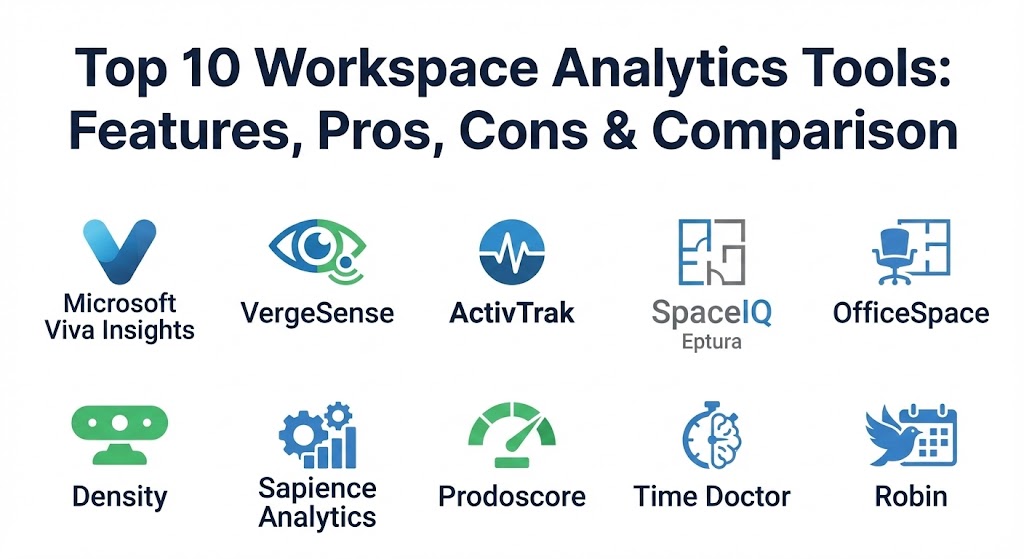
Top 10 Workspace Analytics Tools
1 — Microsoft Viva Insights
Part of the broader Microsoft Viva suite, Viva Insights is a digital workplace analytics tool that leverages data from Microsoft 365 (emails, meetings, chats) to provide insights into employee productivity and well-being. It is designed to help leaders understand the “collaboration tax” of their organization.
- Key features:
- Personal insights for employees to manage focus time and “quiet hours.”
- Manager insights to identify team burnout risks and meeting overload.
- Leader insights for enterprise-wide trends in organizational health.
- Advanced analytics integration with Power BI for custom reporting.
- Integration with Headspace for guided meditations and wellness breaks.
- Automatic detection of “meeting-heavy” cultures with suggestions for change.
- Sentiment analysis and collaboration network maps.
- Pros:
- Leverages existing Microsoft 365 data, requiring no new hardware or sensors.
- Deeply integrated into the tools employees already use daily (Teams/Outlook).
- Cons:
- Limited visibility into non-Microsoft applications (e.g., Slack or Zoom).
- Can feel intrusive to some employees if not communicated with a privacy-first focus.
- Security & compliance: SOC 2 Type II, GDPR compliant, HIPAA support, and FIPS 140-2. All personal insights are private to the individual.
- Support & community: Extensive documentation via Microsoft Learn; massive global user community and professional certifications available.
2 — VergeSense
VergeSense is a leading AI-powered physical workspace analytics platform. It uses high-accuracy optical sensors to provide real-time data on how office spaces—from desks to conference rooms—are actually being used, going beyond simple occupancy to understand “passive” usage.
- Key features:
- AI-driven “Signs of Life” detection (identifying when a space is occupied by objects even if the person is away).
- Real-time floor plans with occupancy heatmaps.
- Automated room release features when meetings end early.
- Integration with major IWMS platforms like Eptura and OfficeSpace.
- Predictive analytics for future space demand based on historical trends.
- Detailed reporting on desk utilization and meeting room efficiency.
- Anonymized data processing to protect employee privacy.
- Pros:
- Extremely high accuracy compared to PIR (infrared) sensors or badge swipes.
- Ability to distinguish between active and passive occupancy is a market differentiator.
- Cons:
- Requires physical hardware installation, which involves upfront capital expenditure.
- Higher complexity in initial deployment compared to purely software-based tools.
- Security & compliance: SOC 2 Type II certified; GDPR compliant by design (sensors process images locally and do not store personally identifiable information).
- Support & community: Dedicated customer success managers for enterprise accounts; robust help center and technical documentation.
3 — ActivTrak
ActivTrak is a workforce analytics and productivity management platform that provides visibility into how employees spend their time across various digital applications. It focuses on identifying process inefficiencies and improving team performance through behavioral data.
- Key features:
- Productivity dashboards that track “focused” vs. “collaborative” work time.
- Real-time activity logs and application usage reports.
- Workforce capacity planning tools to balance workloads.
- Automated alerts for unusual behavior or potential burnout indicators.
- Benchmarking features to compare team performance across the organization.
- Productivity “lab” for testing the impact of management changes.
- Integration with tools like Slack, Jira, and Salesforce.
- Pros:
- Provides a very clear picture of digital productivity for remote and hybrid teams.
- Easy to set up with a lightweight agent that runs in the background.
- Cons:
- High risk of creating a “Big Brother” culture if transparency is not prioritized.
- Relies on screen-time metrics which may not always equate to quality output.
- Security & compliance: SOC 2 Type II, HIPAA, and GDPR compliant. Includes role-based access controls and data encryption at rest.
- Support & community: Strong online community (ActivTrak Community); extensive library of productivity webcasts and whitepapers.
4 — SpaceIQ (by Eptura)
SpaceIQ, now a core part of the Eptura workplace platform, is a comprehensive space management and analytics solution. It combines visual floor plan management with data-driven insights to help organizations manage moves, desks, and assets.
- Key features:
- Drag-and-drop floor plan management for rapid space reconfigurations.
- Integrated desk and room booking analytics.
- Real-time utilization data through sensor and Wi-Fi integrations.
- Scenario planning tools for “what-if” office redesigns.
- Move management modules to coordinate employee transitions.
- Asset tracking and maintenance scheduling.
- Reporting on occupancy costs per square foot.
- Pros:
- A true “all-in-one” platform for corporate real estate teams.
- Exceptional visualization tools that make complex data easy to understand for non-technical users.
- Cons:
- Can be overly complex for smaller organizations that only need basic analytics.
- The integration with other Eptura products can lead to vendor lock-in.
- Security & compliance: SOC 2, ISO 27001, and GDPR compliant. Enterprise-grade encryption and SSO support.
- Support & community: Comprehensive onboarding programs; global support teams and a detailed knowledge base.
5 — OfficeSpace Software
OfficeSpace provides a highly visual and user-centric platform for managing the hybrid workspace. It focuses on making it easy for employees to find spaces and for managers to understand how those spaces perform.
- Key features:
- Visual Directory for employees to locate colleagues and book desks.
- Powerful utilization dashboards that aggregate data from multiple sources.
- Neighborhood planning tools for organizing hybrid teams.
- Integration with Slack and Teams for easy booking.
- Real-time “Who’s In” dashboard for office transparency.
- Automated social distancing and capacity management tools.
- Reporting on “no-show” rates for meeting rooms and desks.
- Pros:
- One of the most intuitive user interfaces in the workspace analytics market.
- Very strong customer support and rapid implementation timelines.
- Cons:
- Analytics are heavily dependent on users actually “checking in” to their booked spaces.
- Advanced behavioral analytics are less deep than tools like Humanyze.
- Security & compliance: SOC 2 Type II certified; HIPAA and GDPR compliant. Data is encrypted in transit and at rest.
- Support & community: Award-winning customer support; regular user training webinars and a robust online help center.
6 — Density
Density is a privacy-first workspace analytics tool that uses depth-sensing technology to count people in real-time. It is designed for companies that need 100% accurate occupancy data without using cameras or capturing any identifying features.
- Key features:
- Privacy-by-design sensors that use infrared depth mapping (no cameras).
- Real-time occupancy monitoring for entrances and open areas.
- “Open Area” analytics that track how people move through a space.
- Automated alerts for over-capacity events.
- Predictive cleaning schedules based on actual room usage.
- Integration with building management systems (BMS) for HVAC optimization.
- Detailed API for custom data exports and integrations.
- Pros:
- The gold standard for privacy; impossible to identify individuals from the data.
- Highly accurate at scale, even in complex, open-plan environments.
- Cons:
- Hardware-heavy; requires professional installation of ceiling-mounted sensors.
- Pricing can be significant for large-scale enterprise deployments.
- Security & compliance: SOC 2 Type II, GDPR compliant, and CCPA compliant.
- Support & community: High-touch enterprise support; comprehensive API documentation and hardware installation guides.
7 — Sapience Analytics
Sapience Analytics provides a workforce analytics platform that focuses on “Enterprise Effort Management.” It aims to provide unbiased data on how work is being performed across various departments and external vendors.
- Key features:
- Automated data capture from over 100+ business applications.
- Vendor management analytics to track the productivity of outsourced teams.
- Work-life balance insights to identify over-worked employees.
- Capacity planning based on actual “time-on-task” data.
- Sentiment analysis to measure employee engagement levels.
- Reporting on “process waste” and administrative overhead.
- Benchmarking for operational excellence.
- Pros:
- Uniquely strong in managing and auditing third-party vendor productivity.
- Focuses on “effort” rather than just “activity,” providing a more nuanced view.
- Cons:
- The sheer amount of data can be overwhelming for smaller management teams.
- Requires careful change management to ensure employee trust.
- Security & compliance: ISO 27001, SOC 2 Type II, and GDPR compliant. Privacy-first data masking.
- Support & community: Enterprise-focused support with dedicated project managers for rollout.
8 — Prodoscore
Prodoscore provides a “productivity score” based on an employee’s interaction with their cloud-based office tools. It is designed to give leaders a high-level view of engagement without the need for micromanagement.
- Key features:
- Unified “Prodoscore” for individuals, teams, and departments.
- Integration with Google Workspace, Microsoft 365, and CRM tools.
- AI-driven “at-risk” alerts for disengaged employees.
- Correlation between productivity scores and business outcomes (e.g., sales).
- Simple, easy-to-read dashboards for non-technical managers.
- Benchmarking against industry standards.
- Visibility into tool adoption rates across the company.
- Pros:
- Extremely simple to understand; a single metric summarizes organizational health.
- Very fast deployment; it is purely software-based and cloud-native.
- Cons:
- A single numerical score can oversimplify the complexity of different roles.
- Lacks the deep behavioral or physical space analytics of other tools.
- Security & compliance: SOC 2, HIPAA, and GDPR compliant. No keystroke logging or screen recording.
- Support & community: Responsive customer support; growing library of productivity success stories.
9 — Time Doctor
Time Doctor is a time tracking and productivity tool specifically designed for remote and distributed teams. It combines detailed time logs with analytics to help teams improve their efficiency and focus.
- Key features:
- Automated and manual time tracking for projects and tasks.
- Website and application usage monitoring with “distraction” alerts.
- Optional screenshot and screen recording for high-accountability roles.
- Payroll integration based on tracked hours.
- Productivity reports showing time spent on “productive” vs. “non-productive” sites.
- Client login portal for third-party verification of work.
- Integration with project management tools like Asana and Trello.
- Pros:
- Excellent for billing clients accurately and managing remote freelancers.
- Provides very granular detail on how workdays are structured.
- Cons:
- Features like screenshots can be highly controversial and may hurt morale.
- More of a “monitoring” tool than a broad “analytics” platform.
- Security & compliance: GDPR compliant, 2FA support, and data encryption. SOC 2 varies by plan.
- Support & community: 24/7 customer support; extensive blog with remote work best practices.
10 — Robin
Robin is a workspace platform that combines desk and room booking with powerful analytics. It is designed to help teams coordinate their office days while giving admins the data to optimize their real estate.
- Key features:
- Interactive office maps for desk and meeting room booking.
- “Office Search” that helps employees find spaces based on equipment (e.g., standing desks).
- Utilization dashboards showing peak office hours and “ghosted” meetings.
- Automatic room release for unclaimed bookings.
- Integration with Google Calendar, Outlook, and Slack.
- Neighborhoods feature to keep functional teams together in the office.
- Employee sentiment surveys integrated into the booking process.
- Pros:
- Very high employee adoption rates due to a great user experience.
- Effectively bridges the gap between a “tool for employees” and a “tool for admins.”
- Cons:
- Analytics are only as good as the booking data provided by employees.
- Not designed for deep productivity or digital work pattern analysis.
- Security & compliance: SOC 2 Type II, GDPR, and ISO 27001. Data is encrypted and access is audited.
- Support & community: Proactive customer success; “Robin University” for training and certifications.
Comparison Table
| Tool Name | Best For | Platform(s) Supported | Standout Feature | Rating (Gartner) |
| Microsoft Viva Insights | M365 Ecosystem | Web, Teams, Outlook | Digital Well-being Analytics | 4.5 / 5 |
| VergeSense | Precision Occupancy | Cloud + Optical Sensors | “Signs of Life” AI Detection | 4.7 / 5 |
| ActivTrak | Remote Productivity | Windows, Mac, Cloud | Capacity Planning Lab | 4.6 / 5 |
| SpaceIQ (Eptura) | Full IWMS / CRE | Cloud, Mobile | Comprehensive Space Planning | 4.4 / 5 |
| OfficeSpace | Hybrid Coordination | Cloud, Mobile, Teams | User-Friendly Visual Maps | 4.8 / 5 |
| Density | Privacy-First Counting | Cloud + Depth Sensors | 100% Anonymous Tracking | 4.7 / 5 |
| Sapience Analytics | Enterprise Effort | Cloud, Desktop | Vendor/Outsource Auditing | 4.3 / 5 |
| Prodoscore | Engagement Scoring | Cloud-Native | Single Productivity Metric | 4.4 / 5 |
| Time Doctor | Remote Accountability | Multi-platform | Payroll & Client Integration | 4.5 / 5 |
| Robin | Desk/Room Booking | Cloud, Mobile | Employee Experience Focus | 4.7 / 5 |
Evaluation & Scoring of Workspace Analytics Tools
| Category | Weight | Description |
| Core Features | 25% | Presence of utilization metrics, productivity tracking, and predictive modeling. |
| Ease of Use | 15% | Intuitiveness for both the administrative user and the general employee. |
| Integrations | 15% | Depth of ecosystem support (M365, Slack, Salesforce, IWMS). |
| Security & Compliance | 10% | Adherence to GDPR/HIPAA and presence of SOC 2 certifications. |
| Reliability | 10% | Hardware uptime (for sensors) and data accuracy/latency. |
| Support & Community | 10% | Availability of customer support and breadth of documentation. |
| Price / Value | 15% | Cost-effectiveness relative to the insights generated. |
Which Workspace Analytics Tool Is Right for You?
The right workspace analytics tool depends on whether you are trying to optimize your physical building or your digital team performance.
- Solo Users vs. SMBs: Small businesses should prioritize ease of use and low barrier to entry. Robin or Prodoscore are excellent choices here because they require minimal setup and provide immediate, easy-to-read value.
- Mid-Market vs. Enterprise: Enterprises with thousands of employees and multi-city offices need the heavy-duty power of SpaceIQ (Eptura) or Sapience Analytics. These tools handle the scale and the complex regulatory requirements of global firms.
- Budget-Conscious vs. Premium: If budget is the primary constraint and you already use Microsoft 365, Viva Insights is often included or a low-cost add-on. If you have the budget for a transformative real estate project, Density or VergeSense sensors provide data quality that software-only solutions cannot match.
- Privacy Focus: Organizations with strict unions or privacy-sensitive cultures should look at Density. Their technology ensures that even a malicious actor could not identify an individual from the data.
- Productivity Focus: If your goal is to manage a remote workforce effectively and ensure projects stay on track, ActivTrak or Time Doctor are the specialized tools for that mission.
Frequently Asked Questions (FAQs)
1. Is workspace analytics just “spying” on employees?
No, modern workspace analytics focus on aggregated and anonymized data to improve the work environment. High-quality tools like Microsoft Viva Insights and Density are designed to protect individual privacy while providing organizational-level trends.
2. What is the difference between occupancy and utilization?
Occupancy is a binary metric: “Is someone in the room?” Utilization is a qualitative metric: “How is the room being used?” For example, a 10-person room with one person in it is 100% occupied but only 10% utilized.
3. Do I need sensors to get started with workspace analytics?
Not necessarily. You can start with “digital-first” tools like Viva Insights or Prodoscore which use existing software data. Sensors are only needed when you want to accurately measure physical space usage.
4. How accurate are Wi-Fi based analytics?
Wi-Fi analytics are good for seeing broad traffic patterns but are often inaccurate for precise room occupancy because signals bleed through walls and people may carry multiple devices.
5. How much money can workspace analytics actually save?
By identifying underutilized office space, companies can often downsize their real estate footprint by 20-40%, potentially saving millions in annual lease and operational costs.
6. Can these tools help reduce employee burnout?
Yes. Tools like ActivTrak and Viva Insights track indicators like “after-hours work” and “meeting fatigue,” allowing managers to step in and rebalance workloads before employees quit.
7. Are these tools difficult to install?
Software-only tools can be deployed in minutes. Hardware-based sensor platforms like VergeSense require professional physical installation, which can take several days depending on the office size.
8. Do these tools work with hybrid schedules?
Hybrid work is the primary use case for these tools. They help managers coordinate which teams should be in the office on which days based on available space and collaboration needs.
9. What is “passive occupancy”?
Passive occupancy refers to a space being “claimed” by objects (like a laptop or coat) even if the person isn’t there. VergeSense is one of the few tools that can accurately track this.
10. Do I need a data scientist to read the reports?
Most modern tools are designed with “citizen-analyst” dashboards. They use AI to summarize the data into simple headlines like “Your Friday occupancy is only 12%” or “Engineering burnout risk is rising.”
Conclusion
Workspace analytics has transitioned from a “nice-to-have” luxury into a foundational pillar of modern management. As we navigate the complexities of 2026’s work environment, the organizations that thrive will be the ones that use data to create a workplace that is both efficient for the business and supportive of the human beings who work there.
Choosing the right tool is a journey of defining your priorities. If your goal is to save on rent, look at high-precision sensors. If your goal is to improve team performance, look at digital work pattern analysis. There is no universal winner—only the tool that provides the specific clarity your organization needs to move forward.