Introduction
Wellness habit tracking apps are specialized software solutions that allow users to define, monitor, and analyze their daily routines. These habits often span multiple pillars of health, including physical fitness, mental mindfulness, nutritional intake, sleep hygiene, and professional productivity. Their primary purpose is to provide the “scaffolding” for behavioral change, helping users overcome the initial friction of starting a new routine through reminders, visual progress indicators, and social accountability.
The importance of these tools is underscored by the modern epidemic of “burnout” and “digital fatigue.” In a world of infinite distractions, having a centralized system to prioritize wellness is essential for maintaining high performance and mental clarity. Key real-world use cases include corporate wellness programs, individual lifestyle overhauls, and recovery management for those managing chronic stress or fatigue. When choosing a tool, users should evaluate the User Interface (UI) friction, biometric integration capabilities (like syncing with an Apple Watch or Oura Ring), the scientific methodology behind the coaching, and the privacy level of their sensitive health data.
Best for: High-performing professionals, individuals focused on self-improvement, and HR departments in mid-sized to large enterprises looking to reduce employee turnover and boost morale. It is ideal for anyone who thrives on data-driven feedback and visual progress.
Not ideal for: Individuals who suffer from “notification anxiety” or those who find constant digital monitoring to be a source of stress rather than support. It may also be redundant for people who prefer analog, “low-tech” mindfulness practices or those seeking clinical medical treatment, as these are wellness tools, not diagnostic medical devices.
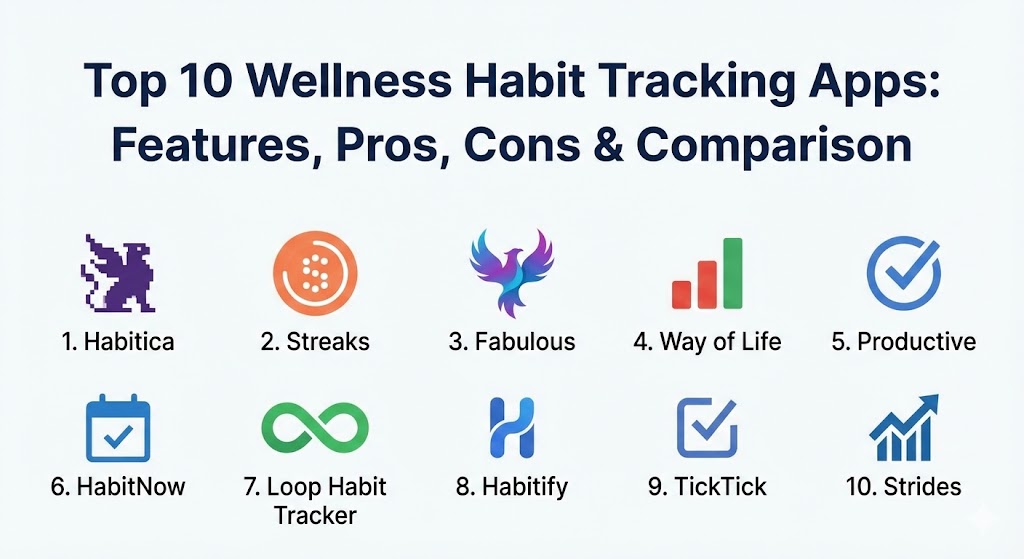
Top 10 Wellness Habit Tracking Apps
1 — Habitica
Habitica is a revolutionary gamified task manager that treats your real-life habits like a Role-Playing Game (RPG). It is specifically designed for users who struggle with traditional productivity apps and need a layer of “play” to stay motivated.
- Key features:
- RPG Mechanics: Complete tasks to level up your avatar, earn gold, and find equipment.
- Social Parties: Join “Quests” with friends where missing a habit causes damage to the whole group.
- In-Game Rewards: Purchase virtual items or create custom real-life rewards (e.g., “30 minutes of gaming”).
- Customizable Task Types: Separate your life into Habits, Dailies, and To-Dos.
- Guilds & Challenges: Join community-led groups focused on specific niches like “Healthy Eating” or “Creative Writing.”
- Pet & Mount System: Collect and hatch rare creatures as rewards for consistency.
- Pros:
- Unmatched engagement for users with an “achievement-oriented” personality.
- Strong sense of community and social accountability through the Party system.
- Cons:
- The retro pixel-art aesthetic might feel “childish” to some corporate professionals.
- The complexity of RPG elements can be overwhelming for those who want a simple checklist.
- Security & compliance: SSO via Google/Apple, GDPR compliant, data is encrypted at rest.
- Support & community: Extensive Wiki documentation, high-energy Discord community, and responsive open-source developer support.
2 — Streaks
Streaks is a minimalist’s dream, designed exclusively for the Apple ecosystem. Its core philosophy is to help you “not break the chain” by focusing on a limited set of essential daily tasks.
- Key features:
- Apple Health Integration: Automatically completes habits like “Walk 10,000 steps” by pulling data from your iPhone or Watch.
- Customizable Icons: Choose from over 1,000 unique icons for your habits.
- Smart Reminders: Notifications that learn your routine and nudge you at the optimal time.
- Interactive Widgets: Complete tasks directly from the home screen or lock screen.
- Negative Habits: Track things you want to stop doing, like smoking or drinking caffeine.
- Shared Streaks: Minimalist social sharing to keep a partner or friend updated.
- Pros:
- Zero-friction interface; it is arguably the fastest app to use on a daily basis.
- Deep integration with the Apple Watch makes it nearly invisible in your daily life.
- Cons:
- Strictly limited to the Apple ecosystem (no Android or Windows support).
- Restricts you to 24 habits, which might be a dealbreaker for power-users.
- Security & compliance: Highly private; data is stored in iCloud or locally. Compliant with Apple’s strict App Privacy standards.
- Support & community: Direct developer support via email; polished documentation; active user base on Reddit.
3 — Fabulous
Originally incubated in Duke University’s Behavioral Economics Lab, Fabulous uses a science-based approach to “re-wire” your brain for success through structured routines.
- Key features:
- Guided Journeys: Step-by-step programs that slowly introduce habits over several weeks.
- Daily Coaching: Audio and written insights explaining the psychology of habit formation.
- Integrated Mindfulness: Built-in meditation and breathing exercises.
- Make Me Fabulous: A library of quick sessions for focus, relaxation, or exercise.
- Visual Storytelling: A lush, artistic UI that feels more like an experience than a tool.
- Routine Stacking: Helps you build “Morning,” “Afternoon,” and “Evening” blocks.
- Pros:
- Based on actual behavioral science (BJ Fogg’s Tiny Habits model).
- Excellent for people who feel “lost” and need a guided roadmap to wellness.
- Cons:
- The subscription cost is significantly higher than most competitors.
- Some users find the “hand-holding” approach to be too slow or restrictive.
- Security & compliance: GDPR and HIPAA compliant; uses SOC 2-certified cloud infrastructure for data storage.
- Support & community: Professional customer success team; “Fabulous Circles” community for peer support.
4 — Way of Life
Way of Life provides a unique “journaling” approach to habit tracking. It focuses on helping users identify the trends and triggers that lead to success or failure through a powerful color-coded interface.
- Key features:
- The “Chain” View: A grid of green and red blocks providing an instant visual of your month.
- Journaling Notes: Attach notes to your “fails” to analyze what went wrong (e.g., “Work stress led to snacking”).
- Powerful Charts: Bar charts, pie charts, and trend lines to visualize progress over years.
- Custom Reminders: Flexible alerts with custom messages.
- Data Export: Export your history to CSV or Excel for external analysis.
- Pros:
- The best app for “habit detective” work—understanding the why behind your actions.
- Very efficient for logging multiple habits at once at the end of the day.
- Cons:
- The free version is limited to only three habits.
- Lacks the “active” coaching or biometric syncing of modern 2026 competitors.
- Security & compliance: Passcode/Biometric app lock; local storage focus; GDPR compliant.
- Support & community: Email-based support; clear online user guides; robust FAQ section.
5 — Productive
Productive is a high-polish, general-purpose habit tracker that balances a professional aesthetic with flexible scheduling options.
- Key features:
- Time-of-Day Categorization: View only the habits relevant to your current time (Morning, Afternoon, Evening).
- Themed Challenges: Join time-bound community challenges like “21 Days of Hydration.”
- In-Depth Stats: View your success rate as a percentage rather than just a streak number.
- Siri Shortcuts: Log habits using voice commands.
- Minimalist Reminders: Subtle, non-intrusive notifications.
- Pros:
- Very flexible; allows for “skipping” days without losing your sanity.
- The professional design makes it suitable for work environments.
- Cons:
- Many of the most useful features are locked behind a premium subscription.
- The “Challenges” can feel a bit generic compared to the RPG depth of Habitica.
- Security & compliance: SSO integration; AES-256 encryption; GDPR compliant.
- Support & community: Standard technical support; informative blog on productivity and wellness.
6 — HabitNow
HabitNow is the powerhouse choice for Android users. It bridges the gap between a habit tracker and a full-featured daily organizer, including a to-do list and calendar.
- Key features:
- Habit & Task Hybrid: Manage your “Drink Water” habit alongside your “Finish Q3 Report” task.
- Customizable Widgets: The most robust Android widgets on the market for quick logging.
- Categories & Colors: Organize habits into custom folders (Health, Mind, Finance).
- Achievement System: Badges and trophies for reaching major milestones.
- Detailed History: A “Calendar View” for every single habit to track consistency.
- Pros:
- Exceptional value; the “one-time purchase” option is rare and highly appreciated.
- Perfect for people who want to manage their entire day in a single app.
- Cons:
- Not available for iOS, which is a significant drawback for cross-device users.
- The UI can feel cluttered due to the high density of information.
- Security & compliance: Local-first data storage; biometric lock; GDPR compliant.
- Support & community: High-quality documentation; active developer who frequently incorporates user feedback.
7 — Loop Habit Tracker
Loop is the premier choice for privacy-conscious users and those who prefer open-source software. It is completely free, with no ads and no tracking.
- Key features:
- Open Source: The code is transparent and community-audited.
- Advanced Algorithm: A unique “Habit Score” that weights your recent history more heavily.
- Optimized for Wearables: Native support for Android-based smartwatches.
- Minimalist Design: No fluff; just your habits and your data.
- Export Anywhere: Simple export to CSV or SQLite database formats.
- Pros:
- Zero cost and absolute privacy; your data never leaves your phone.
- The “Habit Score” prevents the “all-or-nothing” mentality of streaks.
- Cons:
- No iOS version.
- Lacks any form of coaching, biometric sync, or social features.
- Security & compliance: Best-in-class for individual privacy; Varies/N/A for enterprise certifications.
- Support & community: GitHub-based community; very active user forum for power users.
8 — Habitify
Habitify is a multi-platform, “pro” habit tracker designed for users who switch between mobile, tablet, and desktop throughout the workday.
- Key features:
- True Cross-Platform Sync: Seamless transition between iOS, Android, macOS, and Web.
- Apple Health & Google Fit Sync: Biometric data integration for automated tracking.
- Area Management: Group habits into “Personal,” “Work,” or “Wellness.”
- Focus Mode: A built-in timer to help you stay concentrated on a specific habit.
- Dark Mode & Themes: Highly customizable visual styles.
- Pros:
- The most “corporate-ready” interface; it looks and feels like a professional tool.
- Excellent syncing reliability across all major platforms.
- Cons:
- The free version is extremely limited, making it essentially a “paid-only” app.
- Notification settings can be a bit complex to configure correctly.
- Security & compliance: ISO 27001 certified data centers; GDPR and CCPA compliant.
- Support & community: 24/7 technical support for premium members; informative community blog.
9 — TickTick (Habit Module)
While TickTick is primarily a task manager, its integrated Habit module has become so robust that many users have switched to it as their primary wellness tool.
- Key features:
- Unified Calendar: See your habits on the same calendar as your work meetings.
- Pomodoro Timer: Built-in focus sessions for habits like “Read” or “Work out.”
- Check-in Log: A simple “Yes/No” log with a dedicated habit-tracking tab.
- Smart Reminders: Context-based notifications (e.g., location-based alerts).
- Statistics & Trends: Basic but effective visualization of your completion rates.
- Pros:
- Eliminates “app fatigue” by putting tasks and habits in one place.
- Excellent value if you already use the TickTick productivity suite.
- Cons:
- Lacks the deep behavioral science and “Journeys” of dedicated wellness apps.
- The habit interface is less “inspiring” than tools like Fabulous.
- Security & compliance: SSO, 2FA, GDPR compliant; SOC 2 Type II audit readiness.
- Support & community: Large, global community; excellent documentation; professional help desk.
10 — Strides
Strides is the ultimate tool for quantitative goals. It allows you to track not just “Yes/No” habits, but actual numeric targets and averages.
- Key features:
- Four Tracker Types: Habit (Yes/No), Target (Value by Date), Average (Mean over time), and Milestone.
- Pre-made Templates: Choose from over 150 templates for health, finances, and hobbies.
- The “Dashboard”: A single view showing progress across all your diverse goals.
- Progress Reports: Weekly and monthly summaries emailed to you.
- Rolling Averages: Ideal for goals like “Average 8 hours of sleep per night.”
- Pros:
- The most versatile app for tracking measurable health (e.g., weight, water ounces, reps).
- Allows for very complex scheduling (e.g., “3 times every Tuesday”).
- Cons:
- No native Android app; limited to the Apple ecosystem.
- Can feel a bit “data-heavy” for users who just want a simple mental nudge.
- Security & compliance: Standard encryption; GDPR compliant; privacy-focused local storage.
- Support & community: Responsive developer support; thorough onboarding walkthroughs.
Comparison Table
| Tool Name | Best For | Platform(s) Supported | Standout Feature | Rating (TrueReviewnow.com) |
| Habitica | Gamification/RPG Fans | iOS, Android, Web | Social RPG Quests | 4.8 / 5 |
| Streaks | Minimalist Apple Users | iOS, Watch, Mac | HealthKit Integration | 4.9 / 5 |
| Fabulous | Scientific Coaching | iOS, Android | Behavioral “Journeys” | 4.7 / 5 |
| Way of Life | Identifying Triggers | iOS, Android | Color-coded Trend Charts | 4.6 / 5 |
| Productive | Professional Routine | iOS, Android, Watch | Time-of-day Sorting | 4.5 / 5 |
| HabitNow | Android Power Users | Android Only | Task/Habit Hybrid | 4.8 / 5 |
| Loop | Privacy & Free Use | Android (F-Droid) | Habit Score Algorithm | 4.7 / 5 |
| Habitify | Multi-device Pros | All Platforms | Cross-Platform Sync | 4.5 / 5 |
| TickTick | To-Do Integration | All Platforms | Unified Calendar View | 4.6 / 5 |
| Strides | Numeric/Data Goals | iOS, Mac | 4 Unique Tracker Types | 4.7 / 5 |
Evaluation & Scoring of Wellness Habit Tracking Apps
To provide a truly objective look at these tools, we evaluated them against a weighted rubric that reflects the priorities of the modern 2026 wellness seeker.
| Category | Weight | Evaluation Criteria |
| Core Features | 25% | Variety of goal types, tracking accuracy, and automation/biometric sync. |
| Ease of Use | 15% | UI design, speed of logging, and quality of initial onboarding. |
| Integrations | 15% | Compatibility with Apple Health, Google Fit, and wearable ecosystems. |
| Security & Compliance | 10% | Data encryption, GDPR/HIPAA standards, and privacy transparency. |
| Performance & Reliability | 10% | App stability, sync speed, and notification reliability. |
| Support & Community | 10% | Quality of help guides and the vibrancy of the peer-support ecosystem. |
| Price / Value | 15% | Cost-to-benefit ratio and the availability of a viable free version. |
Which Wellness Habit Tracking App Is Right for You?
The “perfect” wellness app is a highly individual choice based on your psychological profile and hardware setup.
- Solo Users vs. SMBs vs. Enterprise:
- Solo Users: Prioritize personal taste and platform (e.g., Streaks for iPhone fans, HabitNow for Android).
- SMBs/Mid-Market: Look for tools with social elements like Habitica to build team culture.
- Enterprise: Fabulous is often the top choice for corporate wellness initiatives due to its structured coaching and professional reporting.
- Budget-Conscious vs. Premium:
- If budget is the primary concern, Loop Habit Tracker is the clear winner (100% free).
- For those willing to pay for a premium “digital coach,” Fabulous offers the most value.
- Feature Depth vs. Ease of Use:
- If you want maximum data, choose Strides.
- If you want the least amount of friction, choose Streaks.
- Security and Compliance:
- If you are in a highly regulated industry (Law, Finance), Loop (local storage) or Habitify (ISO certified) are the safest bets for your personal data.
Frequently Asked Questions (FAQs)
1. Do habit-tracking apps actually work?
Yes, they utilize “neuroplasticity” by reinforcing pathways in the brain through consistent rewards and visual feedback. However, the app is only the “map”; the user still has to walk the path.
2. Is it better to track many habits at once?
No. Behavioral scientists recommend starting with no more than 1-3 habits. “Habit fatigue” is a common reason for failure when users try to change too much too quickly.
3. Are these apps HIPAA compliant?
Some, like Fabulous, strive for HIPAA readiness because they offer coaching. However, most are categorized as “Wellness” apps rather than “Medical” apps, meaning they follow GDPR but not necessarily HIPAA.
4. Can I use these apps for “negative” habits?
Most of the tools on this list, specifically Streaks and HabitNow, allow you to track “Don’t” habits (e.g., “Don’t smoke” or “No sugar”) with specialized counters.
5. How do biometric integrations help?
They remove “manual friction.” If your app knows you walked 10,000 steps via your Apple Watch, it checks off the habit automatically, making you more likely to stick with the system long-term.
6. What is “Habit Stacking”?
This is a technique where you attach a new habit to an existing one (e.g., “After I brush my teeth, I will meditate”). Apps like Fabulous and Productive are built specifically to support this.
7. Can I export my data if I want to switch apps?
Most professional-grade apps (Way of Life, Strides, Habitify) offer CSV or JSON exports, allowing you to move your history to a new platform if your needs change.
8. Is gamification effective for adults?
Absolutely. Gamification triggers dopamine release, which is the primary driver of motivation in the human brain. Habitica has a huge adult user base in high-stress professions like coding and academia.
9. Do I need an internet connection to log habits?
Most of these apps work offline and sync your data the next time you connect to the internet. Loop is the only one that is truly 100% offline by design.
10. What is the most common mistake when using these apps?
Treating the “streak” as the goal rather than the “habit.” If you miss a day, many people give up. The best practice is the “Never Miss Twice” rule, which tools like Loop help facilitate with their habit scoring.
Conclusion
The evolution of Wellness Habit Tracking Apps in 2026 has provided us with a diverse toolkit to combat the chaos of modern life. Choosing the right tool isn’t about finding the one with the most features; it’s about finding the one that speaks to your personal “Why.” Whether you need the RPG-style adventure of Habitica, the scientific rigor of Fabulous, or the minimalist elegance of Streaks, these tools are powerful allies in your journey toward a better version of yourself.