Introduction
Web content filtering is a security technology used to control which websites a user can access on a managed network or device. At its simplest, it acts as a digital gatekeeper, screening web requests against a database of categorized URLs and blocking those that are deemed malicious, inappropriate, or non-compliant with company policy. Beyond just blocking “bad” sites, modern filtering tools utilize AI-driven behavioral analysis to identify zero-day threats in real-time, even if the website was created just minutes prior.
The importance of these tools spans security, legal compliance, and operational efficiency. By preventing users from reaching phishing sites or command-and-control (C2) servers, filtering tools stop cyberattacks before they ever touch the endpoint. In regulated industries like education and healthcare, these tools ensure compliance with mandates like CIPA or HIPAA by restricting access to harmful content. When evaluating tools, IT leaders should look for low-latency performance, granular policy controls (user-based vs. group-based), robust SSL inspection capabilities, and comprehensive reporting dashboards.
Best for: Large enterprises with distributed workforces, K-12 schools, healthcare providers, and any organization managing high-value data. It is essential for IT admins who need to enforce “Acceptable Use Policies” (AUP) without manually managing thousands of firewall rules.
Not ideal for: Individual home users with basic browsing needs (who may find built-in browser protections sufficient) or strictly “offline” air-gapped environments where internet access is physically non-existent.
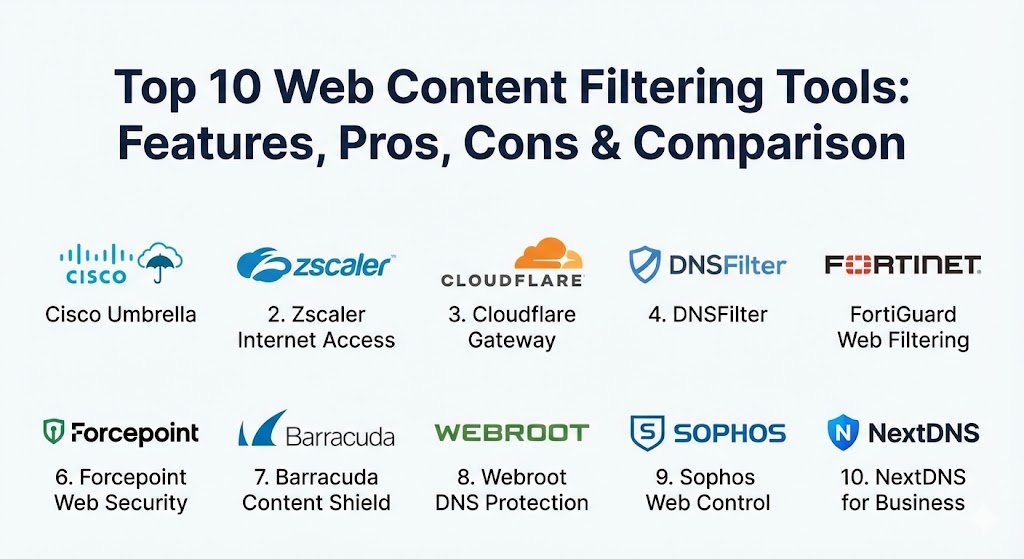
Top 10 Web Content Filtering Tools
1 — Cisco Umbrella
Cisco Umbrella is a cloud-native security platform that provides the first line of defense against threats on the internet. It leverages the power of DNS-layer security to block requests to malicious domains before a connection is even established.
- Key features:
- DNS-layer security that blocks malicious domains and IP addresses.
- Integrated Secure Web Gateway (SWG) for full proxy inspection of web traffic.
- Interactive threat intelligence powered by Cisco Talos.
- Cloud Access Security Broker (CASB) to discover and control “Shadow IT.”
- Selective SSL decryption for deep packet inspection without massive latency.
- App discovery and blocking based on 80+ pre-defined categories.
- Pros:
- Extremely fast and easy to deploy via simple DNS changes.
- Superior global uptime and low latency due to its massive Anycast network.
- Cons:
- Advanced features like full proxy inspection require more complex configuration than the basic DNS tier.
- Pricing can be high for smaller organizations compared to point solutions.
- Security & compliance: SOC 2 Type II, ISO 27001, GDPR, HIPAA, and FIPS 140-2.
- Support & community: Extensive documentation, a vast peer-to-peer community, and 24/7 enterprise-grade technical support.
2 — Zscaler Internet Access (ZIA)
Zscaler is a leader in the Secure Web Gateway market, offering a completely cloud-based security stack that follows the user regardless of location. It is built on a Zero Trust architecture, ensuring that no traffic goes uninspected.
- Key features:
- Full SSL/TLS inspection at scale with minimal performance impact.
- AI-powered threat protection against ransomware and phishing.
- Granular URL filtering and application control for thousands of web apps.
- Native Data Loss Prevention (DLP) to prevent sensitive info from leaving the network.
- Advanced sandbox for analyzing suspicious files in a virtual environment.
- Dynamic user-risk scoring to automatically tighten policies for risky users.
- Pros:
- Eliminates the need for hardware appliances, making it ideal for the “work from anywhere” era.
- Incredible visibility into encrypted traffic which now makes up over 90% of web traffic.
- Cons:
- The administrative console has a steeper learning curve due to the sheer depth of features.
- Can be overkill for small businesses that only need basic URL blocking.
- Security & compliance: FedRAMP High, SOC 3, ISO 27001, GDPR, and HIPAA.
- Support & community: Global 24/7 support, dedicated Technical Account Managers (TAM) for enterprise tiers, and a robust “Zscaler Academy” for training.
3 — Cloudflare Gateway
Cloudflare Gateway is part of the Cloudflare One suite, providing a fast and secure way for teams to connect to the internet. It uses Cloudflare’s global edge network to filter traffic as close to the user as possible.
- Key features:
- Lightning-fast DNS filtering with one of the world’s fastest resolvers (1.1.1.1).
- HTTP/HTTPS filtering with identity-based policy enforcement.
- Remote Browser Isolation (RBI) to execute risky code in the cloud, not on the user’s device.
- Integration with identity providers (Okta, Azure AD, etc.) for granular user tracking.
- L4 network firewall capabilities for managing non-web traffic.
- Detailed logging and analytics accessible via a streamlined dashboard.
- Pros:
- Performance is unmatched; users often report the internet feels faster with Cloudflare enabled.
- Very attractive free tier for small teams (up to 50 users) and transparent pricing.
- Cons:
- Some advanced reporting features are locked behind the higher-tier Enterprise plans.
- Log retention periods are limited on the lower-cost tiers.
- Security & compliance: PCI DSS, SOC 2, ISO 27001, GDPR, and FedRAMP (Moderate).
- Support & community: Excellent online help center, massive community Discord, and priority support for enterprise customers.
4 — Barracuda Content Shield
Barracuda Content Shield is a cloud-delivered web security and information protection solution. It is designed to be a “set-and-forget” tool for SMBs and Managed Service Providers (MSPs).
- Key features:
- Robust DNS-based filtering for all devices behind a router.
- Advanced endpoint agents for protecting remote and roaming users.
- Real-time threat intelligence from the Barracuda global network.
- Over 90 URL categories for easy “one-click” policy creation.
- Integrated malware and phishing protection.
- Simple, multi-tenant management dashboard for MSPs.
- Pros:
- Very simple to manage; doesn’t require a dedicated security team.
- Excellent integration with other Barracuda security products (Email, Firewall).
- Cons:
- Reporting is not as granular as the top-tier enterprise rivals.
- Lacks some of the advanced Zero Trust features found in Zscaler or Cloudflare.
- Security & compliance: GDPR, HIPAA support, and secure global data centers.
- Support & community: Highly praised partner support for MSPs and extensive video tutorials.
5 — DNSFilter
DNSFilter is a modern, AI-driven DNS security platform that focuses on speed and ease of use. It is widely considered the fastest-growing alternative to legacy tools due to its rapid domain categorization.
- Key features:
- AI-powered “Webshrinker” technology for real-time domain classification.
- Global Anycast network for high-performance DNS resolution.
- “AppAware” feature to block over 100+ popular web applications with a single click.
- Lightweight roaming clients for Windows, macOS, iOS, and Android.
- Multi-tenant dashboard designed for easy client management.
- Dynamic reporting with real-time query visibility.
- Pros:
- Blocks malicious domains up to 10 days faster than many competitors.
- Setup takes minutes, literally—just point your DNS and you’re protected.
- Cons:
- Strictly a DNS-based filter; it does not offer full proxy/HTTPS content inspection.
- Does not include a built-in cloud firewall for non-DNS traffic.
- Security & compliance: SOC 2 Type II, GDPR, and HIPAA compliant.
- Support & community: Responsive ticket-based support and a public roadmap where users can vote on features.
6 — FortiGuard Web Filtering (Fortinet)
FortiGuard is the security service that powers Fortinet’s FortiGate firewalls. It provides a massive database of URLs and real-time AI-driven protection for organizations using the Fortinet Security Fabric.
- Key features:
- Real-time AI categorization of over 300 million URLs.
- Deep integration with the FortiGate Next-Generation Firewall (NGFW).
- Integrated SSL/TLS 1.3 inspection for encrypted threats.
- Support for “Safe Search” enforcement on major search engines.
- Granular category-based filtering (90+ categories).
- Local and cloud-based caching to improve performance.
- Pros:
- Incredible value for existing Fortinet customers as it integrates natively with the firewall hardware.
- Very high accuracy with almost zero false negatives.
- Cons:
- Primarily designed for use with Fortinet hardware; less effective as a standalone cloud solution.
- The management interface (FortiOS) can be intimidating for beginners.
- Security & compliance: ISO, NIST, GDPR, and FIPS 140-2.
- Support & community: One of the largest security communities in the world; extensive certification paths (NSE).
7 — Forcepoint Web Security
Forcepoint provides a “human-centric” approach to web security, focusing on user behavior to prevent data exfiltration and risky browsing. It is often the tool of choice for highly regulated industries.
- Key features:
- Advanced behavioral analytics to identify risky user patterns.
- Integrated Data Loss Prevention (DLP) that is among the best in the industry.
- Shadow IT discovery and governance.
- Hybrid deployment options (cloud, on-prem, or both).
- Real-time content analysis for zero-day threat detection.
- Sophisticated reporting that highlights high-risk incidents automatically.
- Pros:
- Superior for organizations that need to protect highly sensitive intellectual property.
- Adaptive policies that change based on a user’s current risk score.
- Cons:
- Can be quite expensive; definitely targeted at the upper-mid and enterprise markets.
- Onboarding and initial configuration are more time-consuming than DNS-only tools.
- Security & compliance: SOC 2, ISO 27001, GDPR, HIPAA, and FISMA.
- Support & community: High-touch enterprise support and a large network of professional service partners.
8 — Webroot DNS Protection
Webroot (now part of OpenText) offers a lightweight, cloud-based DNS filtering solution that is optimized for small businesses and satellite offices.
- Key features:
- 80+ URL categories for granular control.
- Powered by the BrightCloud threat intelligence platform.
- Zero-latency DNS resolution.
- Roaming agents for protecting mobile workforces.
- Automated reporting and alerting for security admins.
- Integration with Webroot Endpoint Protection.
- Pros:
- Extremely low resource footprint on endpoints.
- One of the most cost-effective enterprise-grade filters on the market.
- Cons:
- Lacks the advanced security features like Remote Browser Isolation or CASB.
- The dashboard feels a bit dated compared to modern competitors like Cloudflare or DNSFilter.
- Security & compliance: GDPR, HIPAA support, and ISO 27001.
- Support & community: 24/7 technical support and a helpful “Webroot Community” forum.
9 — Sophos Web Control
Sophos Web Control is part of the Sophos Central platform. It focuses on simplicity and “synchronized security,” where the endpoint and the network work together to block threats.
- Key features:
- Policy-based web filtering integrated directly into the endpoint agent.
- Category-based blocking and “Warn” options for users.
- Intelligent proxy for scanning suspicious files.
- Synchronized Security: The heartbeat system isolates infected machines automatically.
- Simplified management through the Sophos Central cloud console.
- Data leakage protection for web-based uploads.
- Pros:
- If you already use Sophos Antivirus, adding web filtering is a “one-click” experience.
- The “Warn” feature is great for educating users rather than just hard-blocking them.
- Cons:
- Best suited for organizations already using the Sophos ecosystem.
- Doesn’t offer the deep network-level filtering that a dedicated gateway provides.
- Security & compliance: SOC 2, ISO 27001, GDPR, and HIPAA.
- Support & community: Extensive knowledge base, video training, and a very active Sophos Community.
10 — NextDNS for Business
NextDNS is a modern, privacy-focused DNS resolver that has gained massive traction in the business world for its simplicity and powerful customization.
- Key features:
- One-tap activation for security and privacy filters.
- Native support for encrypted protocols (DoH, DoT, DoQ).
- Granular ad and tracker blocking at the DNS level.
- “Parental Control” style blocks for social media and gambling.
- Analytics that show you exactly which domains are being queried.
- Global network with local points of presence for low latency.
- Pros:
- The most modern and “clean” user interface in the industry.
- Extremely affordable, with a generous free tier for testing.
- Cons:
- Lacks the enterprise-grade reporting and audit trails required by large corporations.
- No professional service support; primarily ticket and community-based.
- Security & compliance: GDPR compliant and supports regional data logging (e.g., EU-only).
- Support & community: Excellent documentation and a very active community forum on Reddit and their own site.
Comparison Table
| Tool Name | Best For | Platform(s) Supported | Standout Feature | Rating (Gartner Peer Insights) |
| Cisco Umbrella | Distributed Enterprises | Cloud, Roaming Agents | DNS-Layer Speed | 4.6 / 5 |
| Zscaler ZIA | Full Enterprise Security | Cloud-Native, All OS | Full SSL Inspection | 4.7 / 5 |
| Cloudflare Gateway | Performance & Speed | SaaS, Agentless, All OS | 1.1.1.1 DNS Network | 4.8 / 5 |
| DNSFilter | SMBs & MSPs | Cloud, Roaming Agents | AI Webshrinker Engine | 4.7 / 5 |
| FortiGuard | Fortinet Customers | Hardware, SASE | Security Fabric Integration | 4.5 / 5 |
| Forcepoint | Regulated Industries | Hybrid (Cloud/On-Prem) | Behavior-Based Risk Scoring | 4.4 / 5 |
| Barracuda | MSPs & Schools | Cloud, Endpoint Agent | Simple Management | 4.3 / 5 |
| Webroot DNS | Budget-Conscious SMBs | Cloud, Roaming Agent | BrightCloud Intel | 4.2 / 5 |
| Sophos Web | Unified Endpoint Users | Endpoint-Based | Synchronized Security | 4.4 / 5 |
| NextDNS | Small Teams & Privacy | Cloud, All OS | Modern, Clean UI | N/A |
Evaluation & Scoring of Web Content Filtering Tools
To help you objectively compare these tools, we have applied a weighted scoring rubric based on industry standards for 2026.
| Category | Weight | Evaluation Criteria |
| Core Features | 25% | Categorization accuracy, app blocking, SSL inspection, and DNS vs. Proxy depth. |
| Ease of Use | 15% | Dashboard intuitiveness, policy creation speed, and deployment effort. |
| Integrations | 15% | Ability to sync with Active Directory, OKTA, and SIEM tools for logging. |
| Security & Compliance | 10% | Encryption standards (DoH/DoT), SOC2/GDPR status, and audit trail depth. |
| Performance | 10% | Impact on latency (ping times) and global availability (Anycast nodes). |
| Support | 10% | 24/7 availability, quality of documentation, and community resources. |
| Price / Value | 15% | Transparent pricing models and the features-to-dollar ratio. |
Which Web Content Filtering Tool Is Right for You?
The “right” tool depends more on your existing IT stack and your specific goals than on a universal rating.
- Solo Users & Freelancers: You likely don’t need an enterprise tool. NextDNS or even Cloudflare’s 1.1.1.1 for families provides incredible protection for free or a few dollars a month.
- Small Businesses (SMBs): If you have no dedicated IT person, DNSFilter or Barracuda Content Shield are your best friends. They are easy to set up and provide professional protection without needing to manage complex firewall rules.
- Mid-Market Companies: If you already use Sophos or Fortinet for your antivirus or firewalls, stick with their integrated filtering modules. The “synchronized security” benefits usually outweigh the minor feature gaps compared to best-of-breed tools.
- Large Enterprises: If you have a “Cloud-First” strategy and a distributed workforce, Zscaler is the industry standard for full-proxy security. If your priority is absolute network performance and DNS security, Cisco Umbrella or Cloudflare Gateway are the top contenders.
- Education & Healthcare: Look for tools with specific pre-defined categories for CIPA compliance or HIPAA data protection. GoAnywhere or Forcepoint excel in these “audit-heavy” environments.
Frequently Asked Questions (FAQs)
1. What is the difference between DNS-based and Proxy-based filtering? DNS filtering blocks requests at the domain level (e.g., blocking “https://www.google.com/search?q=evil-site.com”). Proxy-based filtering (Secure Web Gateway) looks inside the traffic to block specific URLs or even specific files on a site, offering deeper but slightly slower security.
2. Does web filtering slow down internet speeds? If using a modern DNS-based filter (like Cloudflare or Umbrella), it can actually make your internet feel faster by using high-speed global resolvers. Proxy-based filters can add a tiny amount of latency, but modern cloud-native proxies minimize this to a few milliseconds.
3. Is web filtering easy to bypass with a VPN? Consumer VPNs can bypass simple filters, but enterprise-grade tools usually have a “block VPN/Proxy” category. Furthermore, if you install a roaming agent on the device, the filter sits “under” the VPN, ensuring protection regardless of how the user connects.
4. Can these tools block specific apps like TikTok or Facebook? Yes. Most modern tools have “Application Control” or “AppAware” features that allow you to block specific web applications without having to manually hunt down every URL associated with that app.
5. Is SSL inspection necessary? Since over 90% of the web is now encrypted (HTTPS), malicious code is often hidden inside encrypted traffic. SSL inspection allows the tool to “peek” inside the traffic to find threats, though it requires more processing power and careful configuration for privacy.
6. Do I need a specialized server to run these tools? Most tools on this list are “Cloud-Native,” meaning there is no hardware or server to install. You simply change your network settings or install a small agent on your laptops.
7. How do filters handle “New” websites? Legacy filters relied on a database of known sites. Modern tools like DNSFilter or Cisco Umbrella use AI to analyze the behavior and registration details of a site in real-time, often blocking “newly registered domains” (NRDs) automatically as they are high-risk.
8. Is web filtering different from a Firewall? A firewall blocks traffic based on ports and IP addresses (the “plumbing”). A web content filter looks at the actual content and categories of the sites you are visiting (the “experience”). Most modern “Next-Gen” firewalls now include web filtering as a module.
9. Can I set different rules for different people? Yes. By integrating the tool with your identity provider (like Active Directory or Google Workspace), you can allow the Marketing team to access social media while blocking it for the rest of the company.
10. Why is “Shadow IT” discovery important? Web filters can show you which unapproved SaaS apps your employees are using (e.g., using personal Dropbox instead of company OneDrive). This allows you to close security gaps and manage your software costs better.
Conclusion
Web content filtering has evolved from a simple “no” button to a sophisticated layer of intelligence that protects users without hindering their work. As the internet becomes increasingly encrypted and threats become more localized, the ability to see and control web traffic is the foundation of any Zero Trust security model. Whether you prioritize the lightning-fast resolution of Cloudflare, the deep enterprise security of Zscaler, or the simplicity of DNSFilter, the best tool is the one that aligns with your team’s technical capacity and compliance needs.