Introduction
Virtual Desktop Infrastructure (VDI) is a technology that uses virtual machines to provide and manage virtual desktops. VDI hosts desktop environments on a centralized server and deploys them to end-users on request. This centralized approach allows IT teams to manage patches, updates, and security protocols from a single console rather than touching every individual laptop or workstation.
The importance of VDI in 2026 cannot be overstated. With the rise of sophisticated cyber threats and the dispersion of global talent, VDI provides a “sandbox” environment where corporate data never leaves the data center. Real-world use cases include enabling remote call centers to access sensitive customer data securely, allowing engineering firms to run GPU-heavy CAD software on standard tablets, and providing temporary contractors with “disposable” desktops that vanish after their contract ends.
When choosing a VDI tool, you should evaluate several key criteria: protocol performance (how it handles low bandwidth), hypervisor compatibility, cloud-native integration, and cost-efficiency (especially regarding licensing and resource scaling).
Best for: Large enterprises with strict security requirements, hybrid workforces, and industries such as healthcare, finance, and engineering. It is ideal for IT admins managing a fleet of diverse devices and companies looking to extend the lifecycle of older hardware via thin clients.
Not ideal for: Small startups with very basic office needs where simple SaaS applications and local device management are sufficient. It may also be overkill for organizations with a 100% “work-from-office” model and no specialized security or performance needs that necessitate centralized hosting.
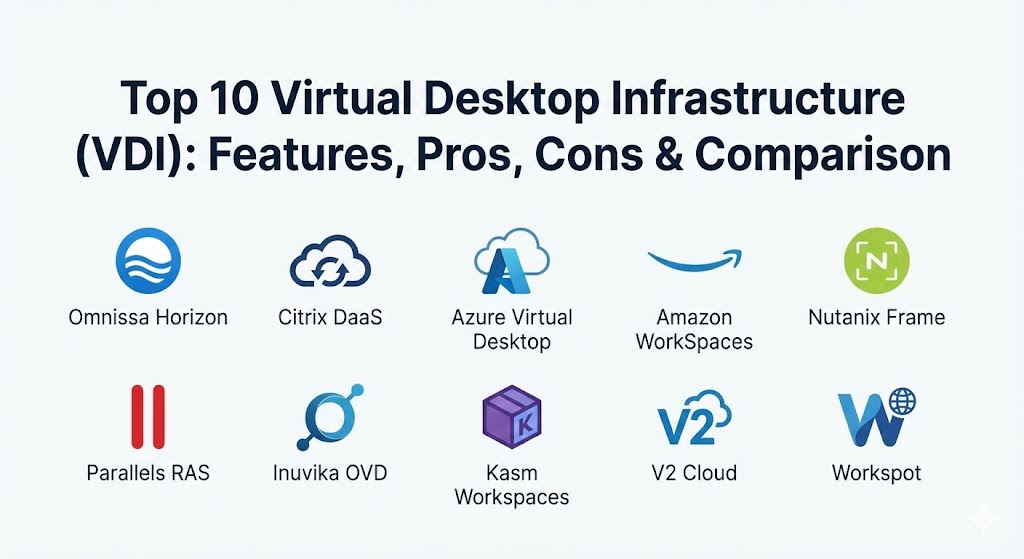
Top 10 Virtual Desktop Infrastructure (VDI) Tools
1 — Omnissa Horizon (formerly VMware)
Omnissa Horizon, the evolved form of VMware’s End-User Computing (EUC) division, remains a powerhouse in the VDI space. It is designed for large-scale enterprises that demand deep integration with the vSphere ecosystem and a highly polished user experience.
Key features:
- Blast Extreme Protocol: Optimized for the modern digital workspace, providing high-fidelity graphics even over unstable networks.
- Instant Clone Technology: Rapidly creates virtual desktops that share a virtual disk with a parent image, significantly reducing storage and management overhead.
- App Volumes: Delivers applications to virtual desktops in real-time, allowing for a personalized user experience without the bloat.
- Dynamic Environment Manager (DEM): Provides a consistent user persona across physical, virtual, and cloud-hosted desktops.
- Cloud-First Architecture: Supports hybrid and multi-cloud deployments across Azure, AWS, and Google Cloud.
- Smart Policies: Highly granular, context-aware security policies based on user location and device posture.
Pros:
- Unmatched integration with VMware vSphere and vSAN, making it the logical choice for existing VMware shops.
- Excellent performance for graphics-intensive workloads thanks to its mature protocol stack.
Cons:
- Licensing can be expensive and complex for mid-market businesses.
- Requires a significant level of technical expertise to deploy and maintain on-premises.
Security & compliance: Supports SSO via Microsoft Entra ID, end-to-end encryption, SOC 2, GDPR, HIPAA, and ISO 27001 compliance.
Support & community: Backed by Omnissa’s specialized support team; a massive global community of VCIX-certified professionals and extensive documentation.
2 — Citrix DaaS
Citrix has transitioned its flagship “Virtual Apps and Desktops” into a comprehensive Desktop-as-a-Service (DaaS) model. It is the gold standard for organizations that need to support complex, high-latency network environments.
Key features:
- HDX (High-Definition Experience) Technology: A high-performance protocol that adapts in real-time to network conditions to preserve user experience.
- Machine Creation Services (MCS): A streamlined way to create and update desktop images at scale across different hypervisors.
- Hybrid Multi-Cloud Support: The most flexible tool for running workloads simultaneously on-prem and across various public clouds.
- App Layering: Separates the OS, apps, and user settings into layers for easier management and updates.
- Adaptive Authentication: Dynamically adjusts security requirements (like MFA) based on the user’s risk profile and location.
- Workspace Intelligence: A unified portal that organizes and automates tasks within the virtual desktop environment.
Pros:
- Superior protocol performance over high-latency or low-bandwidth connections.
- Vendor-agnostic approach that supports virtually any hypervisor or cloud provider.
Cons:
- Often criticized for its notoriously complex management console and architectural requirements.
- Broadcom’s acquisition and subsequent changes have led to some pricing uncertainty in the market.
Security & compliance: FIPS 140-2, Common Criteria, GDPR, HIPAA, and SOC 2 Type II.
Support & community: Premium enterprise support available; deep technical knowledge base and a robust partner ecosystem.
3 — Azure Virtual Desktop (AVD)
Azure Virtual Desktop is Microsoft’s cloud-native VDI solution. It has gained massive traction due to its unique licensing advantages and deep integration with the Microsoft 365 ecosystem.
Key features:
- Windows Multi-session: Allows multiple users to share a single virtual machine while retaining a true Windows desktop experience, drastically reducing costs.
- Microsoft 365 Optimization: Built-in optimizations for Teams, Outlook, and OneDrive that provide a “local-like” performance.
- Azure Portal Integration: Managed directly through the familiar Azure dashboard, simplifying the learning curve for Azure admins.
- Auto-Scaling: Automatically adjusts the number of active VMs based on user demand, optimizing consumption costs.
- FSLogix Integration: High-performance profile management that ensures fast login times for non-persistent desktops.
- App Attach: Modern application delivery that layers apps onto the desktop without traditional installation.
Pros:
- Highly cost-effective for organizations already invested in Microsoft 365 E3/E5 licenses.
- Simplified management as Microsoft handles the broker, gateway, and licensing infrastructure.
Cons:
- Exclusively limited to the Azure cloud; not suitable for on-premises or other public cloud providers.
- Reporting and monitoring tools can feel basic without the addition of third-party tools like Nerdio.
Security & compliance: Entra ID (SSO), FedRAMP High, HIPAA, GDPR, and SOC 1/2/3.
Support & community: Integrated with Azure support plans; massive library of Microsoft Learn documentation.
4 — Amazon WorkSpaces
Amazon WorkSpaces is a fully managed DaaS solution from AWS. It is designed for simplicity and “pay-as-you-go” pricing, making it a favorite for cloud-first organizations and temporary workforces.
Key features:
- Managed Infrastructure: AWS handles all the back-end complexity, from servers and storage to the gateway.
- Flexible Bundles: Offers a wide variety of hardware configurations, from standard office tasks to high-end GPU instances.
- Hourly or Monthly Billing: Provides granular control over costs, allowing users to pay only for the time they are connected.
- WorkSpaces Streaming Protocol (WSP): A high-performance protocol designed to support global users and high-resolution displays.
- BYOL (Bring Your Own License): Allows enterprises to use their existing Windows 10/11 licenses to save on monthly costs.
- Zero-Trust Integration: Deeply integrated with AWS IAM and Directory Services for secure access.
Pros:
- Extremely fast deployment; you can spin up a fully functional desktop in minutes.
- Simple, predictable pricing that is ideal for fluctuating or seasonal staff.
Cons:
- Integration with on-premises Active Directory can be more complex than native Microsoft solutions.
- Less granular control over the desktop “image” compared to Citrix or Omnissa.
Security & compliance: SOC 1/2/3, PCI DSS, HIPAA, and GDPR.
Support & community: Backed by AWS Premium Support; extensive documentation and a massive cloud-builder community.
5 — Nutanix Frame
Nutanix Frame is a browser-native VDI platform that focuses on “one-click” simplicity and multi-cloud flexibility. It is unique for its ability to deliver desktops directly through HTML5 without any client software.
Key features:
- Browser-Native: Users only need a modern web browser to access their desktop; no plugins or agents required.
- Cloud-Agnostic: Runs on AWS, Azure, Google Cloud, or on-premises with Nutanix AHV.
- Frame Remoting Protocol (FRP): A modern protocol optimized for high-resolution graphics and media playback.
- Elastic Scaling: Automatically scales resources based on the number of active users.
- Enterprise Integration: Connects seamlessly with identity providers like Okta, Ping, and Entra ID.
- Stateless Desktops: Ensures a clean environment for every session, enhancing security and reducing “image drift.”
Pros:
- The easiest VDI tool for end-users; “if you can use a browser, you can use Frame.”
- True multi-cloud flexibility with a consistent management experience across all platforms.
Cons:
- Performance can be slightly lower than dedicated clients (like Citrix) in extremely low-bandwidth scenarios.
- Some legacy peripherals (like specialized scanners) may have limited support through the browser.
Security & compliance: ISO 27001, HIPAA, GDPR, and SOC 2.
Support & community: Backed by Nutanix’s world-class support team; active user forums and developer documentation.
6 — Parallels RAS
Parallels Remote Application Server (RAS) is known as the “simple yet powerful” alternative to the big two (Citrix/VMware). It is a favorite for mid-market businesses looking for enterprise features without the enterprise complexity.
Key features:
- All-in-One Licensing: A single license covers all features, including load balancing, reporting, and gateway management.
- Universal Printing: Seamlessly maps local printers to the virtual desktop without the need for server-side drivers.
- Multi-Hypervisor Support: Works with VMware, Hyper-V, Nutanix, and all major public cloud providers.
- Automated Image Optimization: Built-in tools to “slim down” Windows images for better performance and smaller storage footprints.
- HTML5 Gateway: Provides browser-based access while also offering dedicated clients for Windows, Mac, and mobile.
- Artificial Intelligence (AI) Scaling: Uses ML algorithms to predict user demand and scale VMs proactively.
Pros:
- Highly intuitive management console that can be mastered by a generalist IT admin.
- One of the most affordable enterprise-grade VDI solutions on the market.
Cons:
- Lacks some of the ultra-deep “graphics acceleration” features found in Citrix HDX.
- Community support and third-party integrations are smaller than Microsoft or Citrix.
Security & compliance: SSO, MFA, GDPR, HIPAA, and PCI DSS.
Support & community: 24/7 technical support; comprehensive training portal and knowledge base.
7 — Inuvika OVD Enterprise
Inuvika OVD Enterprise is an emerging player that uses a Linux-based architecture to deliver Windows and Linux applications. It is designed for organizations looking to break free from the “Microsoft Tax.”
Key features:
- Linux-Based Backend: The infrastructure runs on Linux, reducing the need for expensive Windows Server licenses.
- Concurrent User Licensing: You only pay for the users online at the same time, which is ideal for shift-based workers.
- Unified Management: A single web-based console to manage Windows and Linux apps side-by-side.
- Resource Optimization: Extremely lightweight architecture that requires fewer server resources than traditional VDI.
- Flexible Delivery: Supports HTML5 browser access and native clients for multiple platforms.
- Two-Factor Authentication (2FA): Built-in support for major MFA providers like Duo and Okta.
Pros:
- Significant reduction in Total Cost of Ownership (TCO) by eliminating many Microsoft server licenses.
- Simple, streamlined administration that doesn’t require specialized VDI architects.
Cons:
- Limited support for extremely niche Windows-native graphics features compared to Omnissa.
- Smaller global ecosystem of certified implementation partners.
Security & compliance: GDPR, HIPAA, and SOC compliant features.
Support & community: Direct enterprise support from Inuvika; clear documentation and growing online presence.
8 — Kasm Workspaces
Kasm Workspaces takes a different approach by focusing on containerized streaming. It is the leading solution for “disposable” or “transient” desktops where security and isolation are the top priorities.
Key features:
- Container Streaming: Desktops are delivered as Docker containers, ensuring complete isolation from the host and other sessions.
- Browser-Native: Built for the modern web, with high-performance H.264/WebP streaming directly in the browser.
- Data Loss Prevention (DLP): Granular controls over copy/paste, file upload/download, and printing.
- Disposable Sessions: Desktops are destroyed immediately after a session ends, leaving no digital footprint.
- Safe Browsing: Isolates the internet browser in a container to protect the user’s physical machine from malware.
- Open-Source Core: A transparent, community-vetted core that is highly attractive to security-conscious firms.
Pros:
- The most secure VDI architecture for highly sensitive or high-risk tasks.
- Extremely fast to spin up; containers launch in seconds.
Cons:
- Not designed for traditional “persistent” desktops where users want to save files to their C: drive permanently.
- Limited support for complex, multi-layered Windows applications that don’t containerize well.
Security & compliance: SOC 2, ISO 27001, HIPAA, and GDPR.
Support & community: Active community edition; professional support for enterprise customers with custom development options.
9 — V2 Cloud
V2 Cloud is a fully managed DaaS solution designed for non-technical businesses and software vendors. It provides a “VDI-in-a-box” experience that removes all infrastructure management from the customer.
Key features:
- Fully Managed: They handle the backups, security updates, infrastructure scaling, and monitoring.
- Predictable Monthly Pricing: Simple per-user plans with no hidden data egress or storage fees.
- Built-in Security: Includes antivirus, web filtering, and 2FA as standard features.
- Software-as-a-Service (SaaS) Friendly: Specifically optimized for ISVs looking to turn their desktop apps into cloud-based SaaS offerings.
- Global Footprint: Deploy desktops in data centers worldwide to ensure low-latency access.
- One-Click Backup: Simple automated snapshots and disaster recovery options.
Pros:
- The best “hand-off” VDI experience; zero IT infrastructure management required.
- Transparent billing that makes it easy for small businesses to budget.
Cons:
- Limited customization of the underlying networking and storage architecture.
- Not suitable for massive enterprises that require deep “on-prem” integration.
Security & compliance: PCI DSS, HIPAA, SOC, and GDPR.
Support & community: Highly rated 24/7 technical support with exceptionally fast response times.
10 — Workspot
Workspot is an enterprise-grade “Desktop Cloud” that focuses on large-scale, multi-cloud deployments. It is designed for businesses that need to scale rapidly across Azure, AWS, and GCP simultaneously.
Key features:
- BigData Analytics: Uses a sophisticated analytics engine (Workspot Watch) to provide global visibility into user performance.
- Multi-Cloud Fabric: Allows admins to manage desktops across different regions and cloud providers from a single pane of glass.
- Global Desktop Cloud: Enables users to connect to the data center closest to them automatically.
- Zero-Trust Access: A secure gateway architecture that ensures no desktop is ever directly exposed to the internet.
- Disaster Recovery as a Service (DRaaS): Built-in “one-click” failover between cloud regions.
- High-Performance GPU Support: Optimized for engineers and designers using Azure NV-series or AWS G4 instances.
Pros:
- Exceptional scalability for global teams with thousands of users.
- High-level performance monitoring that helps identify “invisible” network bottlenecks.
Cons:
- Primarily focused on large-scale cloud deployments; less effective for small, purely on-premise needs.
- Steeper learning curve for the advanced analytics and orchestration tools.
Security & compliance: FedRAMP, HIPAA, GDPR, and ISO 27001.
Support & community: Enterprise-tier white-glove support; extensive professional services and documentation.
Comparison Table
| Tool Name | Best For | Platform(s) Supported | Standout Feature | Rating (Gartner) |
| Omnissa Horizon | Enterprise VMware Shops | Hybrid / Multi-Cloud | Instant Clone Technology | 4.5 / 5 |
| Citrix DaaS | High-Latency / Complex | Hybrid / Multi-Cloud | HDX Adaptive Protocol | 4.3 / 5 |
| Azure Virtual Desktop | Microsoft 365 Users | Azure Only | Windows Multi-session | 4.4 / 5 |
| Amazon WorkSpaces | AWS Ecosystem | AWS Only | Hourly / Monthly Billing | 4.3 / 5 |
| Nutanix Frame | Browser-Native Simplicity | Multi-Cloud / On-prem | Clientless HTML5 Access | 4.6 / 5 |
| Parallels RAS | Mid-Market Value | Hybrid / Multi-Cloud | All-in-one Licensing | 4.4 / 5 |
| Inuvika OVD | TCO / Linux Hybrid | Hybrid / On-prem | Concurrent User Model | 4.7 / 5 |
| Kasm Workspaces | High Security / Transient | Cloud / On-prem | Containerized Desktops | 4.7 / 5 |
| V2 Cloud | Managed Simplicity | Cloud Only | Fully Managed Support | 4.8 / 5 |
| Workspot | Global Scale Multi-Cloud | Multi-Cloud Only | Global Analytics Engine | 4.6 / 5 |
Evaluation & Scoring of VDI Tools
To help you objectively compare these tools, we have utilized a weighted scoring rubric that reflects the priorities of 2026 IT departments.
| Category | Weight | Score Factors |
| Core Features | 25% | Protocol quality, image management, and profile persistency. |
| Ease of Use | 15% | Admin console design, user onboarding, and client accessibility. |
| Integrations | 15% | Compatibility with M365, Active Directory, and existing hypervisors. |
| Security & Compliance | 10% | SSO support, encryption, and industry-standard certifications. |
| Performance & Reliability | 10% | Latency over low bandwidth, uptime, and auto-scaling speed. |
| Support & Community | 10% | Response times, documentation quality, and certified expert pool. |
| Price / Value | 15% | Licensing transparency, TCO, and flexible billing options. |
Which VDI Tool Is Right for You?
Solo Users vs SMB vs Mid-Market vs Enterprise
If you are a solo professional or a startup, Amazon WorkSpaces or V2 Cloud are the most accessible entry points; they allow you to start with a single desktop without managing servers. Small to Mid-Market (SMB) companies should look toward Parallels RAS or Inuvika OVD, which offer enterprise features without the steep learning curve of the bigger platforms. For Global Enterprises, the choice is usually between Omnissa Horizon, Citrix DaaS, or Azure Virtual Desktop, as these are the only tools with the deep orchestration and scalability required for thousands of seats.
Budget-conscious vs Premium Solutions
If budget is your primary driver, Inuvika OVD and Azure Virtual Desktop (if you have existing licenses) offer the best path to a low TCO. On the other hand, if you require a premium solution with high-end graphics support and complex hybrid workflows, Omnissa and Citrix justify their higher price tags through specialized display protocols like Blast Extreme and HDX.
Feature Depth vs Ease of Use
For ease of use, Nutanix Frame and V2 Cloud are the winners; they focus on simplicity for both the admin and the end-user. If you need feature depth—such as the ability to script every aspect of the VM lifecycle or manage legacy mainframes through the VDI—Citrix and Omnissa remain the most feature-rich environments.
Integration and Scalability Needs
If your entire company lives in Microsoft Teams and OneDrive, Azure Virtual Desktop is the most logical integration. If you are a global firm needing to scale across multiple continents and cloud providers simultaneously, Workspot is designed specifically to solve that multi-cloud orchestration challenge.
Frequently Asked Questions (FAQs)
1. Is VDI the same as Desktop as a Service (DaaS)?
Not exactly. VDI traditionally refers to an on-premises solution where you manage the hardware. DaaS is a cloud-based service where a provider (like AWS or Microsoft) manages the infrastructure for you. In 2026, many “VDI tools” offer both models.
2. Does VDI work well on poor internet connections?
Modern protocols like Citrix HDX and VMware Blast Extreme are specifically designed to adapt to poor connections. However, for a smooth experience, a stable connection with low latency is more important than raw download speed.
3. Can I use VDI for high-end video editing or CAD?
Yes. High-performance bundles from providers like Omnissa, Citrix, and Workspot support virtual GPUs (vGPU), allowing users to run graphics-intensive applications on standard thin clients or tablets.
4. How does VDI improve security?
In a VDI environment, no corporate data is stored on the end-user’s device. If a laptop is stolen, the data remains safe in the centralized data center. Additionally, IT can “wipe” or “reset” a virtual desktop instantly if a threat is detected.
5. What is “Non-Persistent” VDI?
In a non-persistent setup, the virtual desktop is destroyed when the user logs out. This ensures every session starts “clean,” which is great for security and storage efficiency, though it requires profile management tools to save user settings.
6. Do I still need an antivirus inside a virtual desktop?
Yes. While VDI is more secure, the virtual machine itself can still be infected by malware. Most VDI tools include or integrate with specialized “agentless” antivirus that protects the whole server without slowing down individual desktops.
7. Can I run VDI on a Mac?
Absolutely. Almost all VDI providers offer native clients for macOS, and many (like Nutanix Frame) work directly in the Safari or Chrome browser.
8. What is “Windows Multi-session”?
Exclusive to Azure Virtual Desktop, this feature allows multiple users to log into a single Windows 10 or 11 VM simultaneously. This saves significantly on compute and storage costs compared to traditional “one-user-per-VM” models.
9. How much bandwidth does a virtual desktop use?
A standard office worker typically uses between 150 Kbps and 300 Kbps. However, graphics-intensive work or high-definition video streaming can push that to 2 Mbps or more.
10. What are Thin Clients and Zero Clients?
These are lightweight, low-power hardware devices specifically designed to connect to VDI environments. They have no moving parts or local storage, making them very secure and long-lasting compared to traditional PCs.
Conclusion
Choosing the “best” VDI tool in 2026 depends entirely on your current infrastructure and your business goals. Summarizing the landscape, if you are a Microsoft-centric firm, Azure Virtual Desktop is your path of least resistance. If you require high-performance graphics and hybrid flexibility, Citrix and Omnissa remain the industry leaders. For those seeking simplicity and cost-efficiency, Parallels RAS and V2 Cloud offer excellent alternatives.
Ultimately, the best VDI implementation is one that the end-user doesn’t even notice. By focusing on protocol performance, user persona management, and automated scaling, you can create a digital workspace that empowers your team to work securely and productively from any corner of the globe.