Introduction
Test Case Management (TCM) tools are specialized software designed to help QA teams and developers manage the lifecycle of their testing efforts. This includes creating test cases, grouping them into test plans, executing those tests, and tracking the results over time. Think of it as a specialized CRM for your software’s quality; it provides a single source of truth that tells the team exactly what has been tested, what failed, and whether the software is truly ready for release.
The importance of these tools lies in their ability to foster collaboration and transparency. Without them, testing data is often siloed, leading to duplicate effort and “regression blind spots” where old bugs reappear unnoticed. Key real-world use cases include managing massive regression suites for e-commerce sites before holiday sales, ensuring compliance for medical device software, and synchronizing manual and automated testing in a fast-moving DevOps pipeline. When choosing a tool, users should evaluate integration depth (especially with Jira), reporting capabilities, ease of use for non-technical stakeholders, and scalability.
Best for: QA managers, manual testers, and SDETs (Software Development Engineers in Test) in mid-to-large organizations. It is particularly vital for industries with strict regulatory requirements, like Fintech, Healthcare, and Aerospace, where audit trails are non-negotiable.
Not ideal for: Solo developers or tiny startups working on a single-feature MVP. In these cases, the overhead of maintaining a TCM tool might slow down the “move fast and break things” phase. Basic checklists or lightweight Trello boards may suffice until the team grows.
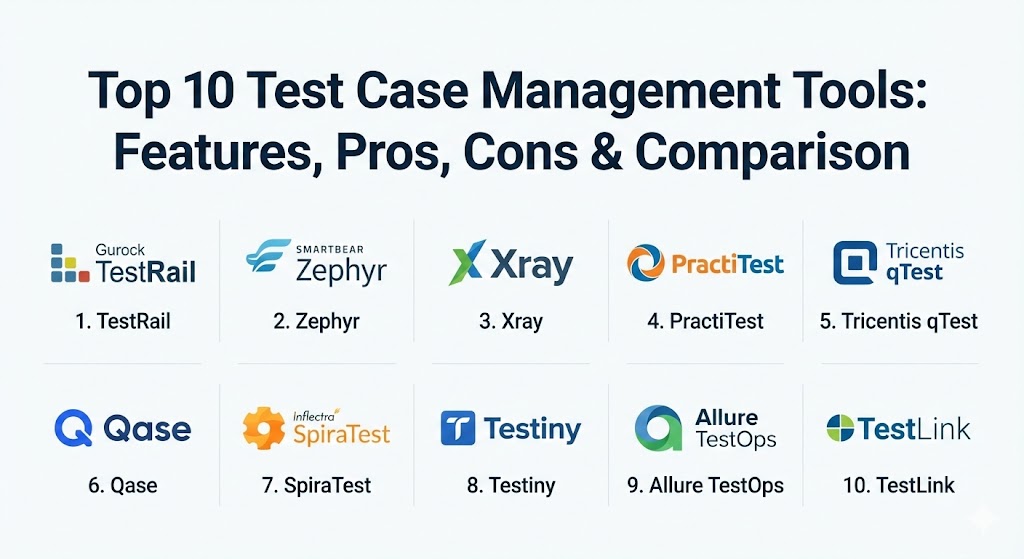
Top 10 Test Case Management Tools
1 — TestRail (by Gurock)
TestRail is widely considered the industry standard for standalone test case management. It provides a comprehensive, web-based interface that allows teams to manage, track, and coordinate software testing efforts efficiently.
- Key features:
- Modern, easy-to-use web interface with drag-and-drop organization.
- Real-time dashboards and professional activity reports.
- Powerful API for integrating with automated testing frameworks.
- Milestone tracking to align testing with release cycles.
- Flexible custom fields for tailoring test cases to specific needs.
- Side-by-side comparison of test results across different environments.
- Integrated task management and email notifications.
- Pros:
- Extremely intuitive UI that requires very little training for new team members.
- Highly flexible and works well regardless of whether you use Agile, Waterfall, or a hybrid methodology.
- Cons:
- Pricing can become a factor as teams scale, especially for the Enterprise tier.
- The cloud version occasionally experiences performance lag during heavy data exports.
- Security & compliance: SOC 2 Type II compliant, GDPR ready, features SSO integration (SAML 2.0), and data encryption at rest/transit.
- Support & community: Exceptional documentation, a large user forum, and 24/7 technical support for Enterprise customers.
2 — Zephyr (by SmartBear)
Zephyr is the “heavy hitter” within the Jira ecosystem. It offers multiple versions (Scale, Enterprise, and Squad) to fit different organizational sizes, making it the go-to for teams that live and breathe inside Jira.
- Key features:
- Native integration with Jira issues and workflows.
- Folder-based organization with logical versioning of test cases.
- Advanced cross-project reporting and gadgets for Jira dashboards.
- Support for Behavior Driven Development (BDD) via Cucumber.
- Scalable architecture designed for global, distributed teams.
- Reusable test steps to reduce maintenance time.
- Automated test execution triggers via Jenkins or Bamboo.
- Pros:
- No need to switch between tabs; testing happens exactly where the developers are working.
- The “Scale” version provides unmatched performance for massive repositories.
- Cons:
- Can feel “clunky” if your organization doesn’t use Jira as its primary tool.
- Initial configuration for complex permissions can be time-consuming.
- Security & compliance: SOC 2, GDPR, and HIPAA compliant. Leverages Atlassian’s underlying security infrastructure.
- Support & community: Extensive training through SmartBear Academy, proactive customer success managers, and a vast partner network.
3 — Xray
Xray is a Jira-native test management app that treats test cases as Jira “issues.” This unique approach provides absolute transparency between the requirements, the code, and the testing results.
- Key features:
- Test cases are standard Jira issue types, allowing for custom workflows.
- Deep traceability from requirements to defects.
- Built-in support for Gherkin and Cucumber.
- REST API for easy integration with CI/CD pipelines.
- Support for both manual and automated test execution.
- Detailed coverage reports directly on the Jira issue page.
- Advanced JQL (Jira Query Language) support for filtering tests.
- Pros:
- Offers the highest level of transparency; anyone in the company can see the “Test Status” of a requirement.
- Very cost-effective for teams that are already fully committed to Jira.
- Cons:
- Treating every test as a Jira issue can lead to “issue clutter” in very large projects.
- Requires a solid understanding of Jira administration to set up correctly.
- Security & compliance: ISO 27001, GDPR, and SOC 2. Security is managed via the Atlassian Marketplace standards.
- Support & community: Great technical documentation and a highly responsive help desk.
4 — PractiTest
PractiTest is an end-to-end SaaS test management platform that prides itself on being a “hub” for all testing information, including manual, automated, and exploratory testing.
- Key features:
- Unique “Hierarchical Filter Trees” for organizing data without folders.
- Built-in exploratory testing module with screen capture.
- Advanced integration with Jira, Azure DevOps, and Pivotal Tracker.
- External requester portal for stakeholders to view progress.
- Data-driven testing support with parameters.
- Anti-bug feature that prevents the creation of duplicate defects.
- Customizable dashboards with drag-and-drop widgets.
- Pros:
- The filter-based organization is much more powerful and flexible than traditional folders.
- Excellent visibility into the “Big Picture” of quality across different projects.
- Cons:
- The UI has a slightly steeper learning curve than TestRail.
- The abundance of features can be overwhelming for smaller, simpler teams.
- Security & compliance: SOC 2 Type II, ISO 27001, GDPR, and HIPAA. Features multi-factor authentication.
- Support & community: Known for having some of the fastest response times in the industry; offers professional onboarding sessions.
5 — Tricentis qTest
Tricentis qTest is designed for large enterprises looking to modernize their testing in a DevOps context. It is built to facilitate the shift from manual testing to automated, continuous testing.
- Key features:
- Real-time Jira integration with two-way data synchronization.
- qTest Insights for advanced executive-level reporting.
- Integration with Tricentis Tosca for automated test execution.
- Test parameterization for complex data-driven scenarios.
- Support for Agile, Scrum, and DevOps methodologies.
- Exploratory testing with automated documentation.
- Scalable enterprise-grade security and permissions.
- Pros:
- Unrivaled reporting for large organizations that need to aggregate data across hundreds of projects.
- Strongest choice for companies moving toward “Continuous Testing.”
- Cons:
- One of the more expensive tools on the market.
- Requires a dedicated administrator for larger deployments to maximize value.
- Security & compliance: SOC 2 Type II, GDPR, HIPAA, and ISO 27001. Advanced audit logs for compliance tracking.
- Support & community: High-touch enterprise support, training certifications, and an extensive global user community.
6 — Qase
Qase is a modern, sleek, and highly collaborative TCM tool that focuses on developer and QA productivity. It is designed to be fast, cloud-native, and visually appealing.
- Key features:
- Clean, minimalistic UI that focuses on speed and usability.
- Shared steps to minimize duplication across test cases.
- Public and private “Test Runs” for different collaboration levels.
- Native integrations with Slack, Discord, Jira, and GitHub.
- API and webhooks for custom automation flows.
- Smart error grouping and defect tracking.
- Support for test case versioning and branching.
- Pros:
- Feels like a modern SaaS app (similar to Notion or Slack) rather than a legacy enterprise tool.
- Very generous free tier for small teams just getting started.
- Cons:
- Still a younger tool, so it lacks some of the hyper-advanced reporting of qTest or Zephyr.
- Fewer third-party plugins compared to the “legacy” giants.
- Security & compliance: GDPR compliant, SOC 2 Type II, and data encryption at rest.
- Support & community: Proactive support via chat and email; active community on Discord for developers.
7 — SpiraTest (by Inflectra)
SpiraTest is more than just a TCM; it is a full Application Lifecycle Management (ALM) solution. It manages requirements, test cases, and bugs in a single, unified environment.
- Key features:
- Integrated requirement management with full traceability.
- Support for manual, automated, and exploratory testing.
- Built-in defect tracking and task management.
- Personalized dashboards for different roles (Project Manager vs. QA).
- Powerful document management and version control.
- Support for SOAP and REST APIs for automation.
- Available as both SaaS and on-premise installation.
- Pros:
- Ideal for organizations that want to replace multiple tools (test management, bug tracking, and requirements) with one.
- Exceptional audit logs, making it a favorite for government and defense contractors.
- Cons:
- The UI can feel a bit dated compared to modern tools like Qase.
- Might be “too much tool” if you only need test management.
- Security & compliance: FIPS 140-2, SOC 2, HIPAA, and GDPR compliant.
- Support & community: Top-tier support with dedicated technical account managers; extensive training videos.
8 — Testiny
Testiny is a newcomer that focuses on being the “fastest and easiest” way to manage test cases. It aims to eliminate the “clunkiness” of enterprise software.
- Key features:
- Instant setup with no complex configuration required.
- Lightning-fast search and filtering for test cases.
- Minimalistic, high-performance UI.
- Seamless Jira integration for linking tests to issues.
- Support for test plans and run-based execution.
- Real-time collaboration—see who is working on what.
- Powerful CSV and Excel import/export tools.
- Pros:
- Perfect for teams that want to move away from Excel but aren’t ready for a complex enterprise suite.
- Extremely low friction for getting started; your first test case is live in seconds.
- Cons:
- Lacks the deep automation orchestration found in tools like qTest.
- Reporting is basic compared to the data-heavy enterprise rivals.
- Security & compliance: GDPR compliant and hosted on secure European servers.
- Support & community: Friendly, responsive chat support and a clear, concise knowledge base.
9 — Allure TestOps
Allure TestOps is a “Dev-centric” test management platform that focuses on the visualization of automated testing results while still supporting manual test cases.
- Key features:
- Native integration with the popular Allure Report framework.
- Automated test result aggregation from any CI/CD pipeline.
- “Smart Test Cases” that automatically update based on code changes.
- Rich visualizations and trend analysis for test results.
- Support for manual testing with a clean, structured UI.
- Real-time alerting for test failures.
- Role-based access control for large engineering teams.
- Pros:
- Best-in-class for teams that are 90% automated and need a way to visualize that data alongside manual tests.
- Exceptional for identifying “flaky” tests that fail inconsistently.
- Cons:
- Requires some technical setup to integrate with automation frameworks.
- The manual testing interface is functional but not as rich as TestRail.
- Security & compliance: SOC 2 compliant, GDPR ready, and supports SSO.
- Support & community: Strong community roots in the open-source Allure project; commercial support is highly technical.
10 — TestLink (Open Source)
TestLink is the most famous open-source test management tool. It has been around for nearly two decades and provides a solid, free alternative for teams on a zero-dollar budget.
- Key features:
- Comprehensive support for test cases, requirements, and test plans.
- Support for keyword-based testing.
- Multi-language support.
- Ability to link test cases with various bug tracking tools (Bugzilla, Mantis).
- Assignment of test cases to different users.
- Built-in reports and charts in various formats (HTML, CSV).
- PHP-based, allowing for complete customization by the user.
- Pros:
- Completely free to use, forever.
- Being open-source, you have full control over the data and the hosting environment.
- Cons:
- The interface is significantly dated and can be difficult to navigate.
- Requires manual installation, maintenance, and server management.
- Security & compliance: Depends entirely on your own server configuration and maintenance.
- Support & community: Community-driven; support is found primarily in forums and old documentation.
Comparison Table
| Tool Name | Best For | Platform(s) Supported | Standout Feature | Rating (Gartner/True) |
| TestRail | Standalone TCM | SaaS, Windows, Linux | Modern, Fast UI | 4.6 / 5 |
| Zephyr | Jira Power Users | Jira Native, SaaS | Enterprise Scalability | 4.5 / 5 |
| Xray | Requirement Traceability | Jira Native | Tests as Jira Issues | 4.5 / 5 |
| PractiTest | End-to-End Visibility | SaaS | Filter-Based Org | 4.7 / 5 |
| qTest | DevOps Enterprises | SaaS, On-premise | Insights Analytics | 4.5 / 5 |
| Qase | Developer Productivity | SaaS | Sleek, Modern UI | 4.7 / 5 |
| SpiraTest | Regulated Industries | SaaS, Windows | Full ALM Traceability | 4.4 / 5 |
| Testiny | Simple, Fast Testing | SaaS | High-Speed Search | 4.6 / 5 |
| Allure TestOps | Automation Visibility | SaaS, On-premise | Smart Test Updates | 4.5 / 5 |
| TestLink | Zero Budget | On-premise | Open Source Freedom | N/A |
Evaluation & Scoring of Test Case Management Tools
Choosing a TCM tool shouldn’t be a beauty contest. It requires a weighted evaluation of how the tool fits your actual daily workflow. Use the following rubric to score potential candidates.
| Category | Weight | Evaluation Criteria |
| Core Features | 25% | Management of cases, plans, and results; reusability of steps; versioning. |
| Ease of Use | 15% | Intuitive interface; minimal clicks to run a test; mobile friendliness. |
| Integrations | 15% | Two-way Jira sync; API depth; support for CI/CD and automation tools. |
| Security & Compliance | 10% | SOC 2/ISO status; SSO support; audit logs for regulated industries. |
| Performance | 10% | Load times for large repositories; stability during peak usage. |
| Support & Community | 10% | Documentation quality; help desk speed; vibrancy of the user forum. |
| Price / Value | 15% | Licensing cost per seat relative to the “time saved” for the team. |
Which Test Case Management Tools Tool Is Right for You?
The “best” tool doesn’t exist; there is only the best tool for your specific team structure and goals.
- Solo Users vs SMB vs Mid-Market vs Enterprise:
- SMBs: Focus on speed and cost. Testiny or the free tier of Qase are excellent places to start.
- Mid-Market: TestRail is the reliable mid-market champion due to its balance of features and ease of use.
- Enterprise: Zephyr Scale or qTest are the only choices for organizations managing thousands of users across hundreds of projects.
- Budget-Conscious vs Premium Solutions:
- If budget is zero, TestLink is your only real option, though you pay for it in maintenance time.
- If you want the absolute best support and feature set, be prepared to pay the premium for PractiTest or qTest.
- Feature Depth vs Ease of Use:
- Teams that want to manage everything in one place should look at SpiraTest (Full ALM).
- Teams that want to “get in and get out” quickly will prefer Qase or Testiny.
- Integration and Scalability Needs:
- If your entire company “lives” in Jira, Xray or Zephyr are non-negotiable.
- If you have a massive automated testing suite, Allure TestOps provides the best way to merge those results with manual efforts.
- Security and Compliance Requirements:
- Healthcare and defense sectors should prioritize SpiraTest or Zephyr Enterprise for their rigorous audit trails and on-premise deployment options.
Frequently Asked Questions (FAQs)
1. Why shouldn’t I just use Excel for test cases?
Excel lacks versioning, real-time collaboration, and historical reporting. It’s impossible to track the “status” of a release in real-time or see which tests failed three versions ago in a spreadsheet.
2. Does a TCM tool automate my tests?
No. A TCM tool manages the test cases and results. You still need an automation framework (like Selenium, Playwright, or Cypress) to actually run the tests. The tool just records the “Pass” or “Fail” from those runs.
3. What is the difference between “Jira Native” and “Integration”?
Jira Native (like Xray) means the test cases exist inside Jira as issue types. Integration (like TestRail) means the test cases live in a separate tool but “talk” to Jira via a plugin.
4. Is open-source (TestLink) always cheaper?
Not always. While the license is free, the cost of the server, the time spent on manual upgrades, and the lack of official support can often exceed the cost of a paid SaaS subscription.
5. How long does it take to implement a new tool?
For a small team using a tool like Qase, you can be up and running in a few hours. For an enterprise migrating thousands of tests into qTest, it can take weeks of planning and data cleaning.
6. Can these tools handle mobile app testing?
Yes. TCM tools are platform-agnostic. You can record results for iOS, Android, Web, or Desktop applications all in the same project.
7. What is “Traceability” in test management?
Traceability is the ability to link a requirement (e.g., “The user can login”) to a test case, and then to a bug. It proves that every feature has been tested and every bug has been addressed.
8. Do these tools support BDD (Behavior Driven Development)?
Many modern tools (like Xray, Zephyr, and Qase) have native support for Gherkin/Cucumber, allowing you to write test cases in “Given/When/Then” format.
9. Can I export my data if I want to switch tools?
Most modern SaaS tools offer CSV or XML exports. However, migrating between tools is notoriously difficult due to different data structures, so choose carefully from the start!
10. Why is reporting so important in TCM?
Reporting is what helps a QA Manager answer the most important question: “Is the software safe to release?” Without data visualization, you are just guessing based on a feeling.
Conclusion
The market for test case management tools has matured significantly in 2026. Whether you are looking for the absolute simplicity of Testiny, the “Jira-first” philosophy of Xray, or the enterprise power of Tricentis qTest, there is a solution that fits your team’s rhythm.
When choosing, remember that the “best” tool is the one that your team actually enjoys using. If a tool is too complex, testers will revert to spreadsheets; if it’s too simple, you’ll lose the data insights you need to grow. Evaluate your integration needs, your budget, and your technical maturity, and you’ll find the engine that powers your quality assurance for years to come.