Introduction
Storage management tools are specialized software solutions designed to monitor, optimize, and control an organization’s data storage infrastructure. These tools provide a unified interface to manage diverse storage assets, including Storage Area Networks (SAN), Network Attached Storage (NAS), and cloud-based object storage. By automating routine tasks such as provisioning, capacity planning, and performance tuning, these solutions ensure that data remains accessible, secure, and cost-effective.
The importance of these tools cannot be overstated. Without them, IT teams face “storage sprawl,” where orphaned data consumes expensive high-performance tiers, and performance bottlenecks go undetected until they impact end-users. Key real-world use cases include automated tiering (moving cold data to cheaper storage), proactive hardware failure detection, and ensuring compliance with data residency regulations. When evaluating these tools, users should prioritize multi-vendor support, AI-driven predictive analytics, ease of integration with existing virtualization layers, and robust security frameworks.
Best for: Large-scale enterprises with hybrid cloud architectures, IT administrators managing multi-vendor hardware, and organizations in highly regulated industries like finance or healthcare that require strict audit trails and high availability.
Not ideal for: Small startups with very basic storage needs (e.g., just a few local drives or a single cloud bucket) or companies that rely entirely on a single SaaS provider where storage is managed natively by the vendor.
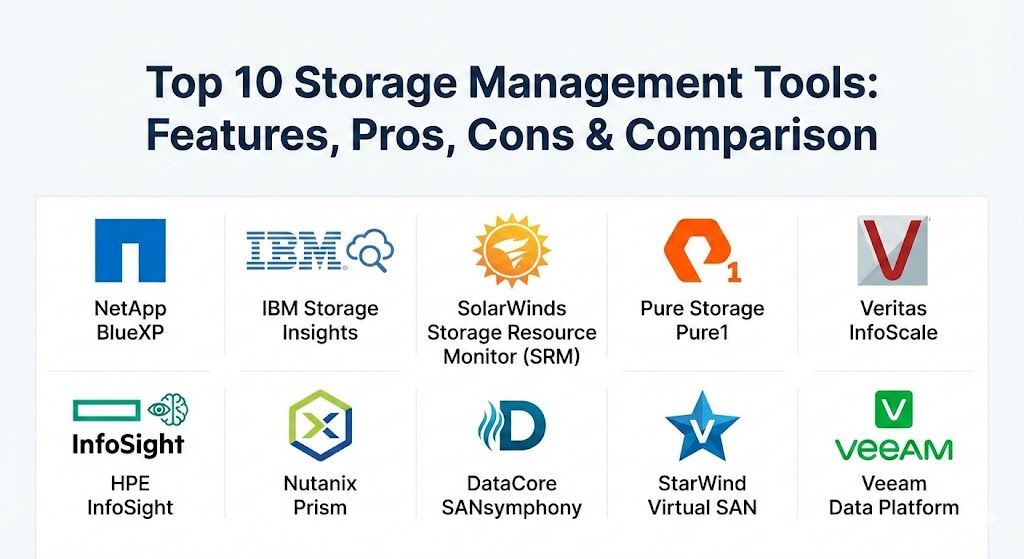
Top 10 Storage Management Tools
1 — NetApp BlueXP
NetApp BlueXP is a unified control plane designed to simplify storage and data management across hybrid multi-cloud environments. It evolved from Cloud Manager to provide a “single pane of glass” for both on-premises NetApp hardware and cloud-native services like AWS, Azure, and Google Cloud.
- Key features:
- Unified dashboard for managing on-prem and cloud-integrated storage.
- Automated data mobility and replication across different environments.
- Integrated AI-driven health and performance monitoring (Active IQ).
- Drag-and-drop volume provisioning for cloud environments.
- Advanced backup and recovery orchestration for Kubernetes and VMs.
- Cost optimization tools to identify underutilized resources.
- Pros:
- Industry-leading data mobility between public clouds and local data centers.
- Highly intuitive user interface that reduces the learning curve for complex tasks.
- Cons:
- Optimized heavily for NetApp ecosystems; limited functionality for non-NetApp hardware.
- Licensing can become complex when mixing on-prem and cloud-based subscriptions.
- Security & compliance: FIPS 140-2, Common Criteria, SOC 2, and HIPAA compliant. Includes ransomware protection and end-to-end encryption.
- Support & community: Offers world-class enterprise support with 24/7 availability; extensive technical documentation and a robust user community on the NetApp Support Site.
2 — IBM Storage Insights
IBM Storage Insights is a cloud-based AI-powered management and support platform that provides a unified view of an organization’s storage environment. It focuses on predictive analytics to ensure high availability and optimal performance for IBM storage systems.
- Key features:
- Predictive capacity planning based on historical growth trends.
- AI-driven performance monitoring with proactive alert systems.
- Support for heterogeneous storage through IBM Spectrum Virtualize.
- Streamlined support experience with automated log collection and ticket opening.
- Dashboard views of health, capacity, and performance across all sites.
- Custom reporting for executive-level infrastructure reviews.
- Pros:
- The “Pro” version offers exceptionally deep analytics for performance troubleshooting.
- Significantly reduces the time spent on manual support logs and diagnostic data.
- Cons:
- Primarily benefits users with IBM-centric hardware (FlashSystem, DS8000).
- The web-based UI can occasionally experience latency in very large environments.
- Security & compliance: ISO 27001, SOC 2, HIPAA, and GDPR compliant. Data is encrypted in transit and at rest.
- Support & community: Backed by IBM’s global enterprise support and the extensive IBM developerWorks and community forums.
3 — SolarWinds Storage Resource Monitor (SRM)
SolarWinds SRM is a multi-vendor storage management tool that provides deep visibility into the performance and capacity of heterogeneous storage environments. It is a favorite among IT generalists who need to manage hardware from different manufacturers under one roof.
- Key features:
- Agentless monitoring for SAN and NAS arrays from EMC, NetApp, Dell, and others.
- End-to-end visibility from the application layer down to the physical disk.
- Automated storage capacity forecasting and planning.
- Pre-defined and custom alerts for performance hotspots.
- Integration with the SolarWinds Orion Platform for a complete IT stack view.
- User-friendly dashboards for tracking LUN and volume health.
- Pros:
- Excellent for multi-vendor environments where brand-specific tools don’t talk to each other.
- Customization of dashboards is among the best in the industry.
- Cons:
- The setup process can be time-consuming due to the sheer number of configuration options.
- Resource-heavy installation that requires a dedicated server and database.
- Security & compliance: SSO integration, detailed audit logs, and FIPS 140-2 compatibility.
- Support & community: Strong documentation and a massive community (THWACK) where users share custom alerts and templates.
4 — Pure Storage Pure1
Pure1 is a cloud-based management and AIOps platform that provides a simplified, “Apple-like” experience for managing Pure Storage arrays. It leverages machine learning to predict outages and optimize workloads.
- Key features:
- Meta AIOps engine for predictive health and performance alerts.
- Workload simulation to test how new apps will impact current storage.
- Cloud-based snapshot management and orchestration.
- Fleet-wide management through a mobile app.
- Sustainability metrics tracking power and cooling efficiency.
- One-click upgrades and expansion planning.
- Pros:
- Zero-management philosophy—the tool handles the heavy lifting automatically.
- The mobile app is genuinely useful for monitoring infrastructure on the go.
- Cons:
- Strictly locked to Pure Storage hardware; no support for third-party arrays.
- Requires a constant cloud connection to access all analytics features.
- Security & compliance: SOC 2 Type II, HIPAA, GDPR, and AES-256 encryption for data in transit.
- Support & community: Industry-leading NPS; support is proactive, often fixing issues before the user notices.
5 — Veritas InfoScale
Veritas InfoScale is an enterprise-grade software-defined storage (SDS) and high-availability solution. It focuses on the software layer to ensure application performance and uptime regardless of the underlying hardware.
- Key features:
- Dynamic Multi-Pathing (DMP) to optimize reliability and speed.
- Application-aware high availability for Oracle, SAP, and SQL Server.
- Intelligent caching (SmartIO) to accelerate read/write operations.
- Flexible storage pooling across different physical storage types.
- Disaster recovery orchestration across local and remote sites.
- Advanced snapshots and clones for dev/test environments.
- Pros:
- Deeply integrated with critical enterprise applications for maximum uptime.
- Allows organizations to use “commodity” hardware while maintaining enterprise features.
- Cons:
- Higher complexity in configuration compared to SaaS-based tools.
- The licensing model can be expensive for smaller organizations.
- Security & compliance: FIPS 140-2, Common Criteria, and support for major privacy regulations (GDPR, HIPAA).
- Support & community: Robust enterprise support plans; extensive technical knowledge base and formal training certifications.
6 — HPE InfoSight
HPE InfoSight is widely considered the pioneer of AI-driven infrastructure management. It analyzes millions of sensors from systems globally to predict and prevent problems before they impact the business.
- Key features:
- Predictive support that automatically opens cases for detected anomalies.
- Cross-stack analytics that pinpoint performance issues in VMs or networks.
- Autonomous performance tuning for HPE Alletra and Nimble arrays.
- Global visibility of health, capacity, and wellness.
- Resource usage forecasting for budgetary planning.
- Pros:
- Remarkable accuracy in predicting hardware failures and performance bottlenecks.
- Included at no extra cost with HPE support contracts for eligible hardware.
- Cons:
- Proprietary to the HPE ecosystem (though now expanding to HPE servers).
- Limited manual control; users must trust the AI’s “black box” recommendations.
- Security & compliance: ISO 27001, SOC 2, and rigorous data anonymization for global telemetry.
- Support & community: Innovative “Support 2.0” where Level 1 and Level 2 support are essentially handled by the AI.
7 — Nutanix Prism
Nutanix Prism is the management interface for Nutanix Hyperconverged Infrastructure (HCI). It offers a “search-first” interface that makes managing storage as easy as using a search engine.
- Key features:
- One-click infrastructure management, including hardware and software updates.
- Advanced AI-based capacity planning and “what-if” scenario modeling.
- Native management of AHV virtualization and storage pools.
- Self-service portal for developers to provision storage resources.
- Rich visualizations of the entire HCI stack from VM to disk.
- Pros:
- The most user-friendly interface in the HCI market.
- Simplifies storage management by treating it as a software service.
- Cons:
- Requires the Nutanix stack; not suitable for managing traditional legacy SANs.
- Advanced analytics features require the “Pro” or “Ultimate” licenses.
- Security & compliance: FIPS 140-2, Common Criteria, and integrated Security Central for posture management.
- Support & community: High customer satisfaction scores; very active “Nutanix Next” community.
8 — DataCore SANsymphony
DataCore SANsymphony is a veteran in the software-defined storage space. It acts as a virtualization layer that sits on top of any storage hardware, turning it into a unified, high-performance pool.
- Key features:
- Storage pooling that aggregates NVMe, SSD, and HDD from any vendor.
- Parallel I/O technology to significantly boost performance.
- Auto-tiering that moves data based on frequency of access.
- Synchronous mirroring for zero-downtime high availability.
- Unified management of block, file, and object storage.
- Pros:
- Hardware-agnostic; prevents vendor lock-in and extends the life of old hardware.
- Extremely high performance for latency-sensitive databases.
- Cons:
- The management console can feel a bit traditional/dated compared to modern SaaS UIs.
- Requires careful design to ensure the software layer doesn’t become a single point of failure.
- Security & compliance: GDPR, HIPAA, and AES-256 encryption.
- Support & community: Strong partner-led support network and comprehensive online documentation.
9 — StarWind Virtual SAN
StarWind Virtual SAN (vSAN) is a lightweight, high-performance SDS solution designed specifically for SMBs and edge computing. It eliminates the need for expensive physical SAN hardware by mirroring local storage between servers.
- Key features:
- Synchronous replication between two or more nodes for high availability.
- Hardware-agnostic software that runs on any x86 server.
- VAAI support for VMware and ODX support for Hyper-V.
- Minimalistic management console for quick configuration.
- Deduplication and compression to maximize disk space.
- Pros:
- One of the most cost-effective ways to achieve high availability.
- Excellent for edge locations where space and budget are limited.
- Cons:
- Not designed for massive, multi-petabyte enterprise SAN environments.
- Lacks some of the deep AIOps features found in Pure1 or InfoSight.
- Security & compliance: AES-NI hardware-accelerated encryption and support for secure boot.
- Support & community: Highly praised “Pro” support that assists with the initial setup and configuration.
10 — Veeam Data Platform
While primarily known for backup, the Veeam Data Platform (incorporating Veeam ONE) provides powerful storage monitoring, reporting, and management tools specifically for backup storage and virtualized environments.
- Key features:
- Real-time monitoring and alerting for backup storage repositories.
- Capacity planning reports to predict when backup storage will run out.
- “Ransomware health check” to identify vulnerabilities in the storage setup.
- Automation of storage snapshots for backup offloading.
- Visibility into orphaned snapshots and wasted space.
- Pros:
- Deep integration with virtualized environments (VMware, Hyper-V).
- Essential for ensuring that “last resort” storage (backups) is actually healthy.
- Cons:
- Focused strictly on backup-related storage; not a general-purpose SAN manager.
- Full feature set requires the comprehensive (and costlier) Veeam Data Platform license.
- Security & compliance: FedRAMP, HIPAA, SOC 1/2/3, and PCI-DSS compliance readiness.
- Support & community: Massive global ecosystem; extensive documentation and training through Veeam University.
Comparison Table
| Tool Name | Best For | Platform(s) Supported | Standout Feature | Rating (Gartner/TrueReview) |
| NetApp BlueXP | Hybrid Multi-Cloud | AWS, Azure, GCP, NetApp | Unified Cloud Control | 4.6 / 5 |
| IBM Storage Insights | IBM Users | IBM FlashSystem, DS8000 | Support Automation | 4.5 / 5 |
| SolarWinds SRM | Multi-Vendor SAN | Heterogeneous Arrays | Dashboard Customization | 4.4 / 5 |
| Pure1 | Simplicity & AIOps | Pure Storage Arrays | Workload Simulation | 4.8 / 5 |
| Veritas InfoScale | High Availability | SDS / Multi-Platform | App-Aware Availability | 4.3 / 5 |
| HPE InfoSight | Autonomous Mgmt | HPE Alletra, Nimble | Predictive Failure Logic | 4.7 / 5 |
| Nutanix Prism | HCI Management | Nutanix Stack | Search-Driven UI | 4.7 / 5 |
| DataCore SANsymphony | Performance / SDS | Hardware Agnostic | Parallel I/O Tech | 4.5 / 5 |
| StarWind vSAN | SMBs / Edge | Two-Node HA | Minimalist HA | 4.6 / 5 |
| Veeam Data Platform | Backup Storage | VM / Cloud / Backup | Ransomware Health Check | 4.8 / 5 |
Evaluation & Scoring of Storage Management Tools
To choose the right tool, it is helpful to understand how these solutions are judged by industry experts. The following rubric breaks down the critical components of a storage management solution.
| Category | Weight | Evaluation Criteria |
| Core Features | 25% | Capacity planning, provisioning, performance tuning, and multi-vendor support. |
| Ease of Use | 15% | Intuitive UI, dashboard clarity, mobile access, and search functionality. |
| Integrations | 15% | Compatibility with VMware, Hyper-V, Kubernetes, and major public clouds. |
| Security | 10% | Encryption, SSO, audit logs, and compliance with GDPR/HIPAA. |
| Reliability | 10% | Uptime of the management console and accuracy of alerts. |
| Support | 10% | Quality of documentation, speed of support response, and community size. |
| Price / Value | 15% | Total cost of ownership (TCO) relative to the efficiency gains provided. |
Which Storage Management Tool Is Right for You?
Choosing a tool is not about finding the “best” one on paper, but finding the one that fits your current technical debt and future goals.
- Solo Users & Very Small Businesses: Most individuals do not need dedicated storage management software. Standard cloud storage interfaces (like AWS Console or Google Drive) or simple OS-level disk management are sufficient.
- Small to Medium Businesses (SMBs): If you need high availability on a budget, StarWind vSAN is the gold standard for two-node clusters. For those who already have a mix of different hardware, SolarWinds SRM offers the visibility needed without requiring a deep specialty in every vendor’s specific OS.
- Mid-Market Enterprises: Organizations in this tier often prioritize ease of management. Pure Storage Pure1 and HPE InfoSight are ideal because they use AI to act as a virtual storage admin, reducing the need for a large dedicated storage team.
- Large Enterprises: These organizations usually require maximum flexibility and high availability. NetApp BlueXP is the best choice for hybrid-cloud giants, while Veritas InfoScale is the preferred choice for mission-critical databases that cannot afford a second of downtime.
- Infrastructure Strategy: If you are moving toward Hyperconverged Infrastructure, Nutanix Prism is the logical choice. If you want to avoid hardware vendor lock-in entirely, look at Software-Defined Storage options like DataCore SANsymphony.
Frequently Asked Questions (FAQs)
1. What is the difference between a storage management tool and a storage array OS?
A storage array OS (like NetApp ONTAP) runs the physical hardware, while a storage management tool (like BlueXP) provides a high-level interface to manage one or many arrays, often across different locations or vendors.
2. Can these tools manage cloud storage as well as physical disks?
Yes, modern tools like NetApp BlueXP and Pure1 are designed specifically to manage “Hybrid Cloud” storage, treating local arrays and cloud buckets as a single pool of resources.
3. Do I need a storage specialist to run these tools?
AI-driven tools like HPE InfoSight and Pure1 are designed for IT generalists. However, complex SDS solutions like Veritas InfoScale or DataCore may require a more specialized understanding of storage networking.
4. How do these tools help with ransomware?
Many tools now include “ransomware health checks” or “immutable snapshots.” They monitor for unusual data patterns (like mass encryption) and ensure you have a clean, unchangeable copy of data to recover from.
5. Is there a free version of these tools?
Some vendors offer free tiers (e.g., IBM Storage Insights basic version) or free trials. Open-source monitoring tools like Nagios can be used for storage, but they require significant manual configuration.
6. What is “Heterogeneous Storage Management”?
This refers to the ability of a single tool (like SolarWinds SRM) to manage storage hardware from multiple different vendors (e.g., managing both Dell and NetApp hardware in one dashboard).
7. How does capacity forecasting work?
The software analyzes historical data usage trends to predict exactly when you will run out of space. This prevents “emergency buys” and allows for better budgetary planning.
8. Do these tools impact storage performance?
Most modern tools are “agentless” or “out-of-band,” meaning they query the storage metadata and don’t sit in the middle of the data path, ensuring no impact on performance.
9. What is Software-Defined Storage (SDS)?
SDS decouples the storage management software from the underlying hardware. This allows you to run enterprise storage features on standard, non-proprietary servers.
10. Why is multi-tenancy important in storage management?
For large organizations or service providers, multi-tenancy allows different departments or clients to have their own “private” view of their storage resources while the main admin manages the whole fleet.
Conclusion
The “best” storage management tool is the one that solves your most pressing bottleneck. For some, that is the complexity of the hybrid cloud; for others, it is the performance of a legacy database. As AI continues to evolve, these tools are shifting from passive monitors to autonomous operators that can self-heal and self-optimize. When making your choice, prioritize visibility and scalability—because while your storage needs today are manageable, your data footprint tomorrow will almost certainly be larger.