Introduction
An SSH client is more than just a terminal window; it is a gateway to the heart of remote servers, network devices, and IoT hardware. By encrypting every keystroke and response, these tools ensure that sensitive data, such as credentials and configuration commands, remains protected from malicious interception. In 2026, SSH clients have transcended basic command-line interfaces, evolving into sophisticated management hubs that offer features like session synchronization, multi-factor authentication (MFA), and integrated file transfers.
The importance of choosing the right SSH client cannot be overstated. A poor tool choice can lead to lost productivity, security vulnerabilities, or simple frustration due to a lack of necessary features like tabbed sessions or command snippets. Key real-world use cases include managing Linux-based cloud servers, configuring network switches, automating remote scripts, and establishing secure tunnels for database access. When evaluating these tools, users should prioritize terminal emulation quality, ease of session management, cross-platform availability, and robust security frameworks like SSH key management.
Best for: Systems administrators, DevOps engineers, network architects, and full-stack developers working in hybrid-cloud or multi-site environments. It is essential for anyone requiring secure, reliable remote command-line access to infrastructure.
Not ideal for: Casual users who only need to share files occasionally (where a simple SFTP client or cloud storage might suffice) or non-technical roles that prefer graphical user interfaces (GUI) for all administrative tasks.
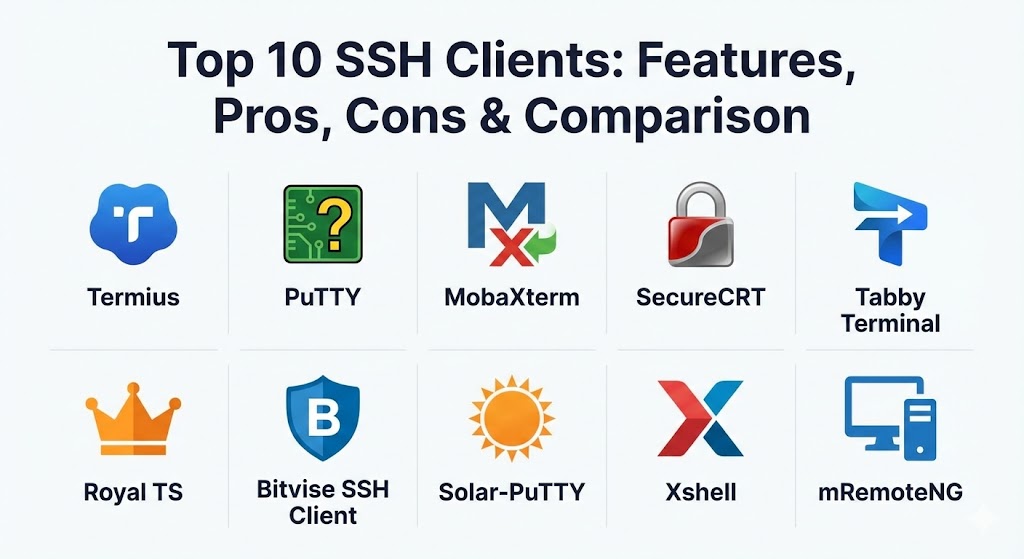
Top 10 SSH Clients Tools
1 — Termius
Termius is a modern, cross-platform SSH client designed for the mobile and cloud-first era. It stands out by offering seamless synchronization of host settings and credentials across all your devices, including desktop and mobile.
- Key features:
- Real-time sync across Windows, macOS, Linux, iOS, and Android.
- Integrated “Snippets” library for frequently used commands.
- Support for SSH, Telnet, Mosh, and SFTP.
- Mobile-friendly interface with specialized virtual keys.
- Team collaboration features for sharing server access securely.
- End-to-end encrypted cloud vault for credentials.
- Visual SSH key generator and manager.
- Pros:
- Best-in-class UI/UX that feels modern and intuitive.
- Perfect for admins who need to switch between their laptop and smartphone.
- Cons:
- Most advanced features (like sync and SFTP) require a paid subscription.
- It is not open-source, which may be a dealbreaker for some purists.
- Security & compliance: Uses 256-bit AES encryption for cloud storage; supports SSO, MFA, and is GDPR compliant.
- Support & community: Extensive online documentation, active community forums, and dedicated email support for business tiers.
2 — PuTTY
PuTTY is the “grandparent” of SSH clients. It is a free, open-source, and extremely lightweight tool that has been a staple in the Windows environment for over two decades.
- Key features:
- Support for SSH, Telnet, Rlogin, and Serial connections.
- Standalone, portable executable (no installation required).
- Highly customizable terminal window (fonts, colors, behavior).
- Robust command-line companion tools (PSCP, PSFTP, Plink).
- Public-key authentication via Pageant (SSH Agent).
- IPv6 support.
- Pros:
- Unmatched reliability and stability.
- Completely free with zero bloatware or tracking.
- Cons:
- Lacks a native tabbed interface (each session opens in a new window).
- The interface feels dated compared to modern 2026 standards.
- Security & compliance: Open-source transparency; compliance is user-managed via secure configurations.
- Support & community: Massive global community; decades of tutorials and troubleshooting guides available online.
3 — MobaXterm
MobaXterm is an all-in-one “Swiss Army Knife” for remote computing. It is specifically built for Windows power users who need to handle multiple protocols and graphical applications from a single window.
- Key features:
- Built-in X11 server for running remote GUI applications on Windows.
- Tabbed terminal interface with multi-execution capability.
- Integrated graphical SFTP browser for drag-and-drop file transfers.
- Supports SSH, RDP, VNC, Telnet, and FTP.
- Embedded Unix commands (bash, ls, cat, etc.) via Cygwin.
- Professional “Customizer” for creating branded enterprise versions.
- Pros:
- Incredibly feature-rich; effectively replaces 3-4 other tools.
- Excellent for developers who need to run Linux GUI tools remotely.
- Cons:
- Can feel “heavy” and cluttered for those who only need basic SSH.
- The free version has limitations on the number of sessions and macros.
- Security & compliance: Master password protection for stored credentials; supports SSH keys and standard encryption protocols.
- Support & community: Strong documentation and professional support available for the “Professional Edition.”
4 — SecureCRT
SecureCRT by VanDyke Software is the industry standard for enterprise-level remote access. It is favored by large organizations for its extreme focus on security, scripting, and reliability.
- Key features:
- Rock-solid terminal emulation for VT100, VT220, and Xterm.
- Powerful scripting support (Python, VBScript, PerlScript).
- Advanced session management with multi-level folder organization.
- Integrated “Command Window” to send commands to multiple sessions at once.
- Support for GSSAPI, smart cards, and hardware tokens.
- Cross-platform availability (Windows, Mac, Linux).
- Pros:
- Exceptionally professional and polished; built for 24/7 reliability.
- Superior automation capabilities through extensive scripting APIs.
- Cons:
- One of the most expensive tools on this list.
- Higher learning curve for mastering its complex configuration options.
- Security & compliance: FIPS 140-2 validated, HIPAA ready, and ISO 27001 compliant features.
- Support & community: Top-tier enterprise support; regular security updates and a long-standing history of corporate trust.
5 — Tabby Terminal
Tabby (formerly Terminus) is a modern, open-source terminal emulator that focuses on aesthetics and extreme customizability. It is built using web technologies, making it highly extensible.
- Key features:
- Fully customizable themes, colors, and CSS-based styling.
- Integrated SSH client with a robust profile manager.
- Support for serial ports, Telnet, and local shells.
- Persistent tabs that remember where you left off.
- Smart tab naming and color-coding.
- Built-in SFTP support.
- Pros:
- The most visually appealing client for developers who care about aesthetics.
- Extensible via a rich ecosystem of third-party plugins.
- Cons:
- Based on Electron, which results in higher memory usage than PuTTY or Bitvise.
- Occasional performance dips during very high-throughput logging.
- Security & compliance: Open-source; supports standard SSH encryption and key management.
- Support & community: Very active GitHub community; frequently updated with new community-contributed features.
6 — Royal TS
Royal TS is a comprehensive connection management tool that treats SSH as just one part of a larger administrative suite. It is ideal for teams that need to share connection documents.
- Key features:
- Centralized management of SSH, RDP, VNC, and web connections.
- Team collaboration through shared, password-protected documents.
- Credential vaulting with support for external providers (e.g., LastPass).
- Dynamic folders and task automation.
- Secure gateway support for tunneling through jump hosts.
- Pros:
- Best for team environments where multiple admins share server lists.
- Unified interface for managing entire infrastructure stacks.
- Cons:
- Primarily focused on Windows; macOS version is less feature-complete.
- Not a standalone SSH client; requires “buying into” the Royal TS ecosystem.
- Security & compliance: Role-based access control (RBAC), audit logs, and SOC 2 compatibility for managed environments.
- Support & community: Professional support ticketing system; extensive knowledge base.
7 — Bitvise SSH Client
Bitvise is a powerhouse for Windows users who need advanced tunneling, port forwarding, and high-performance SFTP file transfers.
- Key features:
- Advanced graphical SFTP client included.
- Dynamic port forwarding via integrated SOCKS and HTTP proxy.
- Support for “post-quantum” key exchange algorithms.
- Remote desktop (RDP) tunneling over SSH.
- Scriptable command-line parameters for automation.
- Extremely lightweight background footprint.
- Pros:
- One of the most secure clients, with frequent updates for cryptographic standards.
- Excellent for bypassing complex firewalls via sophisticated tunneling.
- Cons:
- Windows only.
- The UI is functional but lacks the modern “polish” of Termius or Tabby.
- Security & compliance: FIPS 140-2 validated; support for the latest encryption (ChaCha20, Ed25519).
- Support & community: Very responsive developer-led support; detailed version histories and technical notes.
8 — Solar-PuTTY
Solar-PuTTY is a free tool from SolarWinds that takes the reliable PuTTY engine and wraps it in a modern, tabbed interface designed for today’s admins.
- Key features:
- No installation required (portable).
- Tabbed session management for multiple server connections.
- Automatic credential saving for one-click logins.
- Integration with Windows search for finding saved hosts.
- Support for post-connection scripts.
- Graphical SFTP file transfers.
- Pros:
- Combines the stability of PuTTY with the convenience of tabs—all for free.
- Very easy to set up for IT generalists.
- Cons:
- Lacks the deep terminal emulation power of SecureCRT or MobaXterm.
- Primarily a Windows-centric utility.
- Security & compliance: Credential storage is encrypted; otherwise relies on standard SSH security.
- Support & community: Backed by the massive SolarWinds Thwack community and knowledge base.
9 — Xshell
Xshell is an enterprise-grade terminal emulator that emphasizes speed and efficiency. It is a favorite among network engineers who need to manage large numbers of devices simultaneously.
- Key features:
- Multi-pane views (split horizontal or vertical).
- Deep terminal customization with support for localized languages.
- “Compose Bar” for drafting multi-line commands before sending.
- Dynamic port forwarding and session logging.
- Integration with Xftp for seamless file management.
- Powerful search feature within the scrollback buffer.
- Pros:
- Extremely fast and responsive terminal rendering.
- Excellent for network device management where multi-pane views are critical.
- Cons:
- Commercial license is required for business use.
- Some advanced features are hidden behind a dense menu system.
- Security & compliance: Supports PKCS#11, GSSAPI, and standard enterprise security protocols.
- Support & community: Professional technical support and regular software updates.
10 — mRemoteNG
mRemoteNG is an open-source, multi-protocol remote connections manager. It is a fork of the original mRemote and adds several enhancements for modern Windows environments.
- Key features:
- Support for SSH, RDP, VNC, Telnet, and HTTP/S.
- Tabbed interface for jumping between disparate protocols.
- Nested folders for organizing thousands of connections.
- External tools integration (e.g., traceroute, ping).
- Import/export functionality for sharing connection lists.
- Pros:
- The best free, open-source connection manager for multi-protocol admins.
- Very lightweight despite managing thousands of records.
- Cons:
- UI can feel a bit dated (Standard Windows Forms look).
- Occasional bugs with high-DPI displays and scaling.
- Security & compliance: Encrypted XML storage for connection settings; Open-source transparency.
- Support & community: Active GitHub community and Reddit presence for troubleshooting.
Comparison Table
| Tool Name | Best For | Platform(s) Supported | Standout Feature | Rating (G2 / G.P.I.) |
| Termius | Mobile & Cloud Sync | Win, Mac, Lin, iOS, Android | Device Synchronization | 4.6 / 5 |
| PuTTY | Simple, Fast Access | Windows (official) | Lightest Footprint | 4.5 / 5 |
| MobaXterm | All-in-One Power User | Windows | Integrated X11 Server | 4.7 / 5 |
| SecureCRT | Enterprise Security | Win, Mac, Linux | Python Scripting | 4.4 / 5 |
| Tabby Terminal | Customizability | Win, Mac, Linux | Themeable Interface | 4.8 / 5 |
| Royal TS | Team Management | Win, Mac, Mobile | Shared Connection Docs | 4.4 / 5 |
| Bitvise SSH | Tunneling & SFTP | Windows | Post-Quantum Security | 4.6 / 5 |
| Solar-PuTTY | Tabbed Free Use | Windows | One-click Credentials | 4.3 / 5 |
| Xshell | Network Engineers | Windows | Split-pane/Multi-view | 4.5 / 5 |
| mRemoteNG | Open Source Multi-Protocol | Windows | Protocol Diversity | 4.3 / 5 |
Evaluation & Scoring of SSH Clients
To provide a fair comparison, we have evaluated these tools across several critical dimensions using a weighted scoring rubric.
| Category | Weight | Evaluation Criteria |
| Core Features | 25% | SSH protocol support, tabbed interface, session management, and SFTP. |
| Ease of Use | 15% | User interface design, onboarding experience, and search capabilities. |
| Integrations | 15% | Cloud sync, credential managers, and API extensibility. |
| Security & Compliance | 10% | MFA, key management, and enterprise-grade certifications. |
| Performance | 10% | Startup speed, memory usage, and terminal rendering lag. |
| Support & Community | 10% | Documentation quality, community activity, and vendor response. |
| Price / Value | 15% | Cost-to-feature ratio for various organization sizes. |
Which SSH Clients Tool Is Right for You?
Selecting the perfect SSH client is less about finding the “best” tool and more about finding the best fit for your specific workflow.
- Solo Users vs. SMB: Solo users often find the best value in Tabby or Solar-PuTTY, which provide modern features without a high price tag. For SMBs, Termius is highly recommended because it allows admins to remain productive while away from their desks.
- Mid-Market vs. Enterprise: Enterprises with strict compliance and security requirements should look toward SecureCRT or MobaXterm Professional. These tools provide the auditing, security, and professional support necessary for corporate environments.
- Budget-Conscious vs. Premium: If budget is no object, SecureCRT and Termius offer premium experiences. If you need a zero-cost solution, PuTTY remains the king of the CLI, while mRemoteNG is the best open-source connection manager.
- Feature Depth vs. Ease of Use: If you want a tool that “just works” out of the box, Termius or MobaXterm are excellent. If you want a tool that you can script and automate to an extreme degree, SecureCRT is the clear winner.
- Security & Compliance Requirements: For organizations requiring FIPS 140-2 validation or hardware token support, SecureCRT and Bitvise are the top contenders.
Frequently Asked Questions (FAQs)
1. What is an SSH client?
An SSH client is software that uses the Secure Shell protocol to connect securely to a remote server or device. It allows you to execute commands and manage data through an encrypted tunnel.
2. Is SSH safer than Remote Desktop (RDP)?
SSH is generally considered more secure by design for command-line tasks because it has a smaller attack surface. However, modern RDP is also very secure if configured correctly with encryption and MFA.
3. Do I need an SSH client on macOS or Linux?
Most macOS and Linux systems include a native SSH client in the terminal. However, many users still choose a GUI client like SecureCRT or Termius for better session management and features.
4. Can SSH clients transfer files?
Yes, most modern SSH clients include built-in support for SCP (Secure Copy) or SFTP (Secure File Transfer Protocol), allowing you to move files via the same encrypted connection.
5. Are SSH clients free?
There are many excellent free and open-source options like PuTTY, Tabby, and mRemoteNG. Others, like Termius or SecureCRT, are paid commercial products.
6. Which SSH client is best for beginners?Termius and Solar-PuTTY are often cited as the best for beginners due to their modern interfaces and simple session management.
7. Can I use an SSH client on my smartphone?
Yes! Termius is a leader in mobile SSH, providing an excellent experience on both iOS and Android for emergency server management on the go.
8. What is a “Jump Host” in SSH?
A jump host (or bastion host) is an intermediate server used to access a private network. Many modern clients like MobaXterm and Royal TS have built-in support for automating jump host connections.
9. Why do I need SSH keys?
SSH keys are much more secure than passwords. They use cryptographic pairs (public and private) to authenticate you, making it almost impossible for attackers to brute-force their way in.
10. Can I automate tasks with an SSH client?
Yes. Tools like SecureCRT support Python scripting, while others like MobaXterm allow you to record macros to automate repetitive administrative tasks.
Conclusion
Choosing an SSH client in 2026 is an exercise in balancing power, security, and usability. For the pure minimalist, PuTTY continues to reign supreme. For the enterprise architect, SecureCRT offers unmatched reliability. And for the modern DevOps engineer, Termius provides the cloud-synced flexibility required for a mobile world.
Ultimately, the best approach is to try a few—most offer free versions or trials—to see which fits your specific terminal habits. Whether you prioritize open-source ethics, AI-driven automation, or simple “one-click” reliability, the right SSH client is out there to help you manage your digital world securely.