Introduction
Serverless platforms, often referred to as Function-as-a-Service (FaaS), are cloud-based environments where application code is executed in response to specific events or triggers. Unlike traditional hosting, where you pay for a server to sit idle, serverless follows a consumption-based model: you only pay for the exact duration and resources used during execution. This shift from “renting capacity” to “buying execution” has fundamentally changed the economics of software development.
The importance of these platforms is rooted in agility and cost-efficiency. They allow startups to scale from zero to millions of users without manual intervention and enable enterprises to modernize legacy systems through event-driven microservices. Key real-world use cases include real-time image processing, API backends for mobile apps, automated data ETL (Extract, Transform, Load) pipelines, and low-latency edge computing. When evaluating a serverless platform, users should look for fast “cold start” times, a wide range of supported runtimes, robust integration with other cloud services, and granular monitoring tools.
Best for: Rapidly growing startups, DevOps teams aiming for low operational overhead, and developers building event-driven applications or microservices that experience unpredictable traffic spikes.
Not ideal for: Long-running high-performance computing (HPC) tasks that require dedicated hardware for hours at a time, or organizations with very steady, predictable 24/7 workloads where a reserved virtual machine (VM) might be more cost-effective.
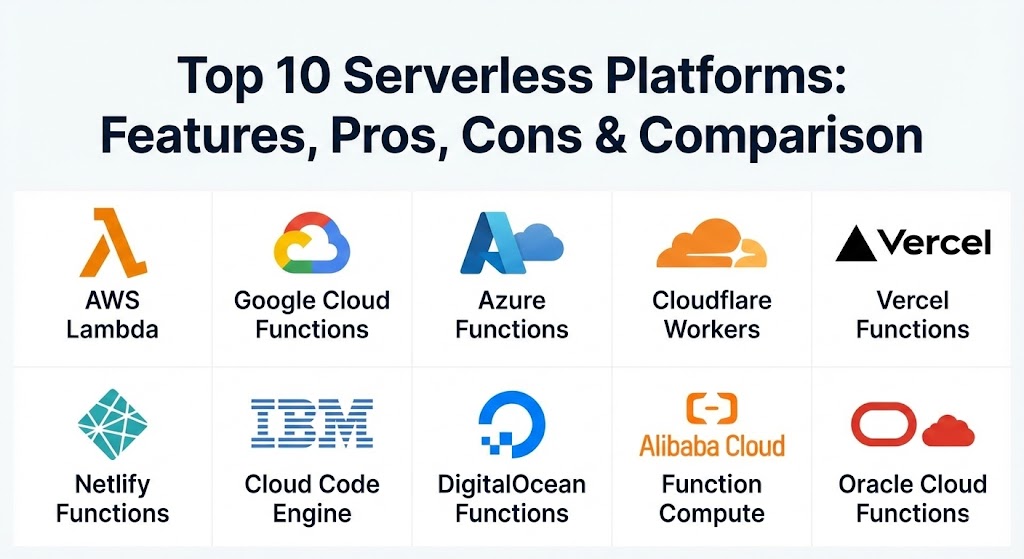
Top 10 Serverless Platforms
1 — AWS Lambda
AWS Lambda is the industry pioneer that defined the serverless category. It remains the most feature-rich and widely adopted platform, offering deep integration into the massive Amazon Web Services ecosystem.
- Key features:
- Native integration with over 200 AWS services like S3, DynamoDB, and Kinesis.
- Provisioned Concurrency to eliminate cold starts for latency-sensitive apps.
- Support for custom runtimes through Lambda Layers.
- High-precision billing based on the exact millisecond of execution.
- Choice between x86 and ARM-based (Graviton2) architectures for cost optimization.
- Integrated monitoring and tracing via CloudWatch and AWS X-Ray.
- Pros:
- Unparalleled ecosystem; if an AWS service exists, Lambda can probably trigger it.
- Extremely mature tooling, documentation, and a massive talent pool.
- Cons:
- Significant risk of “vendor lock-in” due to deep integration with AWS-specific APIs.
- The management console and IAM security settings can be daunting for beginners.
- Security & compliance: SOC 1/2/3, HIPAA, PCI DSS, GDPR, ISO 27001, and FIPS 140-2.
- Support & community: Extensive documentation, global community forums, and 24/7 enterprise-grade premium support.
2 — Google Cloud Functions
Google Cloud Functions (GCF) is designed for simplicity and seamless integration within the Google Cloud Platform (GCP). It is a top choice for developers who value ease of use and superior integration with Firebase for mobile and web apps.
- Key features:
- Event-driven execution triggered by Google Cloud storage, Pub/Sub, or HTTP.
- Native Firebase integration, making it ideal for mobile backend logic.
- Automatic scaling that handles spikes without manual configuration.
- Support for popular languages including Node.js, Python, Go, and Java.
- Google Cloud Build integration for automated CI/CD pipelines.
- Built-in logging through Google Cloud Logging.
- Pros:
- Excellent developer experience with a more intuitive UI than AWS.
- Exceptional performance for data-heavy tasks within the GCP environment.
- Cons:
- Smaller overall service ecosystem compared to Amazon Web Services.
- Maximum execution time limits can be more restrictive than competitors.
- Security & compliance: ISO 27001, SOC 2/3, HIPAA, and GDPR.
- Support & community: High-quality documentation and strong support from the Google developer community.
3 — Azure Functions
Azure Functions is Microsoft’s answer to serverless, providing a highly flexible platform that caters to both small scripts and complex, stateful enterprise workflows. It is the natural choice for organizations already invested in the Microsoft stack.
- Key features:
- Durable Functions for managing state and long-running workflows.
- “Logic Apps” integration for visual, no-code workflow orchestration.
- Flexible hosting plans: Consumption, Premium, and Dedicated (App Service).
- Best-in-class support for .NET, C#, and PowerShell.
- Seamless integration with Azure DevOps and GitHub Actions.
- Azure Virtual Network (VNet) support for enhanced security.
- Pros:
- Superior integration for enterprise environments using Active Directory and Office 365.
- The only major platform providing a robust way to handle stateful serverless patterns.
- Cons:
- Can be more expensive than competitors if not carefully configured on the right plan.
- Complexity increases significantly when moving beyond basic HTTP triggers.
- Security & compliance: FedRAMP, HIPAA, SOC 1/2/3, and PCI DSS.
- Support & community: Robust enterprise support and a large community of Microsoft developers.
4 — Cloudflare Workers
Cloudflare Workers takes a different approach by running code at the “edge.” By utilizing V8 Isolates instead of containers, it offers near-zero cold starts and executes code closer to the end-user.
- Key features:
- Global distribution across 300+ data centers for ultra-low latency.
- V8 Isolate architecture that eliminates traditional “cold start” delays.
- Integrated Key-Value (KV) and D1 (SQL) storage at the edge.
- Durable Objects for maintaining state with global consistency.
- Workers AI for running machine learning models at the edge.
- Built-in DDoS protection and Web Application Firewall (WAF).
- Pros:
- Incredible performance; your code runs within milliseconds of the user.
- Very affordable pricing model with a generous free tier.
- Cons:
- Not a full Node.js environment; some standard libraries are unsupported.
- Limited CPU execution time per request compared to centralized platforms.
- Security & compliance: SOC 2 Type II, ISO 27001, GDPR, and HIPAA.
- Support & community: Excellent Discord-based community and very clear, modern documentation.
5 — Vercel Functions
Vercel has become the go-to platform for frontend developers. Their serverless functions are designed to be “invisible,” automatically deployed as part of a Next.js or React project.
- Key features:
- Zero-configuration deployment directly from Git.
- Automatic optimization for Next.js applications.
- Edge Functions for global performance and Serverless Functions for heavy compute.
- Integrated analytics and speed insights for every deployment.
- Preview environments for every pull request.
- Seamless integration with headless CMSs and external databases.
- Pros:
- The fastest path from local code to a production-ready global API.
- Exceptional developer experience (DX) focused on “it just works.”
- Cons:
- Costs can escalate quickly once you move beyond the “Pro” tier limits.
- Less flexible for non-web workloads (e.g., heavy data processing).
- Security & compliance: SOC 2, ISO 27001, and GDPR.
- Support & community: Very active community and high-quality email-based support for teams.
6 — Netlify Functions
Netlify is Vercel’s primary rival, offering a comprehensive platform for modern web projects. Their functions are built on top of AWS Lambda but wrapped in an incredibly simple management layer.
- Key features:
- Automated deployment from GitHub, GitLab, and Bitbucket.
- Background Functions for tasks that take up to 15 minutes.
- Scheduled Functions (Cron) for recurring tasks.
- Integrated form handling and identity management (Auth).
- Edge Functions based on Deno for low-latency logic.
- Simple logging and monitoring dashboard.
- Pros:
- Simplifies the power of AWS Lambda without the AWS complexity.
- Great “all-in-one” platform for static sites with dynamic backends.
- Cons:
- You are essentially paying a premium over AWS for the ease of use.
- Not designed for massive, multi-service backend architectures.
- Security & compliance: SOC 2 Type II, GDPR, and PCI DSS compliance readiness.
- Support & community: High engagement in community forums and good documentation.
7 — IBM Cloud Code Engine
IBM Cloud Code Engine is a fully managed, serverless platform that allows you to run containers, batch jobs, or source code. It is highly versatile and built for enterprise-grade workloads.
- Key features:
- Ability to run both serverless functions and containerized apps on one platform.
- Serverless Fleets for high-parallelism AI and simulation workloads.
- Support for GPU-based serverless tasks (ideal for AI).
- Pay-only-for-use pricing that scales to zero.
- Integration with Watson AI and IBM Cloud databases.
- Isolated environments for enhanced security.
- Pros:
- Very versatile; you aren’t limited to just small code snippets.
- Excellent for heavy-duty business logic and compute-intense AI tasks.
- Cons:
- The IBM Cloud ecosystem is smaller and less “trendy” than AWS or Vercel.
- Can have a slightly higher learning curve for those not familiar with PaaS.
- Security & compliance: Highly compliant (FIPS, HIPAA, GDPR, ISO).
- Support & community: Strong enterprise support and detailed technical guides.
8 — DigitalOcean Functions
DigitalOcean is beloved by startups and indie developers for its simplicity and transparent pricing. Their Functions offering brings serverless to their “App Platform.”
- Key features:
- Integrated with DigitalOcean App Platform for full-stack apps.
- Simplified command-line (doctl) for fast deployments.
- Built-in support for Node.js, Python, Go, and PHP.
- High-speed connections to DigitalOcean managed databases.
- Straightforward, predictable monthly billing.
- Unified dashboard for managing droplets, databases, and functions.
- Pros:
- Extremely easy to understand; no “hidden” costs or complex configuration.
- Ideal for smaller teams that want to avoid the “big cloud” overhead.
- Cons:
- Lacks the advanced feature set (like durable state) of AWS or Azure.
- Fewer regions and data center locations compared to the giants.
- Security & compliance: SOC 2 Type II, GDPR, and ISO 27001.
- Support & community: Excellent tutorials and a very helpful “DigitalOcean Community” Q&A site.
9 — Alibaba Cloud Function Compute
For companies operating in the Asian market, Alibaba Cloud is the dominant force. Function Compute provides a highly scalable serverless experience with massive local coverage.
- Key features:
- Millisecond-level scaling to handle enormous traffic spikes.
- Deep integration with Alibaba’s e-commerce and logistics ecosystem.
- Support for custom containers and multiple programming languages.
- Intelligent cold start optimization using sandbox technology.
- Comprehensive monitoring and alerting within the Alibaba Cloud console.
- High availability across multiple zones in China and internationally.
- Pros:
- The absolute best choice for reach and performance within mainland China.
- Very competitive pricing for large-scale enterprise usage.
- Cons:
- Documentation in English can sometimes lag behind the Chinese version.
- International adoption is lower, meaning fewer third-party community tools.
- Security & compliance: Multi-national compliance including GDPR, SOC, and ISO.
- Support & community: Strong enterprise-level support; dominant community in Asia.
10 — Oracle Cloud Functions
Oracle has pivoted hard to the cloud, and their serverless offering is built on the open-source Fn Project. It is designed for enterprise performance and high-volume data processing.
- Key features:
- Based on the Fn Project, allowing for local development and no lock-in.
- Native integration with Oracle Autonomous Database and Fusion Apps.
- High-performance execution using enterprise-grade hardware.
- Support for Docker containers as the deployment unit.
- Identity and Access Management (IAM) integrated for granular security.
- Part of Oracle’s “Always Free” cloud tier for developers.
- Pros:
- Open-source core means you can run the same functions on your own servers.
- Best-in-class performance for Oracle database-driven applications.
- Cons:
- The Oracle Cloud UI is often criticized for being cluttered and difficult to navigate.
- The community and ecosystem are much smaller than AWS or GCP.
- Security & compliance: HIPAA, PCI DSS, SOC 1/2/3, and GDPR.
- Support & community: Robust enterprise support; focuses more on corporate clients than hobbyists.
Comparison Table
| Tool Name | Best For | Platform(s) Supported | Standout Feature | Rating (Gartner Peer Insights) |
| AWS Lambda | Massive Ecosystem | AWS | Deepest Service Integration | 4.7 / 5 |
| Google Cloud Functions | Data/Firebase Apps | GCP | Seamless Firebase Integration | 4.5 / 5 |
| Azure Functions | Microsoft Enterprises | Azure | Durable (Stateful) Functions | 4.6 / 5 |
| Cloudflare Workers | Ultra-Low Latency | Edge Network | Near-Zero Cold Starts | 4.8 / 5 |
| Vercel Functions | Frontend/Next.js | Vercel / Edge | “Invisible” DX / Git-Based | 4.7 / 5 |
| Netlify Functions | Jamstack Sites | Netlify / AWS | Integrated Form/Auth Tools | 4.6 / 5 |
| IBM Code Engine | Mixed Workloads/AI | IBM Cloud | Serverless GPU / Batch Jobs | 4.2 / 5 |
| DigitalOcean Funct. | Startups/SMEs | DigitalOcean | Transparent, Flat Pricing | 4.4 / 5 |
| Alibaba Funct. Comp. | Asian Market | Alibaba Cloud | Chinese Market Domination | 4.3 / 5 |
| Oracle Functions | Oracle Workloads | Oracle Cloud | Open Source (Fn Project) | 4.1 / 5 |
Evaluation & Scoring of Serverless Platforms
To provide a fair assessment, we used the following weighted rubric to score each platform. This ensures that essential factors like security and performance are prioritized.
| Category | Weight | Evaluation Criteria |
| Core Features | 25% | Languages supported, scaling speed, cold start handling, and trigger types. |
| Ease of Use | 15% | UI quality, CLI tools, local development experience, and onboarding time. |
| Integrations | 15% | Native cloud services, third-party SaaS, and API ecosystem. |
| Security & Compliance | 10% | IAM granularity, VPC support, and regulatory certifications (HIPAA/GDPR). |
| Performance | 10% | Latency, execution time limits, and global distribution. |
| Support & Community | 10% | Documentation quality, forums, and enterprise support response. |
| Price / Value | 15% | Pay-as-you-go fairness, free tier generousness, and cost predictability. |
Which Serverless Platform Tool Is Right for You?
Choosing a platform is not about finding the “objectively best” one, but the one that aligns with your existing stack and technical goals.
- Solo Users vs SMBs: If you are a solo developer or a small startup, DigitalOcean Functions or Vercel are top picks. They remove the complex security and networking hurdles of the “Big Three” clouds and offer clear pricing.
- Budget-Conscious Developers: Cloudflare Workers and Vercel offer incredibly generous free tiers that allow you to run significant traffic before paying a dime.
- Mid-Market to Enterprise: For large companies, the decision usually follows your existing cloud provider. If you are on Azure, use Azure Functions. If you have complex stateful logic, Azure is actually the leader here.
- Feature Depth vs Ease of Use: AWS Lambda has the most features but a high learning curve. Vercel and Google Cloud Functions prioritize ease of use, sacrificing some of the more granular control.
- Security & Compliance: For healthcare or finance, AWS, Azure, and IBM are the most battle-tested and carry the widest range of specific government and industry certifications.
Frequently Asked Questions (FAQs)
1. What exactly is a “cold start”?
A cold start occurs when a function is triggered after being idle. The platform must “spin up” a container or environment, causing a slight delay (milliseconds to seconds) in execution.
2. Is serverless cheaper than traditional hosting?
For unpredictable or low-traffic apps, yes. You only pay when code runs. However, for a high-traffic app that runs 24/7 at constant load, a reserved server can sometimes be more cost-effective.
3. Can I use any programming language?
Most platforms natively support Node.js, Python, Go, and Java. For others (like Rust or C++), platforms like AWS Lambda allow “Custom Runtimes” or Docker containers.
4. How do I manage state in a stateless environment?
Serverless functions are inherently stateless. You must store data in an external database (like DynamoDB or Redis) or use stateful frameworks like Azure Durable Functions.
5. What is “Edge” serverless?
Edge serverless (like Cloudflare Workers) runs your code in hundreds of global data centers close to the user, rather than in a single “Central” region (like US-East-1).
6. Are there execution time limits?
Yes. Most functions have a timeout (usually 5 to 15 minutes). If your task takes longer, you should use a container service or a batch job platform like IBM Code Engine.
7. How do I test serverless functions locally?
Tools like AWS SAM, the Azure Functions Core Tools, or the Wrangler CLI for Cloudflare allow you to simulate the cloud environment on your own computer.
8. Can serverless functions connect to a private database?
Yes, most enterprise-grade platforms (AWS, Azure, Google) allow you to connect functions to a Virtual Private Cloud (VPC) to access internal resources securely.
9. What is “Vendor Lock-in” in serverless?
Because you often use provider-specific APIs for triggers and storage, moving your code from (for example) AWS to Azure can require significant rewriting of the “glue” code.
10. Is serverless the same as “No-Ops”?
Not quite. While you don’t manage servers, you still have “Ops” tasks like monitoring performance, managing security permissions (IAM), and optimizing costs.
Conclusion
The serverless landscape in 2026 is no longer just about running small snippets of code; it is a comprehensive ecosystem that supports everything from simple websites to massive AI-driven enterprise backends. While AWS Lambda remains the heavyweight for sheer power, the rise of “Edge” computing via Cloudflare and the “Developer Experience” focus of Vercel have provided meaningful alternatives for every use case. When selecting your platform, remember that the “best” tool is the one that lets your developers spend more time building features and less time worrying about the machines running them.